CS331 · Annotated SlidesChapter 1 · Part 2 — Introduction: Protocol Layering, TCP/IP and the OSI Model
Chapter 1 · Part 2 · Annotated slides

Introduction: Protocol Layering, TCP/IP and the OSI Model

Why networks are built in layers, the 7 OSI layers and what each one does, its PDU and its address, how encapsulation wraps data on the way down and unwraps it on the way up, and how the 5-layer TCP/IP suite maps onto OSI. Every later chapter is one of these layers, so this deck is the map for the rest of the course.

Slide text Study notes Highlight: key words Tips, tricks & traps Seen again elsewhere How it can come up

Introduction

CS331: Computer Networks · Chapter 1, Part 2
1
Exam weight Low
  1. Layering → OSI (7 layers) → encapsulation → each layer’s job, PDU and address → TCP/IP (5 layers).
  2. Memorize the layer table on slide 51: it is used in every chapter after this.

Chapter 1-Part 2: Outline

  • 1.4 PROTOCOL LAYERING
  • 1.5 TCP/IP PROTOCOL SUITE
  • 1.6 THE OSI MODEL
2
Exam weight Low
  1. 1.4 protocol layering · 1.5 TCP/IP suite · 1.6 OSI model.

Protocol Layers and Service Models

  • Computer network architecture is complex
    • Too many components
    • How to understand its architecture?
    • How to allow developers and users to deal with this complexity?①
  • Solution 🡺
    • Computer networks functions are designed and implemented as layers
    • Layers are logical groupings of all the processes or functions required for effective data exchange②
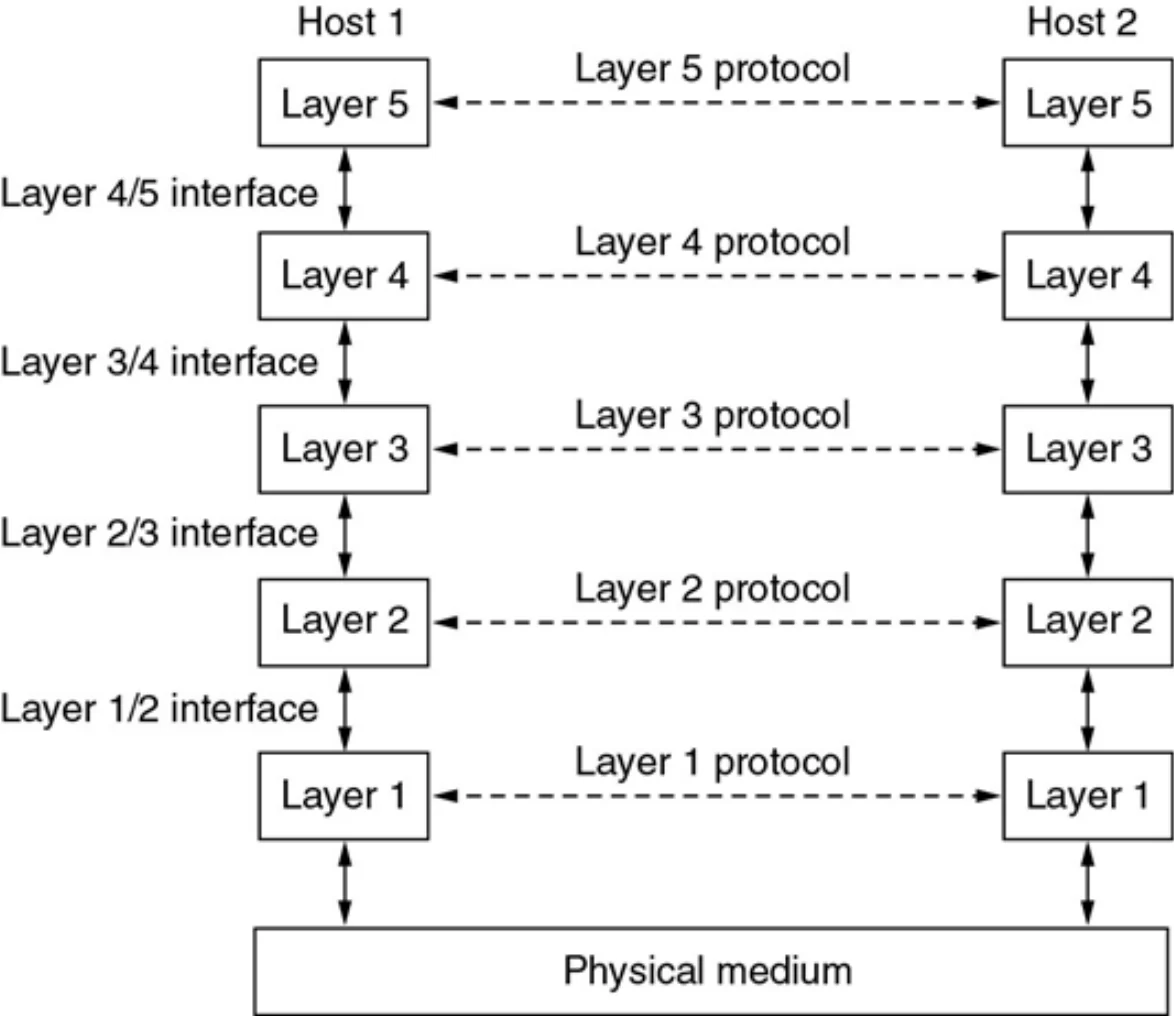
    • Layer n-1 provides some service to the layer n through a well-defined interface (boundary between each two layers)
    • Each interface defines what information, operations, and services a layer must provide for the layer above it.③
    • These layers are distributed across all nodes in the network
3
Exam weight Medium
  1. Problem: networks are too complex to understand or build as one piece.
  2. Solution: layers = logical groups of functions. Each layer does one job.
  3. Layer n-1 serves layer n through an interface (the boundary between two layers).
Memory trickA layer only talks to the one directly above and below it on the same machine.
🎯 How this can come up · 2 questions
MCQ

The boundary between two adjacent layers is called a(n):

True / False

In a layered architecture, layer n-1 provides a service to layer n.

Layers, protocols, and interfaces

Host 1 and host 2 each have layers 1–5; layer-x protocols run between matching layers, interfaces between adjacent layers, physical medium at the bottom
Protocols run horizontally (peer to peer). Interfaces run vertically (layer to layer).
4
Exam weight High
  1. Horizontal = protocol (layer 3 talks to the other host’s layer 3). Vertical = interface.
  2. Only layer 1 actually touches the physical medium; everything above is logical communication.
Exam trapProtocol ≠ interface. A protocol is between peers on different machines; an interface is between neighbours on the same machine.
🎯 How this can come up · 1 question
MCQ

Rules used between the same layer on two different hosts are a:

Communication through an internet

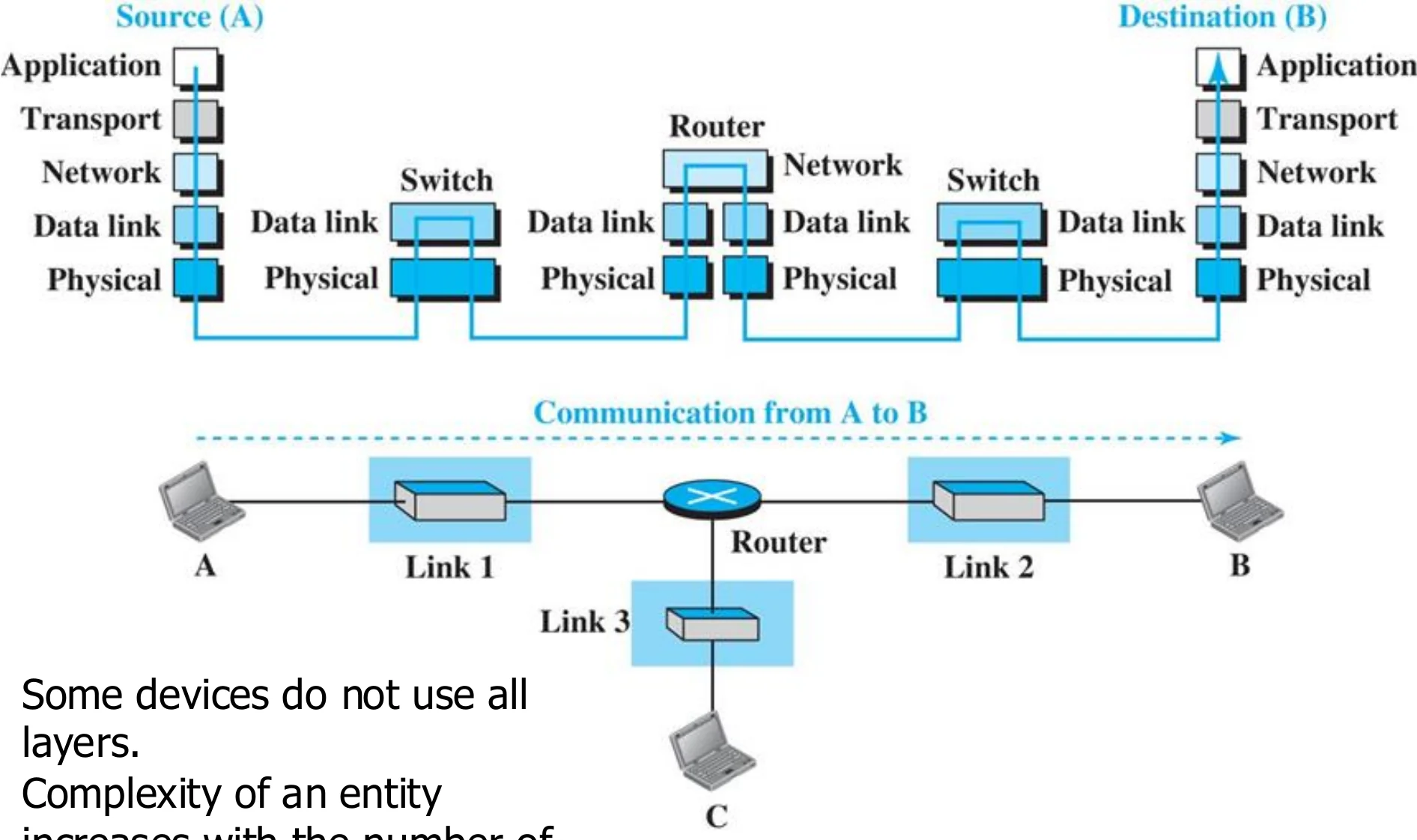
Source A has 5 layers, a switch has 2 (data link, physical), a router has 3 (up to network), destination B has 5
5
Exam weight High
  1. Hosts use all 5 layers. A switch only needs layers 1–2. A router needs layers 1–3.
  2. The more layers a device supports, the more complex it is.
🎯 How this can come up · 2 questions
MCQ

Up to which layer does a router operate?

MCQ

A link-layer switch uses which layers?

Advantages of Layered Architecture

  • Breaks the complicated communication process into layers of simpler processes which allows easier hardware or software implementation①
  • Each layer implements distinct (different from other layers and unique) set of protocols (functions), and
  • Well-defined interface between layers n and n-1
  • The advantage of the above two requirements:
    • The implementation of each layer can be done independently of the other layers.
    • This allows different manufacturers to supply the hardware and software needed to the different layers
      • encourages collaboration & Competition②
6
Exam weight Medium
  1. Each layer has its own unique protocols and a well-defined interface → each layer can be built independently.
  2. So different vendors can build different layers (NIC maker, OS maker, browser maker) and it still works.
🎯 How this can come up · 1 question
Written

Give two advantages of a layered network architecture.

Standard Protocol Models

  • The protocols of the various layers are called protocol stack①
  • Two Standard Protocol models (stack) exist:
    • Open System Interconnect (OSI)
    • Transmission Control Protocol/Internet Protocol (TCP/IP)②
7
Exam weight Low
  1. Protocol stack = the set of protocols of all the layers.
  2. Two standard stacks: OSI (the reference model) and TCP/IP (what the Internet actually runs).

OSI Model

  • Developed by ISO (the International Organization for Standardization) in the 1970s
  • Provides framework for standardization
  • An open system is a set of protocols that allow any two different systems to communicate regardless of their underlying architecture.
  • Describes how data and network information moves from an application in one computer to an application in another computer.
  • Dominated before 1990①
8
Exam weight Medium
  1. OSI = Open Systems Interconnection, made by ISO (the organization). OSI is the model; ISO is who made it.
Exam trapISO is the organization, OSI is the model. Exam options often swap them.
🎯 How this can come up · 1 question
MCQ

The OSI model was developed by:

OSI Model

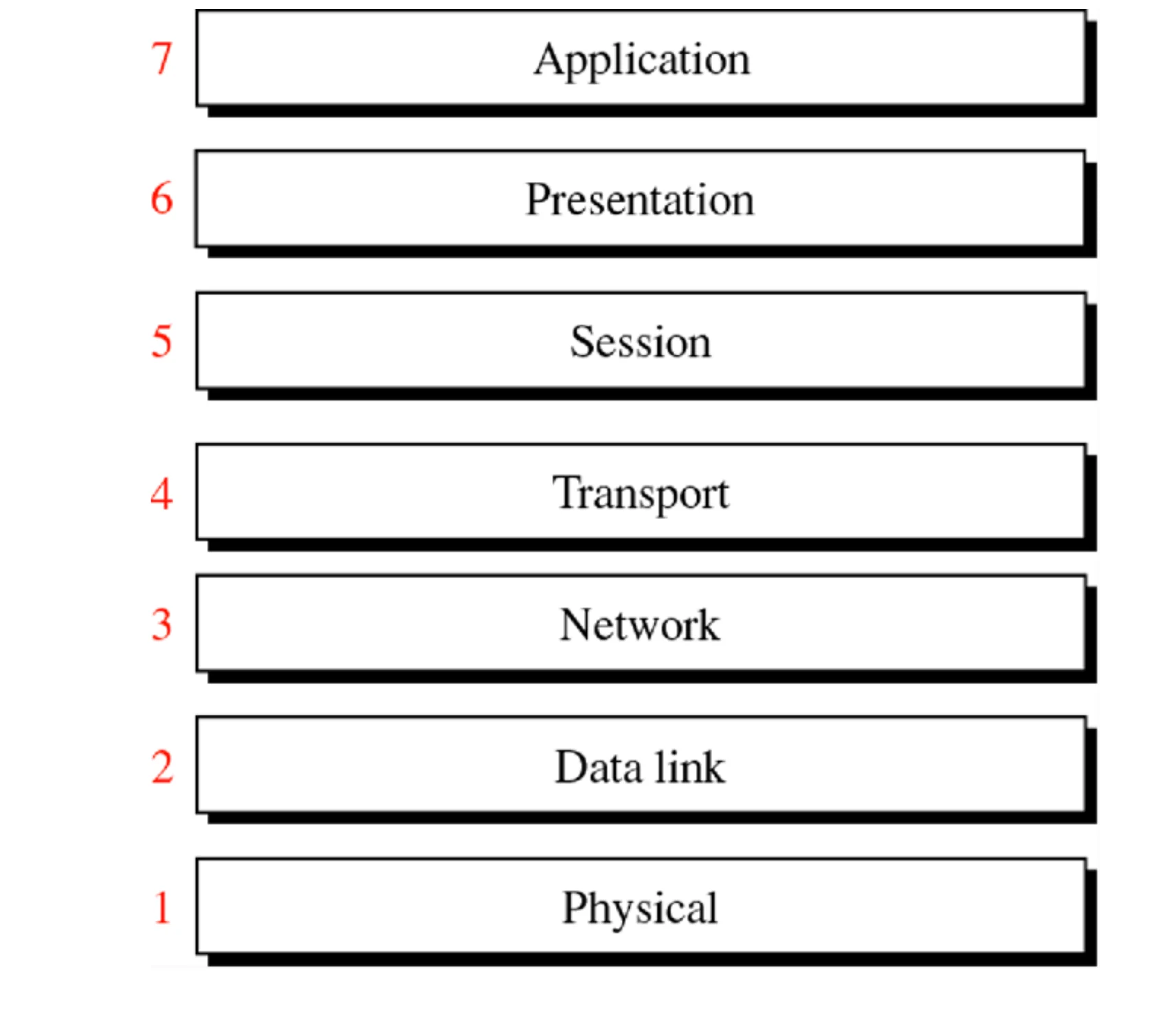
Seven OSI layers numbered from 1 Physical at the bottom to 7 Application at the top
9
Exam weight High
  1. 7 Application · 6 Presentation · 5 Session · 4 Transport · 3 Network · 2 Data link · 1 Physical.
🎯 How this can come up · 2 questions
MCQ

Which OSI layer number is the transport layer?

MCQ

Which layer sits directly above the network layer in OSI?

OSI Model

To remember the 7 layers is the sentence “All people seem to need data processing”

10
Exam weight Medium
  1. Top-down: All People Seem To Need Data Processing = Application, Presentation, Session, Transport, Network, Data link, Physical.
Memory trickBottom-up version: “Please Do Not Throw Sausage Pizza Away”.

OSI Protocols Implementation

  • A protocol layer can be implemented in software, in hardware, or in a combination of the two①
  • Application, Presentation, Session and Transport are implemented in software
  • Network is a mixed implementation of hardware and software
  • Physical and data link are implemented in hardware in the network interface card (NIC)②
11
Exam weight Medium
  1. Top 4 (application → transport) = software. Network = software + hardware. Data link + physical = hardware, on the NIC.
🎯 How this can come up · 2 questions
MCQ

Which layers are implemented in hardware on the NIC?

True / False

The network layer is implemented in a mix of hardware and software.

Peer-to-Peer Processes

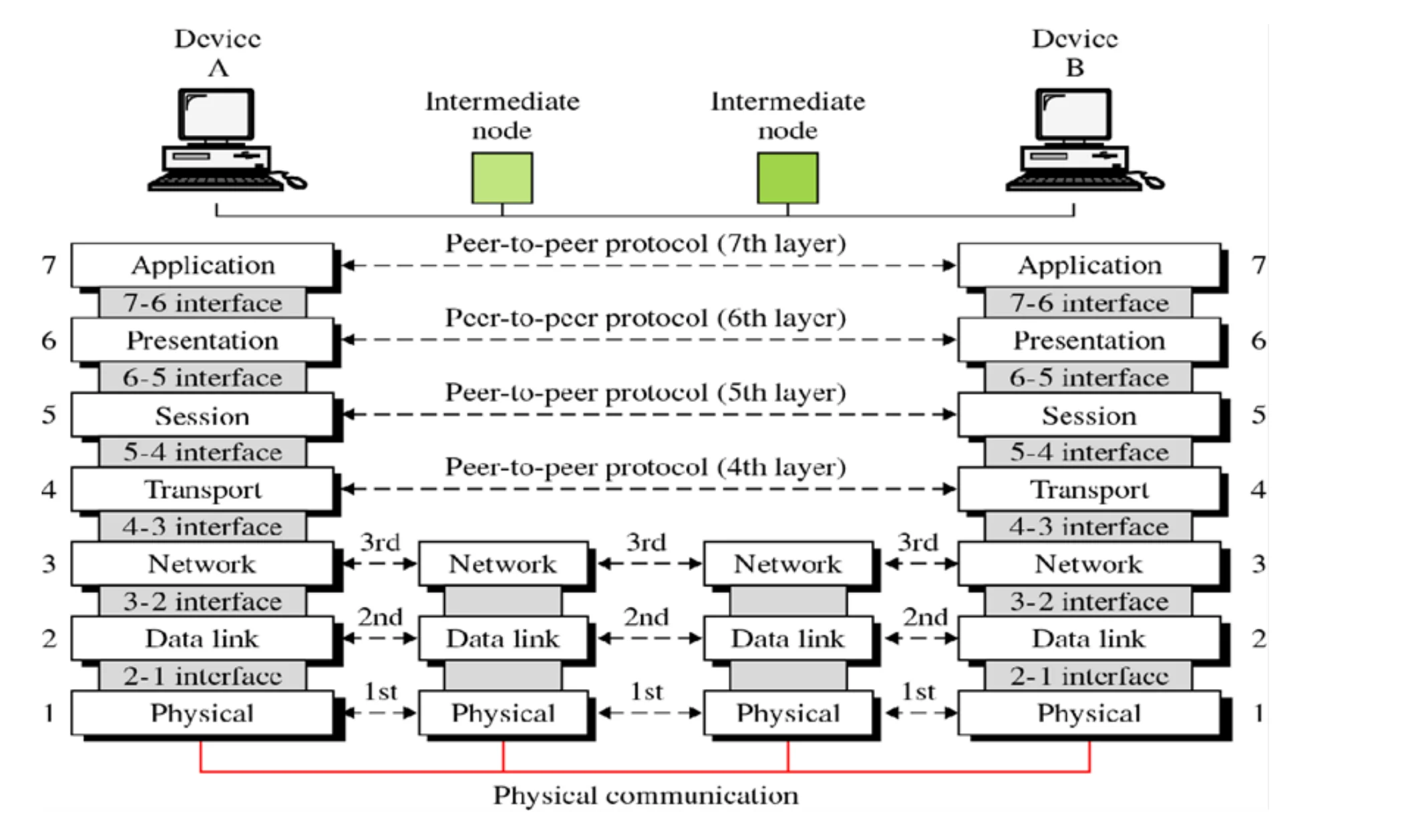
Devices A and B with all 7 layers and two intermediate nodes with layers 1–3; peer-to-peer protocols link matching layers
Peers = the same layer on two machines. Intermediate nodes only run layers 1–3.
12
Exam weight Low
  1. Peers are entities at the SAME layer on different machines.
  2. Layers 4–7 talk end to end; layers 1–3 talk hop by hop with every intermediate node.

OSI model-Basic Operation

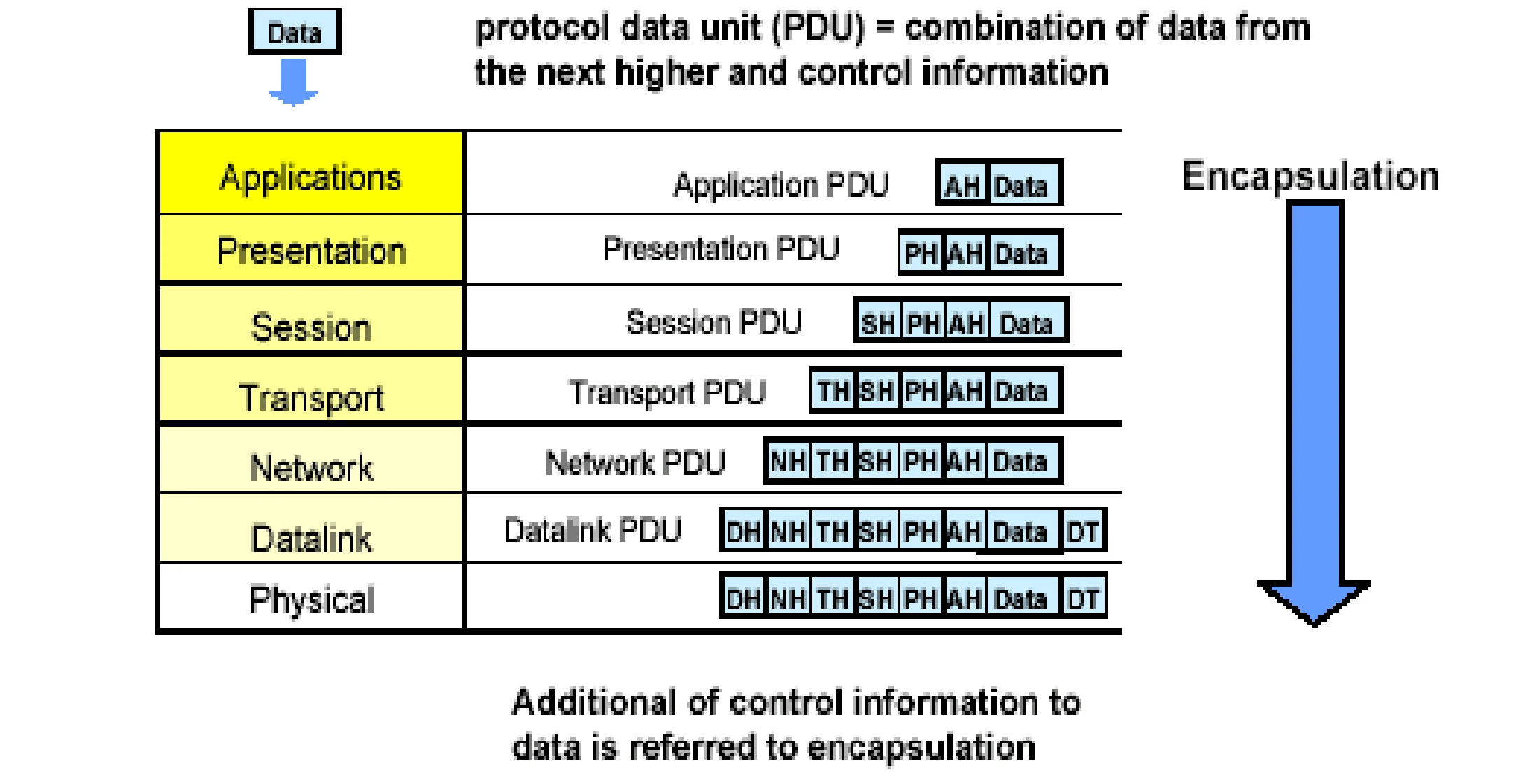
  • Peer-to-Peer communication: Each layer on a sending node communicates (logically) with its peer layer on the receiving node③ using formatted blocks of data called Protocol Data Units (PDU)①
  • PDU = combination of data (payload) from the next higher layer and the control information of the current layer (Specific requests and instructions)
    • Control information are given in the header fields of the block except for the data link (has both header and trailer)②
    • Control information is read and executed ONLY by the peer layer on the receiving node
13
Exam weight High
  1. PDU = data from the layer above (payload) + this layer’s control info.
  2. Control info goes in a HEADER. Data link is the exception: it adds a header AND a trailer.
  3. Only the peer layer on the receiver reads that header.
Exam trapOnly the data link layer adds a trailer (for error detection).
🎯 How this can come up · 2 questions
MCQ

Which layer adds both a header and a trailer?

True / False

The header added by the transport layer is read by the receiver’s transport layer only.

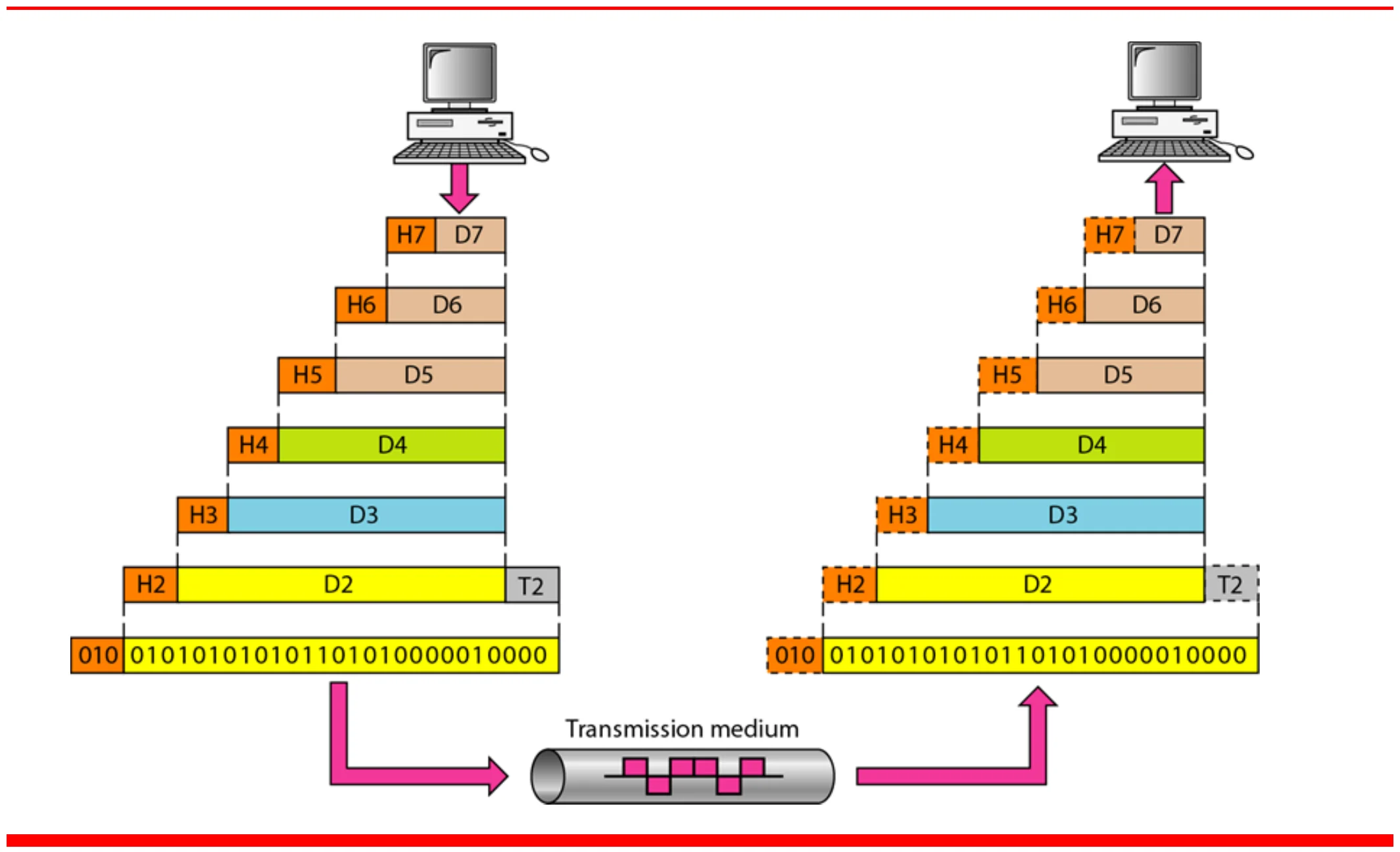
An exchange using the OSI model (Figure 2.4)

Data D7 gets headers H7 to H2 and trailer T2 on the way down, crosses the medium as bits, and loses them on the way up
14
Exam weight Low
  1. Going down, each layer adds its header (H7 … H2, plus trailer T2). Going up, each layer strips its own.

Data Encapsulation

Each layer’s PDU is the higher layer’s PDU plus its own header: application PDU, presentation PDU … data link PDU with DH and DT
15
Exam weight High
  1. Encapsulation: layer N-1 carries layer N’s whole PDU as its data, without looking inside.
  2. PDU (N-1) = PDU (N) + control info of N-1.
🎯 How this can come up · 2 questions
MCQ

Data encapsulation means that layer N-1:

True / False

During encapsulation, a lower layer inspects and changes the upper layer’s header.

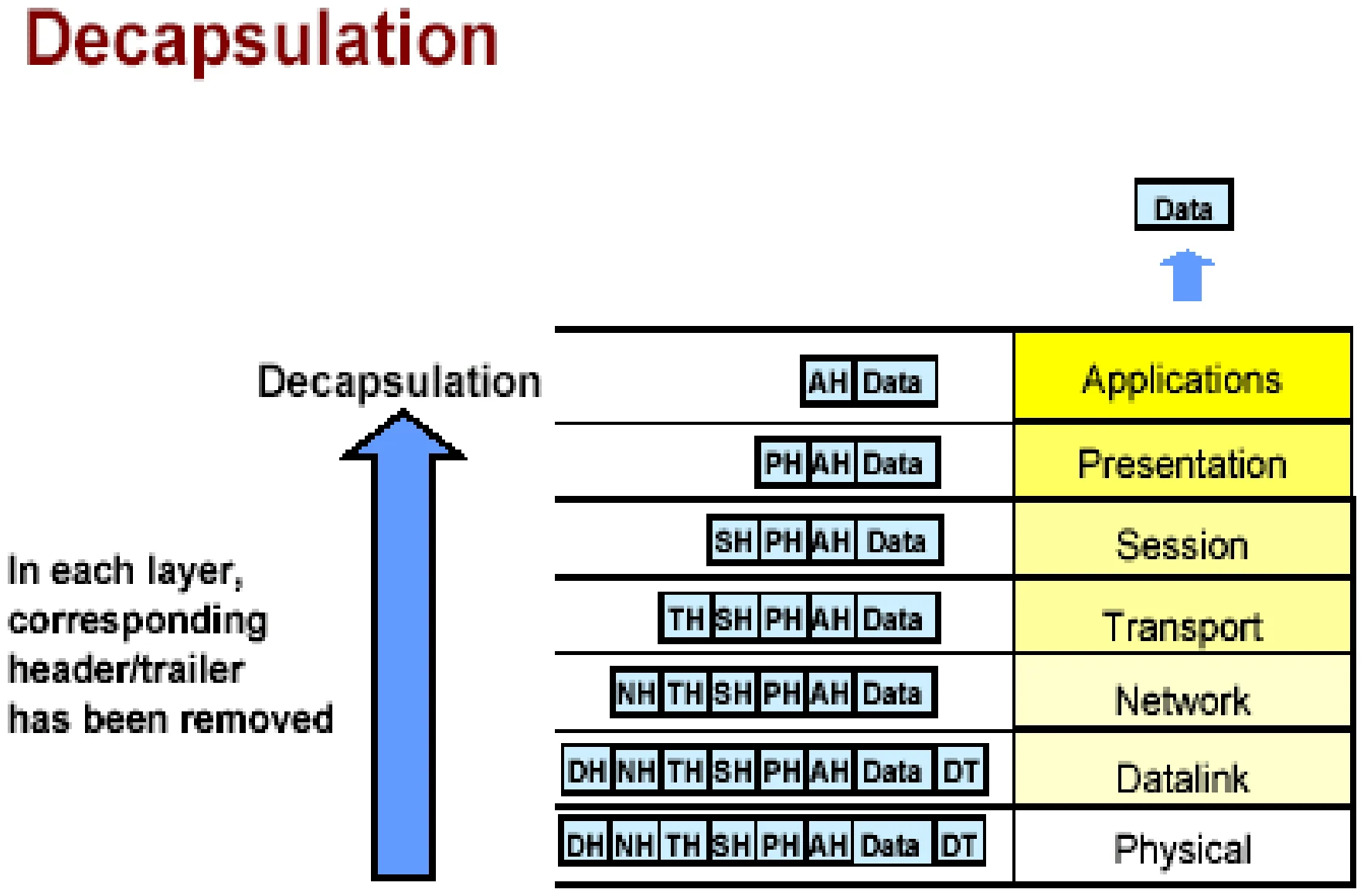
Decapsulation

At the receiver each layer removes its header and passes the rest up
16
Exam weight Low
  1. Decapsulation = the reverse: each layer removes its own header/trailer and hands the rest up.

How Hosts Talk over a Network

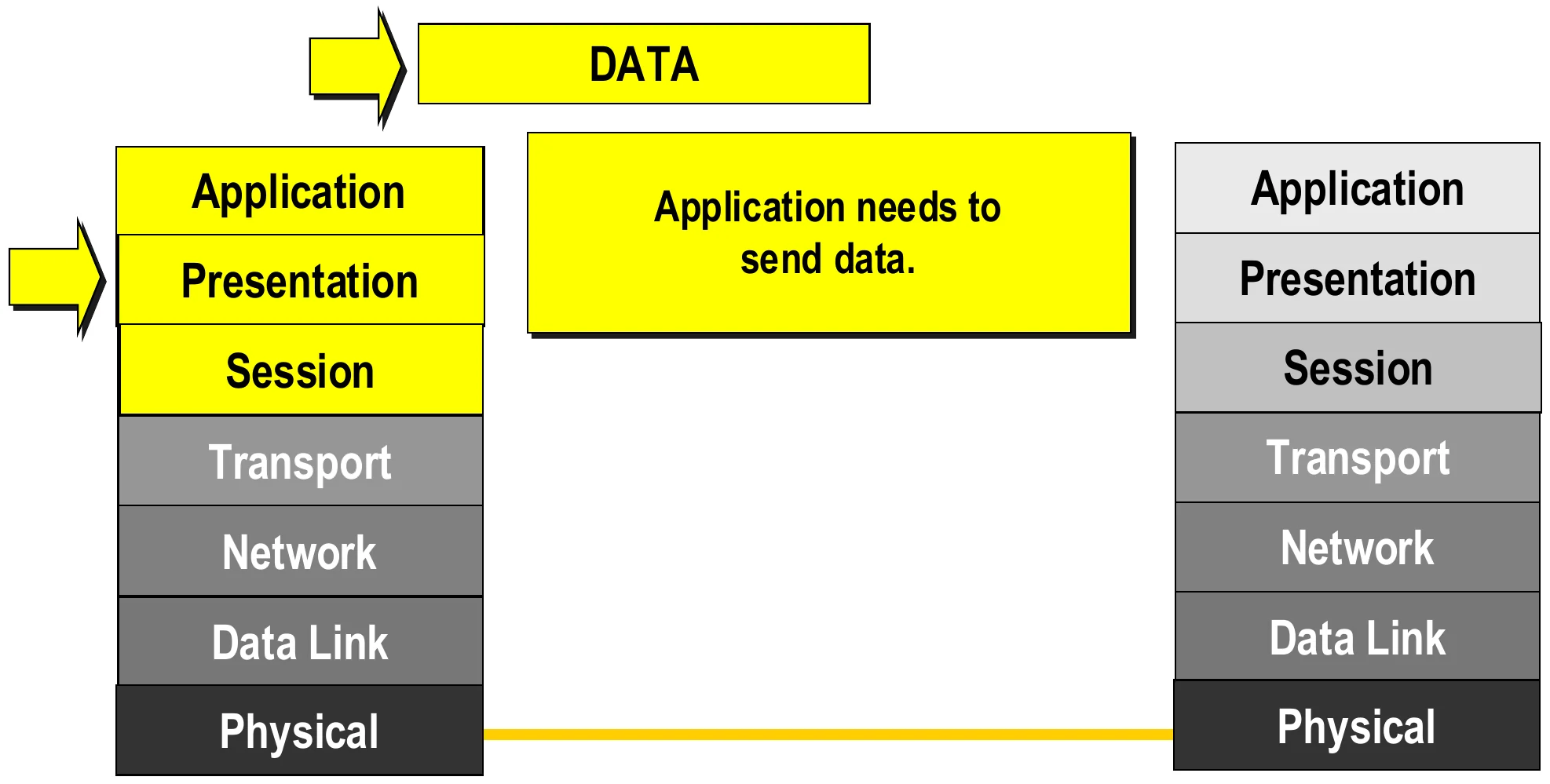
The application, presentation and session layers prepare the data
17
Exam weight Low
  1. Slides 17–24 are one animation: follow the yellow arrow down the sender’s stack, across the link, and up the receiver’s stack.
  2. Step 1: the application needs to send data.

How Hosts Talk over a Network

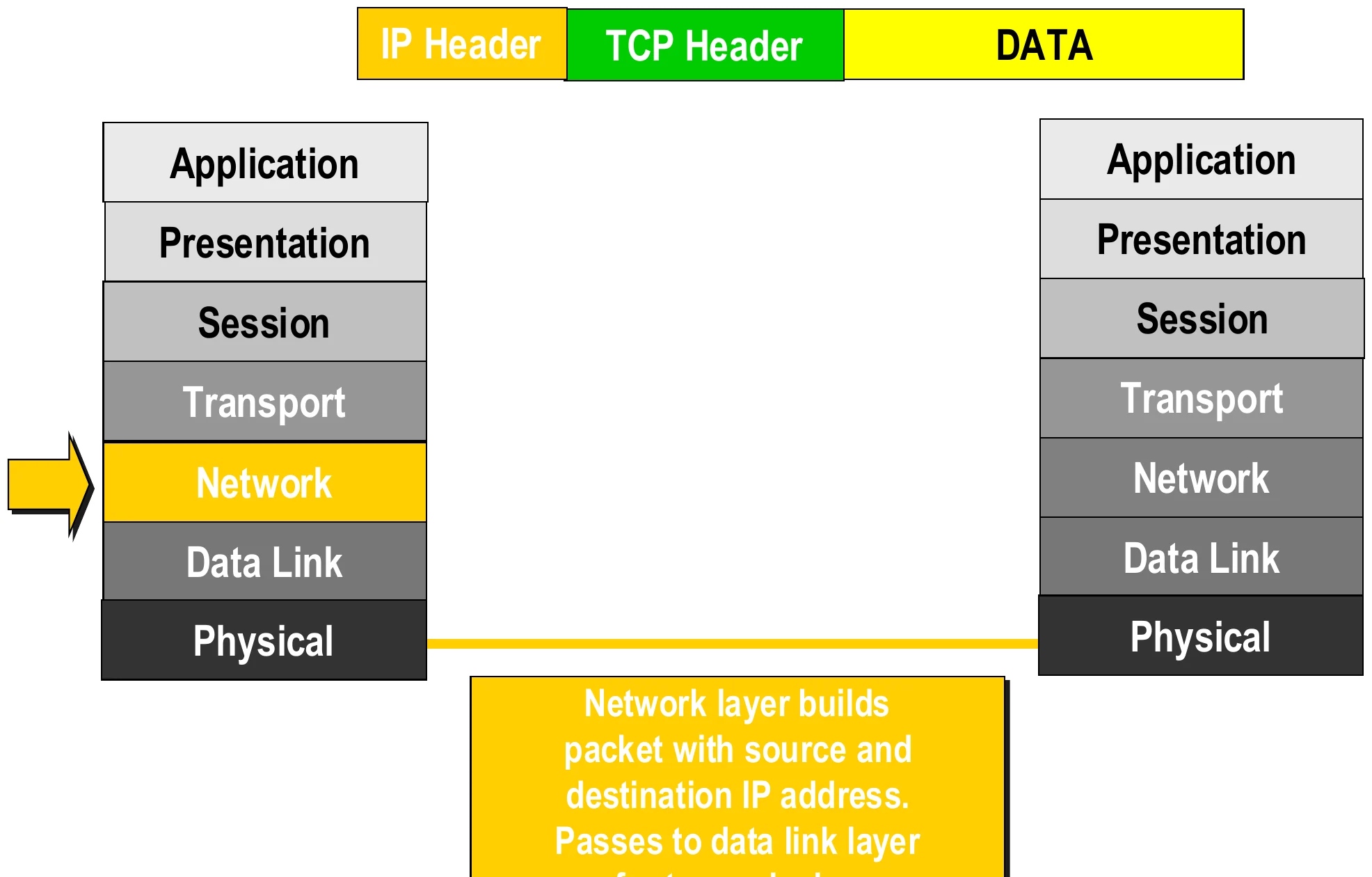
Network adds the IP header
19
Exam weight Low
  1. Network adds the IP header with SOURCE and DESTINATION IP addresses.

How Hosts Talk over a Network

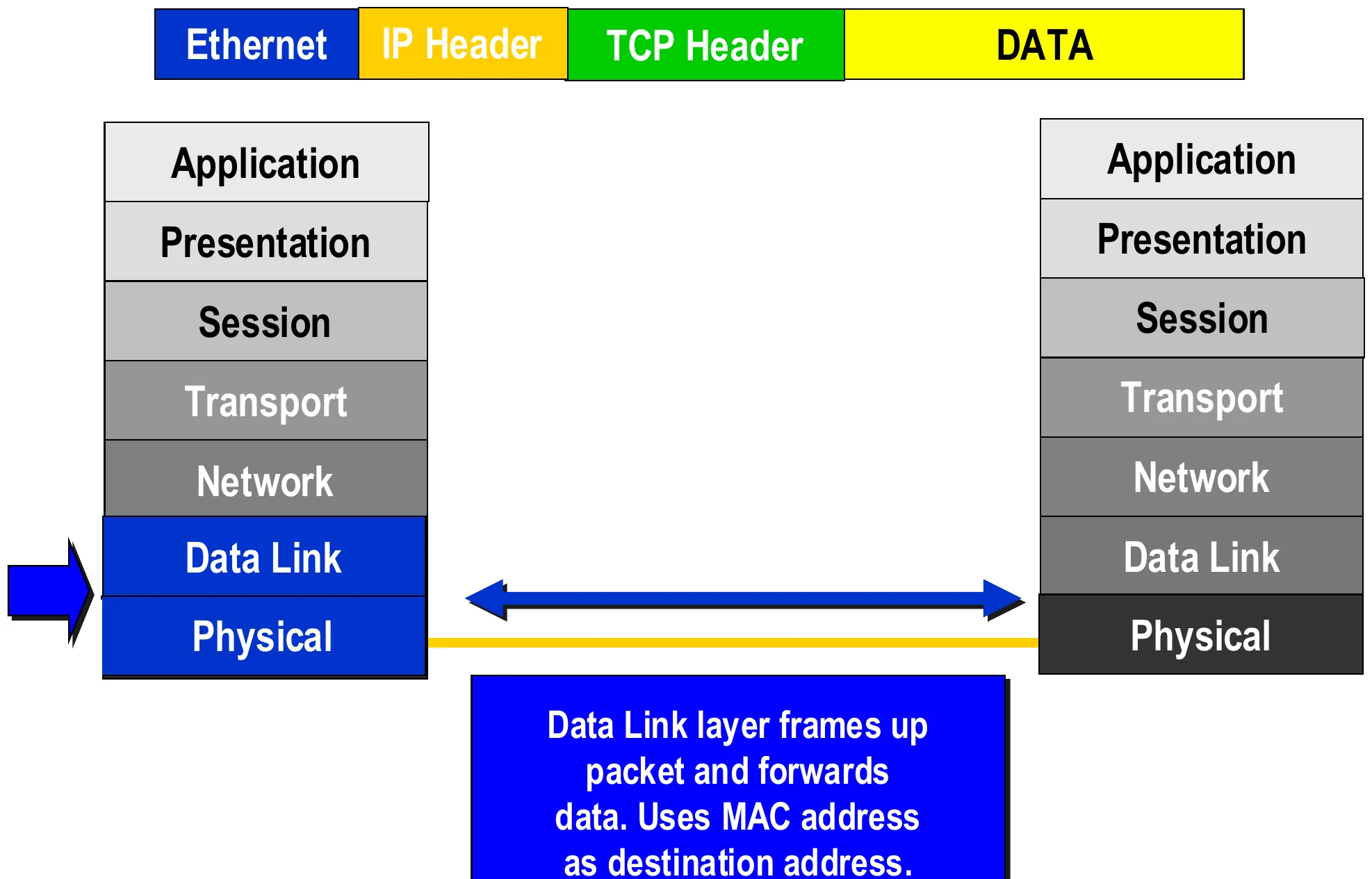
Data link adds the Ethernet header; physical sends the bits
20
Exam weight Low
  1. Data link wraps it in a frame (Ethernet header) using the MAC address of the next device. Physical sends bits.

How Hosts Talk over a Network

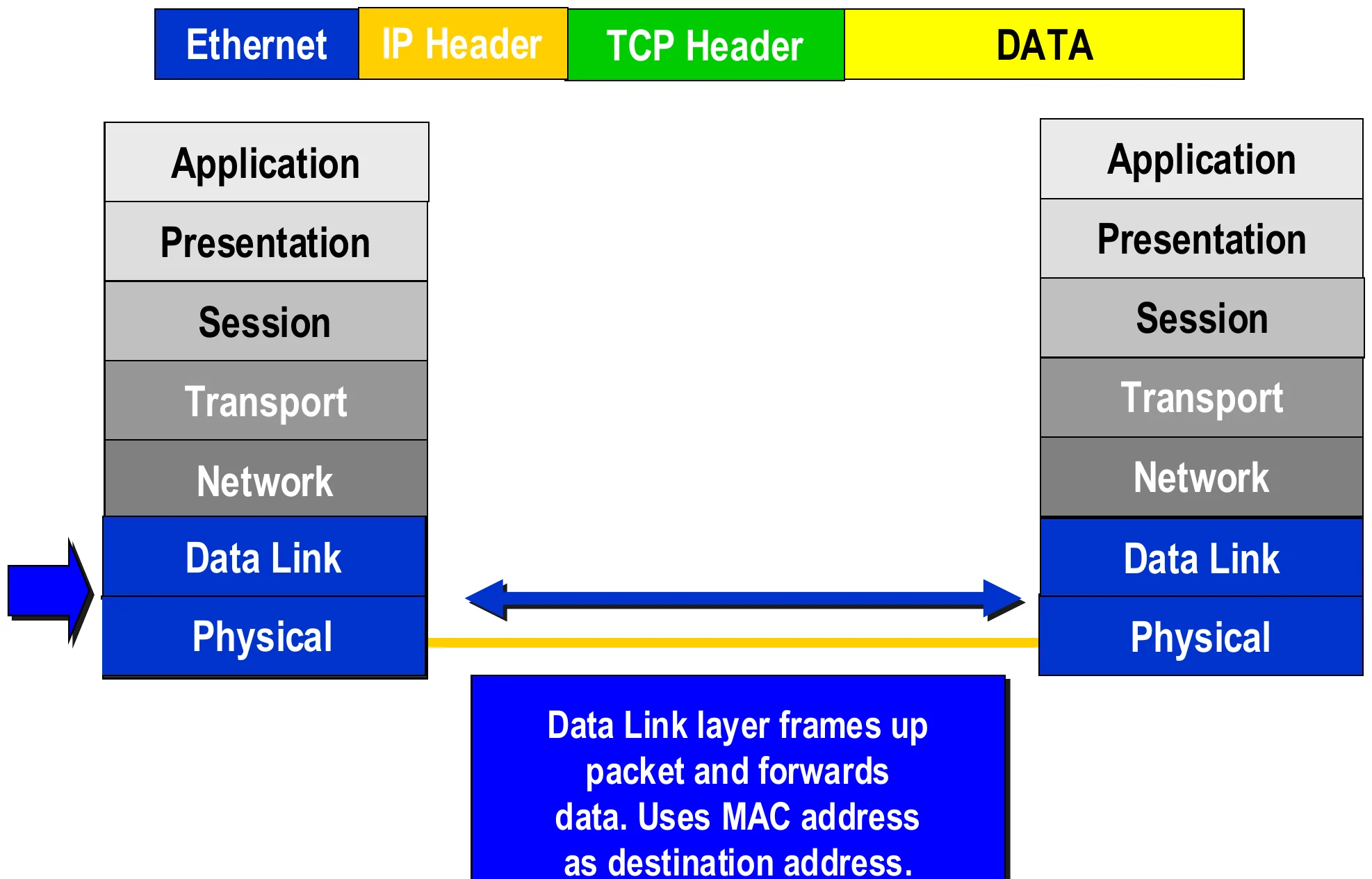
The receiver’s physical and data link layers take the frame
21
Exam weight Low
  1. Receiver: physical gets bits, data link checks the MAC address and removes the frame header.

How Hosts Talk over a Network

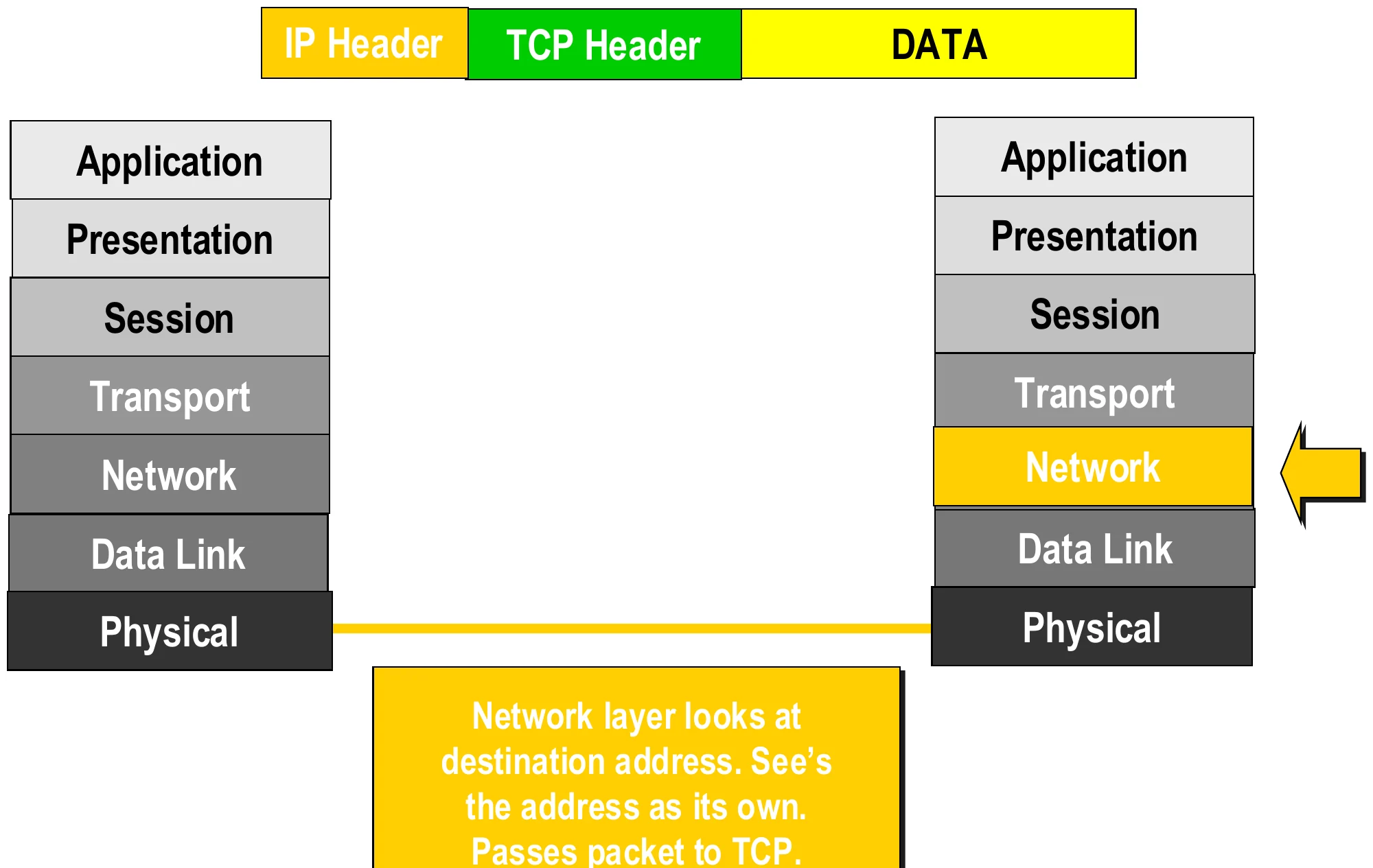
Receiver network layer checks the destination IP
22
Exam weight Low
  1. Network sees its own IP as the destination and passes the packet up to TCP.

How Hosts Talk over a Network

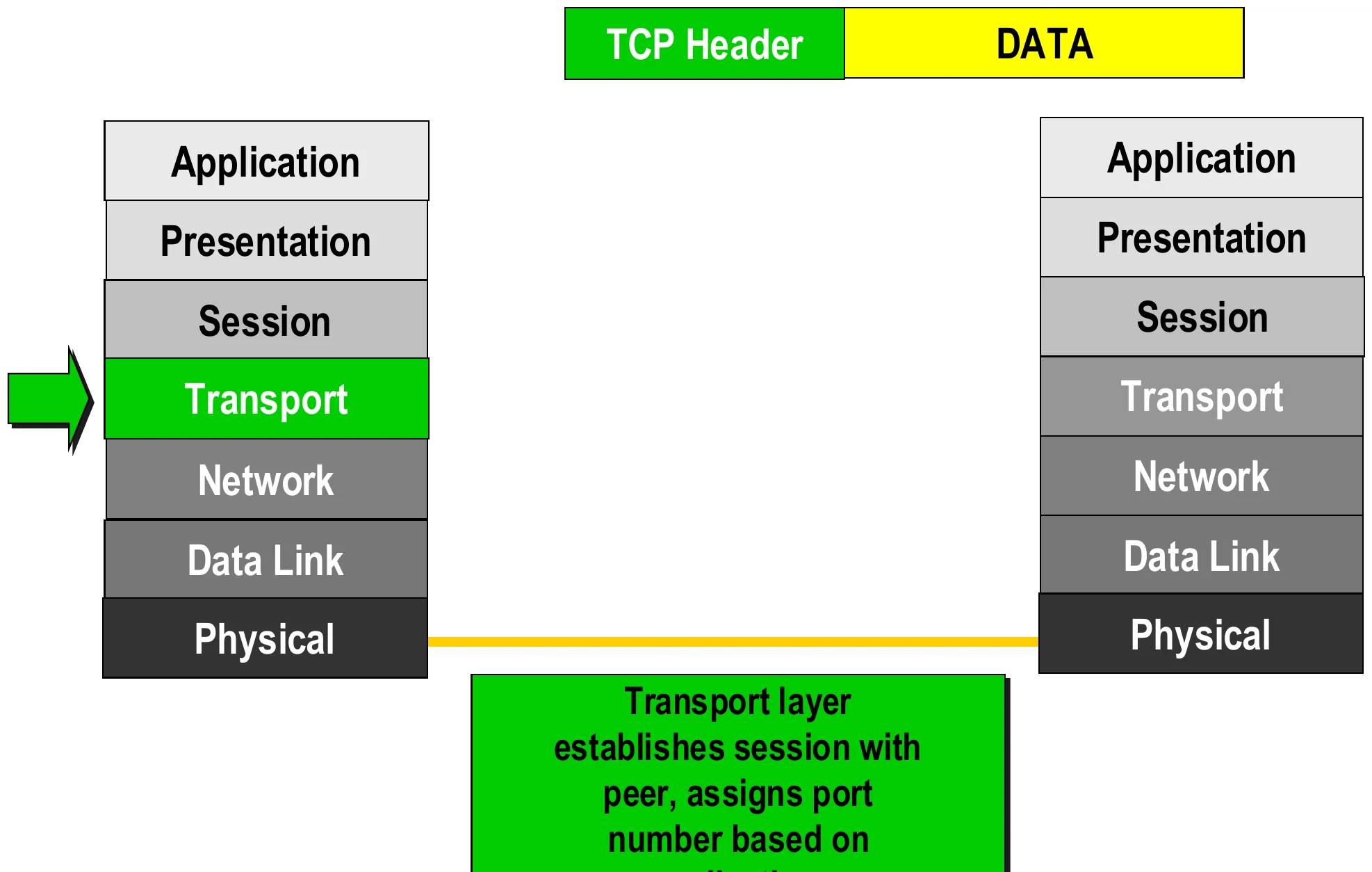
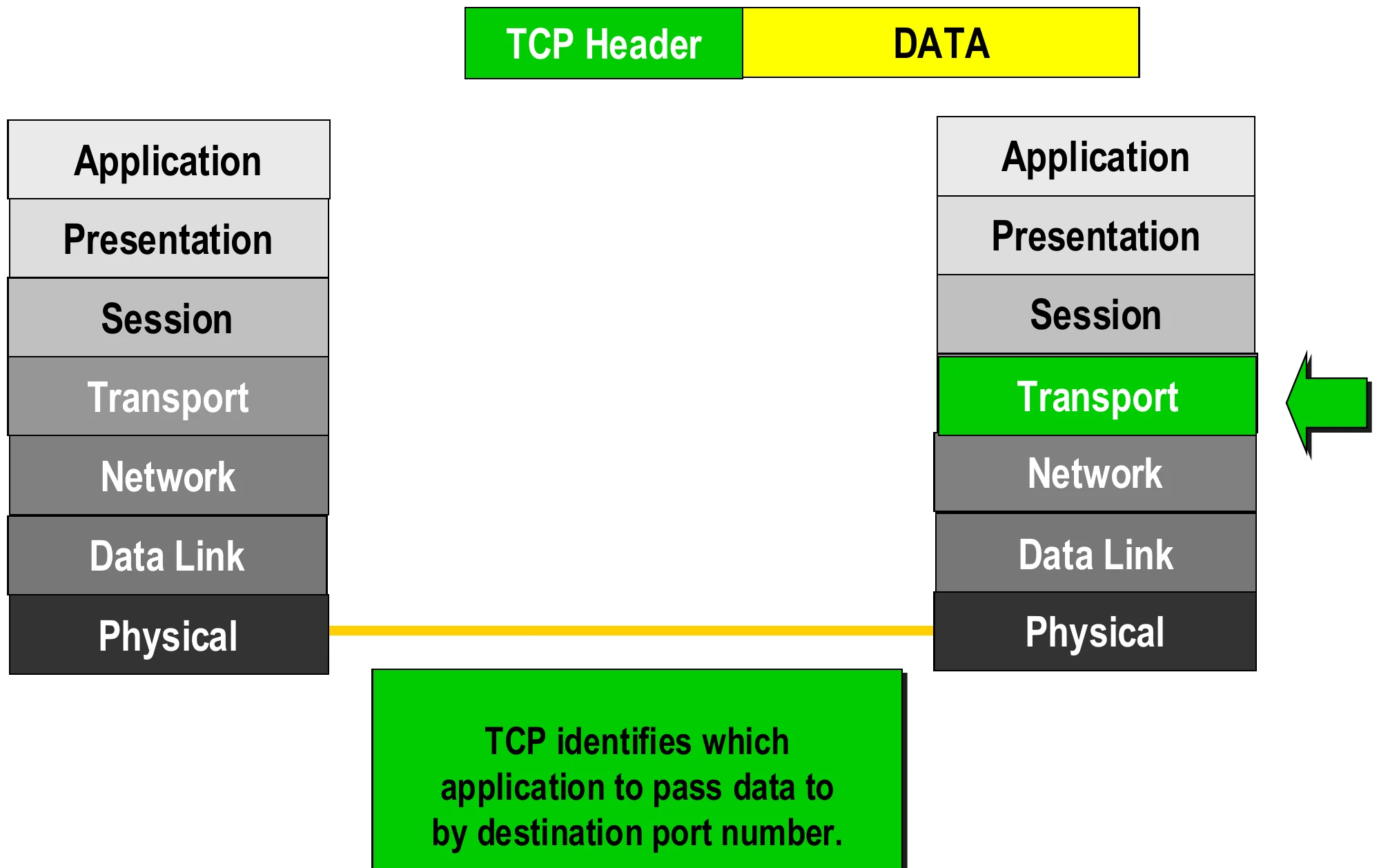
Receiver transport uses the destination port
23
Exam weight Low
  1. TCP uses the DESTINATION PORT to pick which application gets the data.

How Hosts Talk over a Network

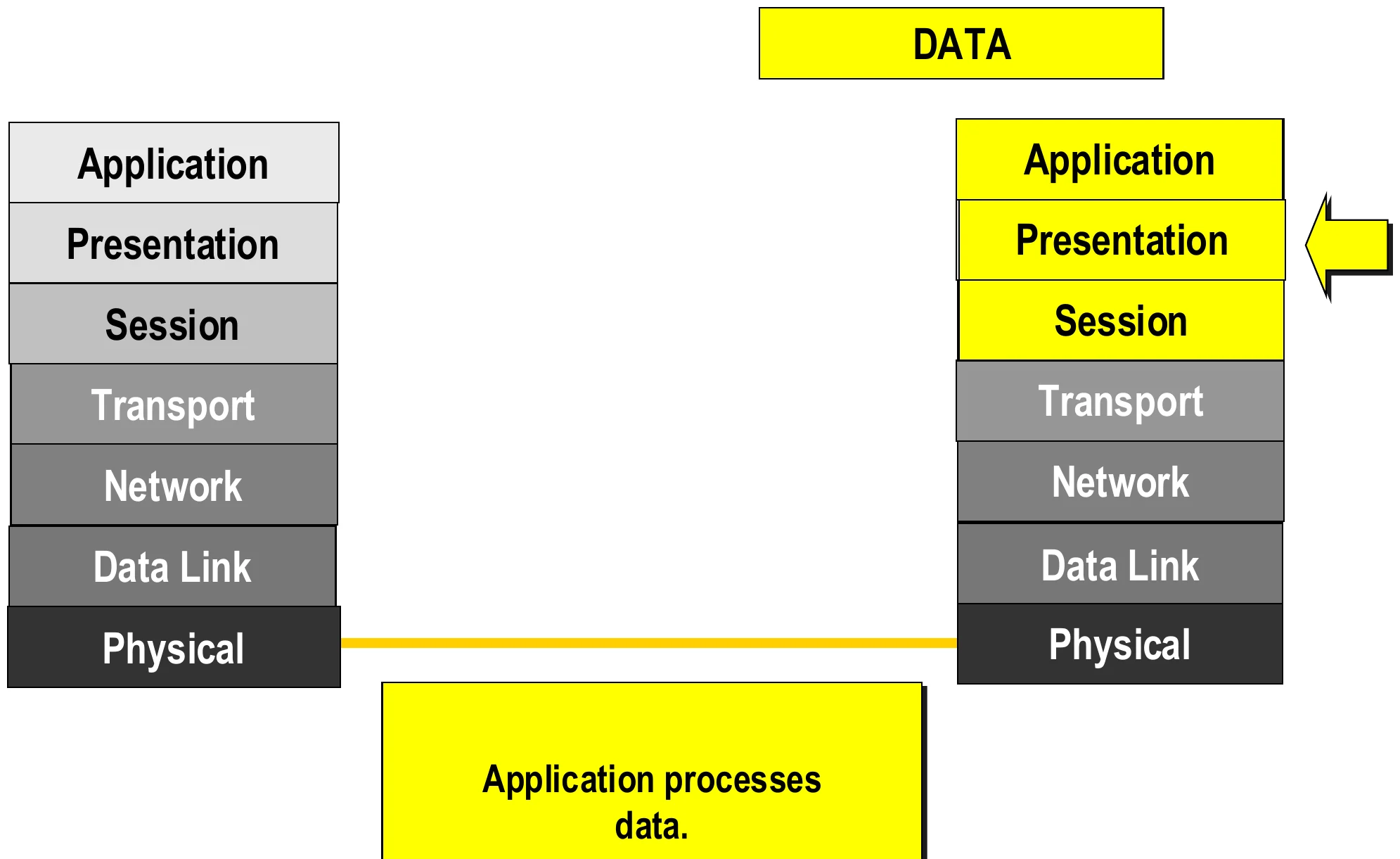
The application processes the data
24
Exam weight Medium
  1. The application finally processes the data. Order of headers on the wire: Ethernet | IP | TCP | data.
🎯 How this can come up · 2 questions
MCQ

On the wire, the order of headers in front of the data is:

MCQ

Which address does the receiving transport layer use to choose the application?

Physical Layer

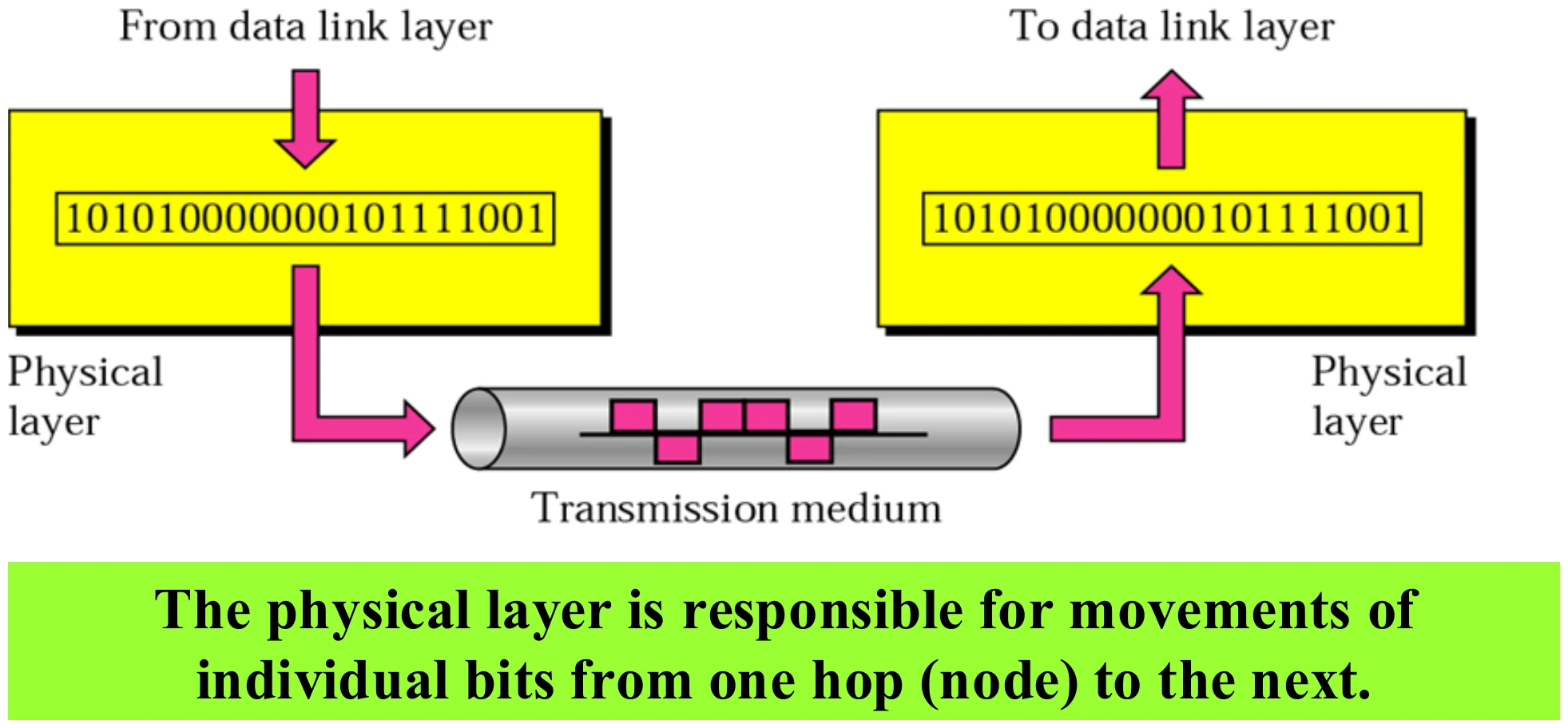
Bits from the data link layer travel over the transmission medium to the next node
25
Exam weight High
  1. Physical layer: moves individual BITS from one hop (node) to the next.
🎯 How this can come up · 1 question
MCQ

The physical layer is responsible for moving:

Physical Layer

  • Deals with the actual communication media
    • Defines the physical characteristics of interfaces and transmission media
      • the way devices are connected to each other and to the link (topology)
      • Shape, size and number of pins of connectors
      • What voltages and currents are used
      • The type of transmission media
      • Transmission mode (duplex type)①
    • Representation of bits – encoding into Electrical or Optical signals
    • Data Rate = transmission rate = bandwidth (number of bits sent per second)②
    • Synchronization of bits (sender and receiver clocks must be synchronized)
    • Devices that operates at this level: Network card, repeater③
26
Exam weight High
  1. Physical layer defines: interfaces and media, topology, connectors (pins), voltages, transmission mode.
  2. It also handles bit representation (encoding), data rate (bits per second) and bit synchronization.
  3. Devices at layer 1: NIC (its physical part), repeater, hub.
🎯 How this can come up · 2 questions
MCQ

Which device operates only at the physical layer?

True / False

Data rate (bits per second) is defined by the physical layer.

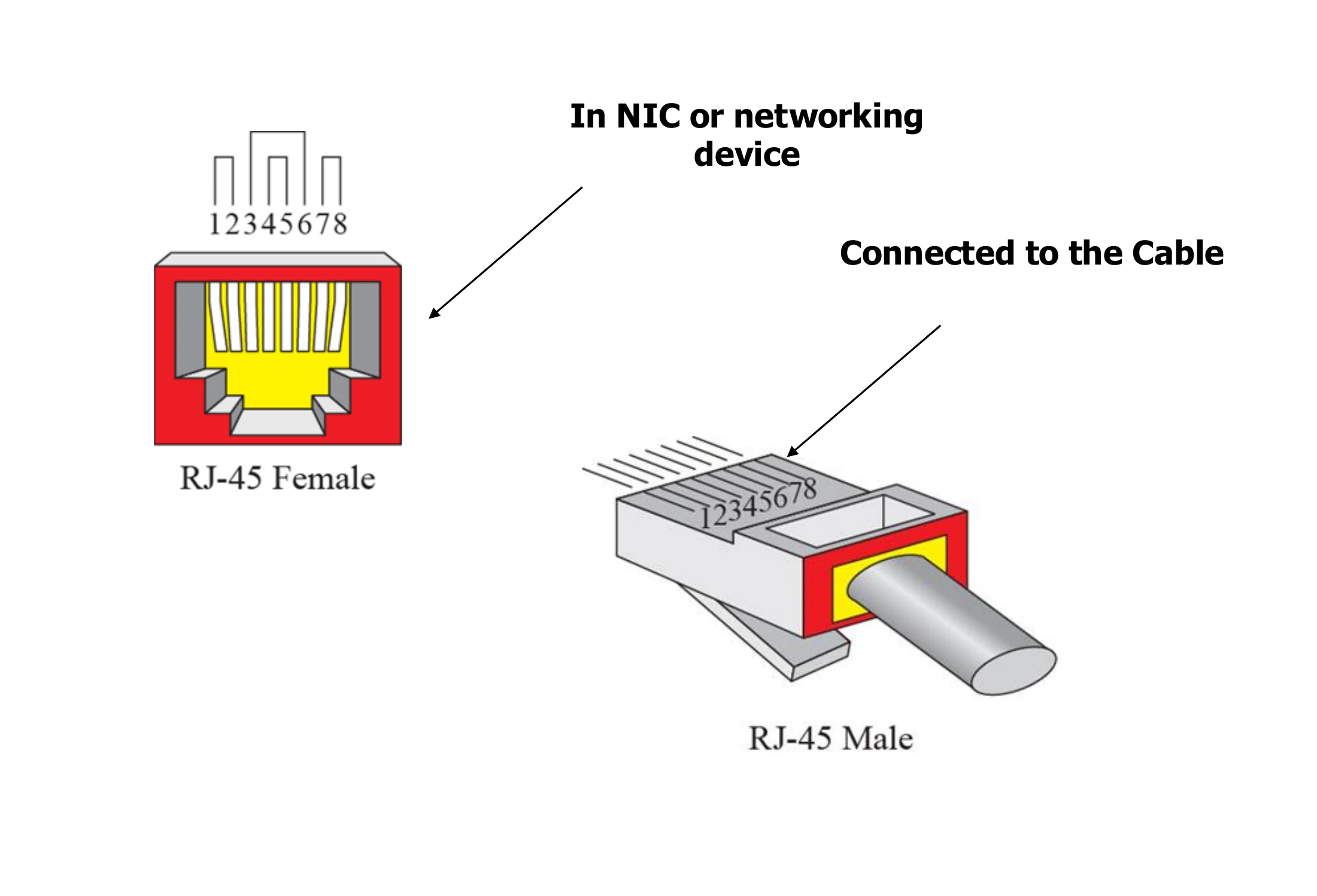
RJ-45 connector

RJ-45 female socket in a NIC or networking device and RJ-45 male plug on the cable
27
Exam weight Low
  1. The connector shape and pins are physical-layer details. RJ-45: female in the NIC, male on the cable.

Data Link Layer

  • Data Link layer PDU is called frame
  • Transfers frames across direct connections Node-to-Node (hop-to-hop) delivery①
  • Framing: dividing the stream of bits into units called frames
  • Physical Addressing: sender and receiver physical addresses (Local address – hardware address – NIC address – LAN address)②
  • Physical address = MAC address = hardware/NIC address
  • MAC tells us WHICH DEVICE should receive this frame on the current link.

A ───── Router ───── B: the frame from A carries Destination MAC = Router③

28
Exam weight High
  1. Data link PDU = FRAME. Delivery is node-to-node (hop-to-hop) over one link.
  2. MAC address = physical = hardware = NIC = LAN address. All the same thing.
  3. The MAC changes at every hop: A’s frame is addressed to the router, not to B.
Exam trapDestination MAC = the NEXT HOP, not the final host. Destination IP = the final host.
🎯 How this can come up · 2 questions
MCQ

The PDU of the data link layer is the:

MCQ

Host A sends to host B through one router. The destination MAC address in A’s frame is:

Note: data link layer

The data link layer is responsible for moving

frames (data link PDU) from one hop (node) to the next.

29
Exam weight Low
  1. Data link: moves FRAMES from one hop (node) to the next.

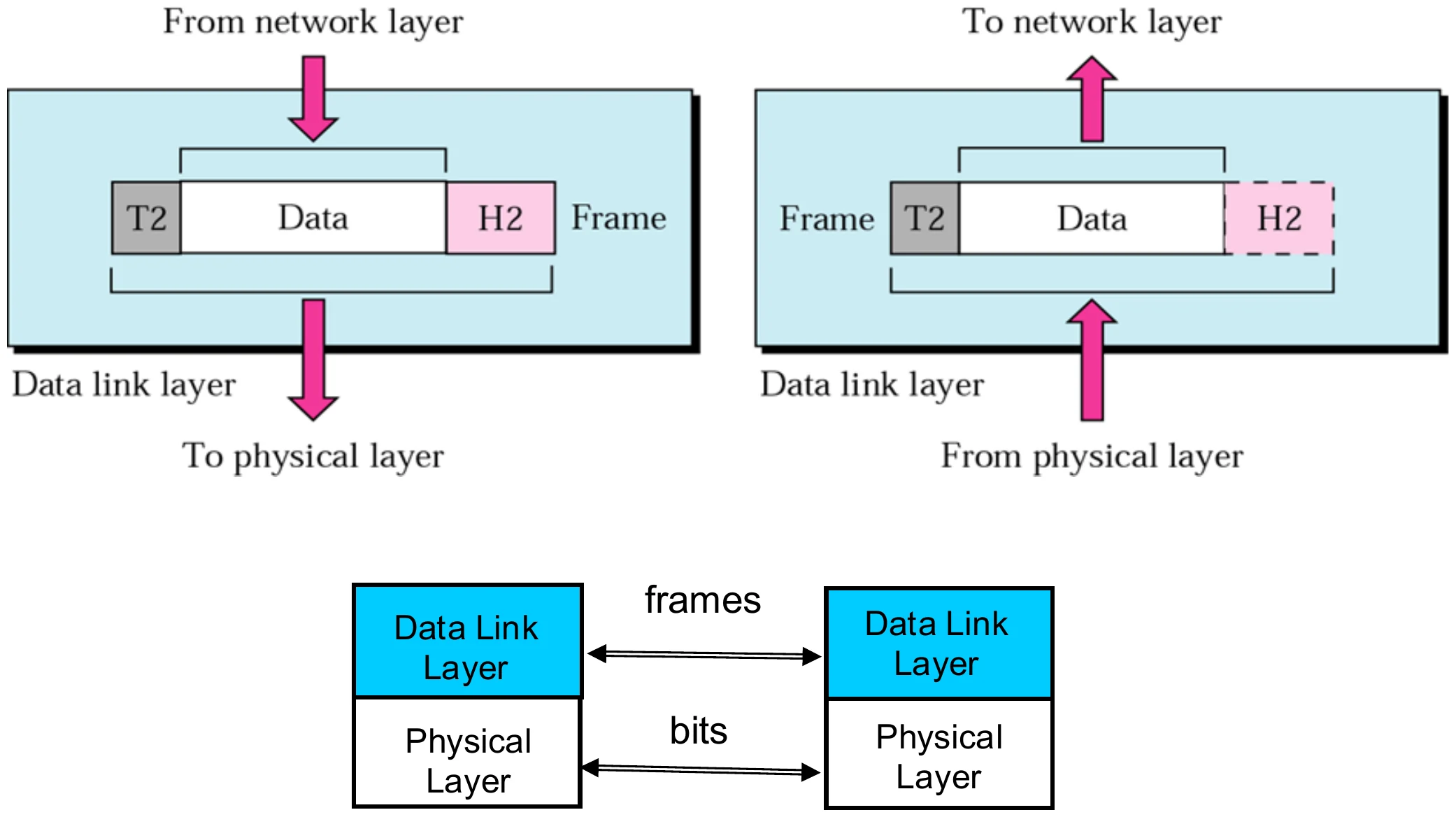
Data Link Layer

Data link adds header H2 and trailer T2 to make a frame; frames between data link layers, bits between physical layers
30
Exam weight Low
  1. Header H2 in front AND trailer T2 at the end: the only layer with a trailer.

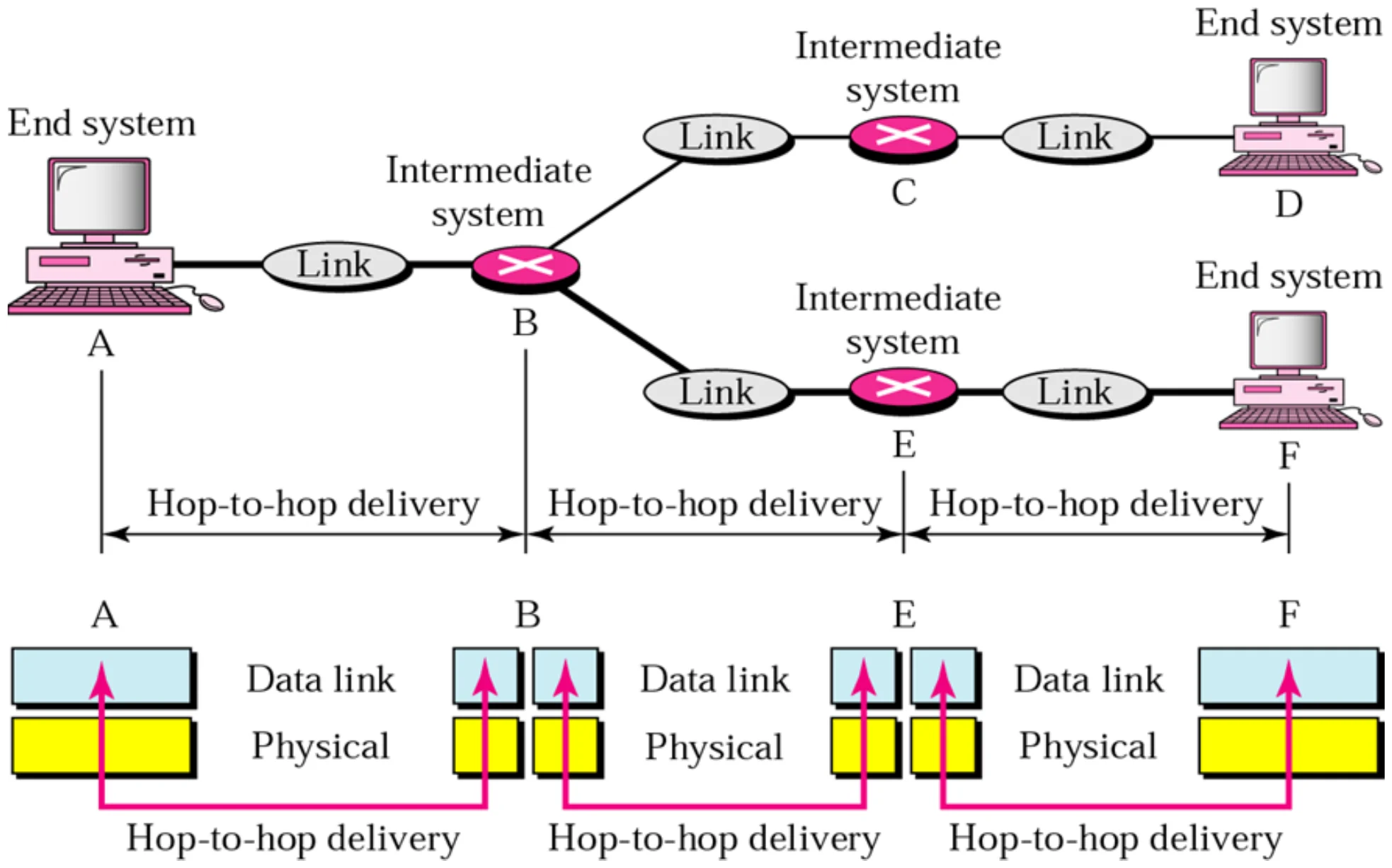
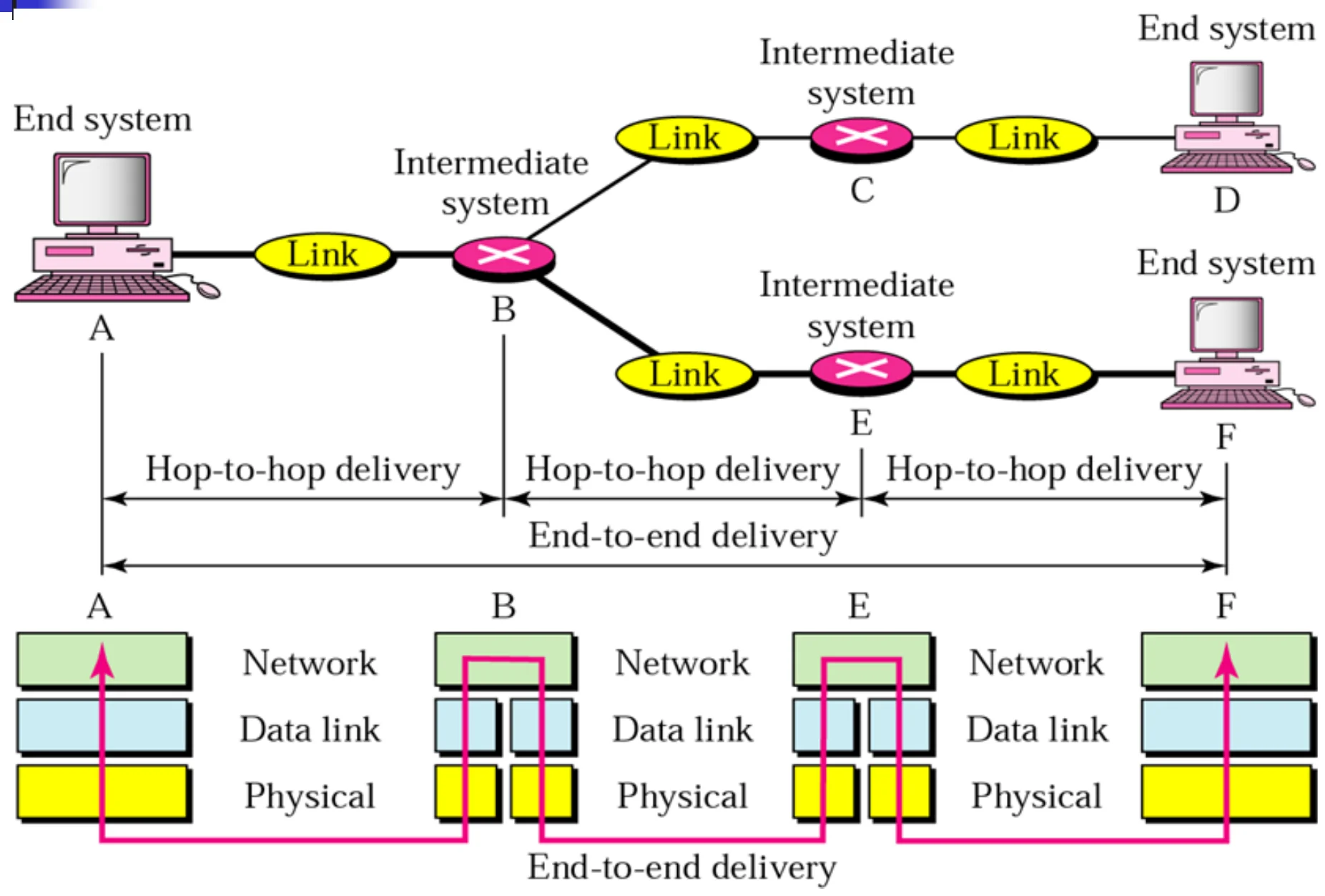
Node-to-node delivery (Figure 2.7)

End system A, intermediate systems B and E, end systems D and F; data link delivery happens hop by hop
31
Exam weight Low
  1. Each hop (A→B, B→E, E→F) is a separate data-link delivery.

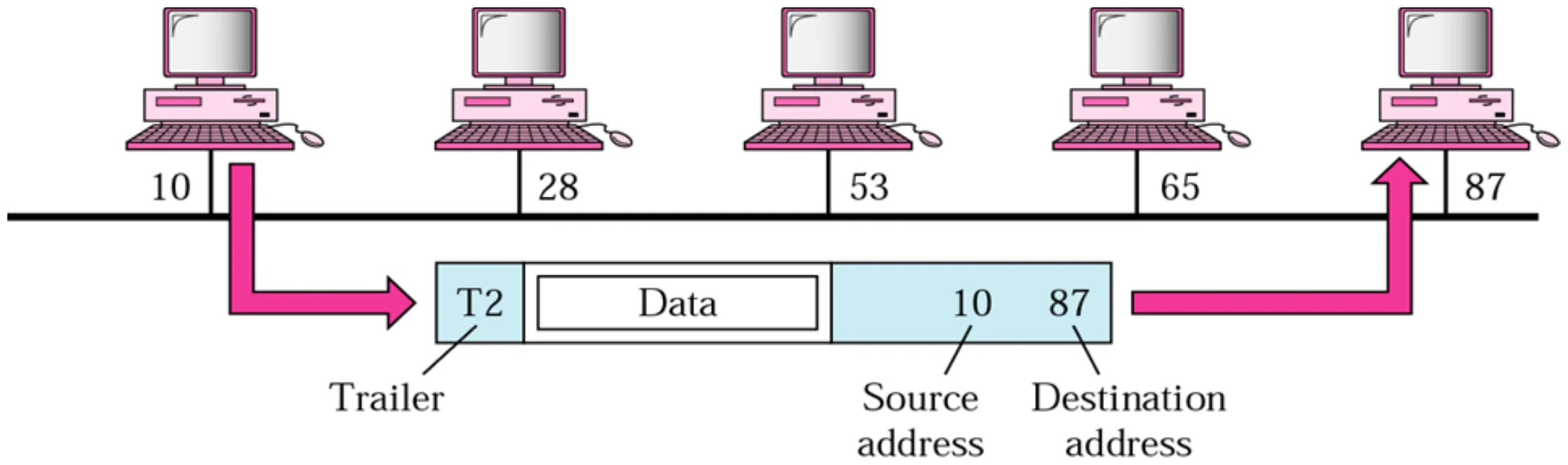
Example 1 (Figure 2.8)

Station 10 sends a frame to station 87 on a bus; the frame carries source 10 and destination 87
32
Exam weight Medium
  1. Same link (a bus), so the frame carries physical addresses 10 → 87 and every station sees it, but only 87 keeps it.
🎯 How this can come up · 1 question
Scenario

On a bus LAN, station 10 sends a frame to station 87. Which stations receive it and which one keeps it?

Network Layer

  • Network Layer PDU is called Packet or Datagram
  • Source-to-destination (host-to-host) delivery of a PACKET possible across MULTIPLE networks.①
  • Logical addressing (Network address)
    • A unique global address that distinguishes each host connected to the Internet
    • In the Internet it is called IP address②
  • Routing
    • Network connecting devices (routers) route or switch the packets to their final destination through the best path③
  • IP address = end-to-end destination MAC address = next-hop destination
33
Exam weight High
  1. Network layer PDU = PACKET (datagram). Delivery is source-to-destination (host-to-host) across many networks.
  2. Logical address = IP address: globally unique.
  3. Routing: routers choose the best path.
Memory trickIP = end-to-end destination. MAC = next-hop destination.
🎯 How this can come up · 2 questions
MCQ

Host-to-host delivery across multiple networks is the job of the:

True / False

The IP address changes at each hop, while the MAC address stays the same end to end.

Note: network layer

The network layer is responsible for the

delivery of individual packets from

the source host to the destination host.

34
Exam weight Low
  1. Network: delivers individual PACKETS from the source host to the destination host.

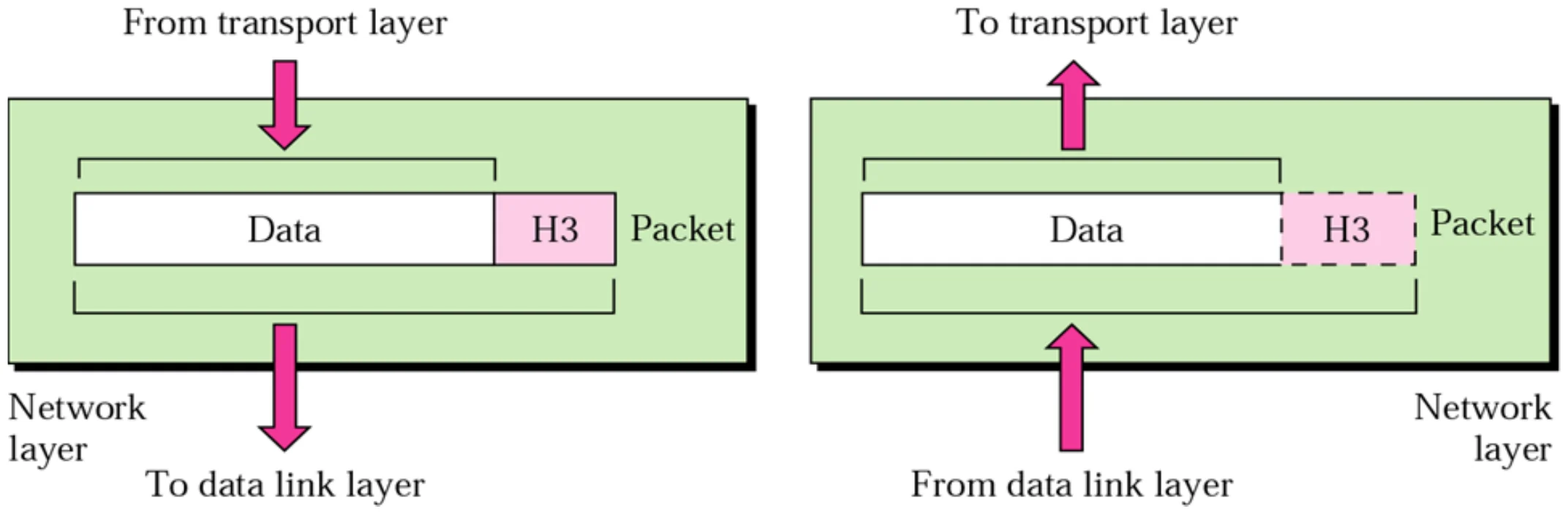
Network Layer

Network layer adds header H3 to make a packet; it is removed at the destination
35
Exam weight Low
  1. Only a header (H3), no trailer.

Source-to-destination delivery (Figure 2.10)

Hop-to-hop deliveries A→B→E→F make up one end-to-end delivery A→F
36
Exam weight Low
  1. Network layer = end-to-end (A→F). Data link = each hop of it.

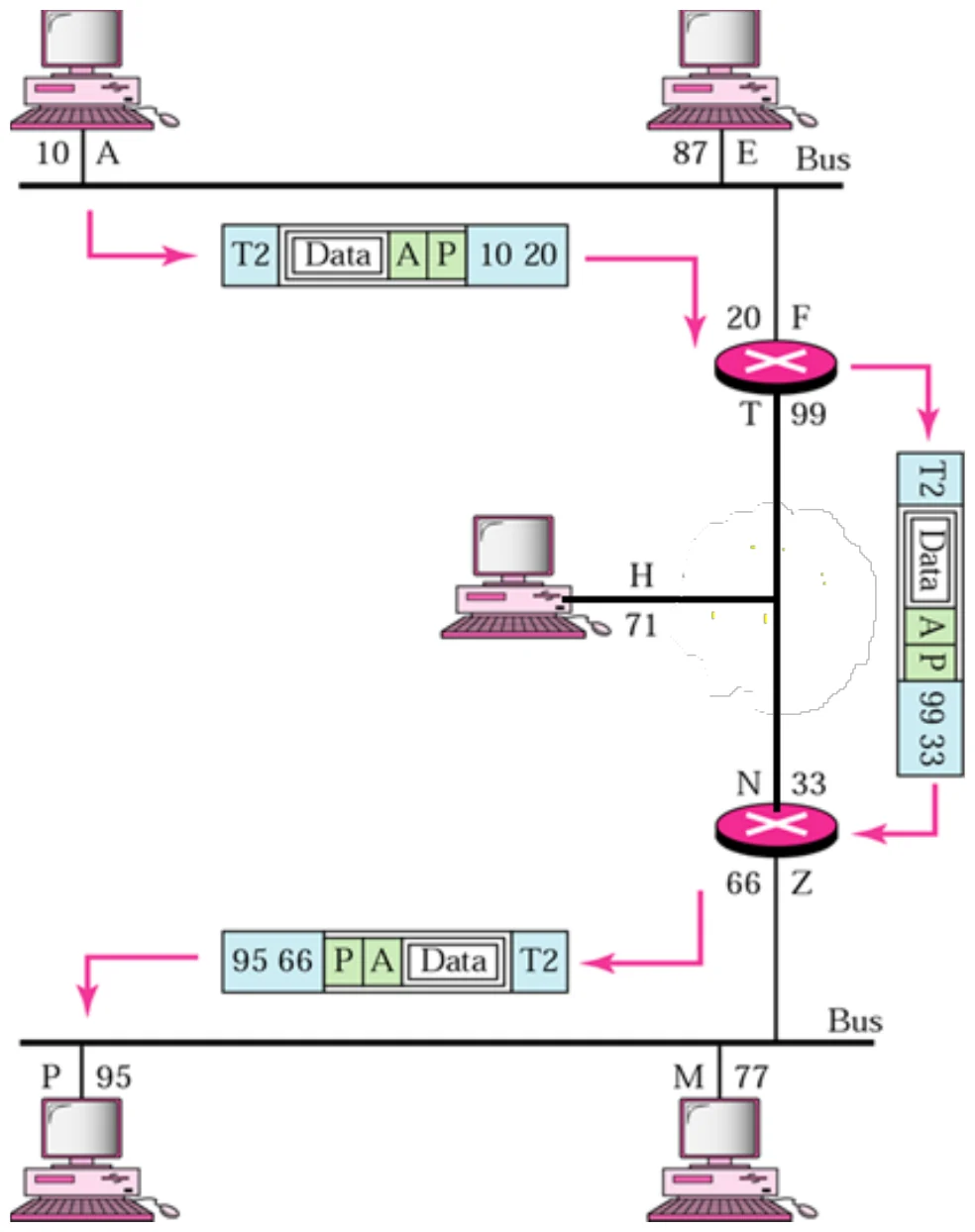
Example 2 (Figure 2.11)

A packet from logical address A to P crosses two routers; the physical addresses change at each hop while A and P stay
37
Exam weight Medium
  1. The logical (IP) addresses A → P stay the same all the way; the physical addresses are rewritten on each link.
🎯 How this can come up · 1 question
Written

A packet travels from host A to host P across two routers. Which addresses change on the way and which stay the same?

Transport Layer

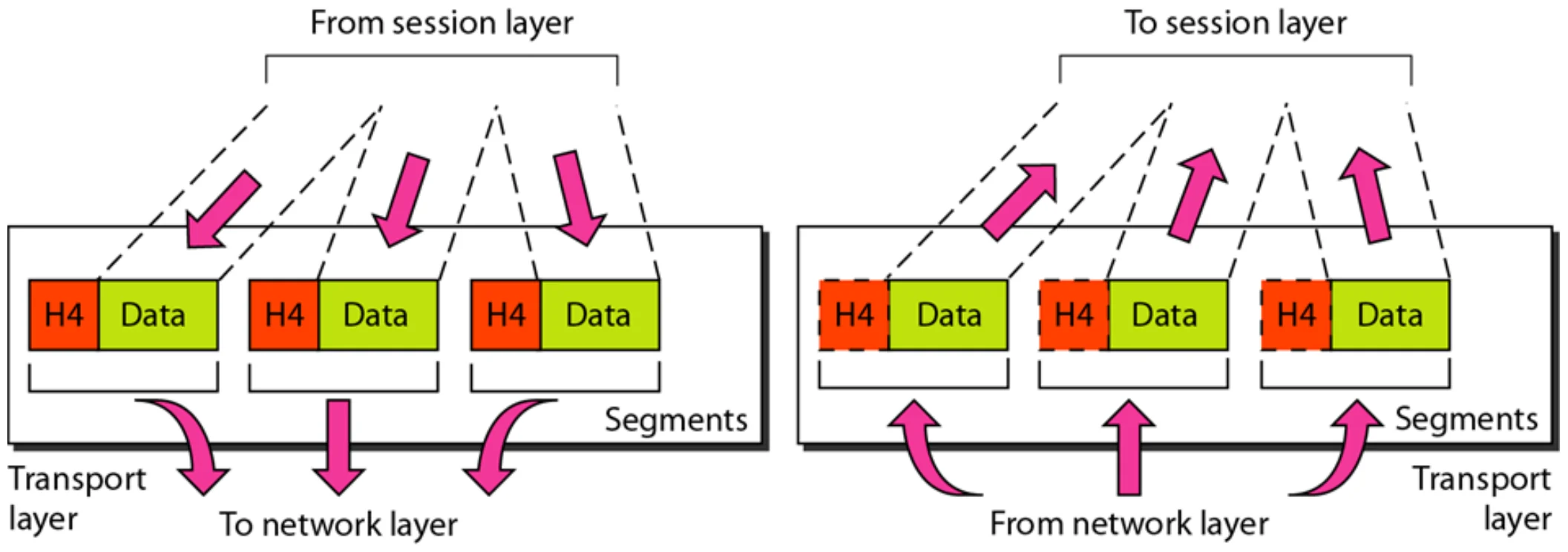
  • The transport layer is responsible for Process-to-Process delivery of the ENTIRE MESSAGE①
  • The network layer handles end-to-end (source-to-destination) delivery of INDIVIDUAL PACKETS; no relationship between packets, each one is considered independently but the transport layer ensures whole message arrives intact and in order②
  • Transport PDU is called SEGMENT
  • Process addressing
    • Port address③
38
Exam weight High
  1. Transport: process-to-process delivery of the WHOLE message, in order.
  2. The network layer treats every packet independently; transport stitches them back together.
  3. Transport PDU = SEGMENT. Address = PORT number.
🎯 How this can come up · 2 questions
MCQ

Transport-layer addressing uses:

MCQ

The transport layer PDU is a:

Note: transport layer

The transport layer is responsible for the delivery

of a message from one process to another.

39
Exam weight Low
  1. Transport: delivers a MESSAGE from one PROCESS to another.

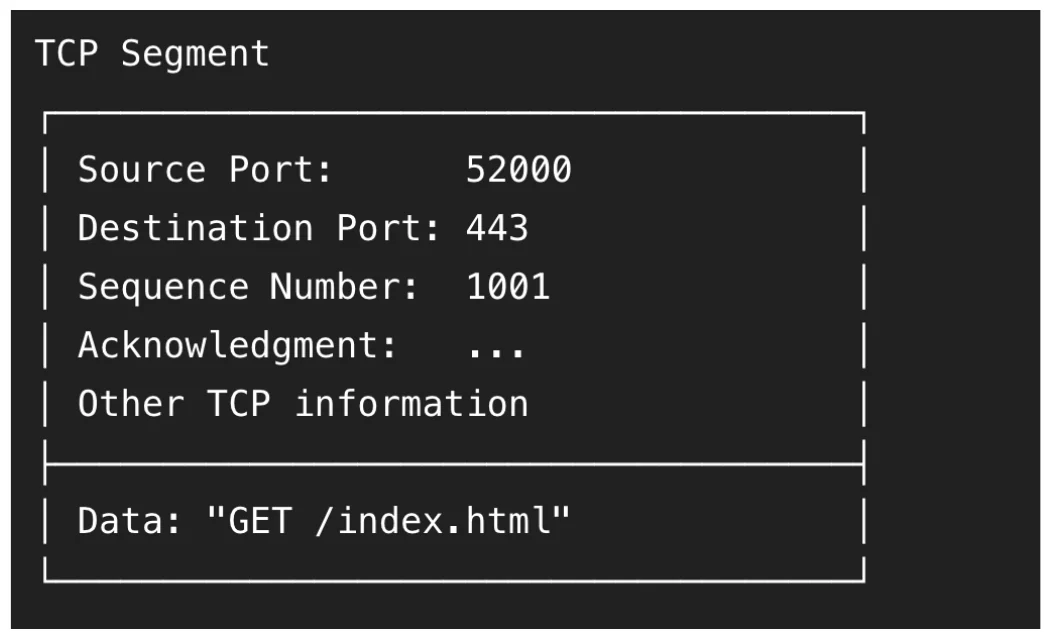
Reliable process-to-process delivery of a message (Figure 2.12)

A TCP segment from source port 52000 to destination port 443 crosses an internetwork; network layer is host-to-host, transport is process-to-process
40
Exam weight Low
  1. Network layer: host to host. Transport layer: process to process (port 52000 → 443).

Transport layer (Figure 2.12)

The message is split into segments, each with header H4
41
Exam weight Low
  1. Transport splits the message into segments (each with H4) and reassembles them at the receiver.

Addressing

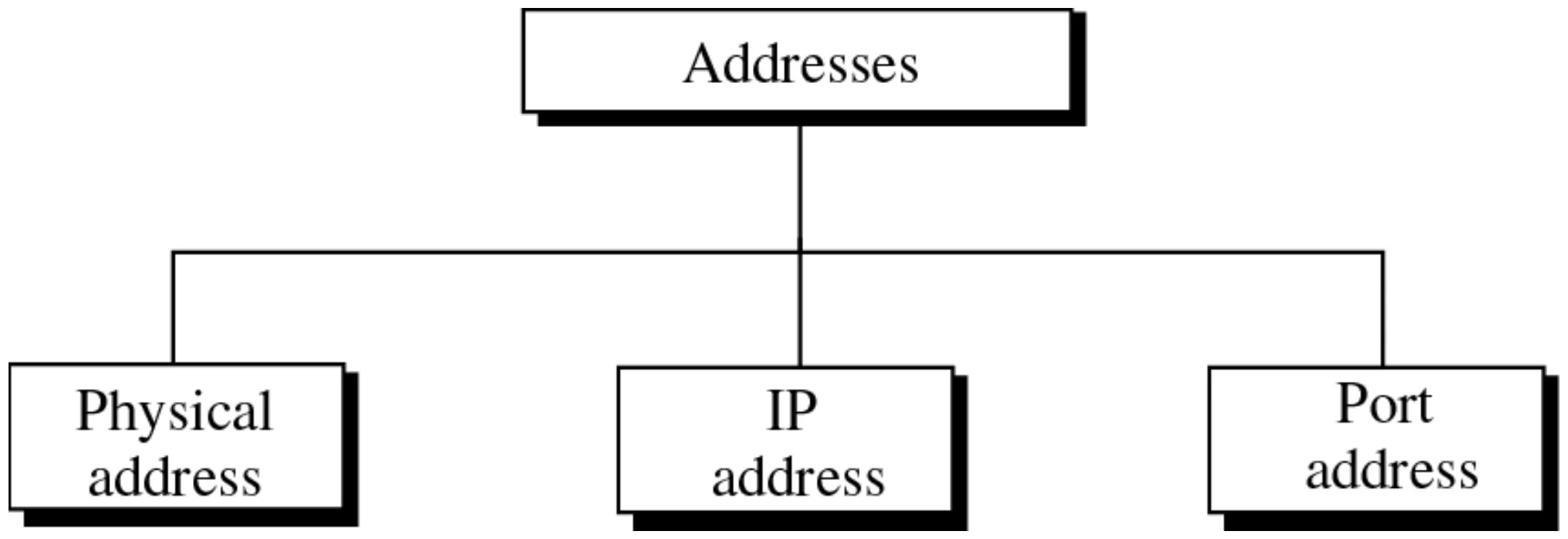
Addresses: physical address, IP address, port address
42
Exam weight Low
  1. Three addresses in TCP/IP: physical (MAC), IP (logical), port.

Layer Addresses

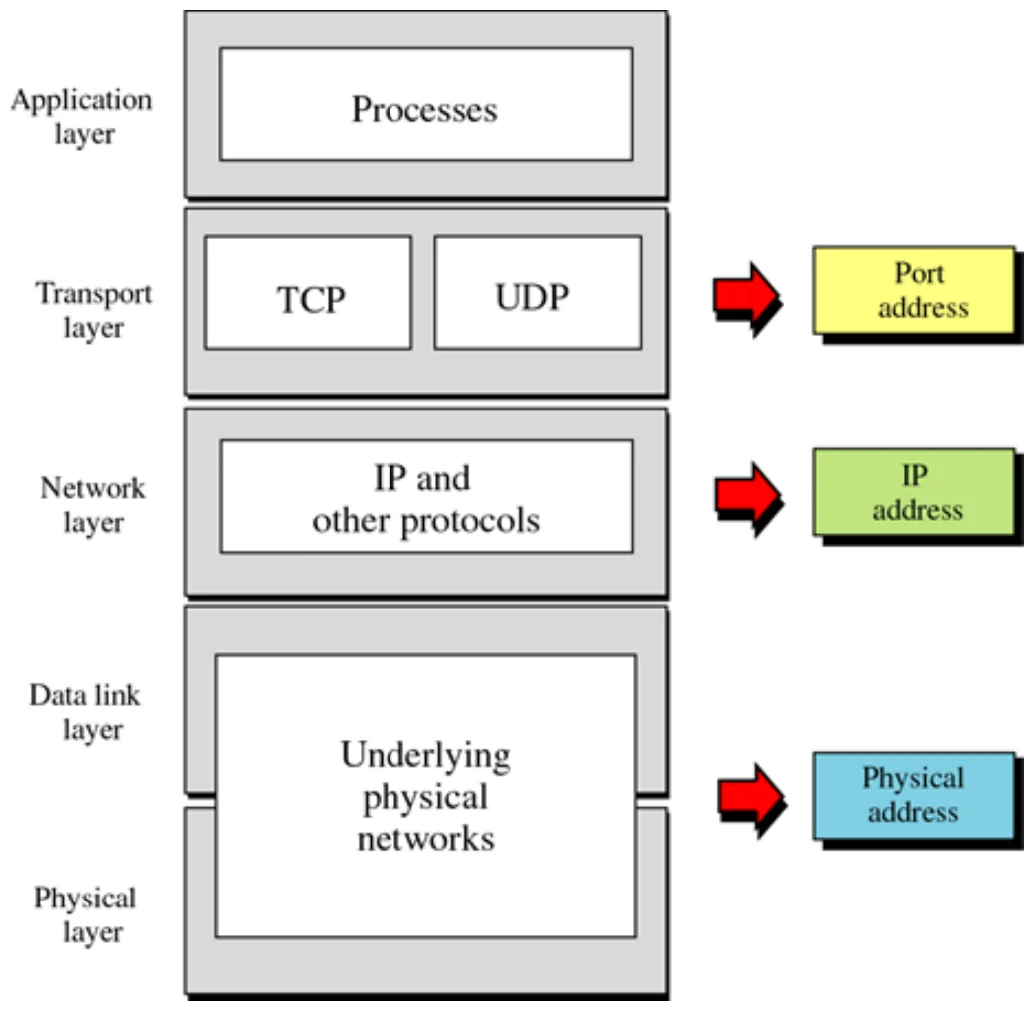
Transport layer uses port addresses, network layer IP addresses, data link physical addresses
43
Exam weight High
  1. Port ↔ transport · IP ↔ network · physical ↔ data link.
Memory trickBottom-up: MAC (L2) → IP (L3) → Port (L4).
🎯 How this can come up · 1 question
MCQ

Which address belongs to the data link layer?

Session

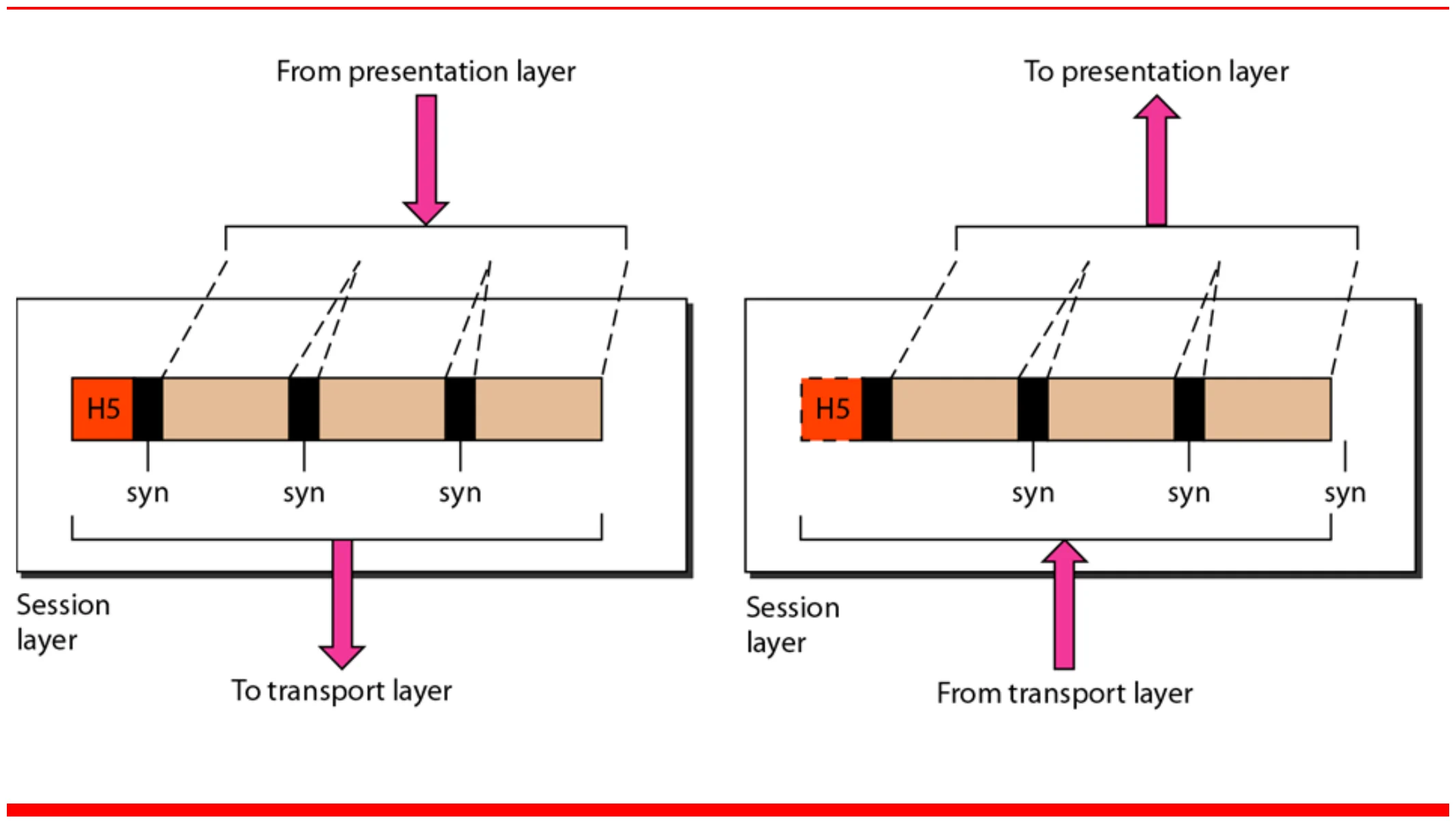
  • Setting up, managing, and terminating sessions (connections) between different applications
    • Keeping different applications data separate from other application data
      • Multiple file downloads requested by a particular FTP application
      • Multiple telnet (remote connection to a device) connections from a single host
      • Browsing many Web pages at the same time①
  • Dialog control
    • Full/Half duplex: Processes either send and receive data at the same time or at different times
  • Synchronization checkpoints
    • Allow long transmissions to continue from where they were after the connection crash②
44
Exam weight Medium
  1. Session: set up, manage and end sessions; keep each application’s data separate.
  2. Dialog control: who talks when (half- or full-duplex).
  3. Synchronization: checkpoints so a long transfer resumes after a crash instead of restarting.
🎯 How this can come up · 1 question
MCQ

Adding checkpoints so a long transfer can resume after a crash is done by the:

Session layer (Figure 2.12)

Session layer inserts synchronization points (syn) into the data
45
Exam weight Low
  1. The “syn” marks are the synchronization checkpoints.

Presentation

  • Translation
    • Allows devices with different data representations to communicate (interoperability).
    • Sender format 🡺 common format
      • Receiver format
    • The input of “Cisco” on a Mainframe terminal, which is working with an EBCDIC code set, would result in “¢1½3?” on a PC, because it uses ASCII.①
  • Encryption/decryption②
  • Compression => Less bits (multimedia applications)③
46
Exam weight Medium
  1. Presentation = translation (EBCDIC ↔ ASCII via a common format), encryption/decryption, compression.
Memory trickPresentation is about HOW data looks: translate, encrypt, compress.
🎯 How this can come up · 1 question
MCQ

Encryption, compression and translation belong to the:

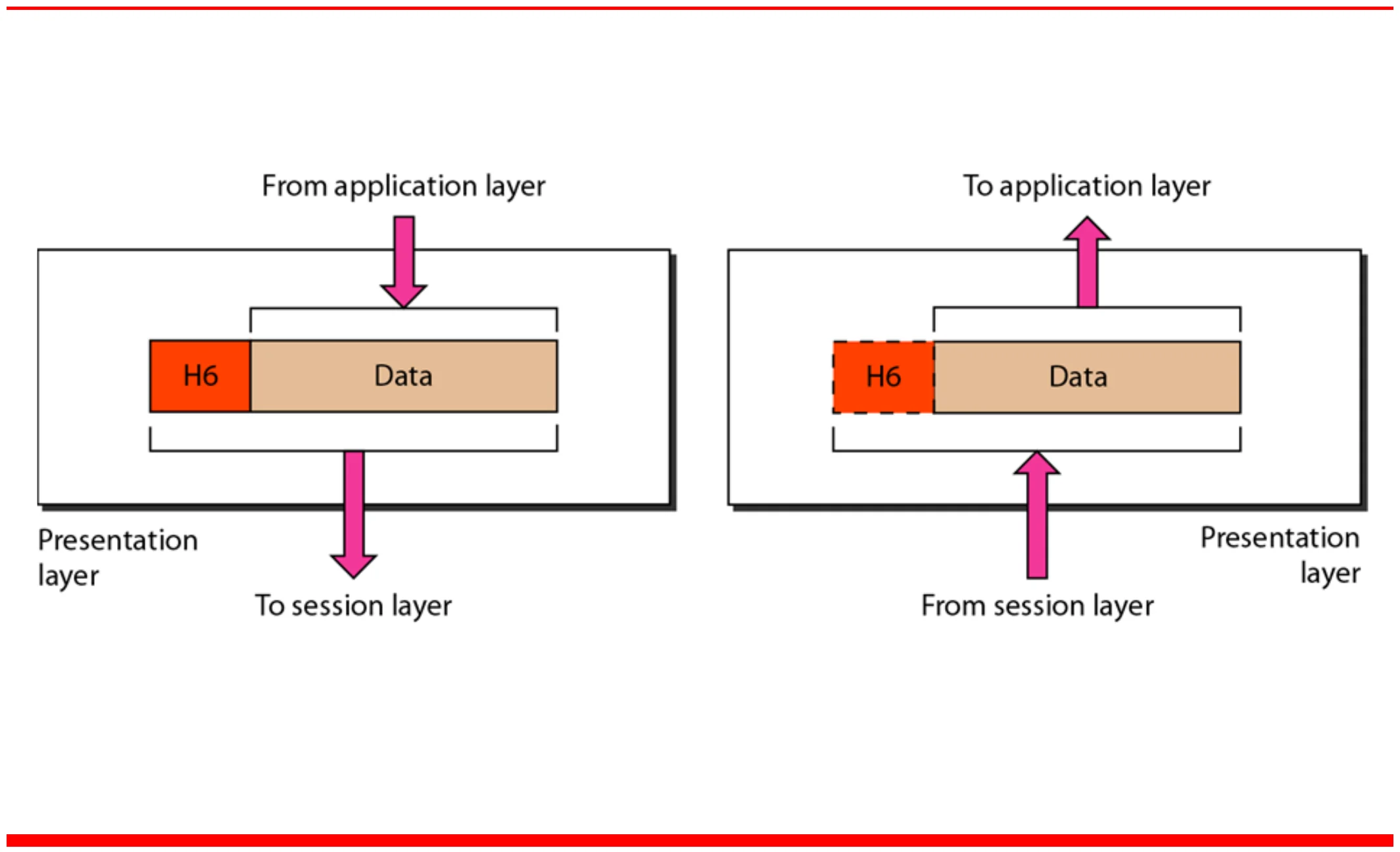
Presentation layer (Figure 2.13)

Presentation layer adds header H6
47
Exam weight Low

    Application

    • User interface and Network services that allow user applications to access the network①
      • Internet Browser uses the HTTP application-layer protocol to access a WWW
      • Telnet => remote host access
      • File transfer, access and management
      • Mail services②
    48
    Exam weight Low
    1. Application layer = the services users see: web (HTTP), remote login (Telnet), file transfer (FTP), mail.

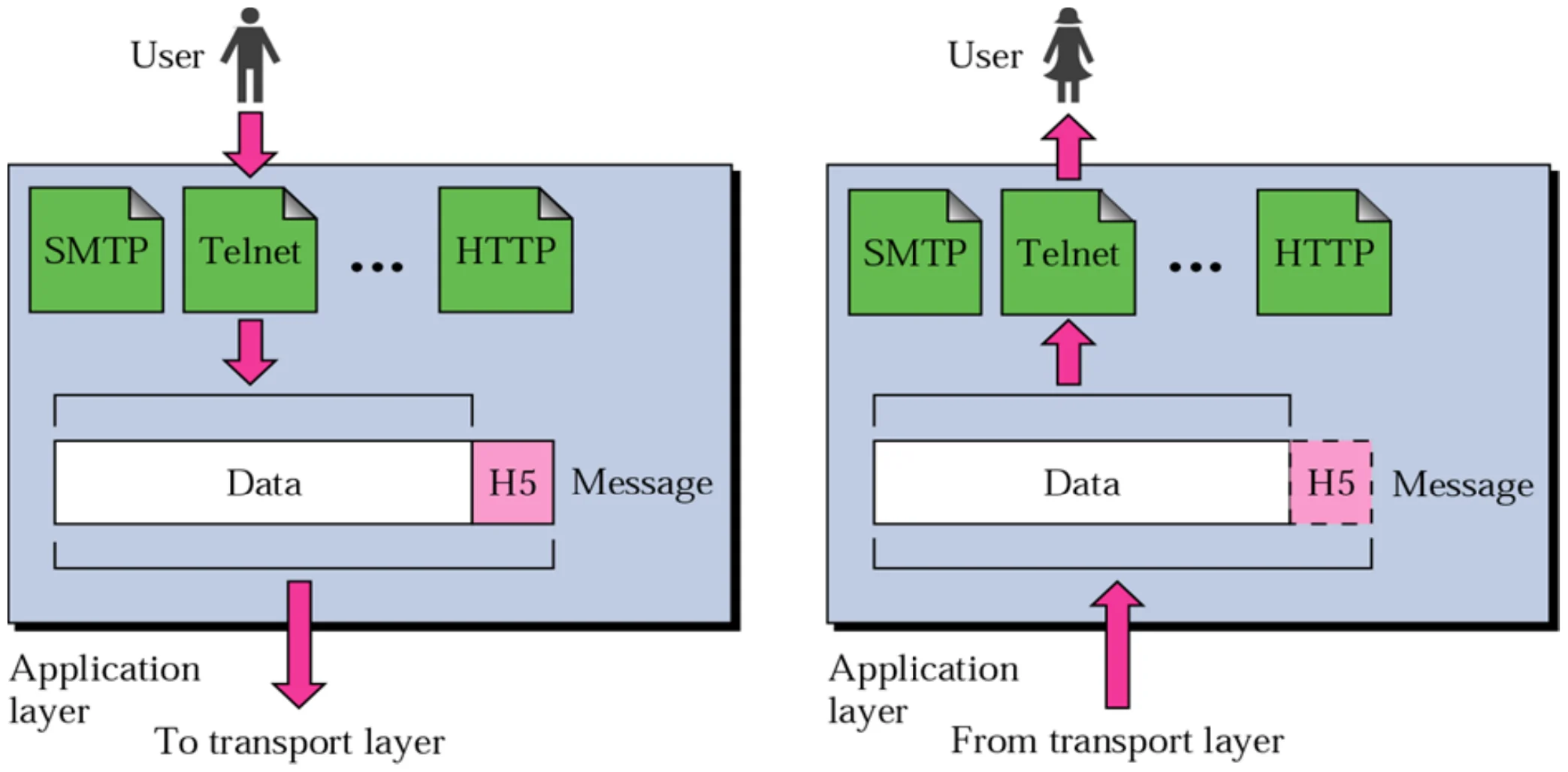
    Application layer (Figure 2.15)

    User applications such as SMTP, Telnet and HTTP sit in the application layer
    49
    Exam weight Low

      TCP/IP Protocol Suite

      • Developed in 1970s
      • Is a suite of protocols named after the two most important protocols TCP and IP but includes other protocols such as UDP, etc①
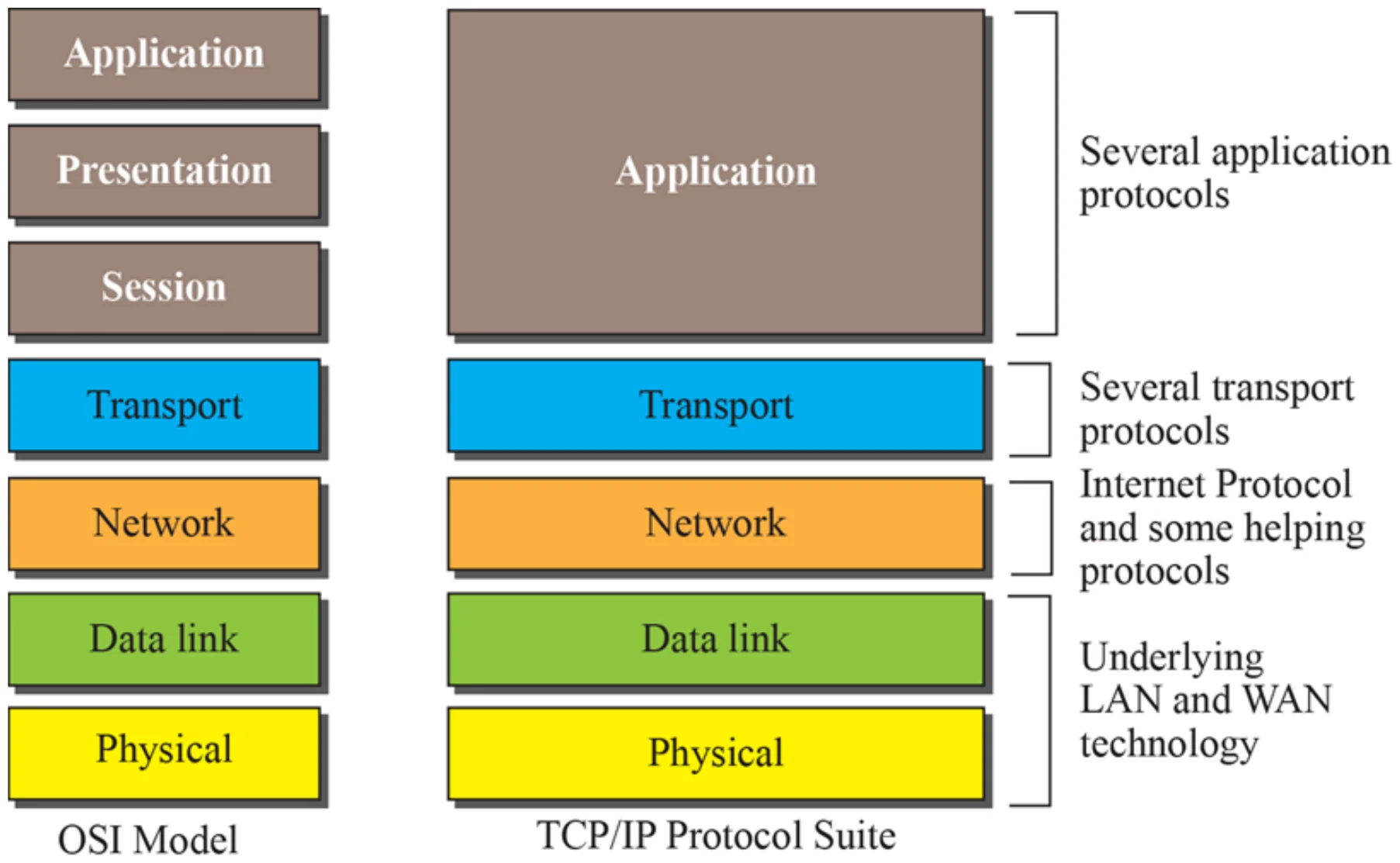
      • Consists of Five layers
      • The first four lower layers correspond to the first four layers of the OSI model.
      • The three top layers in the OSI model, however, are represented in TCP/IP by a single layer called the application layer.②
      50
      Exam weight High
      1. TCP/IP: 5 layers. The bottom 4 match OSI’s bottom 4; OSI’s top 3 (session, presentation, application) are ONE application layer.
      Exam trapThe textbook TCP/IP model has 5 layers; the original TCP/IP model (slide 54) has 4.
      🎯 How this can come up · 2 questions
      MCQ

      In TCP/IP, which OSI layers are merged into the application layer?

      True / False

      The TCP/IP protocol suite in the textbook has five layers.

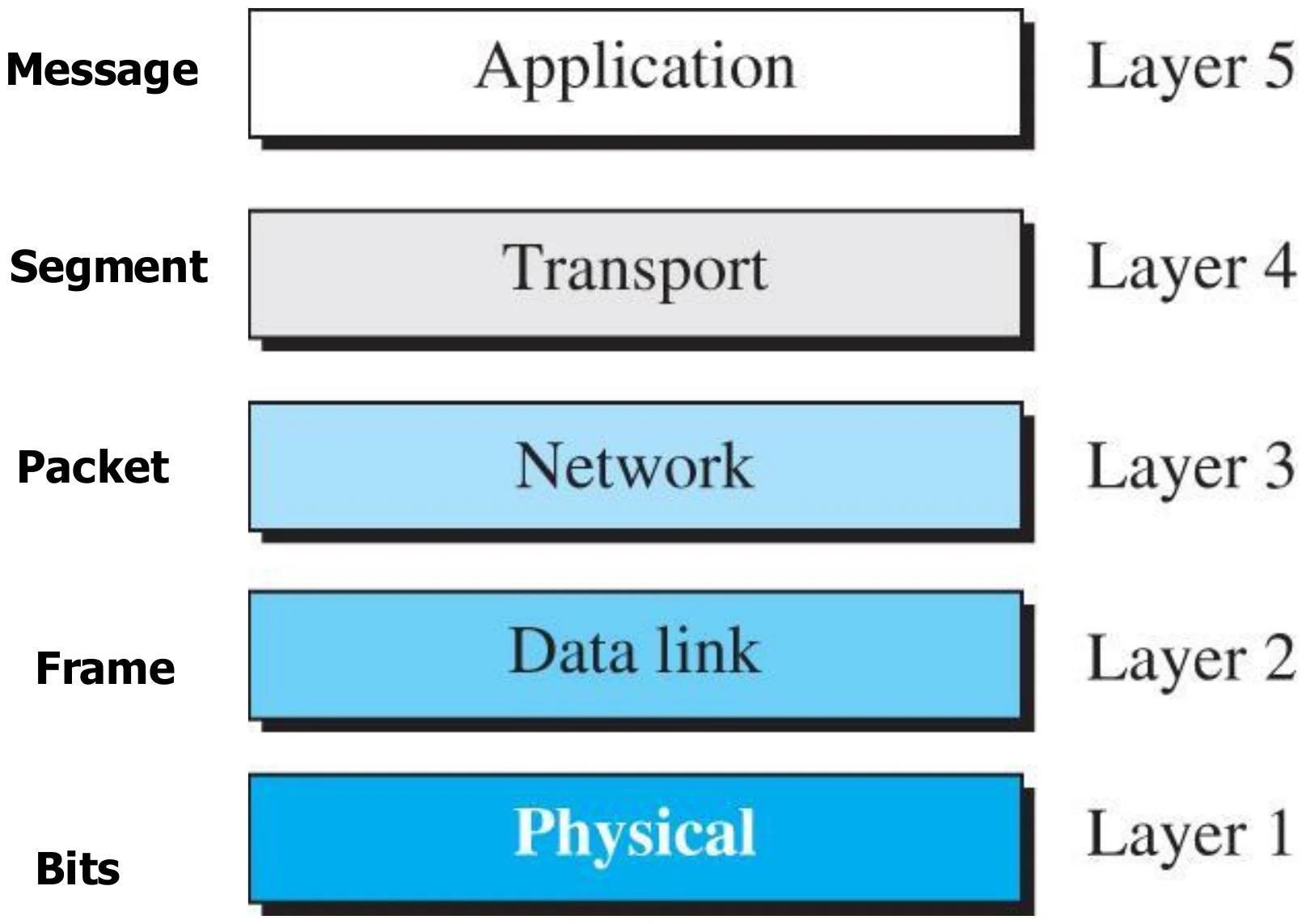
      Layers in the TCP/IP protocol suite (Figure 1.17)

      Layer 5 application: message; layer 4 transport: segment; layer 3 network: packet; layer 2 data link: frame; layer 1 physical: bits
      51
      Exam weight High
      1. PDUs: message (5) → segment (4) → packet/datagram (3) → frame (2) → bits (1).
      Memory trick“My Silly Pet Fish Bites”: Message, Segment, Packet, Frame, Bits.
      🎯 How this can come up · 2 questions
      MCQ

      The PDU at layer 3 is called a:

      MCQ

      Match: which PDU belongs to the transport layer?

      TCP/IP and OSI model

      OSI’s application, presentation and session map onto TCP/IP’s application layer; the bottom four match
      52
      Exam weight Low
      1. Same picture as slide 50, drawn side by side.

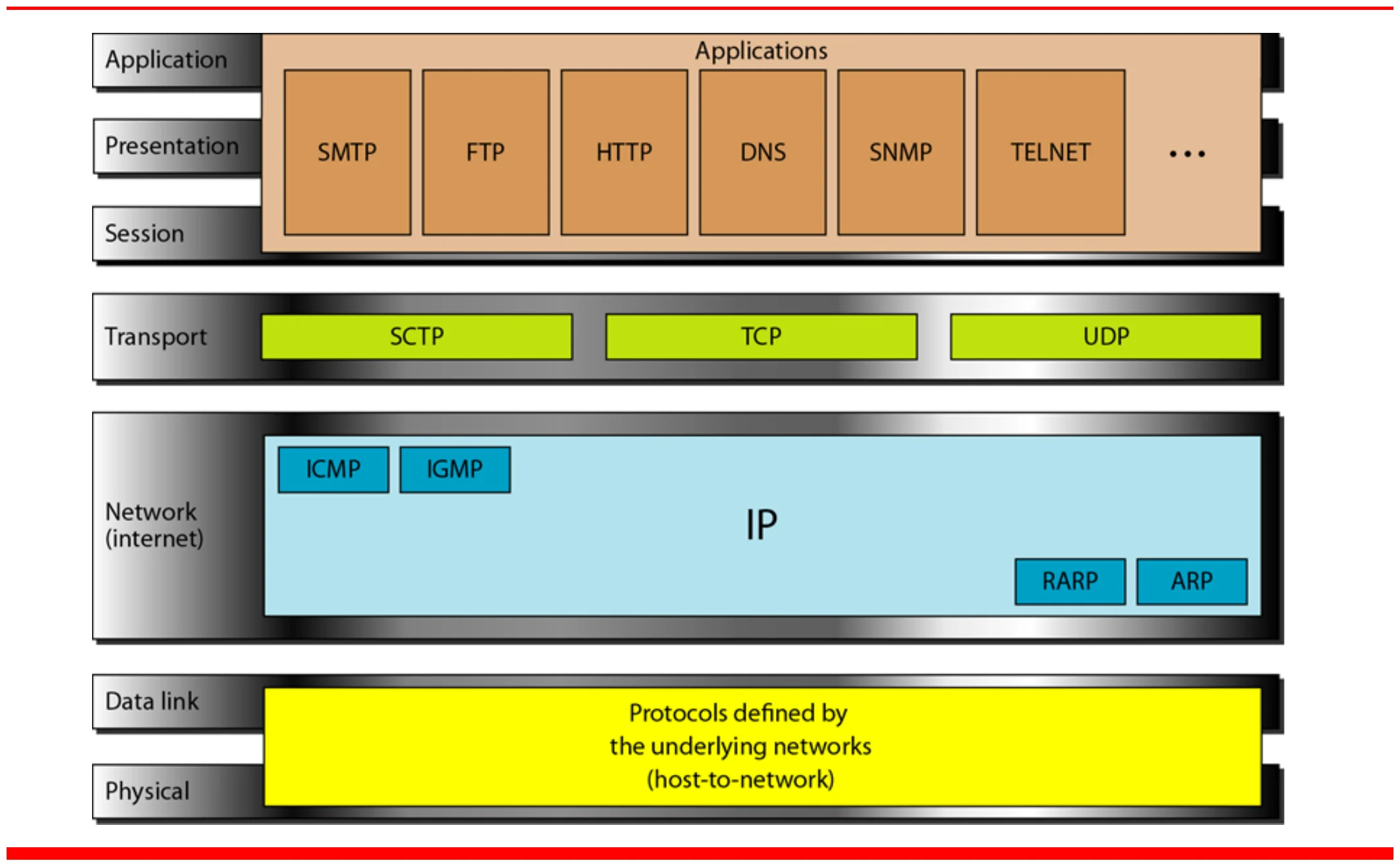
      TCP/IP and OSI model: protocols

      Applications SMTP, FTP, HTTP, DNS, SNMP, TELNET; transport SCTP, TCP, UDP; network IP with ICMP, IGMP, RARP, ARP; underlying networks below
      53
      Exam weight Medium
      1. Application: SMTP, FTP, HTTP, DNS, SNMP, Telnet. Transport: TCP, UDP, SCTP. Network: IP + ICMP, IGMP, ARP, RARP.
      🎯 How this can come up · 2 questions
      MCQ

      Which protocol belongs to the transport layer?

      MCQ

      ARP and ICMP sit in which TCP/IP layer?

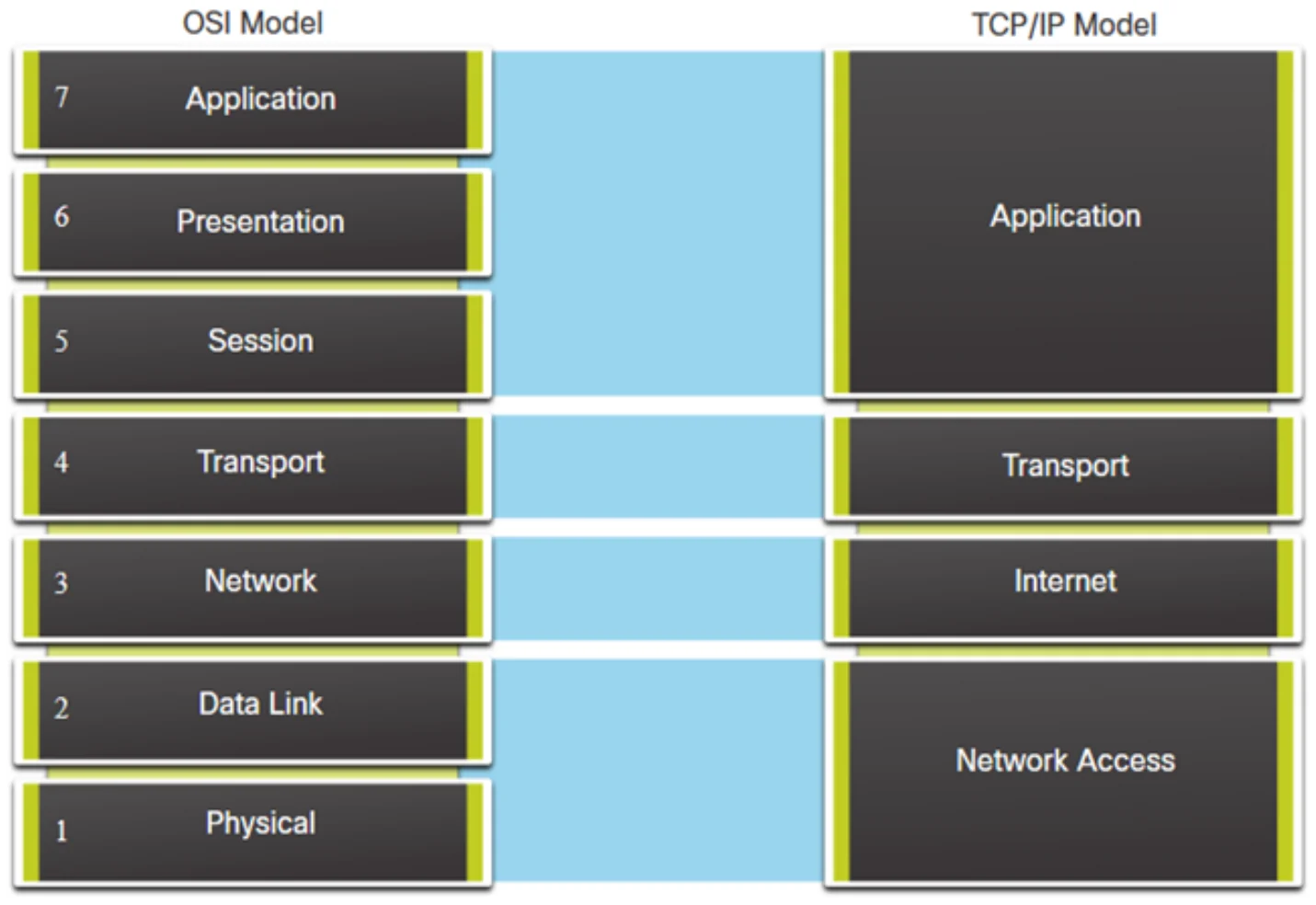
      Original TCP/IP Model (4-layers)

      OSI 7 layers beside the original 4-layer TCP/IP model: application, transport, internet, network access
      54
      Exam weight Low
      1. Original TCP/IP: application, transport, internet, network access (= data link + physical).