SE371 · Annotated SlidesChapter 3 — CSS
Chapter 3 · Annotated slides

CSS

CSS syntax and values, where styles go (inline, embedded, external), selectors (element, class, id, attribute, pseudo-class/element, contextual), the cascade (inheritance, specificity, location), block and inline elements, the box model, text styling, CSS variables, tables and forms, then Flexbox, Grid, and responsive design with viewports and media queries.
Slide text Study notes Highlight: key words Tips, tricks & traps Seen again elsewhere How it can come up
Slide 1: Fundamentals of Web Development
Exam weight Low
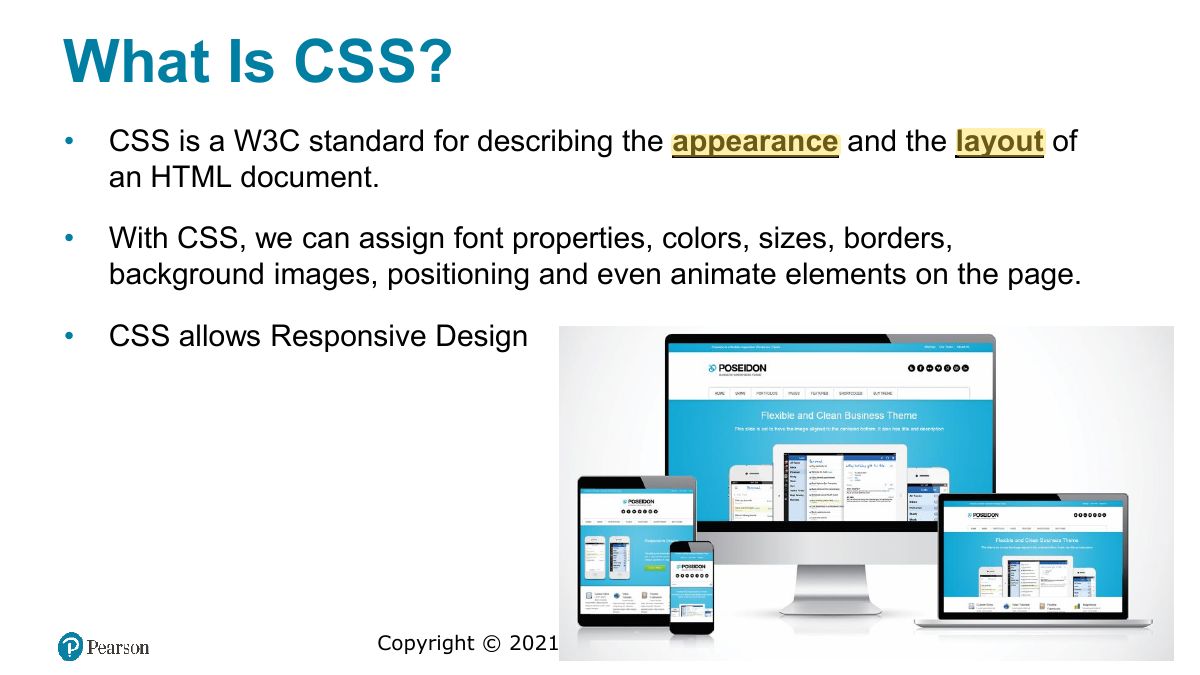
    Slide 2: What Is CSS?
    Exam weight Low

      Benefits of CSS

      • Main engineering concepts: Separation of concerns + Reuse
      • Improved control over formatting.
      • Improved site maintainability. All formatting can be centralized into one CSS file
      • Improved accessibility. By keeping presentation out of the HTML, screen readers and other accessibility tools work better.
      • Improved page-download speed. Each individual HTML file will contain less style information and markup, and thus be smaller.
      • Improved output flexibility. CSS can be used to adapt a page for different output media. This approach to CSS page design is often referred to as responsive design.
      3
      Exam weight Low
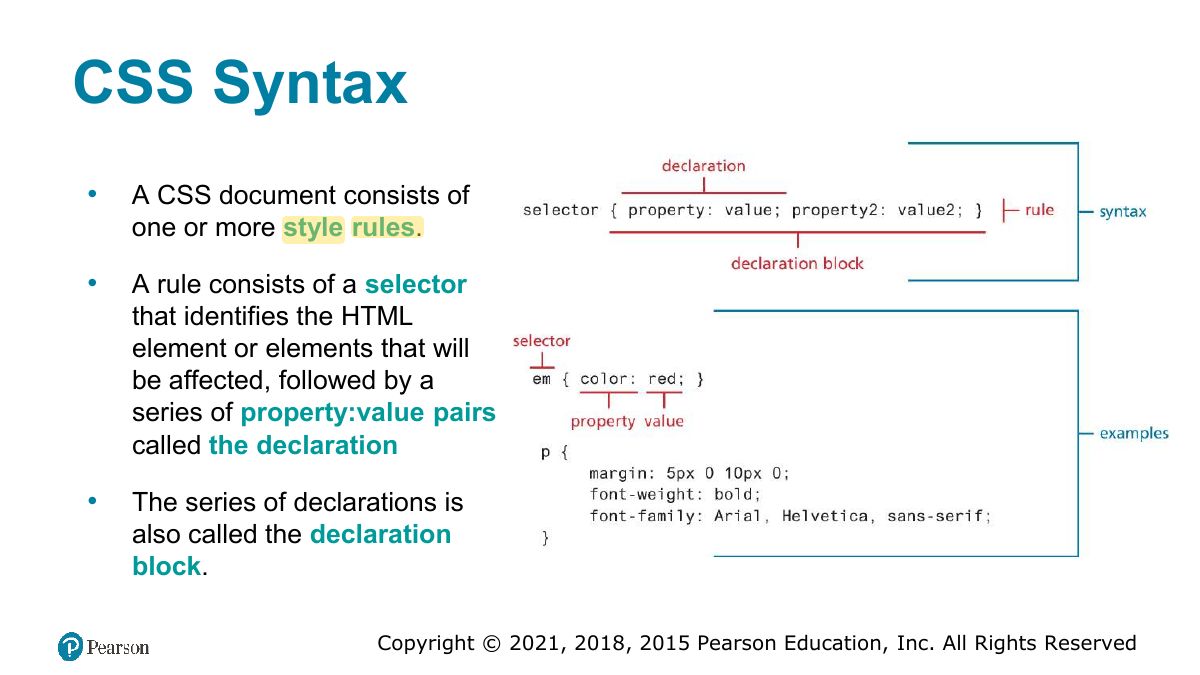
        Slide 4: CSS Syntax
        Exam weight Low
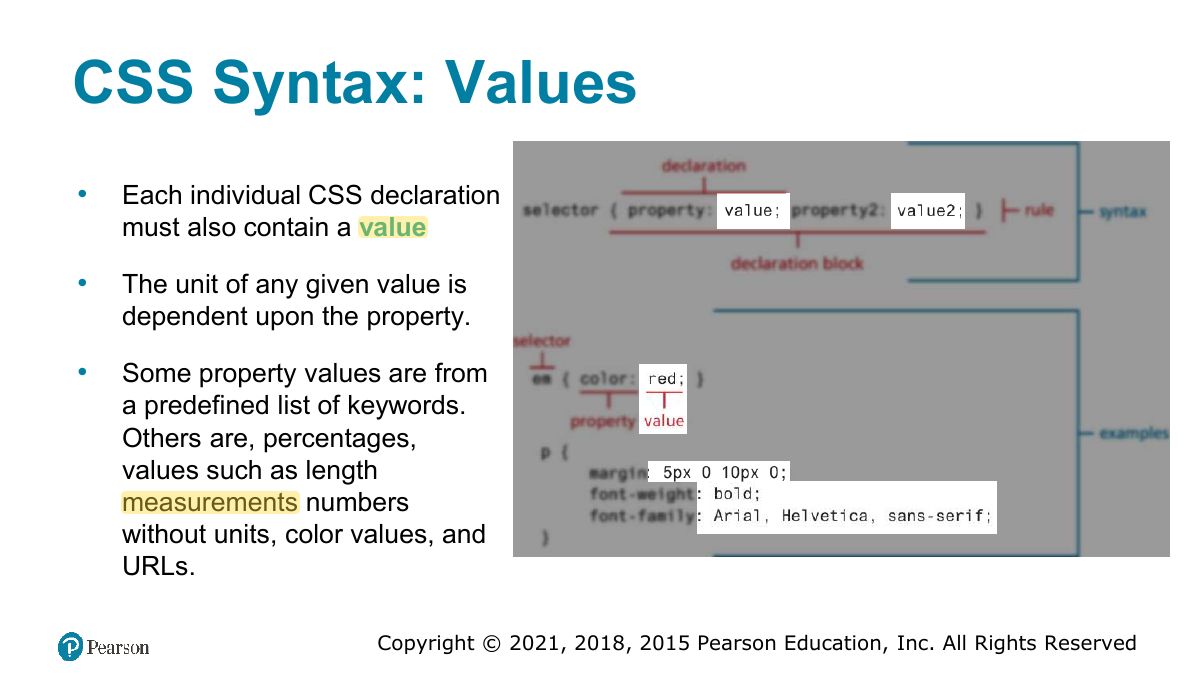
        1. Rule = selector { property: value; }.
        Slide 5: CSS Syntax: Values
        Exam weight Low
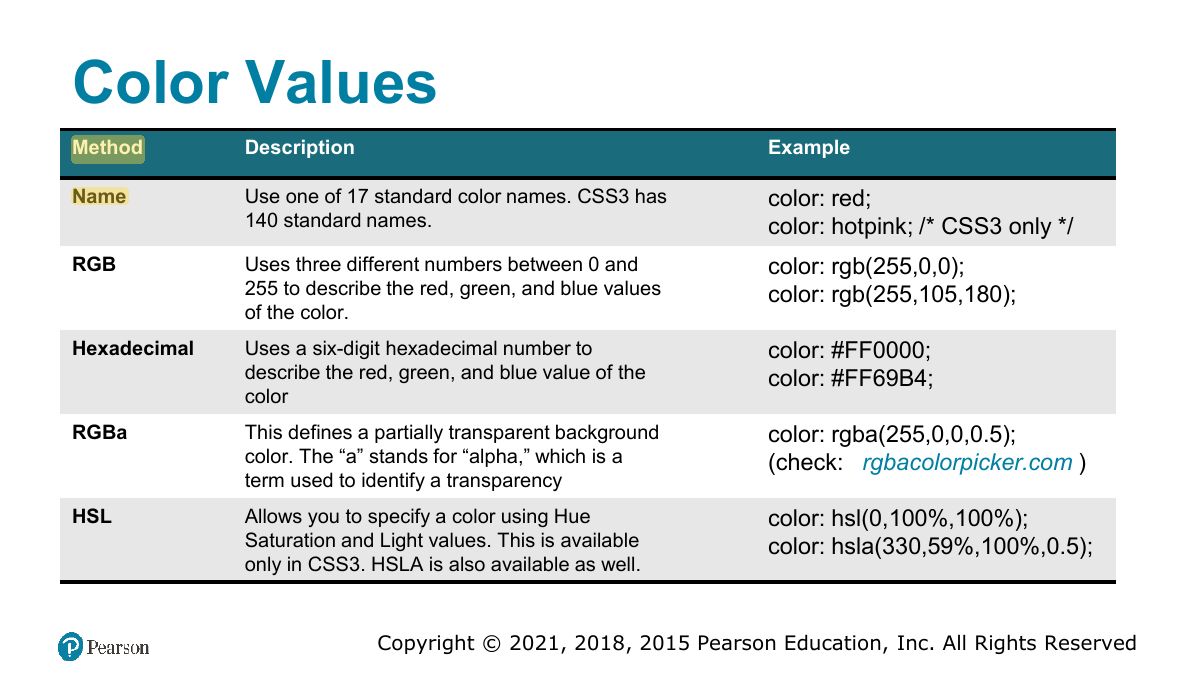
          Slide 6: Color Values
          Exam weight Low

            Common Units of Measure Values

            Units of measure in CSS are either

            • relative units, in that they are based on the value of something else, or
            • absolute units, in that they have a real-world size.

            Some example measures:

            • px Pixel. In CSS2 this is a relative measure, while in CSS3 it is absolute (1/96 of an inch -> 1px ~ 1.06mm)
            • em Equal to the computed value of the font-size property of the element on which it is used (2em means 2 times the size of the current font)
            • vw Relative to 1% of the width of the viewport (the browser window size). If the viewport is 30cm wide, 1vw = 0.3cm.
            • in Inches (absolute)
            • cm Centimeters (absolute)
            7
            Exam weight Low

              Location of Styles

              CSS style rules can be located in three different locations.

              • Inline Styles
              • Embedded Style Sheet
              • External Style Sheet

              These three are not mutually exclusive, in that you could place your style rules in all three.

              8
              Exam weight Low
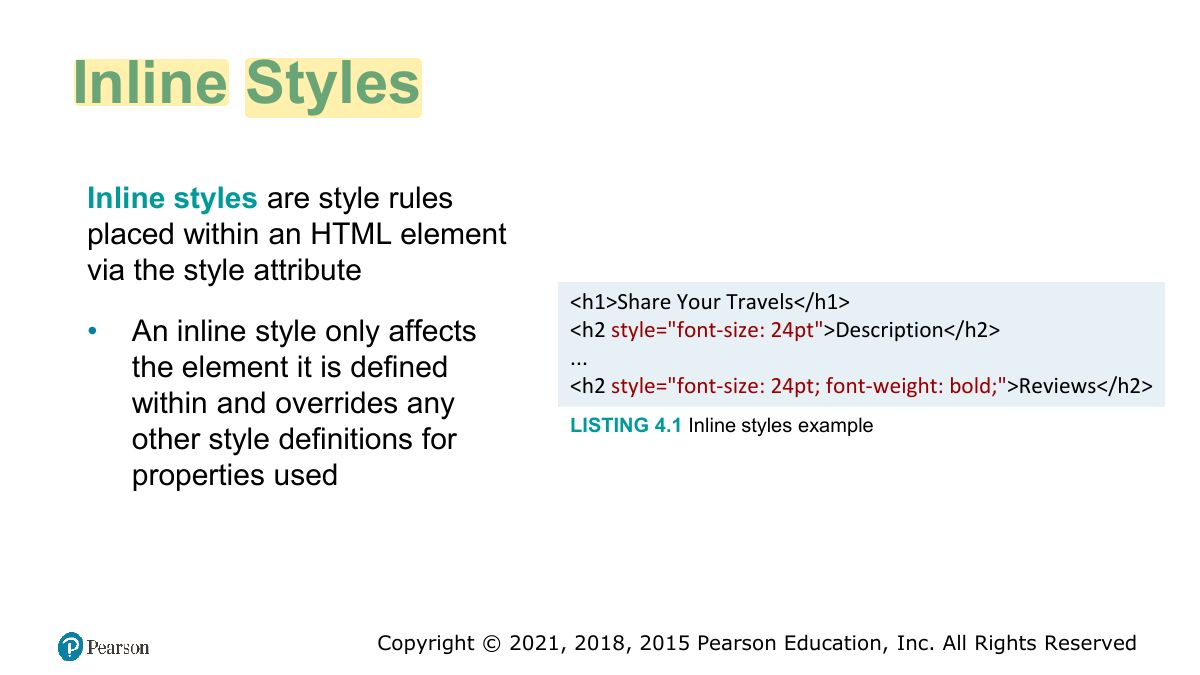
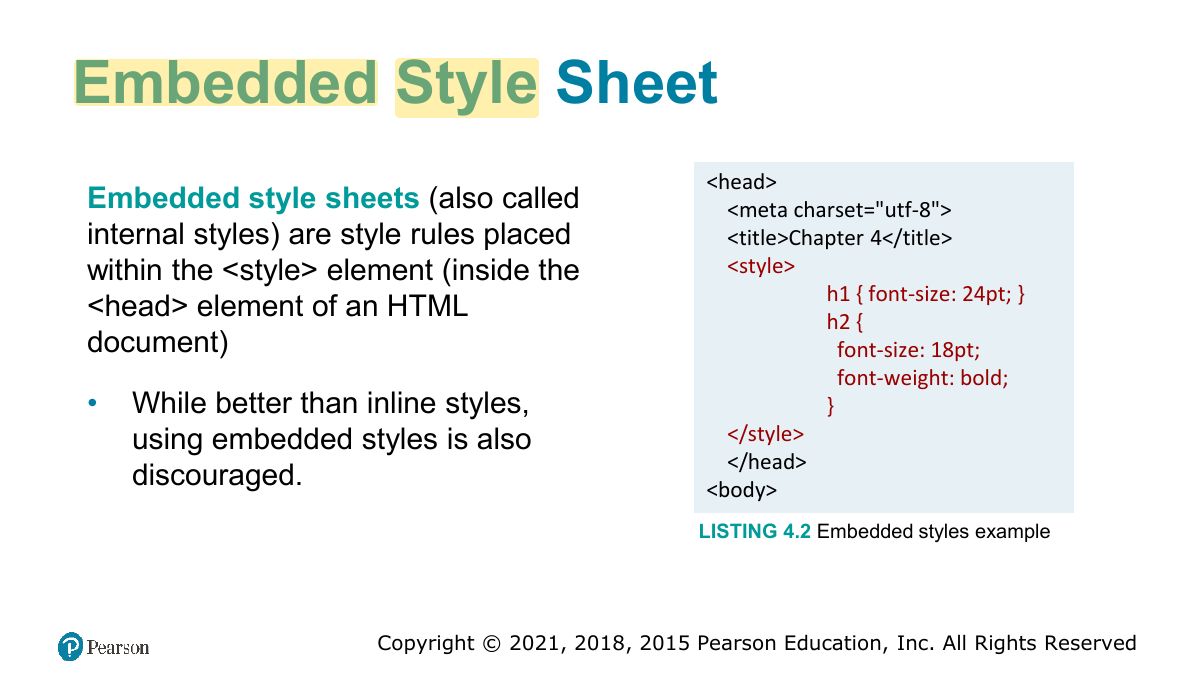
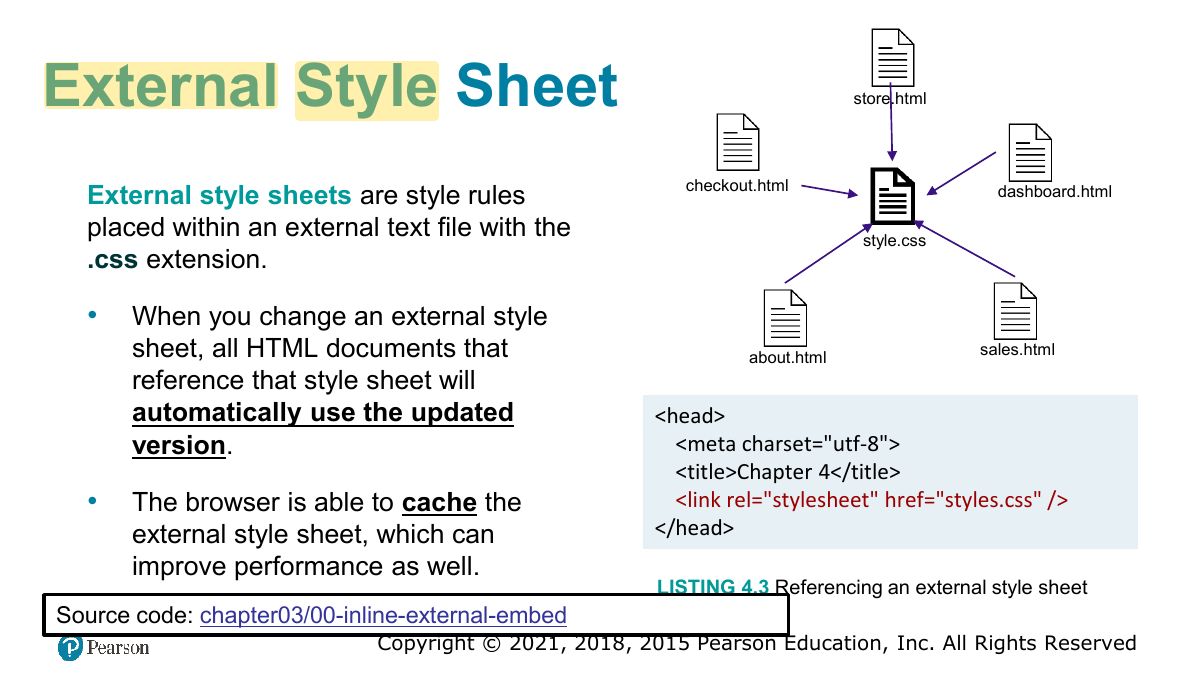
              1. Locations: inline (style attribute), embedded (<style> in head), external (.css file via <link>). External is best for reuse.
              Slide 9: Inline Styles
              Exam weight Low
                Slide 10: Embedded Style Sheet
                Exam weight Low
                  Slide 11: External Style Sheet
                  Exam weight Low

                    Selectors

                    When defining CSS rules, you will need to use a selector.

                    • Selectors tell the browser which elements will be affected by the property values
                    • Selectors allow you to select individual or multiple HTML elements.
                    • Three basic selector types have been around since the earliest CSS2 specification.
                      • Element Selectors
                      • Class Selectors
                      • Id Selectors
                    12
                    Exam weight Low
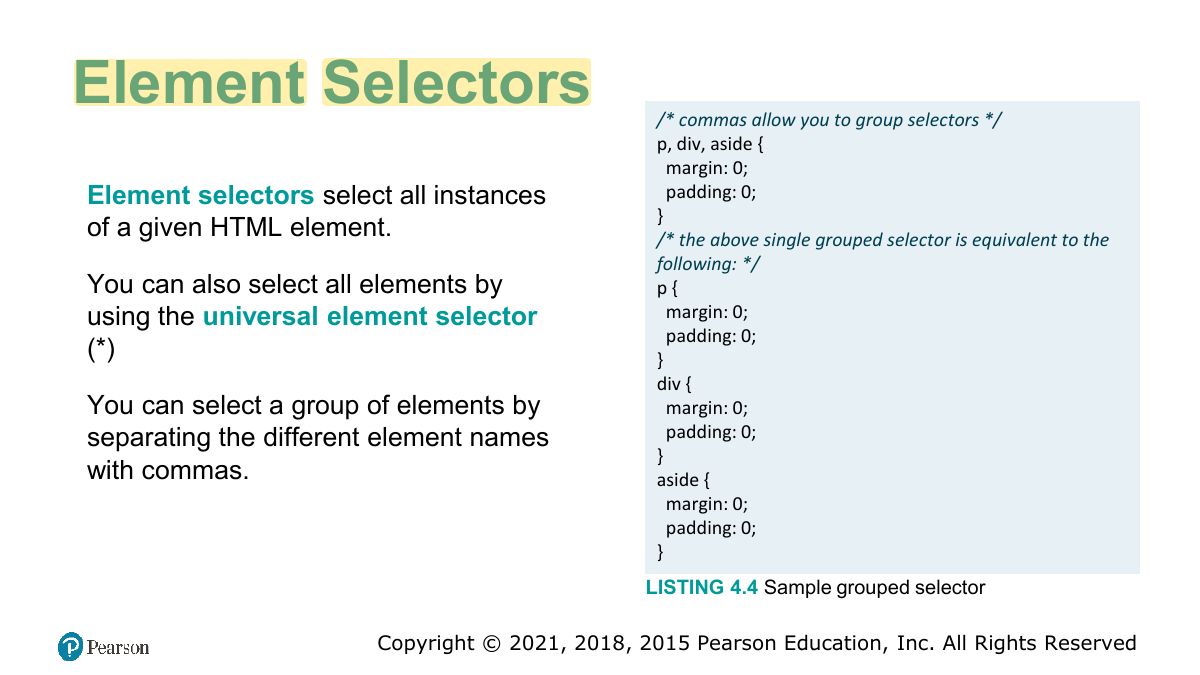
                      Slide 13: Element Selectors
                      Exam weight Low

                        Class and ID Selectors

                        A class selector allows you to target

                        An ID selector allows you to target a

                        different HTML elements labeled with

                        specific element by its id attribute, which

                        the same class

                        takes the form:

                        We use a period (.) followed by the class

                        hash (#) followed by the id name.

                        name.

                        The difference between “class” and “id”:

                        ―id‖ is

                        unique in a document and used to target only one element, whereas

                        ―class‖ can be used to target many elements.

                        14
                        Exam weight High
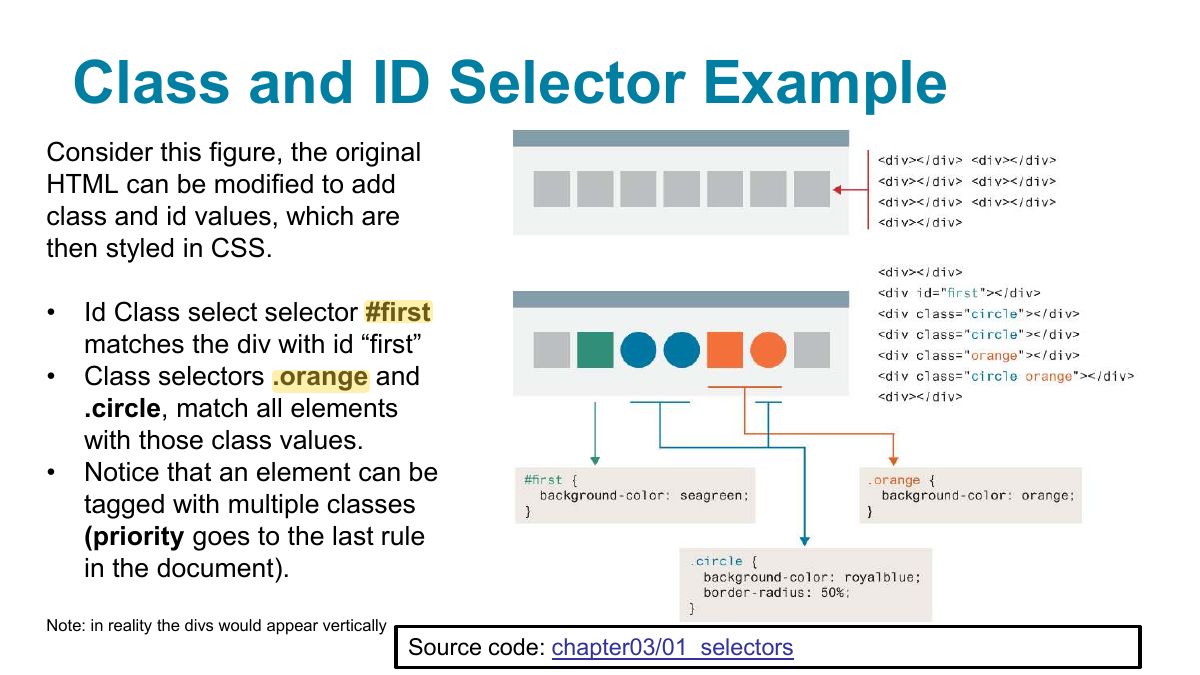
                        1. .class selects many elements; #id selects one unique element.
                        🎯 How this can come up · 1 question
                        MCQ

                        Which selector targets the element with id="main"?

                        Slide 15: Class and ID Selector Example
                        Exam weight Low

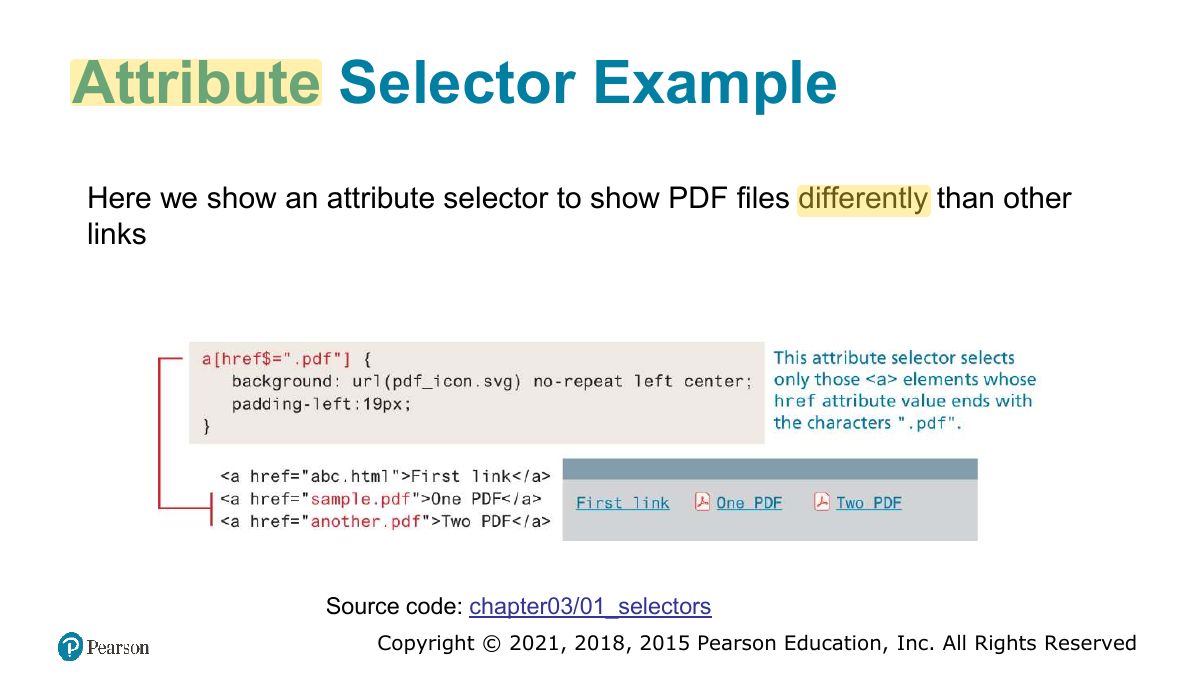
                          Attribute Selectors

                          An attribute selector provides a way to select HTML elements either by the presence of an element attribute or by the value of an attribute.

                          • Attribute selectors can be helpful in the styling of hyperlinks and form elements
                          • These selectors can be combined with the element id and class selectors.
                          • You use square brackets to create attribute selectors
                          16
                          Exam weight Low
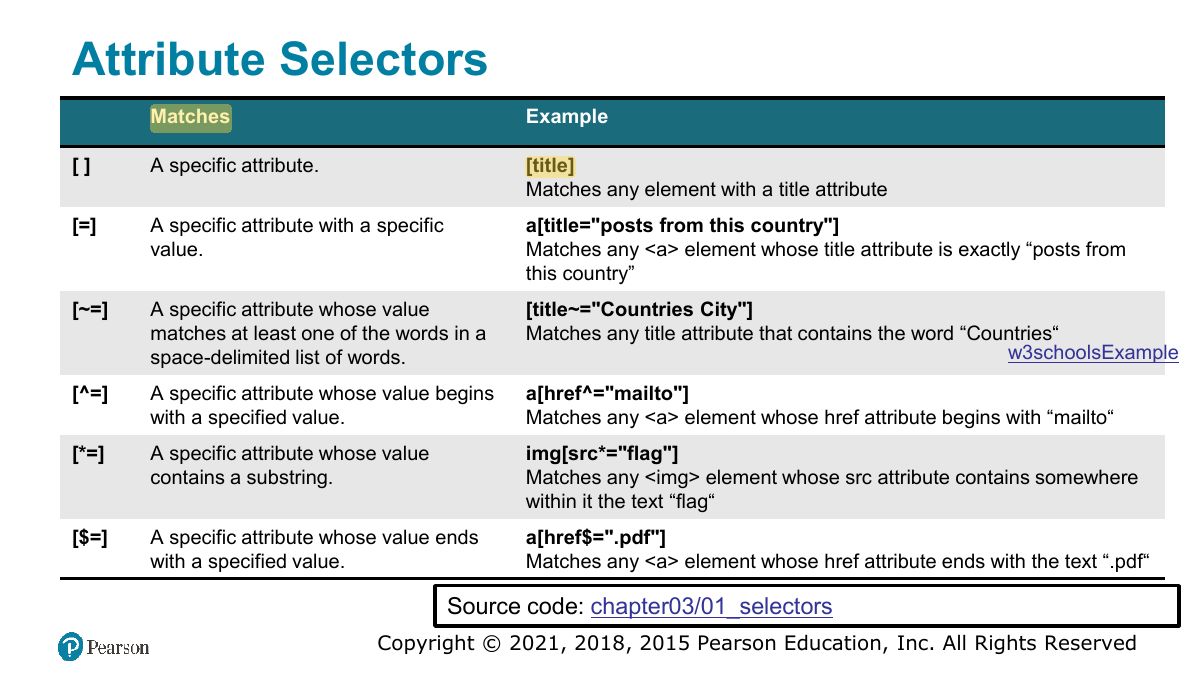
                            Slide 17: Attribute Selectors
                            Exam weight Low
                              Slide 18: Attribute Selector Example
                              Exam weight Low

                                Pseudo-Element and Pseudo-Class Selectors

                                A pseudo-element selector is a way to select something that does not exist explicitly as an element in the HTML document tree.

                                • You can select the first line or first letter of any HTML element using a pseudo-element selector.

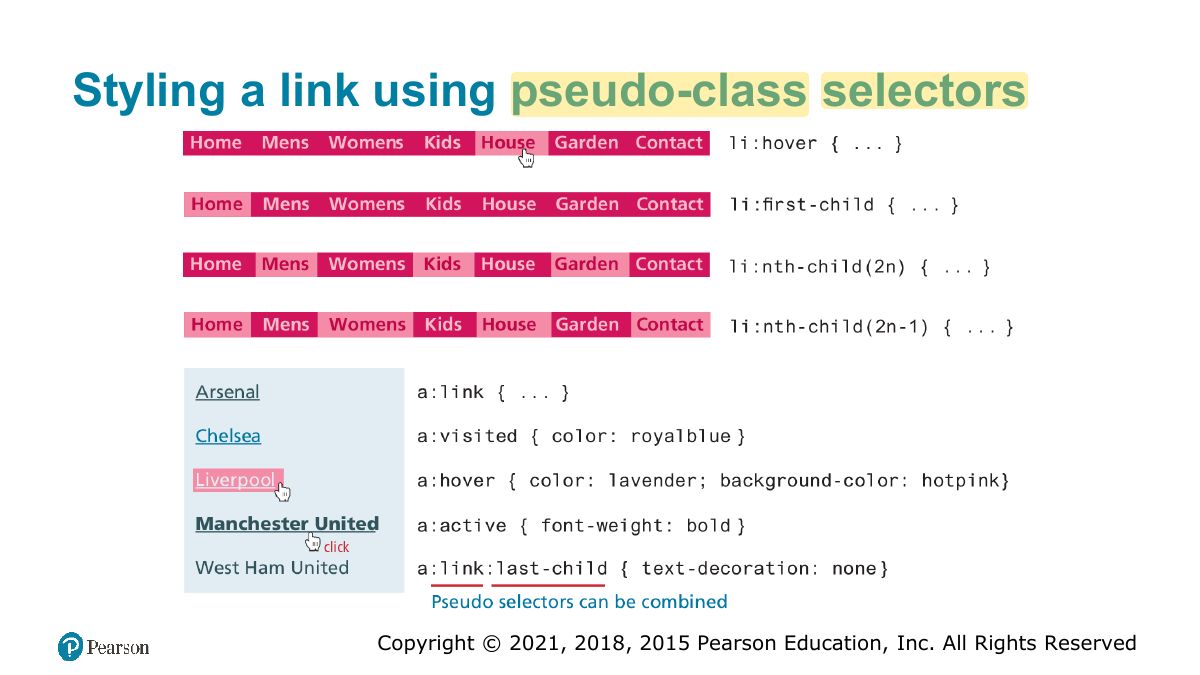
                                A pseudo-class selector targets either a particular state or a variety of family relationships

                                • This type of selector is for targeting link states and for adding hover styling for other elements
                                19
                                Exam weight Low
                                1. Pseudo-classes describe a state (:hover, :visited, :first-child); pseudo-elements a part (::first-line, ::before).

                                Common Pseudo-Class and Pseudo-Element Selectors

                                • a:link Selects links that have not been visited.
                                • a:visited Selects links that have been visited.
                                • :hover Selects elements that the mouse pointer is currently above.
                                • :active Selects an element that is being activated by the user. A typical example is a link that is being clicked.
                                • :first-child Selects an element that is the first child of its parent.
                                • :first-letter Selects the first letter of an element.
                                • :first-line Selects the first line of an element.
                                • :is takes a selector list and selects any element that can be selected by any of the selectors in that list (example :is(input,label,button,select):hover instead of input:hover, label:hover ....
                                20
                                Exam weight Low
                                  Slide 21: Styling a link using pseudo-class selectors
                                  Exam weight Low
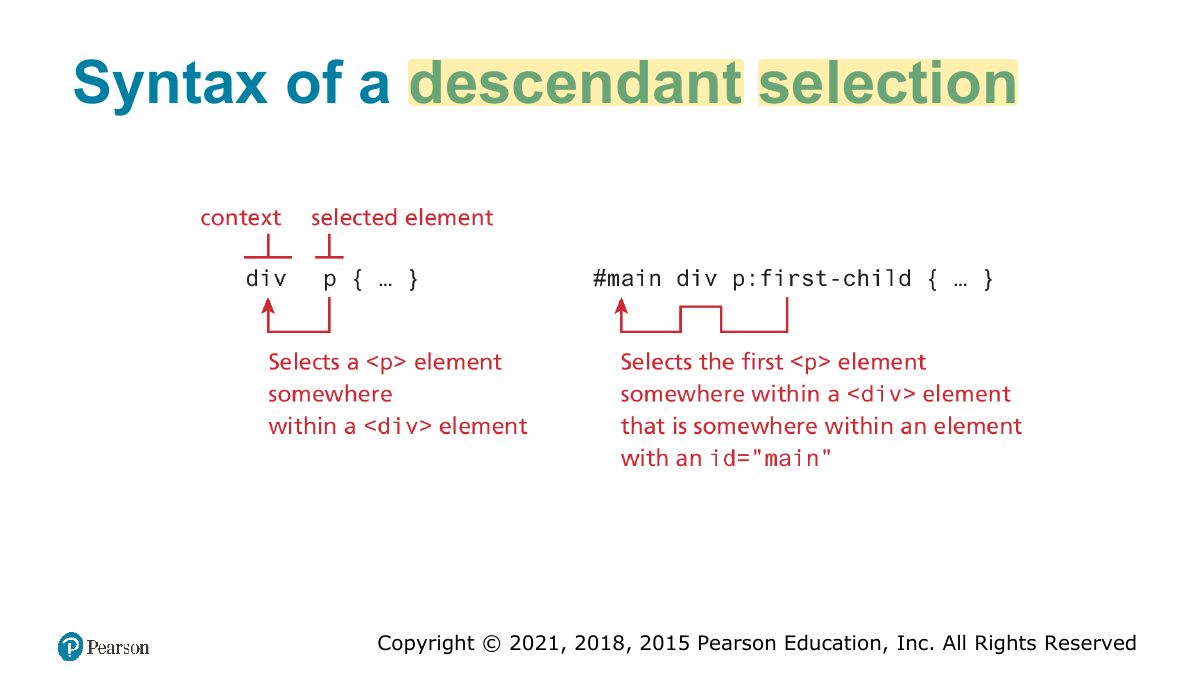
                                    Slide 22: Syntax of a descendant selection
                                    Exam weight Low

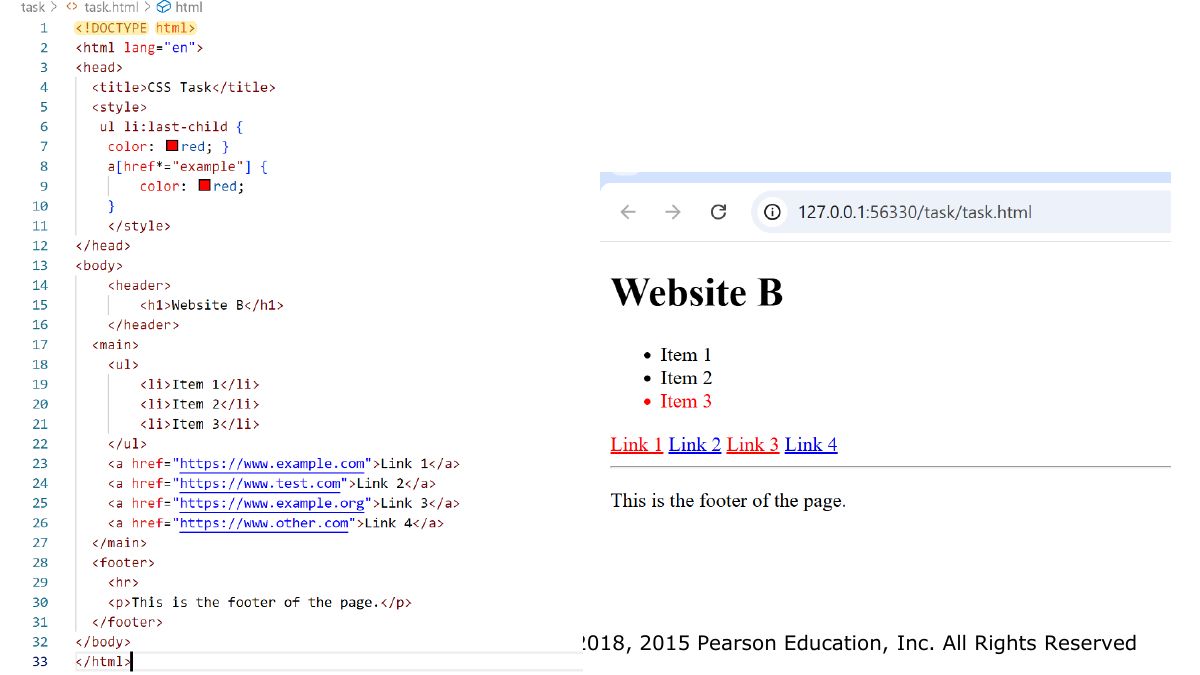
                                      Task

                                      • Style (color: red) last child of the unordered list
                                      • Style <a> where href has substring ―example‖
                                      23
                                      Exam weight Low
                                        Slide 24: Slide 24
                                        Exam weight Low
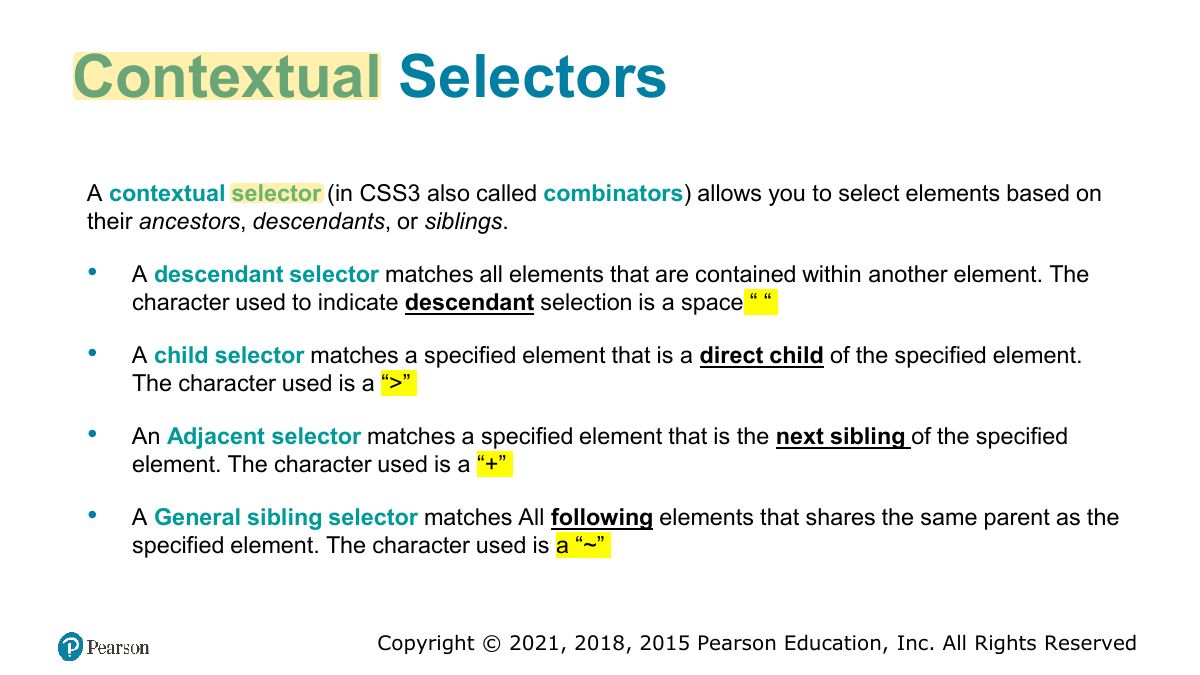
                                          Slide 25: Contextual Selectors
                                          Exam weight High
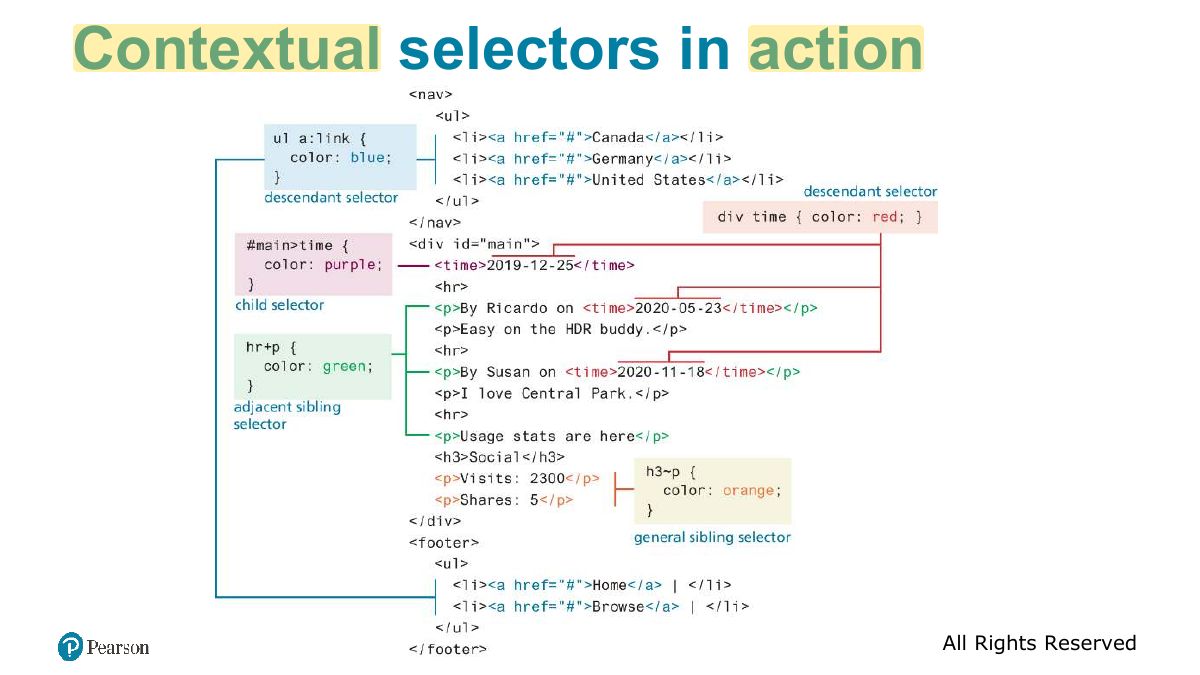
                                          1. Contextual: descendant (div p), child (div > p), adjacent sibling (h1 + p), general sibling (h1 ~ p).
                                          🎯 How this can come up · 1 question
                                          MCQ

                                          "ul > li" selects:

                                          Slide 26: Contextual selectors in action
                                          Exam weight Low
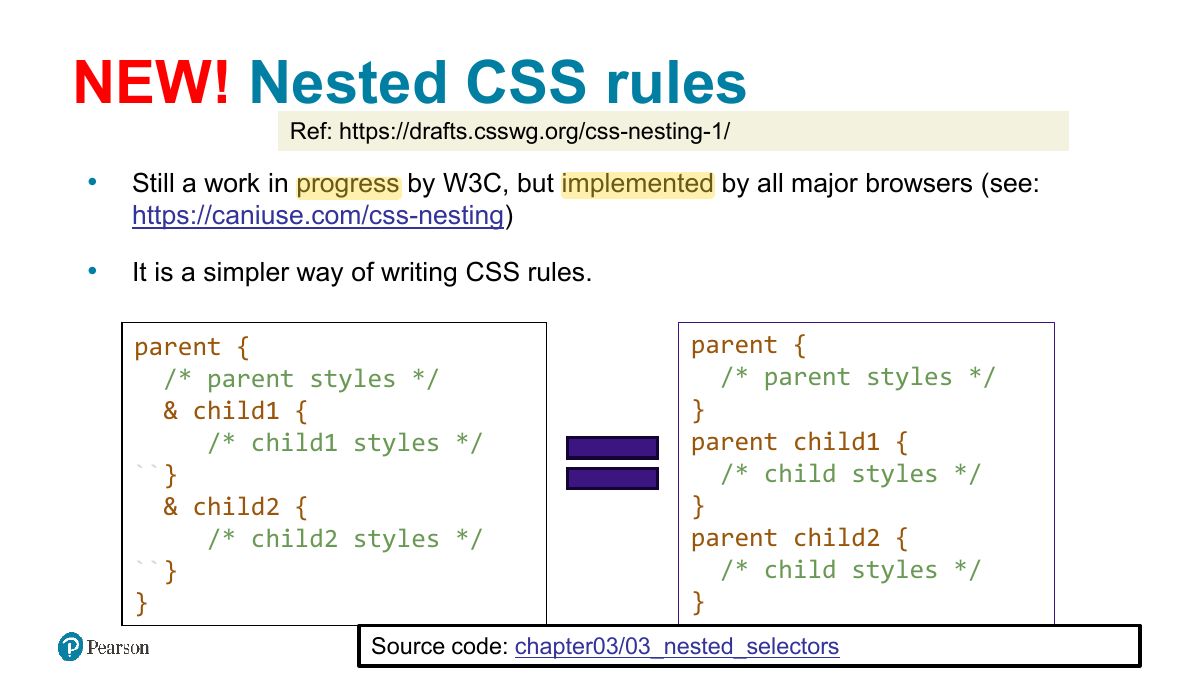
                                            Slide 27: NEW! Nested CSS rules
                                            Exam weight Low

                                              The Cascade: How Styles Interact

                                              The ―Cascade‖ in CSS refers to how conflicting rules are handled.

                                              CSS uses the following cascade principles to help it deal with conflicts:

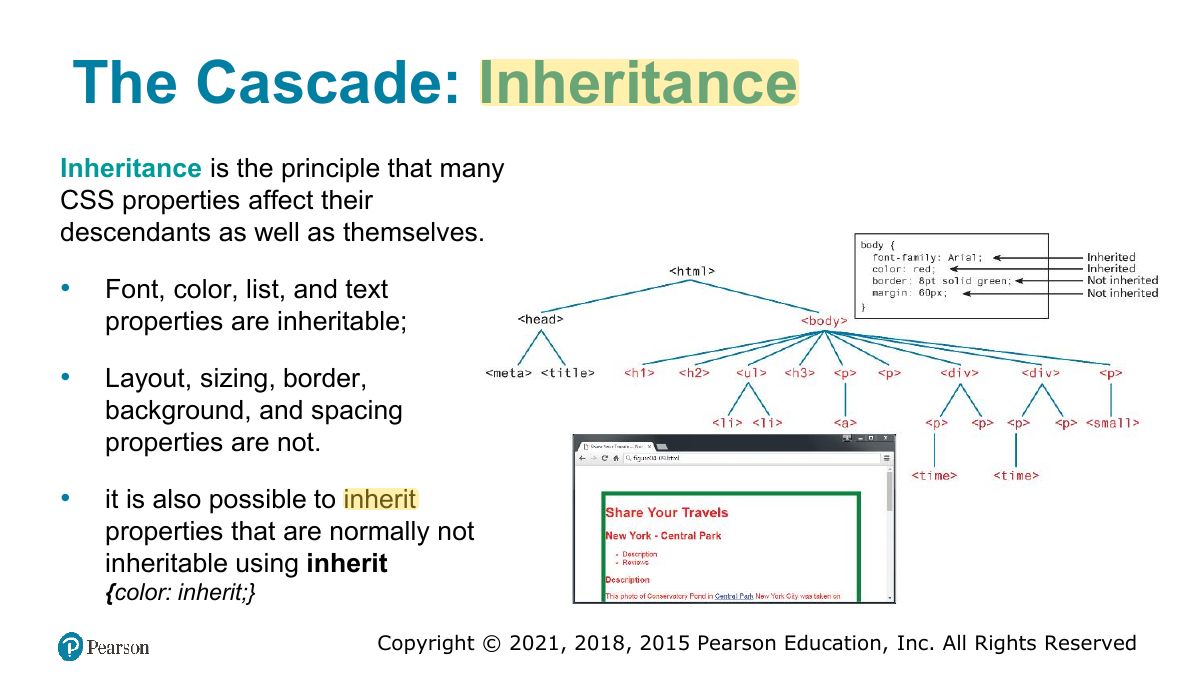
                                              • inheritance,
                                              • specificity, and
                                              • location.
                                              28
                                              Exam weight Low
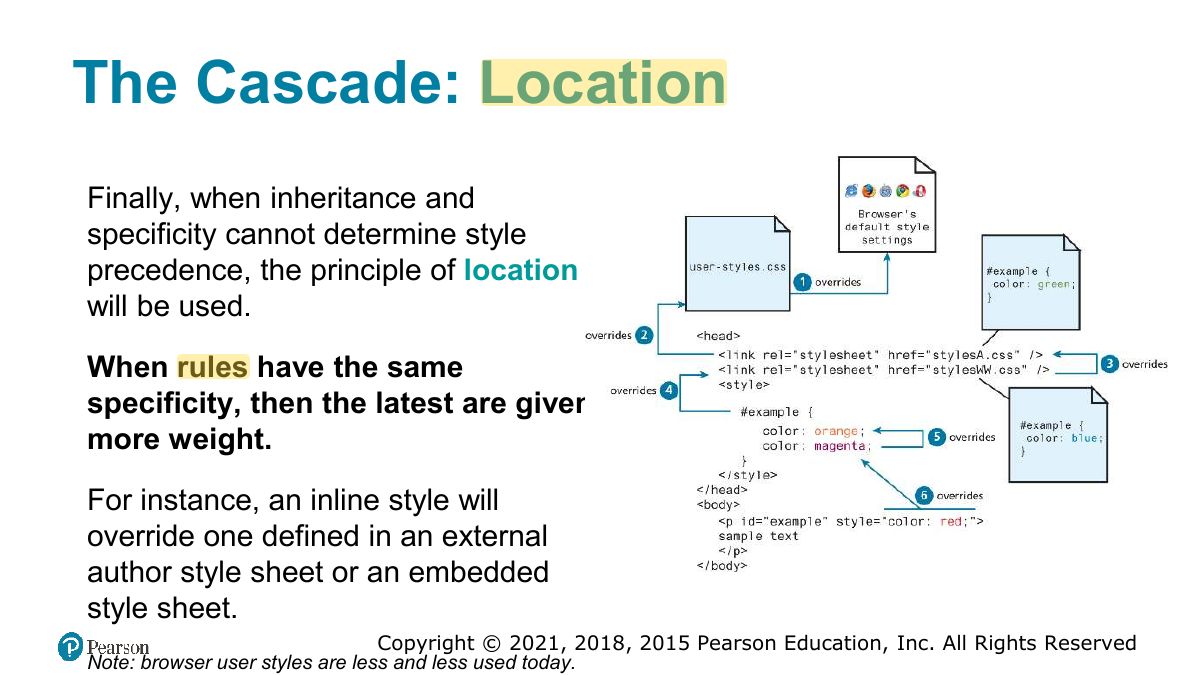
                                              1. The cascade resolves conflicts by inheritance, specificity, then location (later rules win).
                                              Slide 29: The Cascade: Inheritance
                                              Exam weight Low
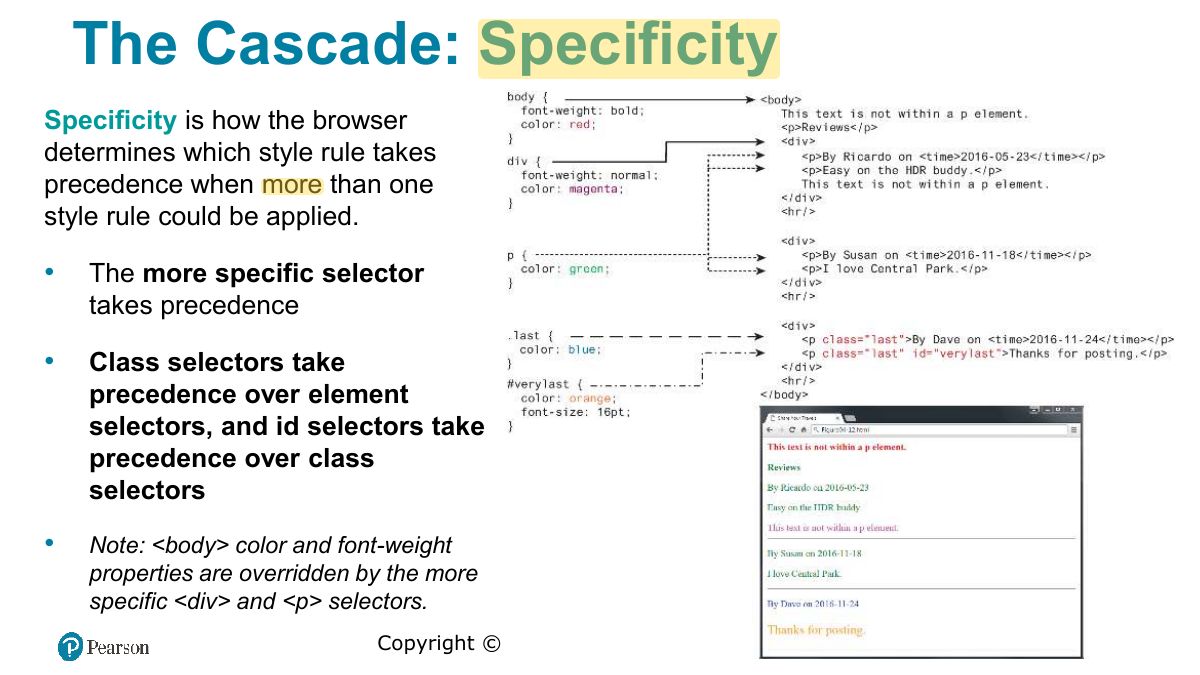
                                                Slide 30: The Cascade: Specificity
                                                Exam weight High
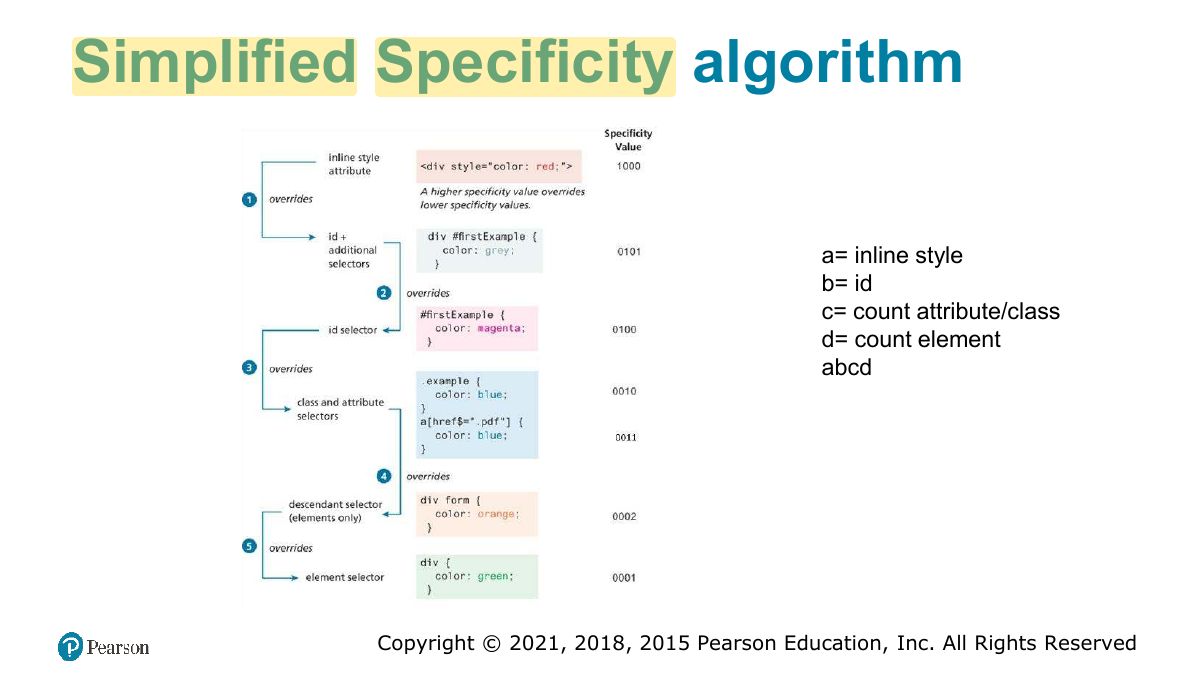
                                                1. Specificity: inline style > id > class/attribute/pseudo-class > element. !important overrides.
                                                Memory trickCount (ids, classes, elements): #nav .item a = (1, 1, 1) beats .nav .item a = (0, 2, 1).
                                                🎯 How this can come up · 1 question
                                                MCQ

                                                Which wins: "#title { color: red }" or ".heading { color: blue }" on the same element?

                                                Slide 31: Simplified Specificity algorithm
                                                Exam weight Low
                                                  Slide 32: The Cascade: Location
                                                  Exam weight Low
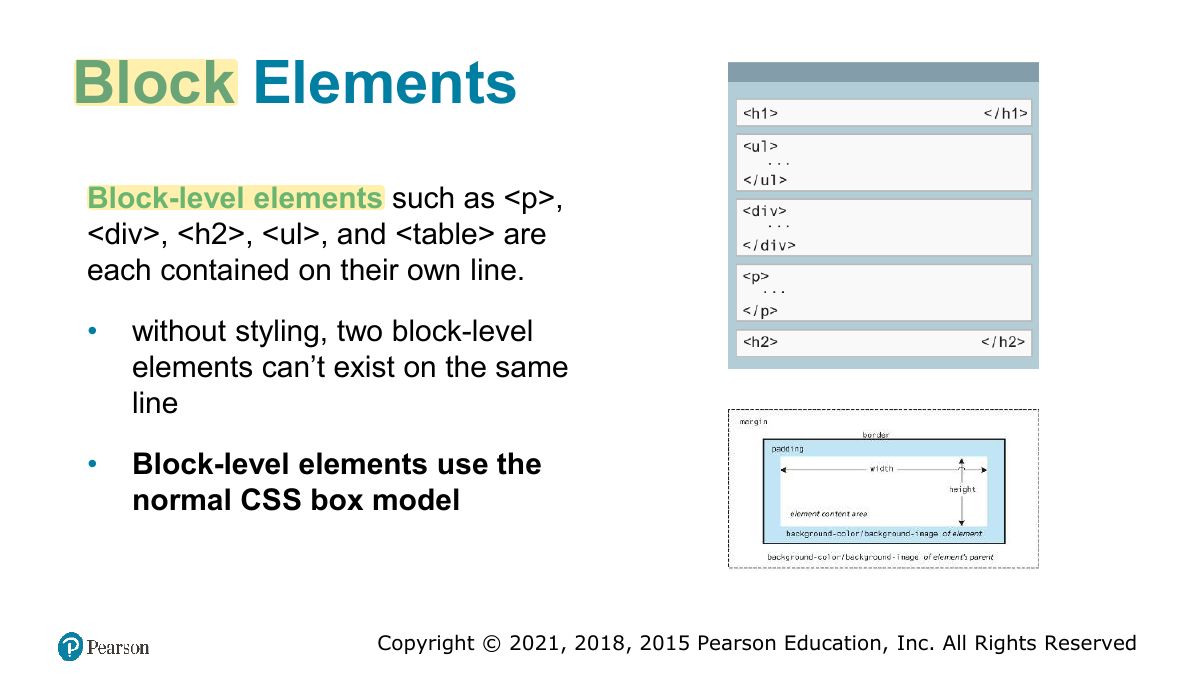
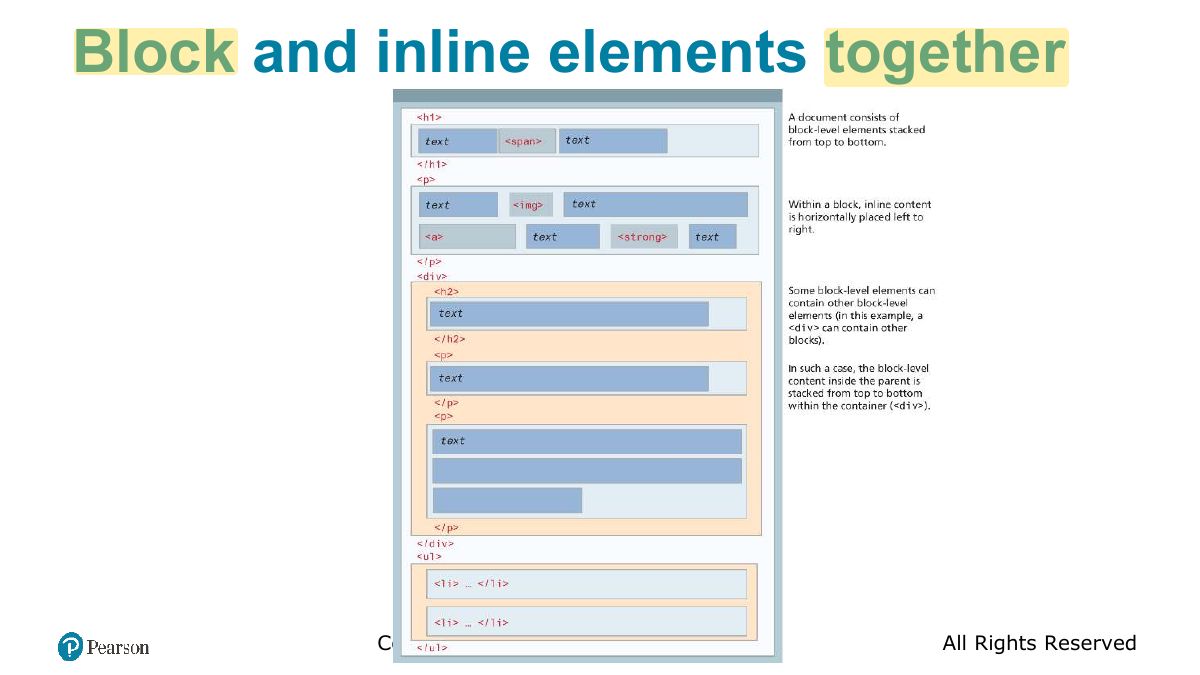
                                                    Slide 33: Block Elements
                                                    Exam weight Low
                                                    1. Block elements start on a new line and fill the width (div, p, h1). Inline elements flow within text (span, a, img).

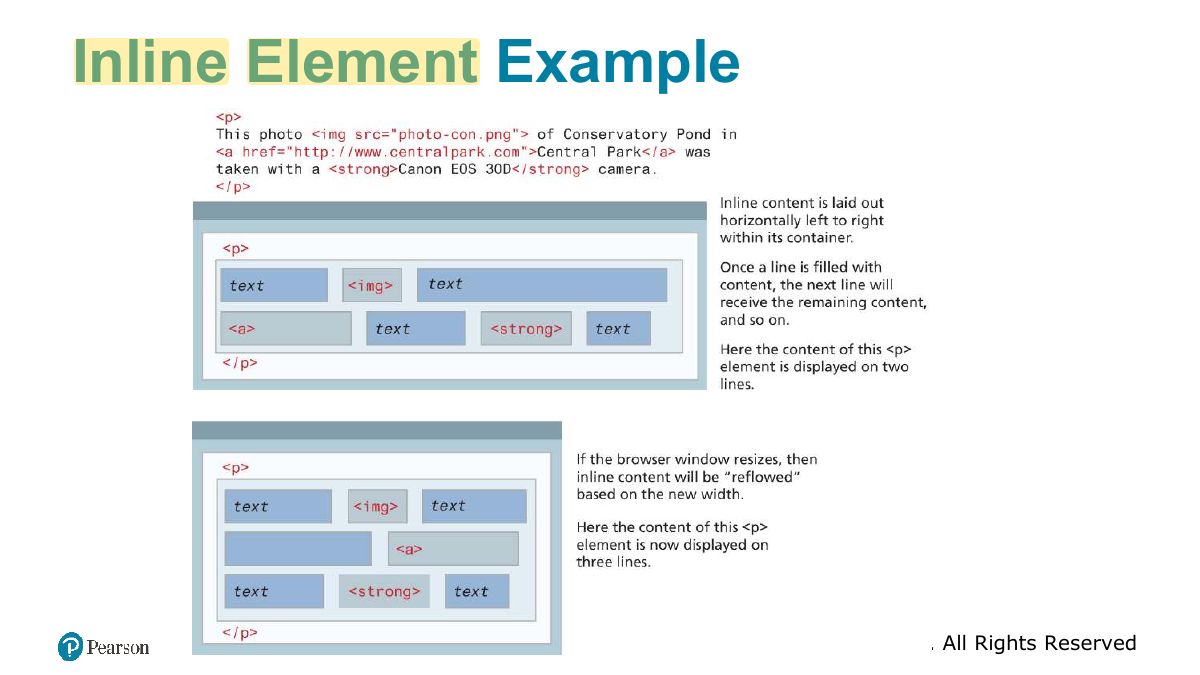
                                                    Inline Elements

                                                    Inline elements do not form their own blocks but instead are displayed within lines.

                                                    • Normal text in an HTML document is inline, as are elements such as <em>, <a>, <img>, and <span>.
                                                    • W hen there isn’t enough space left on the line, the content moves to a new line
                                                    34
                                                    Exam weight Low
                                                      Slide 35: Inline Element Example
                                                      Exam weight Low
                                                        Slide 36: Block and inline elements together
                                                        Exam weight Low
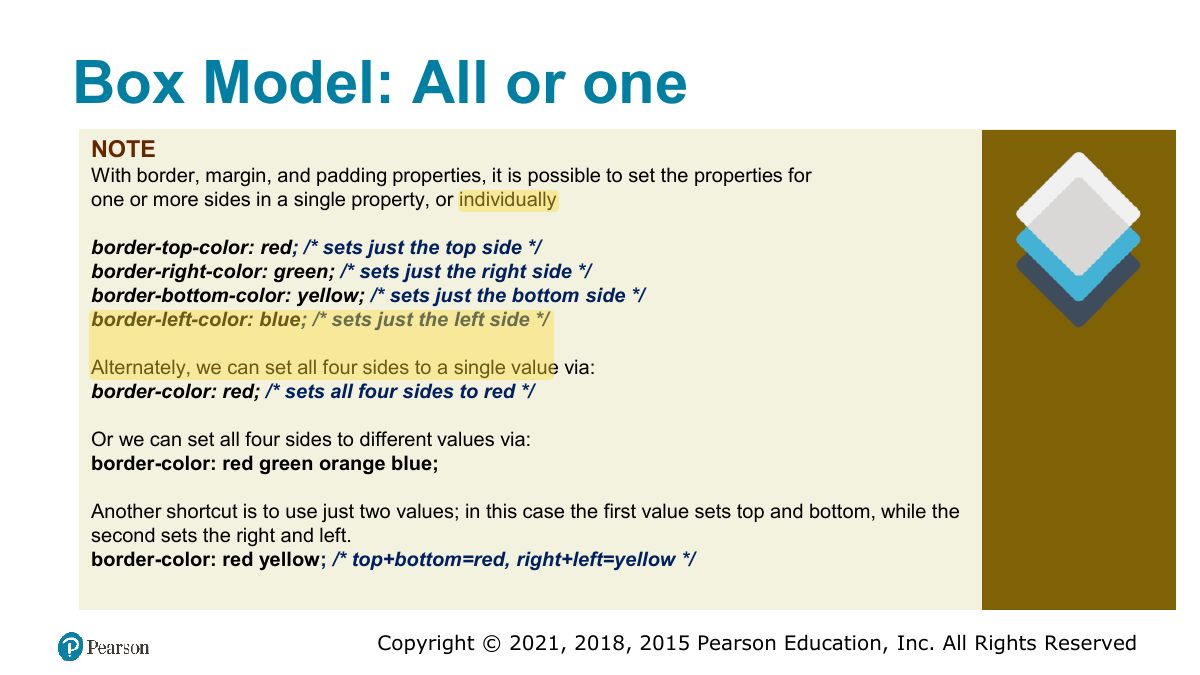
                                                          Slide 37: Margins and Padding
                                                          Exam weight Low
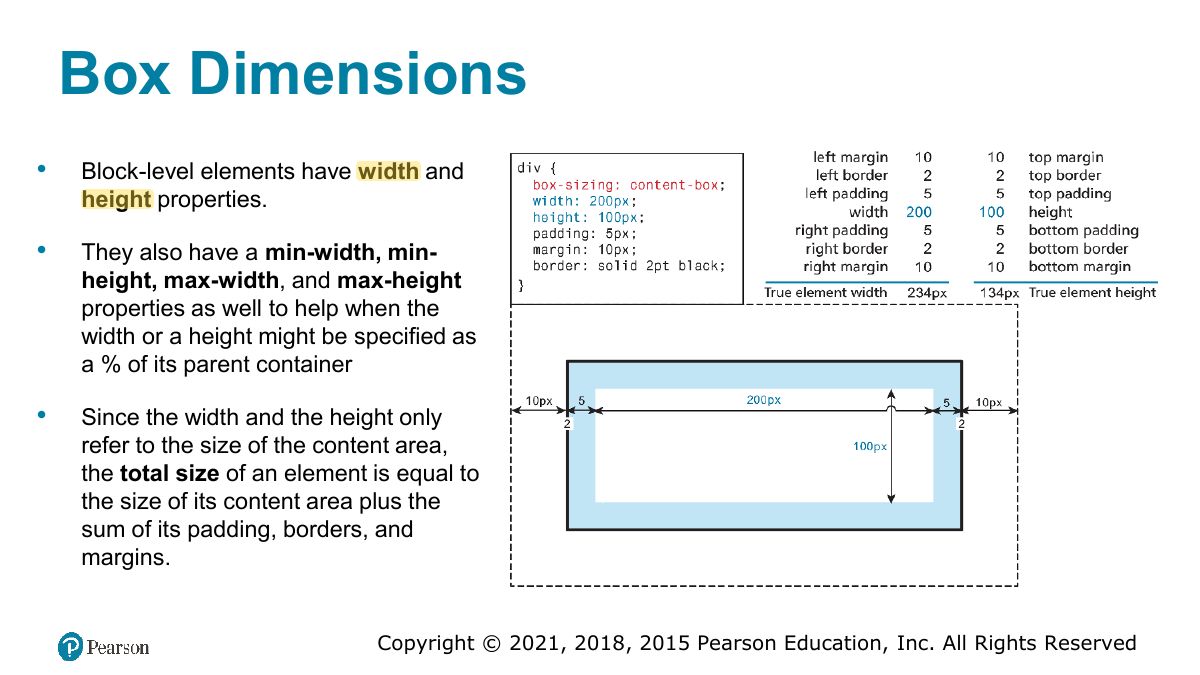
                                                            Slide 38: The Box Model
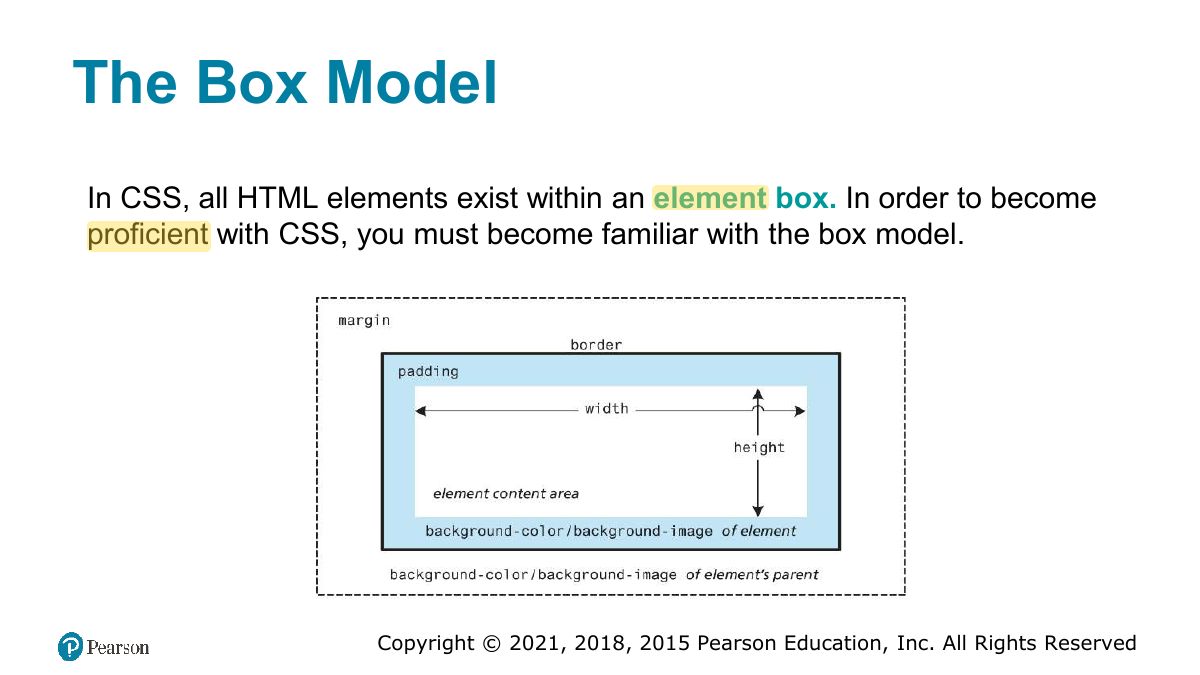
                                                            Exam weight High
                                                            1. Box model: content → padding → border → margin. With box-sizing: content-box, width excludes padding and border; border-box includes them.
                                                            🎯 How this can come up · 1 question
                                                            MCQ

                                                            width: 200px; padding: 10px; border: 5px; (content-box). Total rendered width:

                                                            Slide 39: Box Model: All or one
                                                            Exam weight Low
                                                              Slide 40: Box Dimensions
                                                              Exam weight Low
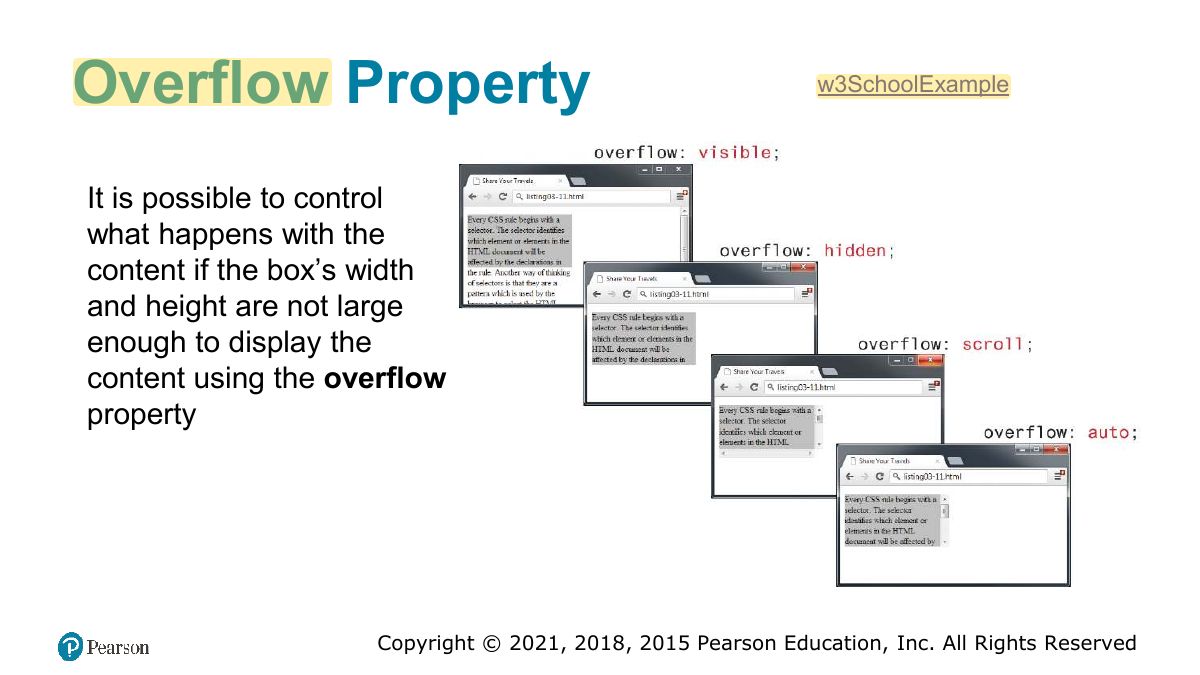
                                                                Slide 41: Overflow Property
                                                                Exam weight Low
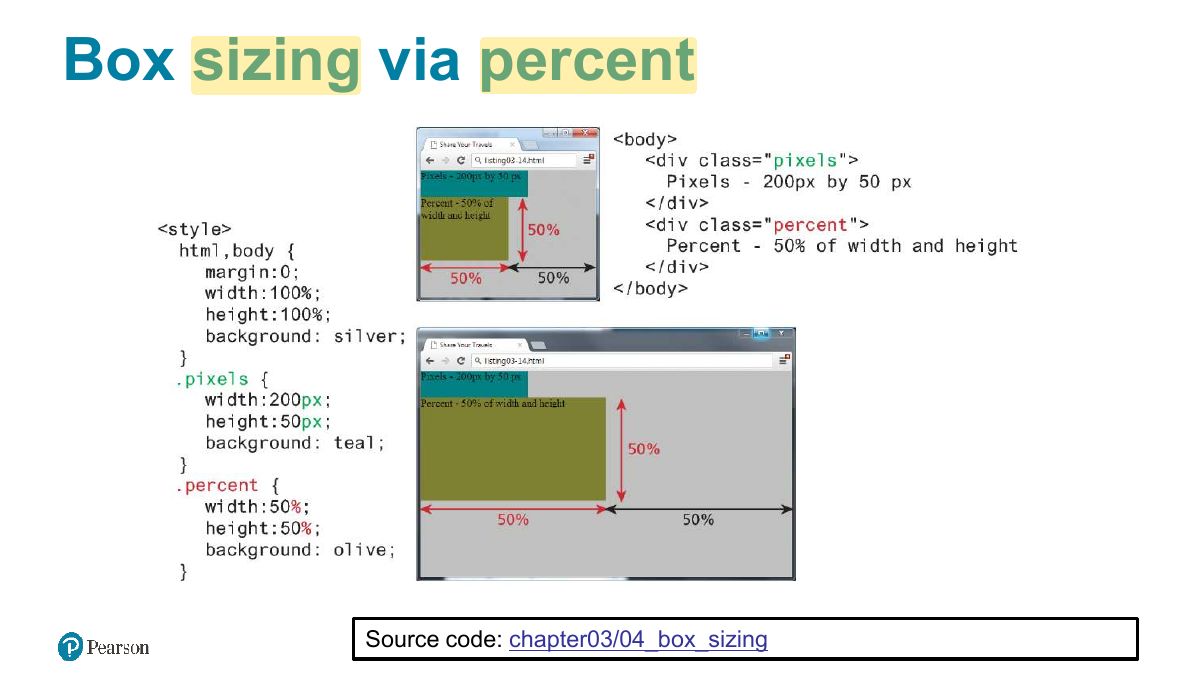
                                                                  Slide 42: Box sizing via percent
                                                                  Exam weight Low

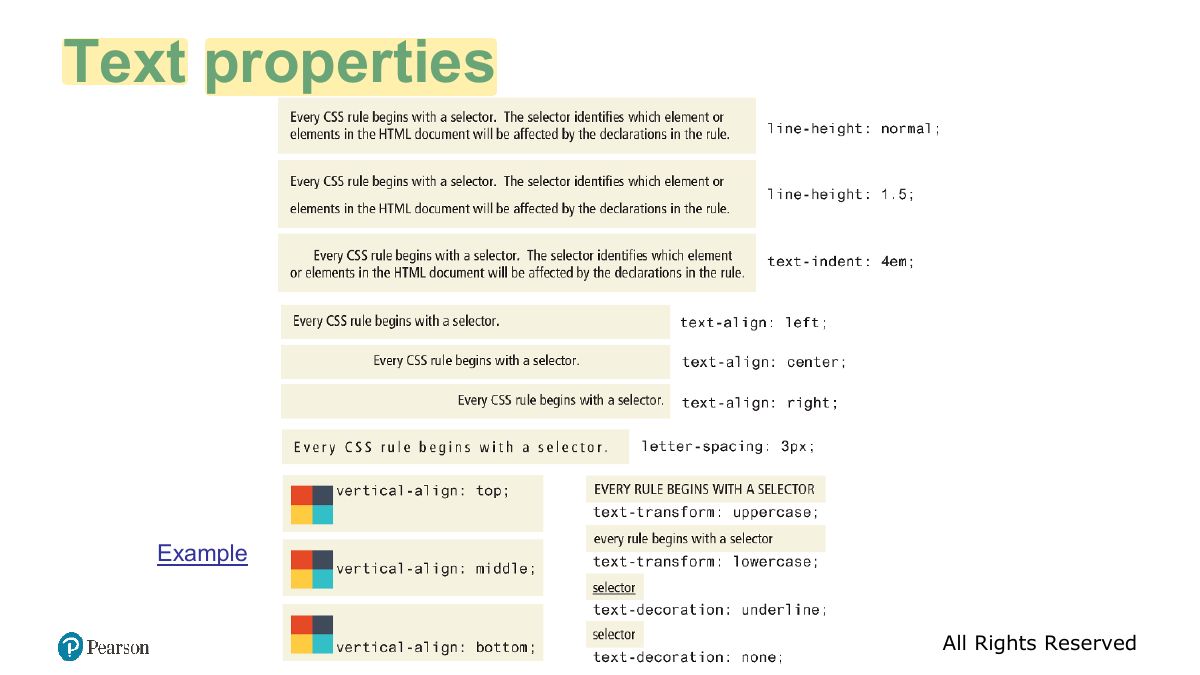
                                                                    CSS Text Styling

                                                                    CSS provides two types of properties that affect text.

                                                                    • Font properties that affect the font and its appearance.
                                                                    • Paragraph properties that affect the text in a similar way no matter which font is being used
                                                                    • Font properties include
                                                                      • font, font-family, font-style, font-size, font-variant, font-weight
                                                                    43
                                                                    Exam weight Low
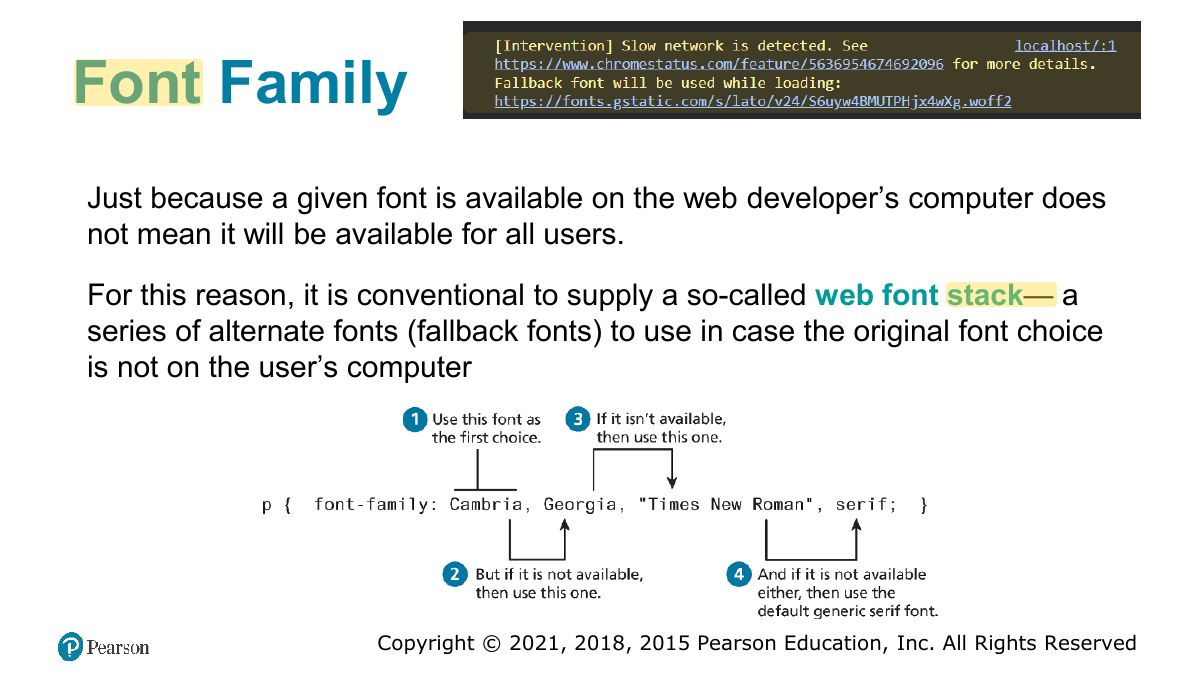
                                                                      Slide 44: Font Family
                                                                      Exam weight Low
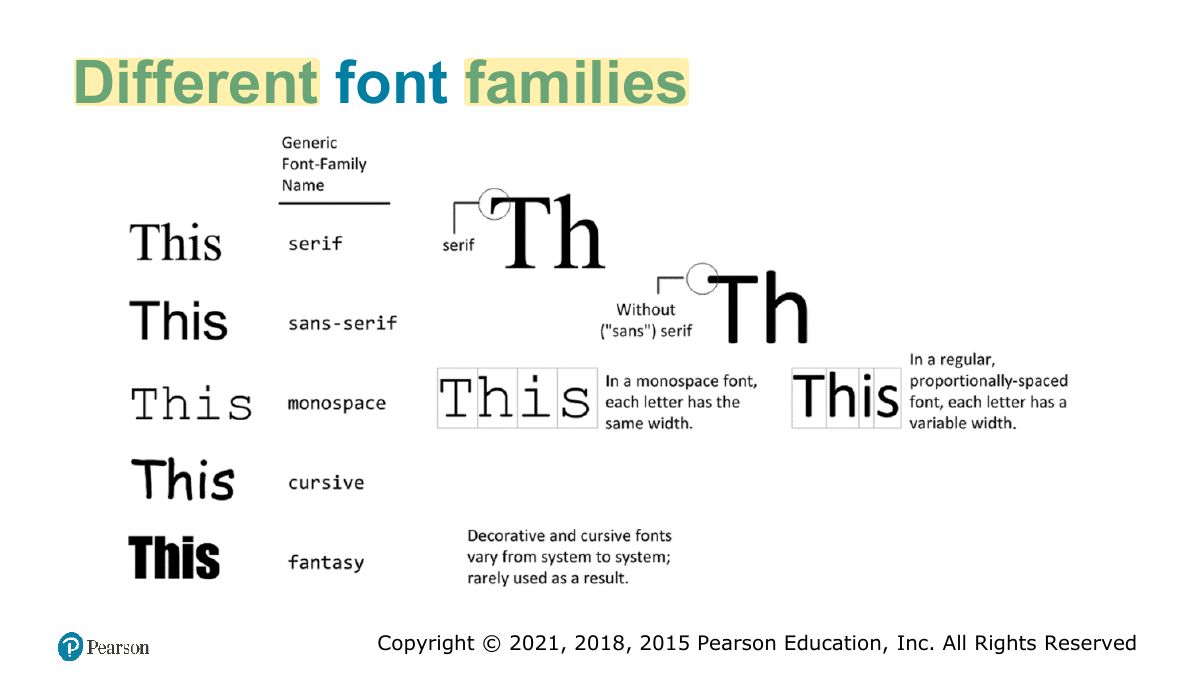
                                                                        Slide 45: Different font families
                                                                        Exam weight Low
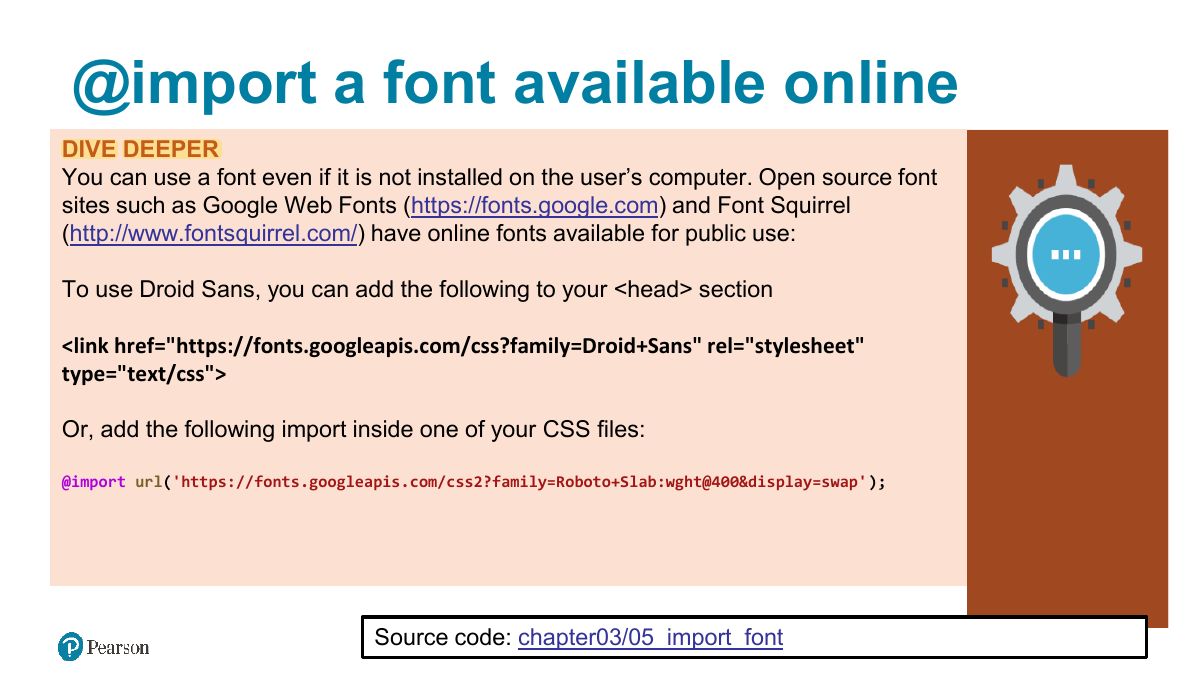
                                                                          Slide 46: @import a font available online
                                                                          Exam weight Low
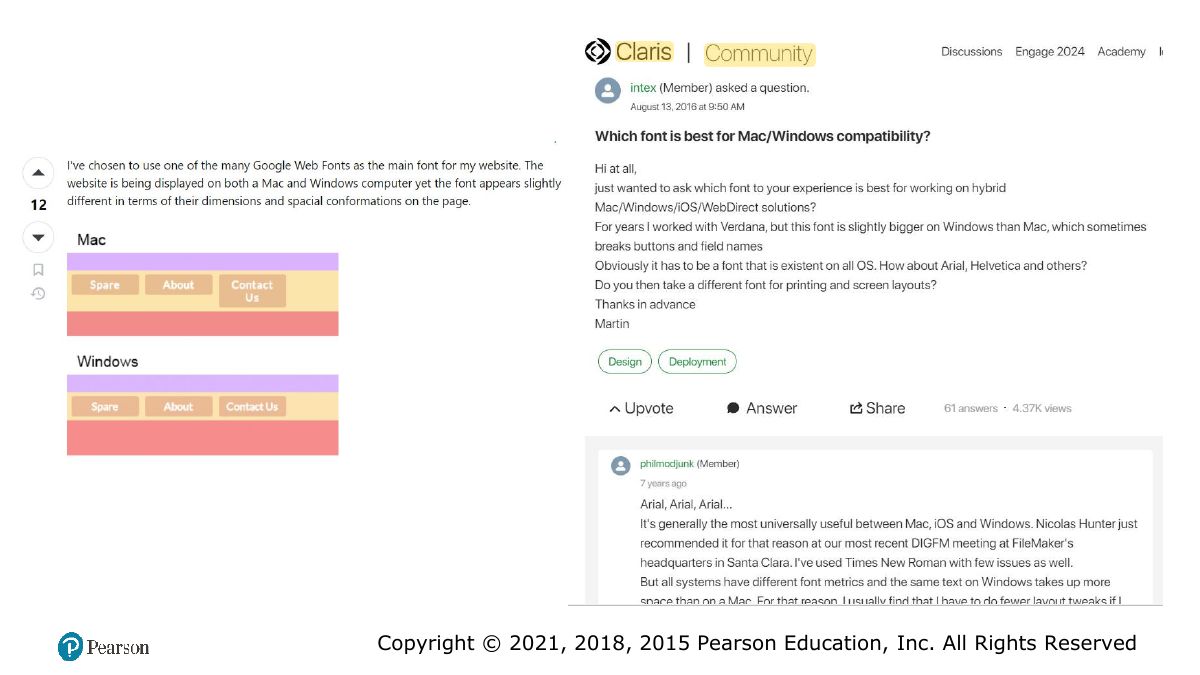
                                                                            Slide 47: Slide 47
                                                                            Exam weight Low

                                                                              Font Sizes

                                                                              If we wish to create web layouts that work well on different devices, we should learn to use relative units such as em units or percentages for our font sizes

                                                                              • it can quickly become difficult to calculate actual sizes when there are nested elements
                                                                                • For this reason, CSS3 now supports a new relative measure, the rem (for root em unit). This unit is always relative to the size of the root element (i.e., the <html> element).
                                                                              48
                                                                              Exam weight Low

                                                                                Font Weight

                                                                                49
                                                                                Exam weight Low
                                                                                  Slide 50: Text properties
                                                                                  Exam weight Low

                                                                                    CSS Variables

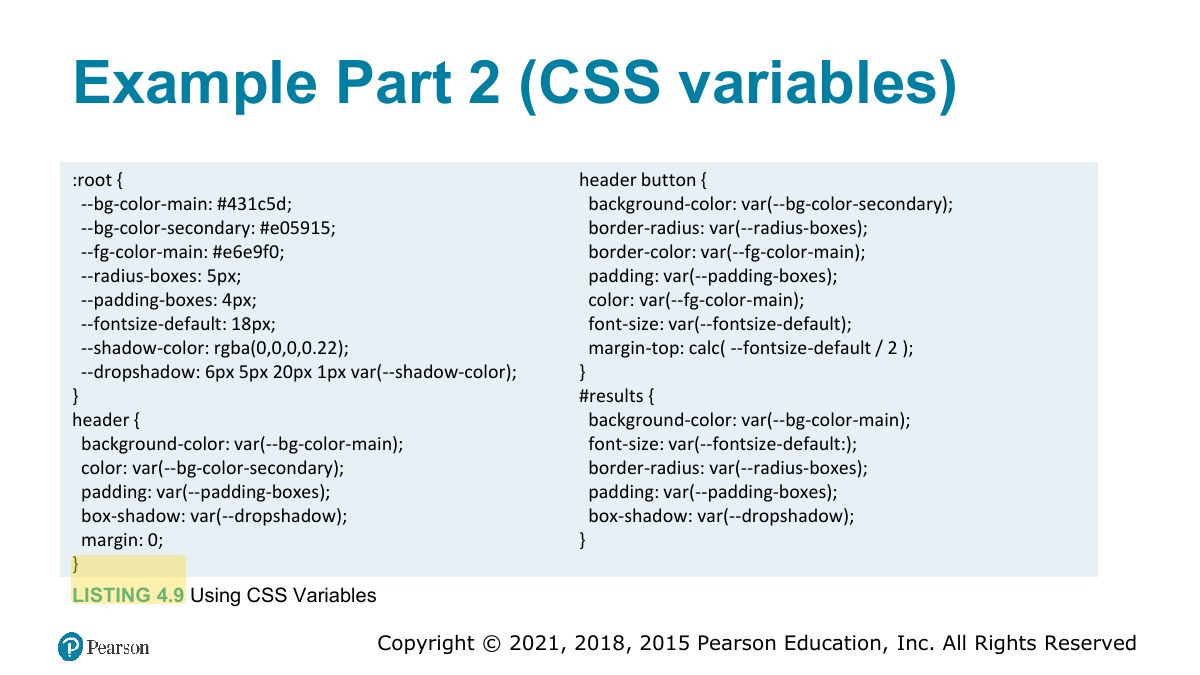
                                                                                    CSS Variables (also called custom properties) are a new feature that let you

                                                                                    • define variables (which must begin with a double hyphen --x) at the top of your CSS file usually within a special :root pseudo-class selector, and
                                                                                    • reference those variables as property values using the var CSS function.

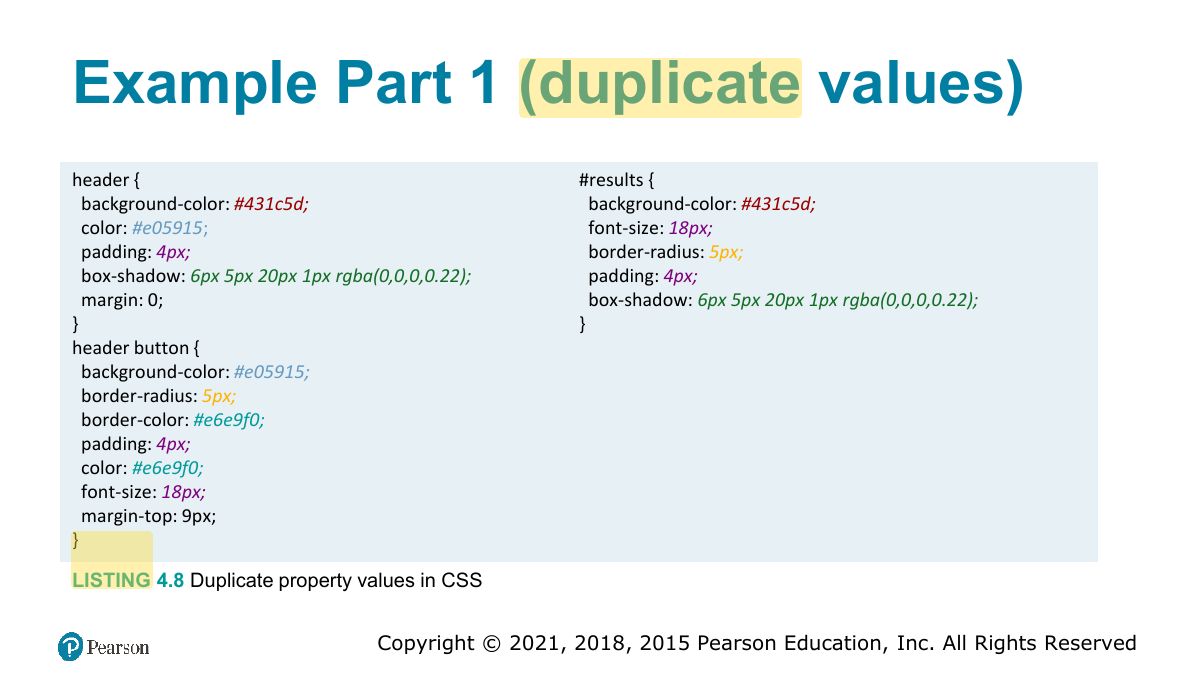
                                                                                    Duplication of colors, spacing, and borders, often happens numerous times within a single file.

                                                                                    51
                                                                                    Exam weight Low
                                                                                    1. CSS variables: --main-color: #333; use with var(--main-color).
                                                                                    Slide 52: Example Part 1 (duplicate values)
                                                                                    Exam weight Low
                                                                                      Slide 53: Example Part 2 (CSS variables)
                                                                                      Exam weight Low

                                                                                        Styling Tables (Borders)

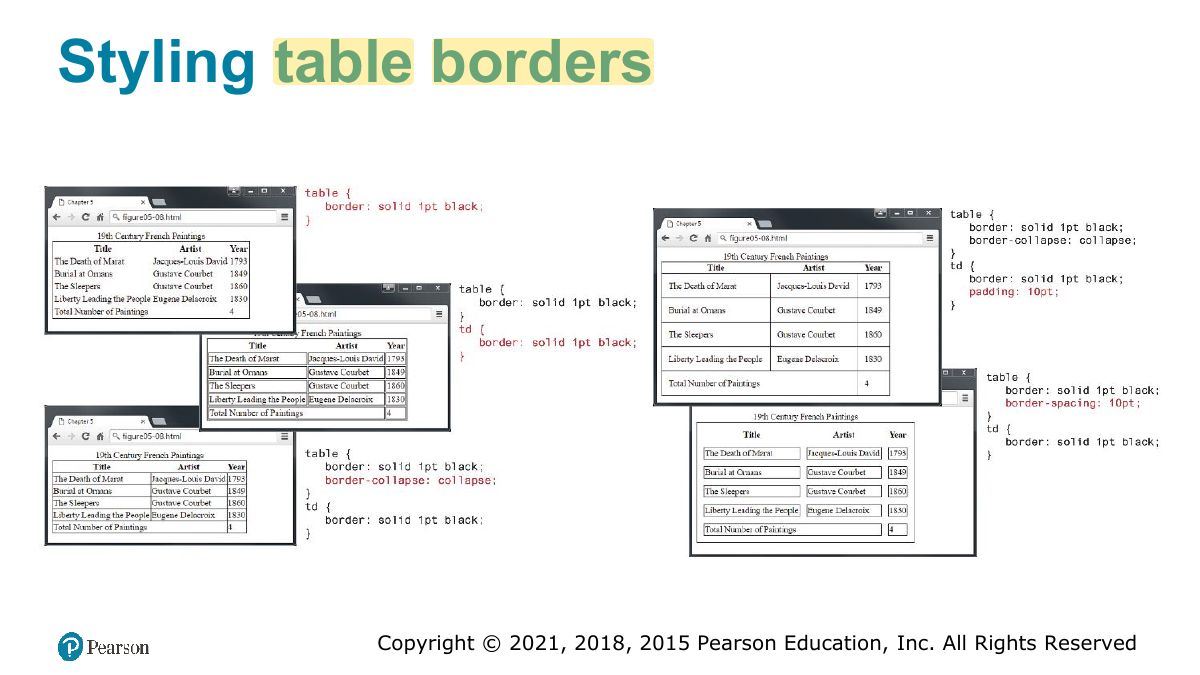
                                                                                        Borders can be assigned to the <table>, <th> and the <td> element.

                                                                                        Interestingly, borders cannot be assigned to the <tr>, <thead>, <tfoot>, and <tbody> elements.

                                                                                        Notice as well the border-collapse property. This property selects the table’s border model.

                                                                                        • The default is the separated model or value (each cell has its own unique borders)
                                                                                        • The collapsed border model makes adjacent cells share a single border.
                                                                                        54
                                                                                        Exam weight Low
                                                                                          Slide 55: Styling table borders
                                                                                          Exam weight Low
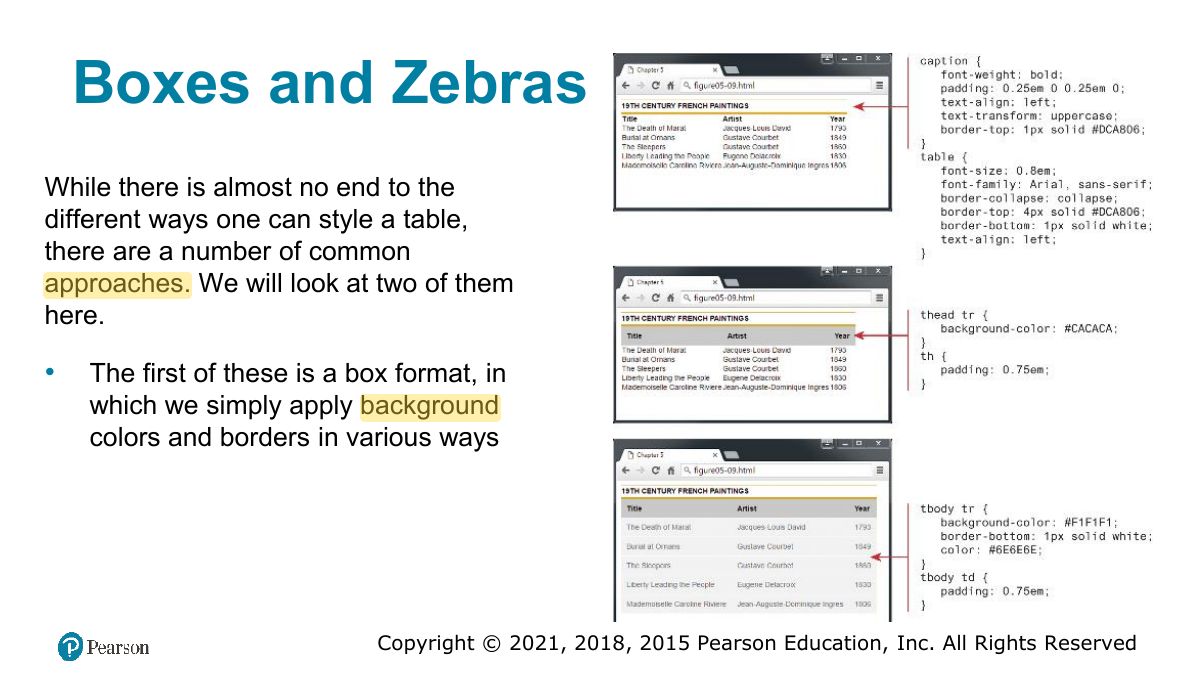
                                                                                            Slide 56: Boxes and Zebras
                                                                                            Exam weight Low
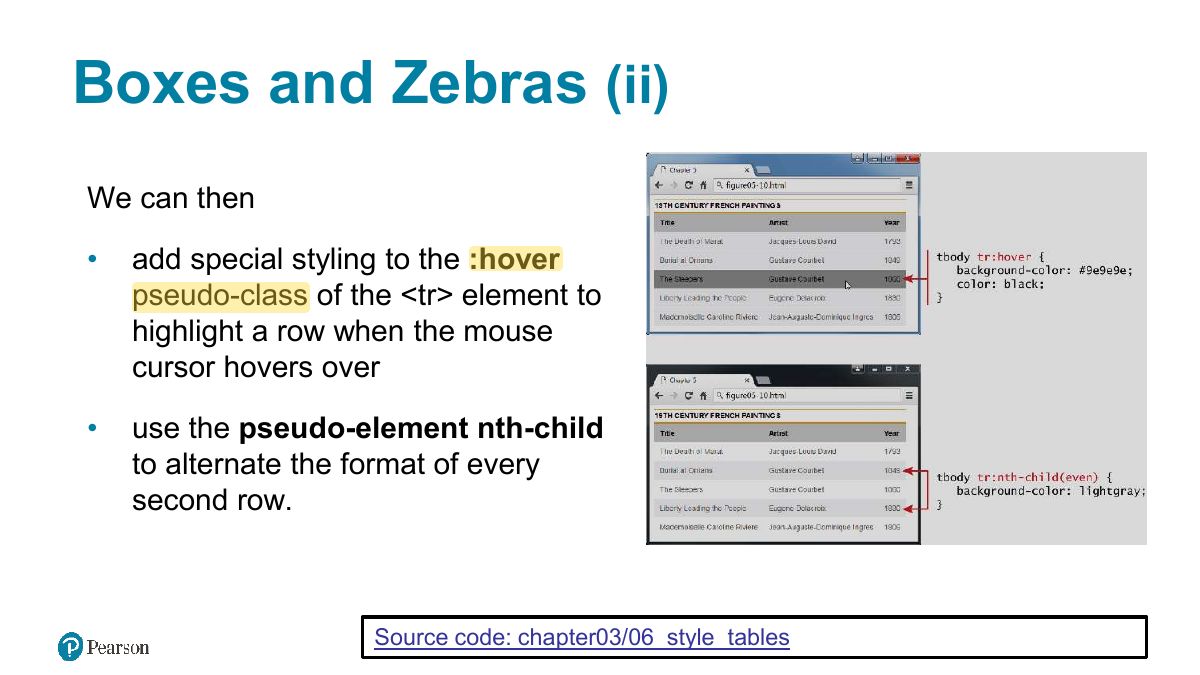
                                                                                              Slide 57: Boxes and Zebras (ii)
                                                                                              Exam weight Low
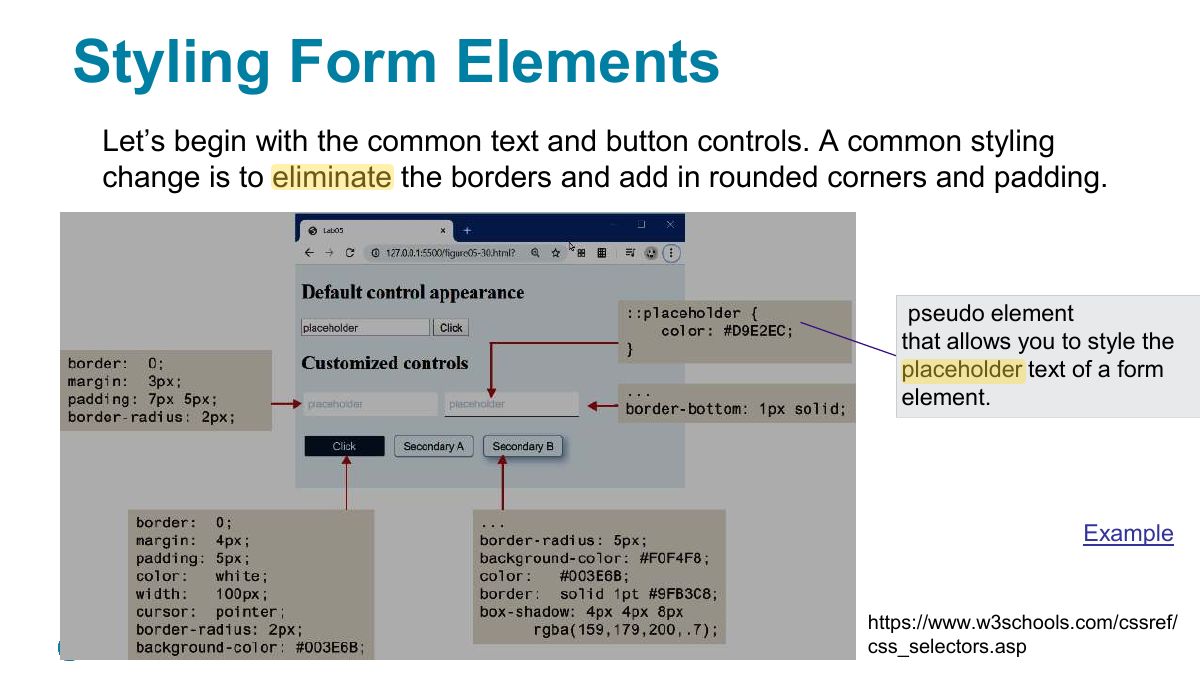
                                                                                                Slide 58: Styling Form Elements
                                                                                                Exam weight Low
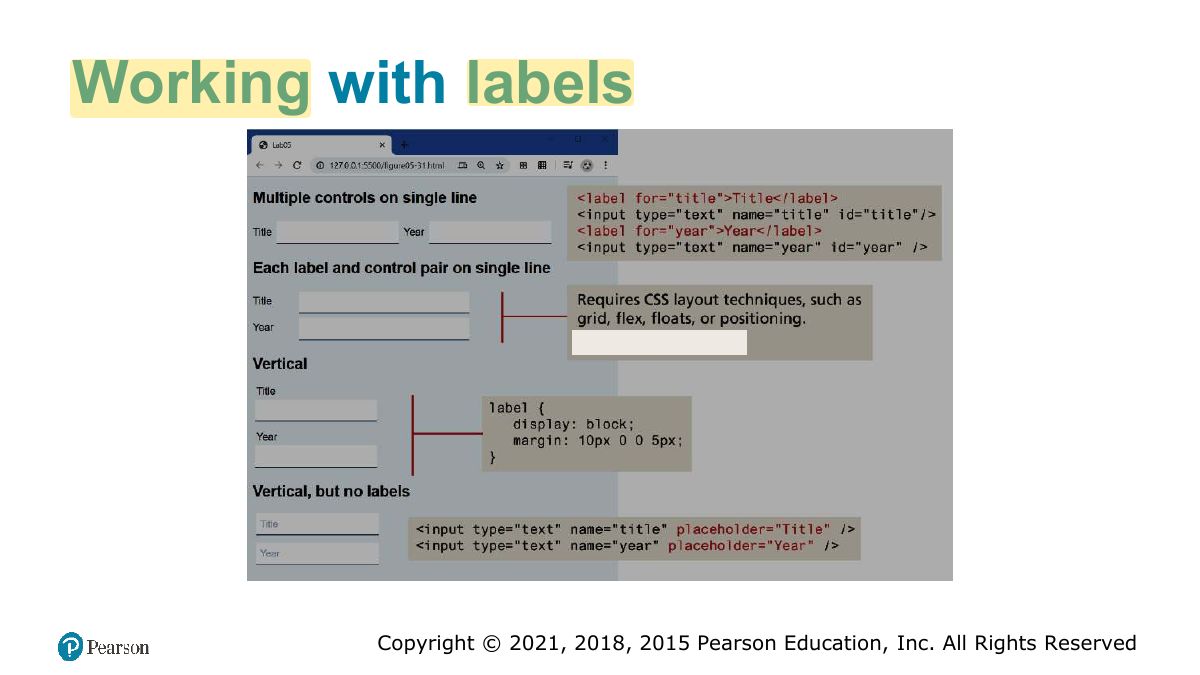
                                                                                                  Slide 59: Working with labels
                                                                                                  Exam weight Low
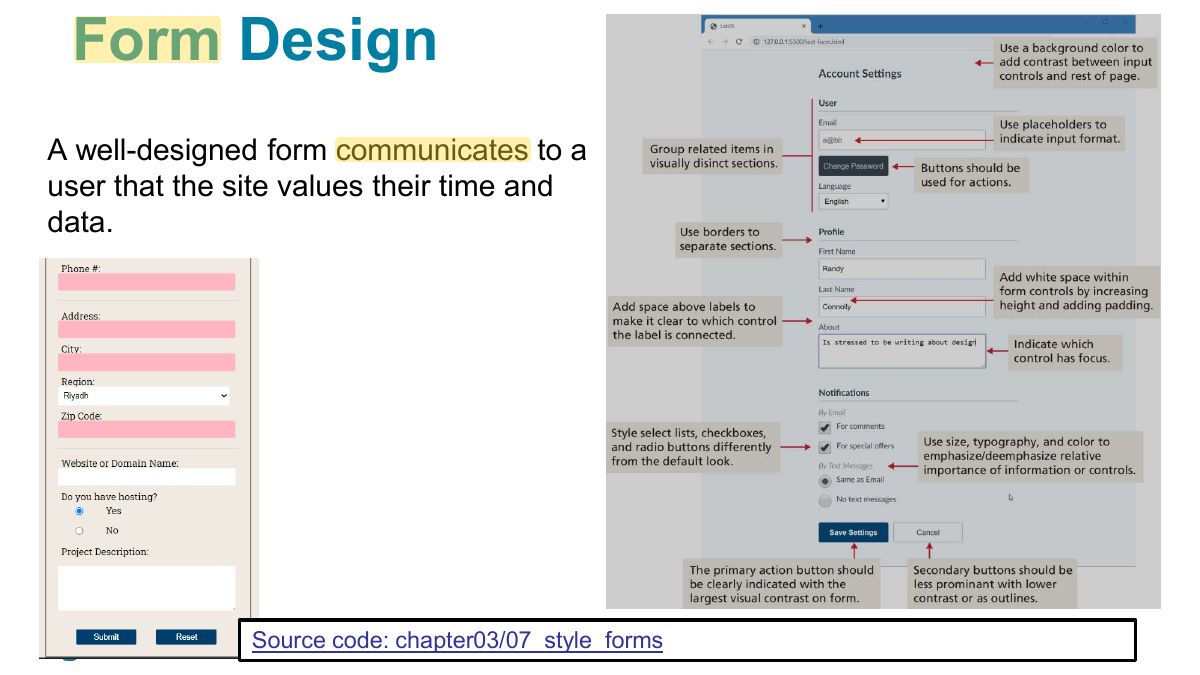
                                                                                                    Slide 60: Form Design
                                                                                                    Exam weight Low
                                                                                                      Slide 61: Fundamentals of Web Development
                                                                                                      Exam weight Low
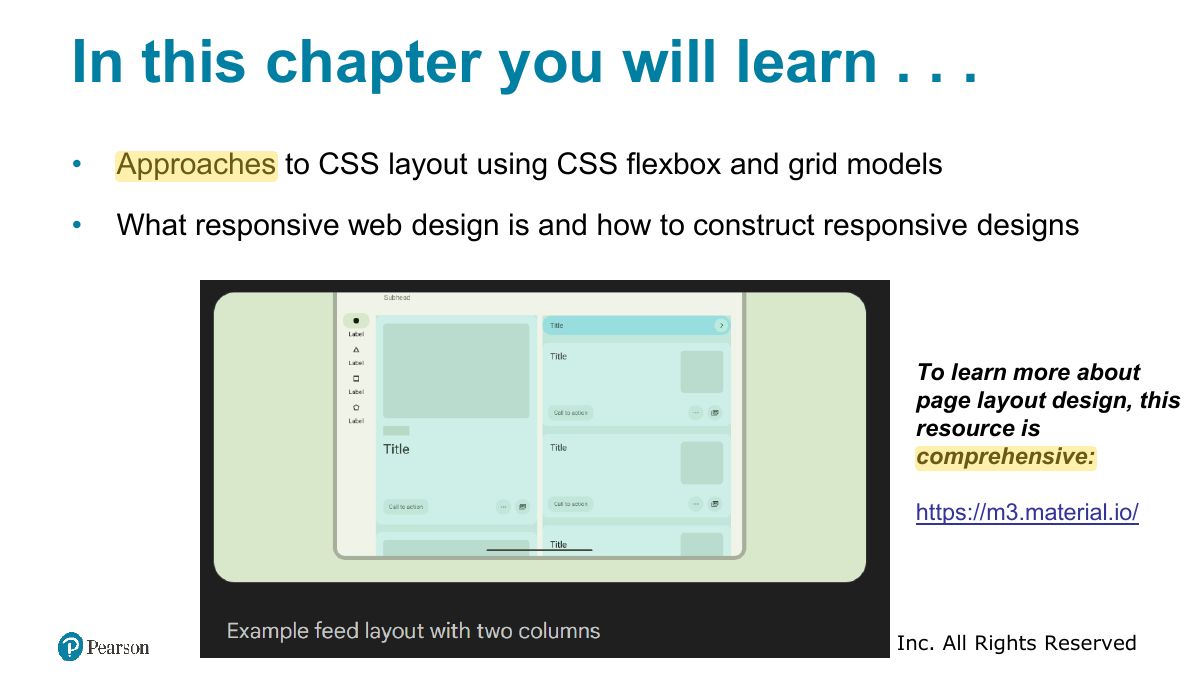
                                                                                                        Slide 62: In this chapter you will learn . . .
                                                                                                        Exam weight Low
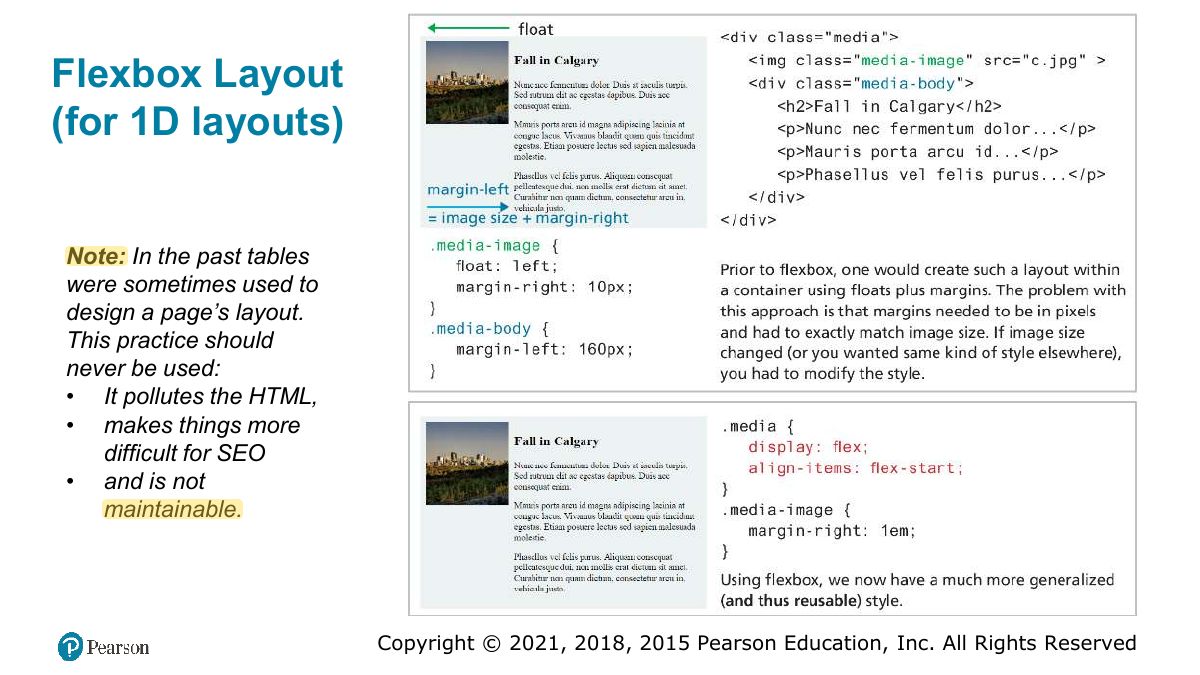
                                                                                                          Slide 63: Flexbox Layout (for 1D layouts)
                                                                                                          Exam weight High
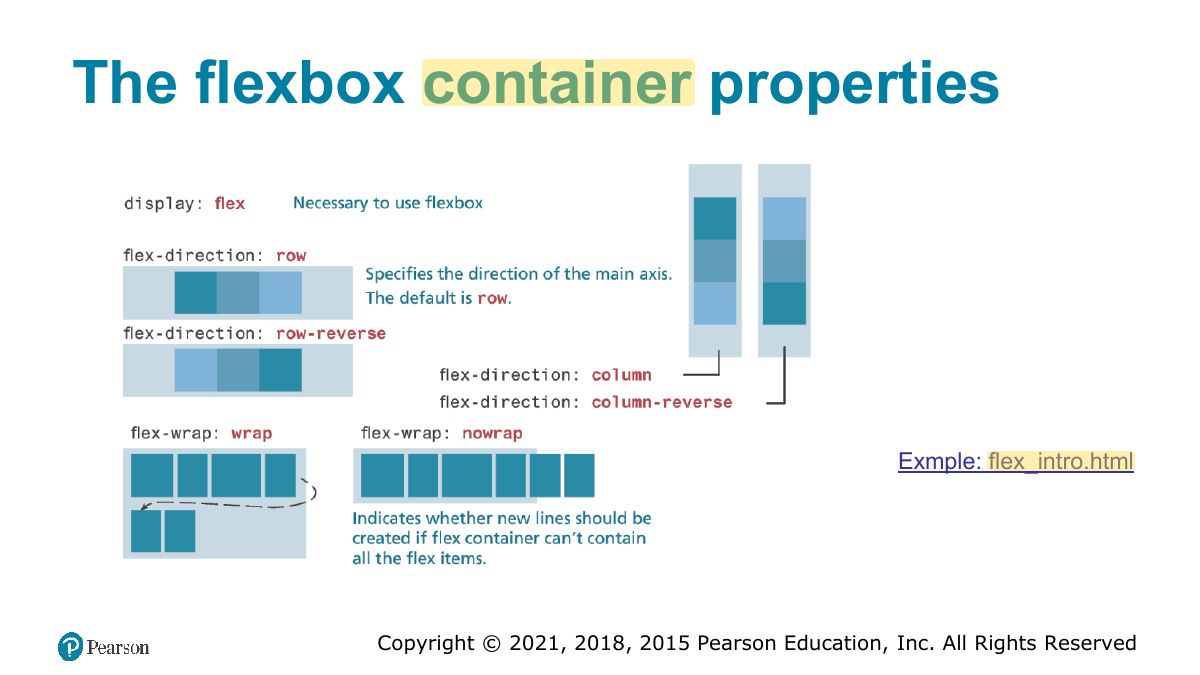
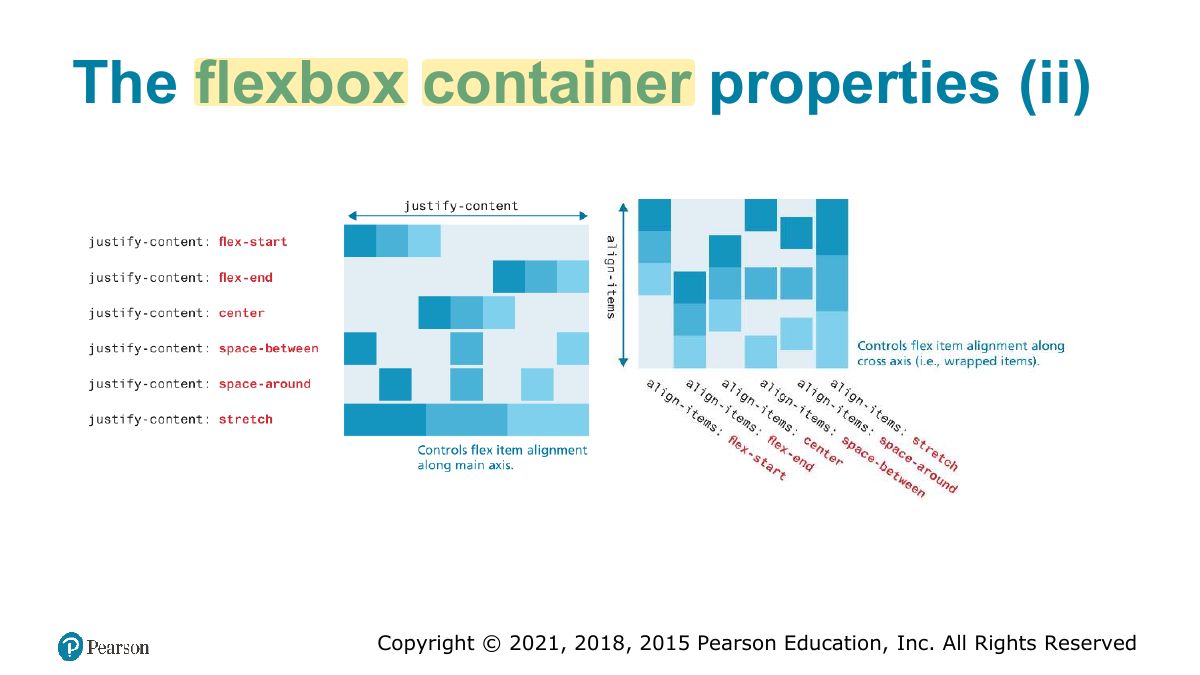
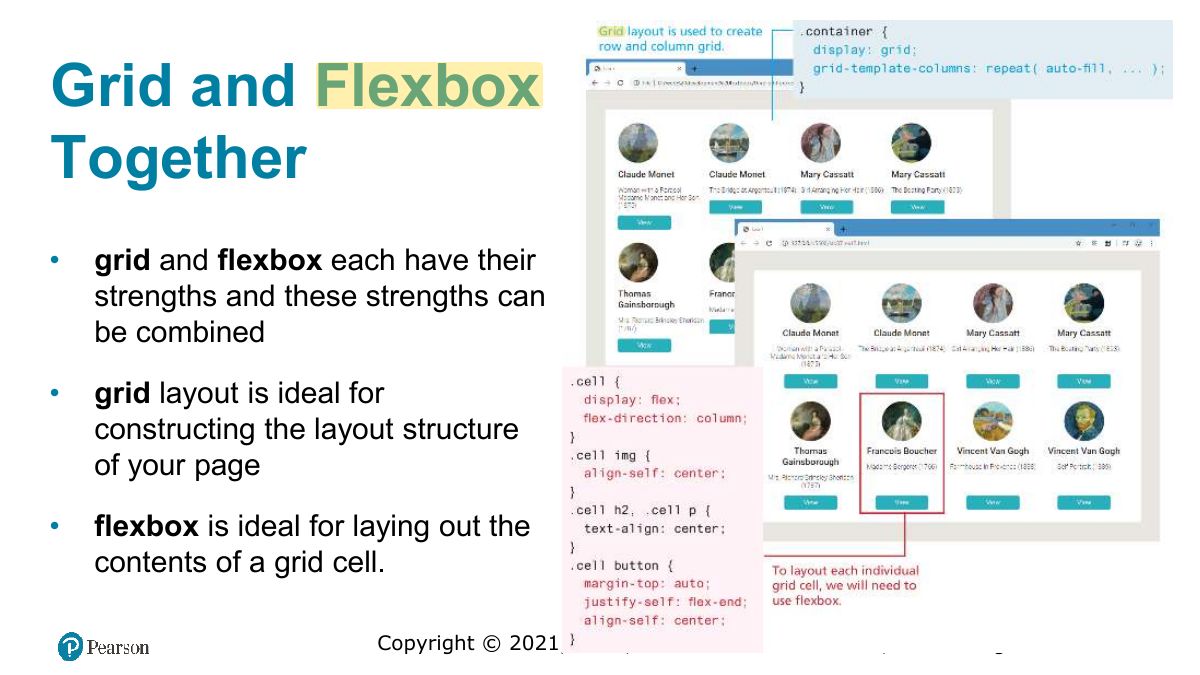
                                                                                                          1. Flexbox: ONE-dimensional layout (a row or a column). Container: display: flex; justify-content (main axis), align-items (cross axis), flex-wrap, flex-direction.
                                                                                                          🎯 How this can come up · 1 question
                                                                                                          MCQ

                                                                                                          In a flex row, which property aligns items horizontally along the main axis?

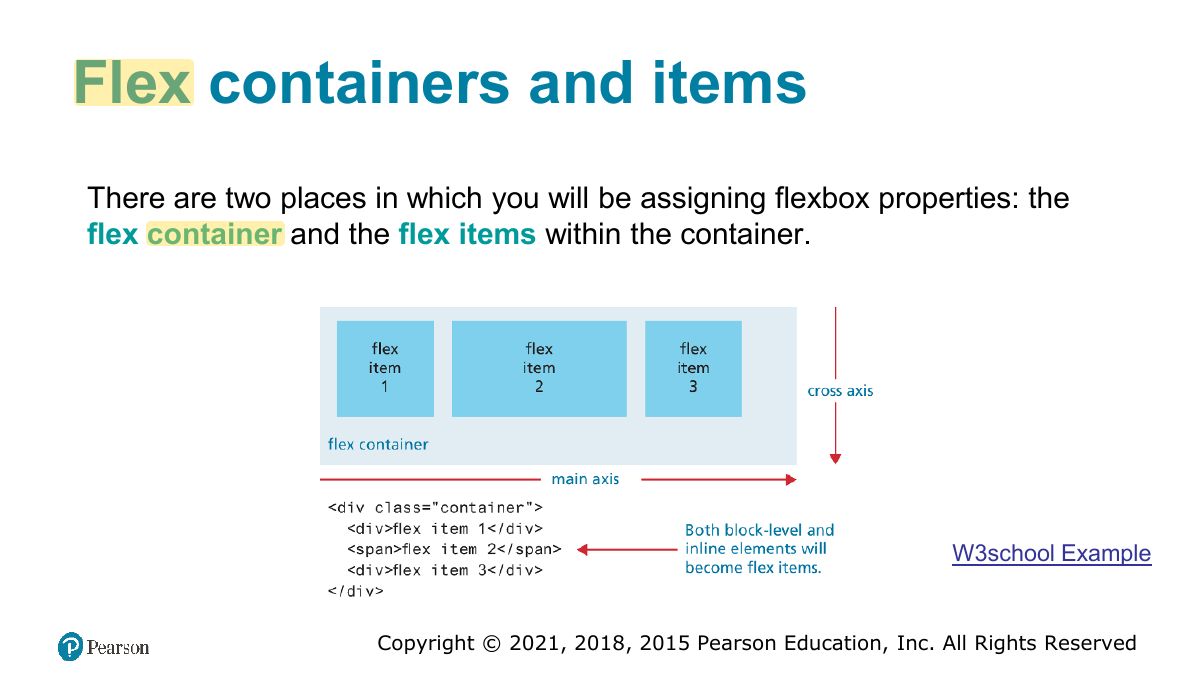
                                                                                                          Slide 64: Flex containers and items
                                                                                                          Exam weight Low
                                                                                                            Slide 65: The flexbox container properties
                                                                                                            Exam weight Low
                                                                                                              Slide 66: The flexbox container properties (ii)
                                                                                                              Exam weight Low
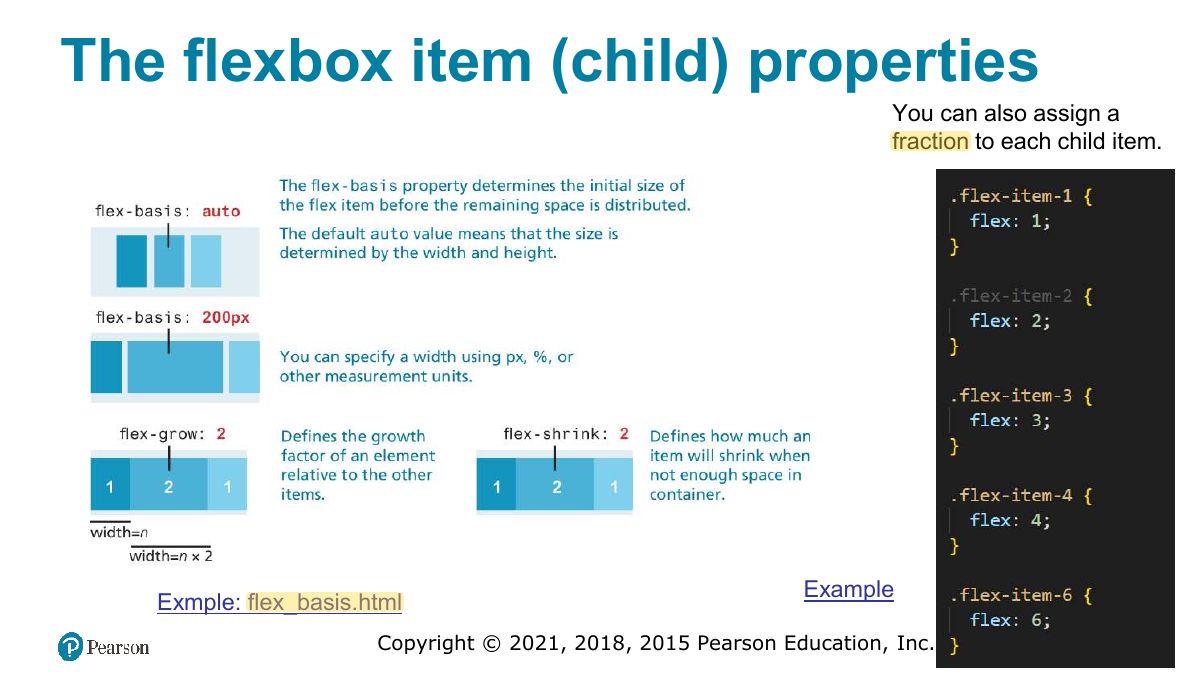
                                                                                                                Slide 67: The flexbox item (child) properties
                                                                                                                Exam weight Low
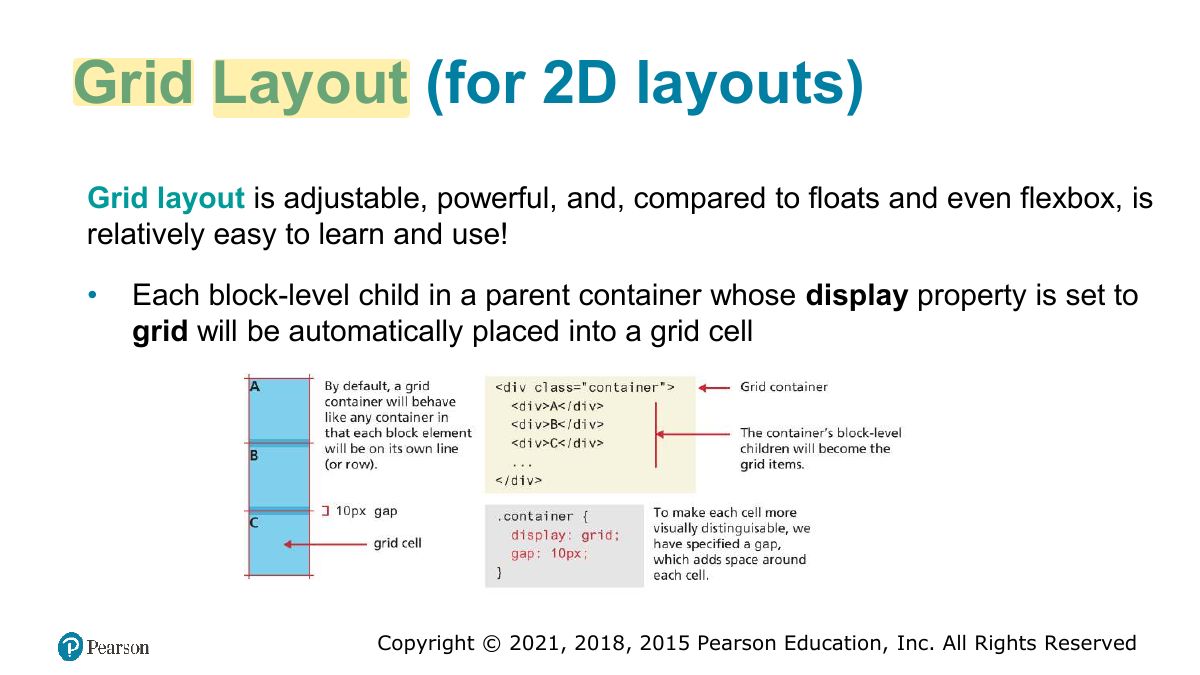
                                                                                                                  Slide 68: Grid Layout (for 2D layouts)
                                                                                                                  Exam weight High
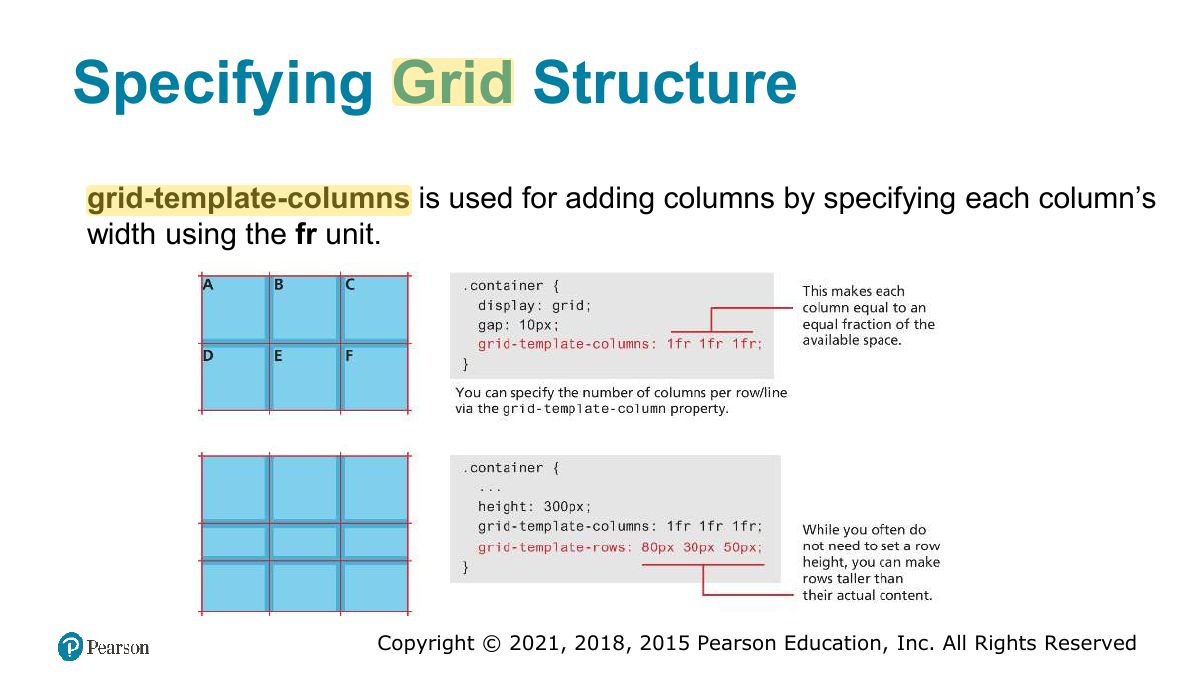
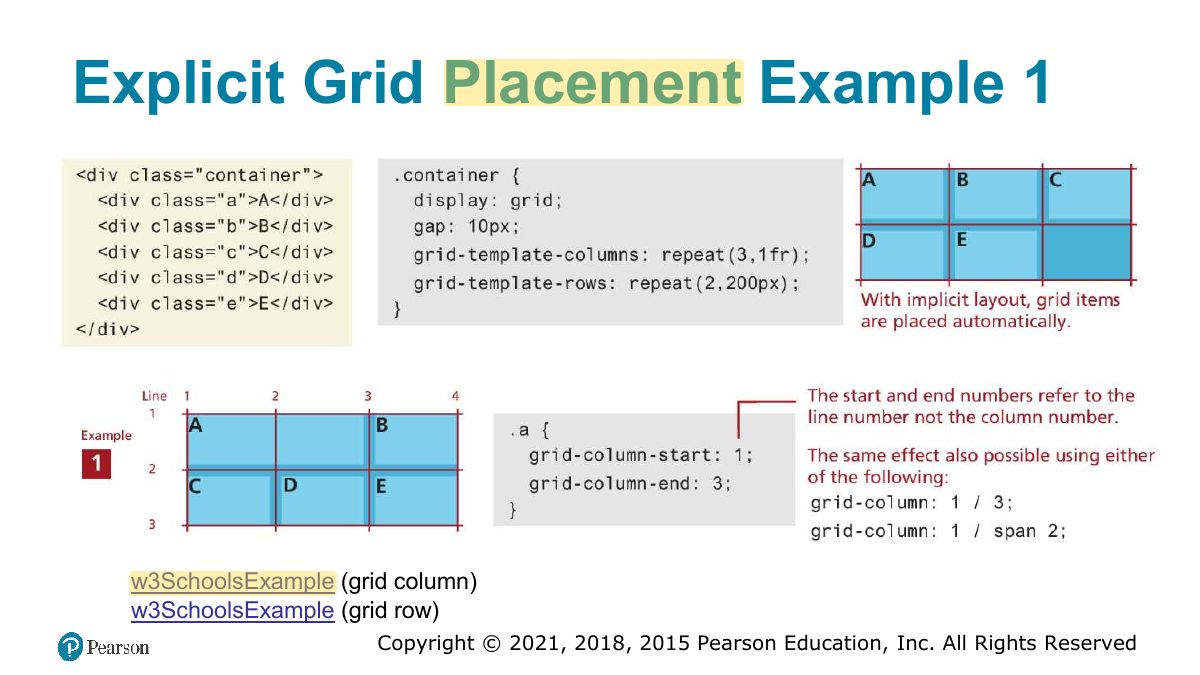
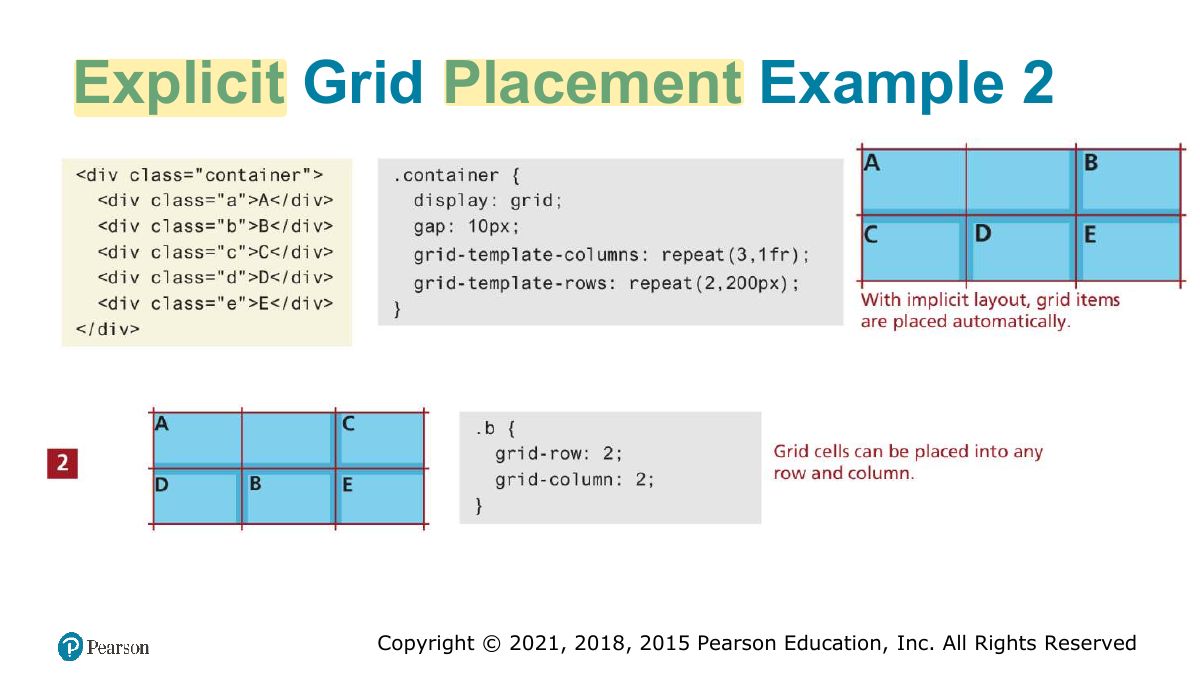
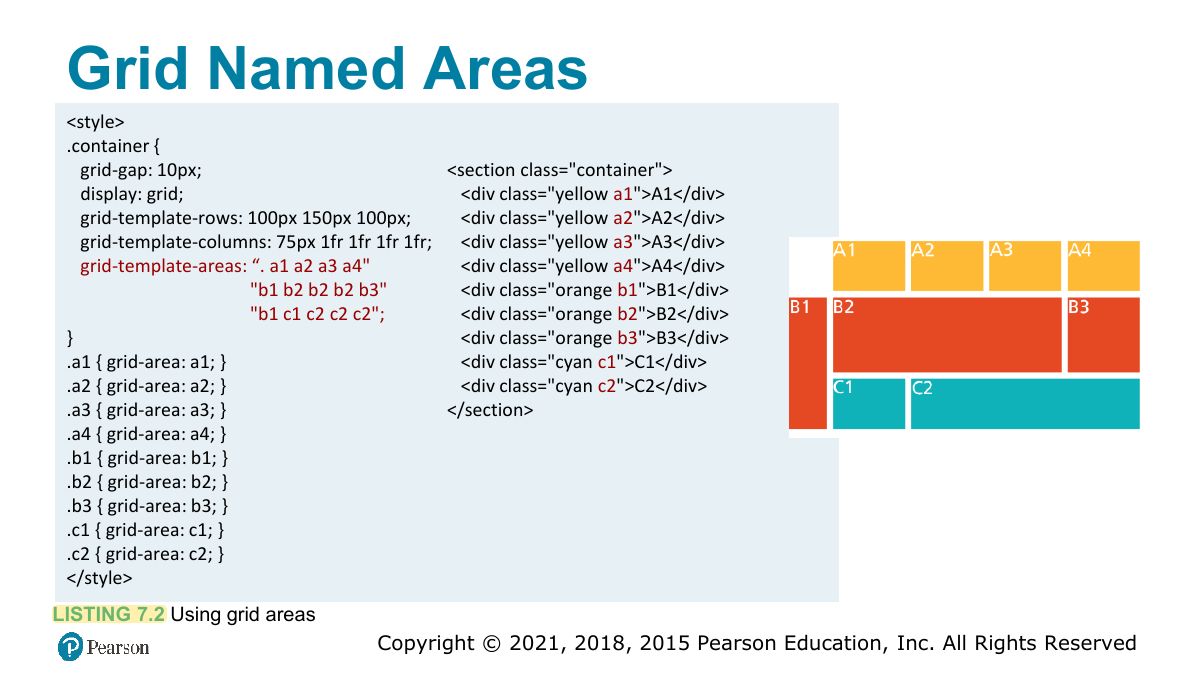
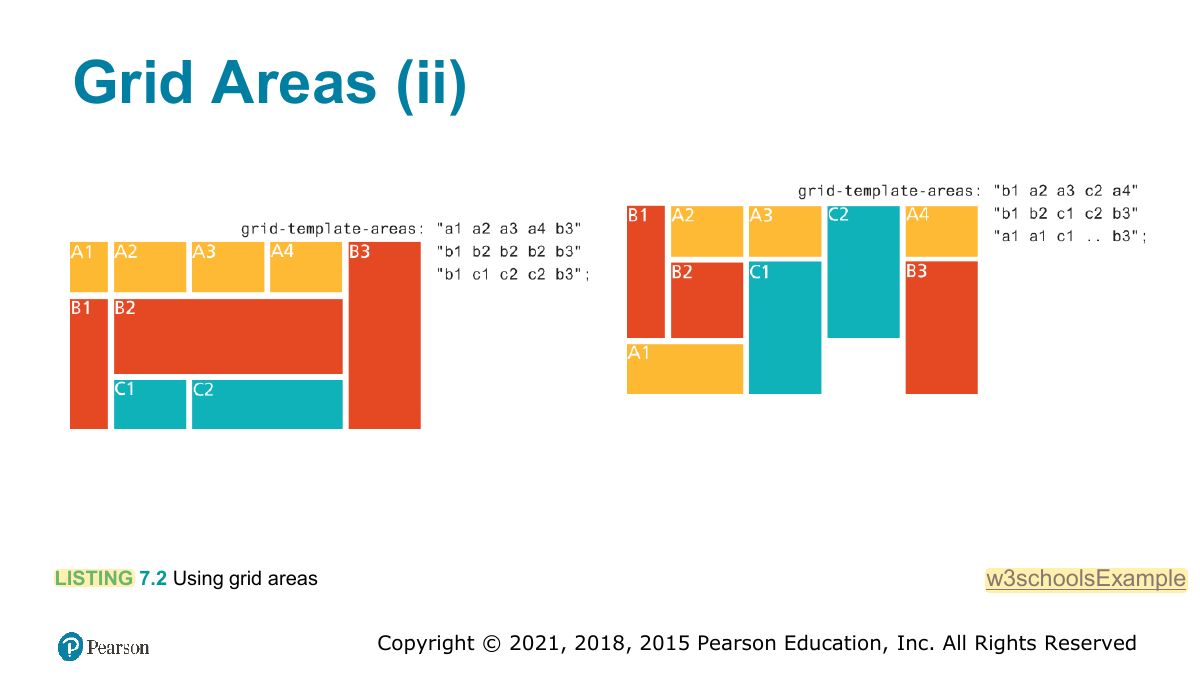
                                                                                                                  1. Grid: TWO-dimensional layout. grid-template-columns: 1fr 2fr; grid-column / grid-row placement; named areas.
                                                                                                                  Memory trickFlexbox = 1D (row OR column). Grid = 2D (rows AND columns).
                                                                                                                  Slide 69: Specifying Grid Structure
                                                                                                                  Exam weight Low
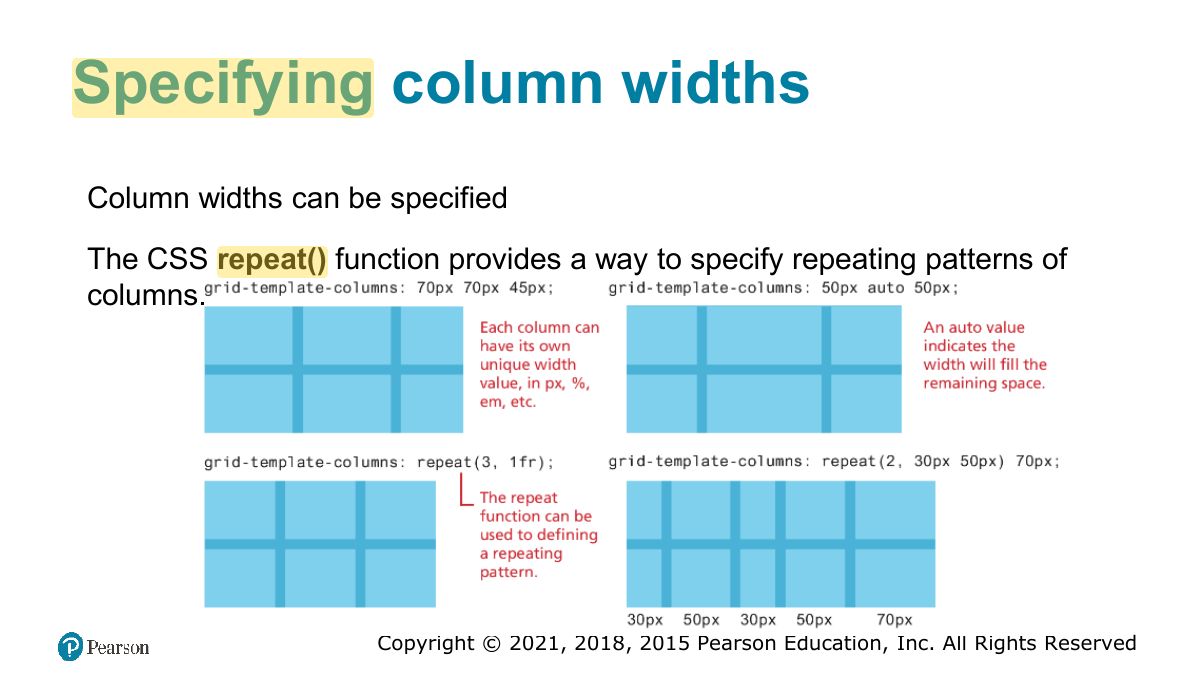
                                                                                                                    Slide 70: Specifying column widths
                                                                                                                    Exam weight Low
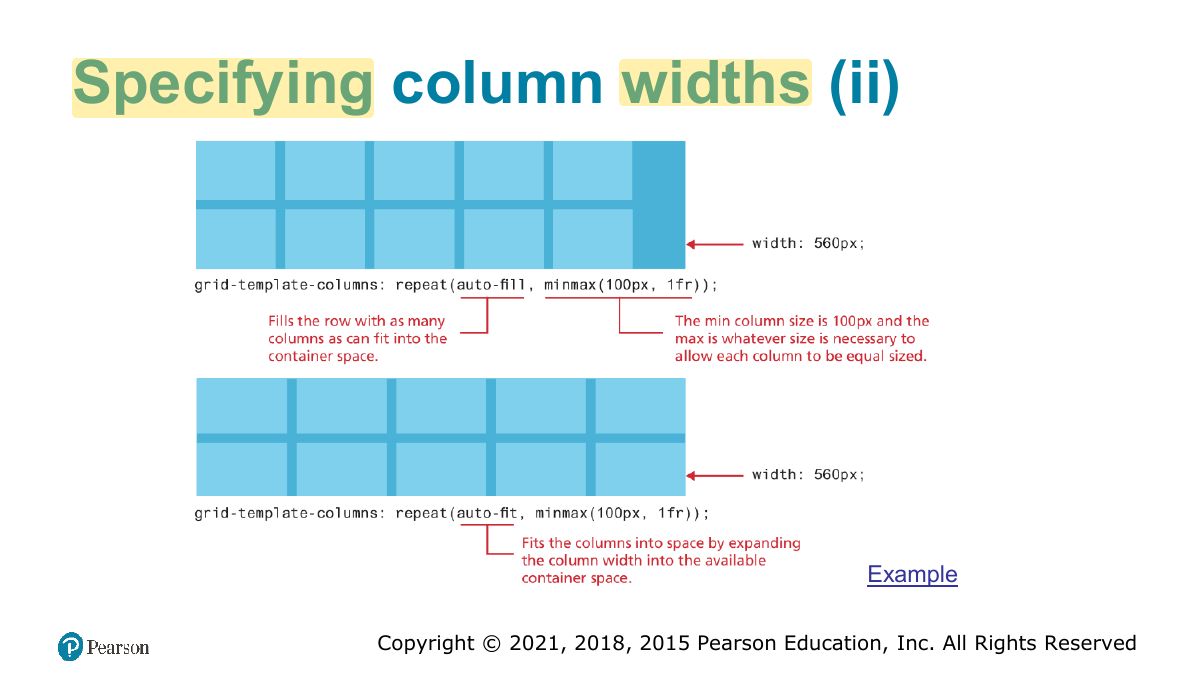
                                                                                                                      Slide 71: Specifying column widths (ii)
                                                                                                                      Exam weight Low
                                                                                                                        Slide 72: Explicit Grid Placement Example 1
                                                                                                                        Exam weight Low
                                                                                                                          Slide 73: Explicit Grid Placement Example 2
                                                                                                                          Exam weight Low
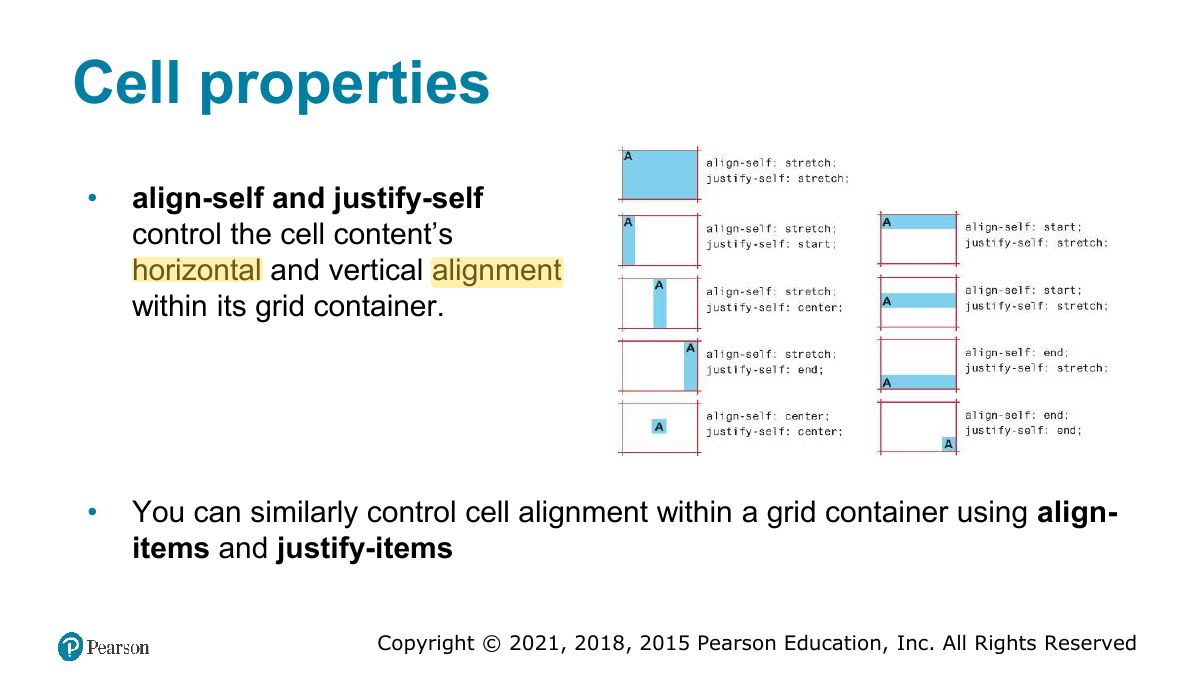
                                                                                                                            Slide 74: Cell properties
                                                                                                                            Exam weight Low
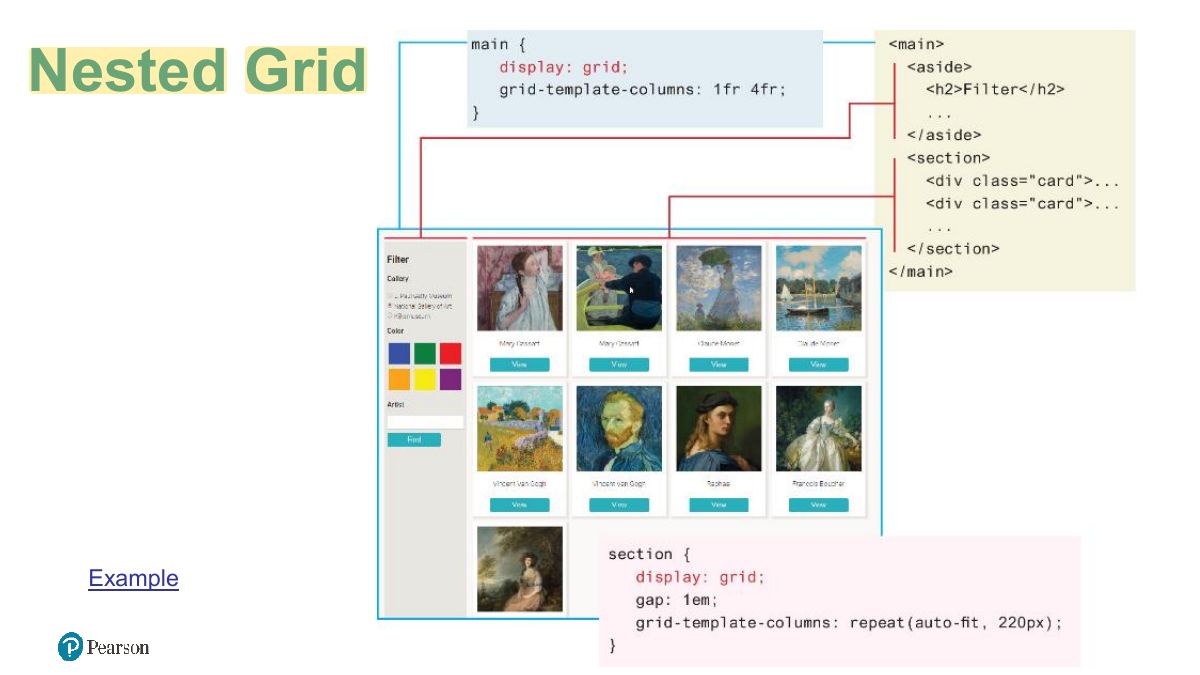
                                                                                                                              Slide 75: Nested Grid
                                                                                                                              Exam weight Low
                                                                                                                                Slide 76: Grid Named Areas
                                                                                                                                Exam weight Low
                                                                                                                                  Slide 77: Grid Areas (ii)
                                                                                                                                  Exam weight Low
                                                                                                                                    Slide 78: Grid and Flexbox Together
                                                                                                                                    Exam weight Low
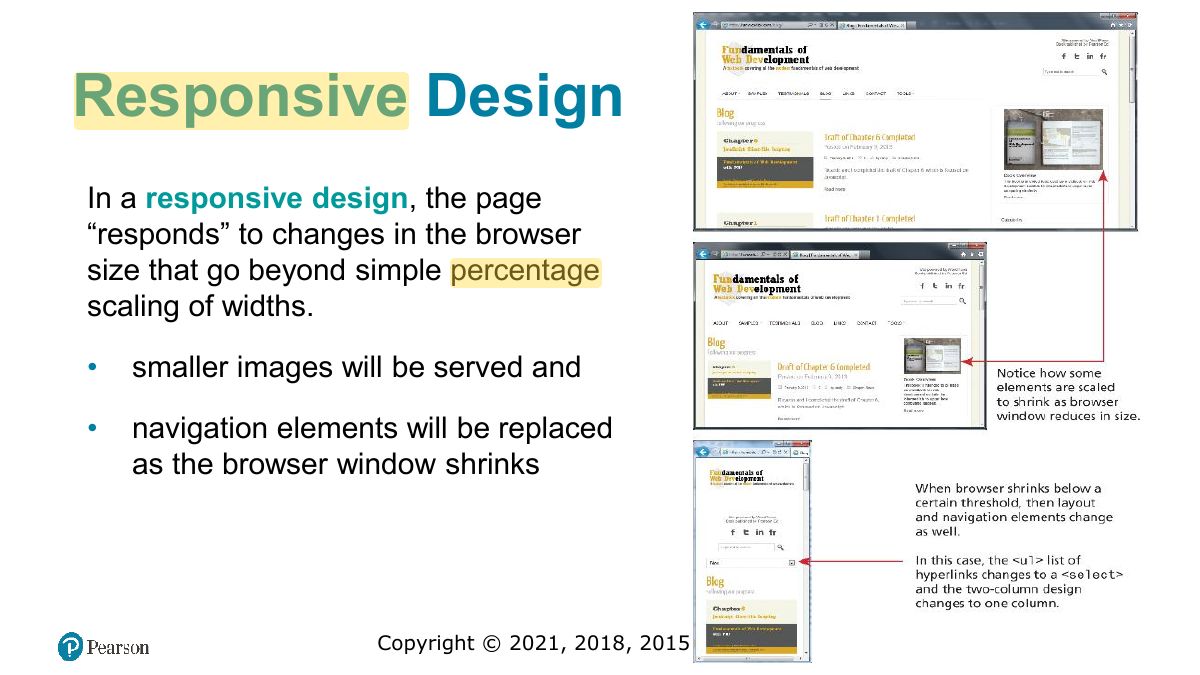
                                                                                                                                      Slide 79: Responsive Design
                                                                                                                                      Exam weight Low
                                                                                                                                      1. Responsive design: layouts that adapt to screen size: fluid grids, flexible images, media queries.
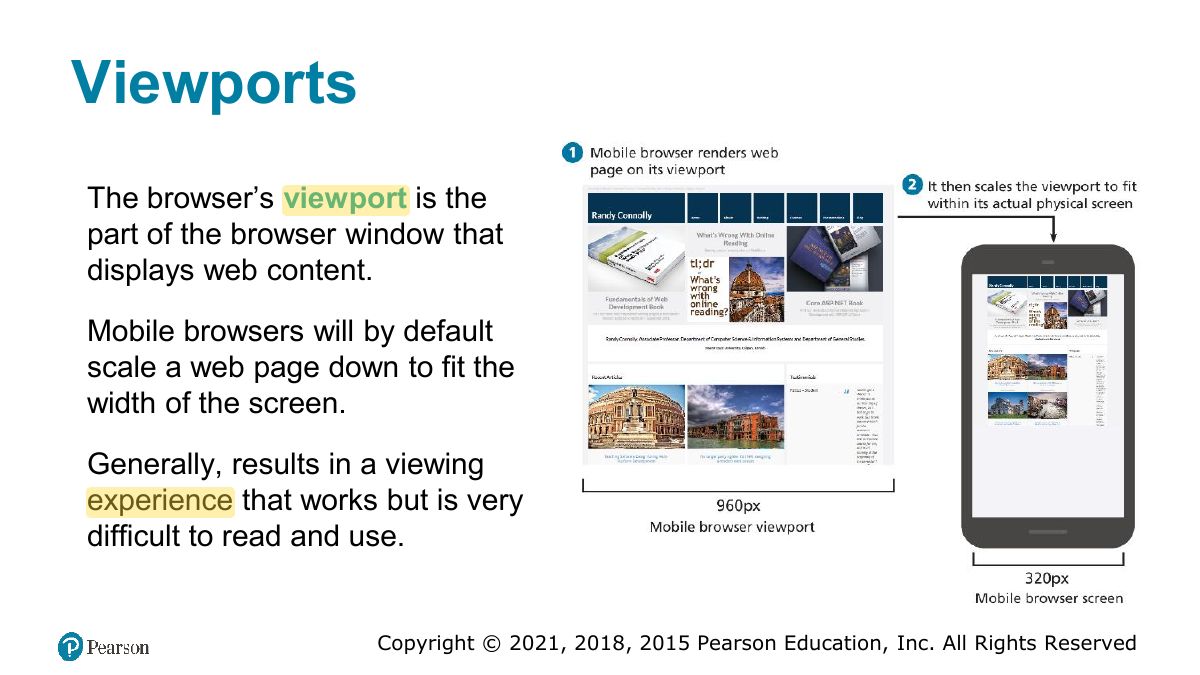
                                                                                                                                      Slide 80: Viewports
                                                                                                                                      Exam weight Low
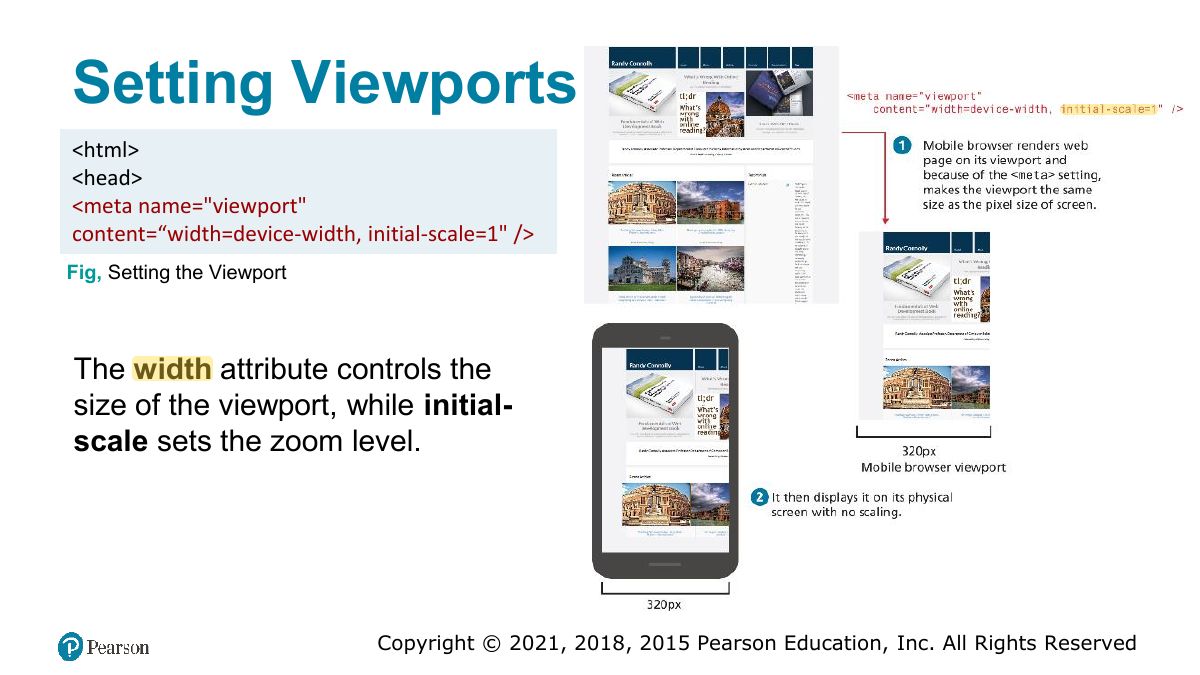
                                                                                                                                        Slide 81: Setting Viewports
                                                                                                                                        Exam weight Low
                                                                                                                                        1. <meta name="viewport" content="width=device-width, initial-scale=1"> stops mobile browsers from zooming out a desktop layout.
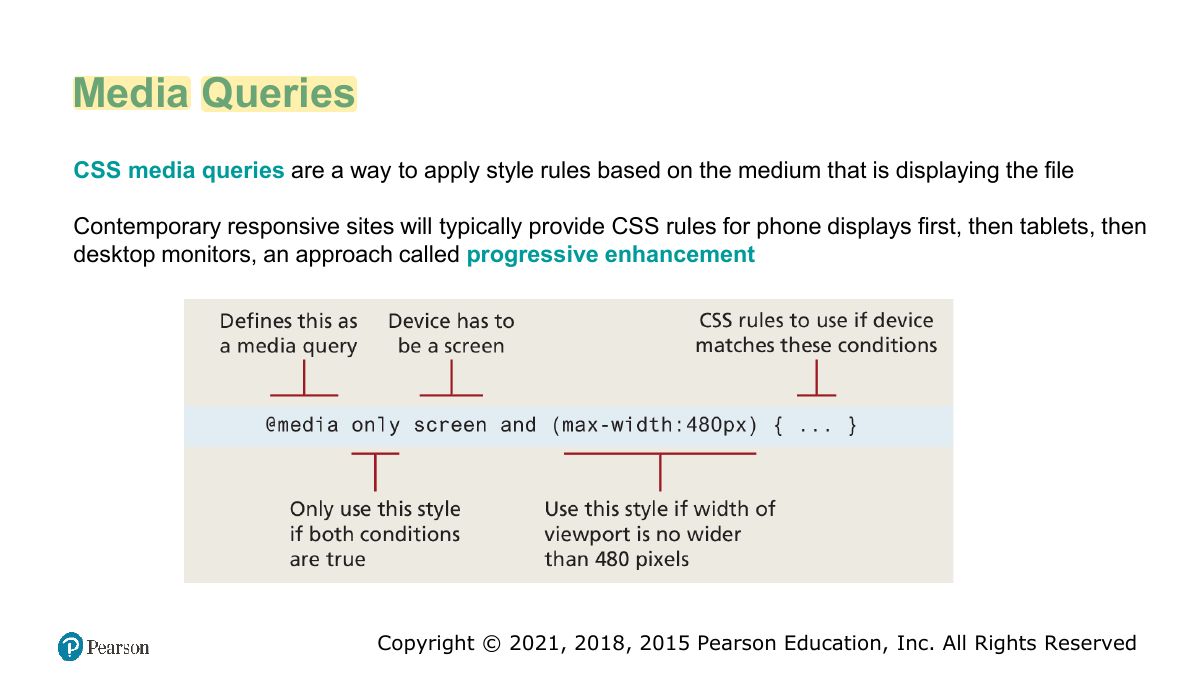
                                                                                                                                        Slide 82: Media Queries
                                                                                                                                        Exam weight High
                                                                                                                                        1. @media (max-width: 600px) { … } applies rules only when the condition is true.
                                                                                                                                        🎯 How this can come up · 1 question
                                                                                                                                        MCQ

                                                                                                                                        Which applies styles only on screens 600px wide or less?

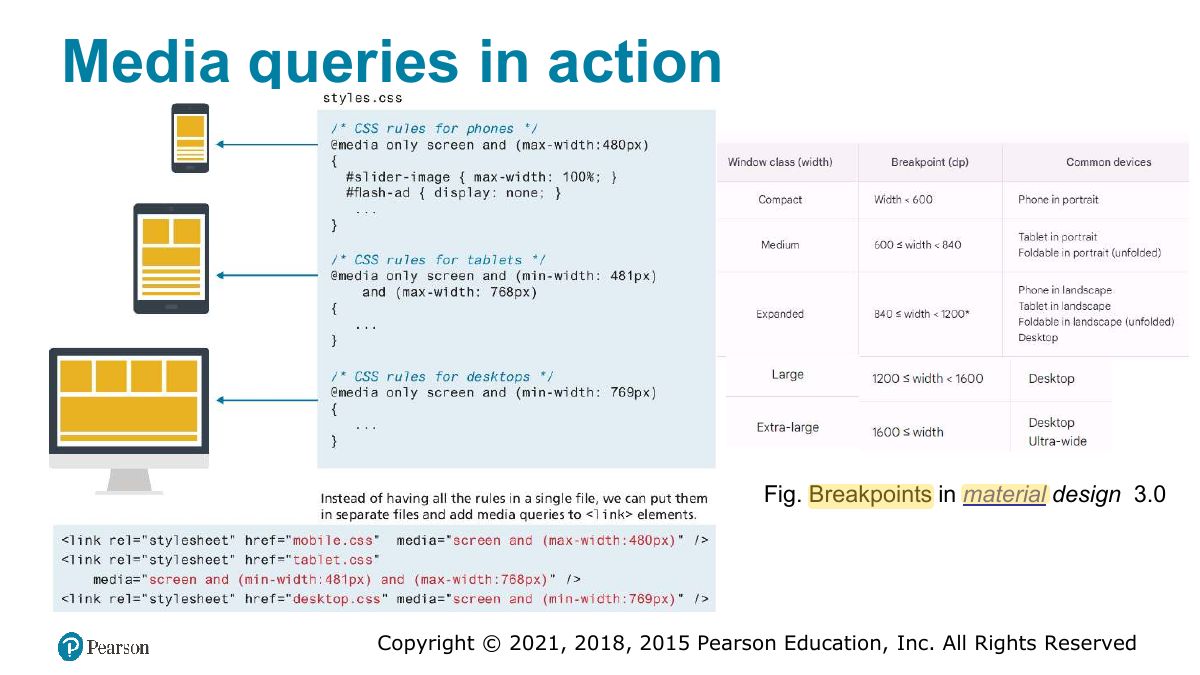
                                                                                                                                        Slide 83: Media queries in action
                                                                                                                                        Exam weight Low
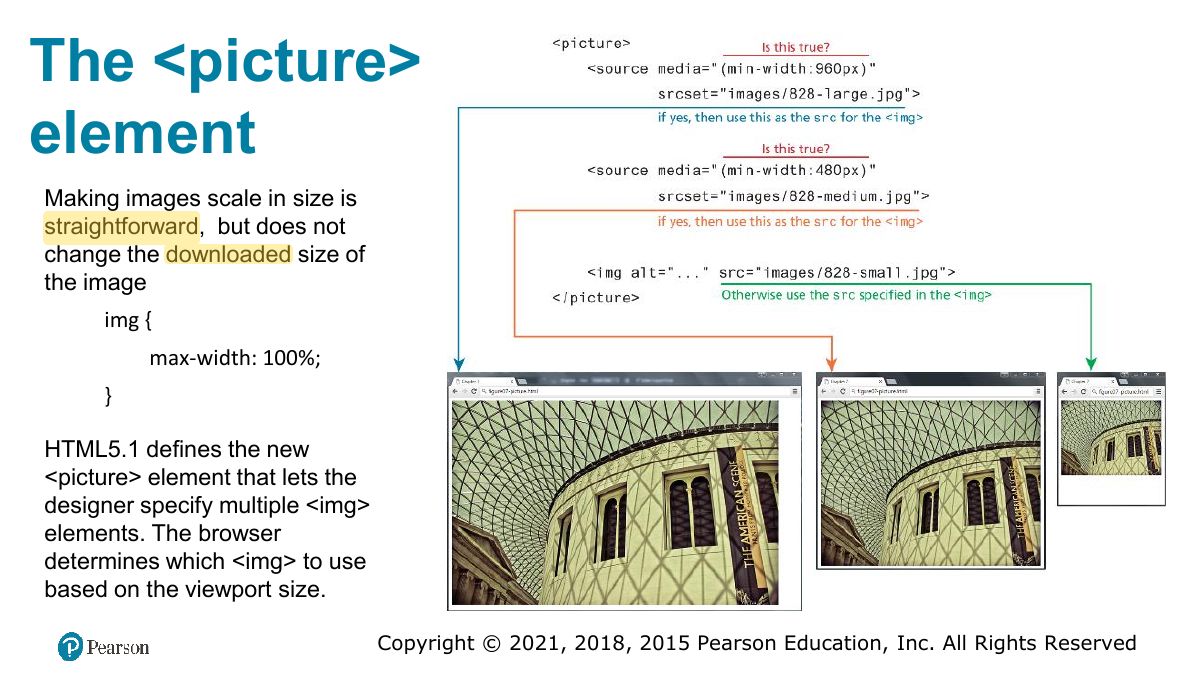
                                                                                                                                          Slide 84: The <picture> element
                                                                                                                                          Exam weight Low

                                                                                                                                            Supporting Material

                                                                                                                                            • Code Repository for all chapters https://github.com/skanderturki/se371
                                                                                                                                            • For flex Layout understanding 15min quick video: https://www.youtube.com/watch?v=fYq5PXgSsbE
                                                                                                                                            • Grid min content, max content, fit content https://www.youtube.com/watch?v=DM244V9KvNs&t=29s
                                                                                                                                            • https://css-tricks.com/auto-sizing-columns-css-grid-auto-fill-vs-auto-fit/
                                                                                                                                            85
                                                                                                                                            Exam weight Low