SE371 · Annotated SlidesChapter 2 — HTML
Chapter 2 · Annotated slides

HTML

HTML syntax, elements and attributes, semantic markup, the structure of an HTML5 document, headings, paragraphs, links and absolute vs. relative URLs, images, entities, lists, HTML5 semantic elements, tables with colspan and rowspan, forms (GET/POST, text, choice and button controls, labels) and validation.
Slide text Study notes Highlight: key words Tips, tricks & traps Seen again elsewhere How it can come up
Slide 1: Fundamentals of Web Development
Exam weight Low

    In this chapter you will learn . . .

    • The syntax of HTML
    • Why semantic structure is so important for HTML
    • How HTML documents are structured
    • A tour of the main elements in HTML
    • The semantic structure elements in HTML5
    2
    Exam weight Low
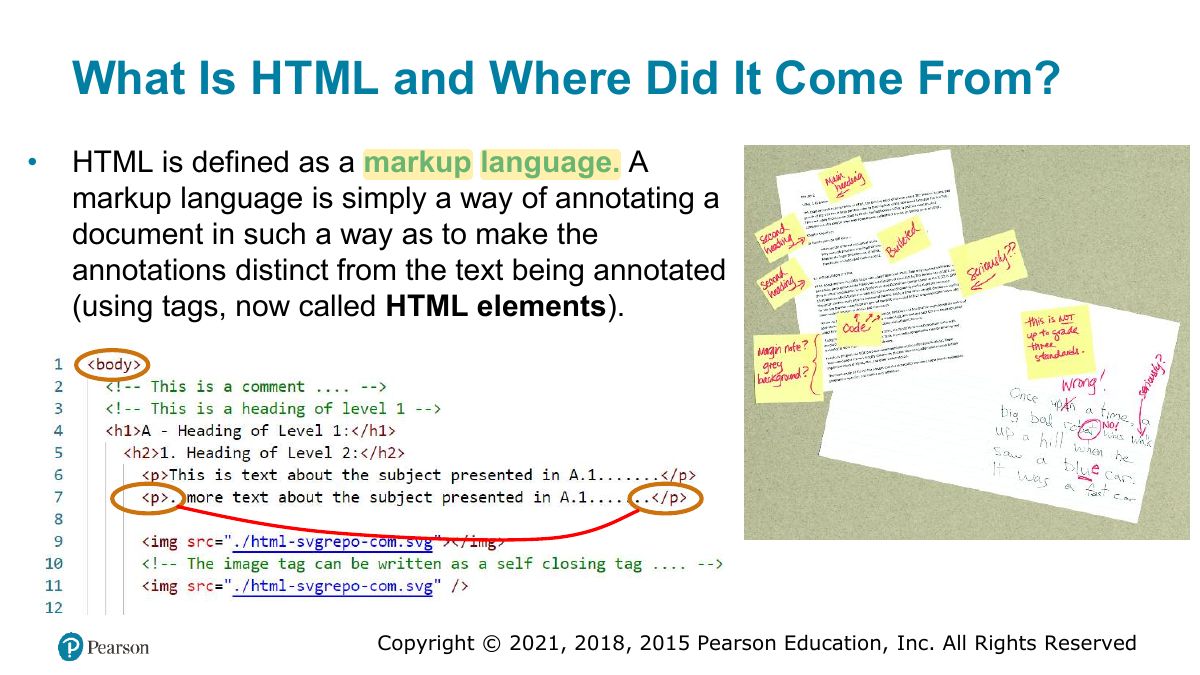
      Slide 3: What Is HTML and Where Did It Come From?
      Exam weight Low
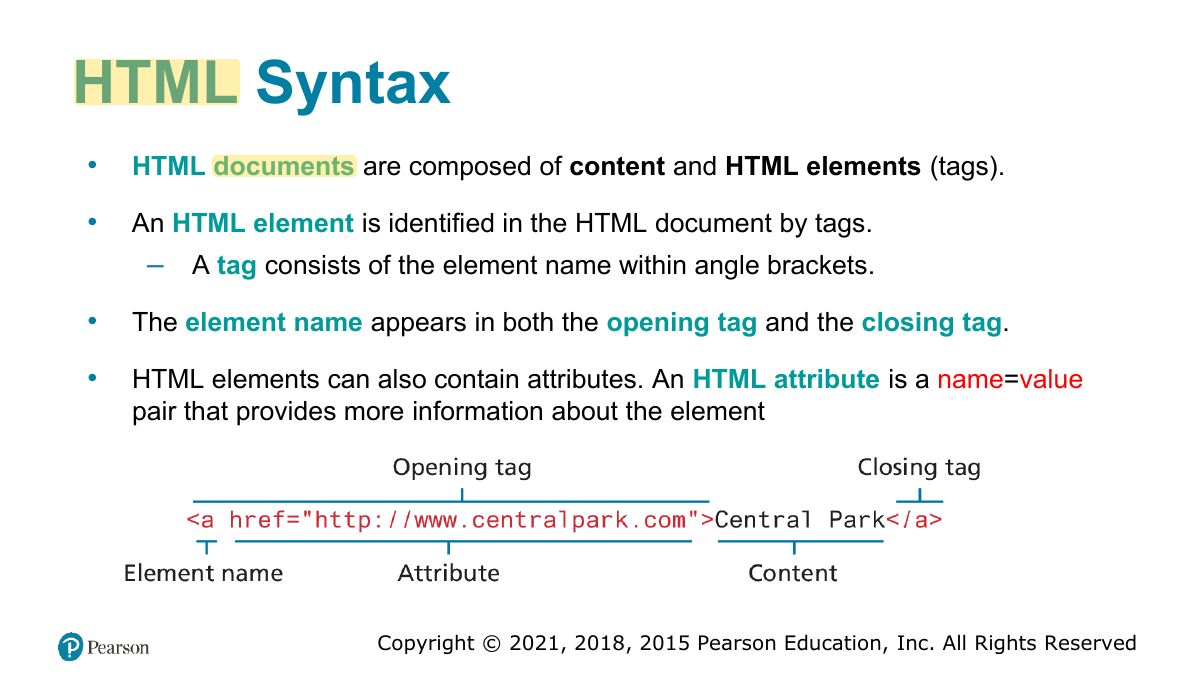
        Slide 4: HTML Syntax
        Exam weight Low
        1. Element = opening tag + content + closing tag; attributes go in the opening tag (name="value").

        Empty Element

        • An empty element does not contain any text content; instead, it is an instruction to the browser to do something.
        • Perhaps the most common empty element is <img>, the image element.
        • In HTML5, the trailing slash in empty elements is optional.

        Source code: (Example):01_index.html

        Empty Element
        5
        Exam weight Low
        1. Empty (void) elements have no content or closing tag: <img>, <br>, <input>, <meta>.

        Semantic Markup

        • HTML documents should only focus on the structure of the document
        • HTML document should not describe how to visually present content but or meaning only describe its content’s structural semantics
        • Information about how the content should look is left to CSS (Cascading Style Sheets).
        • As a consequence, beginning HTML authors should create semantic HTML documents (such as: section, article, menu, etc.. Instead of div).
        6
        Exam weight Low
        1. Semantic markup: tags describe MEANING (header, nav, article), not appearance; helps SEO, accessibility, maintenance.
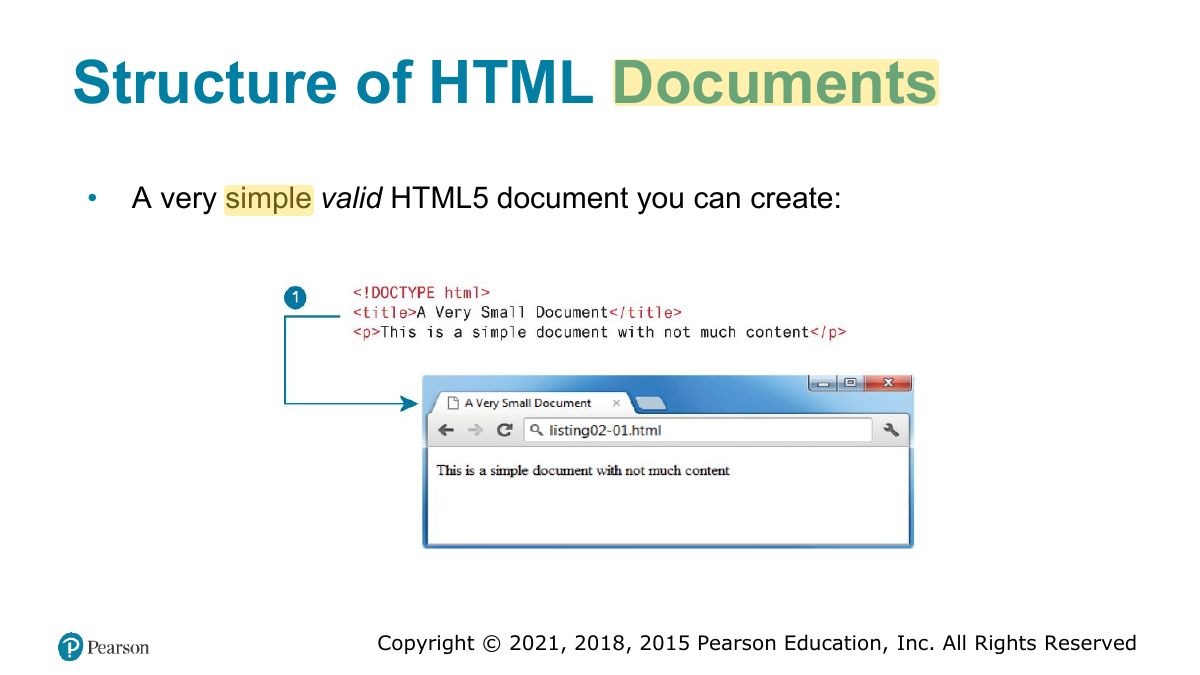
        Slide 7: Structure of HTML Documents
        Exam weight Low

          The title element and SEO

          The <title> element plays an important role in search engine optimization (SEO), that is, improving a page’s rank (its position in the results page after a search) . While each search

          title (and the major headings)

          engine uses different algorithms for determining a page’s rank, the provides a key role in determining what a given page is about.

          Google: A good title is unique to the page, clear and concise, and accurately describes the contents of

          “

          the page. For example, your title could include the name of your website or business, other bits of important information like the physical location of the business, and maybe some information about what the particular page has to offer for users”.

          Also add a meta description tag, a good meta description tag must give a clear description to each page, it is used to generate the search result text:

          Bad: <meta name="description" content="Sewing supplies, sewing machines, bobbins, needles"> Good: <meta name="description" content="Get everything you need to sew your next garment. Open Saturday-Thursday -5pm, located in Al Olaya District, Riyadh.">

          8
          Exam weight Low
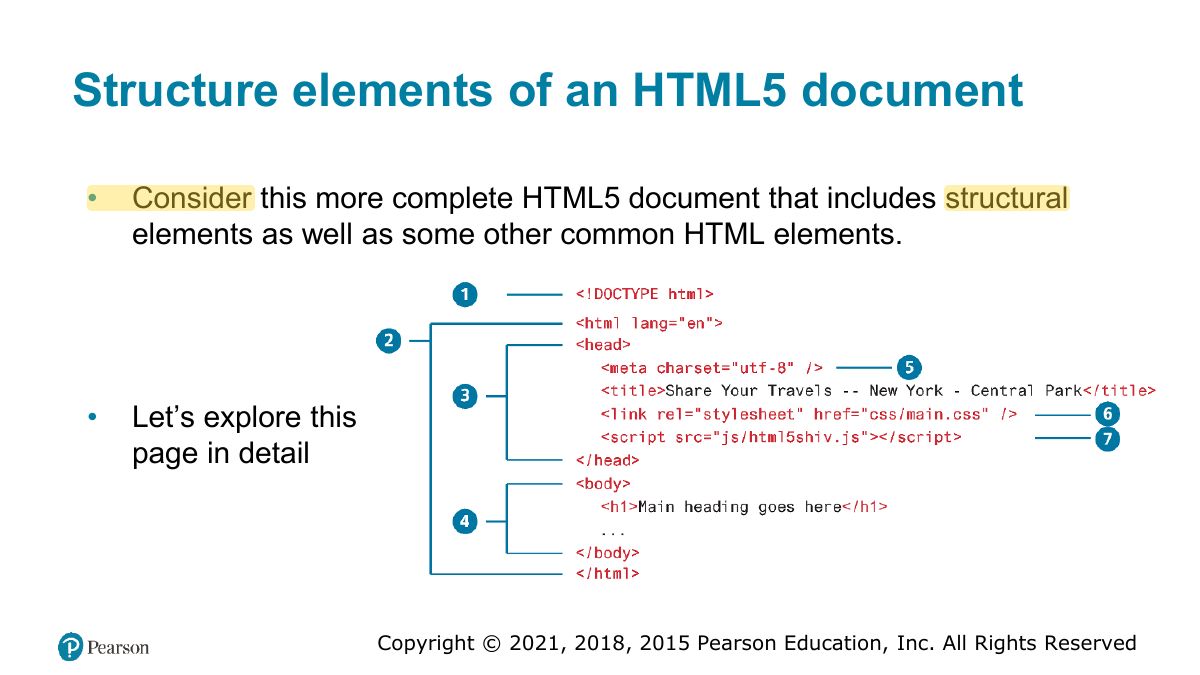
            Slide 9: Structure elements of an HTML5 document
            Exam weight Low
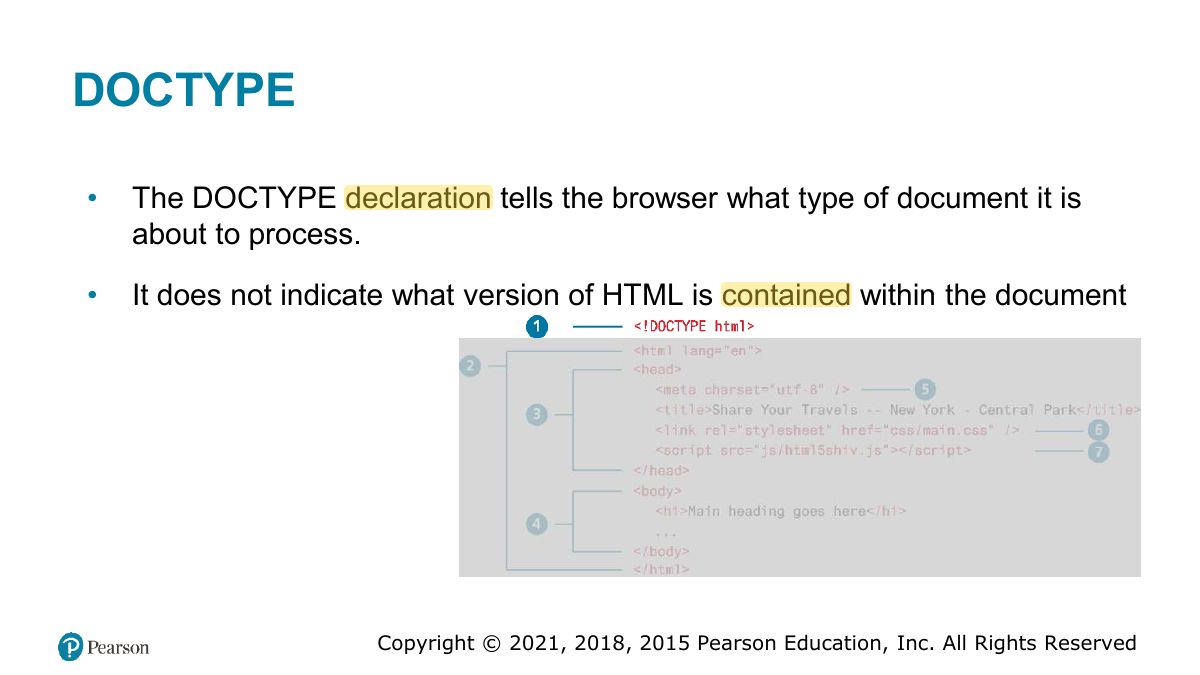
              Slide 10: DOCTYPE
              Exam weight Low
              1. <!DOCTYPE html> tells the browser to use HTML5 standards mode.
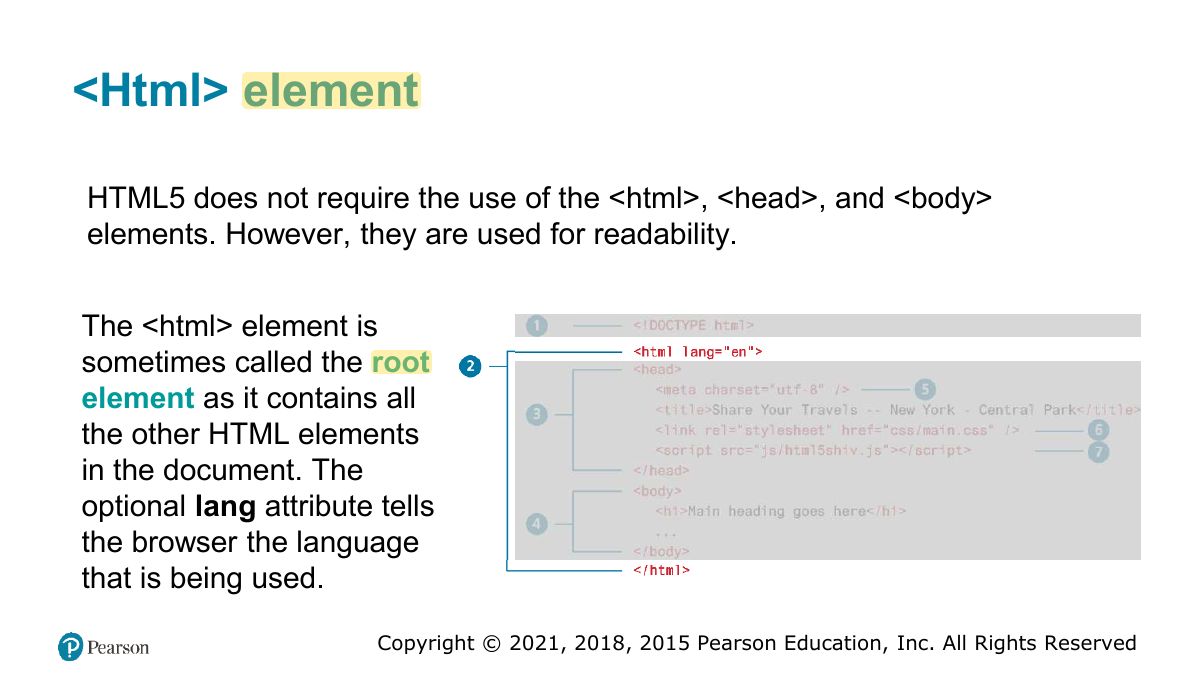
              Slide 11: <Html> element
              Exam weight Low
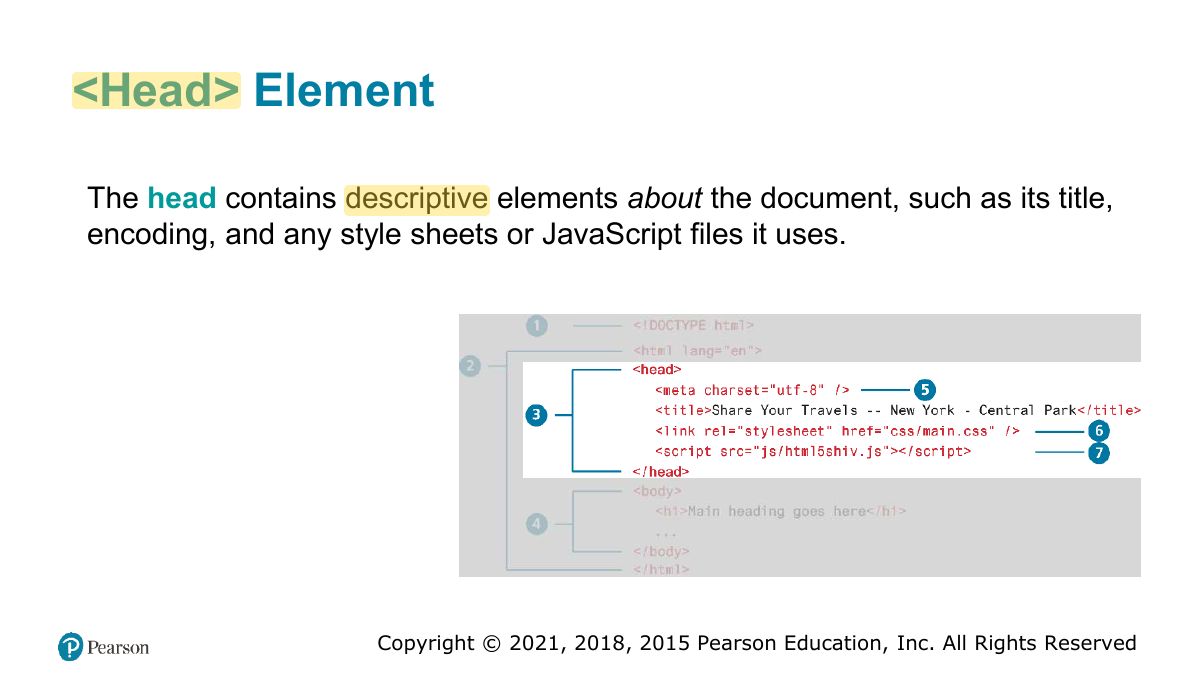
                Slide 12: <Head> Element
                Exam weight Low
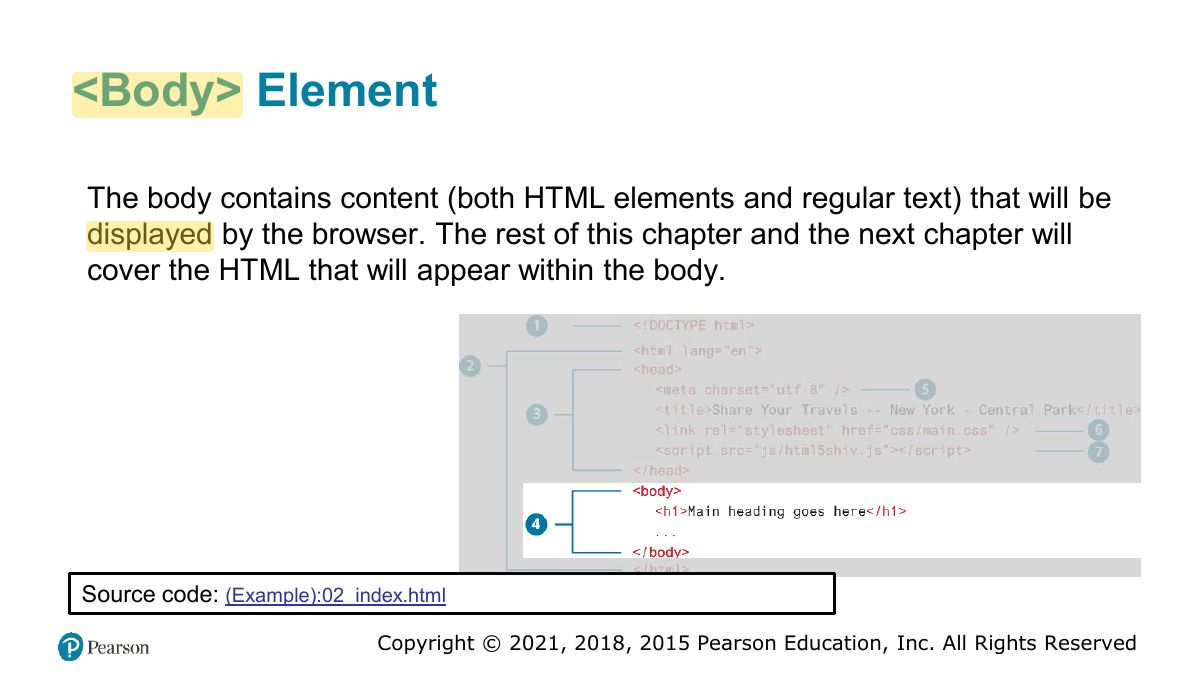
                  Slide 13: <Body> Element
                  Exam weight Low
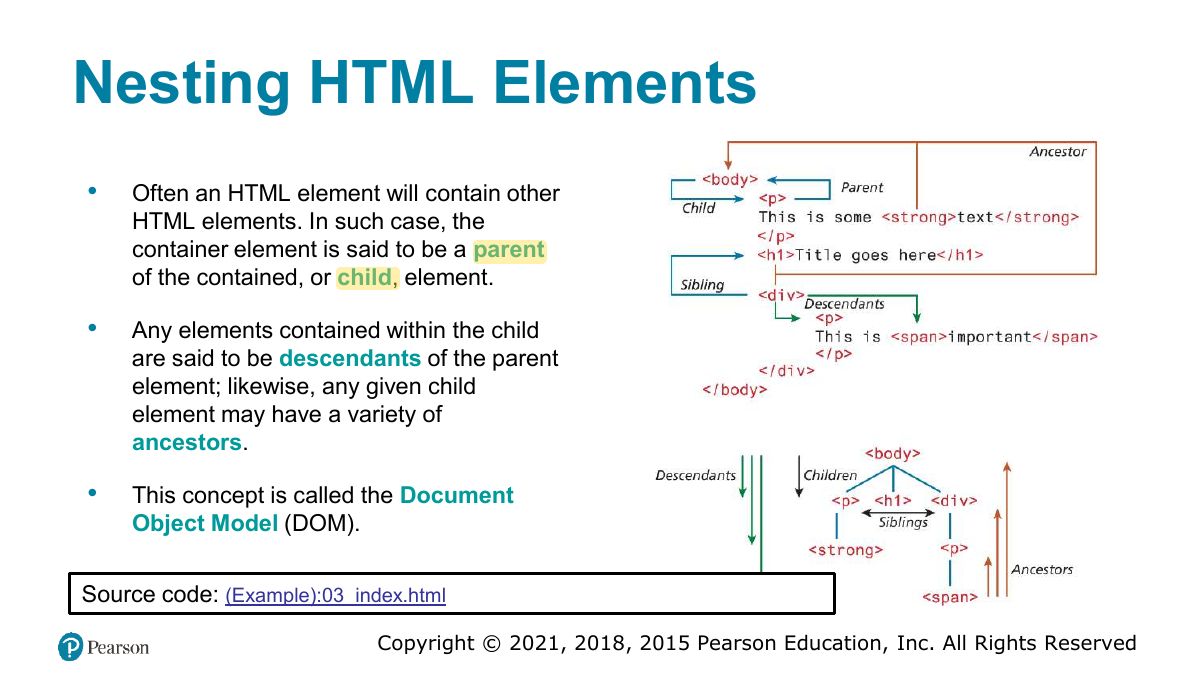
                    Slide 14: Nesting HTML Elements
                    Exam weight Low
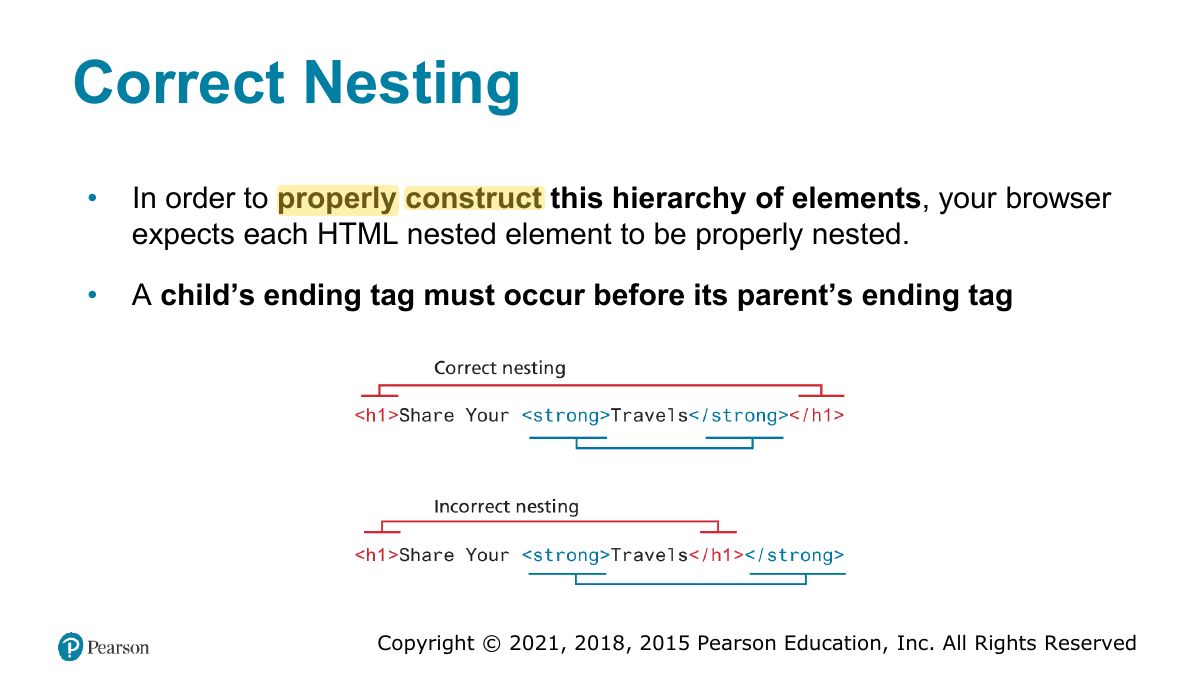
                    1. Nesting must be correct: close inner elements first: <p><strong>…</strong></p>.
                    Slide 15: Correct Nesting
                    Exam weight Low
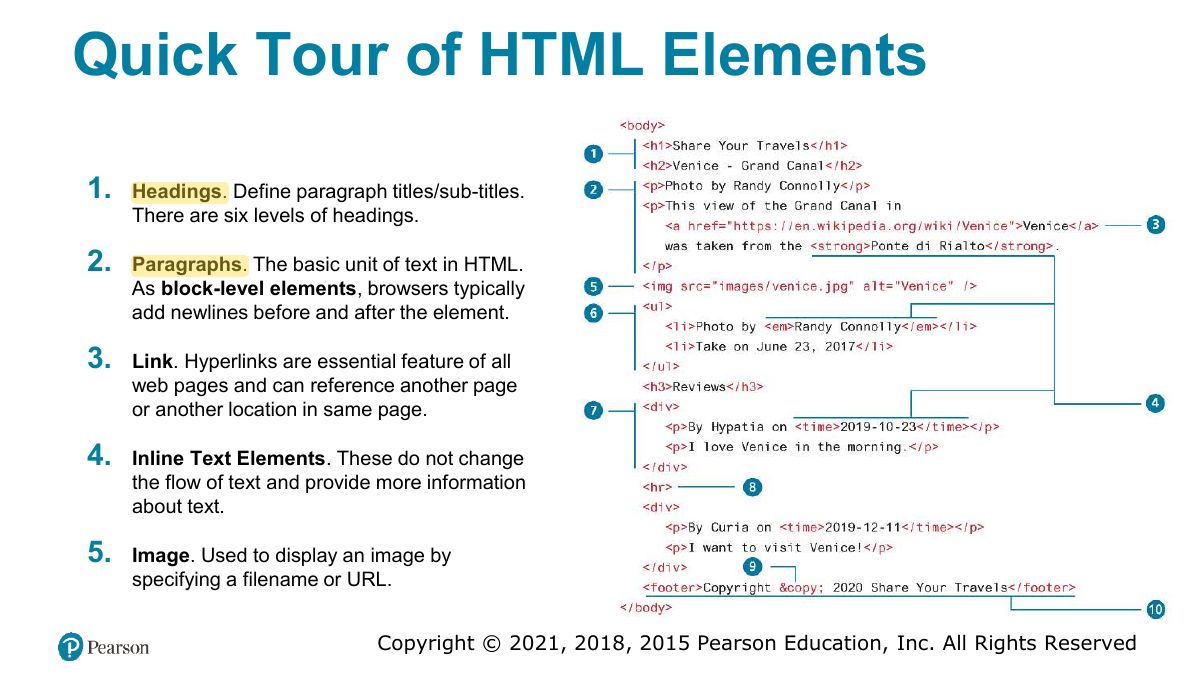
                      Slide 16: Quick Tour of HTML Elements
                      Exam weight Low
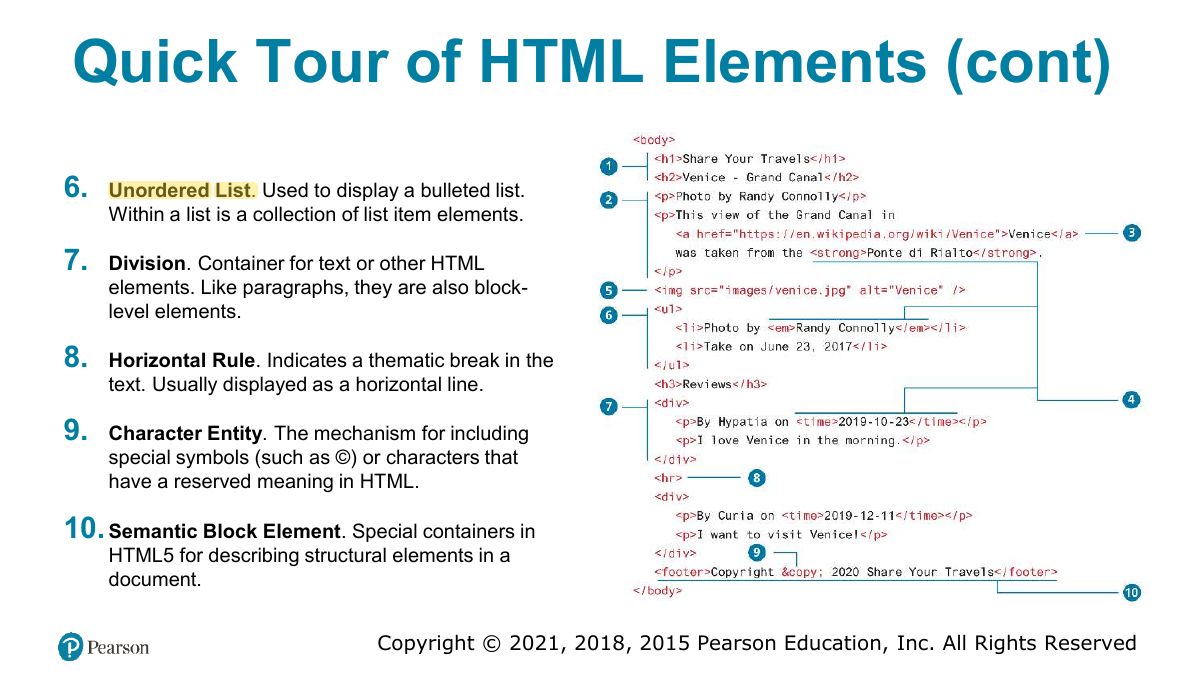
                        Slide 17: Quick Tour of HTML Elements (cont)
                        Exam weight Low
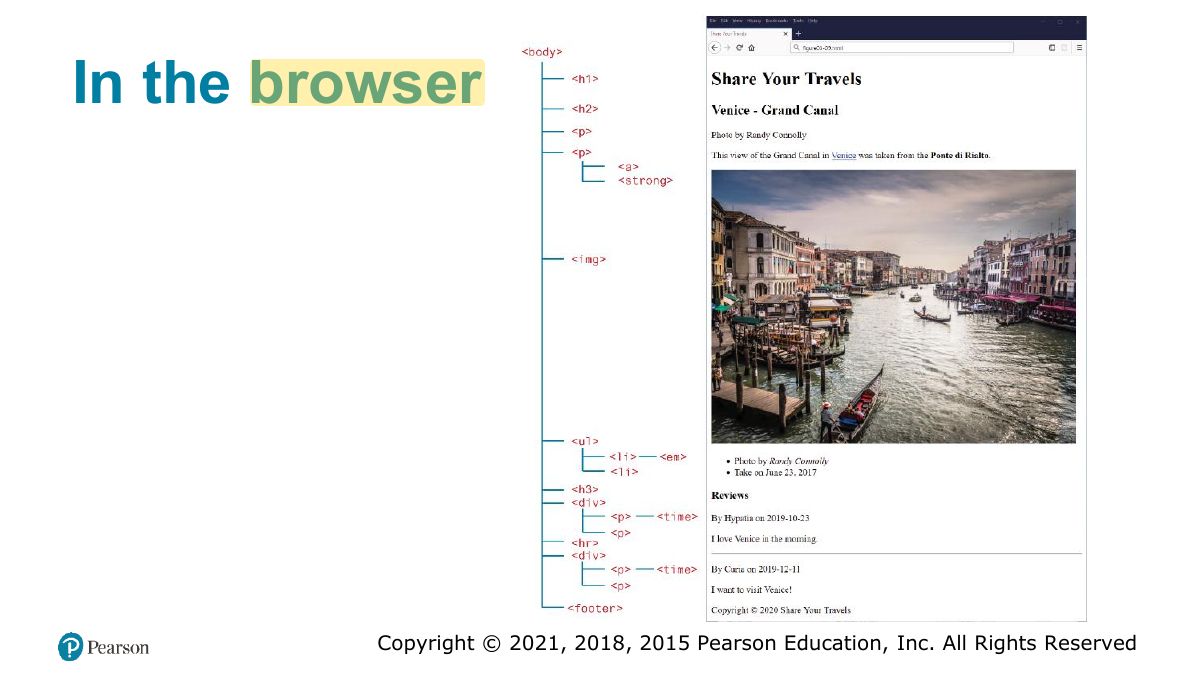
                          Slide 18: In the browser
                          Exam weight Low

                            Headings

                            • HTML provides six levels of heading (h1 through h6)
                            • They are an essential way for document authors to show their readers the structure of the document
                            • Headings are also used by the browser to create a document outline for the page.
                            • Choose the heading level because it is appropriate semantically NOT because of its default presentation (e.g., choosing <h3> because you want your text to be bold and 16pt). Source code: Example
                            19
                            Exam weight Low
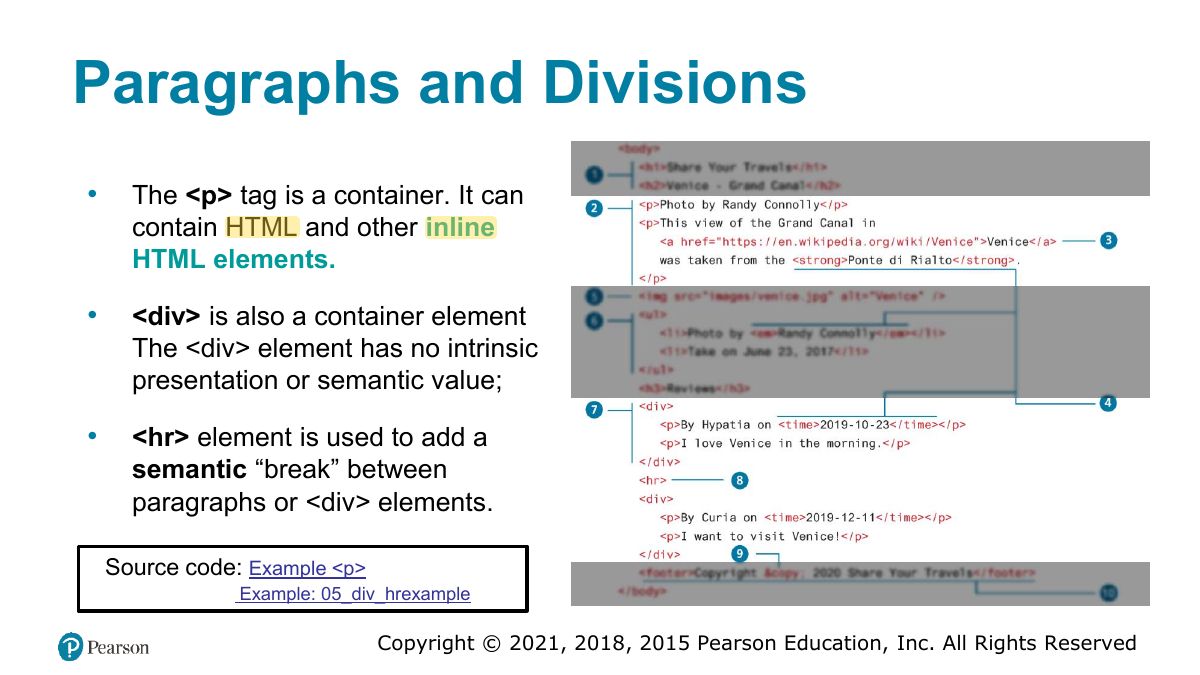
                              Slide 20: Paragraphs and Divisions
                              Exam weight Low
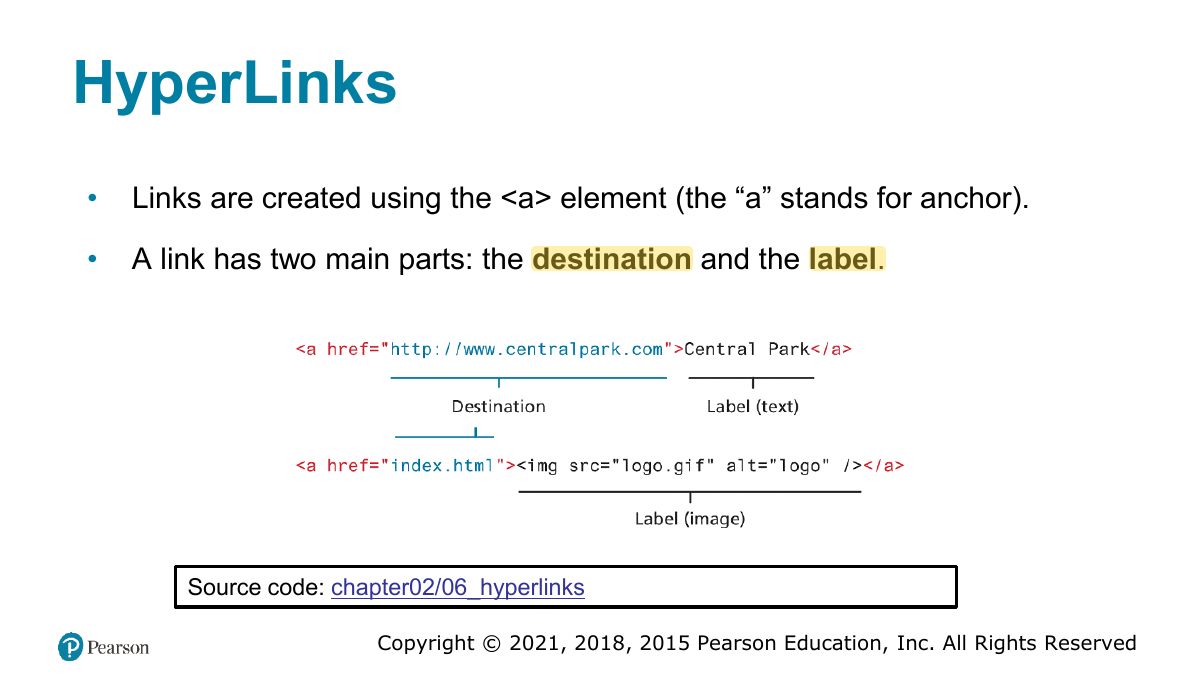
                                Slide 21: HyperLinks
                                Exam weight Low
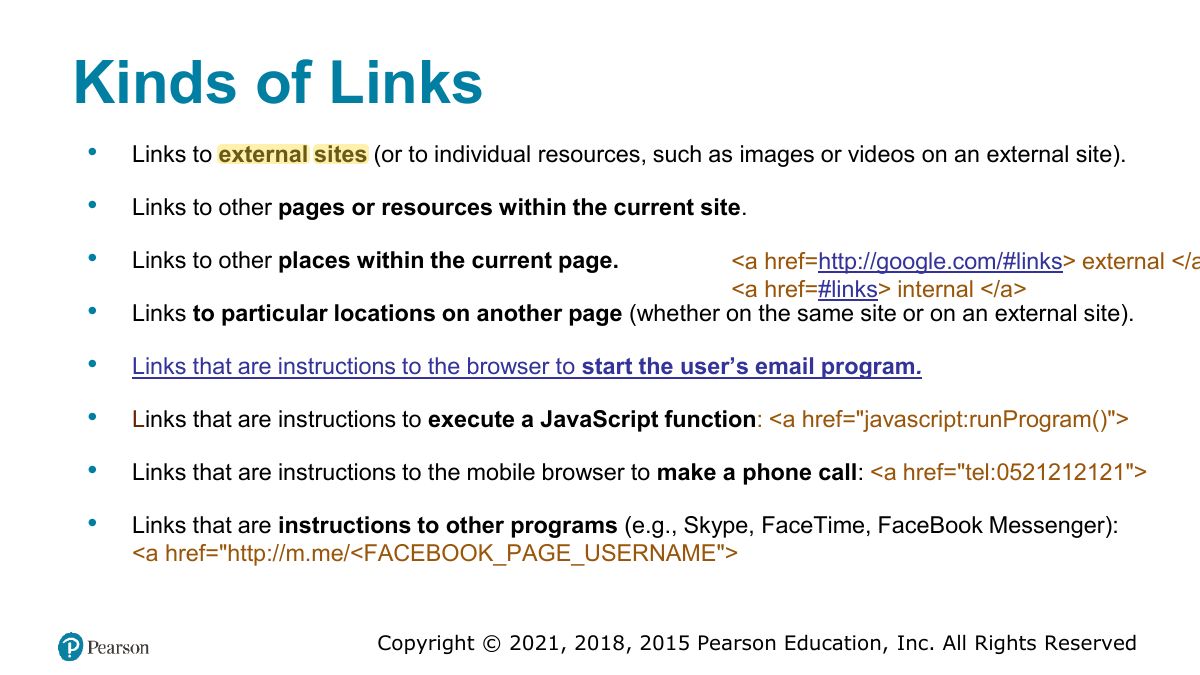
                                1. <a href="…">: links to pages, sections (#id), email (mailto:), files.
                                Slide 22: Kinds of Links
                                Exam weight Low
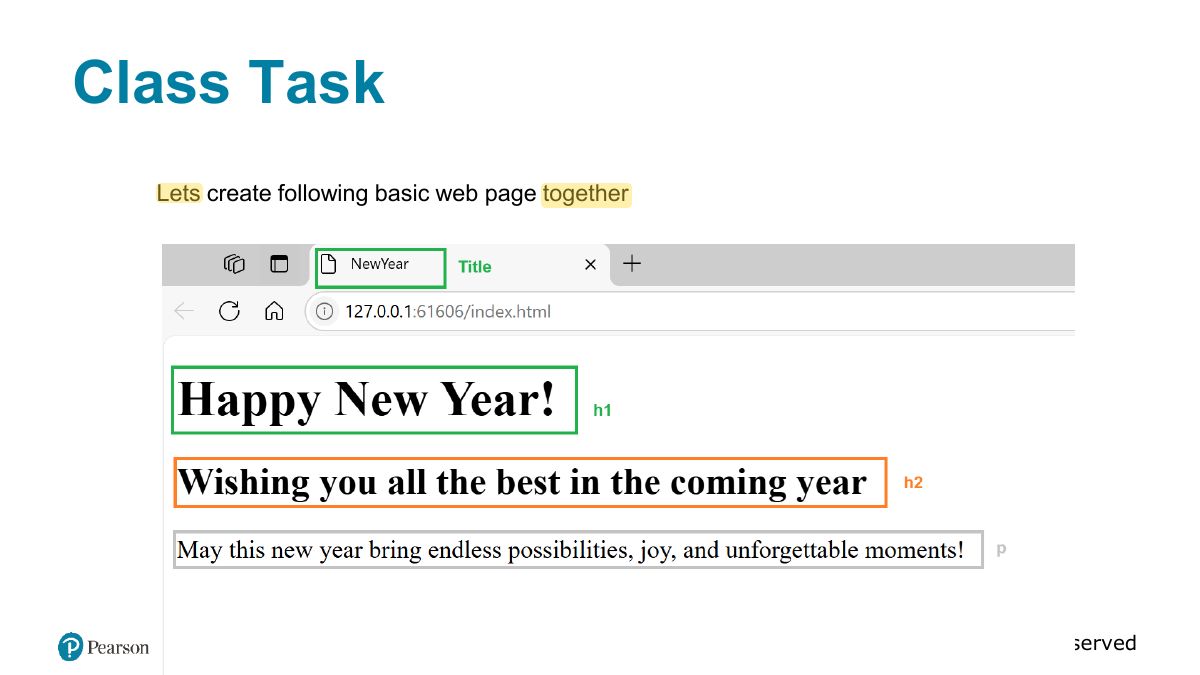
                                  Slide 23: Class Task
                                  Exam weight Low

                                    Absolute and Relative URLs

                                    When referencing a page or resource When referencing a resource that is on an external site, a full absolute on the same server, you can use URL reference is required

                                    relative referencing.

                                    • Full URL with a protocol (typically, • If the URL does not include the http:// or https://), the domain http:// ” then the browser will “ name, any paths, and the file request the current server for the name of the desired resource. file.

                                    Example: chapter02/06_hyperlinks

                                    24
                                    Exam weight High
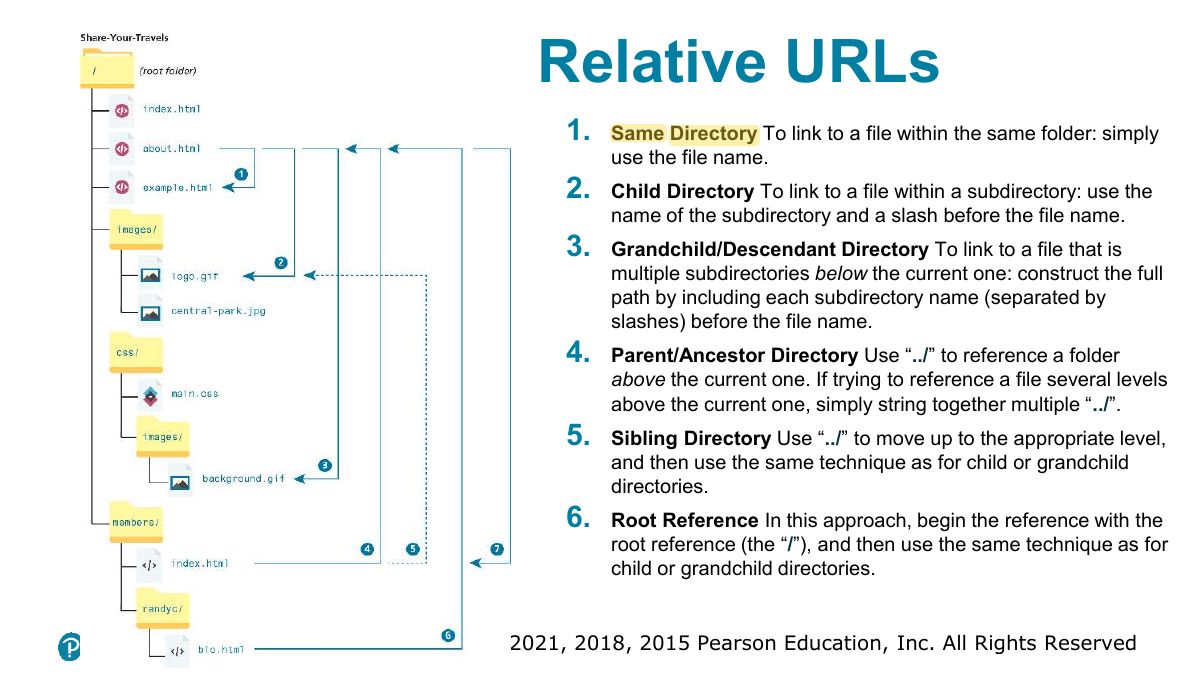
                                    1. Absolute URL: full address (https://…). Relative: from the current location (images/a.png, ../index.html).
                                    🎯 How this can come up · 1 question
                                    MCQ

                                    From /site/pages/about.html, "../images/logo.png" points to:

                                    Slide 25: Relative URLs
                                    Exam weight Low
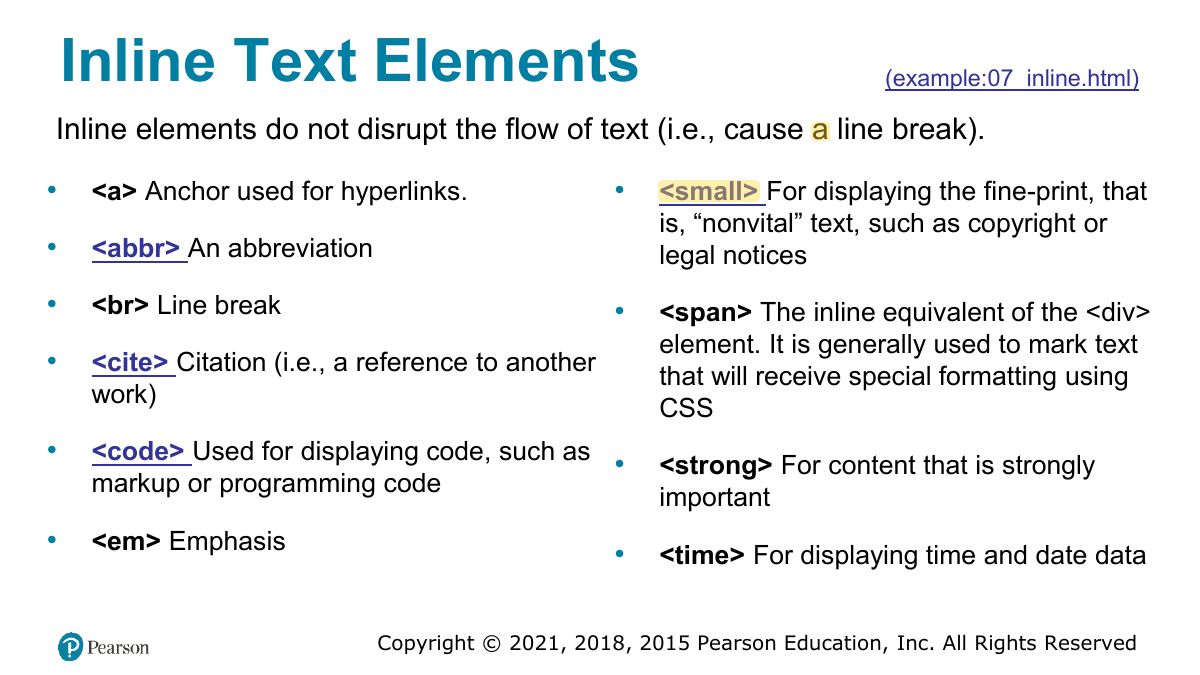
                                      Slide 26: Inline Text Elements
                                      Exam weight Low
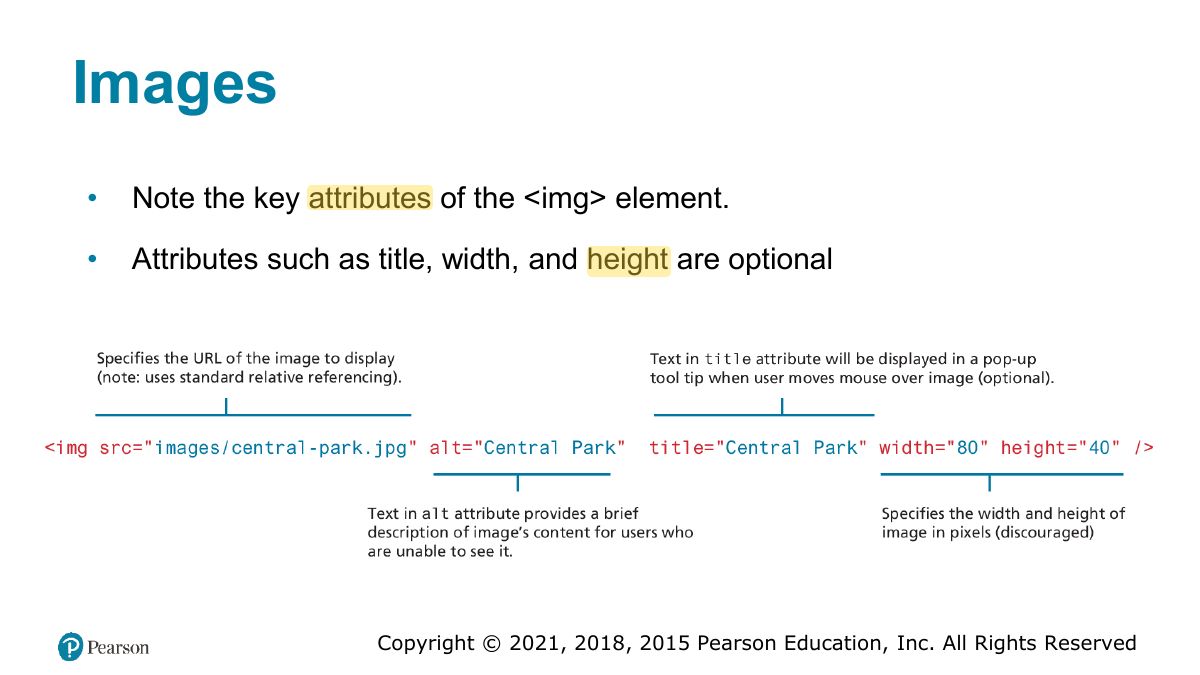
                                        Slide 27: Images
                                        Exam weight Low
                                        1. <img src alt>: the alt text is required for accessibility.
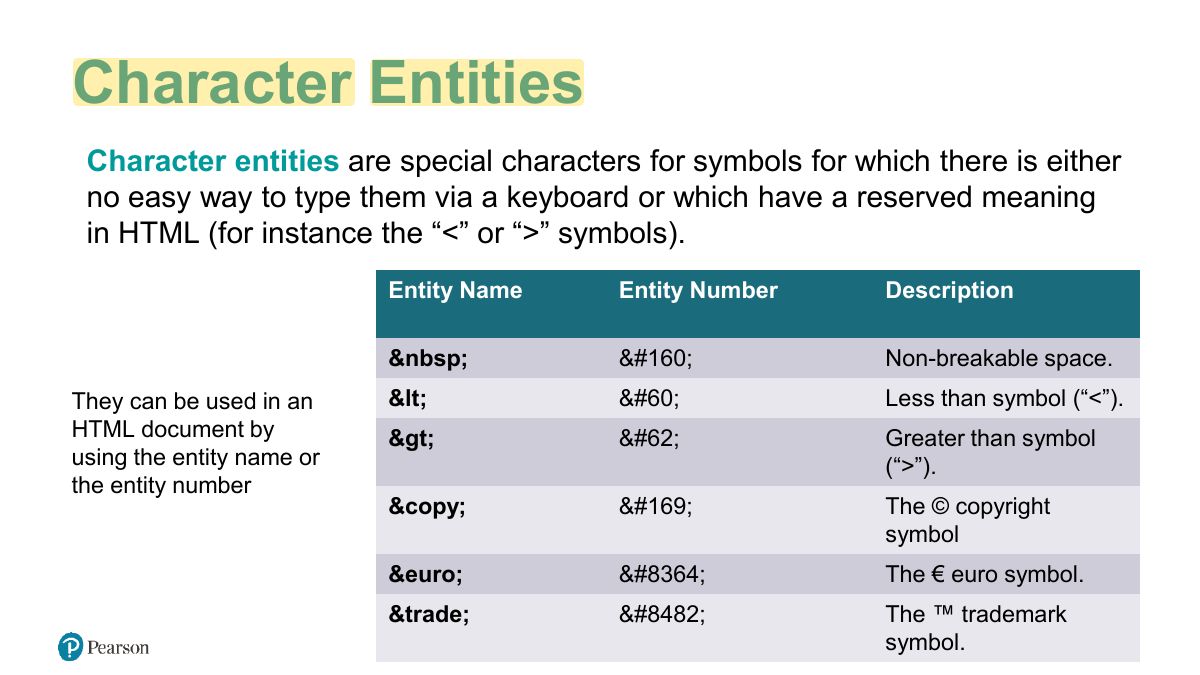
                                        Slide 28: Character Entities
                                        Exam weight Low
                                        1. Character entities: &lt; &gt; &amp; &nbsp; &copy;.
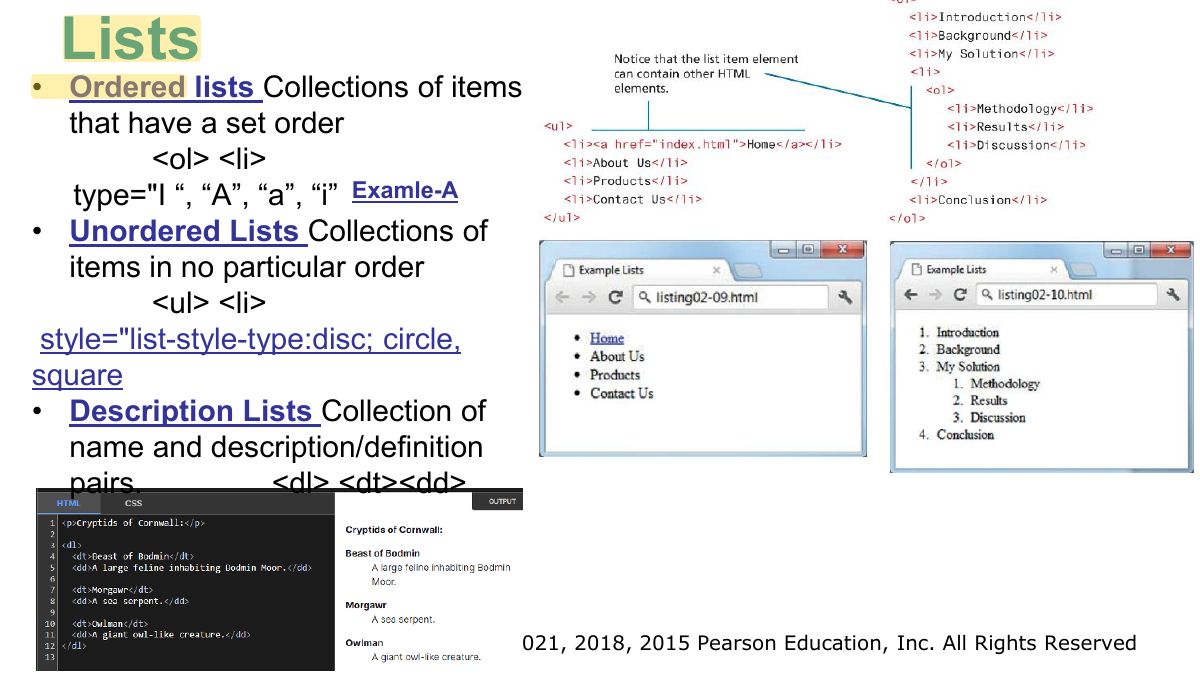
                                        Slide 29: Lists
                                        Exam weight Low
                                        1. Lists: <ul> unordered, <ol> ordered, <li> items; <dl> description lists.
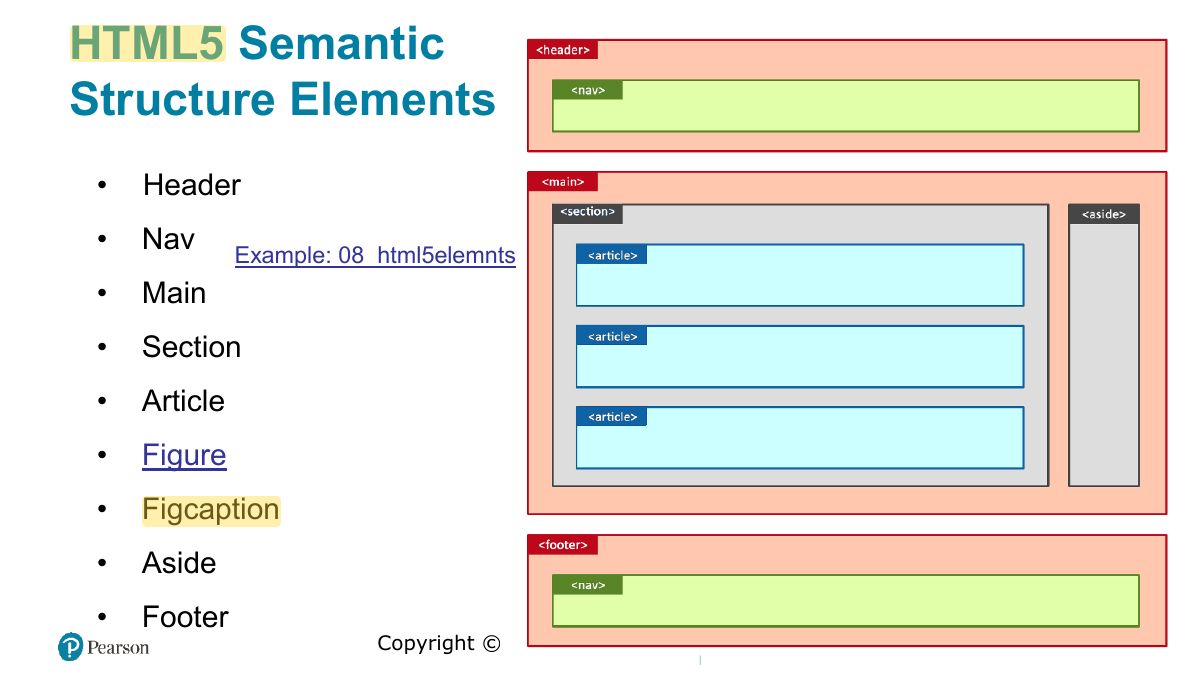
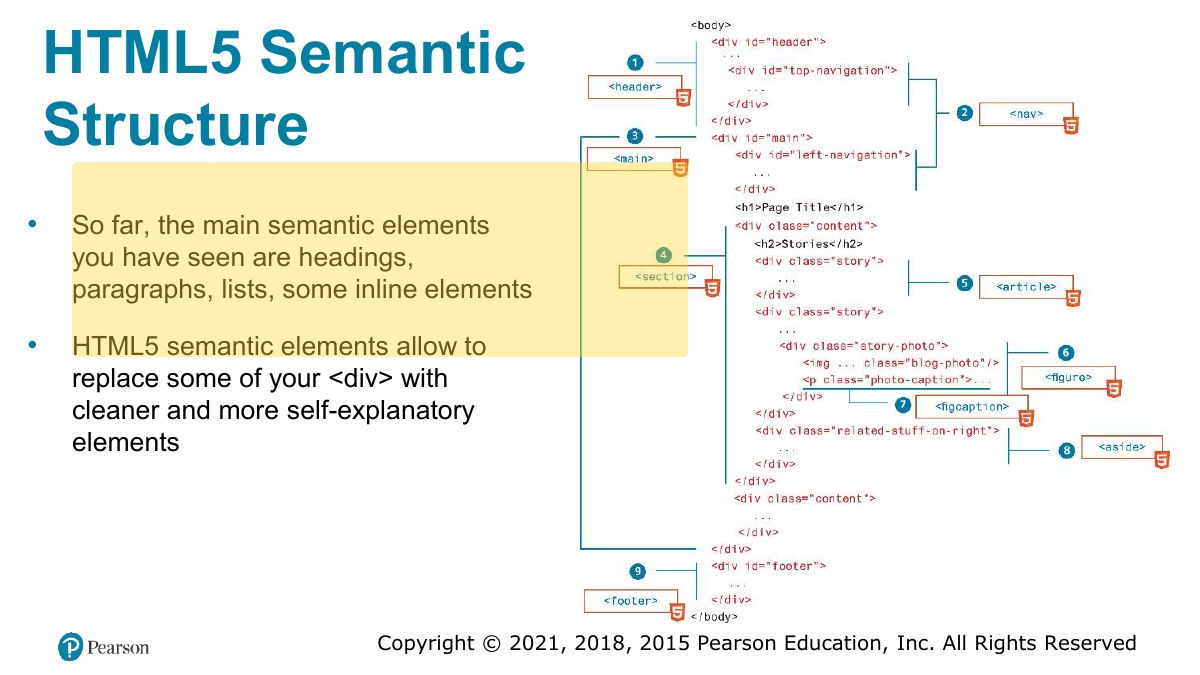
                                        Slide 30: HTML5 Semantic Structure Elements
                                        Exam weight High
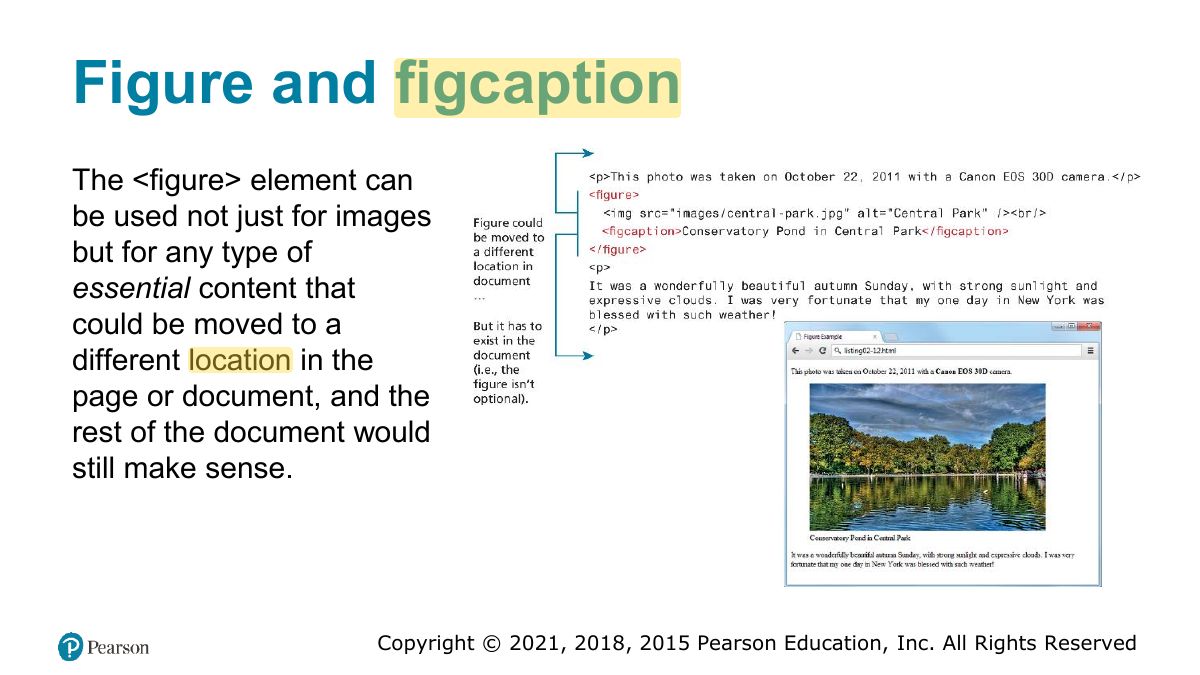
                                        1. HTML5 semantic elements: header, nav, main, section, article, aside, footer, figure + figcaption.
                                        🎯 How this can come up · 1 question
                                        MCQ

                                        Which element is meant for a site’s main navigation links?

                                        Slide 31: HTML5 Semantic Structure
                                        Exam weight Low
                                          Slide 32: and figcaption
                                          Exam weight Low

                                            Home Task

                                            Write html code to:

                                            • link to some section of your page
                                            • link to some external website
                                            • make some image clickable
                                            33
                                            Exam weight Low
                                              Slide 34: Fundamentals of Web Development
                                              Exam weight Low

                                                In this chapter you will learn . . .

                                                • What HTML tables are and how to create them
                                                • What forms are and how they work
                                                • What the different form controls are and how to use them
                                                • How to improve the accessibility of your websites
                                                35
                                                Exam weight Low
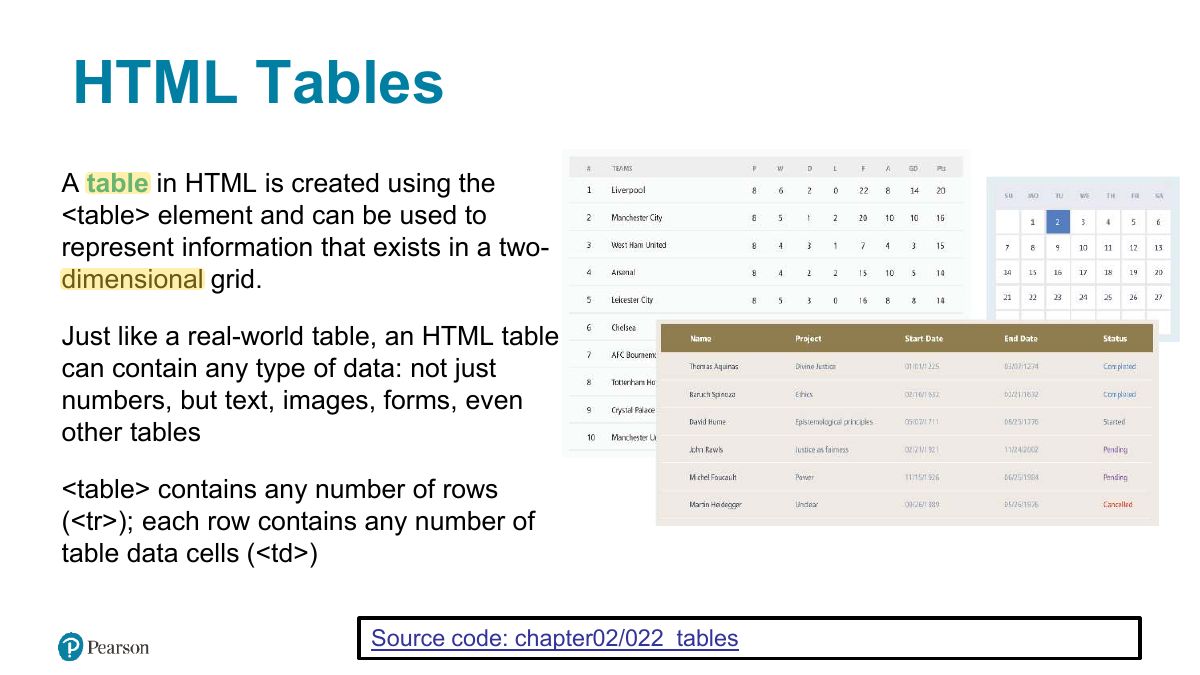
                                                  Slide 36: HTML Tables
                                                  Exam weight Low
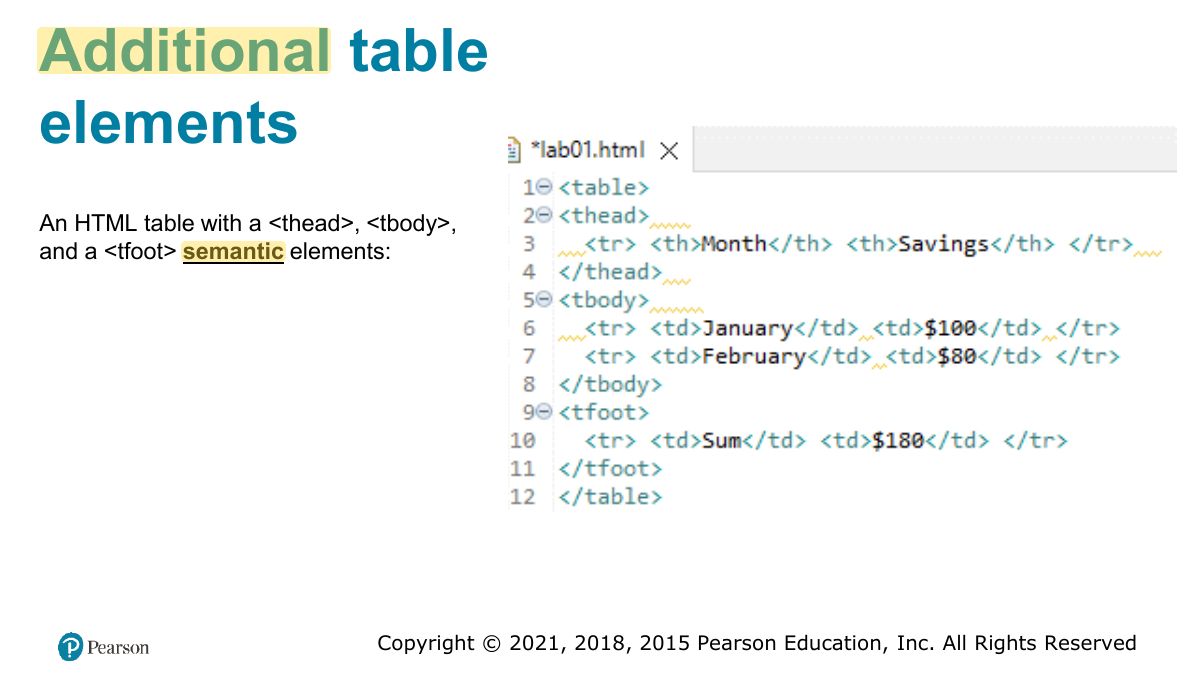
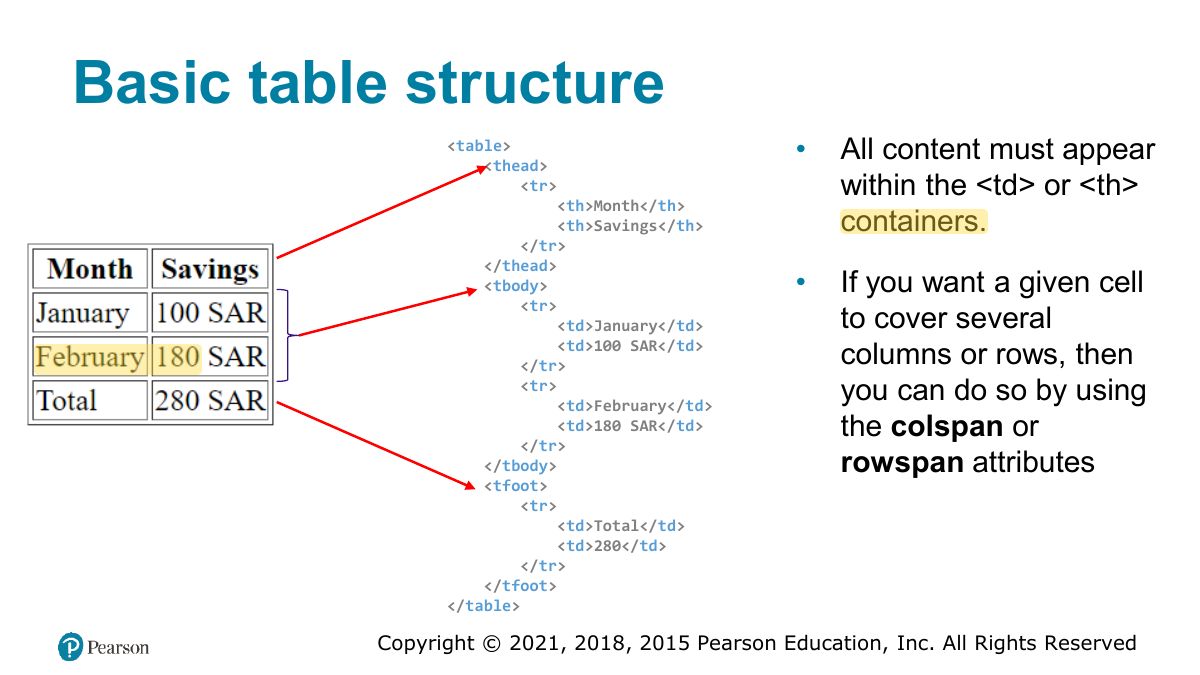
                                                  1. Tables: <table>, <tr> rows, <th> headers, <td> cells; <thead>, <tbody>, <tfoot>, <caption>.
                                                  Slide 37: Additional table elements
                                                  Exam weight Low
                                                    Slide 38: Basic table structure
                                                    Exam weight Low
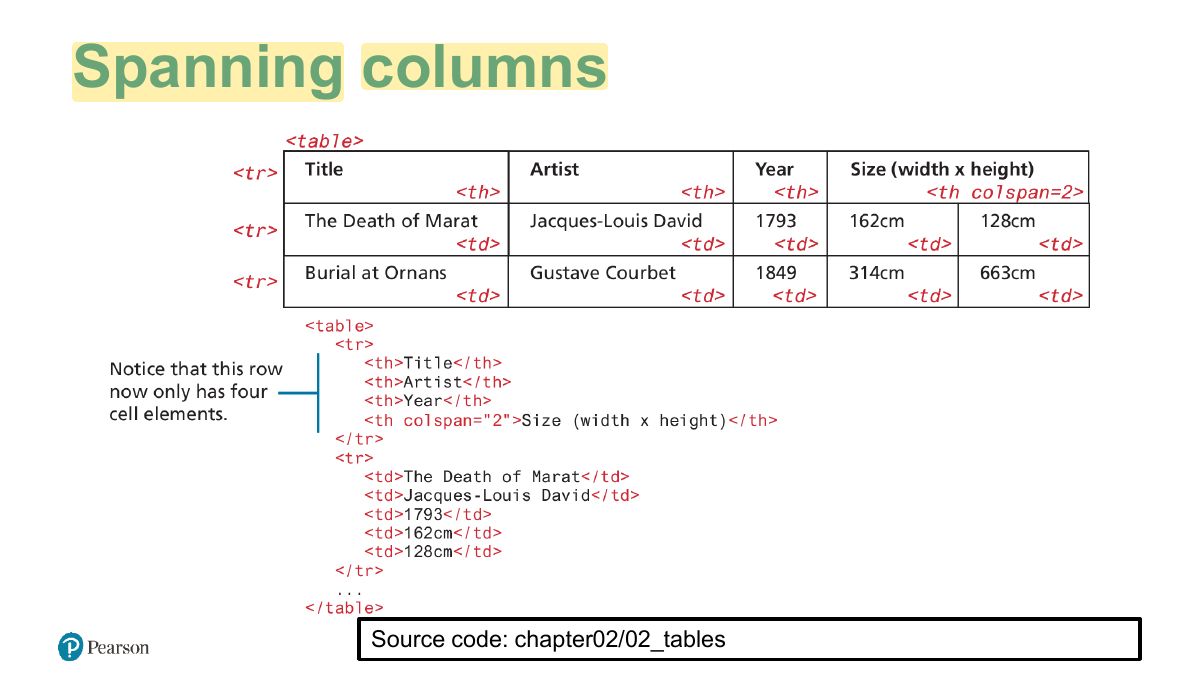
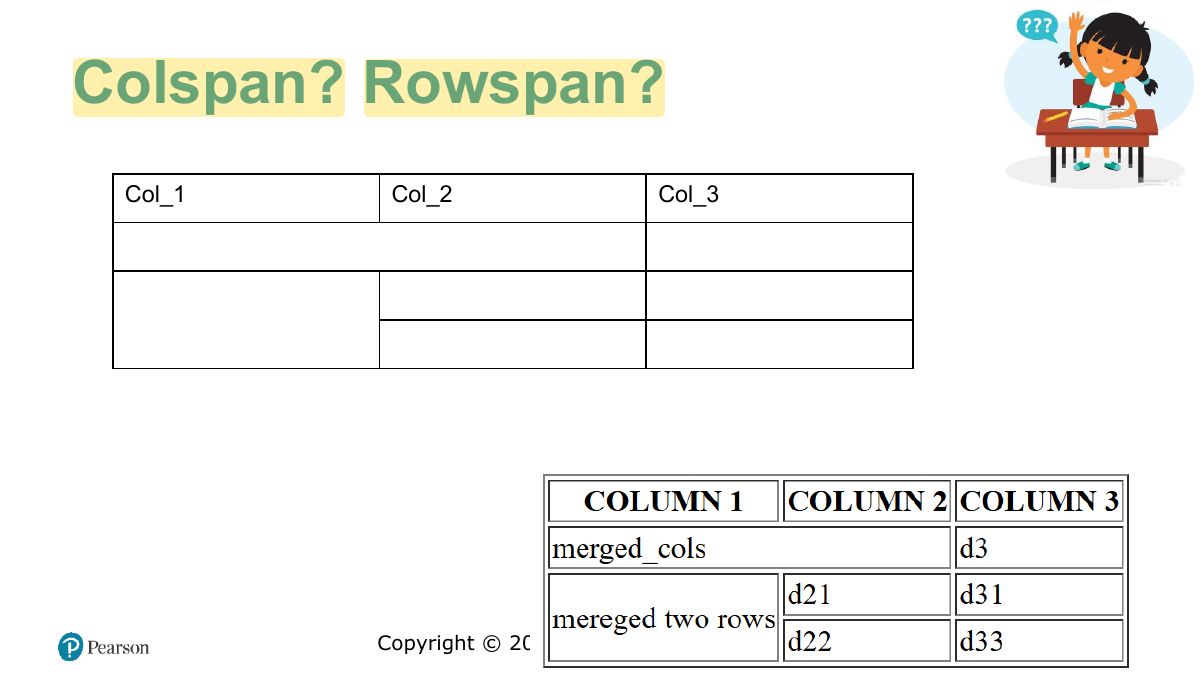
                                                      Slide 39: Spanning columns
                                                      Exam weight High
                                                      1. colspan merges cells across columns; rowspan merges down rows.
                                                      🎯 How this can come up · 1 question
                                                      MCQ

                                                      To make a cell span two columns, use:

                                                      Slide 40: Colspan? Rowspan?
                                                      Exam weight Low

                                                        Introducing Forms

                                                        Forms provide the user with an alternative way to interact with a web server.

                                                        • Up to now, clicking hyperlinks was the only mechanism available to the user
                                                        • Using a form, the user can enter text, choose items from lists, and click buttons
                                                        • Typically, programs running on the server will take the input from HTML forms and do something with it,
                                                          • such as save it in a database,
                                                          • interact with an external web service, or
                                                          • customize subsequent HTML based on that input.
                                                        • HTML5 has added a number of new controls and more customization options
                                                        41
                                                        Exam weight Low
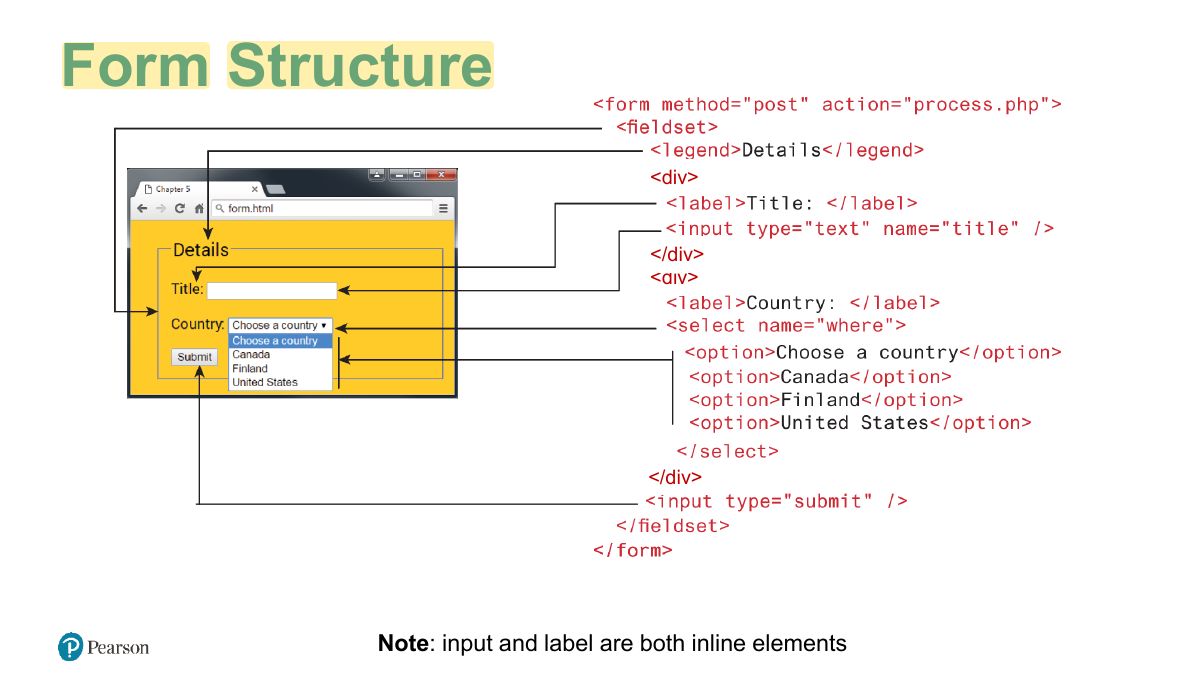
                                                          Slide 42: Form Structure
                                                          Exam weight Low

                                                            The <form> Element

                                                            g2

                                                            Two important attributes that are essential features of any <form> are the action and the method attributes.

                                                            • The action attribute specifies the URL of the server-side resource that will process the form data.
                                                            • The method attribute specifies how the query string data will be transmitted from the browser to the server (GET, POST).
                                                            • Note: you can only use “GET” or “POST” in http forms. DELETE and UPDATE can be sent using JavaScript.
                                                            43
                                                            Exam weight Low
                                                            1. <form action="url" method="get|post">: where and how to send the data.
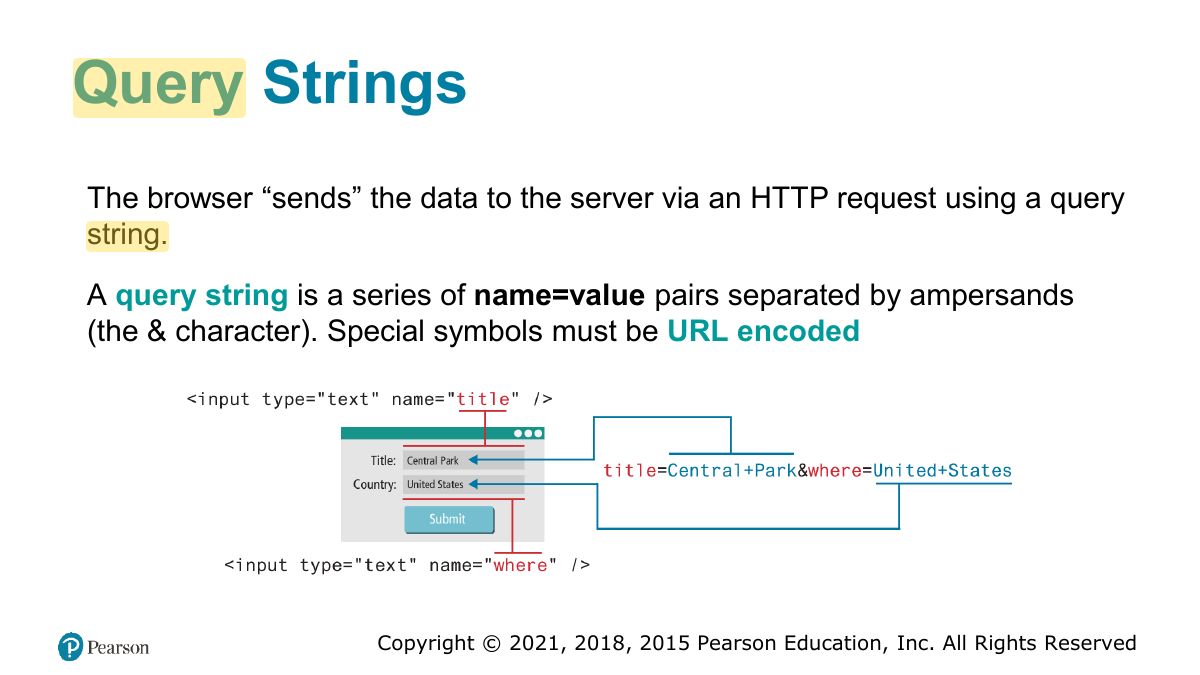
                                                            Slide 44: Query Strings
                                                            Exam weight Low

                                                              GET

                                                              • Data can be clearly seen in the address bar. This may be an advantage during development but a disadvantage in production.
                                                              • Data remains in browser history and cache. Again this may be beneficial to some users, but it is a security risk on public computers.
                                                              • Data can be bookmarked (also an advantage and a disadvantage).
                                                              • There is a l imit on the number of characters in the returned form data. codes form [part B]\1_getmethod
                                                              45
                                                              Exam weight Low

                                                                POST

                                                                codes form [part B]\1_postmethod

                                                                POST

                                                                • Data can contain binary data.
                                                                • Data is hidden from user (open Network/Payload tab in devtools to see it ).
                                                                • Submitted data is not stored in cache, history, or bookmarks. NOTE It should be noted that while the POST method “hides” form data, any user could easily inspect the HTTP header. As a result, the POST method is NOT sufficient from a security standpoint.
                                                                POST
                                                                46
                                                                Exam weight Low
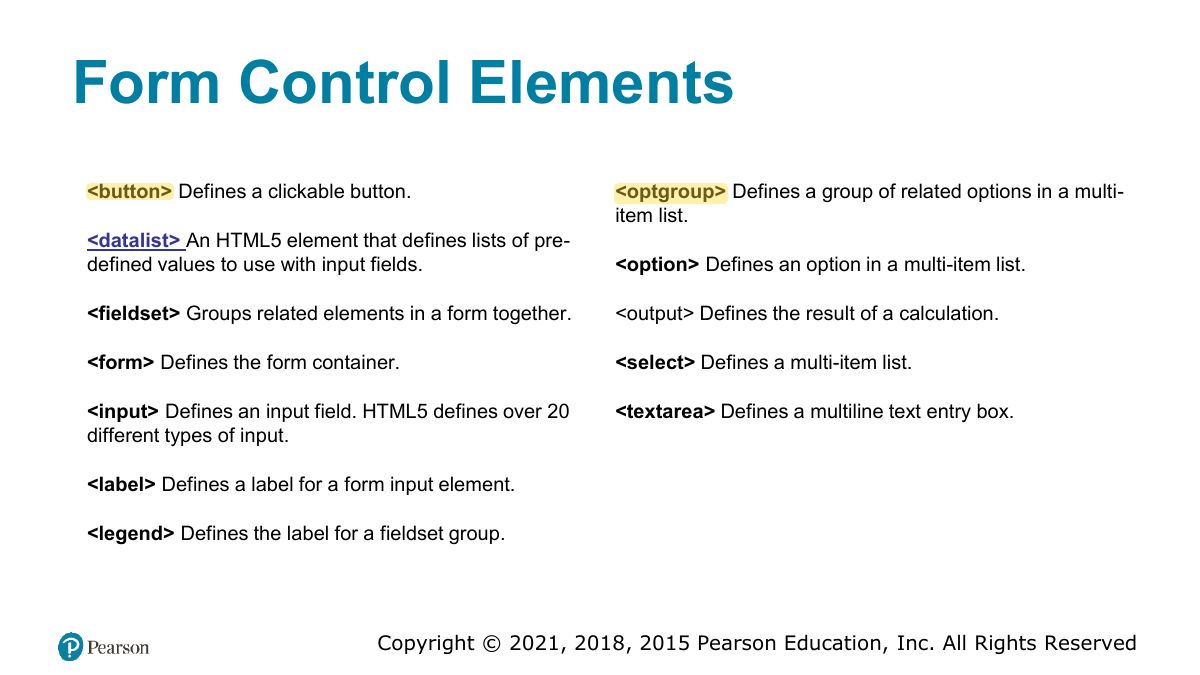
                                                                  Slide 47: Form Control Elements
                                                                  Exam weight High
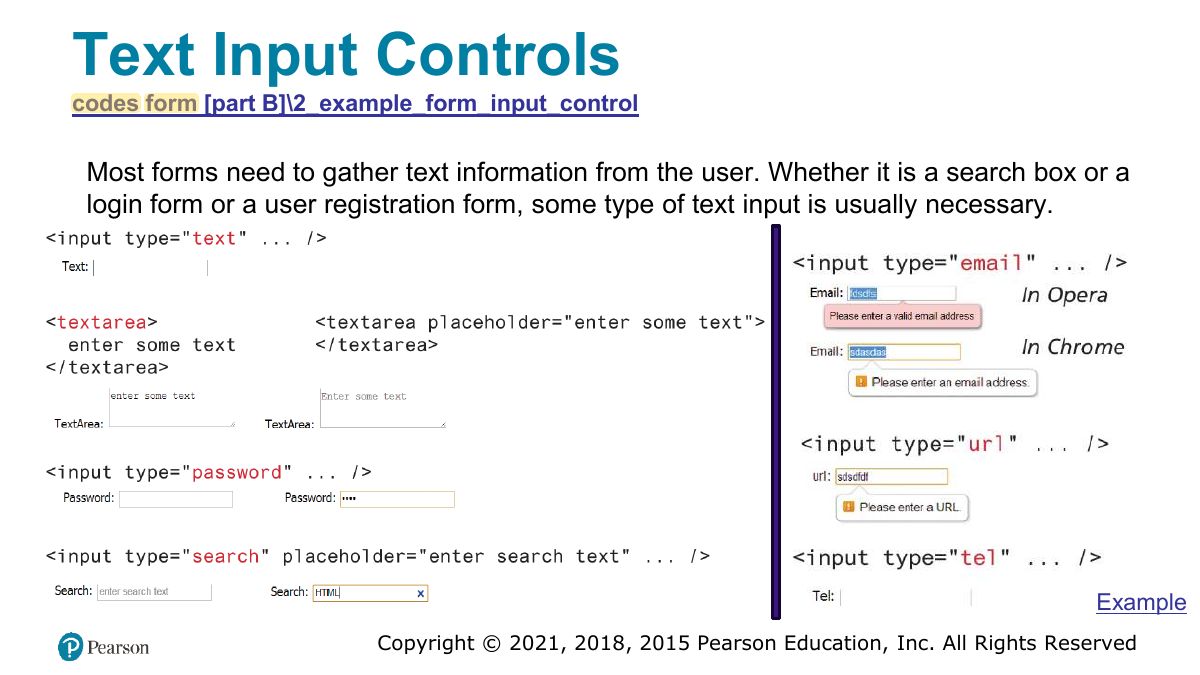
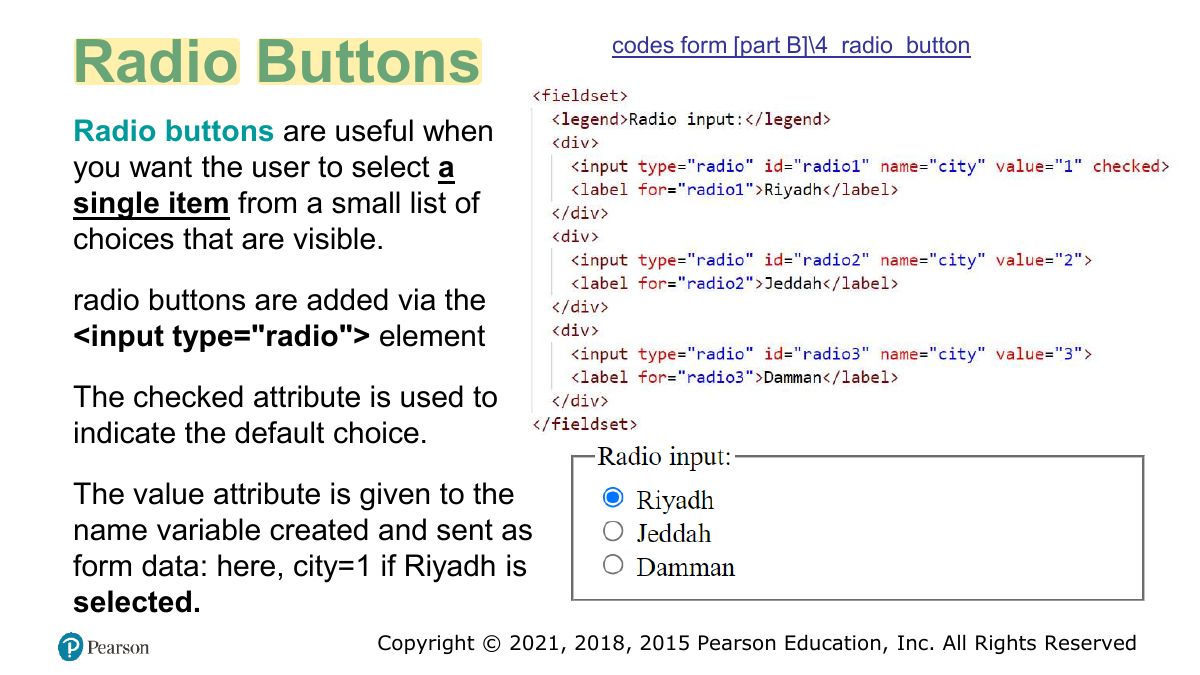
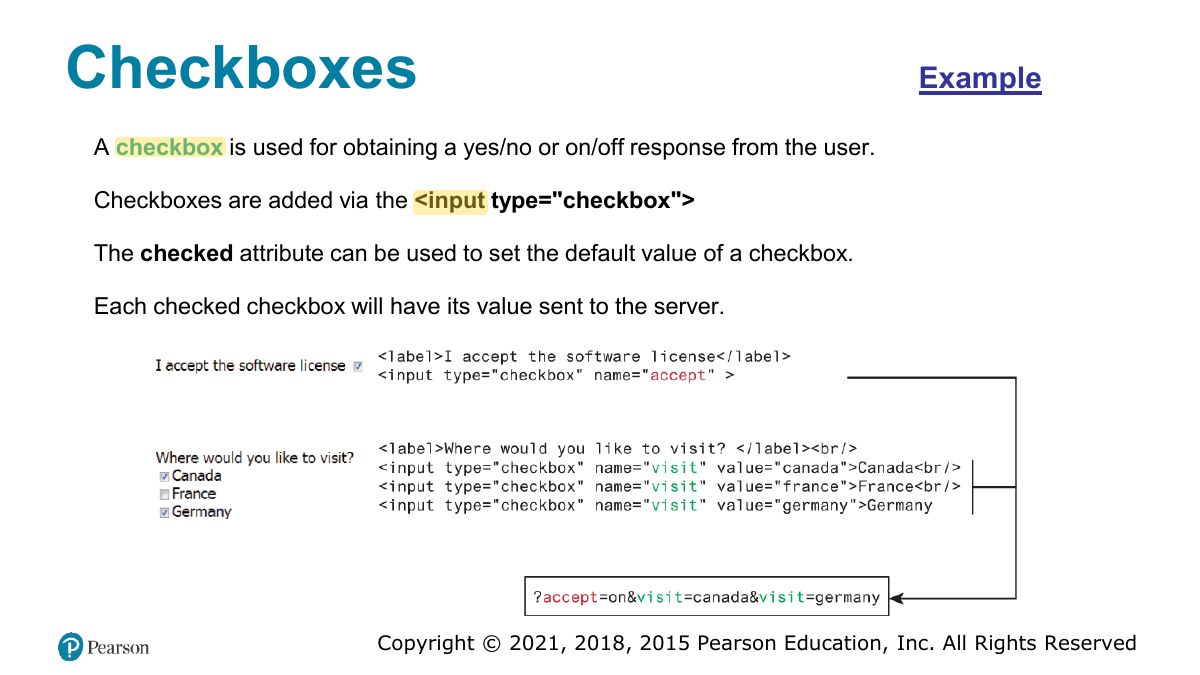
                                                                  1. Controls: text, password, email, number, textarea, select/option, radio (one of a group: same name), checkbox (any number), submit/reset/button.
                                                                  Exam trapRadio buttons in one group must share the same name attribute.
                                                                  🎯 How this can come up · 1 question
                                                                  MCQ

                                                                  To let a user choose exactly one of several options, use:

                                                                  Slide 48: Text Input Controls
                                                                  Exam weight Low

                                                                    Choice Controls

                                                                    Forms often need the user to select an option from a group of choices. HTML provides several ways to do this.

                                                                    • Select Lists
                                                                    • Radio Buttons
                                                                    • Checkboxes
                                                                    49
                                                                    Exam weight Low
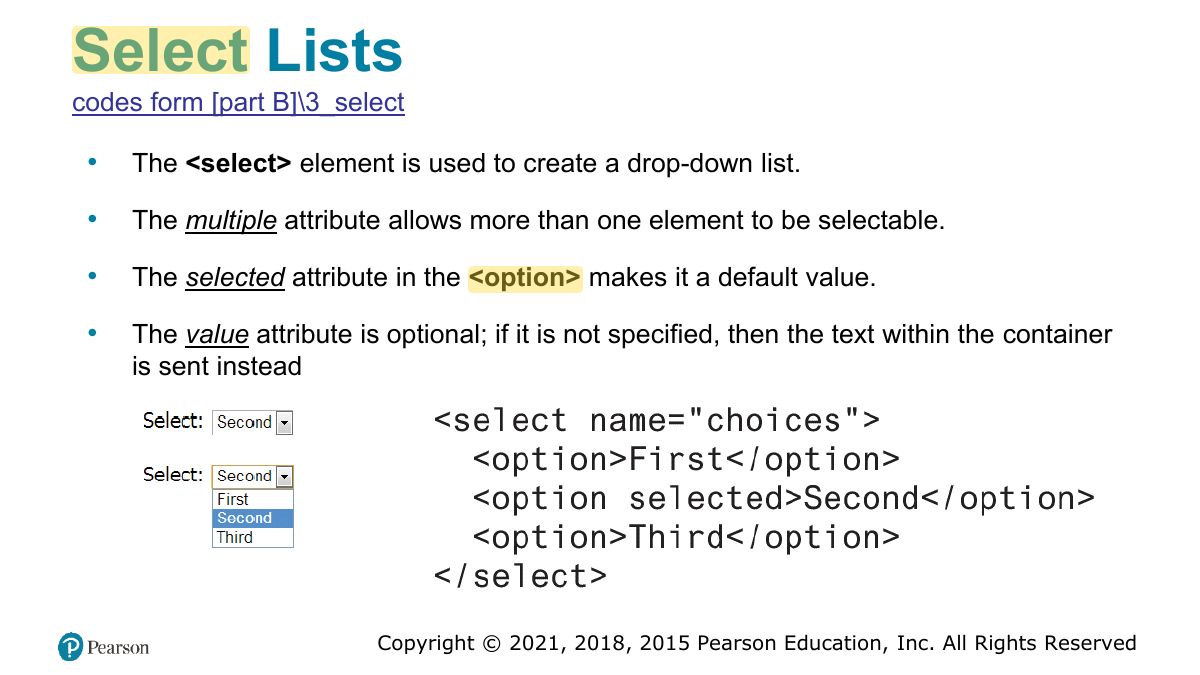
                                                                      Slide 50: Select Lists
                                                                      Exam weight Low
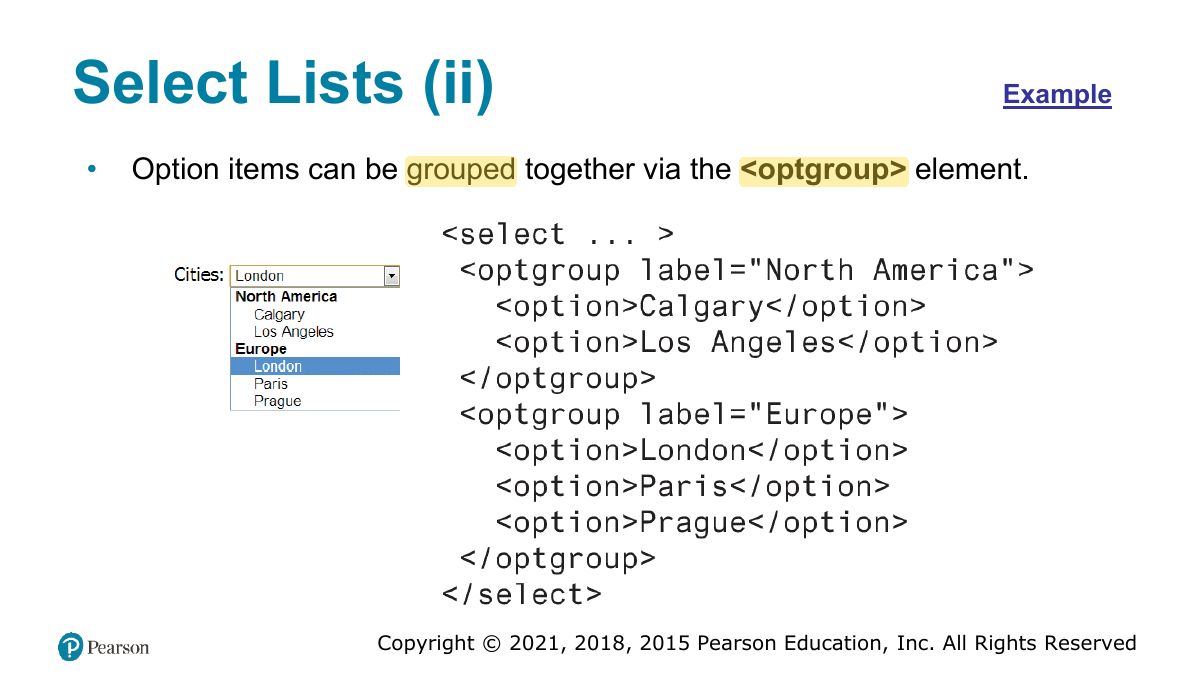
                                                                        Slide 51: Select Lists (ii)
                                                                        Exam weight Low
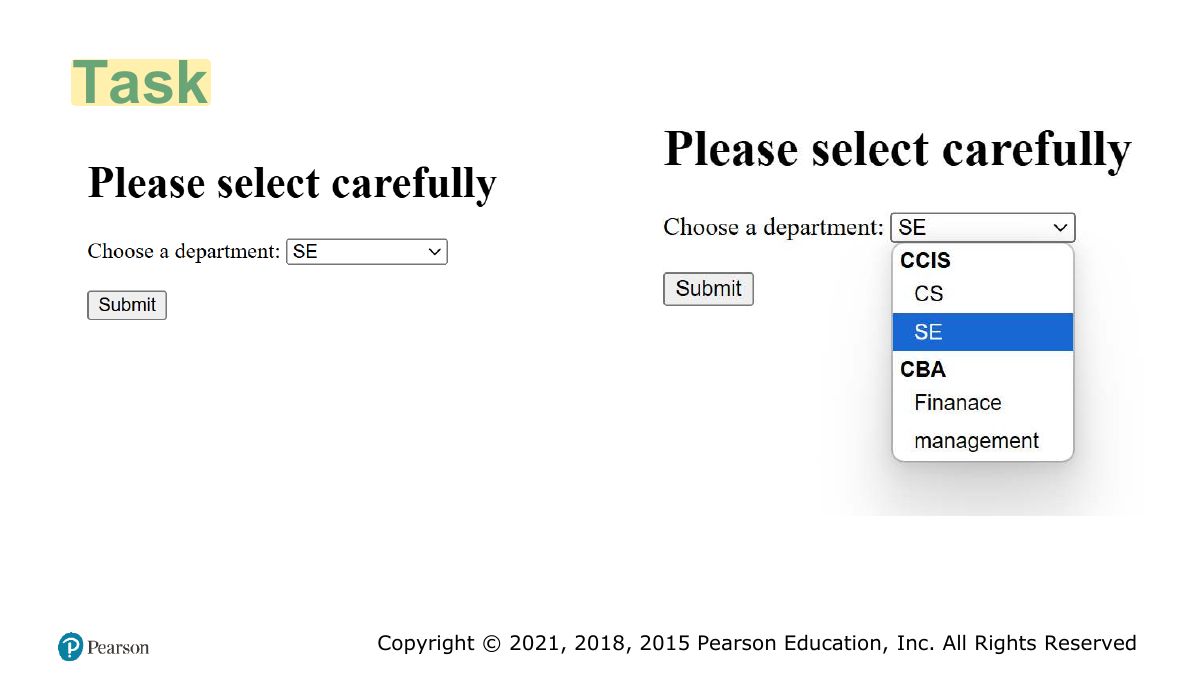
                                                                          Slide 52: Task
                                                                          Exam weight Low
                                                                            Slide 53: Radio Buttons
                                                                            Exam weight Low
                                                                              Slide 54: Checkboxes
                                                                              Exam weight Low

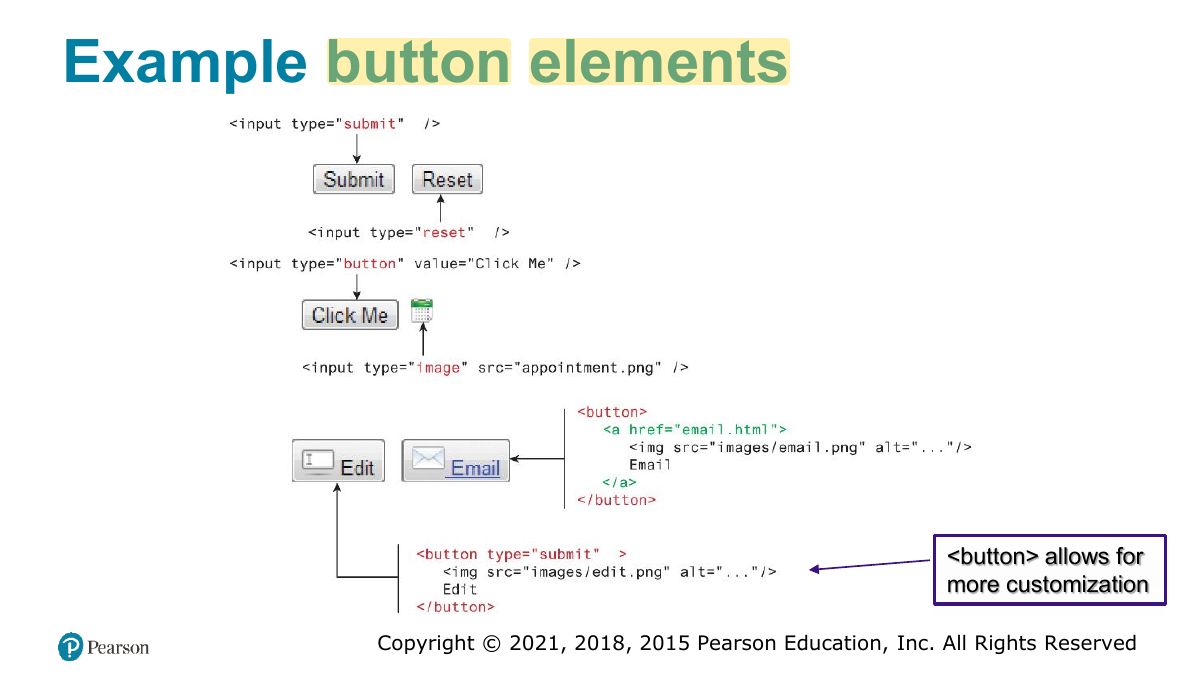
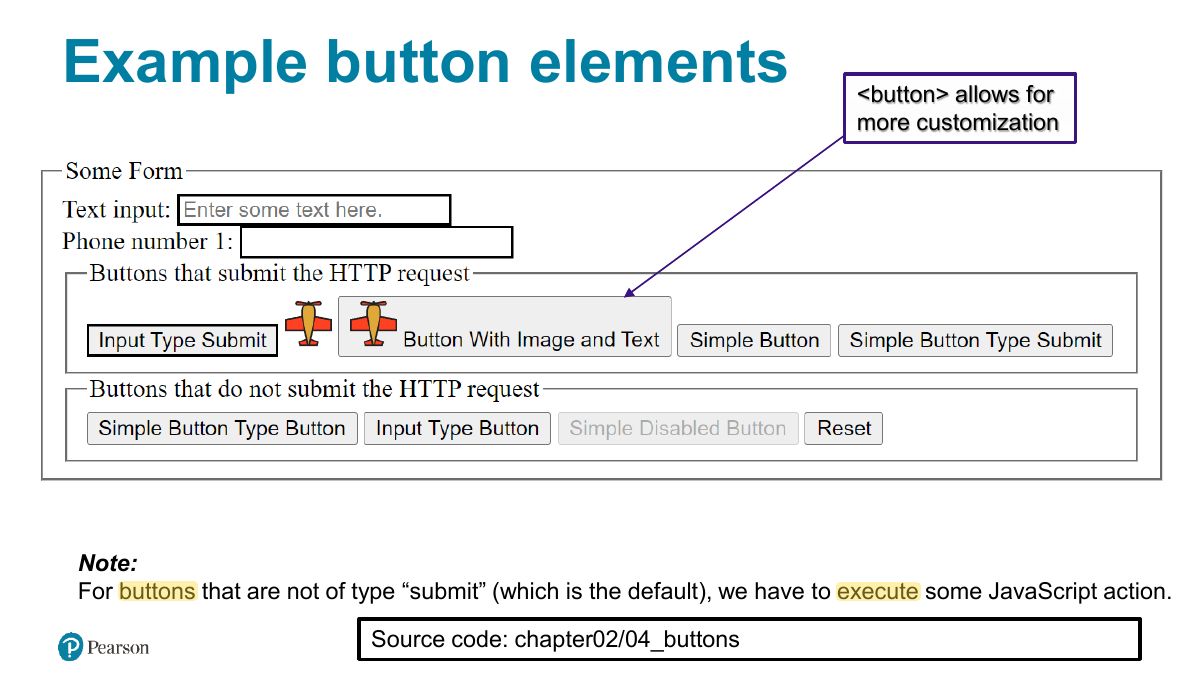
                                                                                Button Controls

                                                                                <input type="submit"> Creates a button that submits the form data to the server.

                                                                                <input type="reset"> Creates a button that clears any of the user’s already entered form data.

                                                                                <input type="button"> Creates a custom button. This button may require JavaScript for it to actually perform any action.

                                                                                <input type="image"> Creates a custom submit button that uses an image for its display.

                                                                                <button> Creates a custom button.

                                                                                55
                                                                                Exam weight Low
                                                                                  Slide 56: Example button elements
                                                                                  Exam weight Low
                                                                                    Slide 57: Example button elements
                                                                                    Exam weight Low

                                                                                      Revise

                                                                                      1. Input types [text, email, tel, password, search ...], textarea
                                                                                      2. select [multiple, selected, optgroup]
                                                                                      3. radiobutton [checked]
                                                                                      4. checkbox [checked]
                                                                                      5. button [submit, resect, type=button, button tag]
                                                                                      6. required
                                                                                      58
                                                                                      Exam weight Low
                                                                                        Slide 59: codes form [part B]\45_num_range_color
                                                                                        Exam weight Low
                                                                                          Slide 60: codes form [part B]\45_num_range_color
                                                                                          Exam weight Low

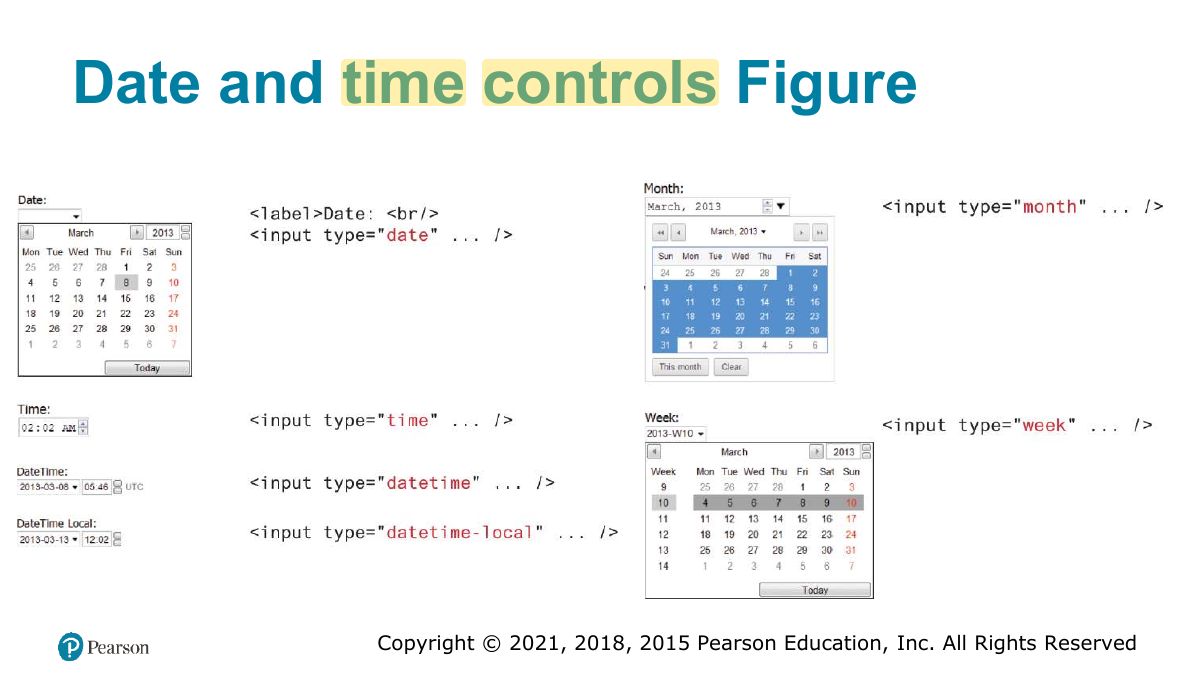
                                                                                            Date and Time Controls

                                                                                            date Creates a general date input control. The format for the date is “

                                                                                            yyyy-mm- dd.”

                                                                                            time Creates a time input control. The format for the time is “HH:MM:SS,” for

                                                                                            hours:minutes:seconds.

                                                                                            datetime Creates a control in which the user can enter a date and time.

                                                                                            datetime-local Creates a control in which the user can enter a date and time without specifying a time zone.

                                                                                            month Creates a control in which the user can enter a month in a year. The format is “ mm.”

                                                                                            yyyy-

                                                                                            week Creates a control in which the user can specify a week in a year. The format is “ W##.”

                                                                                            yyyy-

                                                                                            61
                                                                                            Exam weight Low
                                                                                              Slide 62: Date and time controls Figure
                                                                                              Exam weight Low
                                                                                                Slide 63: Associating labels and input elements
                                                                                                Exam weight Low
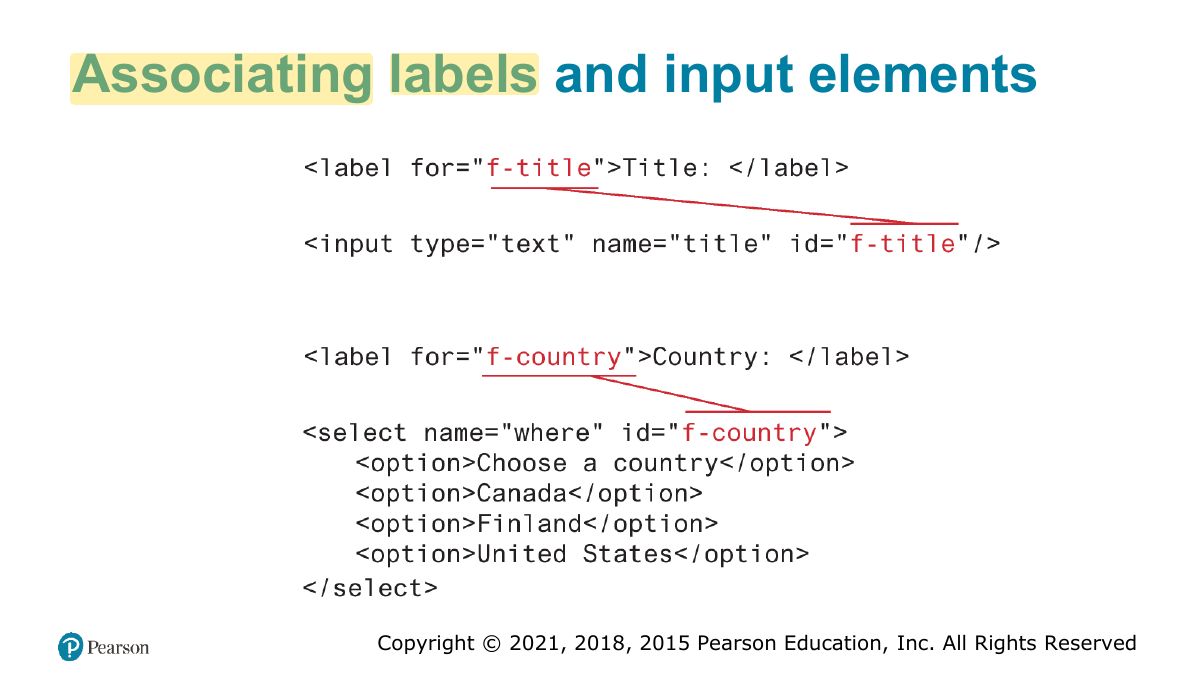
                                                                                                1. <label for="id"> associates text with an input (click the label to focus; better accessibility).

                                                                                                Validating User Input

                                                                                                • User input must never be trusted.
                                                                                                • It could be missing.
                                                                                                • It might be in the wrong format.
                                                                                                • It might even contain JavaScript or SQL as a means to causing some type of attack/hack.
                                                                                                • Thus, almost always user input must be tested for validity.
                                                                                                64
                                                                                                Exam weight Low
                                                                                                  Slide 65: Where to Perform Validation
                                                                                                  Exam weight High
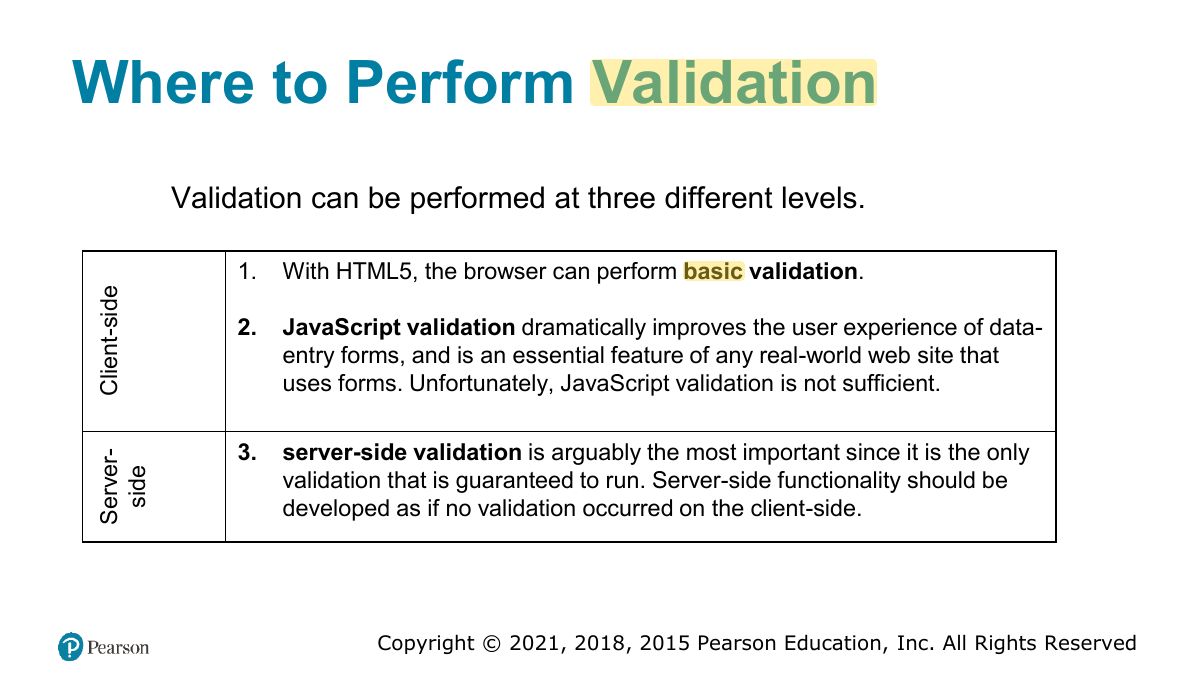
                                                                                                  1. Validate on the client (fast feedback: required, pattern, type) AND on the server (security: the client can be bypassed).
                                                                                                  🎯 How this can come up · 1 question
                                                                                                  True / False

                                                                                                  Client-side validation is enough to protect the server.

                                                                                                  Types of Input Validation

                                                                                                  • Required information. Some data fields just cannot be left empty.
                                                                                                  • Correct data type. Some fields such as numbers or dates, must follow the rules for its data type in order to be considered valid.
                                                                                                  • Correct format. Some information, such as postal codes, credit card numbers, and social security numbers have to follow certain pattern rules.
                                                                                                  • Comparison. Some user-entered fields are considered correct or not in relation to an already inputted value (password confirm, end date > start date, etc.)
                                                                                                  • Range check.
                                                                                                  • Custom.
                                                                                                  66
                                                                                                  Exam weight Low

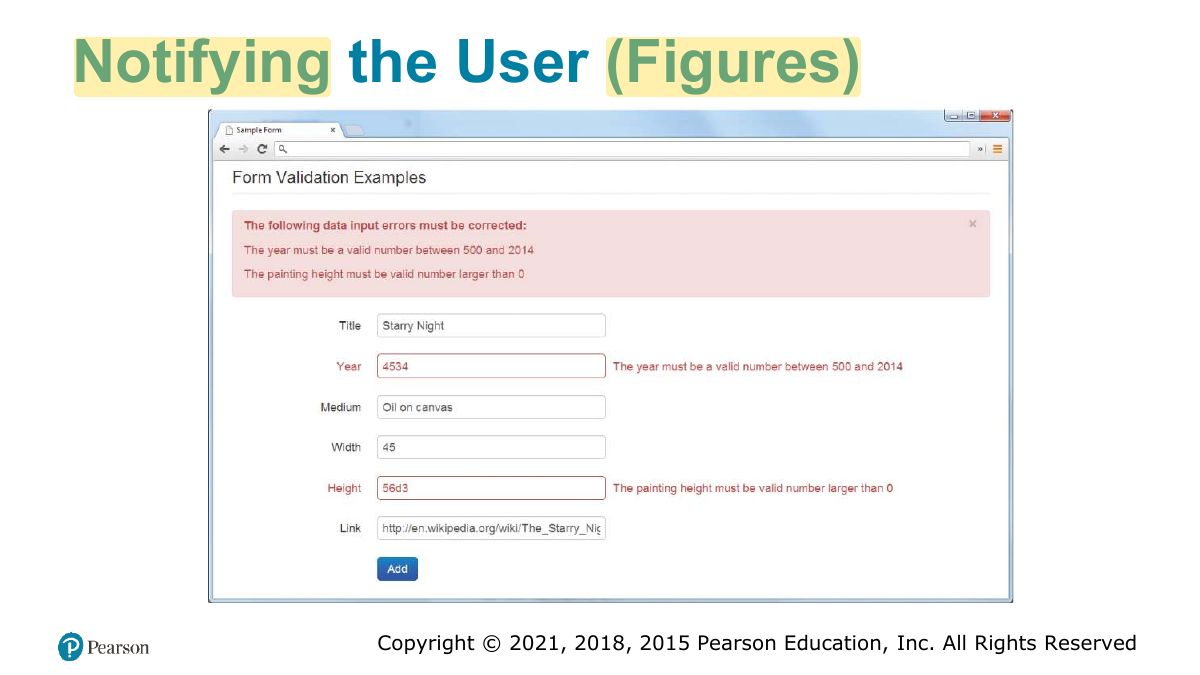
                                                                                                    Notifying the User

                                                                                                    • What is the problem? Users do not want to read lengthy messages to determine what needs to be changed.
                                                                                                    • Where is the problem? Some type of error indication should be located near the field that generated the problem.
                                                                                                    • If appropriate, how do I fix it? For instance, don’t just tell the user that a date is in the wrong format; tell him or her what format you are expecting
                                                                                                    67
                                                                                                    Exam weight Low
                                                                                                      Slide 68: Notifying the User (Figures)
                                                                                                      Exam weight Low

                                                                                                        How to Reduce Validation Errors

                                                                                                        • Provide textual hints to the user on the form itself.
                                                                                                        • Using tool tips or pop-overs to display context-sensitive help about the expected input (CSS or the title attribute)
                                                                                                        • Another technique for helping the user understand the correct format for an input field is to provide a JavaScript-based mask (999)-999-9999
                                                                                                        • Providing well chosen default values for text fields can reduce validation errors
                                                                                                        • Finally, many user input errors can be eliminated by choosing a better data entry type than the standard <input type="text">.
                                                                                                        69
                                                                                                        Exam weight Low

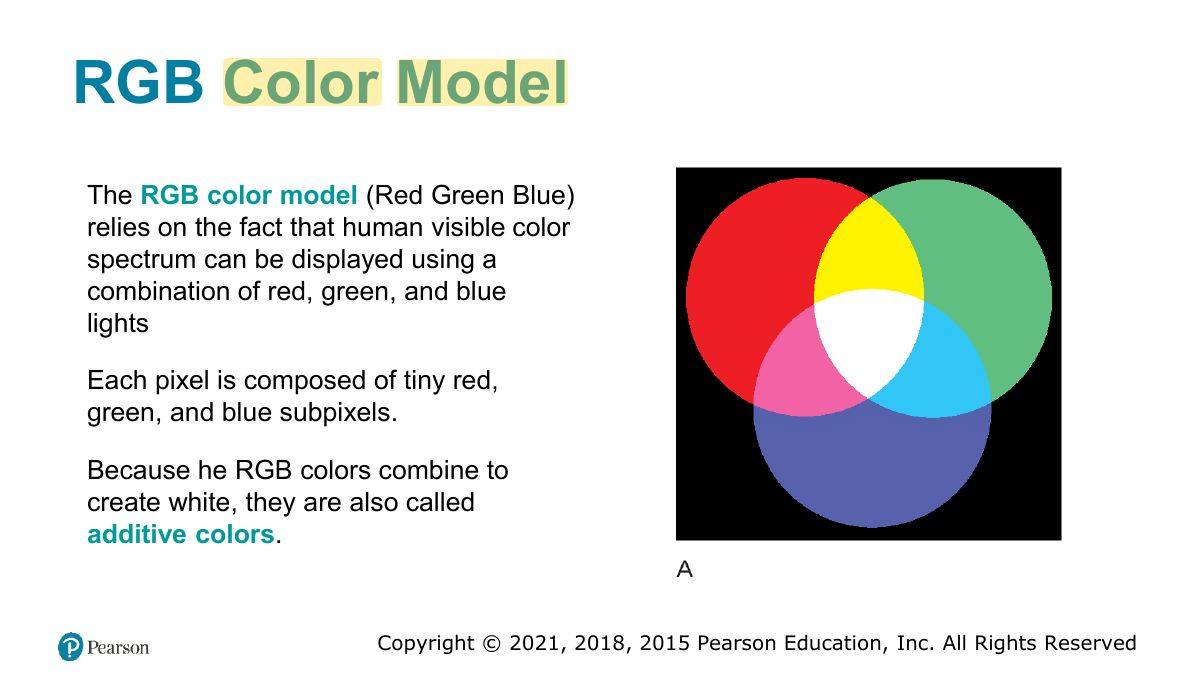
                                                                                                          Color Models

                                                                                                          There are many ways to describe color in web development.

                                                                                                          • Color Names
                                                                                                          • RGB (Red Green Blue)
                                                                                                          • HSL (Hue-Saturation-Lightness)
                                                                                                          70
                                                                                                          Exam weight Low
                                                                                                            Slide 71: RGB Color Model
                                                                                                            Exam weight Low

                                                                                                              END

                                                                                                              72
                                                                                                              Exam weight Low

                                                                                                                Live Server

                                                                                                                • If Live server not automatically opening browser

                                                                                                                Click go live and write http://IP:port e.g.: http://127.0.0.1:58208

                                                                                                                • Lets try together a simple html code step by step on VS code.
                                                                                                                73
                                                                                                                Exam weight Low