SE365 · Annotated SlidesLectures 9–10 — Design, Prototyping and Construction
Lectures 9–10 · Annotated slides

Design, Prototyping and Construction

What a prototype is and why build one, filtering and manifestation dimensions, low- vs. high-fidelity prototypes and the compromises involved, construction, conceptual design (metaphors, interaction types, expanding the concept), concrete design, scenarios and storyboards, card-based prototypes and physical computing kits.
Slide text Study notes Highlight: key words Tips, tricks & traps Seen again elsewhere How it can come up
Slide 1: Slide 1
Exam weight Low

    Overview

    • Prototyping and construction
    • Conceptual design
    • Using scenarios and storyboard in design Based on material from: Sharp, H., Preece, J. and Rogers, Y. (2019). Interaction Design Beyond Human-Computer Interaction. 5th Ed. Sussex: John Wiley & Sons Ltd.
    2
    Exam weight Low

      Learning Outcomes

      • Describe prototyping and different types of prototyping activities
      • Enable you to produce simple prototype from the models developed during the requirement activity
      3
      Exam weight Low
        Slide 4: 1. Prototyping & Construction
        Exam weight Low
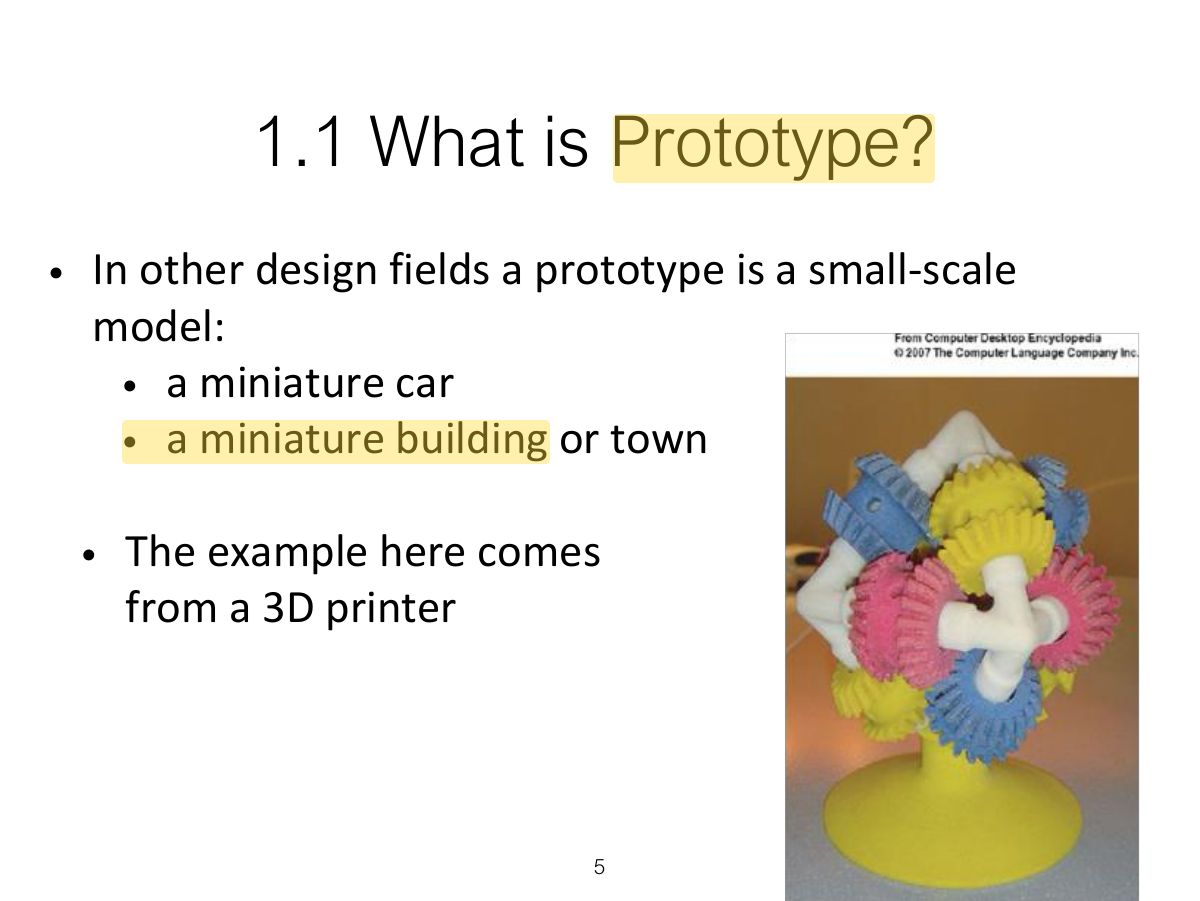
          Slide 5: 1.1 What is Prototype?
          Exam weight Low
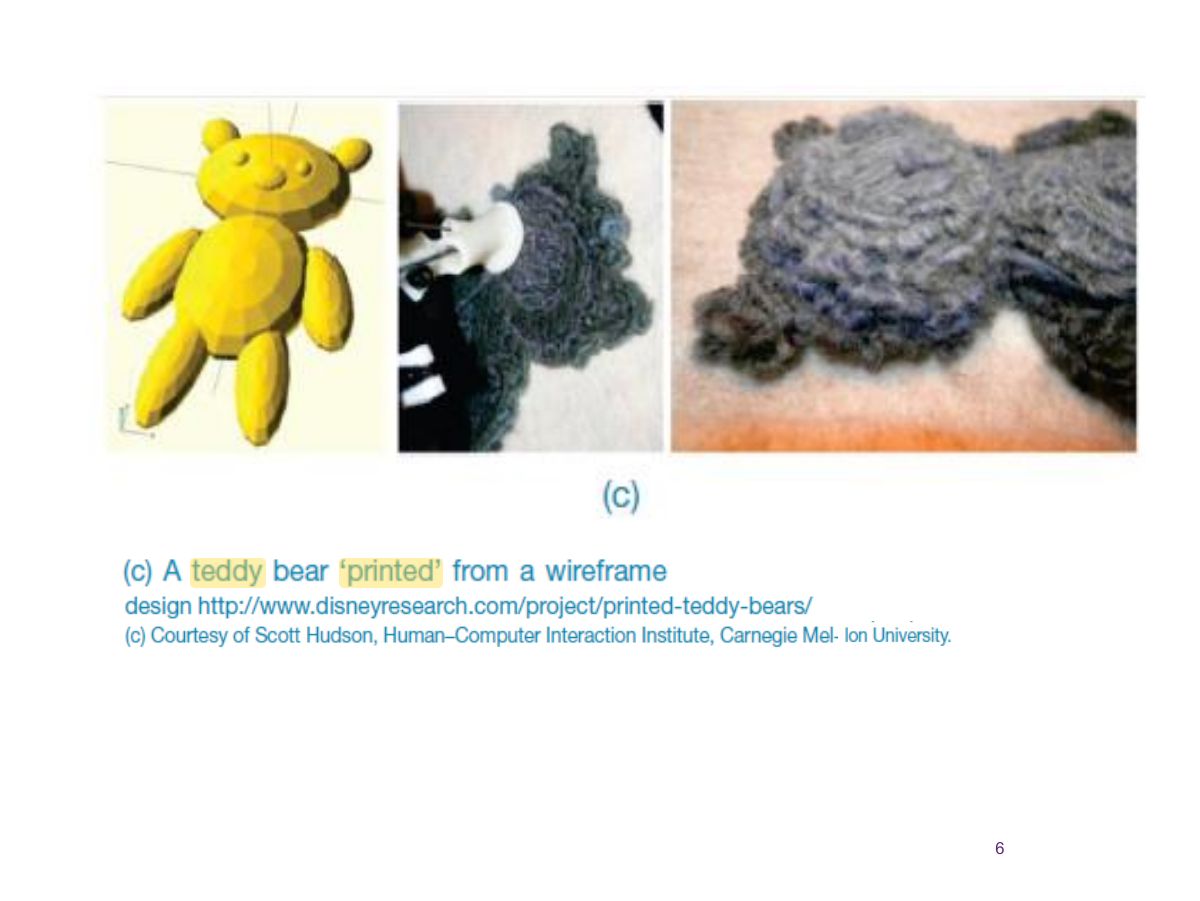
          1. Prototype: a manifestation of a design that lets stakeholders interact with it and explore its suitability.
          Slide 6: Slide 6
          Exam weight Low

            1.1 What is Prototype? (cont)

            • In interaction design it can be (among other things):
              • a series of screen sketches
              • a storyboard, i.e. a cartoon-like series of scenes
              • a Powerpoint slide show
              • a video simulating the use of a system
              • a lump of wood (e.g. PalmPilot)
              • a cardboard mock-up
              • a piece of software with limited functionality written in the target language or in another language
            7
            Exam weight Low

              1.2 Why Prototype?

              • Evaluation and feedback are central to interaction design
              • Stakeholders can see, hold, interact with a prototype more easily than a document or a drawing
              • Team members can communicate effectively
              • You can test out ideas for yourself
              • It encourages reflection: very important aspect of design
              • Prototypes answer questions, and support designers in choosing between alternatives
              8
              Exam weight Low
              1. Why prototype: evaluation and feedback, communicate ideas, test technical feasibility, clarify requirements, choose between alternatives.

              Filtering dimensions of prototyping

              9
              Exam weight Low
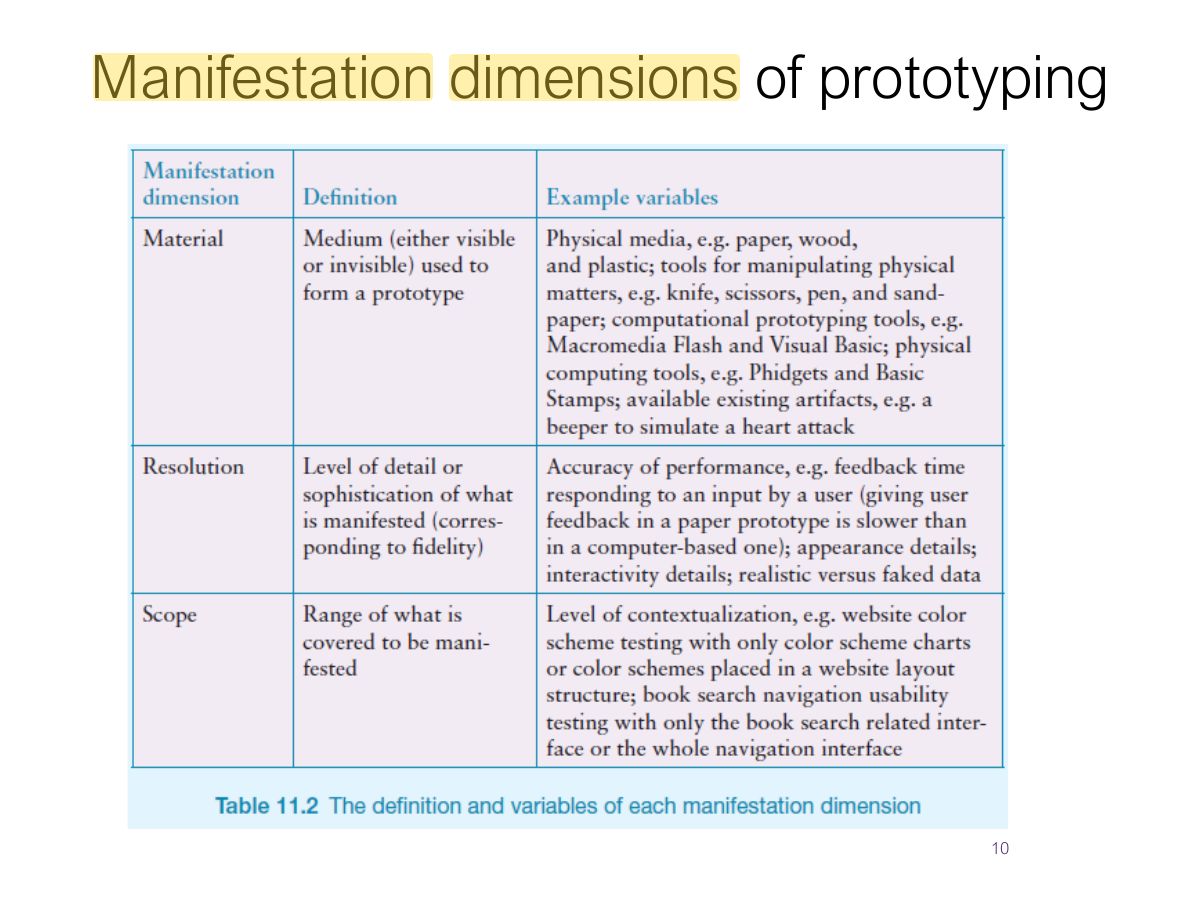
                Slide 10: Manifestation dimensions of prototyping
                Exam weight Low

                  1.3 What to Prototype?

                  • Technical issues
                  • Work flow, task design
                  • Screen layouts and information display
                  • Difficult, controversial, critical areas
                  11
                  Exam weight Low

                    1.4 Low-fidelity Prototype?

                    • Uses a medium which is unlike the final medium, e.g. paper, cardboard
                    • Is quick, cheap and easily changed
                    • Examples:
                      • sketches of screens, task sequences, etc
                      • ‘Post - it’ notes
                      • storyboards
                    12
                    Exam weight High
                    1. Low fidelity: paper, sketches, storyboards, cards, Wizard of Oz. Quick, cheap, easy to change; good early.
                    🎯 How this can come up · 1 question
                    MCQ

                    A storyboard on paper is a:

                    1.4 Low-fidelity Prototype?

                    a) Storyboard

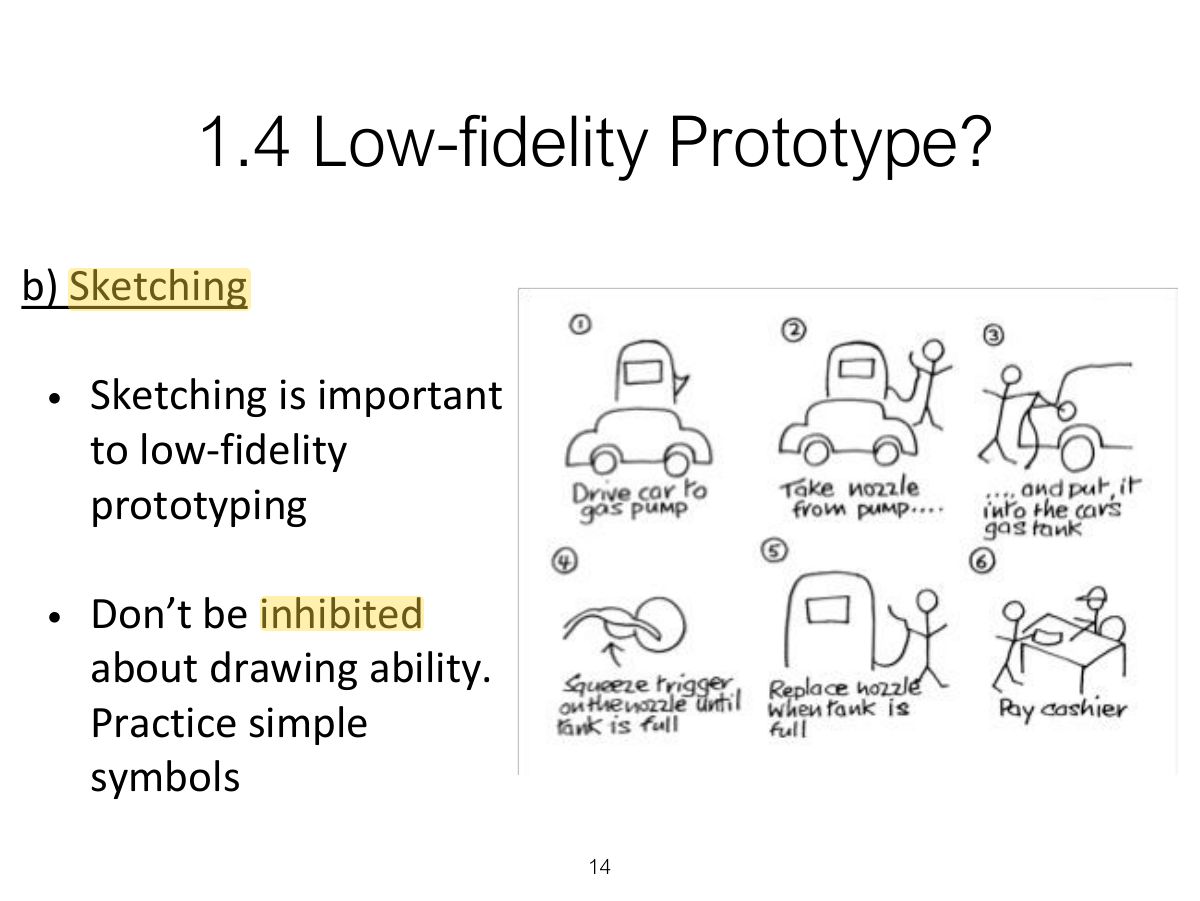
                    • Often used with scenarios, bringing more detail, and a chance to role play
                    • It is a series of sketches showing how a user might progress through a task using the device
                    • Used early in design
                    13
                    Exam weight Low
                      Slide 14: 1.4 Low-fidelity Prototype?
                      Exam weight Low
                        Slide 15: 1.4 Low-fidelity Prototype?
                        Exam weight Low

                          1.5 High-fidelity Prototype?

                          • Uses materials that you would expect to be in the final product
                          • Prototype looks more like the final system than a low-fidelity version
                          • For a high-fidelity software prototype common environments include Macromedia Director, Visual Basic, and Smalltalk etc
                          • Danger that users think they have a full system
                          16
                          Exam weight Low
                          1. High fidelity: looks and works like the final product (built with tools such as Figma or code). More expensive; users may focus on details; developers may resist throwing it away.
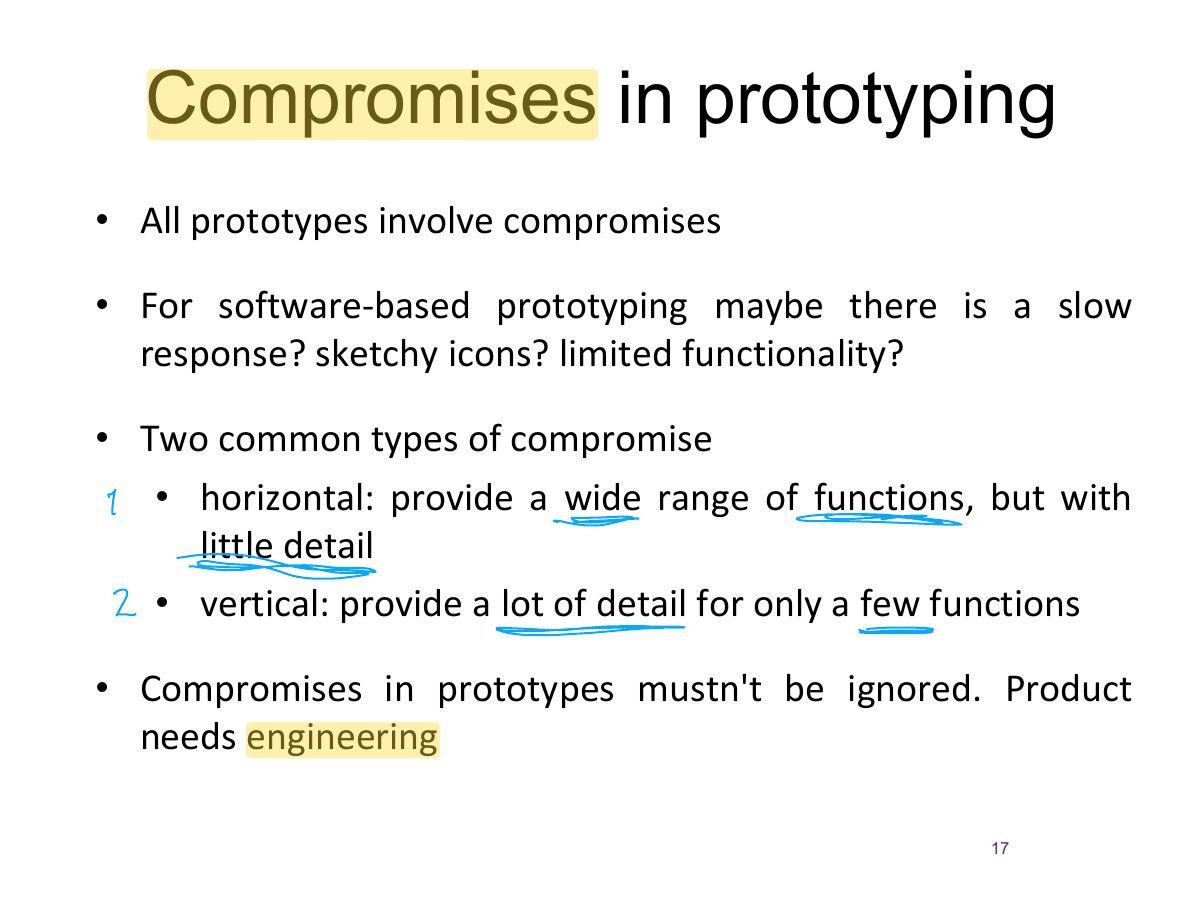
                          Slide 17: Compromises in prototyping
                          Exam weight High
                          1. Compromises: horizontal (wide range of functions, little detail) vs. vertical (few functions in depth). Throwaway vs. evolutionary prototyping.
                          🎯 How this can come up · 1 question
                          MCQ

                          A prototype with many features but little detail in each is:

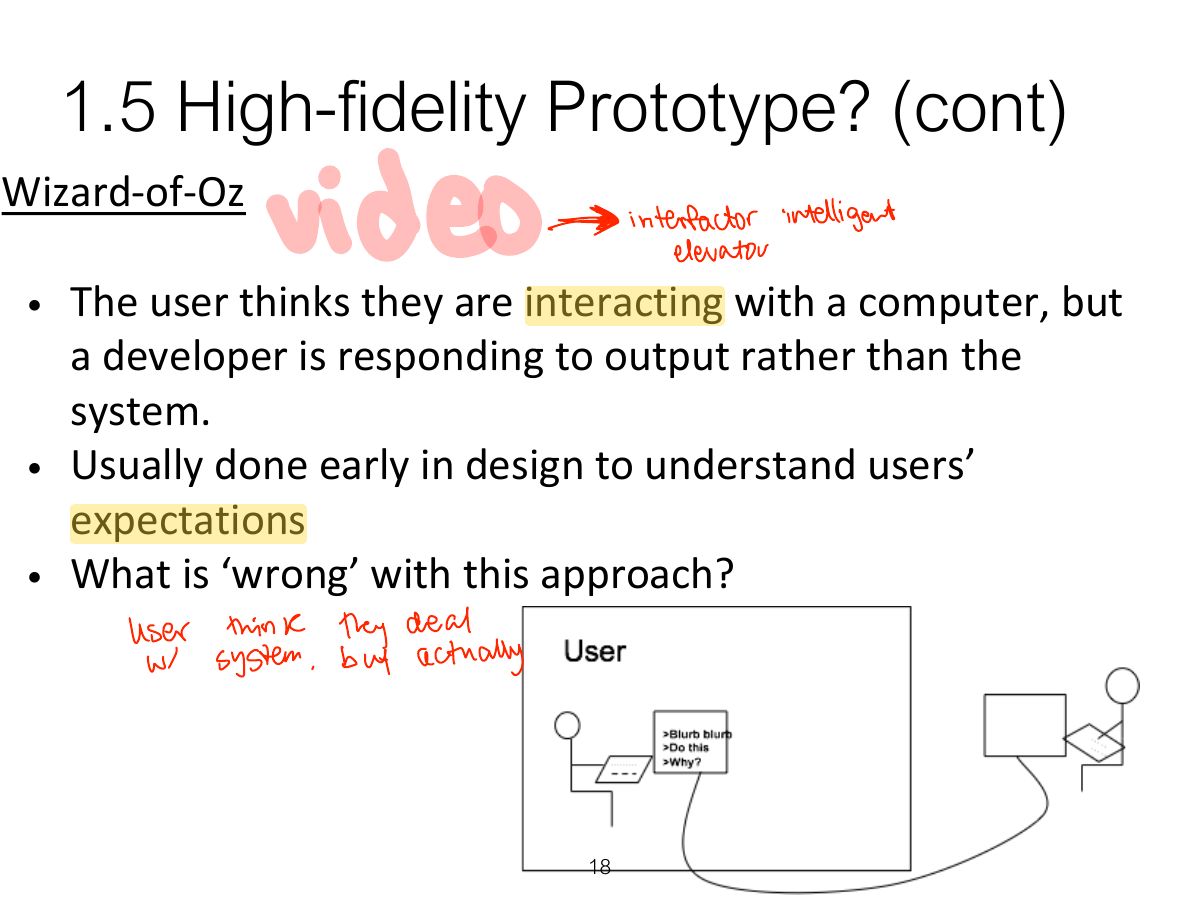
                          Slide 18: 1.5 High-fidelity Prototype? (cont)
                          Exam weight Low
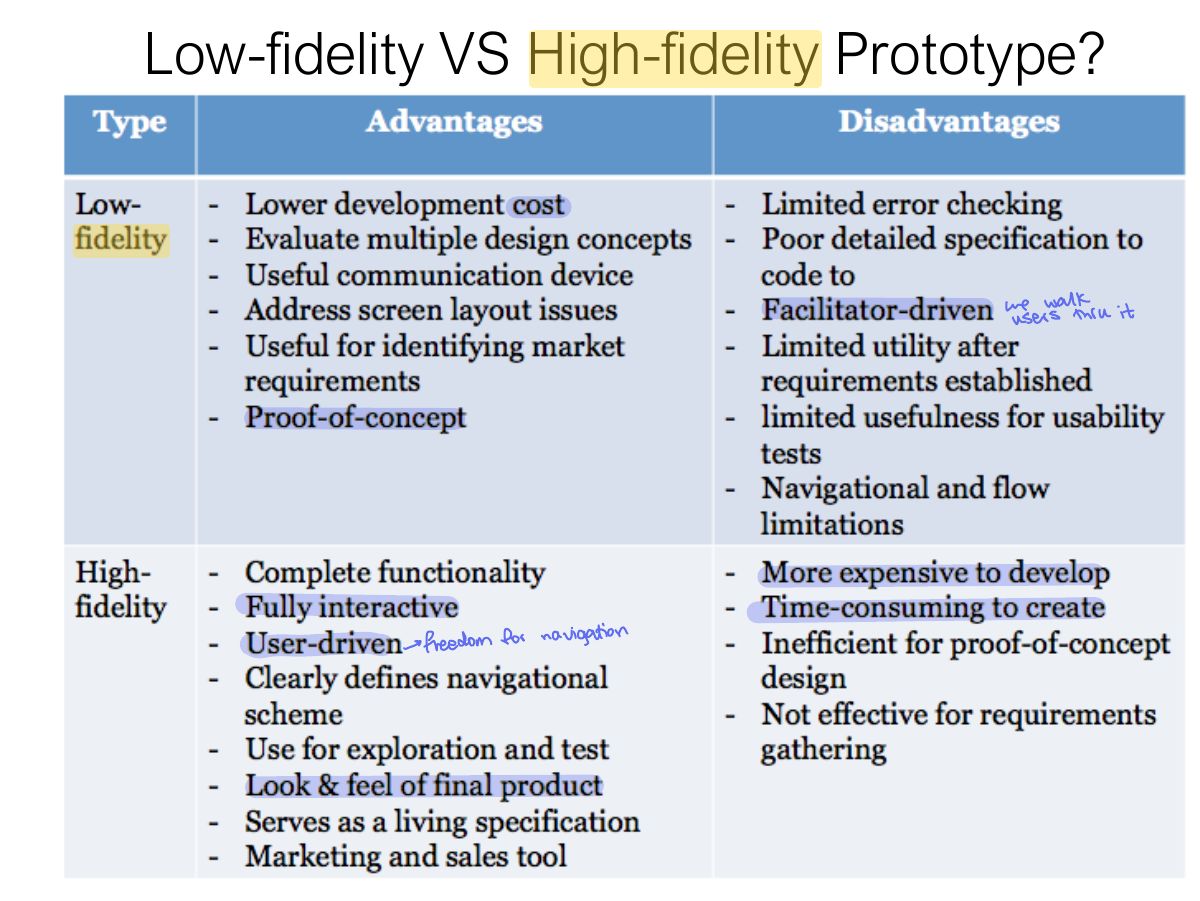
                            Slide 19: Low-fidelity VS High-fidelity Prototype?
                            Exam weight Low
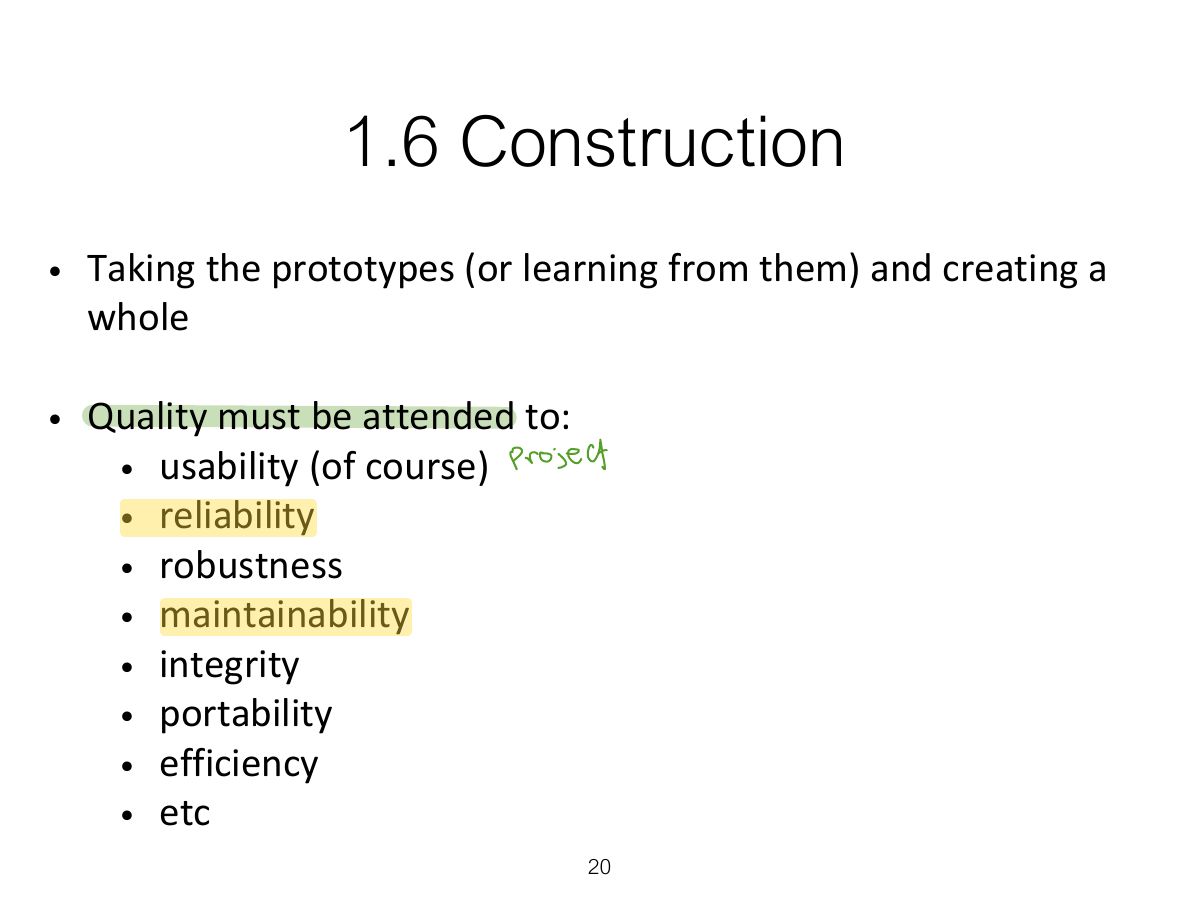
                              Slide 20: 1.6 Construction
                              Exam weight Low

                                2. Conceptual design: from requirements to design

                                • Transform user requirements/needs into a conceptual model - the first step of design
                                • “a description of the proposed system in terms of a set of integrated ideas and concepts about what it should do, behave and look like, that will be understandable by the users in the manner intended”
                                • Mood board may be used to capture feel
                                • Don’t move to a solution too quickly. Iterate, iterate, iterate
                                21
                                Exam weight High
                                1. Conceptual design: what the product will do and how it behaves (concepts, metaphors, interaction types). Concrete design: colours, layout, icons, details.
                                Exam trapConceptual design = WHAT and how it behaves; concrete design = how it LOOKS.

                                2. Conceptual design: from requirements to design (cont)

                                • Which metaphors would be suitable to help users understand the product?
                                • Which interaction type(s) would best support the users’ activities?
                                • Do different interface types suggest alternative design insights or options?
                                22
                                Exam weight Low

                                  2.1 Is there a suitable metaphor?

                                  • Interface metaphors combine familiar knowledge with new knowledge in a way that will help the user understand the product.
                                  • Three steps: understand functionality, identify potential problem areas, generate metaphors
                                  • Evaluate metaphors:
                                    • How much structure does it provide?
                                    • How much is relevant to the problem?
                                    • Is it easy to represent?
                                    • Will the audience understand it?
                                    • How extensible is it?
                                  23
                                  Exam weight Low

                                    2.2 Considering interaction and

                                    interface types

                                    • Which interaction type?
                                      • How the user invokes actions
                                      • Instructing, conversing, manipulating or exploring
                                    • Do different interface types provide insight?
                                      • shareable, tangible, augmented reality, etc.
                                    24
                                    Exam weight Low

                                      2.3 Expanding the initial conceptual model

                                      • What functions will the product perform?
                                        • What will the product do and what will the human do (task allocation)?
                                      • How are the functions related to each other?
                                        • Sequential or parallel?
                                        • Categorisations, e.g. all actions related to privacy on a smartphone
                                      • What information is needed?
                                        • What data is required to perform the task?
                                        • How is this data to be transformed by the system?
                                      25
                                      Exam weight Low
                                        Slide 26: 2.4 Concrete design
                                        Exam weight Low

                                          3. Using scenarios in conceptual design

                                          • Express proposed or imagined situations
                                          • Used throughout design in various ways
                                            • scripts for user evaluation of prototypes
                                            • concrete examples of tasks
                                            • as a means of co-operation across professional boundaries
                                          • Plus and minus scenarios to explore extreme cases
                                          27
                                          Exam weight Low
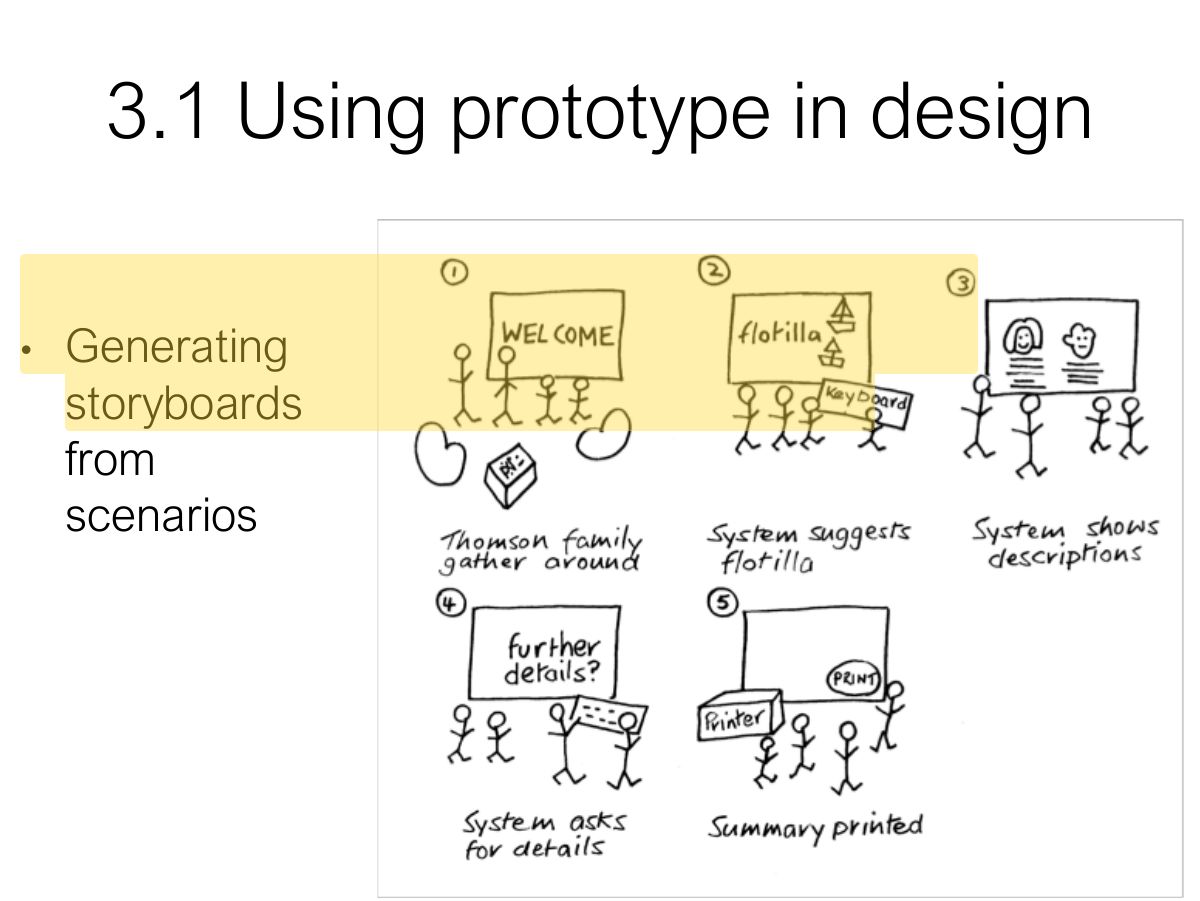
                                          1. Scenarios → storyboards → card-based prototypes.
                                          Slide 28: 3.1 Using prototype in design
                                          Exam weight Low

                                            Generate storyboard from scenario

                                            29
                                            Exam weight Low

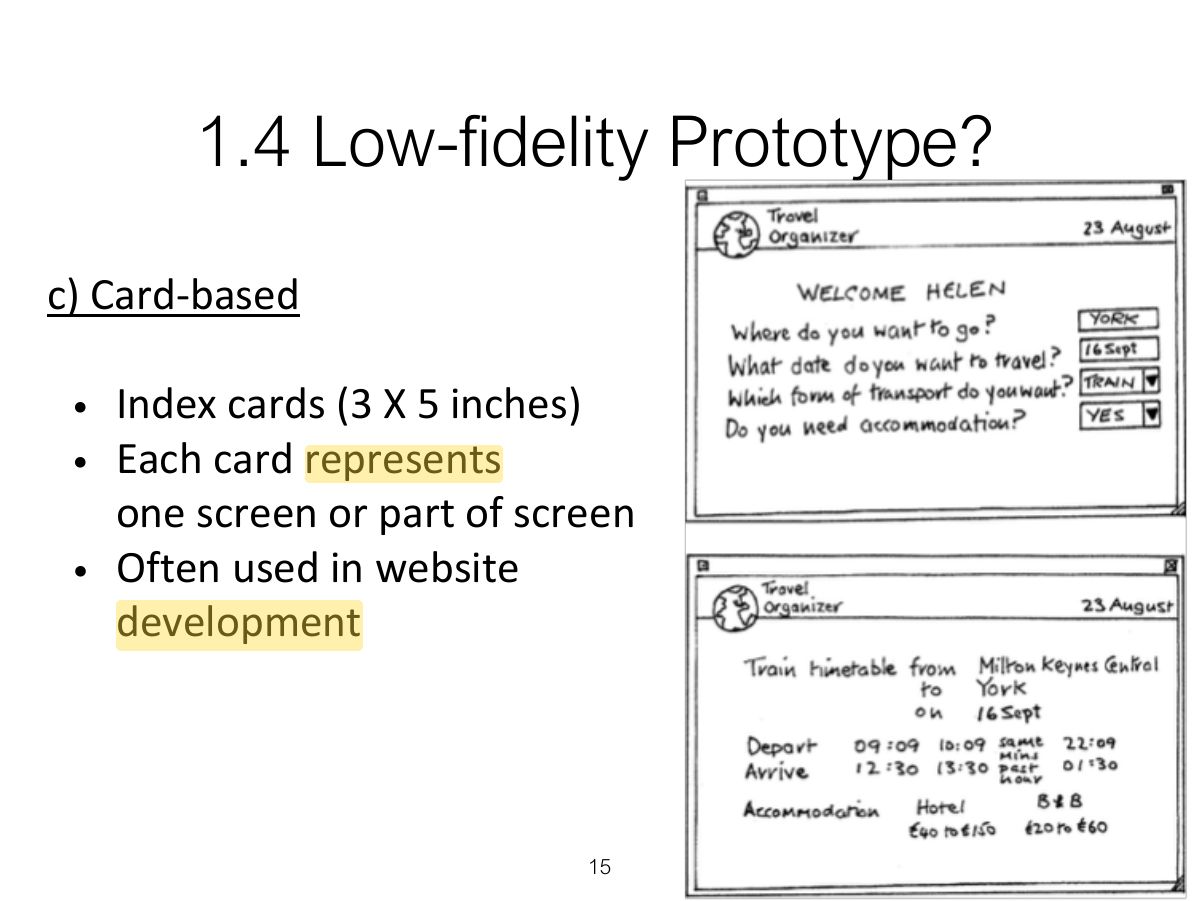
                                              Generate card-based prototype from use case

                                              30
                                              Exam weight Low

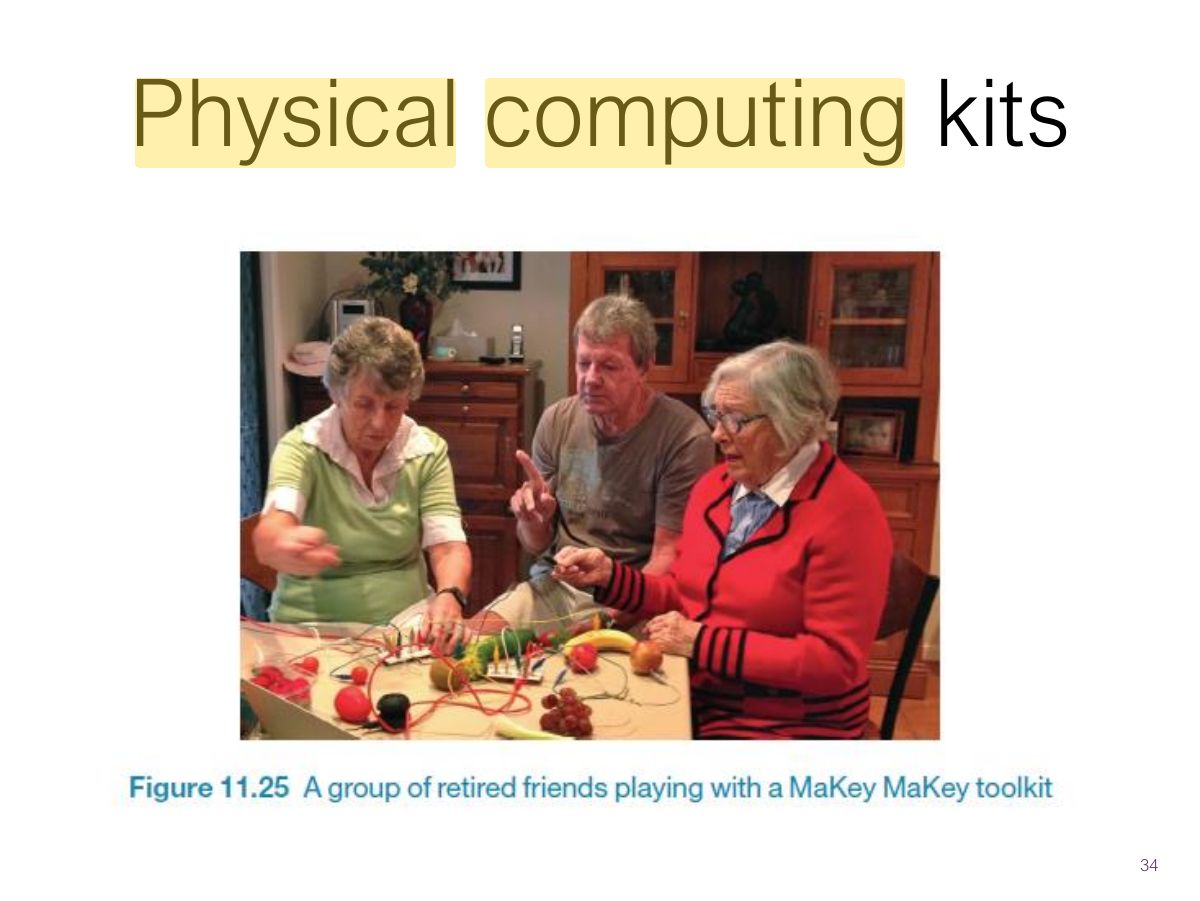
                                                Construction: Physical Computing

                                                • Build and code prototypes using electronics
                                                • Toolkits available include
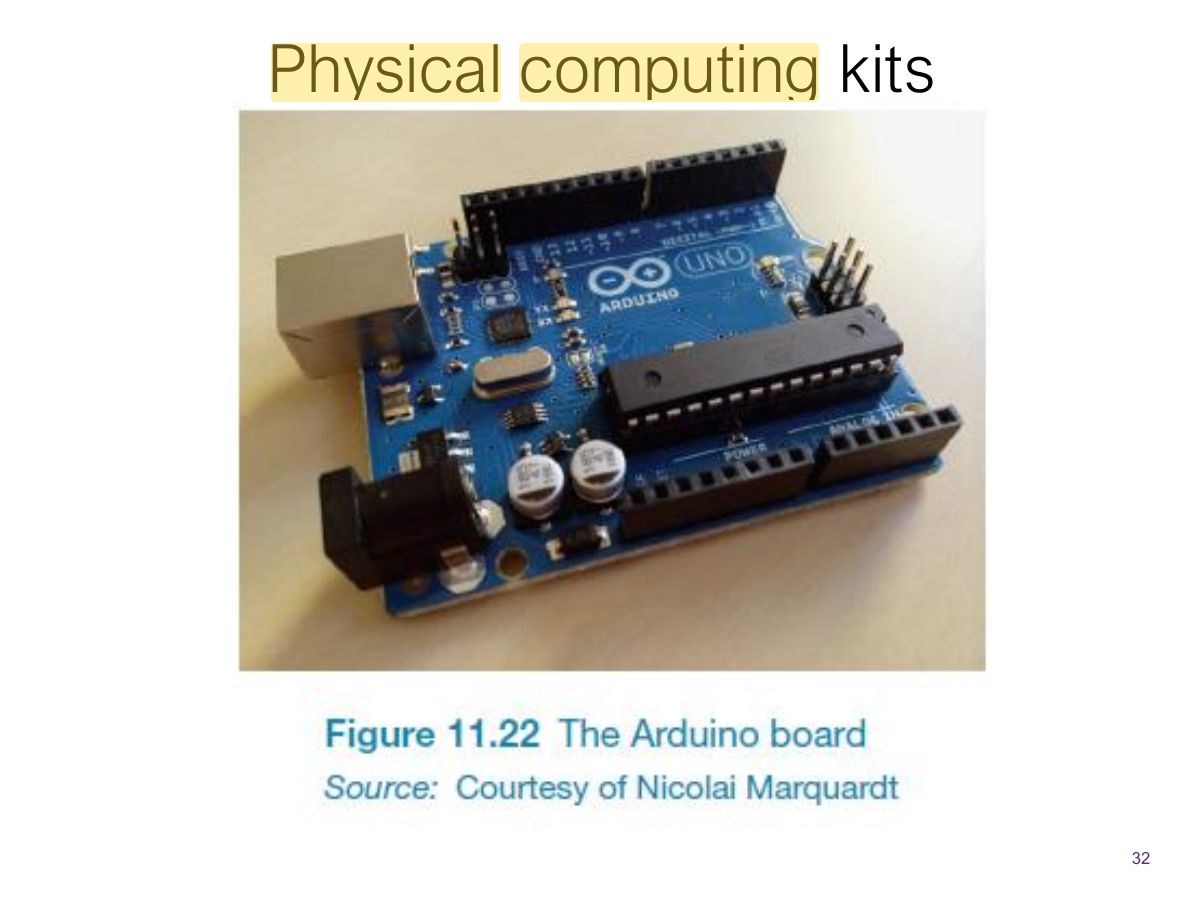
                                                  • Arduino
                                                  • LilyPad (for fabrics)
                                                  • Senseboard
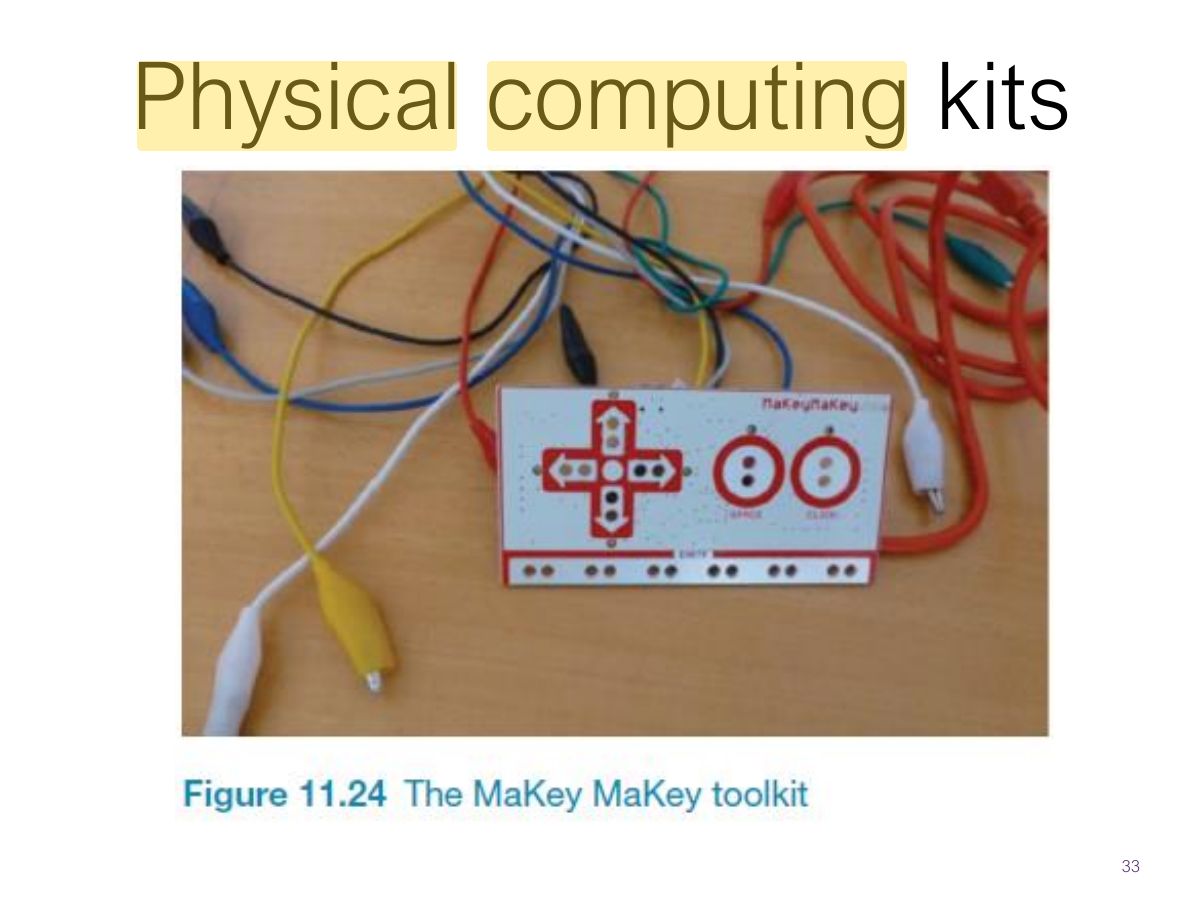
                                                  • MaKey MaKey
                                                • Designed for use by wide range of people
                                                31
                                                Exam weight Low
                                                1. Physical computing: Arduino, MaKey MaKey, micro:bit for prototyping physical interaction.
                                                Slide 32: Physical computing kits
                                                Exam weight Low
                                                  Slide 33: Physical computing kits
                                                  Exam weight Low
                                                    Slide 34: Physical computing kits
                                                    Exam weight Low

                                                      Summary

                                                      • Different kinds of prototyping are used for different purposes and at different stages
                                                      • Prototypes answer questions, so prototype appropriately
                                                      • Construction: the final product must be engineered appropriately
                                                      • Conceptual design (the first step of design)
                                                      • Consider interaction types and interface types to prompt creativity
                                                      • Storyboards can be generated from scenarios
                                                      • Card-based prototypes can be generated from use cases
                                                      35
                                                      Exam weight Low