SE322 · Chapter 6 · Lecture 3 · Annotated SlidesCreational Patterns III: Builder and Singleton
PDF
Overview

Creational Patterns III: Builder and Singleton

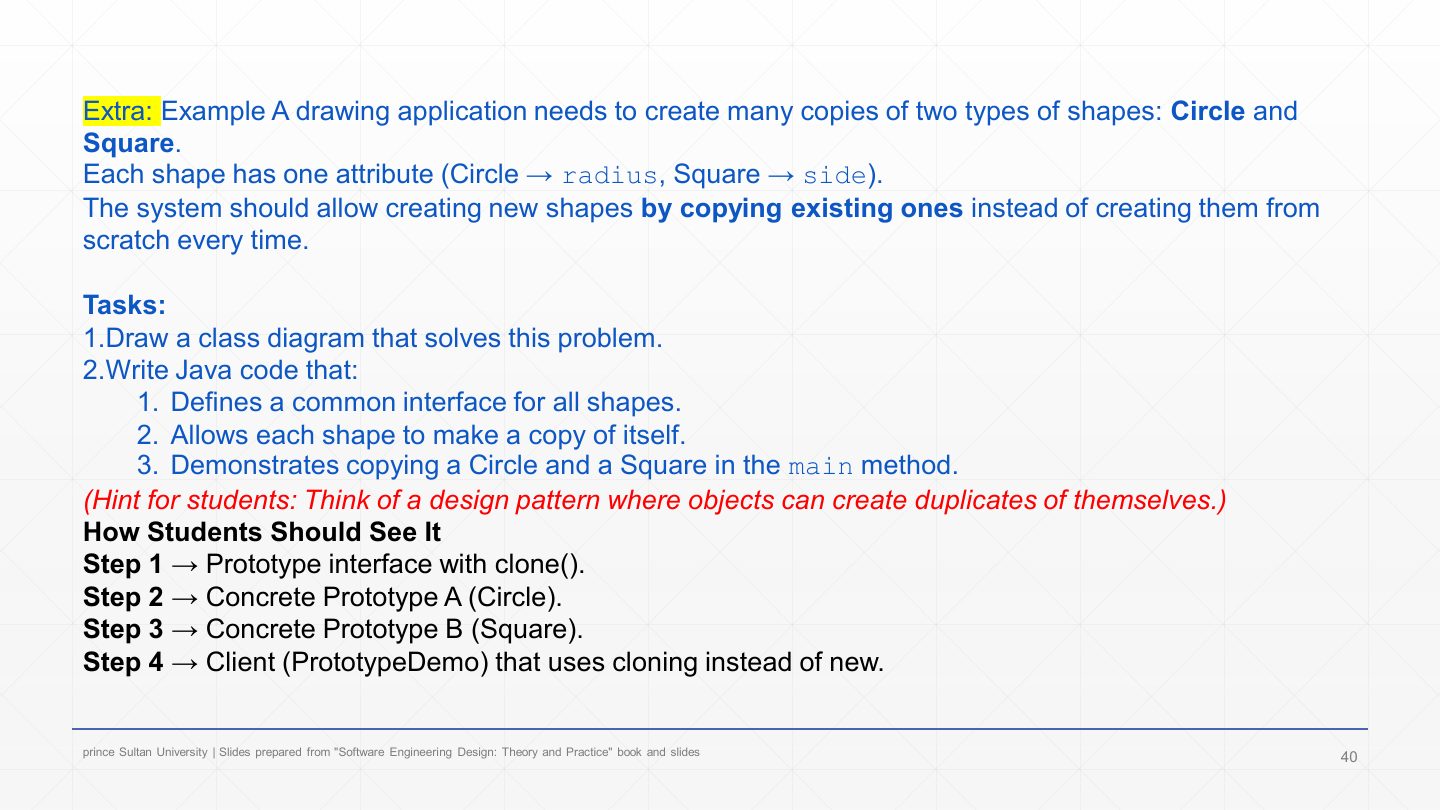
After revising Abstract Factory and Factory Method, the lecture adds two creational patterns. Builder separates the step-by-step construction of a complex object from its representation: a Director calls the same build steps in order, and each ConcreteBuilder implements them differently (C++ vs. Java code, beef vs. chicken burger), returning the product at the end. Singleton ensures a class has only one instance with a global access point: private static instance, private constructor, public static getInstance(). A Prototype exercise (copying shapes with clone()) closes the creational patterns.

Builder roles

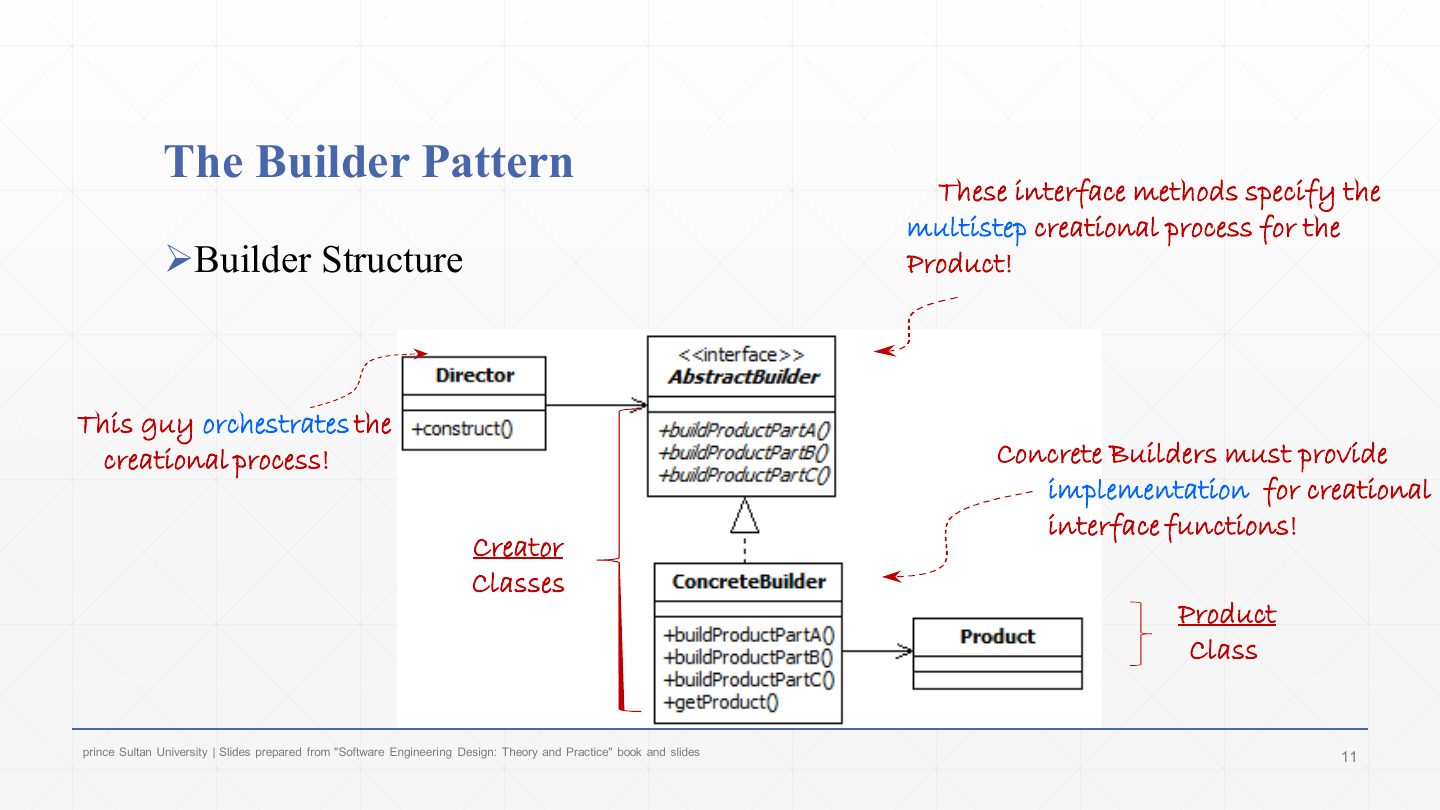
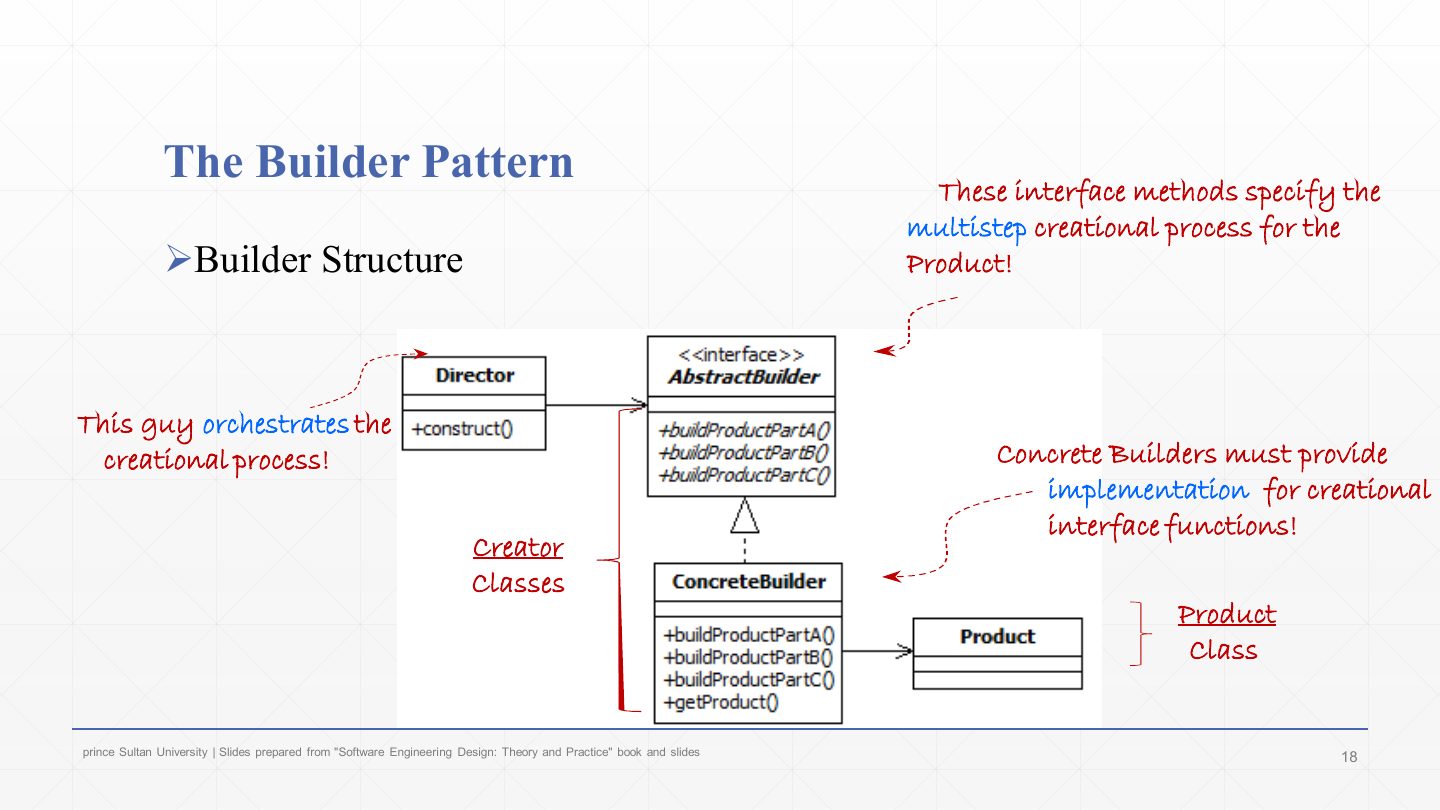
Director (runs the steps in order), Builder interface (buildPartA/B/C, getResult), ConcreteBuilders (one per representation), Product.

Builder vs. Abstract Factory

Builder builds one complex object step by step; Abstract Factory creates a family of related objects all at once.

Singleton recipe

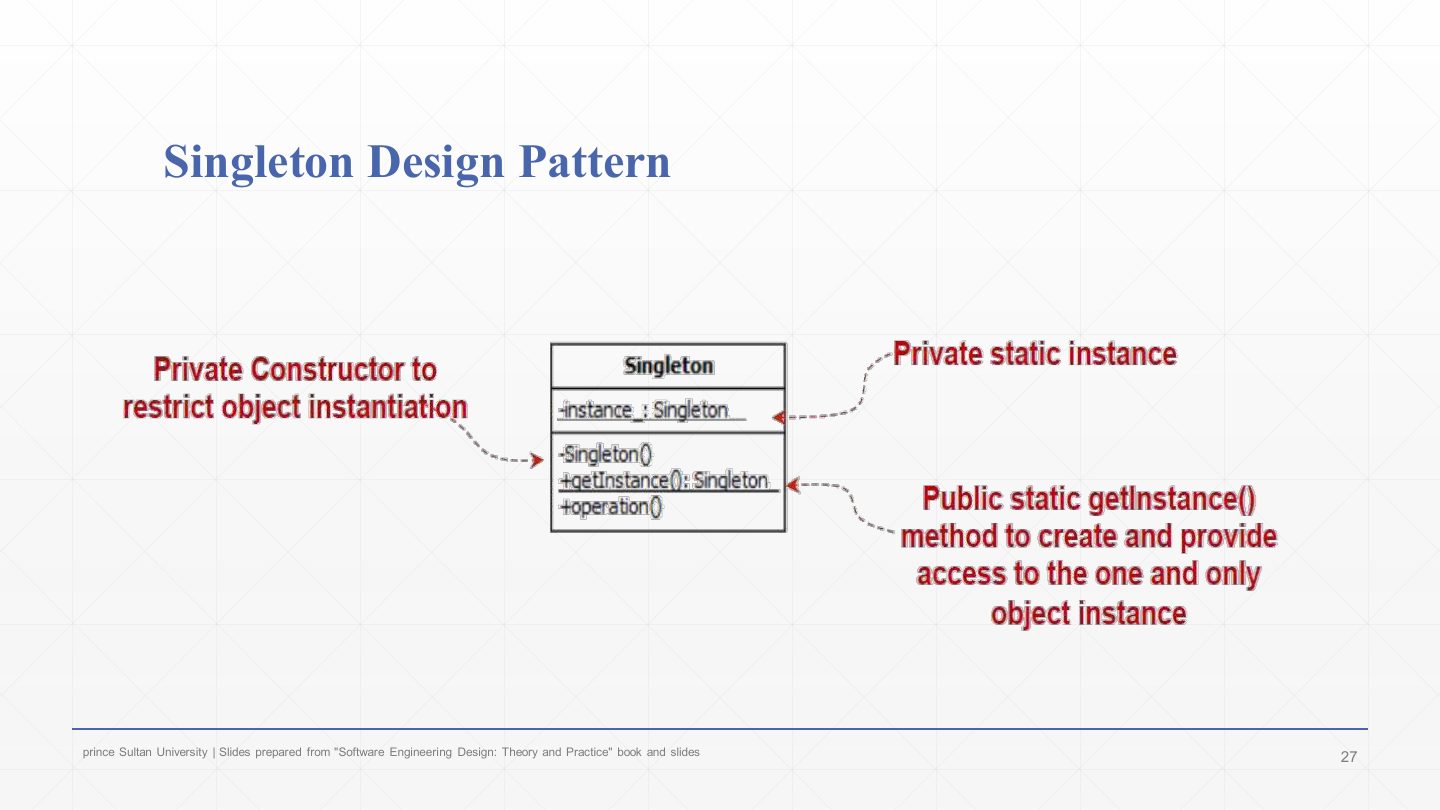
Private constructor, private static instance field, public static getInstance() that creates the instance once and returns it.

Prototype

Objects copy themselves with clone() instead of being created with new.

How the lecture is organized

  • Slides 2–6Abstract Factory and Factory Method revised
  • Slides 7–21Builder: intent, steps, structure, code generator, benefits, burger exercise
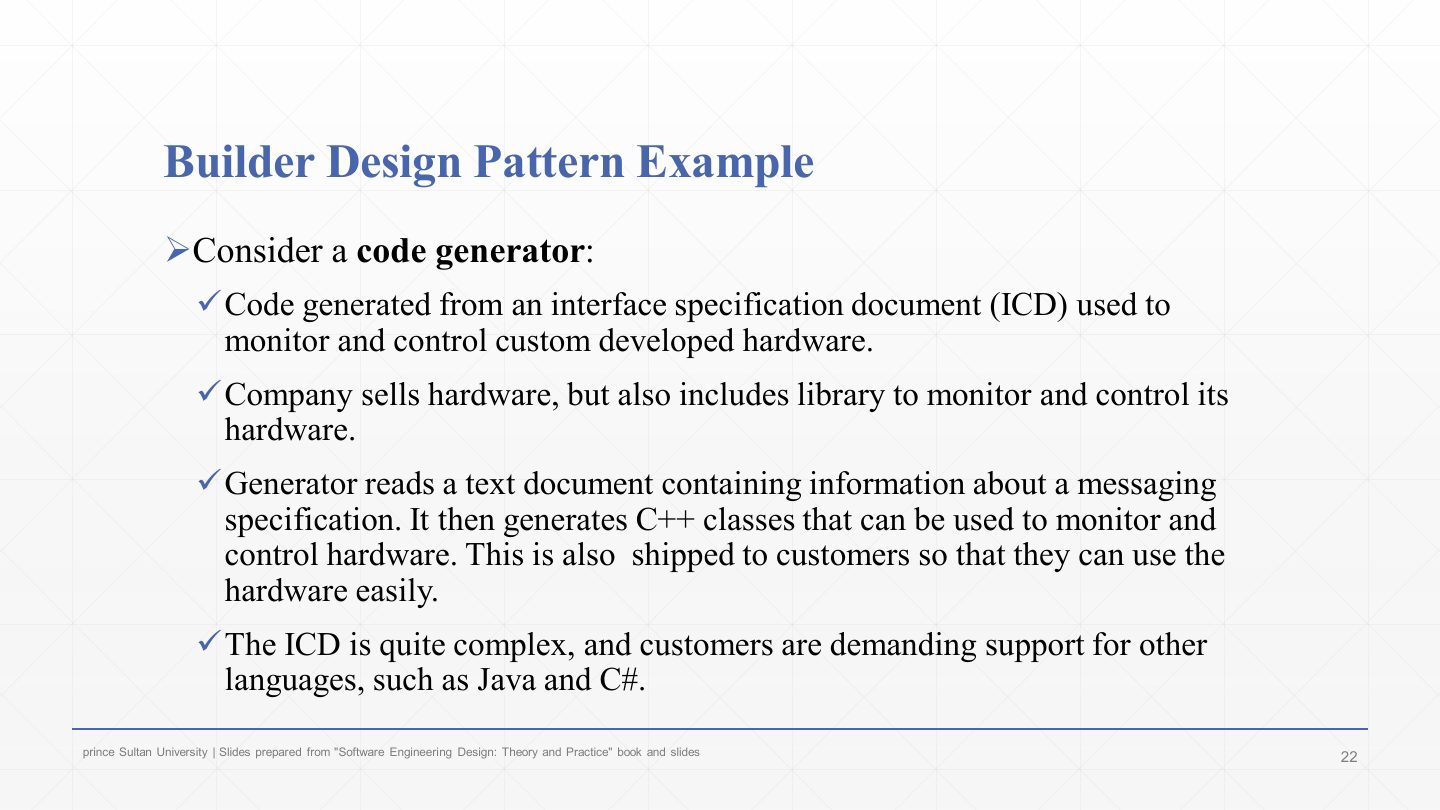
  • Slides 22–25Builder: code-generator example in detail
  • Slides 26–37Singleton: intent, structure, event manager, Java code, steps, benefits, banking logger
  • Slides 38–43Prototype exercise and summary

Exam focus

Final 252 Q6 (5 marks) came straight from this lecture: Q6-1 (3 marks) asked for the Builder pattern and its class diagram for a sandwich-ordering system, and Q6-2 (2 marks) for the standard Singleton class diagram and its code.

How to read this page

Every original slide is shown unchanged. Yellow marks on a slide point to a numbered note: hover or tap a mark to jump to its note, and hover a note to see its marks. Questions tagged Past exam appeared on a real paper; Prediction questions are likely angles, not confirmed.

All 43 slides
  1. 1 Slide 1
  2. 2 Lecture Outlines
  3. 3 Abstract Factory Pattern – Revised
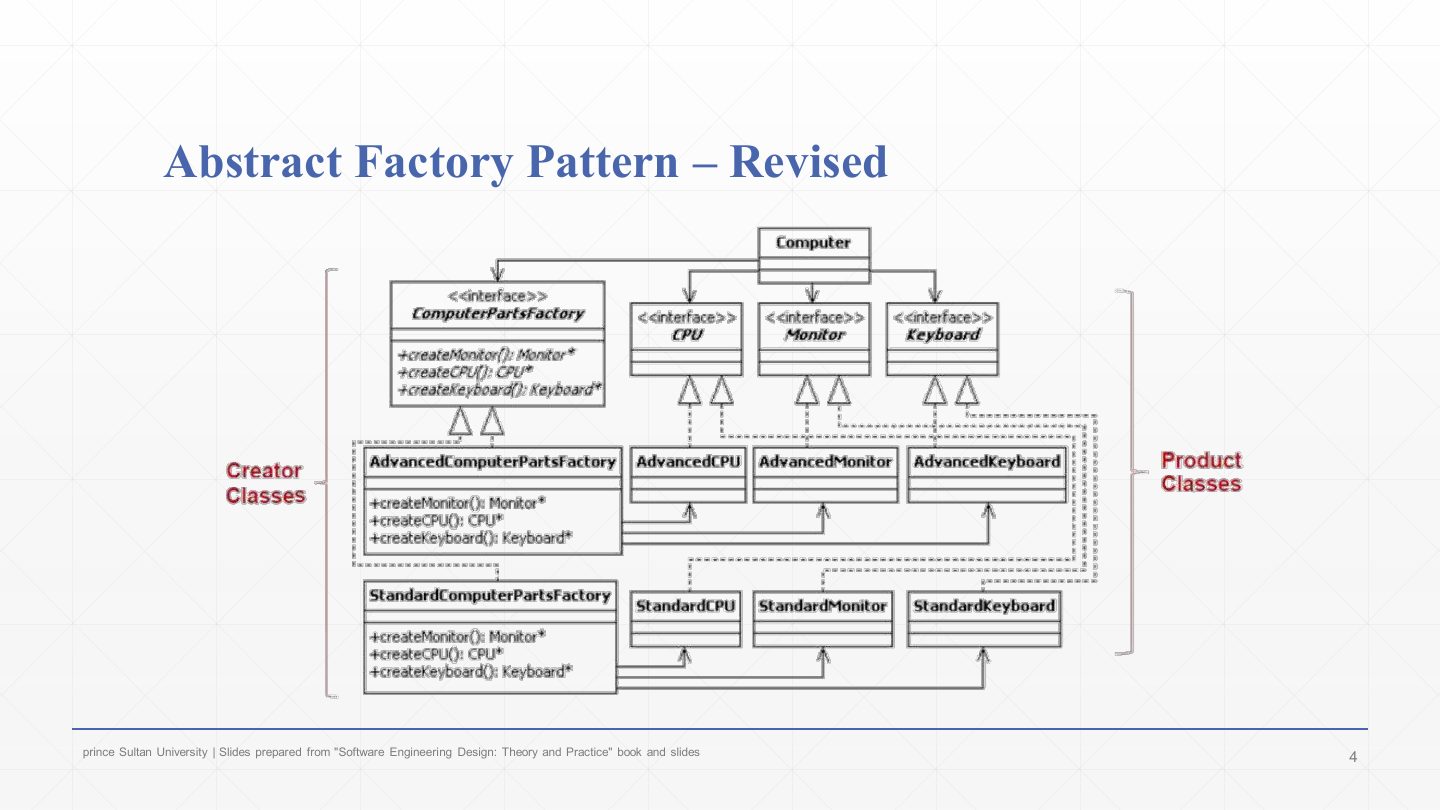
  4. 4 Abstract Factory Pattern – Revised: computer store
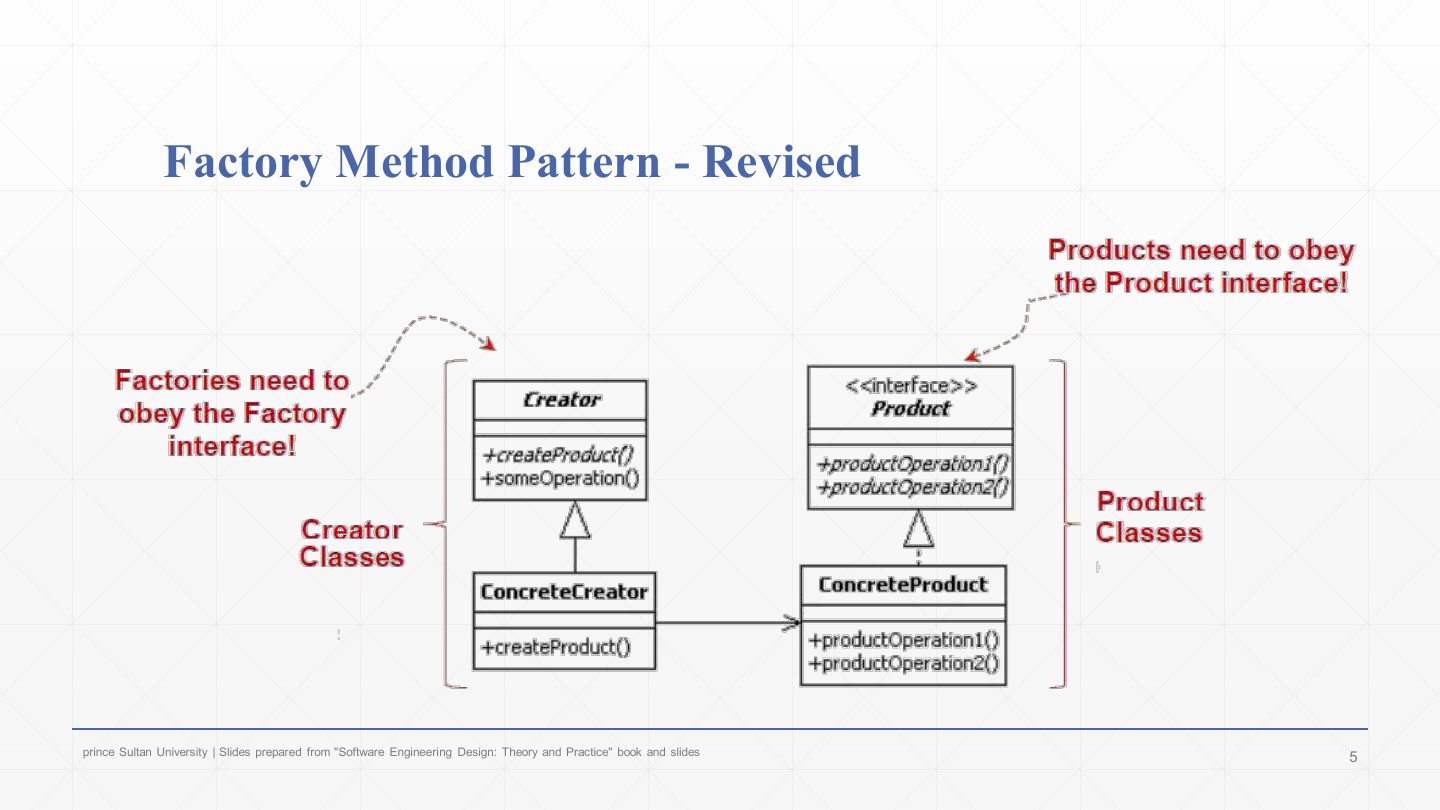
  5. 5 Factory Method Pattern - Revised
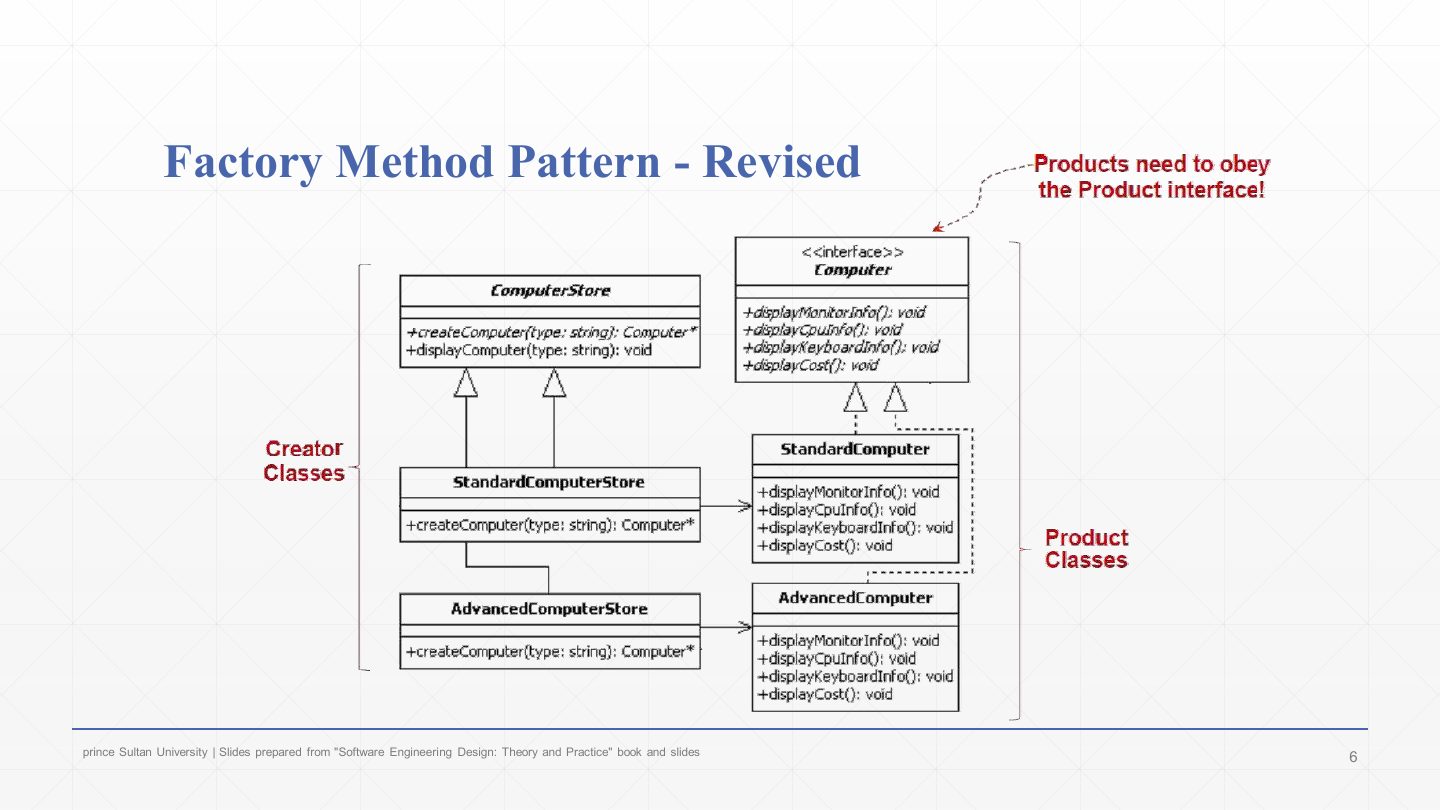
  6. 6 Factory Method Pattern – Revised: computer store
  7. 7 The Builder Pattern
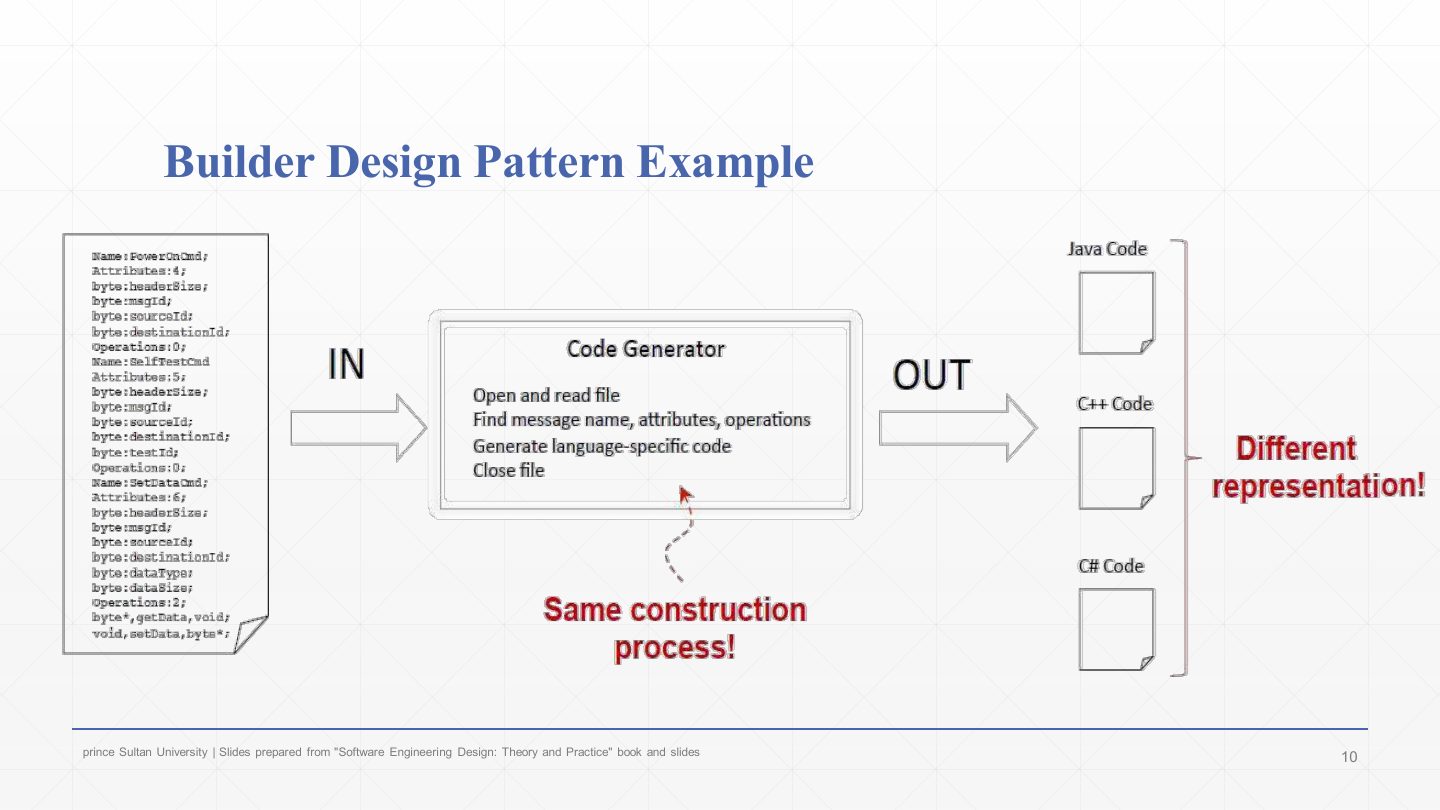
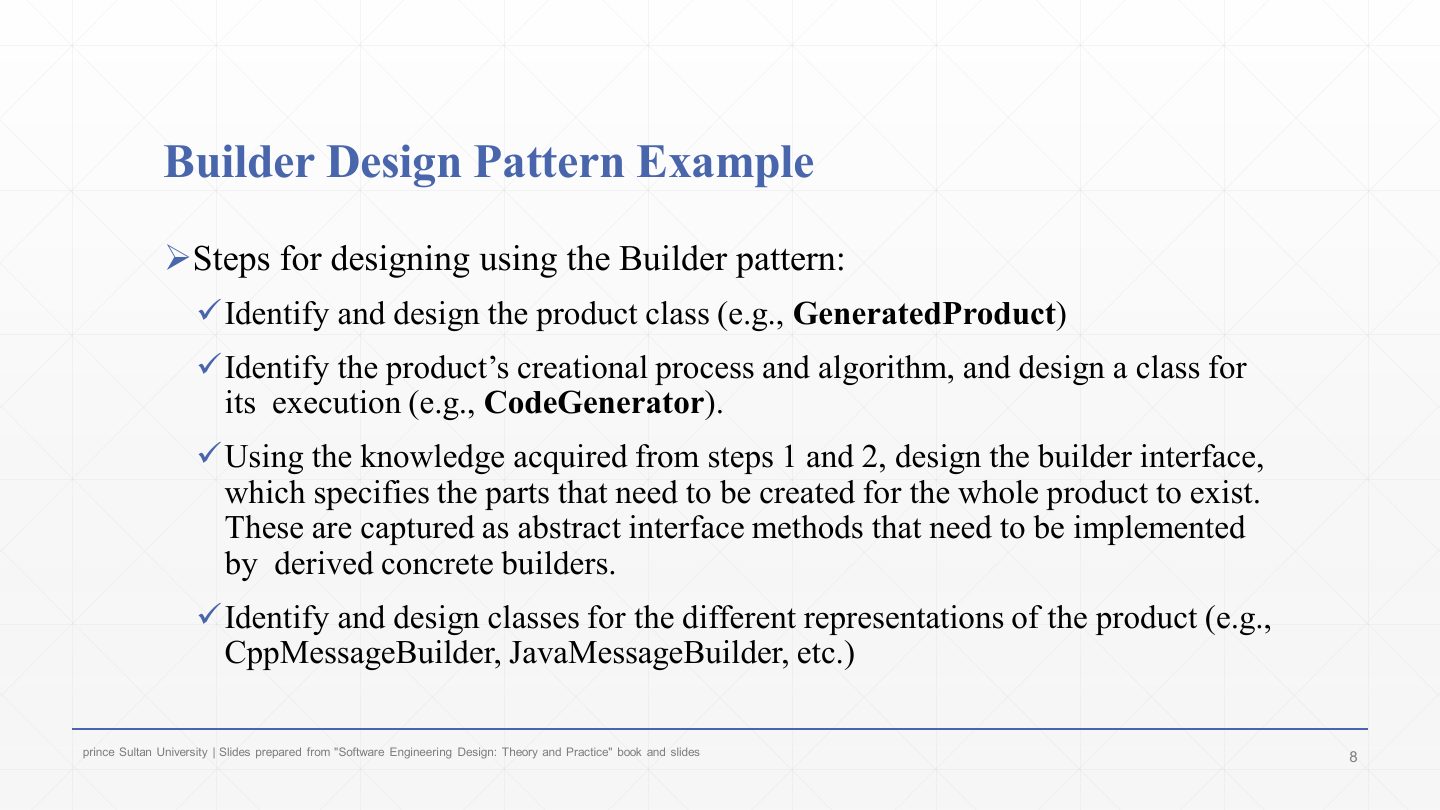
  8. 8 Builder Design Pattern Example
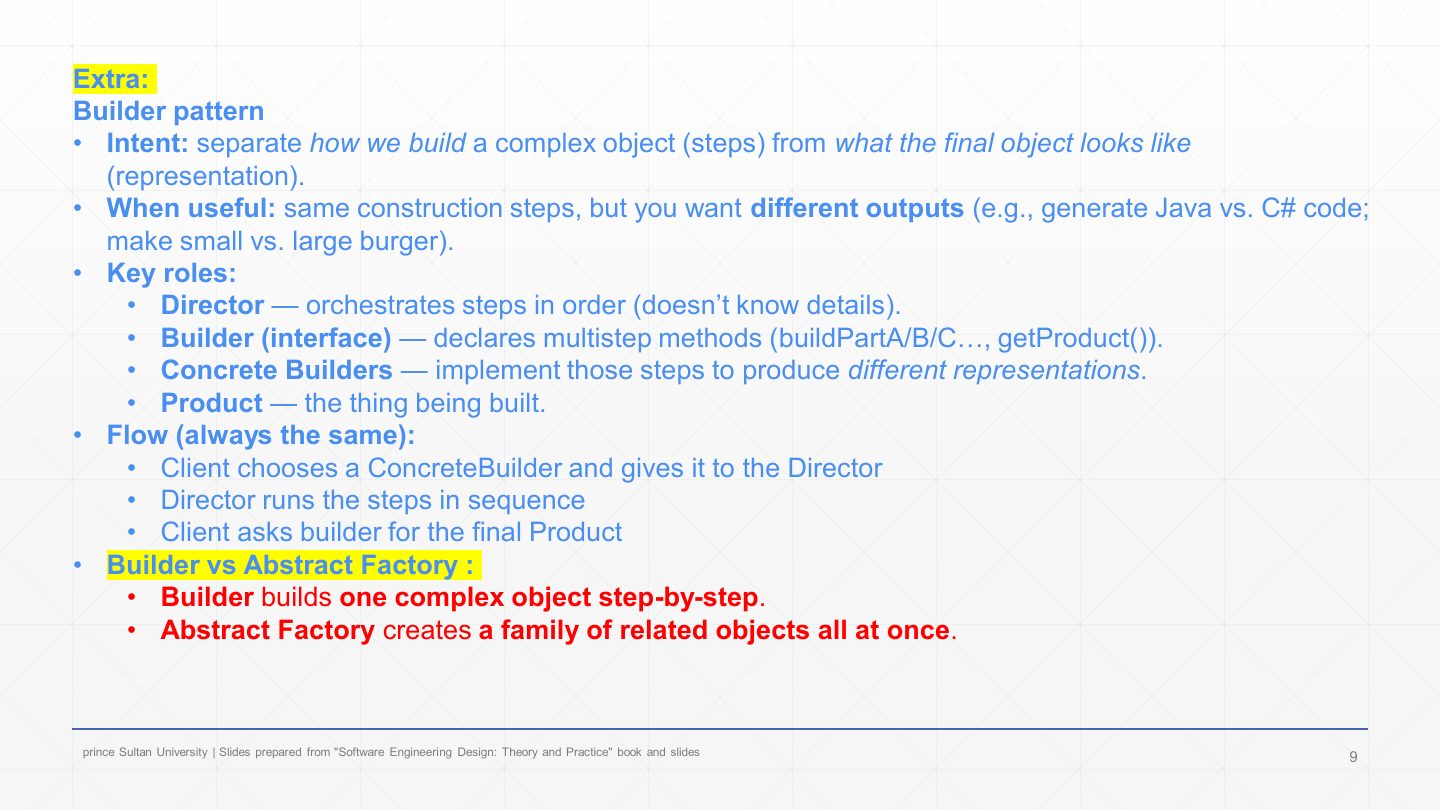
  9. 9 Extra: Builder pattern in one slide
  10. 10 Builder Design Pattern Example
  11. 11 The Builder Pattern
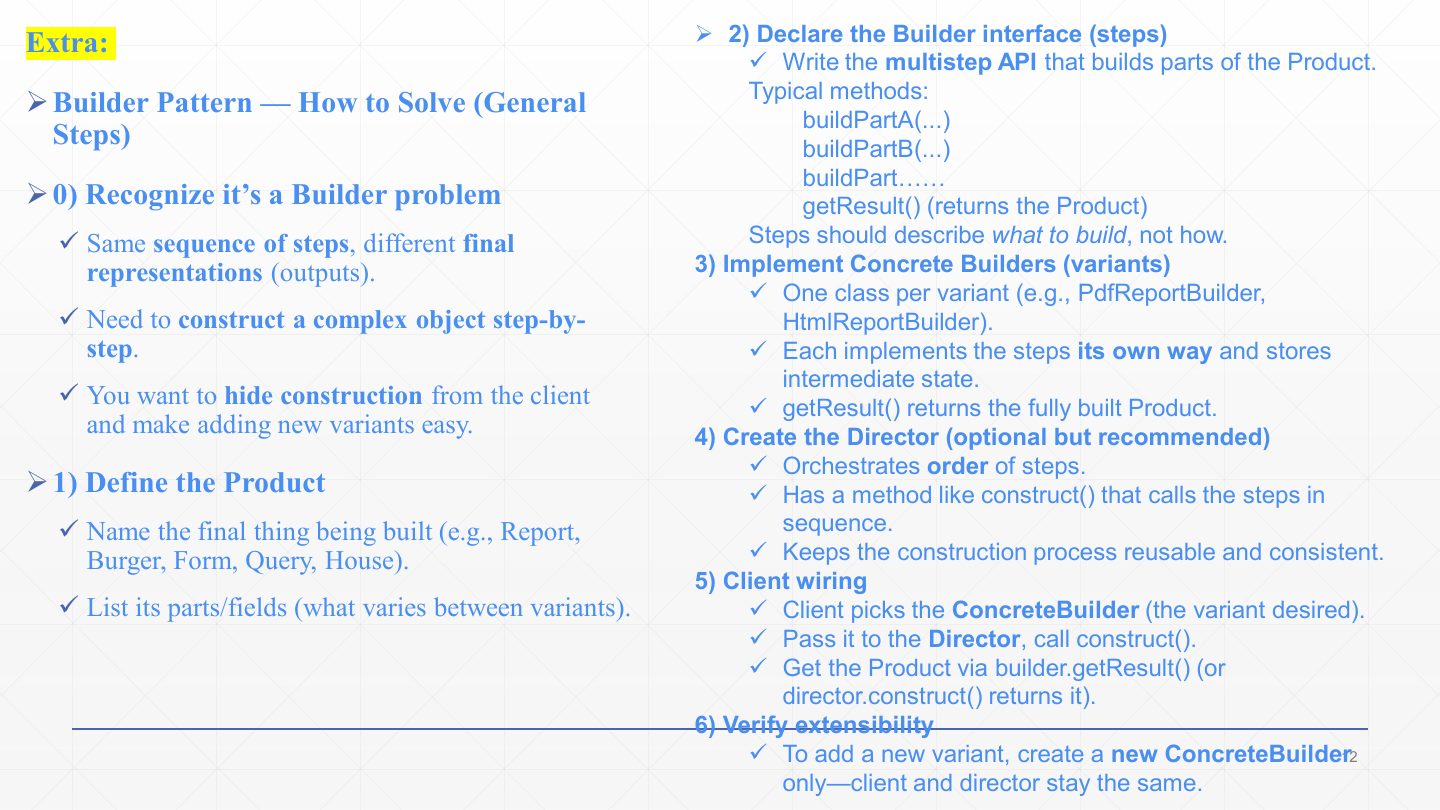
  12. 12 Extra: Builder Pattern – how to solve
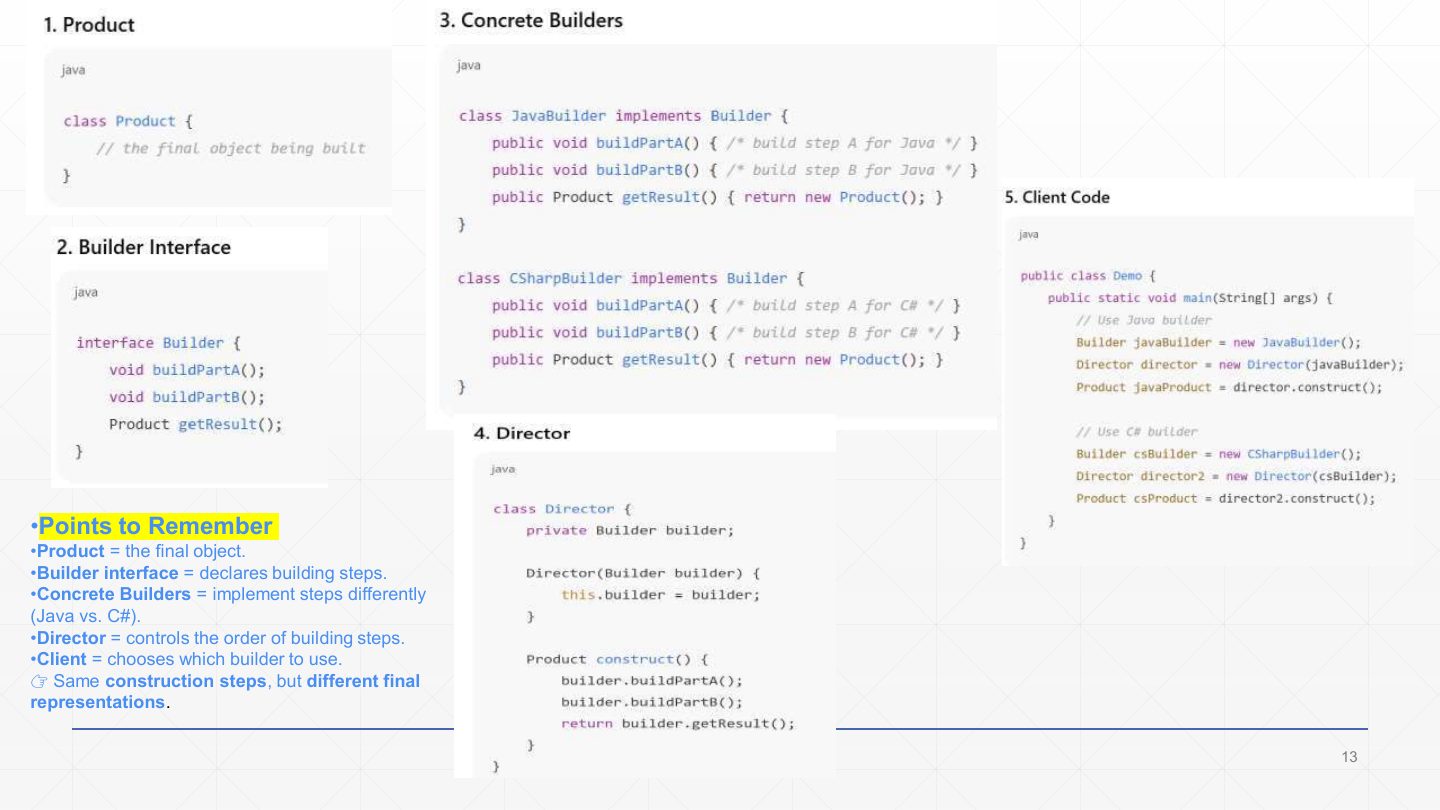
  13. 13 Extra: Builder code skeleton
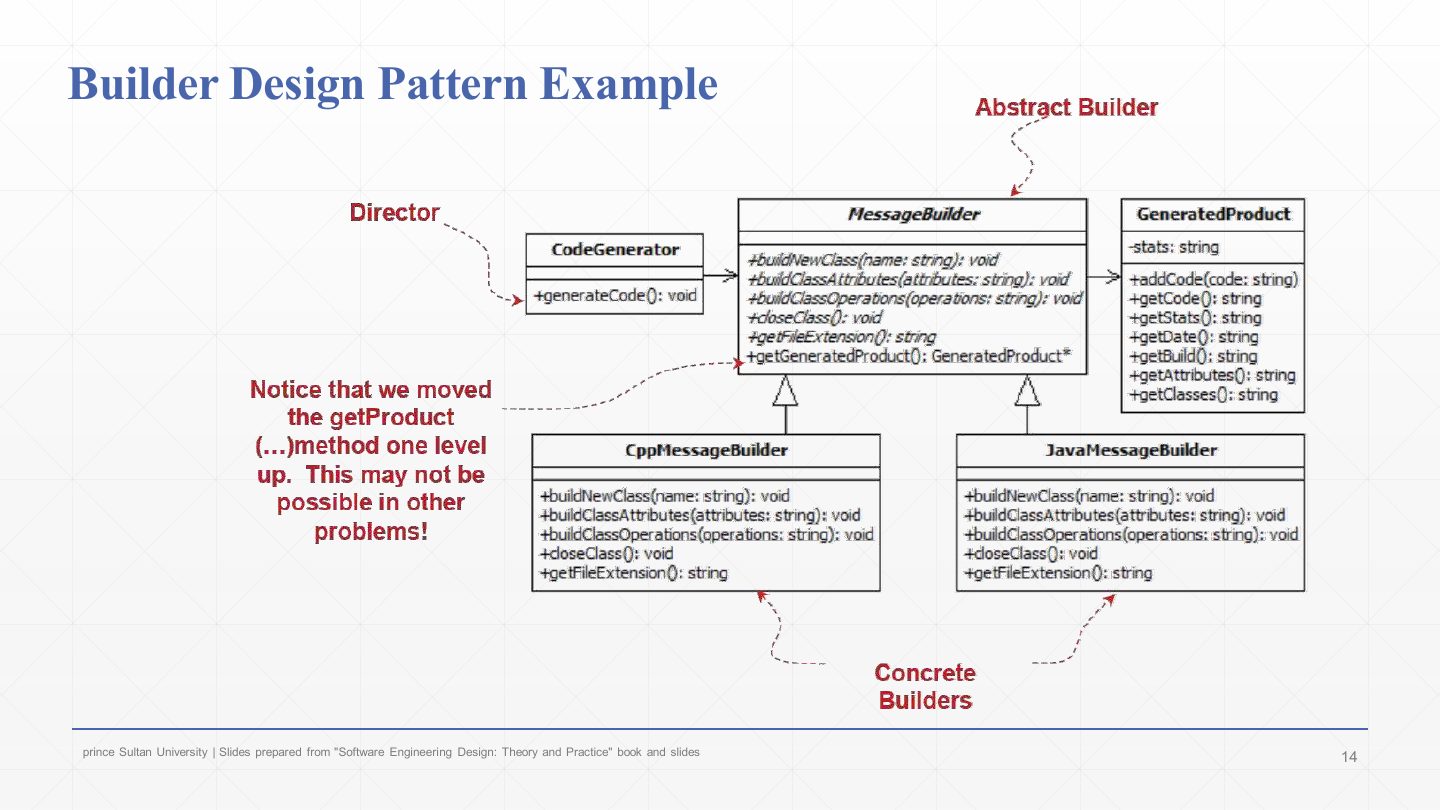
  14. 14 Builder Design Pattern Example: class diagram
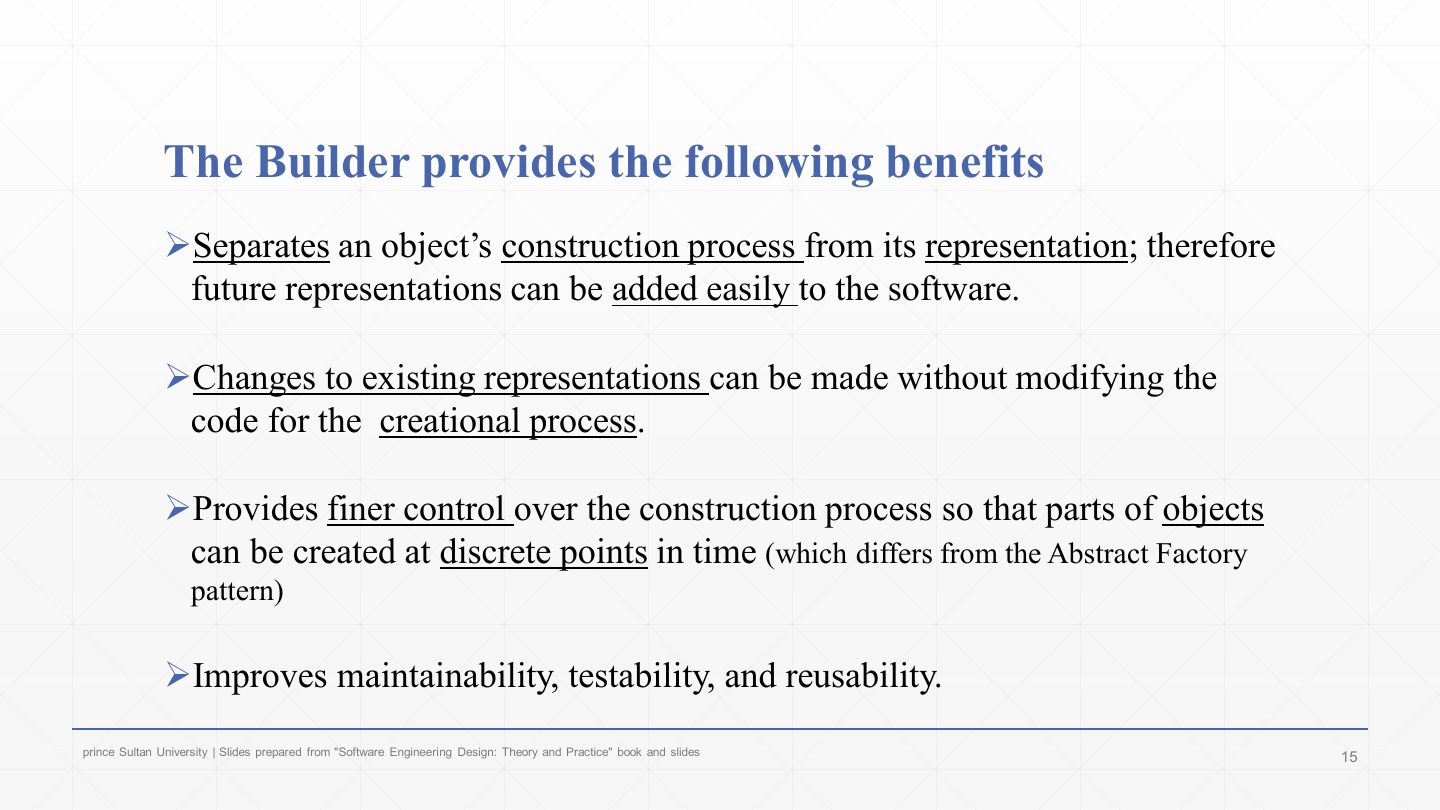
  15. 15 The Builder provides the following benefits
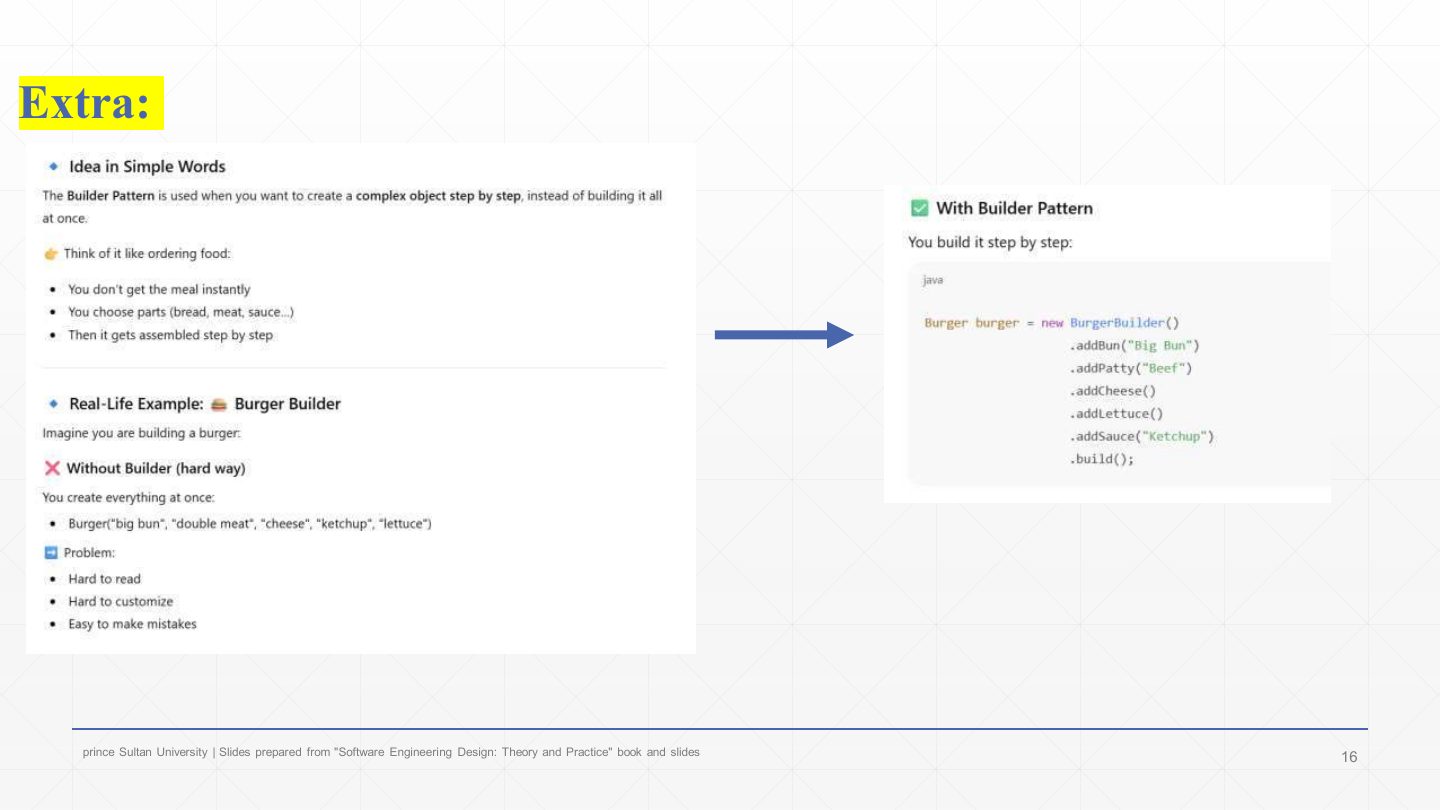
  16. 16 Extra: Builder in simple words
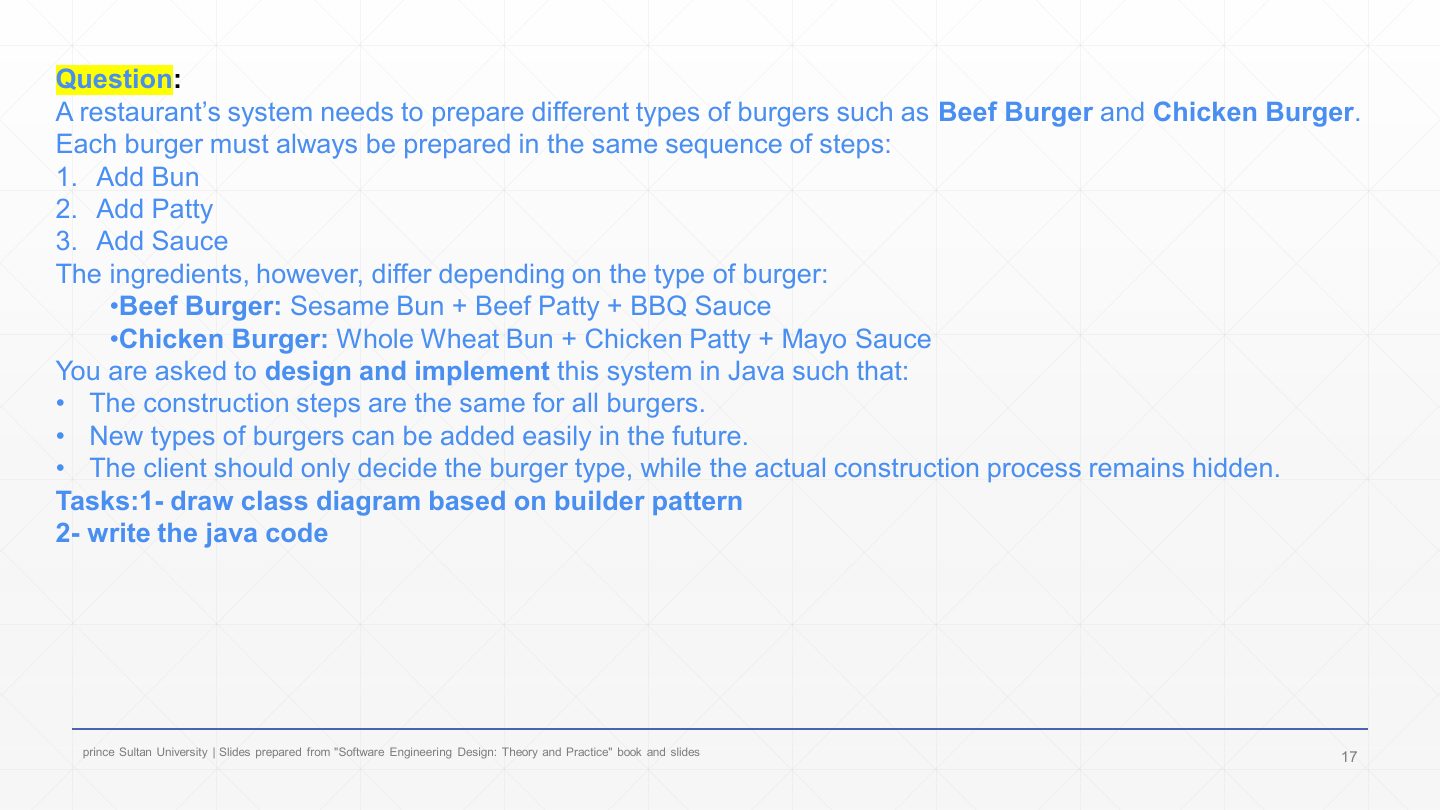
  17. 17 Question: burger builder
  18. 18 The Builder Pattern: structure (repeated)
  19. 19 Burger builder: solution code
  20. 20 Burger builder: client code
  21. 21 Builder Design Pattern
  22. 22 Builder Design Pattern Example
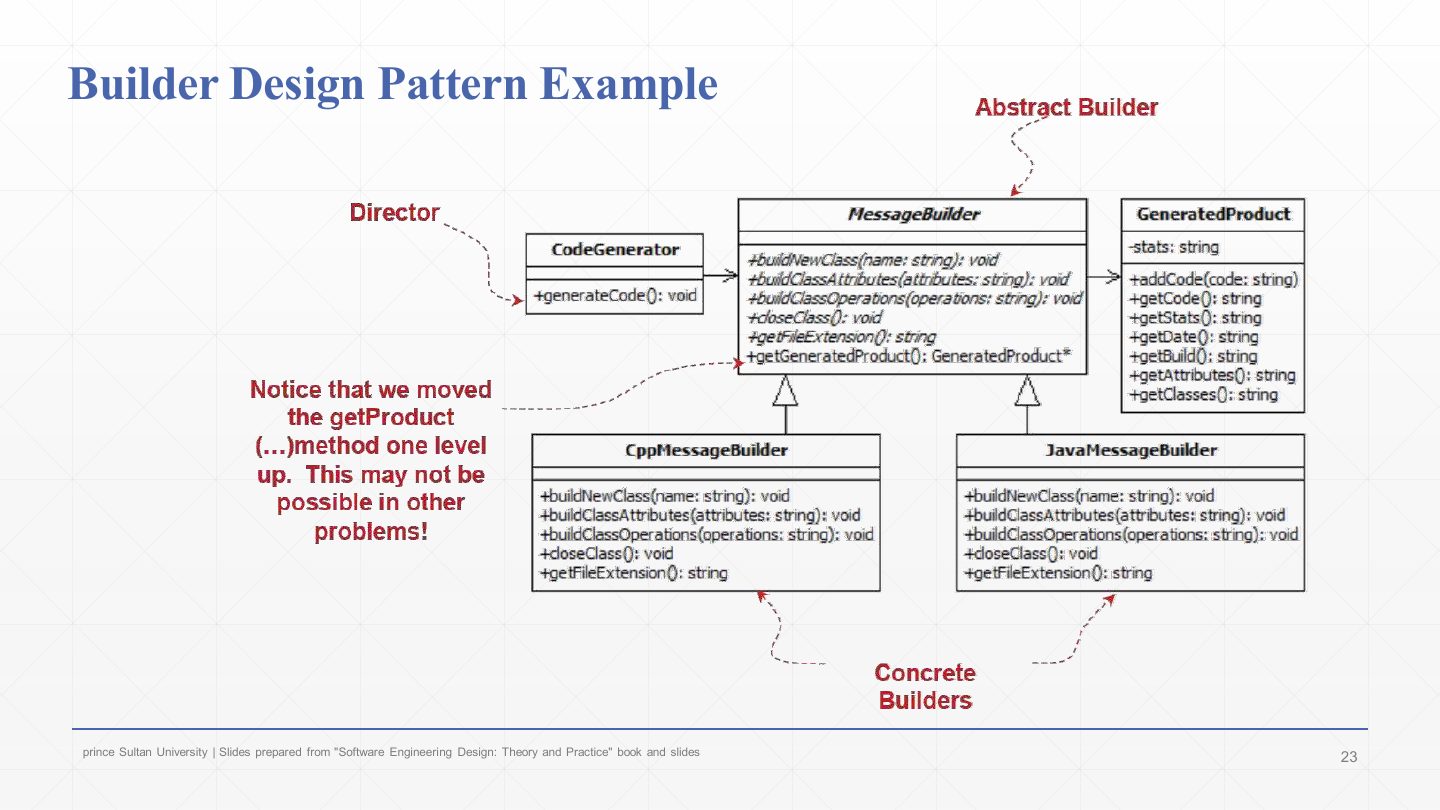
  23. 23 Builder Design Pattern Example: class diagram
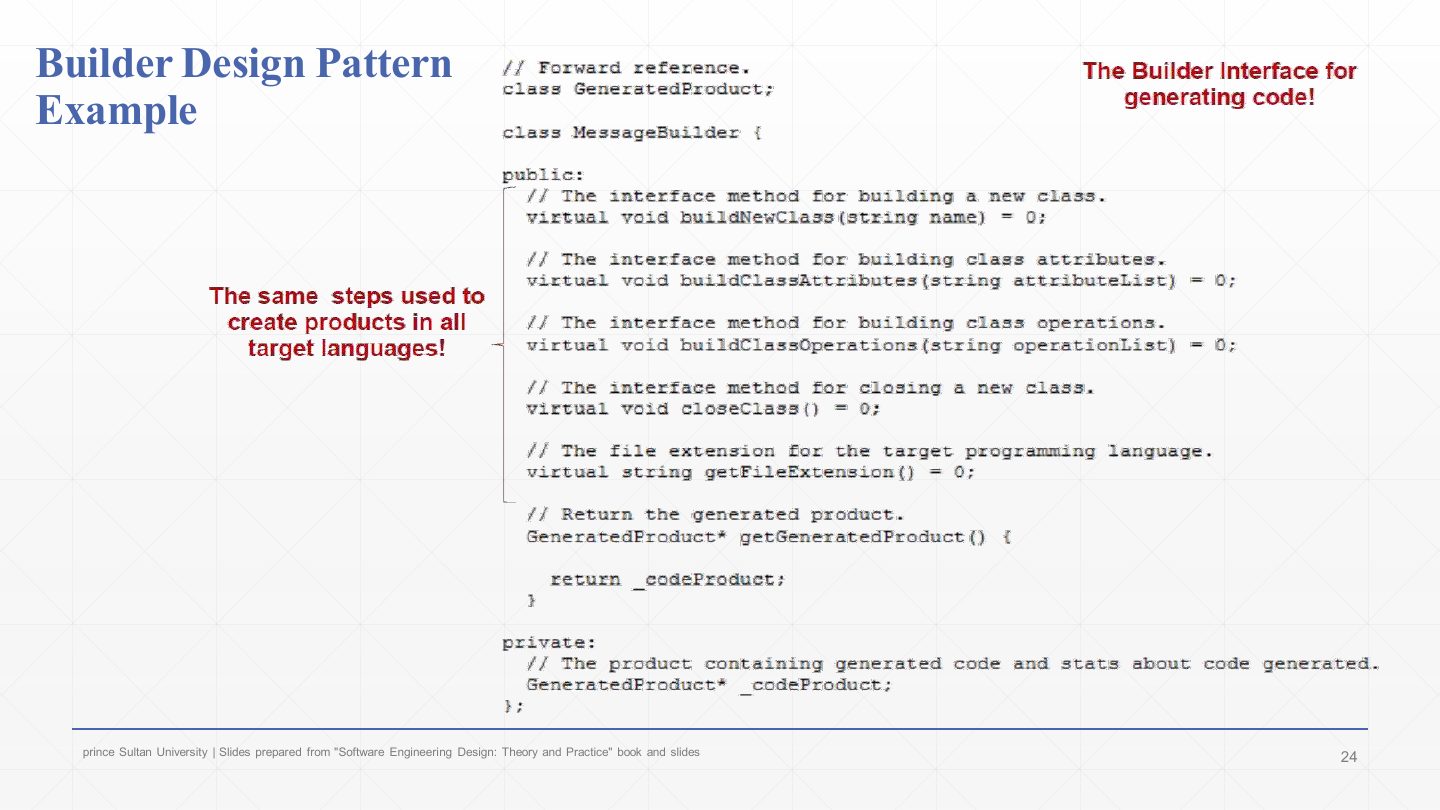
  24. 24 Builder Design Pattern Example: the builder interface
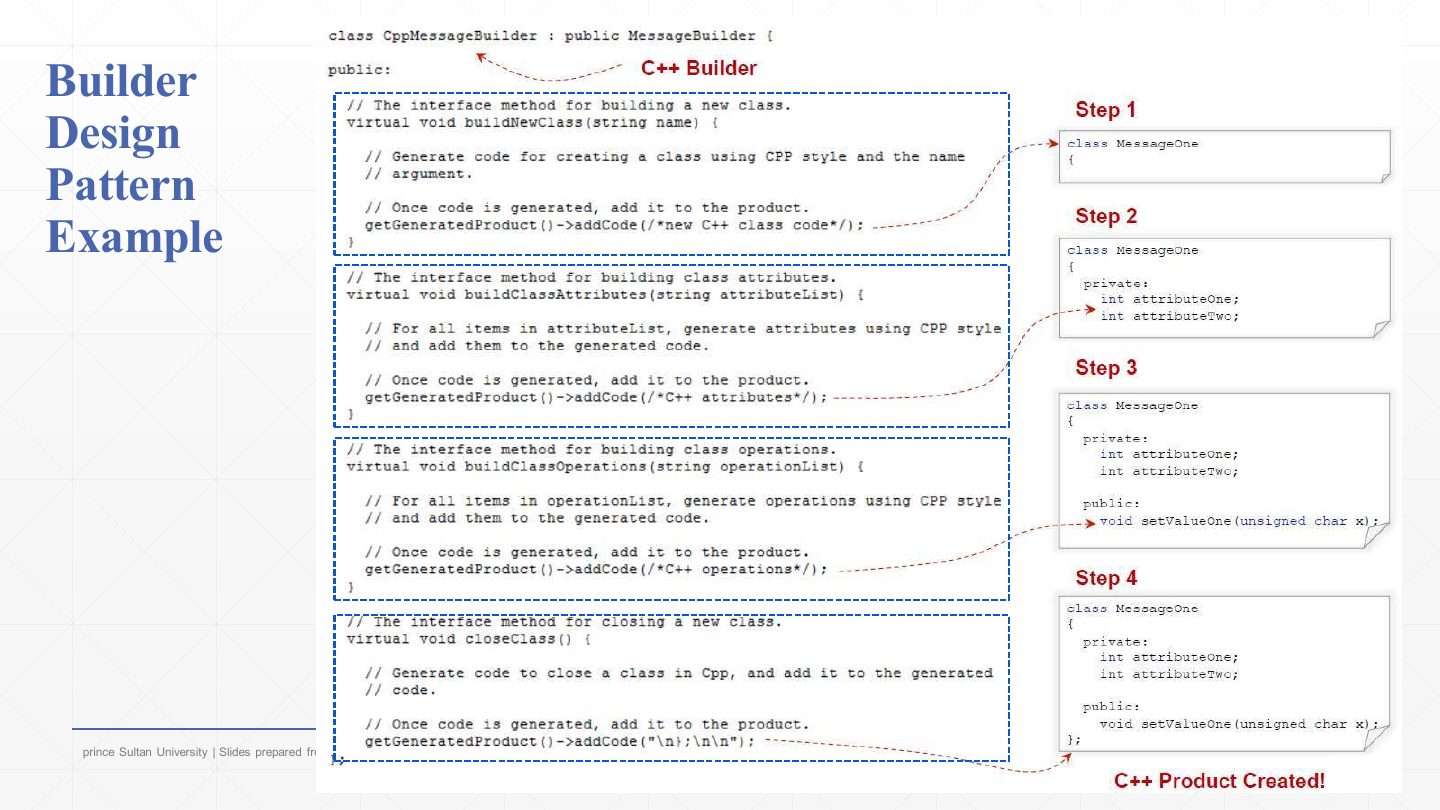
  25. 25 Builder Design Pattern Example: the C++ builder
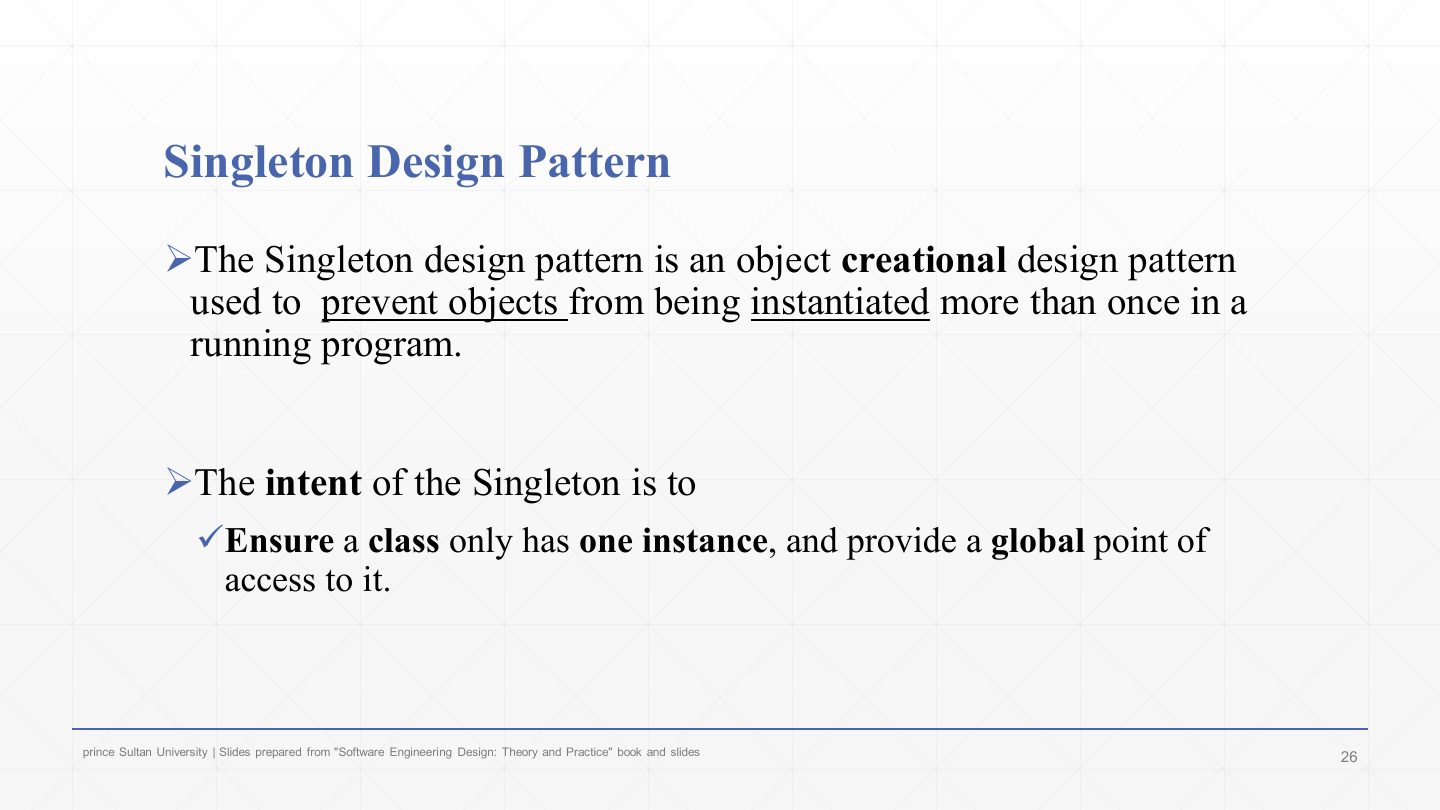
  26. 26 Singleton Design Pattern
  27. 27 Singleton Design Pattern
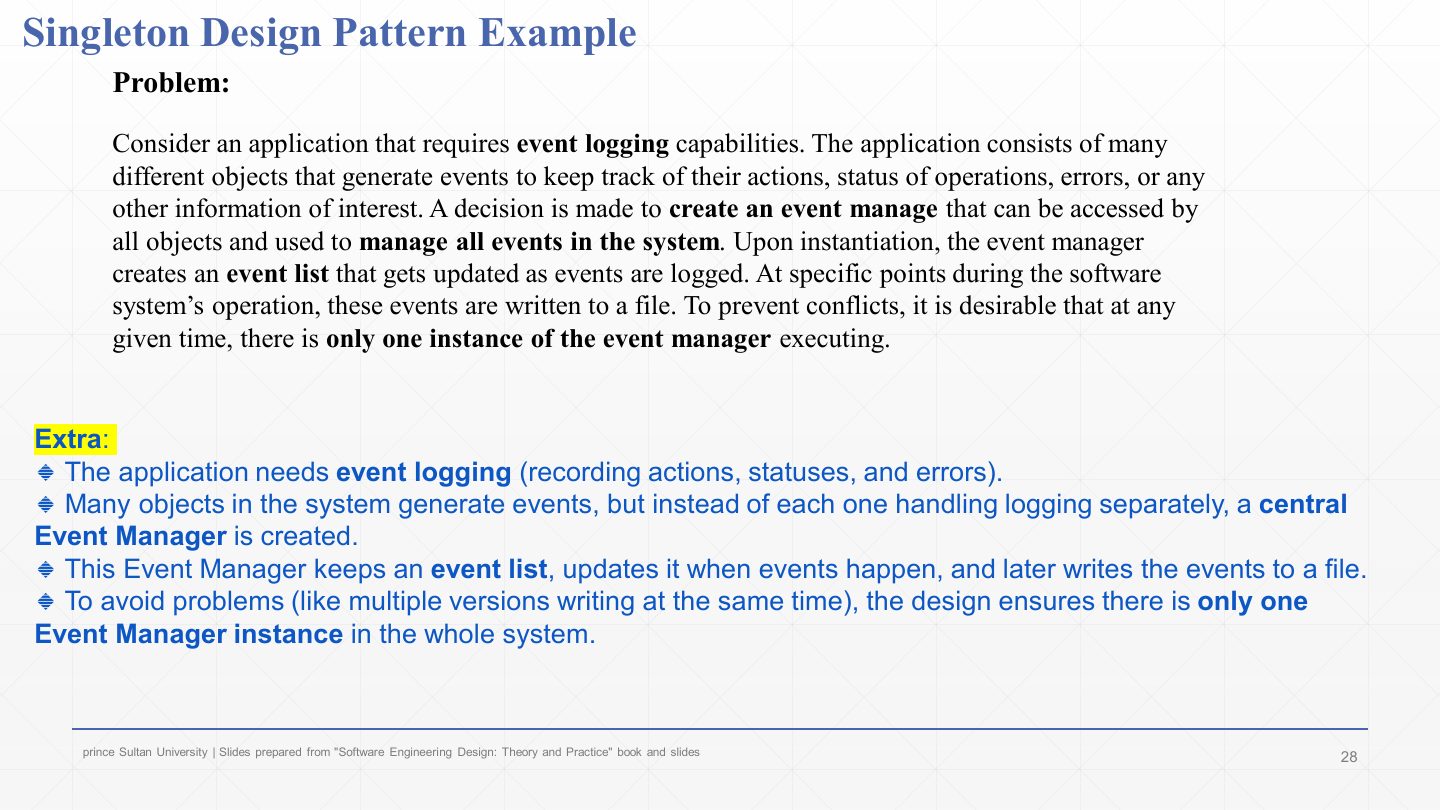
  28. 28 Singleton Design Pattern Example
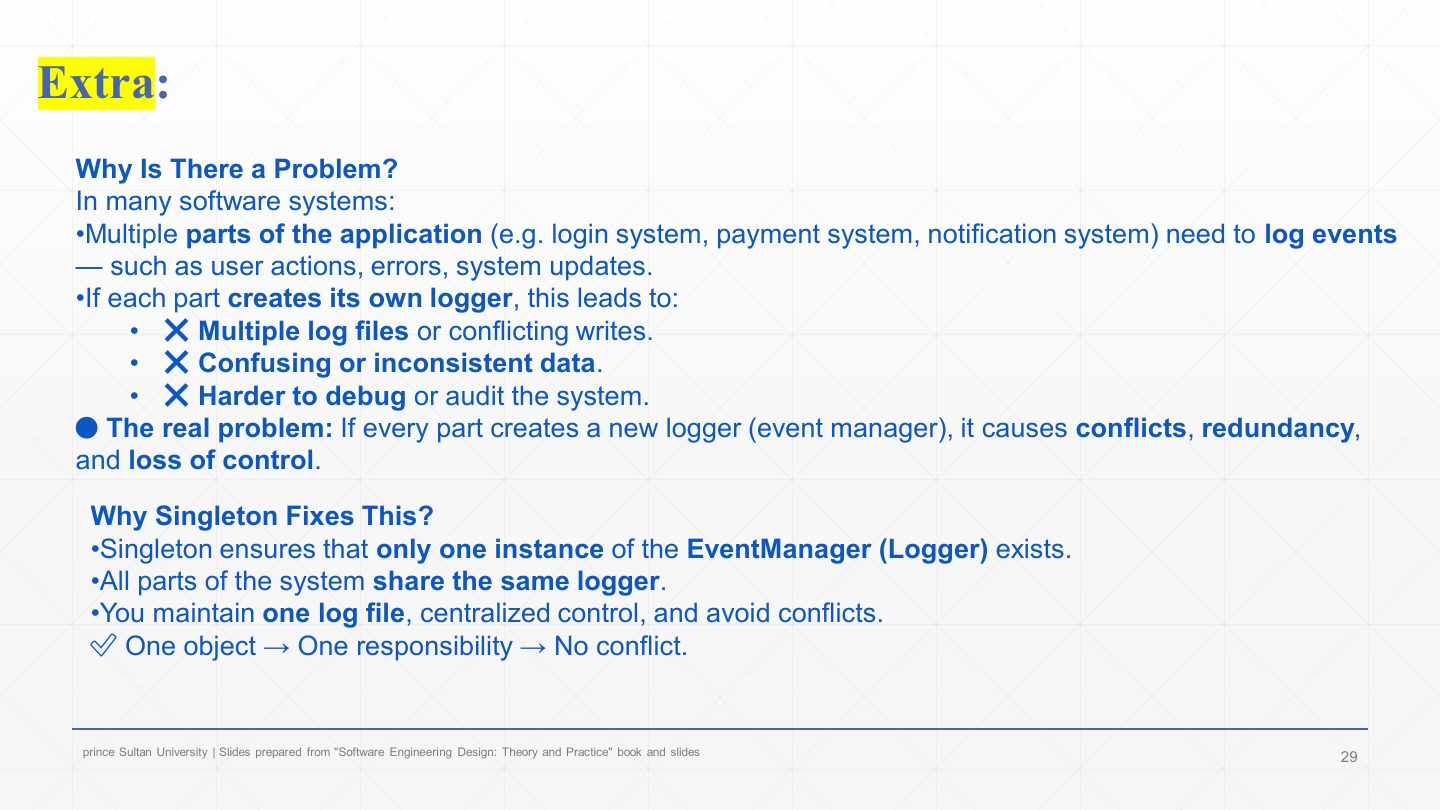
  29. 29 Extra: Why Singleton?
  30. 30 Singleton Design Pattern Example: class diagrams
  31. 31 Java Code for the Singleton Pattern: the class
  32. 32 Java Code for the Singleton Pattern
  33. 33 Singleton Design Pattern Example
  34. 34 Benefits of the Singleton Design Pattern
  35. 35 Extra: Real-World Scenario – banking logger
  36. 36 Extra: Transaction and notification systems
  37. 37 Singleton Design Pattern Example: C++ EventManager
  38. 38 Extra: Example – copying shapes (Prototype)
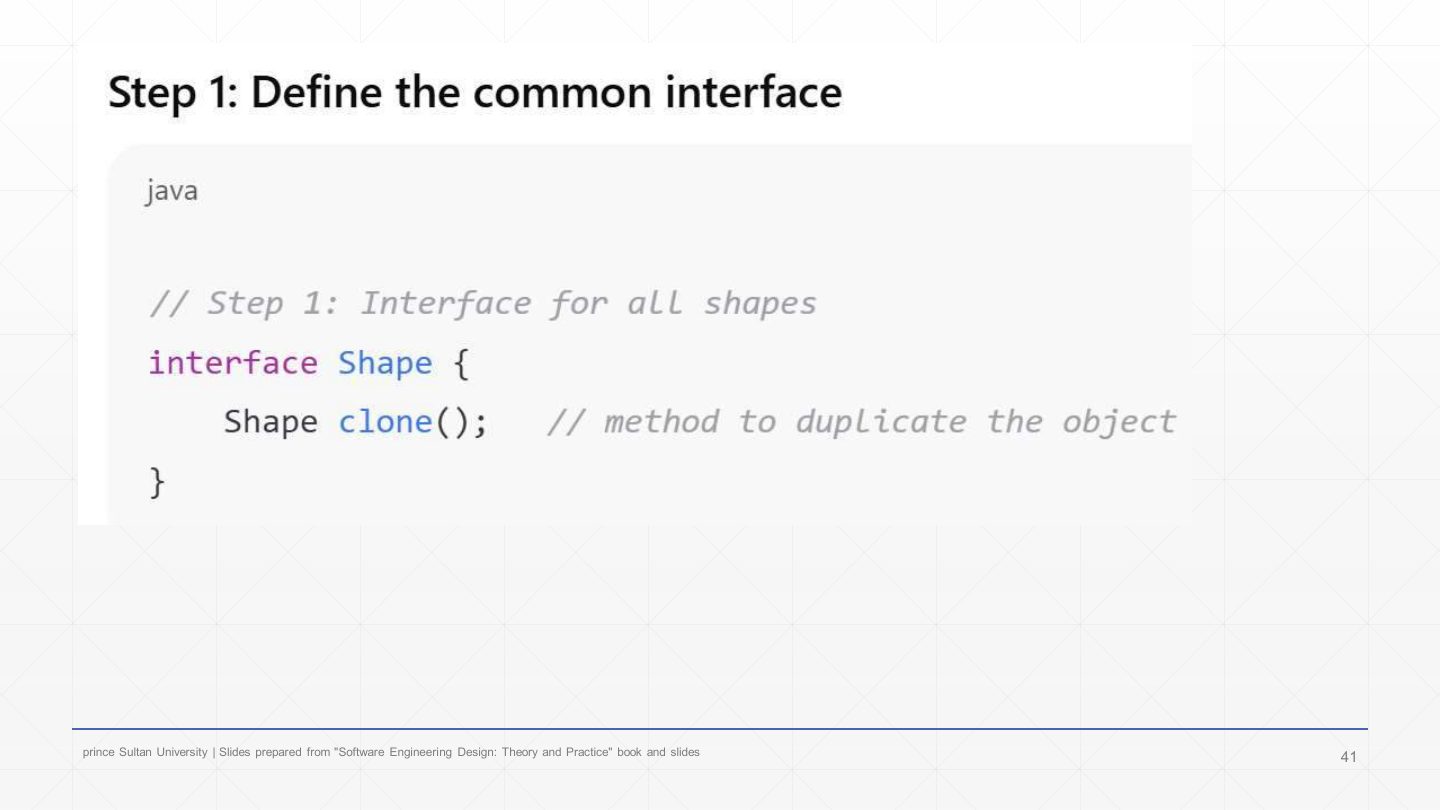
  39. 39 Prototype step 1: the common interface
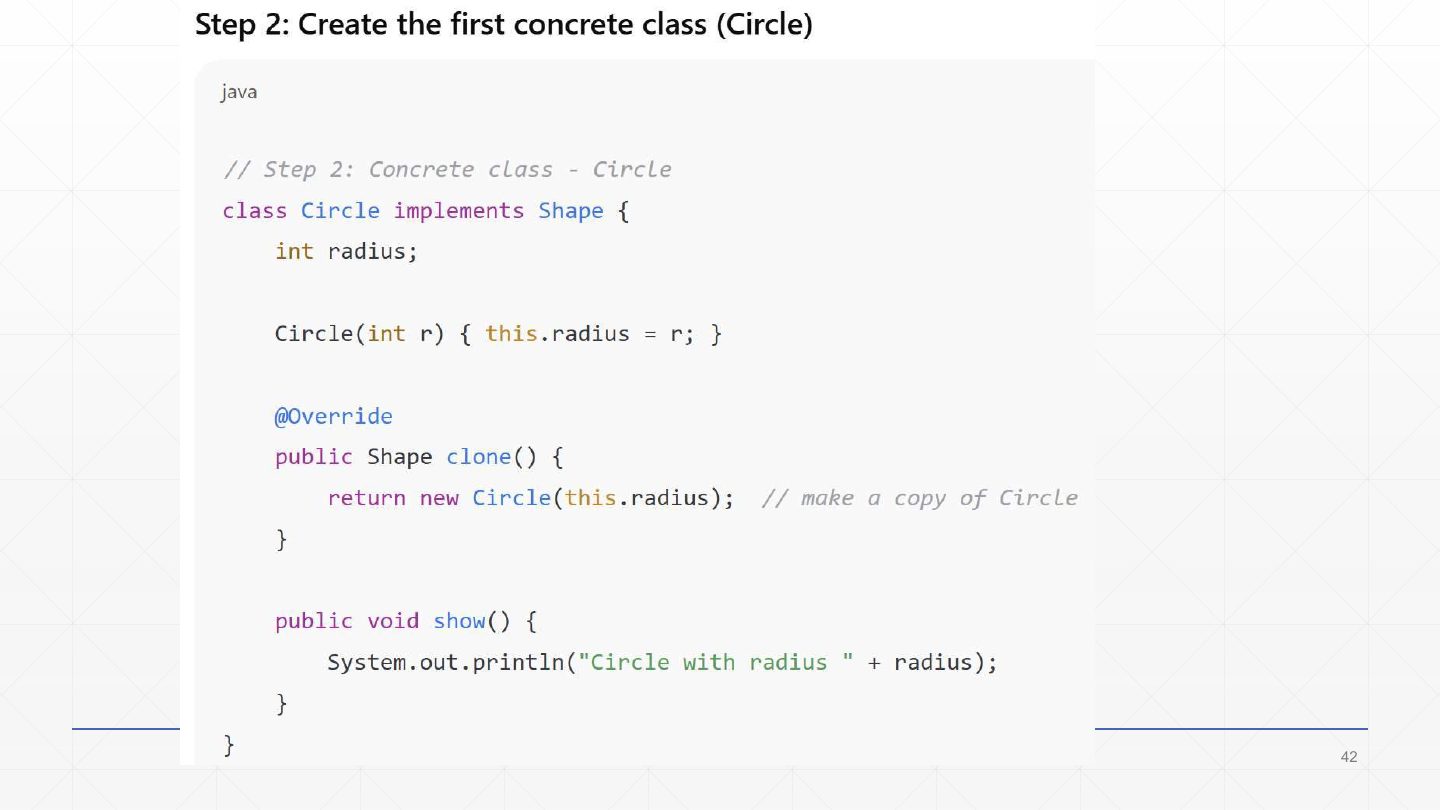
  40. 40 Prototype step 2: Circle
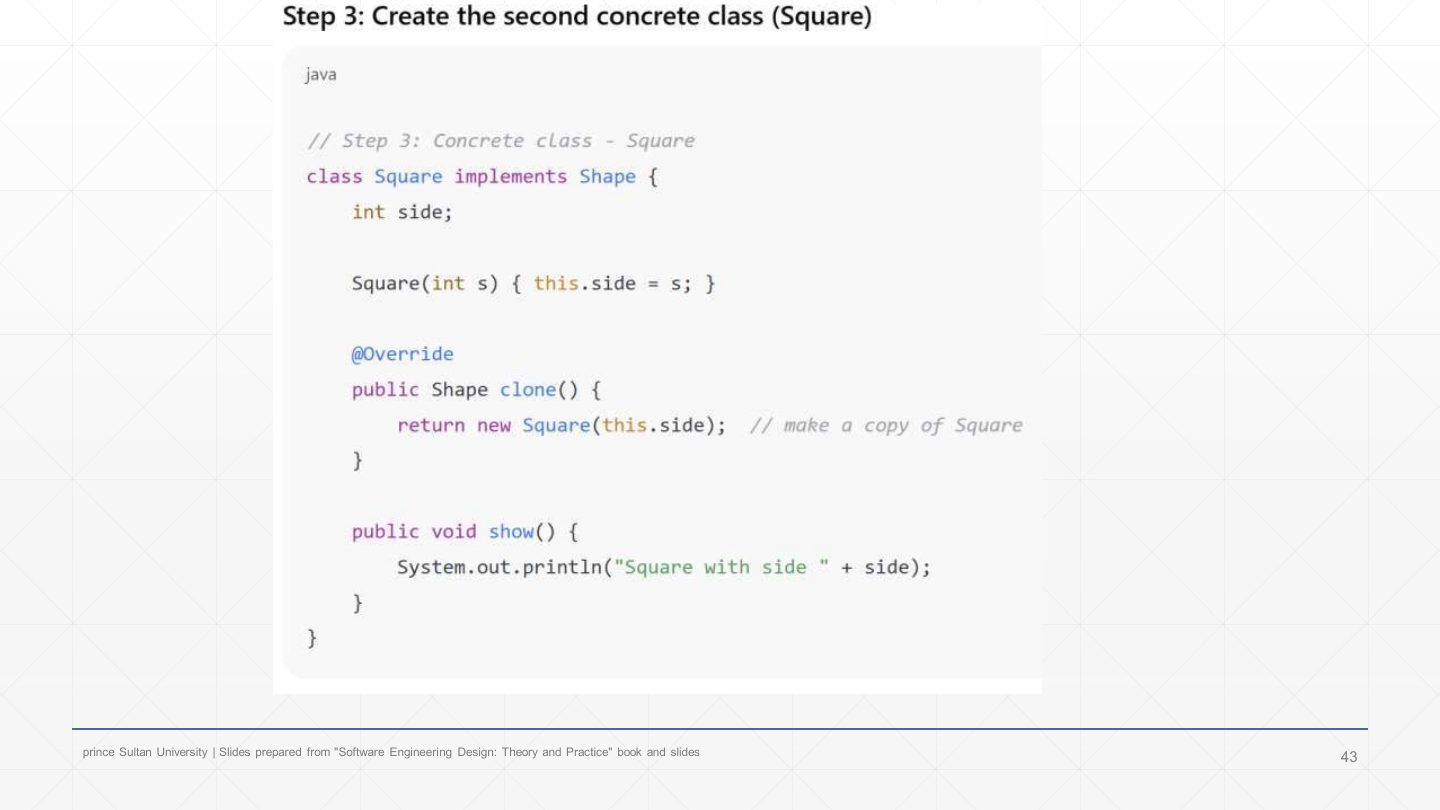
  41. 41 Prototype step 3: Square
  42. 42 Prototype step 4: the client
  43. 43 Summary
Slide 1 / 43

Slide 1

Slide 1: Slide 1

Notes

  1. Last creational-patterns lecture: a revision of Abstract Factory and Factory Method, then Builder and Singleton. Both were on Final 252.

Slide 2 / 43

Lecture Outlines

Slide 2: Lecture Outlines

Notes

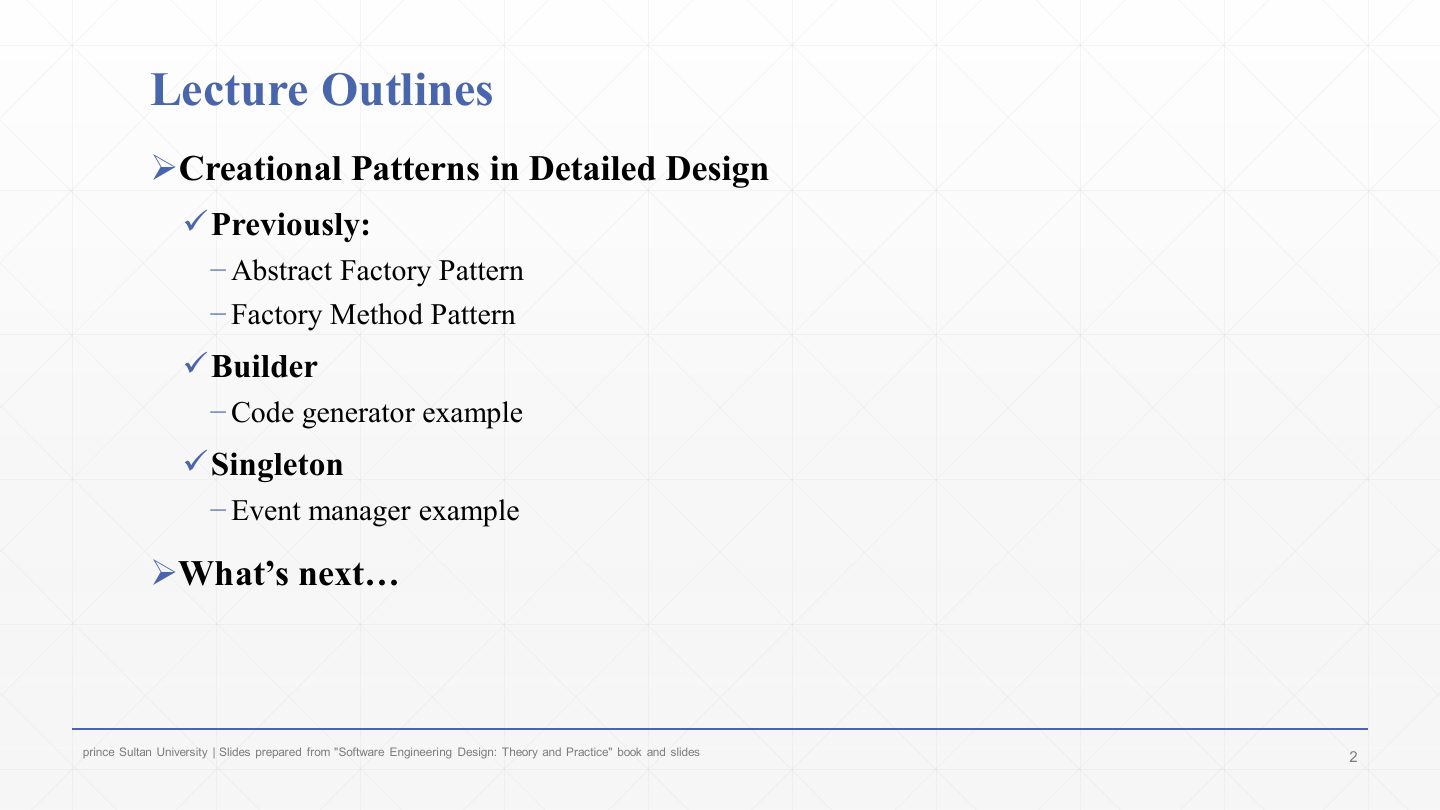
  1. Revision of the two factory patterns.

  2. Builder, with a code-generator example.

  3. Singleton, with an event-manager example.

Slide 3 / 43

Abstract Factory Pattern – Revised

Slide 3: Abstract Factory Pattern – Revised

Notes

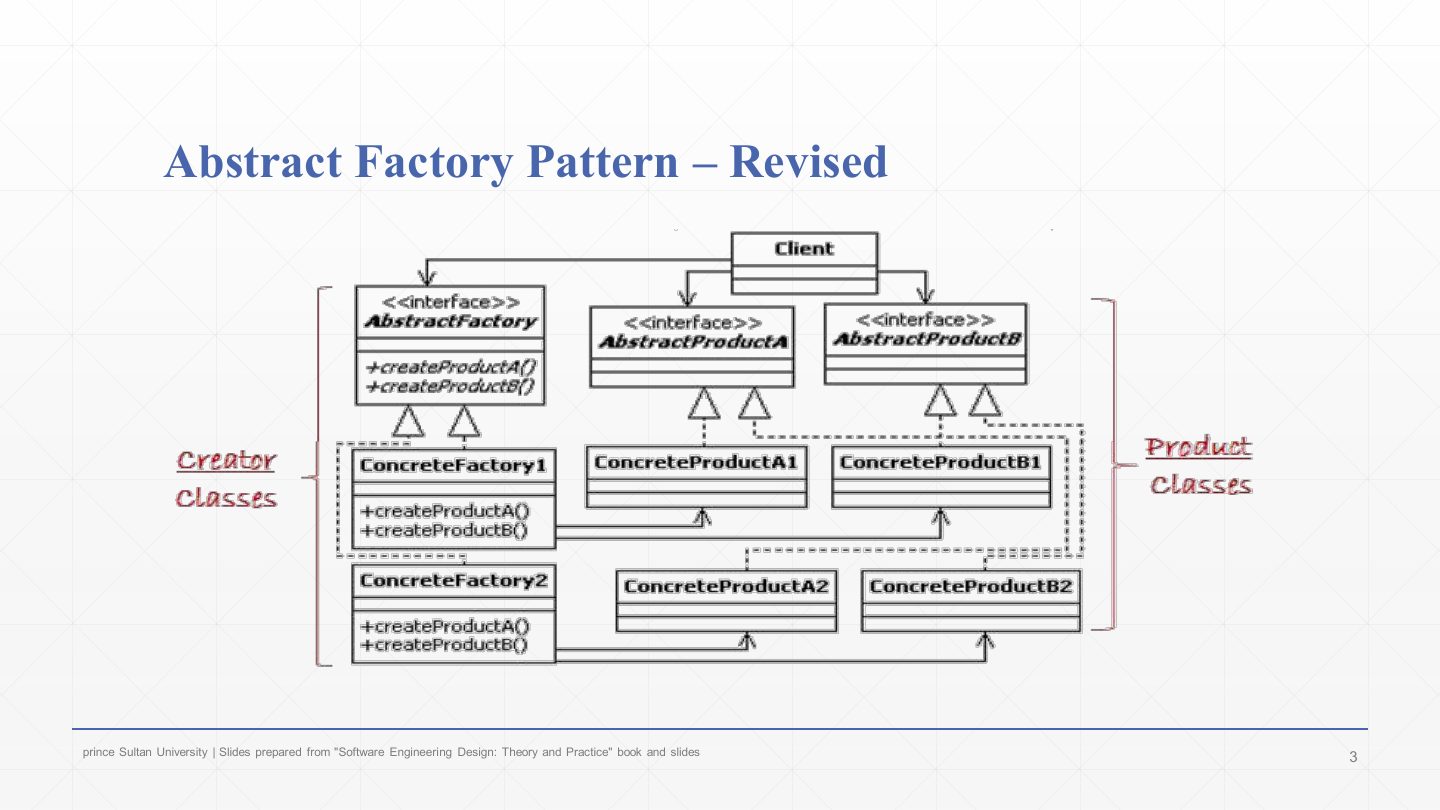
  1. Abstract Factory revised: an AbstractFactory with one create method per product; ConcreteFactory1 and 2 each create one family (A1+B1, A2+B2). Creator classes on the left, product classes on the right; the client uses only the interfaces.

Slide 4 / 43

Abstract Factory Pattern – Revised: computer store

Slide 4: Abstract Factory Pattern – Revised: computer store

Notes

  1. The same structure applied to the computer store: ComputerPartsFactory creates a Monitor, CPU and Keyboard; the Advanced and Standard factories each create their own matching set.

Slide 5 / 43

Factory Method Pattern - Revised

Slide 5: Factory Method Pattern - Revised

Notes

  1. Factory Method revised: an abstract Creator with createProduct() and someOperation(); a ConcreteCreator overrides createProduct() to return a ConcreteProduct. One product, chosen by a subclass. Factories must obey the factory (creator) interface; products must obey the product interface.

Slide 6 / 43

Factory Method Pattern – Revised: computer store

Slide 6: Factory Method Pattern – Revised: computer store

Notes

  1. Factory Method applied: ComputerStore’s createComputer(type) is overridden by StandardComputerStore and AdvancedComputerStore, which return StandardComputer and AdvancedComputer through the Computer interface.

Slide 7 / 43

The Builder Pattern

Slide 7: The Builder Pattern

Notes

  1. The Builder’s intent: separate the construction of a complex object from its representation…

  2. …so that the same construction process can create different representations. The steps (the algorithm) stay fixed; what each step produces varies with the builder.

Exam angle

Past exam · Final 252 · Q6-1 · 3 marksQ1

Customized sandwiches must follow a correct, consistent assembly process; a Sandwich cannot be created until at least the bread and meat are set, and construction is separate from the Sandwich itself. Which pattern would you use? Draw its class diagram.

Show answer

Pattern: Builder. It separates the construction of a complex object from its representation and builds it step by step. SandwichBuilder (interface): setBread(), setMeat(), setCheese(), build(). CustomSandwichBuilder: stores the parts; build() refuses to create the Sandwich unless bread and meat are set (consistency). SandwichDirector: runs the steps in the correct order. Sandwich: the product (bread, meat, cheese). Diagram: Director → (directs) SandwichBuilder; CustomSandwichBuilder ⇢ realizes SandwichBuilder and creates Sandwich.
Slide 8 / 43

Builder Design Pattern Example

Slide 8: Builder Design Pattern Example

Notes

  1. Step 1: identify and design the product class (GeneratedProduct).

  2. Step 2: identify the product’s creational process and algorithm, and design a class that executes it (CodeGenerator, the director).

  3. Step 3: from steps 1–2, design the builder interface: abstract methods for every part that must be created for the whole product to exist; concrete builders implement them.

  4. Step 4: design one class per representation of the product (CppMessageBuilder, JavaMessageBuilder…).

Slide 9 / 43

Extra: Builder pattern in one slide

Slide 9: Extra: Builder pattern in one slide

Notes

  1. Intent: separate how a complex object is built (the steps) from what the result looks like (the representation).

  2. When useful: same construction steps, different outputs, e.g. generating Java vs. C# code, or a small vs. large burger.

  3. Roles: Director (orchestrates the steps in order, knows no details); Builder interface (declares the step methods buildPartA/B/C… and getProduct()); ConcreteBuilders (implement the steps for each representation); Product (the thing built).

  4. Flow: the client chooses a ConcreteBuilder and gives it to the Director → the Director runs the steps in sequence → the client asks the builder for the finished product.

  5. Builder vs. Abstract Factory: Builder builds one complex object step by step; Abstract Factory creates a family of related objects all at once.

Exam angle

PredictionQ1

Contrast the Builder and Abstract Factory patterns.

Show answer

Builder constructs one complex object step by step under a director’s control, returning it at the end; different builders give different representations of the same object. Abstract Factory creates a family of related objects, each in a single call, ensuring the family is consistent.

Slide 10 / 43

Builder Design Pattern Example

Slide 10: Builder Design Pattern Example

Notes

  1. The code-generator example as a picture. In: a messaging-specification document (message names, attributes, operations).

  2. The code generator runs the same construction process for every language: open and read the file, find message names, attributes and operations, generate language-specific code, close the file.

  3. Out: Java, C++ or C# code, i.e. different representations of the same messages. That combination (fixed process, varying output) is exactly the Builder’s use case.

Slide 11 / 43

The Builder Pattern

Slide 11: The Builder Pattern

Notes

  1. Director with construct(): “this guy orchestrates the creational process”. It holds an AbstractBuilder and calls its steps in order.

  2. «interface» AbstractBuilder with buildProductPartA/B/C(): these methods specify the multistep creational process for the product.

  3. ConcreteBuilder must implement those creational methods, plus getProduct().

  4. Product: the class being built; the ConcreteBuilder creates and assembles it. Creator classes = Director, AbstractBuilder, ConcreteBuilder; product class = Product.

Exam angle

PredictionQ1

In the Builder pattern, which participant calls the construction steps in the right order?

  1. Director
  2. ConcreteBuilder
  3. Product
  4. Client
Show answer

A. Director

Slide 12 / 43

Extra: Builder Pattern – how to solve

Slide 12: Extra: Builder Pattern – how to solve

Notes

  1. 0) Recognise a Builder problem: the same sequence of steps must give different final representations; a complex object is built step by step; construction should be hidden from the client and new variants easy to add.

  2. 1) Define the product: name what is built (Report, Burger, Form, House) and list its parts.

  3. 2) Declare the builder interface: the multistep API (buildPartA(...), buildPartB(...), getResult()). Steps say what to build, not how.

  4. 3) Implement concrete builders: one class per variant (PdfReportBuilder, HtmlReportBuilder), each storing intermediate state; getResult() returns the finished product.

  5. 4) Create the director (optional but recommended): a construct() method calls the steps in sequence, keeping the process reusable and consistent. 5) Client wiring: pick a ConcreteBuilder, pass it to the Director, call construct(), get the product.

  6. 6) Verify extensibility: a new variant needs only a new ConcreteBuilder; client and director stay unchanged.

Slide 13 / 43

Extra: Builder code skeleton

Slide 13: Extra: Builder code skeleton

Notes

  1. The skeleton in Java:

    CodeWhat it does
    class Product { /* the final object being built */ }1. The product.
    interface Builder { void buildPartA(); void buildPartB(); Product getResult(); }2. The builder interface.
    class JavaBuilder implements Builder { buildPartA() { /* step A for Java */ } … getResult() { return new Product(); } }3. Concrete builders (CSharpBuilder the same, with C# steps).
    class Director { private Builder builder; Director(Builder builder) { this.builder = builder; }4. The director receives a builder…
    Product construct() { builder.buildPartA(); builder.buildPartB(); return builder.getResult(); } }…and runs the steps in a fixed order.
    Builder javaBuilder = new JavaBuilder(); Director director = new Director(javaBuilder); Product javaProduct = director.construct();5. The client chooses the builder; C# is the same three lines with CSharpBuilder.
  2. Points to remember: product = the final object; builder interface = declares the steps; concrete builders = implement them differently; director = controls the order; client = chooses the builder. Same construction steps, different final representations.

Slide 14 / 43

Builder Design Pattern Example: class diagram

Slide 14: Builder Design Pattern Example: class diagram

Notes

  1. The code-generator design. Director: CodeGenerator (generateCode()).

  2. Abstract builder: MessageBuilder with the steps buildNewClass(name), buildClassAttributes(attributes), buildClassOperations(operations), closeClass(), getFileExtension(), plus getGeneratedProduct().

  3. Concrete builders: CppMessageBuilder and JavaMessageBuilder implement every step for their language. The product is GeneratedProduct (addCode(), getCode(), getStats()…).

  4. Note: getGeneratedProduct() was moved up into the abstract builder, because every language returns the same product type. That isn’t possible in every problem (if products differ per builder, each builder returns its own).

Slide 15 / 43

The Builder provides the following benefits

Slide 15: The Builder provides the following benefits

Notes

  1. It separates construction from representation, so new representations (a C# builder) are added easily.

  2. Existing representations change without touching the creational process (the director).

  3. It gives finer control over construction: parts of an object are created at discrete points in time, unlike Abstract Factory, which creates each product in one call.

  4. It improves maintainability, testability and reusability.

Exam angle

PredictionQ1

Give two benefits of the Builder pattern.

Show answer

Construction is separated from representation, so new representations can be added without changing the construction process; it gives finer control, building parts at discrete points; it improves maintainability, testability and reuse.

Slide 16 / 43

Extra: Builder in simple words

Slide 16: Extra: Builder in simple words

Notes

  1. In simple words: use Builder when an object is created step by step instead of all at once, like ordering food where you pick bread, meat and sauce and the meal is assembled.

  2. Without it: Burger("big bun", "double meat", "cheese", "ketchup", "lettuce"), a constructor with many parameters that is hard to read, hard to customise and easy to get wrong.

  3. With it: new BurgerBuilder().addBun("Big Bun").addPatty("Beef").addCheese().addLettuce().addSauce("Ketchup").build();, each step named and optional. (This fluent, chained style is a common variant of Builder without a director.)

Slide 17 / 43

Question: burger builder

Slide 17: Question: burger builder

Notes

  1. The exercise: a restaurant prepares Beef and Chicken burgers.

  2. Every burger is prepared in the same sequence: add bun, add patty, add sauce.

  3. The ingredients differ: beef = sesame bun + beef patty + BBQ sauce; chicken = whole-wheat bun + chicken patty + mayo.

  4. Requirements: same steps for all burgers, new burger types easy to add, and the client chooses only the type while construction stays hidden: textbook Builder.

  5. Tasks: draw the class diagram and write the Java (solution on slides 19–20).

Slide 18 / 43

The Builder Pattern: structure (repeated)

Slide 18: The Builder Pattern: structure (repeated)

Notes

  1. The structure again, as the template for the burger answer: Director (Chef) → AbstractBuilder (BurgerBuilder) ← ConcreteBuilders (BeefBurgerBuilder, ChickenBurgerBuilder) → Product (Burger).

Slide 19 / 43

Burger builder: solution code

Slide 19: Burger builder: solution code

Notes

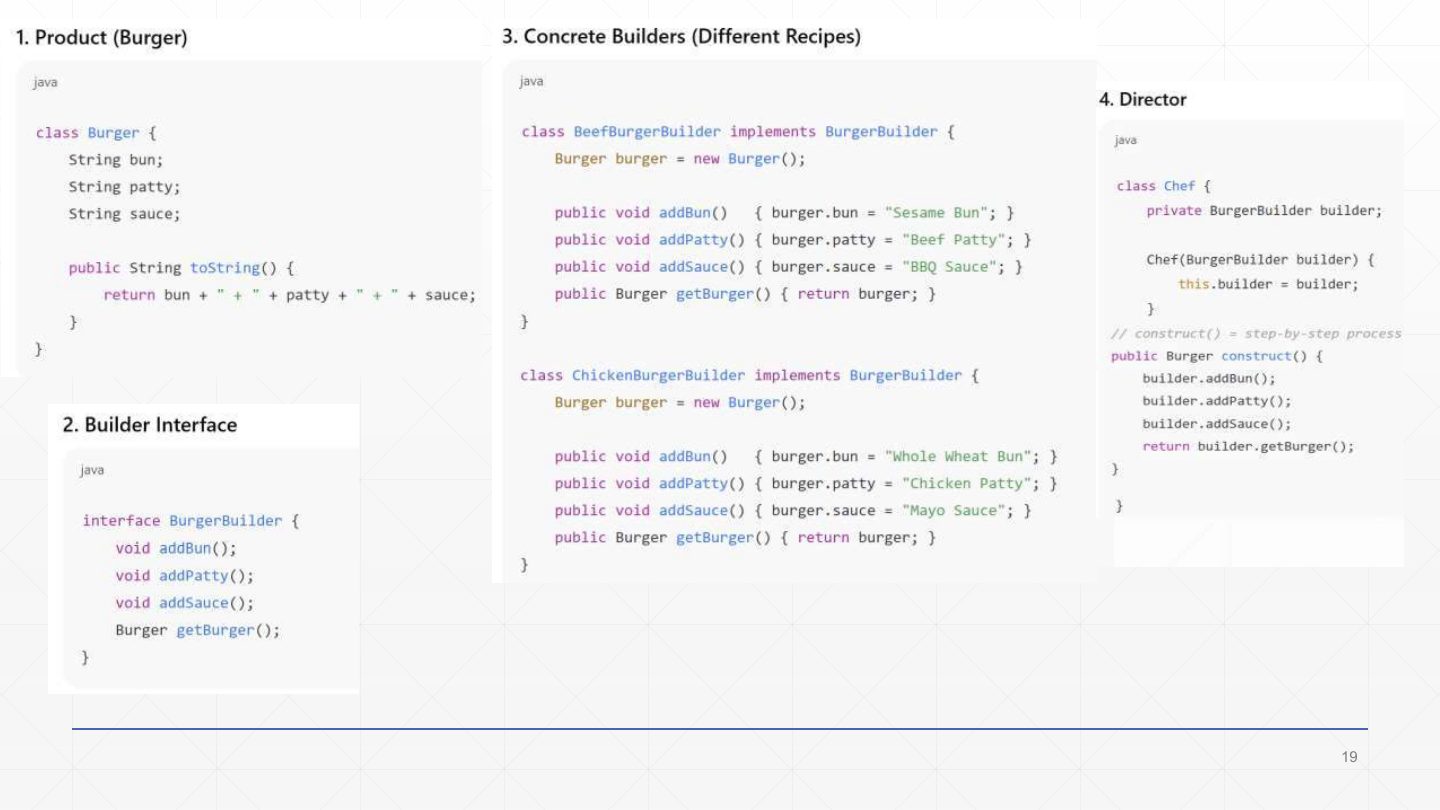
  1. The solution:

    CodeWhat it does
    class Burger { String bun; String patty; String sauce; public String toString() { return bun + " + " + patty + " + " + sauce; } }1. The product.
    interface BurgerBuilder { void addBun(); void addPatty(); void addSauce(); Burger getBurger(); }2. The three steps plus the result.
    class BeefBurgerBuilder implements BurgerBuilder { Burger burger = new Burger();3. The beef recipe keeps its burger under construction…
    public void addBun() { burger.bun = "Sesame Bun"; } … addPatty → "Beef Patty" … addSauce → "BBQ Sauce"…and fills each part its own way.
    class ChickenBurgerBuilder implements BurgerBuilder { … "Whole Wheat Bun" … "Chicken Patty" … "Mayo Sauce" }The chicken recipe: same steps, other ingredients.
    class Chef { private BurgerBuilder builder; Chef(BurgerBuilder builder) { this.builder = builder; }4. The director.
    public Burger construct() { builder.addBun(); builder.addPatty(); builder.addSauce(); return builder.getBurger(); } }The fixed order lives here, once.
Slide 20 / 43

Burger builder: client code

Slide 20: Burger builder: client code

Notes

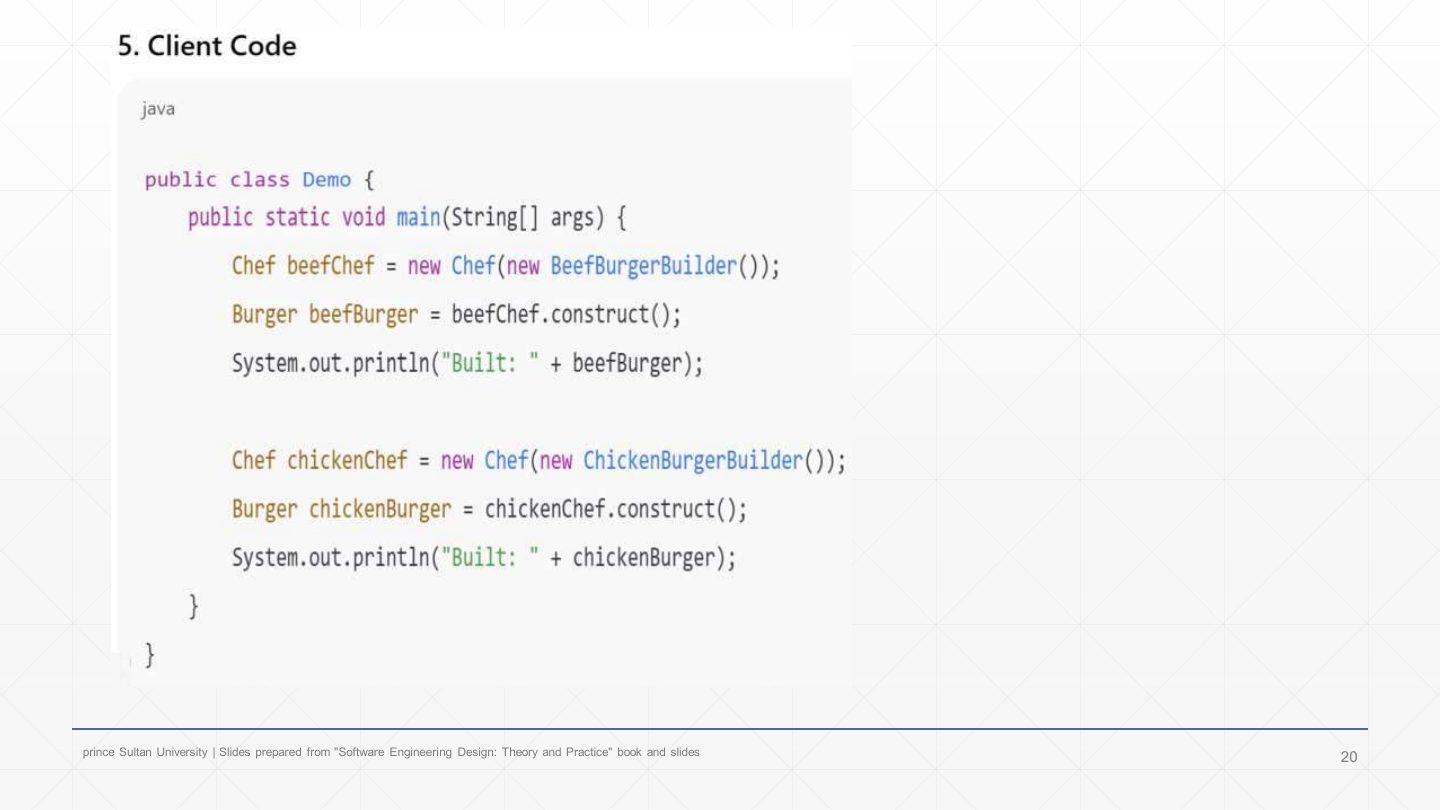
  1. 5. The client:

    CodeWhat it does
    Chef beefChef = new Chef(new BeefBurgerBuilder());Choose the burger type by choosing the builder.
    Burger beefBurger = beefChef.construct(); System.out.println("Built: " + beefBurger);Prints “Built: Sesame Bun + Beef Patty + BBQ Sauce”.
    Chef chickenChef = new Chef(new ChickenBurgerBuilder()); Burger chickenBurger = chickenChef.construct();Same director code, different representation.
  2. A Veggie burger would need only a VeggieBurgerBuilder; Chef and the client logic stay unchanged.

Slide 21 / 43

Builder Design Pattern

Slide 21: Builder Design Pattern

Notes

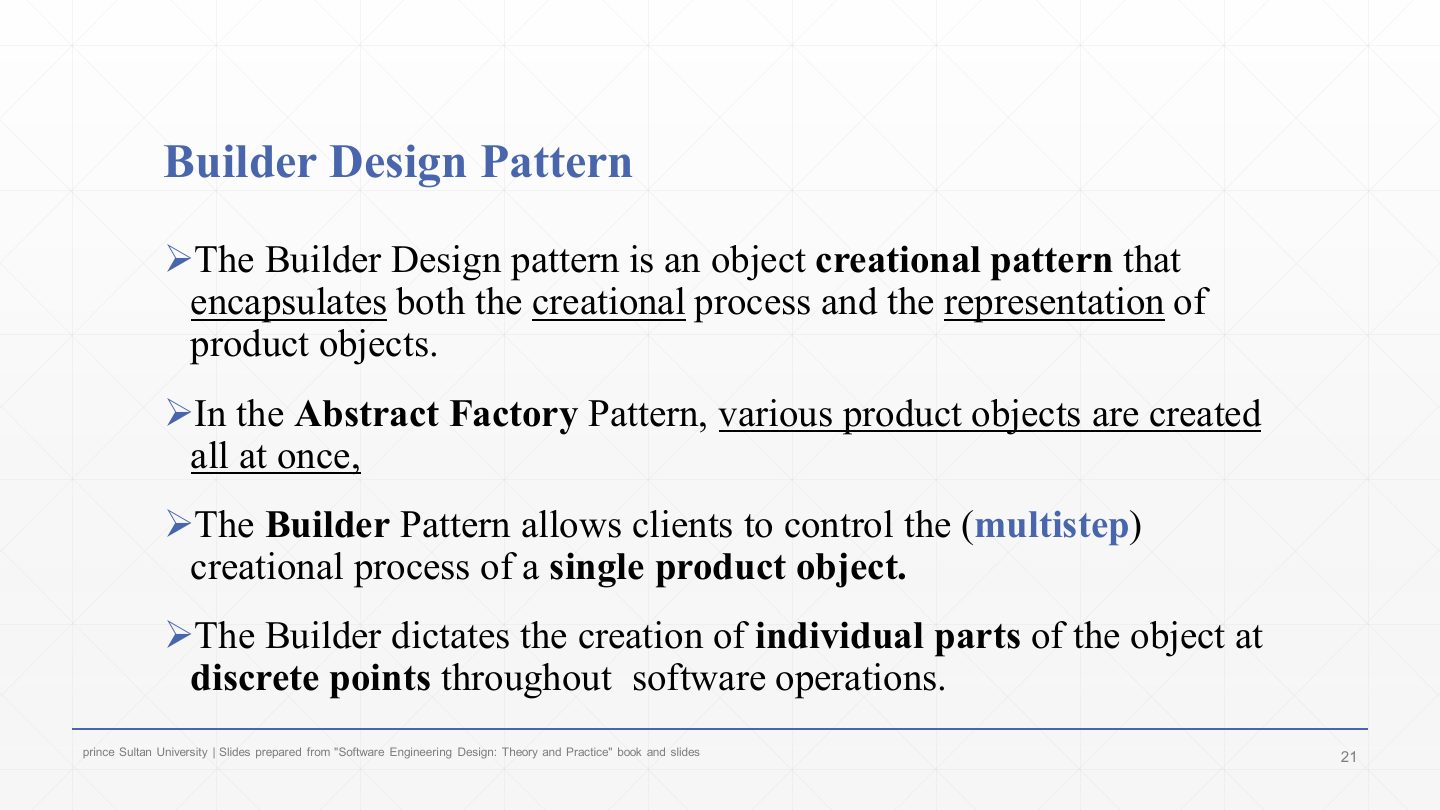
  1. Builder is an object creational pattern that encapsulates both the creational process and the representation of product objects.

  2. In Abstract Factory, the various product objects are created all at once (one call each).

  3. Builder lets clients control the multistep creational process of a single product.

  4. It dictates the creation of individual parts at discrete points throughout the software’s operation.

Slide 22 / 43

Builder Design Pattern Example

Slide 22: Builder Design Pattern Example

Notes

  1. The textbook example: a code generator works from an interface specification document (ICD) for custom hardware.

  2. The company sells the hardware plus a library to monitor and control it. The generator reads the messaging specification and generates C++ classes that customers use with the hardware.

  3. The ICD is complex, and customers now want Java and C# as well: the same generation process, new representations, so Builder.

Slide 23 / 43

Builder Design Pattern Example: class diagram

Slide 23: Builder Design Pattern Example: class diagram

Notes

  1. The design (same as slide 14): CodeGenerator is the director, MessageBuilder the abstract builder, CppMessageBuilder and JavaMessageBuilder the concrete builders, GeneratedProduct the product. A C# version would add only a CSharpMessageBuilder.

Slide 24 / 43

Builder Design Pattern Example: the builder interface

Slide 24: Builder Design Pattern Example: the builder interface

Notes

  1. The builder interface in C++:

    CodeWhat it does
    class MessageBuilder { public:The builder interface for generating code.
    virtual void buildNewClass(string name) = 0;Step: start a class. = 0 makes it pure virtual (abstract).
    virtual void buildClassAttributes(string attributeList) = 0;Step: its attributes.
    virtual void buildClassOperations(string operationList) = 0;Step: its operations.
    virtual void closeClass() = 0; virtual string getFileExtension() = 0;Step: close it; and the language’s file extension.
    GeneratedProduct* getGeneratedProduct() { return _codeProduct; }Shared by all builders: return the product.
    private: GeneratedProduct* _codeProduct; };The product holds the generated code and statistics.
  2. The same steps are used to create products in every target language.

Slide 25 / 43

Builder Design Pattern Example: the C++ builder

Slide 25: Builder Design Pattern Example: the C++ builder

Notes

  1. The C++ concrete builder, step by step (each step adds its code to the product with getGeneratedProduct()->addCode(...)).

  2. Step 1 buildNewClass(name) writes class MessageOne {. Step 2 buildClassAttributes adds private: int attributeOne; int attributeTwo;. Step 3 buildClassOperations adds public: void setValueOne(unsigned char x);. Step 4 closeClass() writes };.

  3. Result: a complete C++ class, the “C++ product created”. JavaMessageBuilder runs the same four calls and produces a Java class instead.

Slide 26 / 43

Singleton Design Pattern

Slide 26: Singleton Design Pattern

Notes

  1. Singleton is an object creational pattern that prevents a class from being instantiated more than once in a running program.

  2. Its intent: ensure a class has only one instance, and provide a global point of access to it.

Exam angle

PredictionQ1

Which pattern guarantees exactly one instance of a class with a global access point?

  1. Singleton
  2. Prototype
  3. Factory Method
  4. Builder
Show answer

A. Singleton

Slide 27 / 43

Singleton Design Pattern

Slide 27: Singleton Design Pattern

Notes

  1. The UML, member by member. -Singleton(): a private constructor (minus sign) restricts instantiation, so no other class can call new Singleton().

  2. -instance : Singleton (underlined): a private static attribute that holds the one instance. Underlined members are static in UML.

  3. +getInstance() : Singleton (underlined): a public static method that creates the instance if needed and gives everyone access to the one and only object. +operation() stands for the class’s ordinary behaviour.

Exam angle

Past exam · Final 252 · Q6-2 · 2 marksQ1

Draw the standard class diagram of the Singleton pattern and convert it into code (any language).

Show answer

Diagram: class Singleton with - instance: Singleton {static}, - Singleton(), + getInstance(): Singleton {static}. Code: public class Singleton { private static Singleton instance; private Singleton() { } public static Singleton getInstance() { if (instance == null) { instance = new Singleton(); } return instance; } }. The private constructor stops other classes calling new; the instance is created on first use and the same one is returned afterwards.

Slide 28 / 43

Singleton Design Pattern Example

Slide 28: Singleton Design Pattern Example

Notes

  1. The problem: an application needs event logging. Many objects generate events (actions, status, errors).

  2. The design: one central event manager that every object uses. It creates an event list on instantiation, adds events as they are logged, and writes them to a file at specific points.

  3. To prevent conflicts (two managers writing the same file), there must be only one instance of the event manager at any time: Singleton.

Slide 29 / 43

Extra: Why Singleton?

Slide 29: Extra: Why Singleton?

Notes

  1. Why there is a problem: login, payment and notification systems all need to log. If each creates its own logger, you get multiple log files or conflicting writes, inconsistent data, and a system that is harder to debug and audit.

  2. The real problem is conflicts, redundancy and loss of control.

  3. Singleton fixes it: only one EventManager exists, every part shares it, so there is one log file and central control. One object → one responsibility → no conflict.

Slide 30 / 43

Singleton Design Pattern Example: class diagrams

Slide 30: Singleton Design Pattern Example: class diagrams

Notes

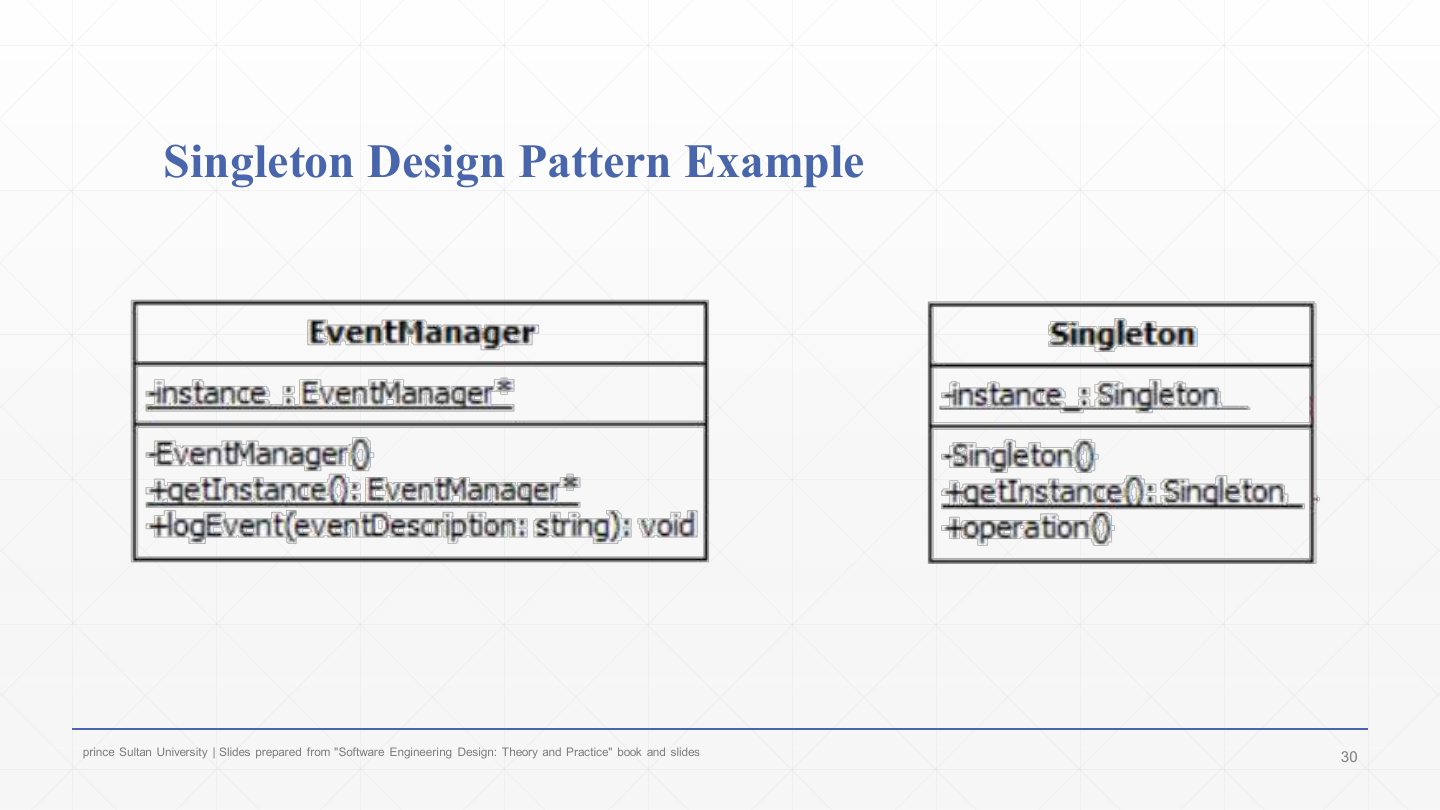
  1. The example mapped onto the generic structure: EventManager has -instance_ : EventManager* (static), a private constructor -EventManager(), +getInstance(): EventManager* (static) and +logEvent(eventDescription: string).

  2. Compared with the generic Singleton box, only the names changed: logEvent is the class’s real operation().

Slide 31 / 43

Java Code for the Singleton Pattern: the class

Slide 31: Java Code for the Singleton Pattern: the class

Notes

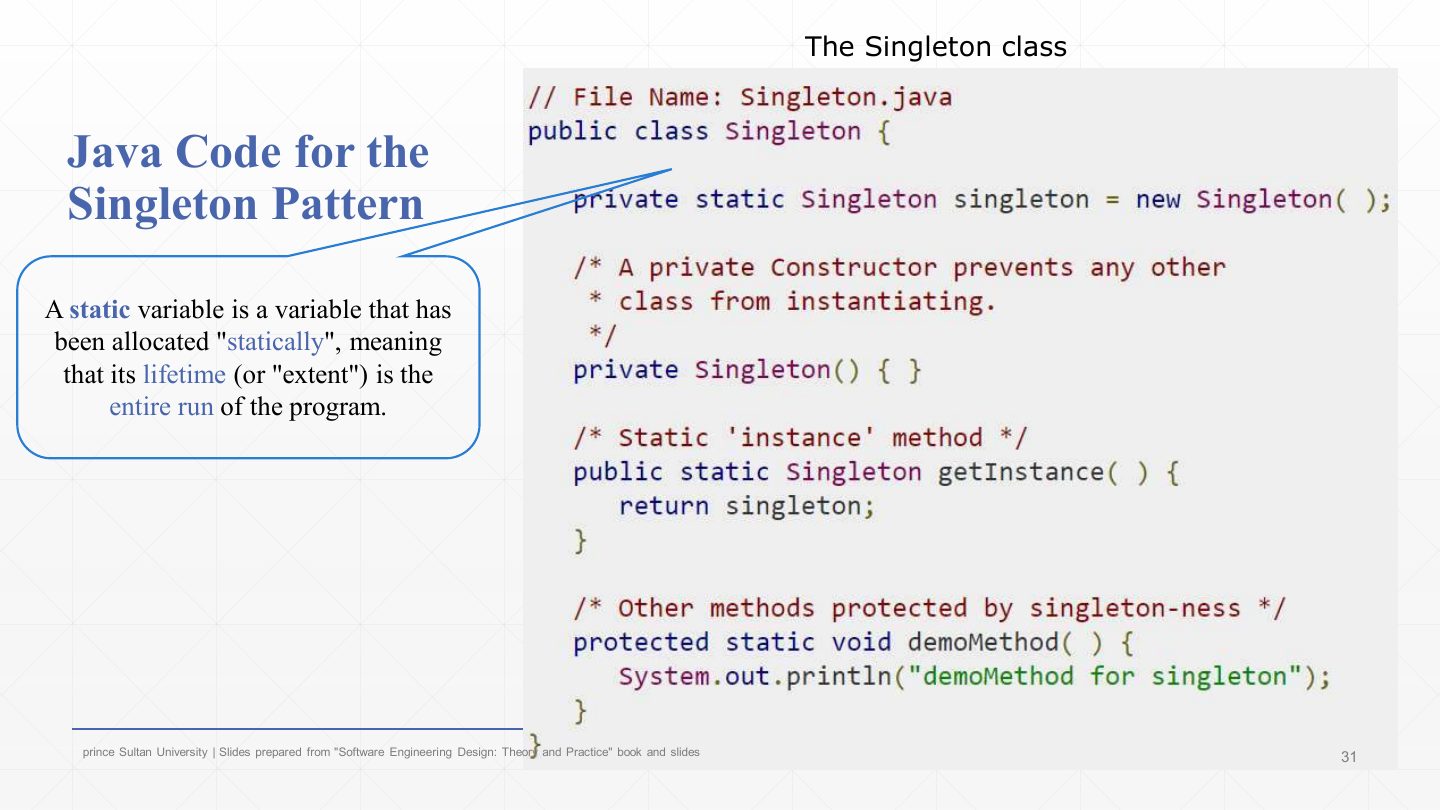
  1. The Java class:

    CodeWhat it does
    public class Singleton {
    private static Singleton singleton = new Singleton();The one instance, created when the class loads (eager initialisation).
    private Singleton() { }A private constructor prevents any other class from instantiating it.
    public static Singleton getInstance() { return singleton; }The static “instance” method: always returns the same object.
    protected static void demoMethod() { System.out.println("demoMethod for singleton"); } }Other methods, reached through the instance.
  2. A static variable is allocated statically: it lives for the entire run of the program, which is why it can hold the single instance. Compare with the exam version (slide 27), which creates the instance lazily inside getInstance().

Slide 32 / 43

Java Code for the Singleton Pattern

Slide 32: Java Code for the Singleton Pattern

Notes

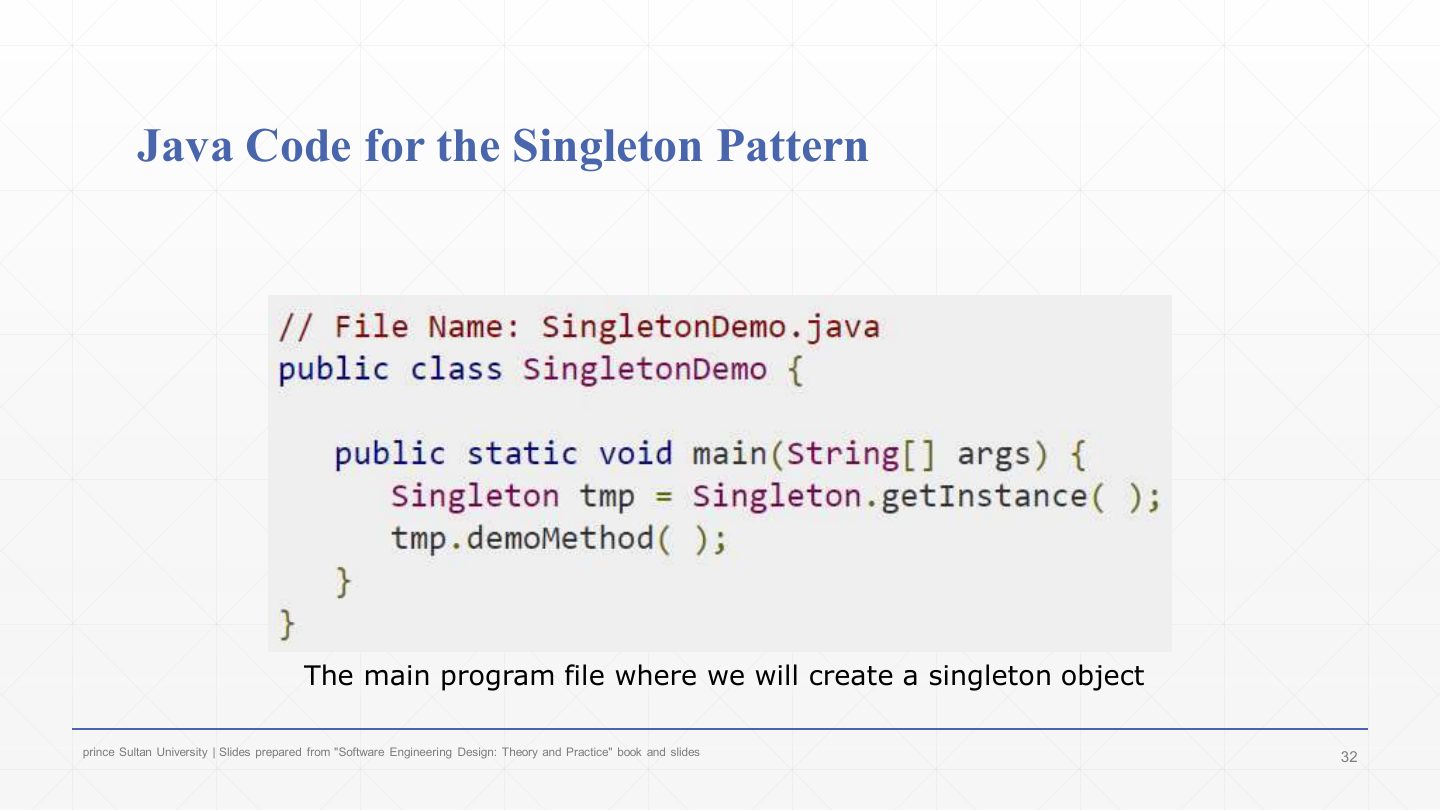
  1. Using it:

    CodeWhat it does
    public class SingletonDemo { public static void main(String[] args) {The main program.
    Singleton tmp = Singleton.getInstance();Not new Singleton() (that would not compile): ask the class for its instance.
    tmp.demoMethod(); } }Use it like any object.
Slide 33 / 43

Singleton Design Pattern Example

Slide 33: Singleton Design Pattern Example

Notes

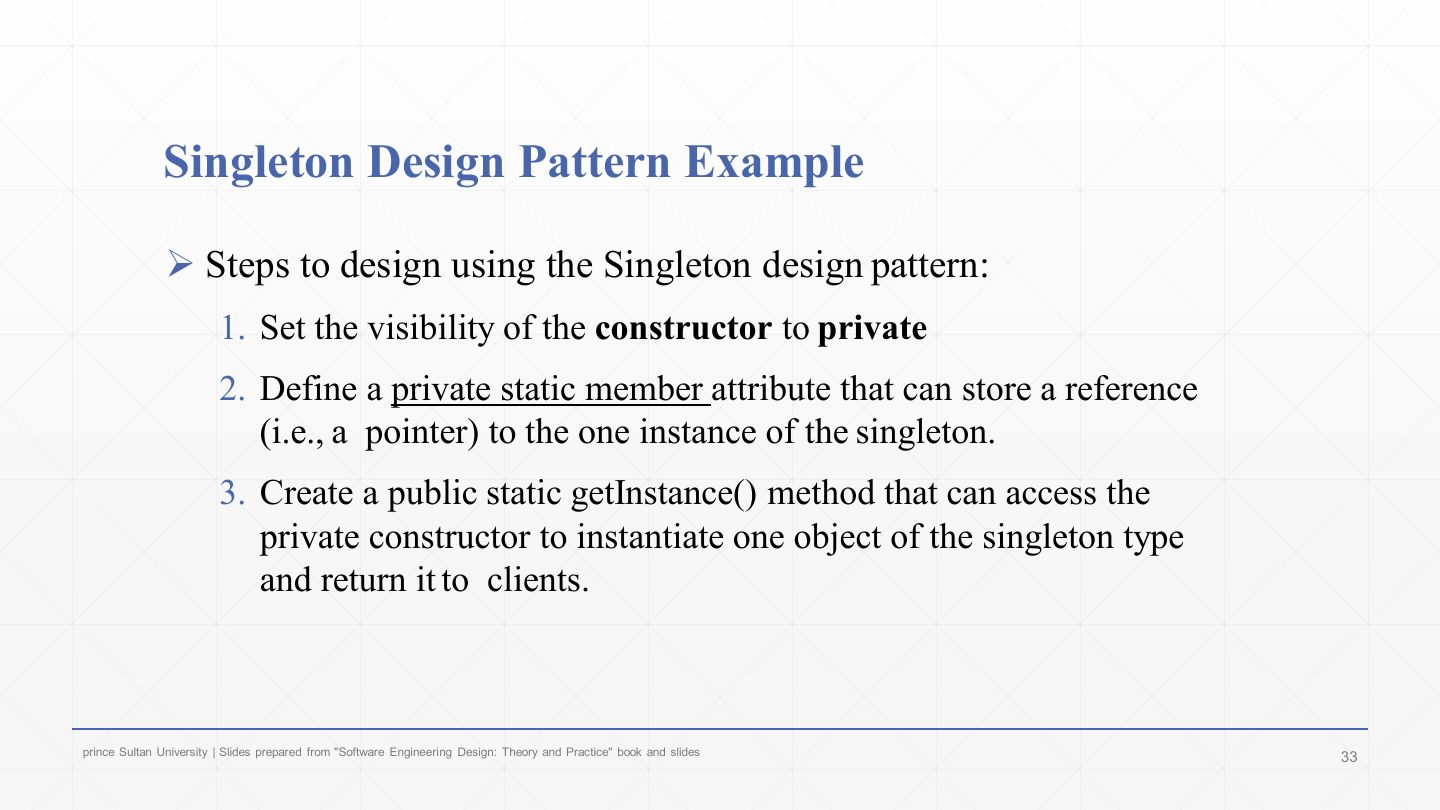
  1. 1. Make the constructor private.

  2. 2. Define a private static attribute that stores a reference to the one instance.

  3. 3. Create a public static getInstance() method that uses the private constructor to create one object (if it doesn’t exist yet) and returns it to clients. These three steps are the whole answer to “write the Singleton code”.

Exam angle

PredictionQ1

List the three steps to design a class with the Singleton pattern.

Show answer

(1) Make the constructor private. (2) Add a private static attribute holding the single instance. (3) Add a public static getInstance() that creates the instance through the private constructor if it doesn’t exist and returns it.

Slide 34 / 43

Benefits of the Singleton Design Pattern

Slide 34: Benefits of the Singleton Design Pattern

Notes

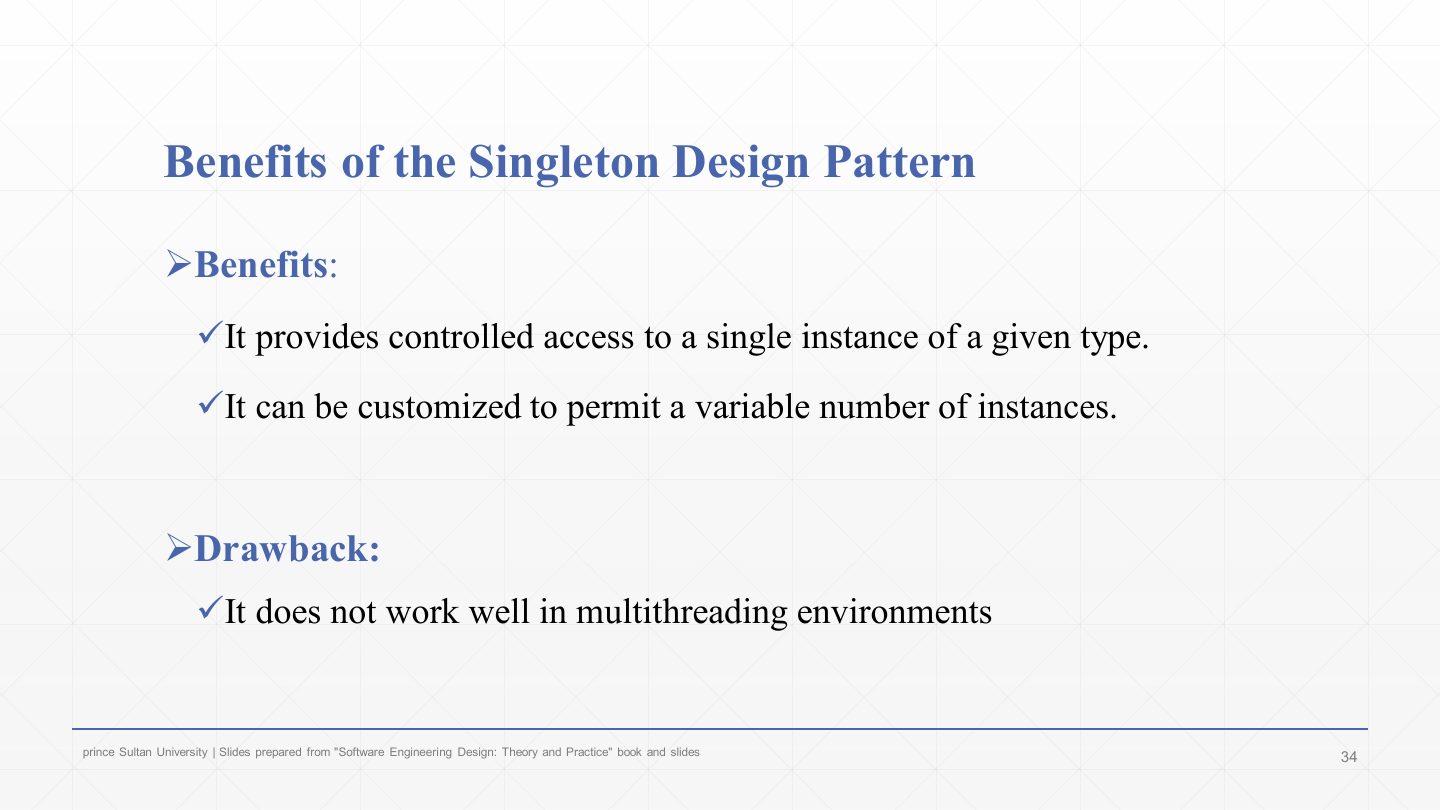
  1. Benefit: controlled access to a single instance of a type.

  2. Benefit: it can be customised to allow a variable number of instances (e.g. a pool of at most N), since creation goes through one method.

  3. Drawback: it doesn’t work well in multithreaded environments: two threads calling getInstance() at the same moment can both see instance == null and create two objects, unless the method is synchronised.

Exam angle

PredictionQ1

True or false: a Singleton’s constructor should be public so the instance can be created when needed.

Show answer

False — It must be private; clients get the instance through the public static getInstance().

PredictionQ2

Why can the lazy Singleton fail in a multithreaded program, and how is it fixed?

Show answer

Two threads can call getInstance() at the same time, both find instance == null and both create an object. Fix: synchronise getInstance() (or use eager initialisation / double-checked locking).

Slide 35 / 43

Extra: Real-World Scenario – banking logger

Slide 35: Extra: Real-World Scenario – banking logger

Notes

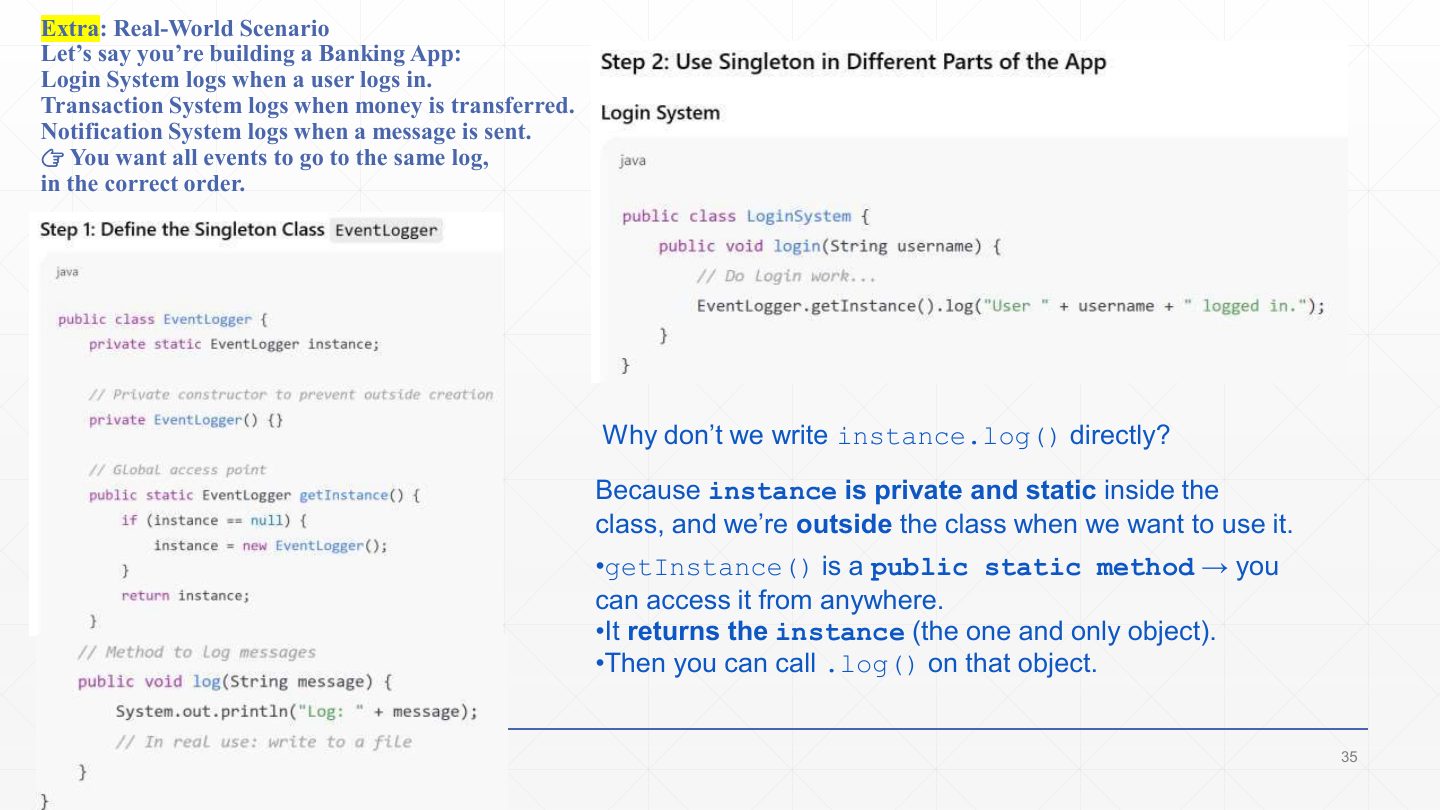
  1. The scenario: a banking app’s login, transaction and notification systems all log events, and everything must go to one log in the correct order.

  2. Step 1, the Singleton class:

    CodeWhat it does
    public class EventLogger { private static EventLogger instance;The one instance.
    private EventLogger() {}Prevents outside creation.
    public static EventLogger getInstance() { if (instance == null) { instance = new EventLogger(); } return instance; }The global access point, created on first use.
    public void log(String message) { System.out.println("Log: " + message); } }In real use this would write to a file.
  3. Step 2, the login system: EventLogger.getInstance().log("User " + username + " logged in.");. Why not instance.log()? Because instance is private and static inside the class; from outside, getInstance() is the public way to reach the one object, and then you call .log() on it.

Slide 36 / 43

Extra: Transaction and notification systems

Slide 36: Extra: Transaction and notification systems

Notes

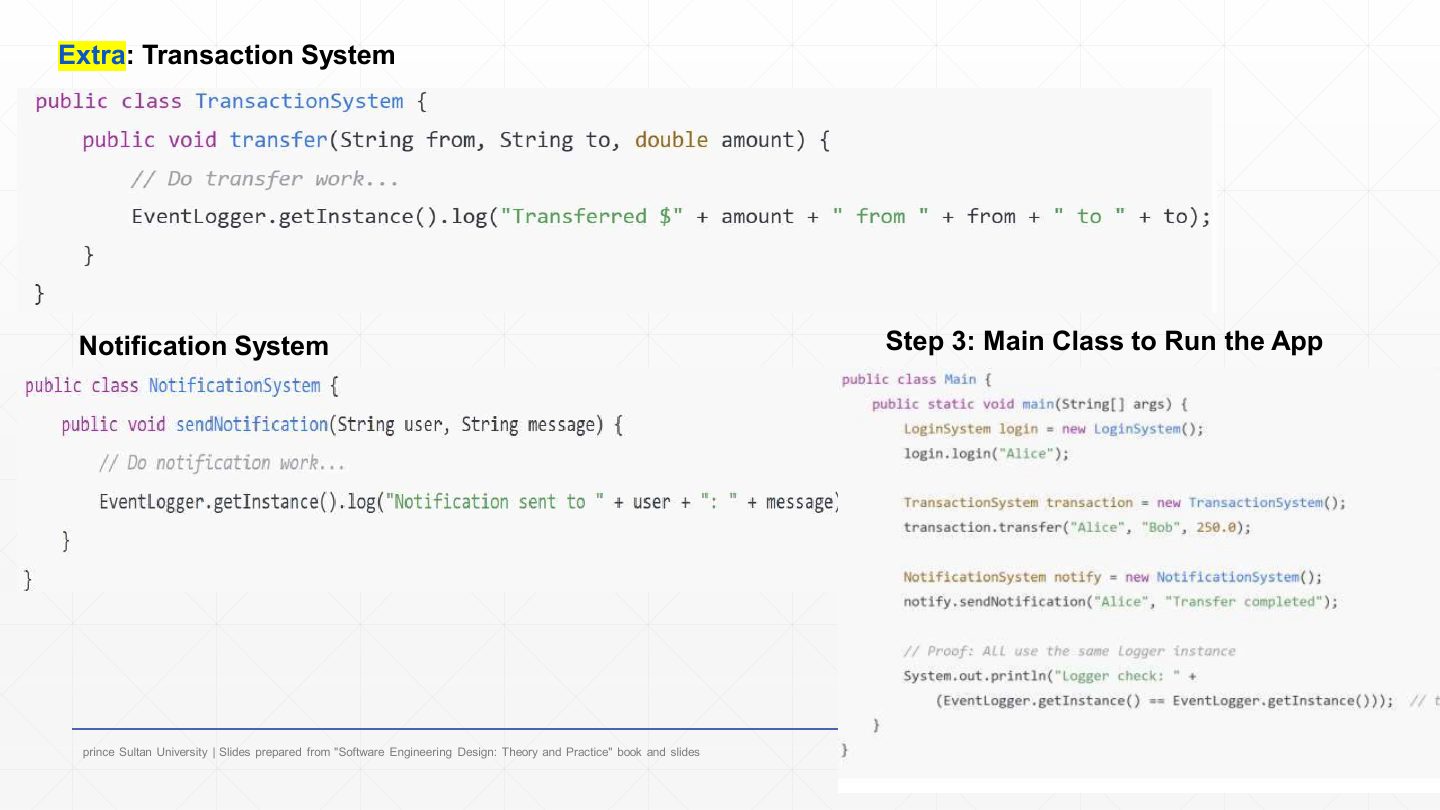
  1. The transaction system logs "Transferred $" + amount + " from " + from + " to " + to through EventLogger.getInstance().log(...).

  2. The notification system logs "Notification sent to " + user + ": " + message the same way.

  3. The main class runs login, a transfer and a notification, then prints EventLogger.getInstance() == EventLogger.getInstance(), which is true: proof that all three systems used the same logger object.

Slide 37 / 43

Singleton Design Pattern Example: C++ EventManager

Slide 37: Singleton Design Pattern Example: C++ EventManager

Notes

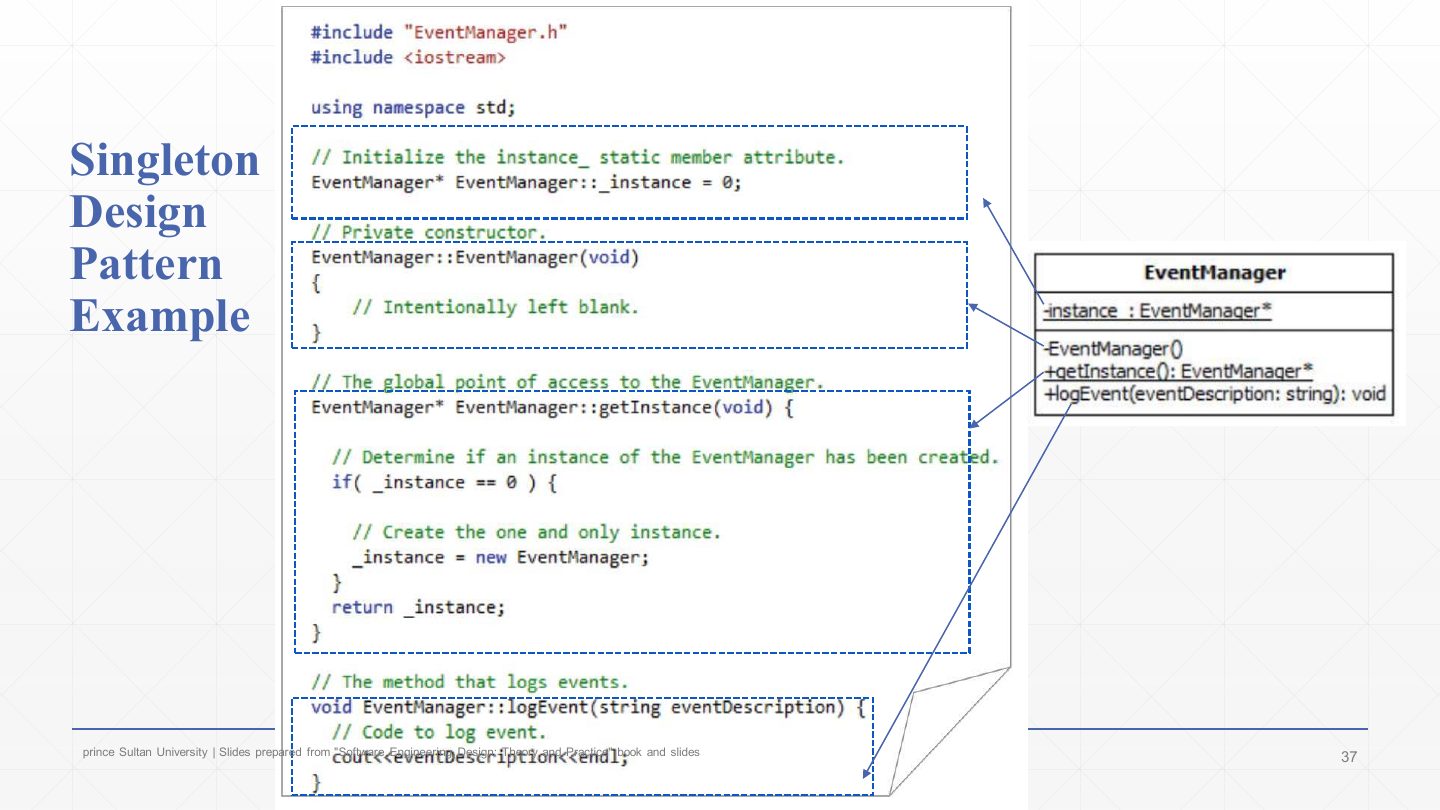
  1. The textbook EventManager in C++:

    CodeWhat it does
    EventManager* EventManager::_instance = 0;Initialise the static member: no instance yet.
    EventManager::EventManager(void) { /* Intentionally left blank. */ }The private constructor.
    EventManager* EventManager::getInstance(void) {The global point of access.
    if (_instance == 0) { _instance = new EventManager; }Create the one and only instance the first time.
    return _instance; }Every call returns the same pointer.
    void EventManager::logEvent(string eventDescription) { cout << eventDescription << endl; }The method that logs events.
Slide 38 / 43

Extra: Example – copying shapes (Prototype)

Slide 38: Extra: Example – copying shapes (Prototype)

Notes

  1. An extra exercise on the fifth creational pattern, Prototype: a drawing app needs many copies of Circle (radius) and Square (side).

  2. New shapes should be created by copying existing ones instead of from scratch.

  3. Tasks: draw the class diagram; write Java with a common interface, a self-copy method in each shape, and a main that copies a Circle and a Square.

  4. The plan: a Prototype interface with clone(), concrete prototypes Circle and Square, and a client that clones instead of calling new.

Exam angle

PredictionQ1

Which pattern creates new objects by copying an existing instance?

  1. Prototype
  2. Builder
  3. Singleton
  4. Composite
Show answer

A. Prototype

Slide 39 / 43

Prototype step 1: the common interface

Slide 39: Prototype step 1: the common interface

Notes

  1. Step 1:

    CodeWhat it does
    interface Shape { Shape clone(); }Every shape can duplicate itself; the copy is returned as a Shape.
Slide 40 / 43

Prototype step 2: Circle

Slide 40: Prototype step 2: Circle

Notes

  1. Step 2:

    CodeWhat it does
    class Circle implements Shape { int radius; Circle(int r) { this.radius = r; }A concrete prototype with its state.
    @Override public Shape clone() { return new Circle(this.radius); }Makes a copy with the same radius.
    public void show() { System.out.println("Circle with radius " + radius); } }
Slide 41 / 43

Prototype step 3: Square

Slide 41: Prototype step 3: Square

Notes

  1. Step 3:

    CodeWhat it does
    class Square implements Shape { int side; Square(int s) { this.side = s; }The second concrete prototype.
    @Override public Shape clone() { return new Square(this.side); }Copies the side length.
    public void show() { System.out.println("Square with side " + side); } }
Slide 42 / 43

Prototype step 4: the client

Slide 42: Prototype step 4: the client

Notes

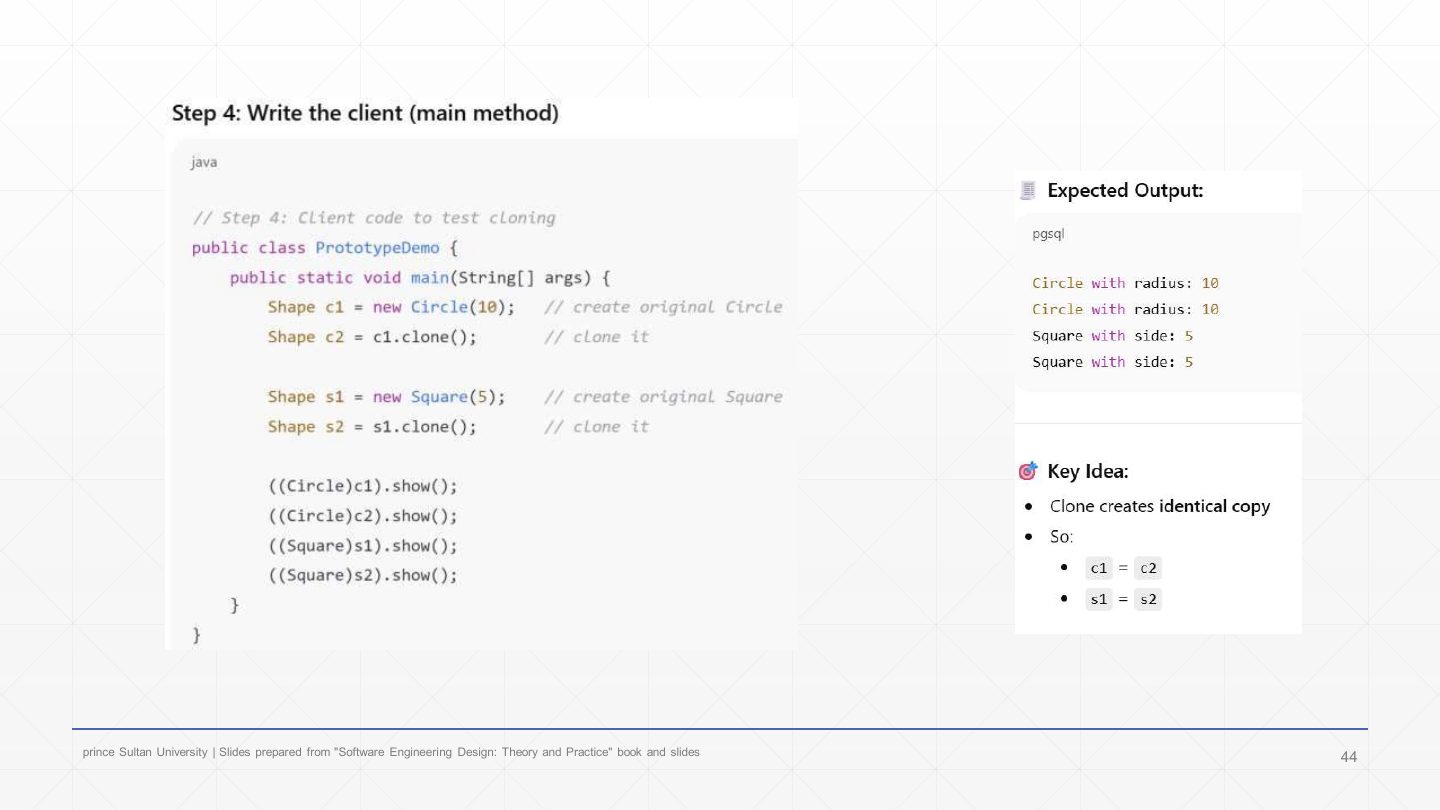
  1. Step 4, the client:

    CodeWhat it does
    Shape c1 = new Circle(10); Shape c2 = c1.clone();Create an original circle, then clone it.
    Shape s1 = new Square(5); Shape s2 = s1.clone();The same for a square.
    ((Circle)c1).show(); ((Circle)c2).show(); ((Square)s1).show(); ((Square)s2).show();Prints “Circle with radius 10” twice and “Square with side 5” twice.
  2. Key idea: a clone is an identical but separate copy (c1 and c2 have equal state but are different objects). With nested mutable fields, decide between shallow and deep copies.

Slide 43 / 43

Summary

Slide 43: Summary

Notes

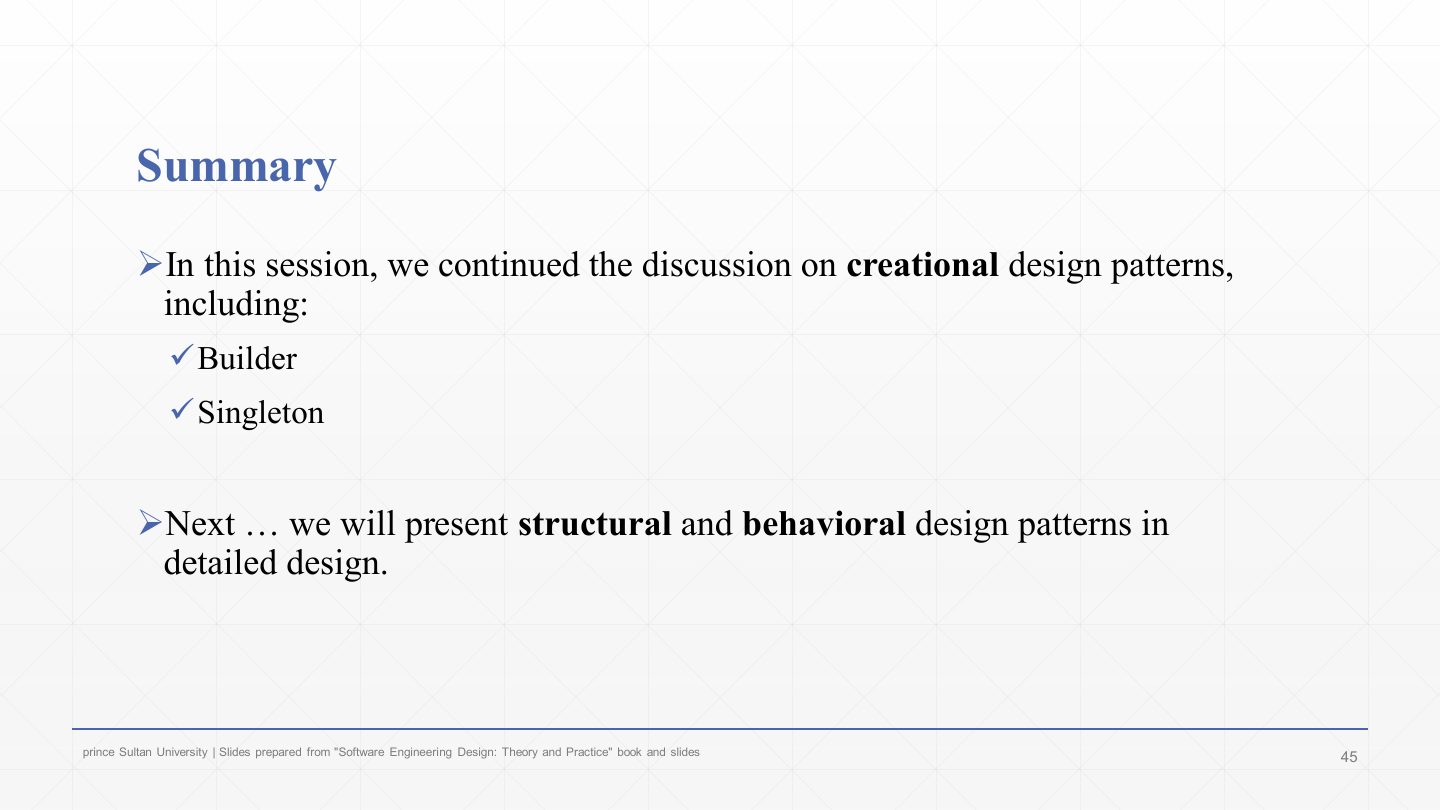
  1. This lecture: Builder and Singleton (plus a Prototype exercise), completing the creational patterns.

  2. Next: structural and behavioural design patterns (Chapter 7).