SE322 · Chapter 4 · Lecture 1 · Annotated SlidesArchitecture Patterns: Overview, History and Classification
PDF
Overview

Architecture Patterns: Overview, History and Classification

Architects rarely design from scratch: architectural styles and patterns are documented, reusable solutions with known benefits and consequences. This lecture separates the terms (a style is the overall shape, a pattern a specific recipe; architectural patterns are system-wide, design patterns work inside subsystems), traces their history from Alexander’s building patterns to Buschmann’s architectural patterns, and classifies systems into five types, each with its typical patterns. Lectures 2 and 3 then study those patterns one by one.

Style vs. pattern

A style is a high-level template for the whole structure (e.g. data flow); a pattern is a specific reusable solution within it (e.g. pipes and filters).

History

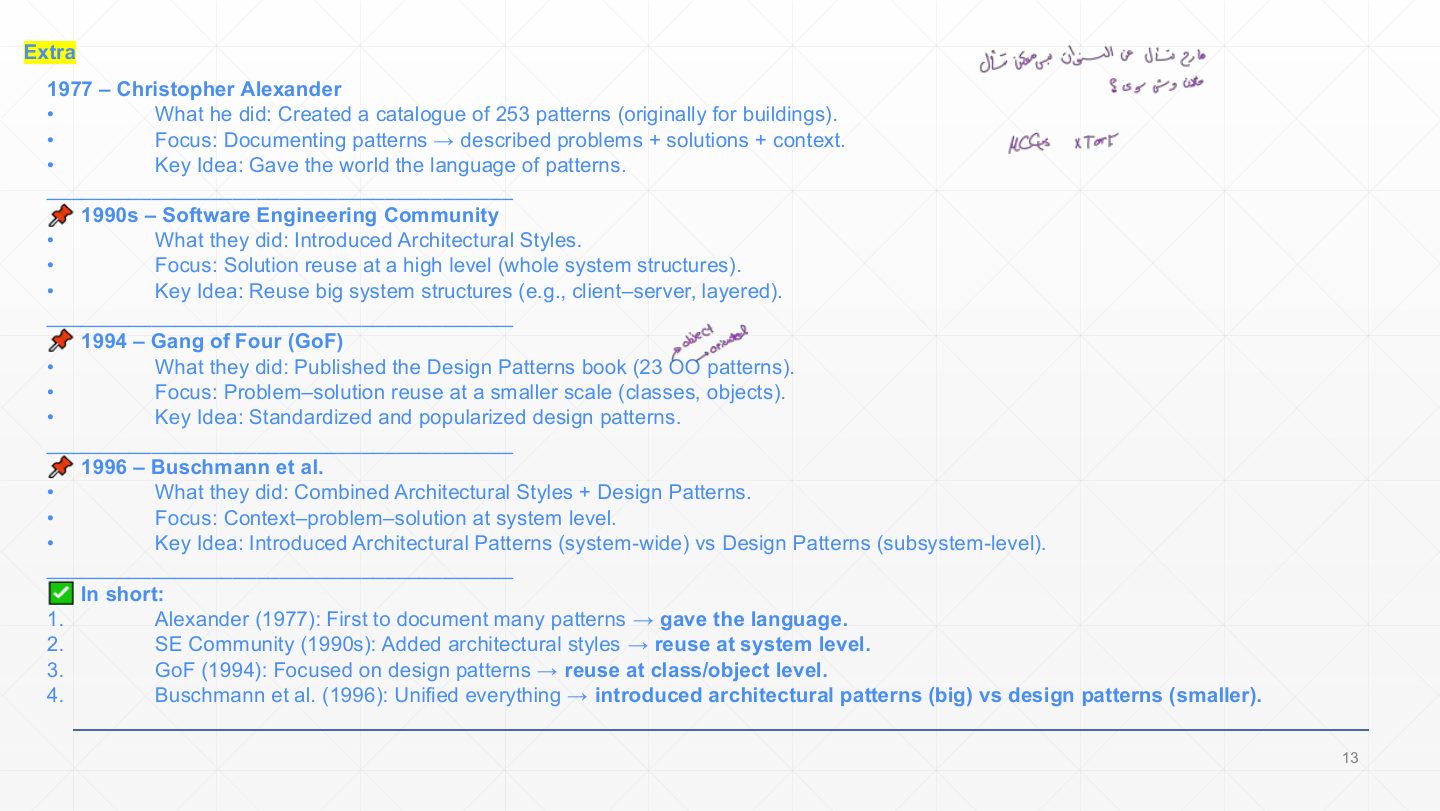
1977 Alexander (253 building patterns) → 1990s architectural styles → 1994 Gang of Four (23 design patterns) → 1996 Buschmann et al. (architectural patterns).

Architectural vs. design patterns

Architectural patterns fix system-wide structure; design patterns are medium-scale and don’t change the fundamental structure.

Five system types

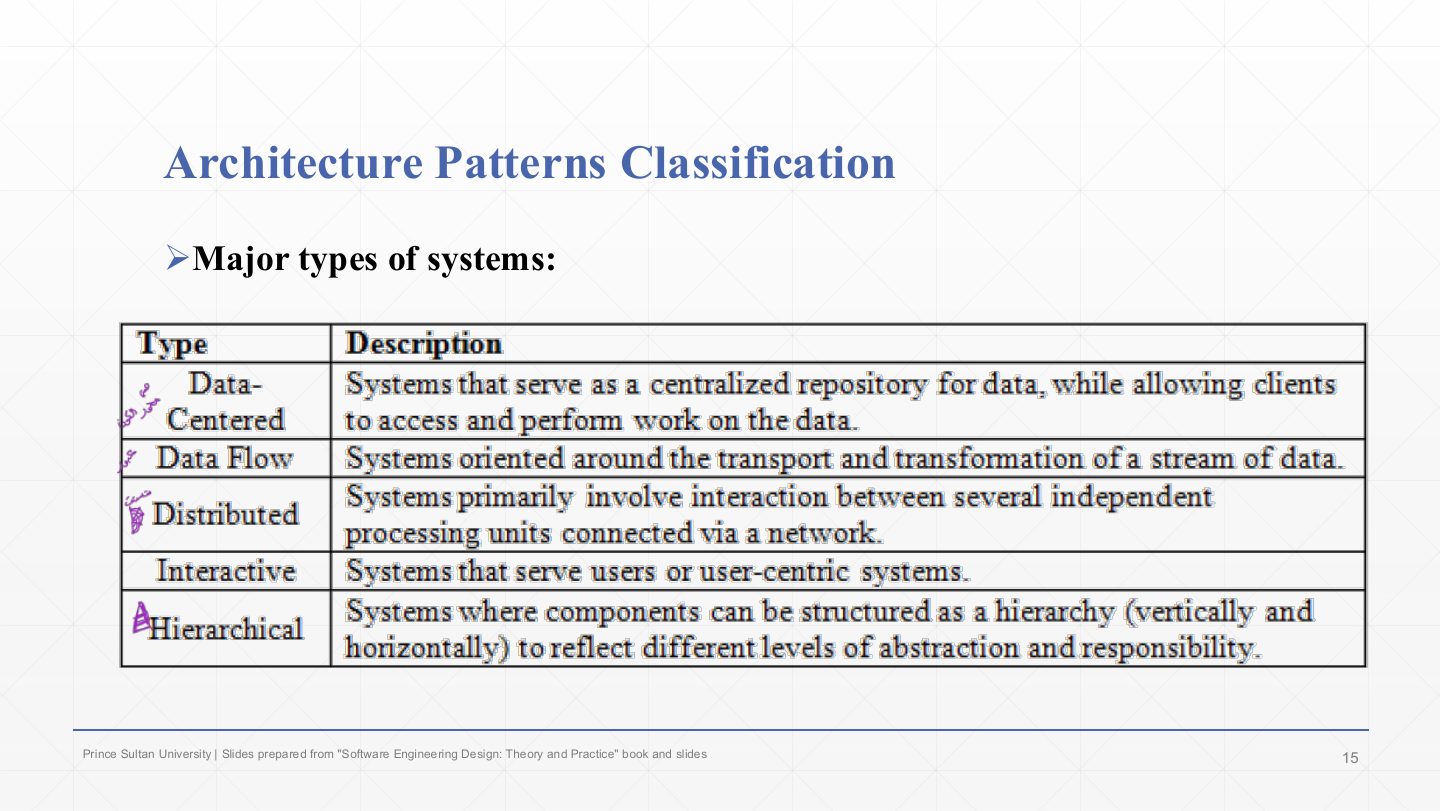
Data-centered (blackboard, repository), data flow (pipes and filters), distributed (client-server, broker), interactive (MVC), hierarchical (layered).

How the lecture is organized

Exam focus

The classification table (system type → pattern) is the base of every pattern question. Midterm 261 Q6 (3.5 marks) matched seven scenarios to layered, pipe-and-filter, broker, blackboard, MVC, client-server and peer-to-peer; Final 252 Q4 and Midterm 252 Q5 asked you to pick and draw a pattern for a scenario.

How to read this page

Every original slide is shown unchanged. Yellow marks on a slide point to a numbered note: hover or tap a mark to jump to its note, and hover a note to see its marks. Questions tagged Past exam appeared on a real paper; Prediction questions are likely angles, not confirmed.

All 28 slides
  1. 1 Slide 1
  2. 2 Lecture Outlines
  3. 3 Extra: Calculating the average, a reusable recipe
  4. 4 Overview
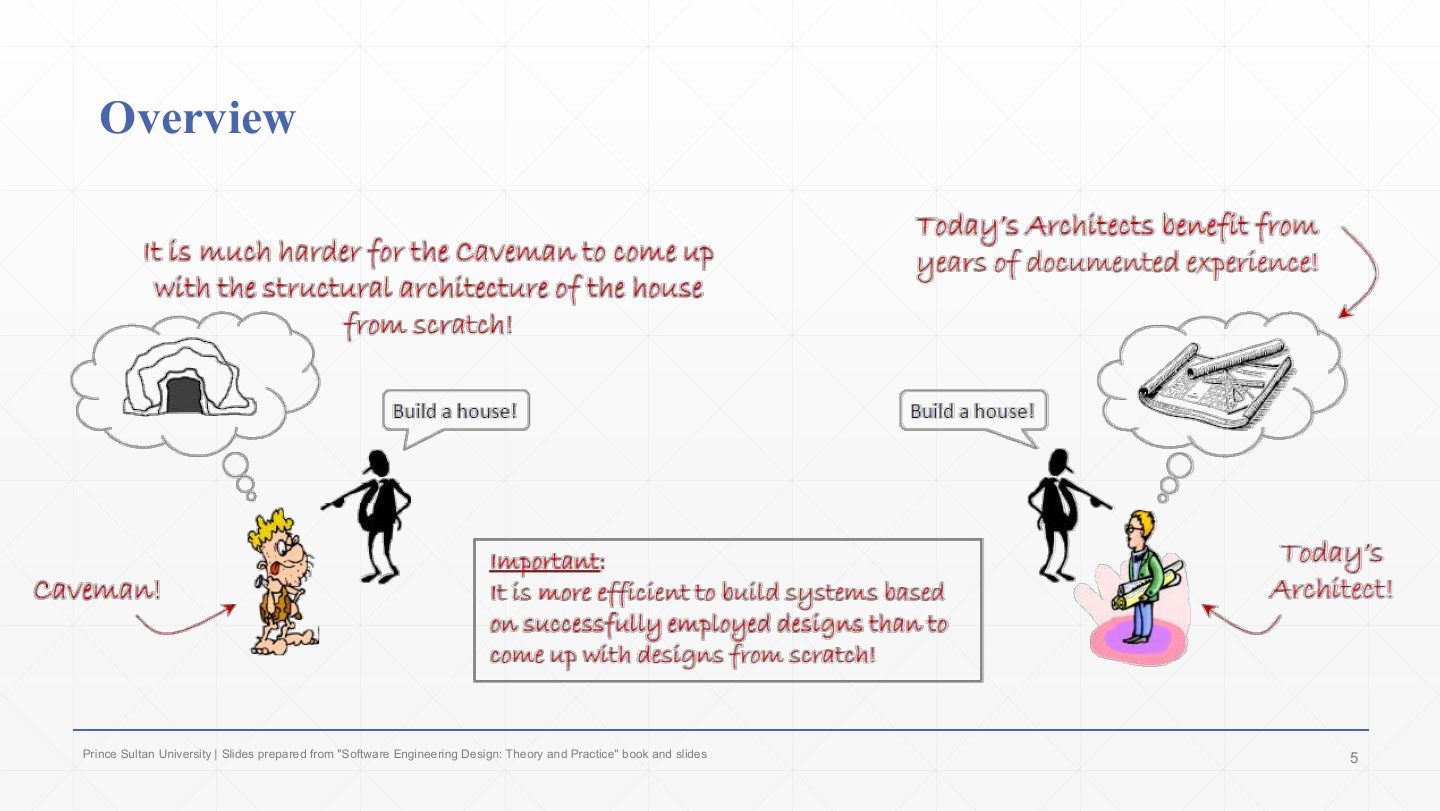
  5. 5 Overview: the caveman and today’s architect
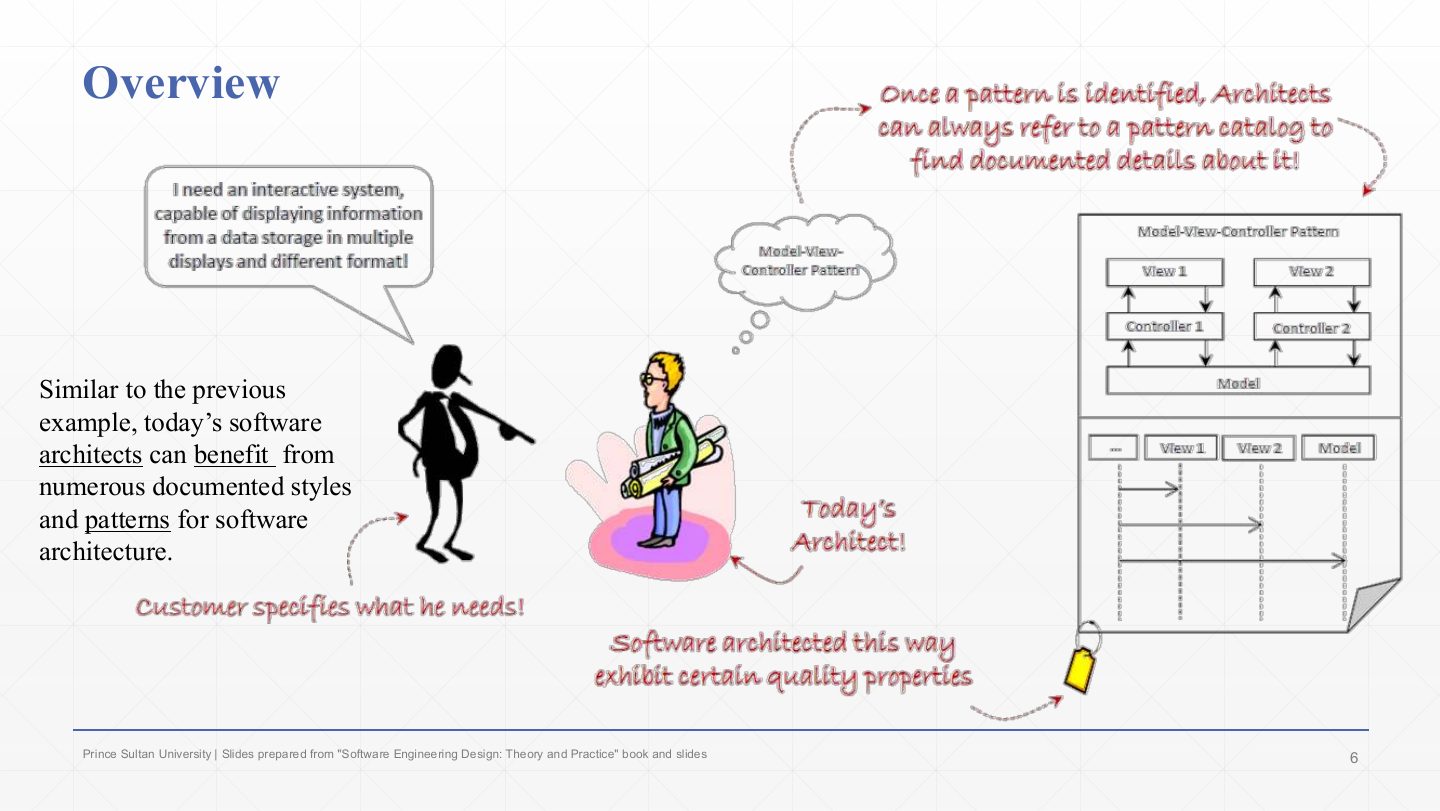
  6. 6 Overview: reusing documented patterns
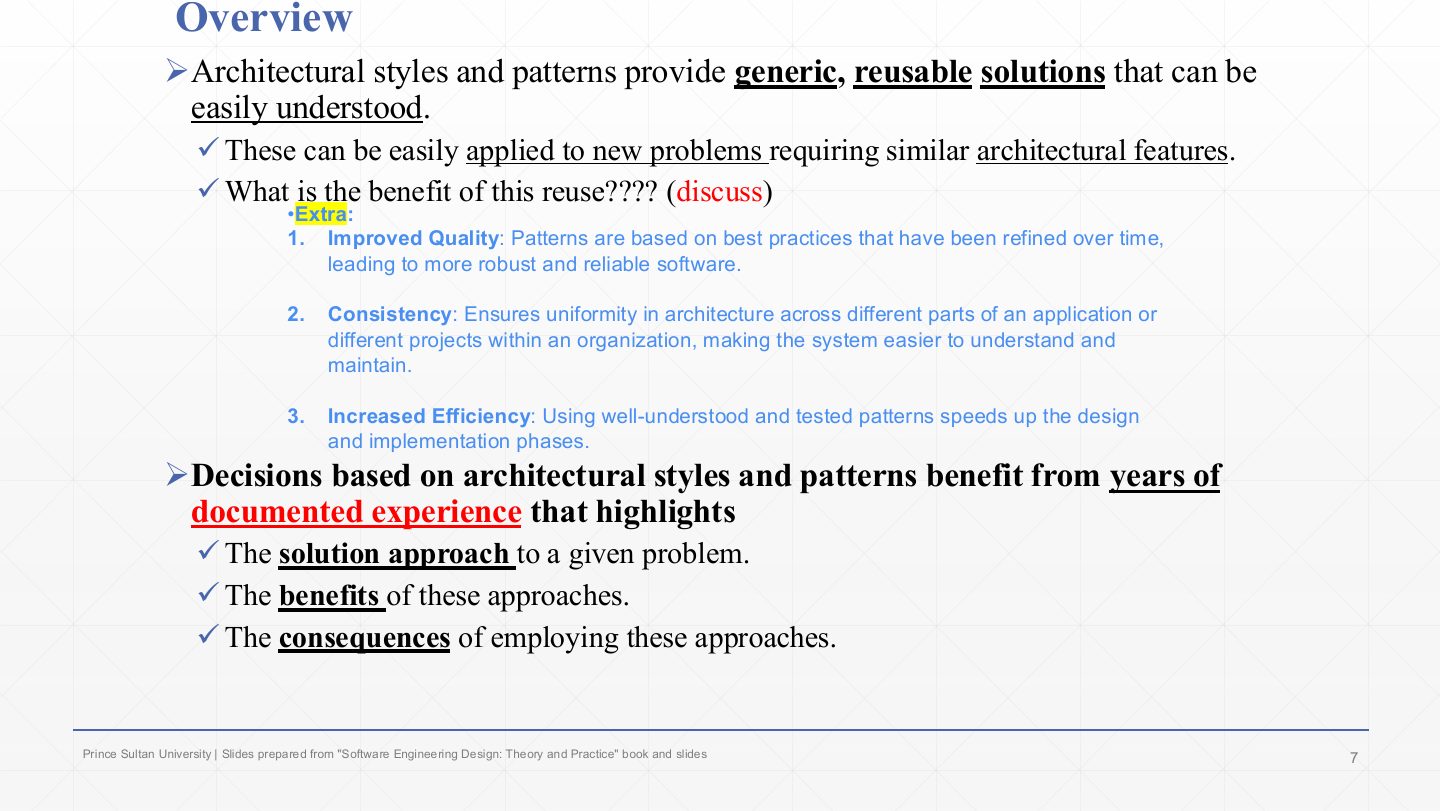
  7. 7 Overview
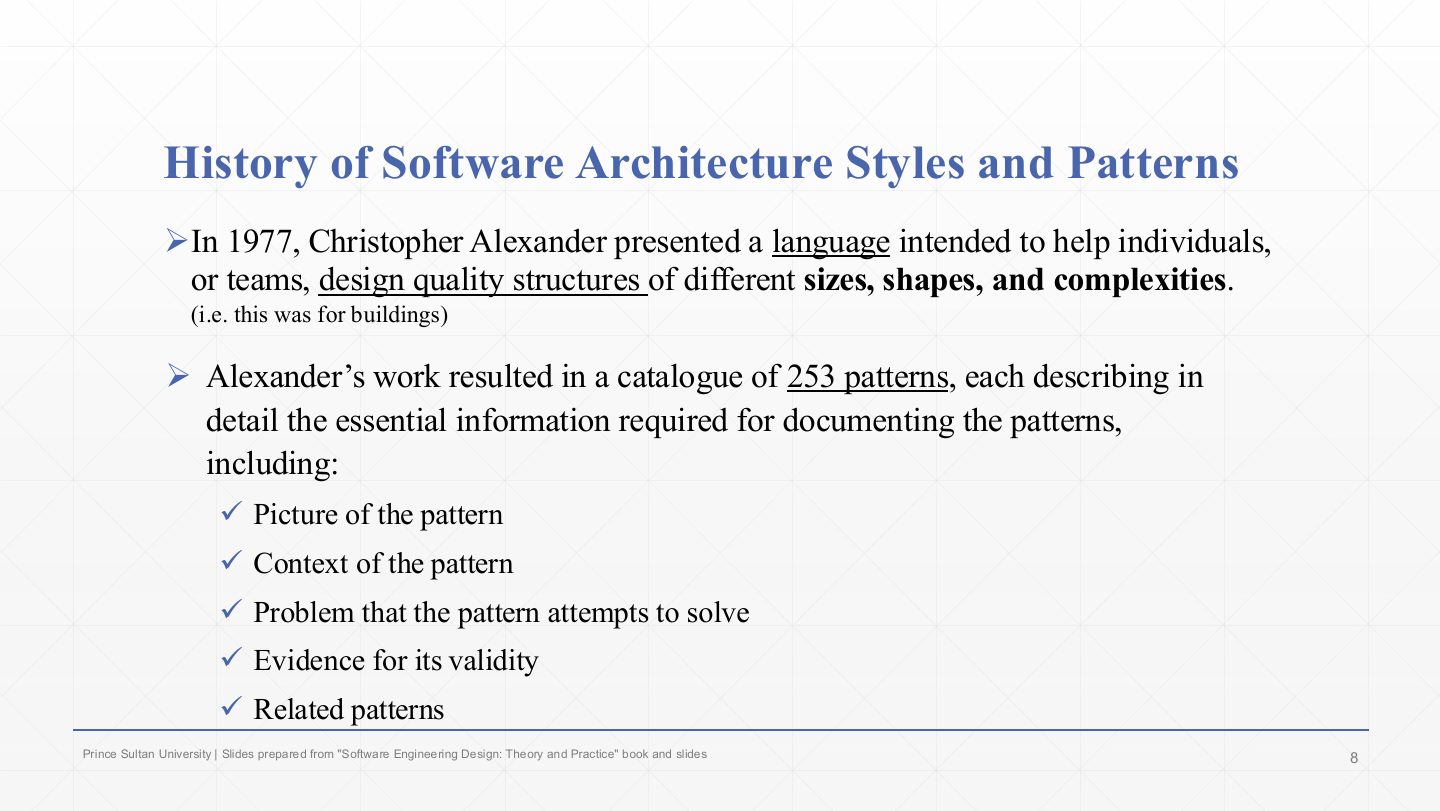
  8. 8 History of Software Architecture Styles and Patterns
  9. 9 History of Software Architecture Styles and Patterns
  10. 10 History of Software Architecture Styles and Patterns
  11. 11 History of Software Architecture Styles and Patterns
  12. 12 Extra: Architectural patterns vs. design patterns
  13. 13 Extra: Timeline of styles and patterns
  14. 14 Architecture Patterns Classification
  15. 15 Architecture Patterns Classification
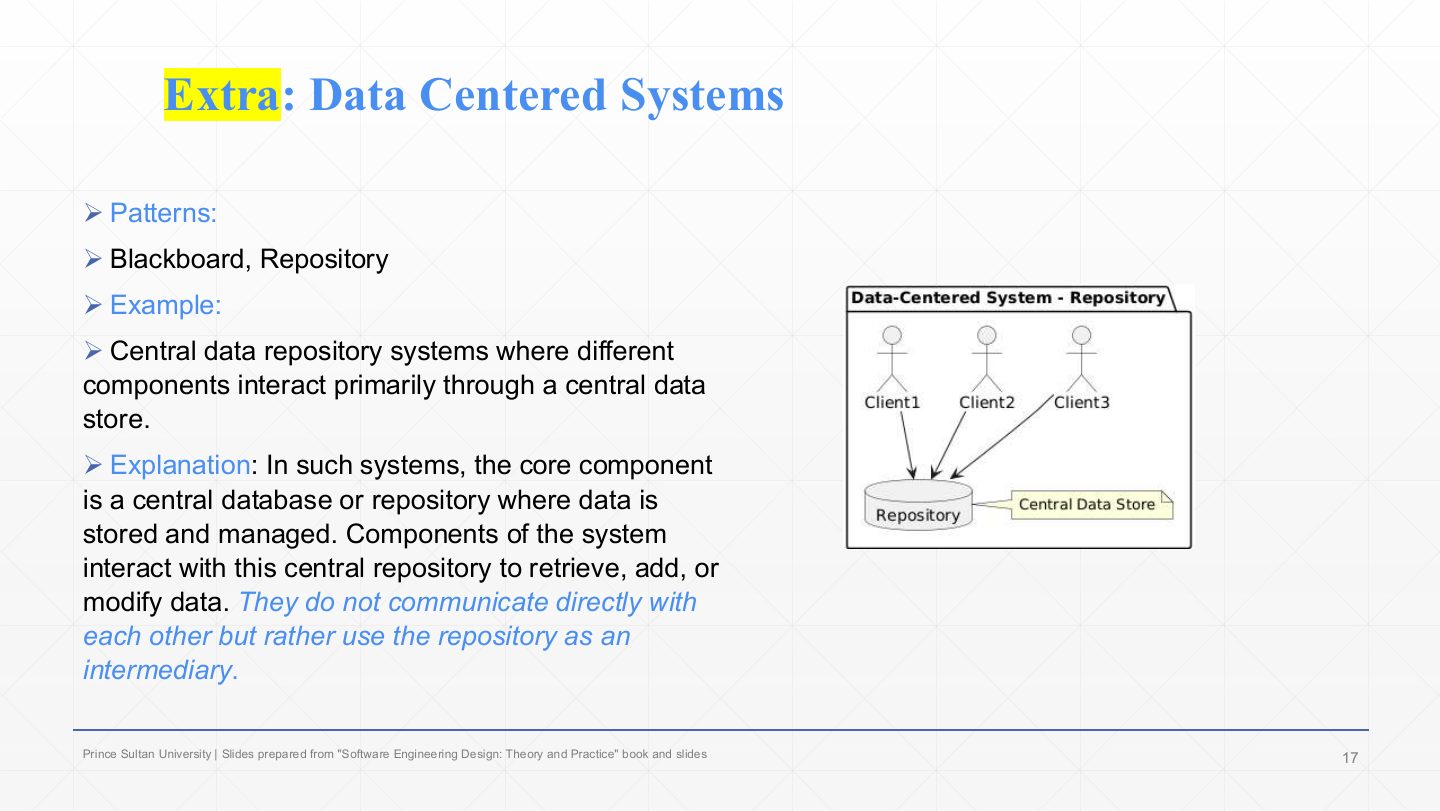
  16. 16 Data Centered Systems
  17. 17 Extra: Data Centered Systems
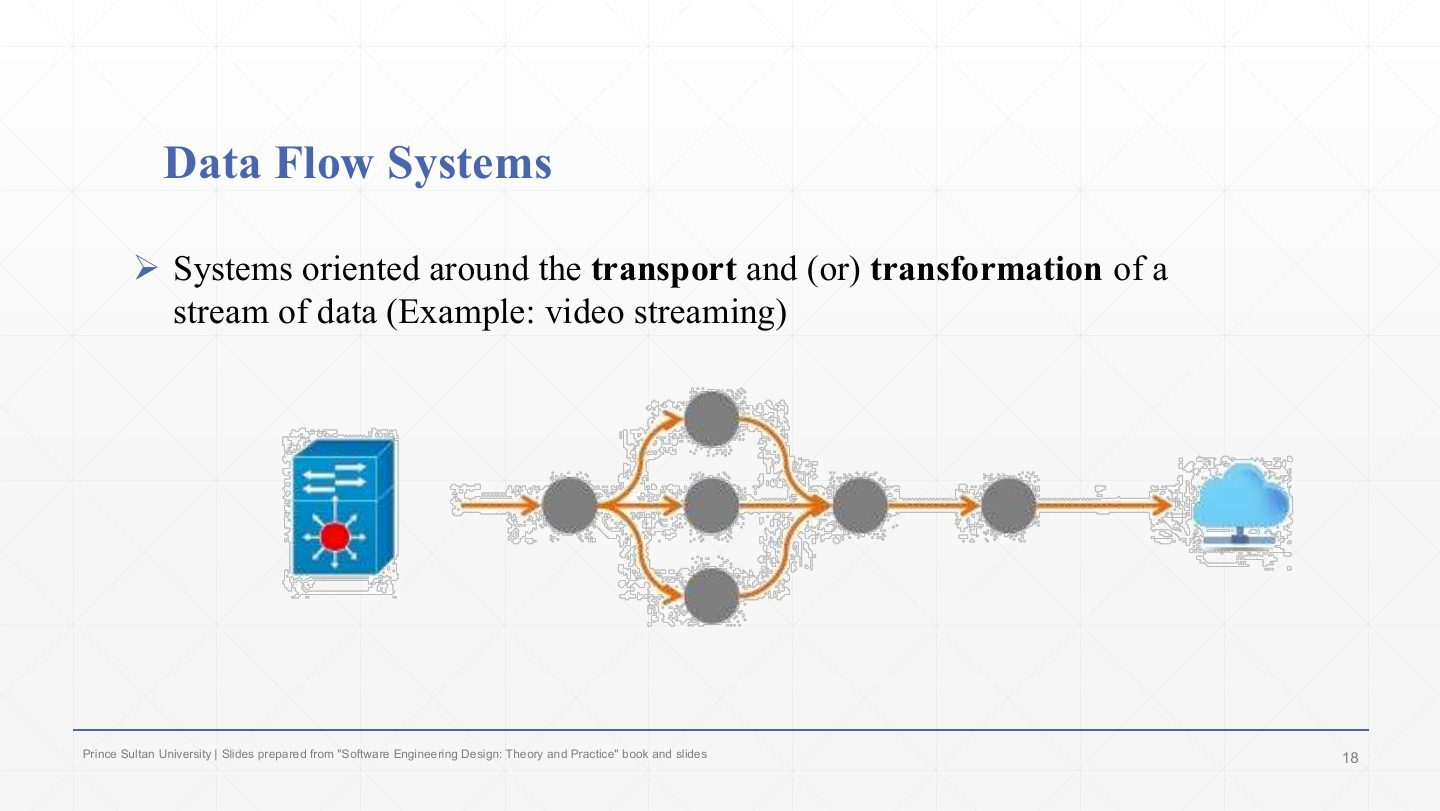
  18. 18 Data Flow Systems
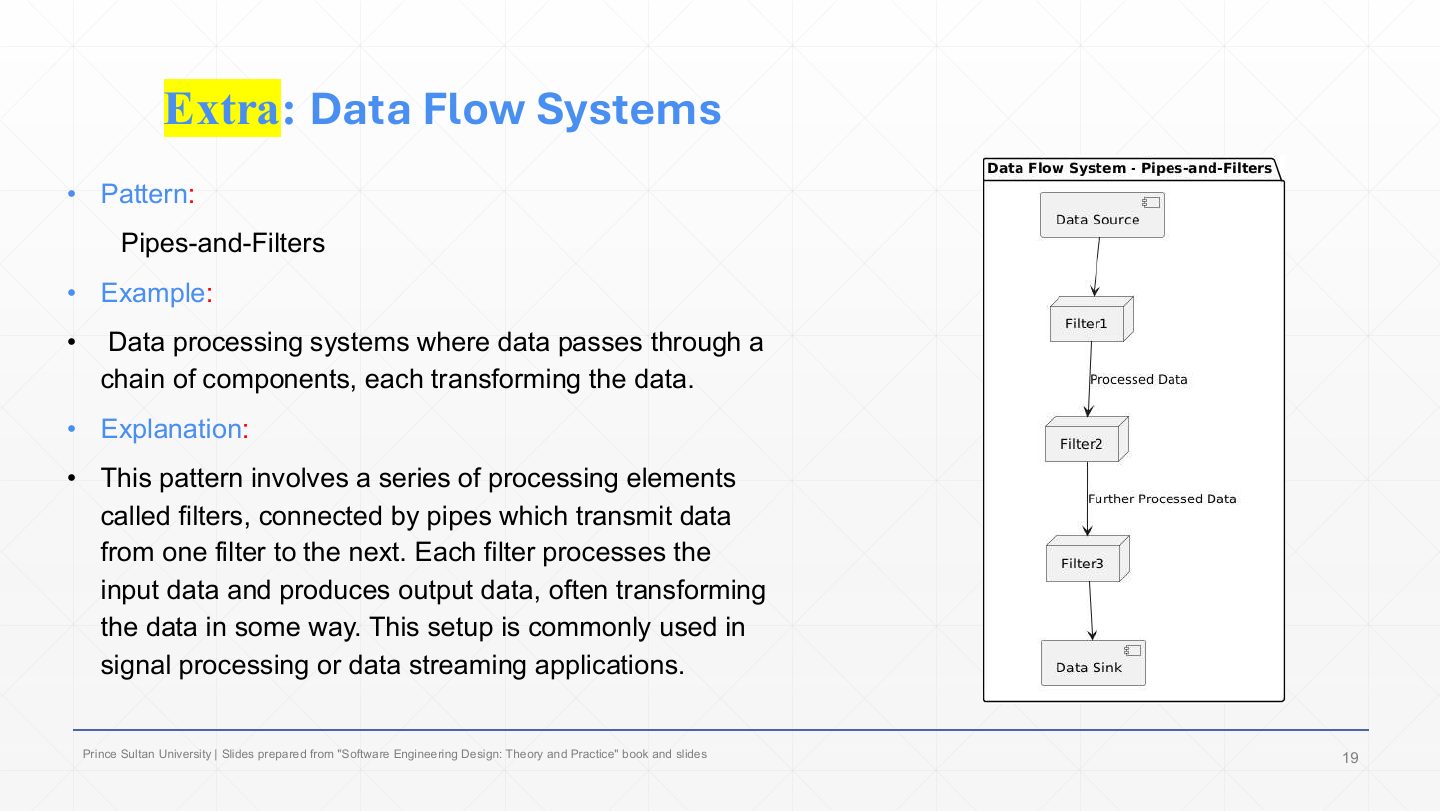
  19. 19 Extra: Data Flow Systems
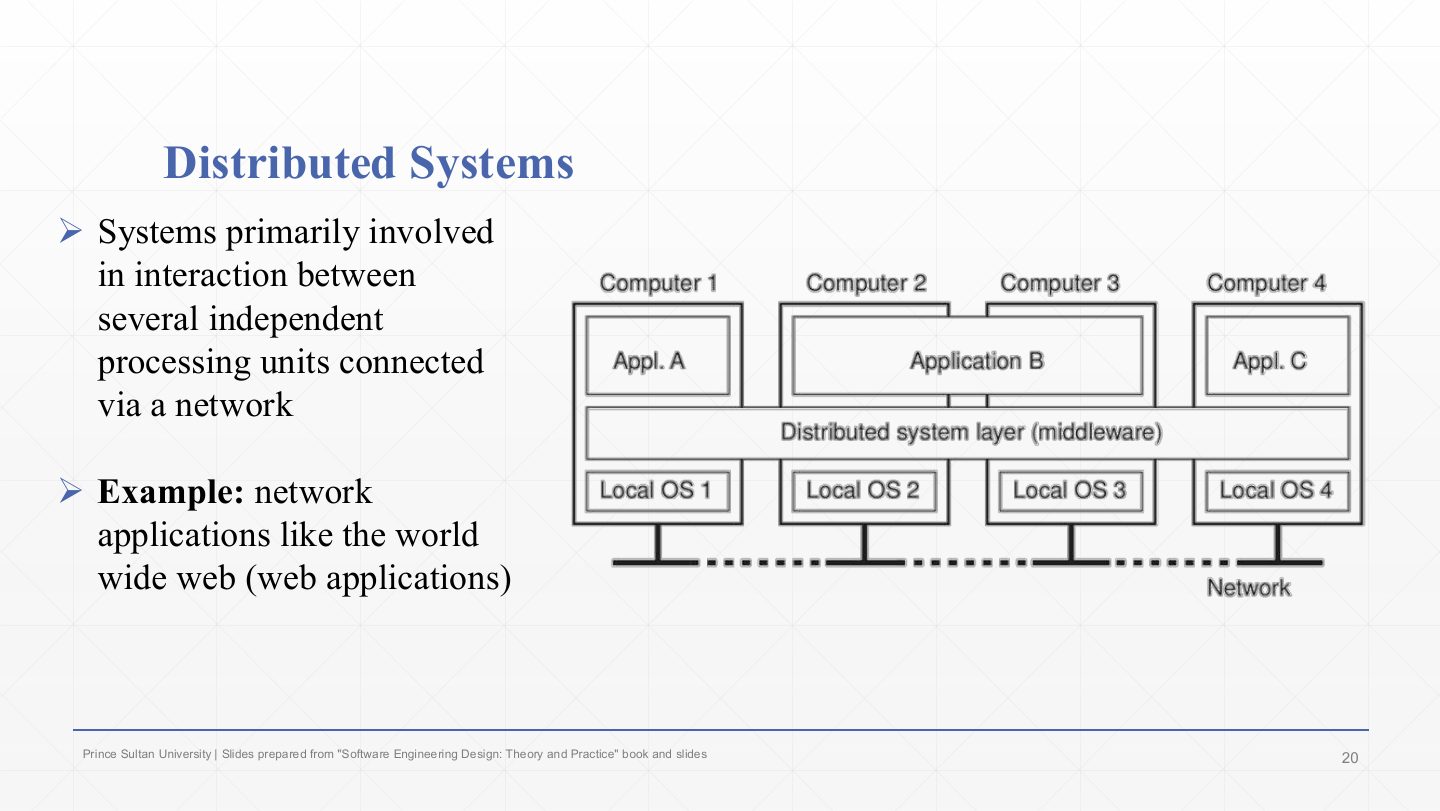
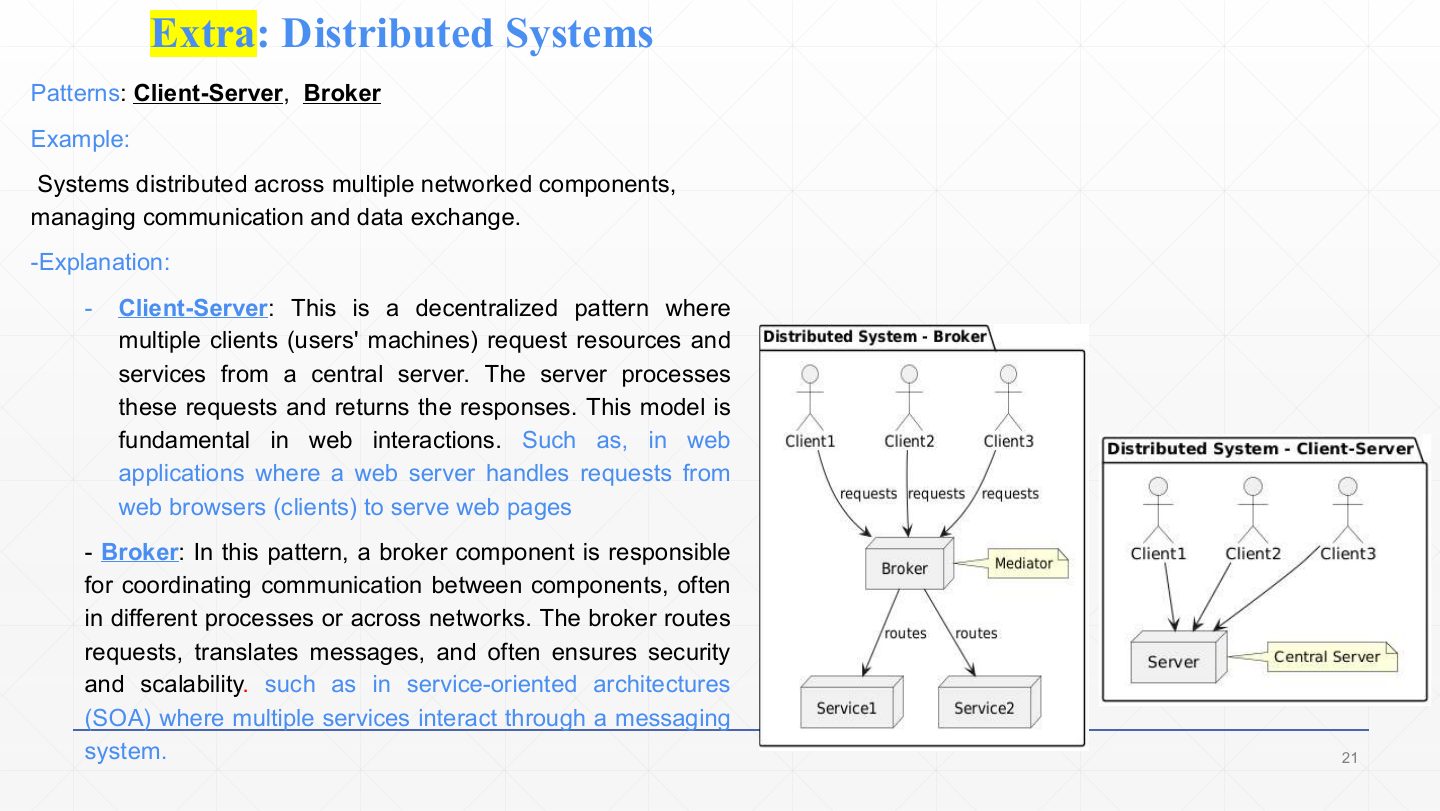
  20. 20 Distributed Systems
  21. 21 Extra: Distributed Systems
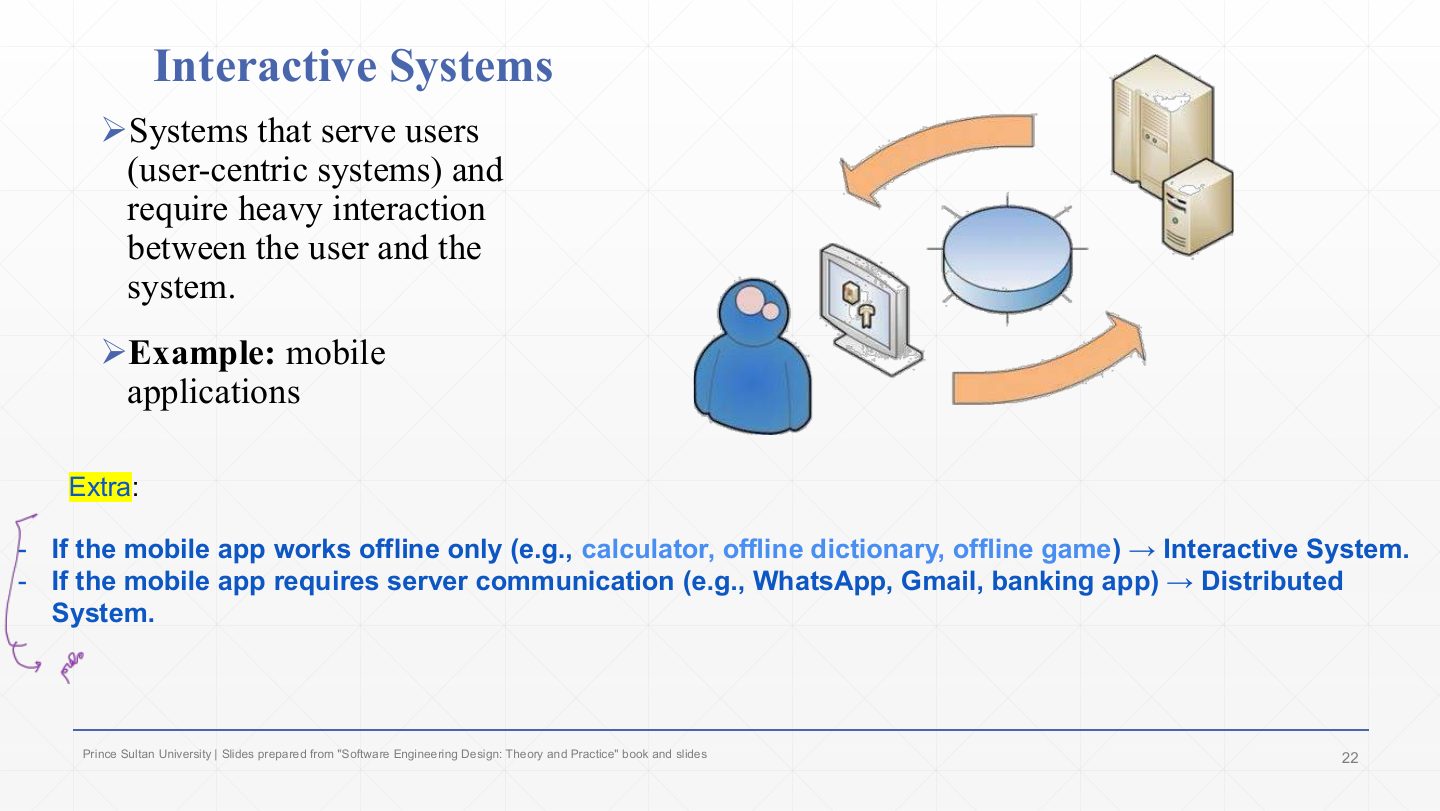
  22. 22 Interactive Systems
  23. 23 Extra: Interactive Systems
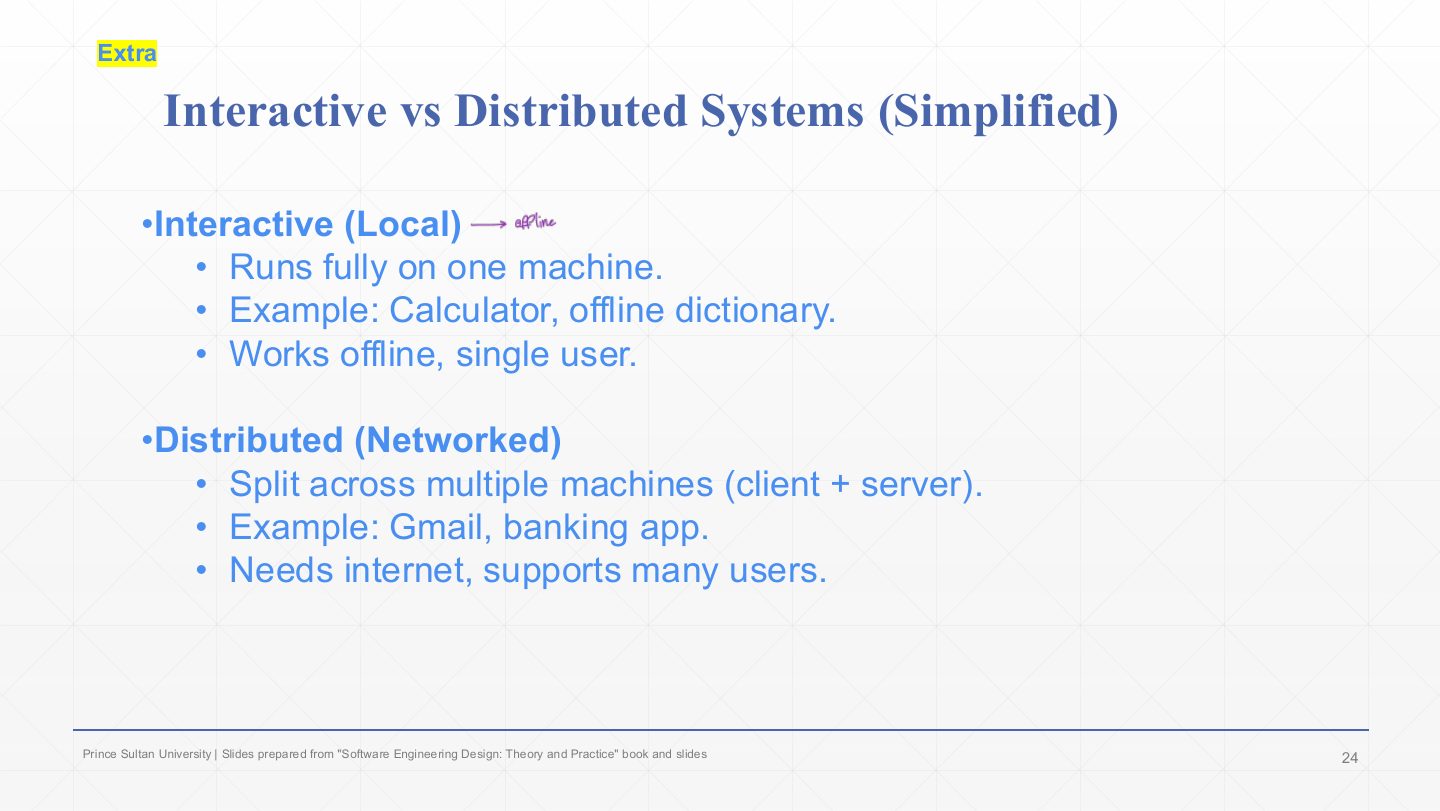
  24. 24 Extra: Interactive vs. Distributed Systems
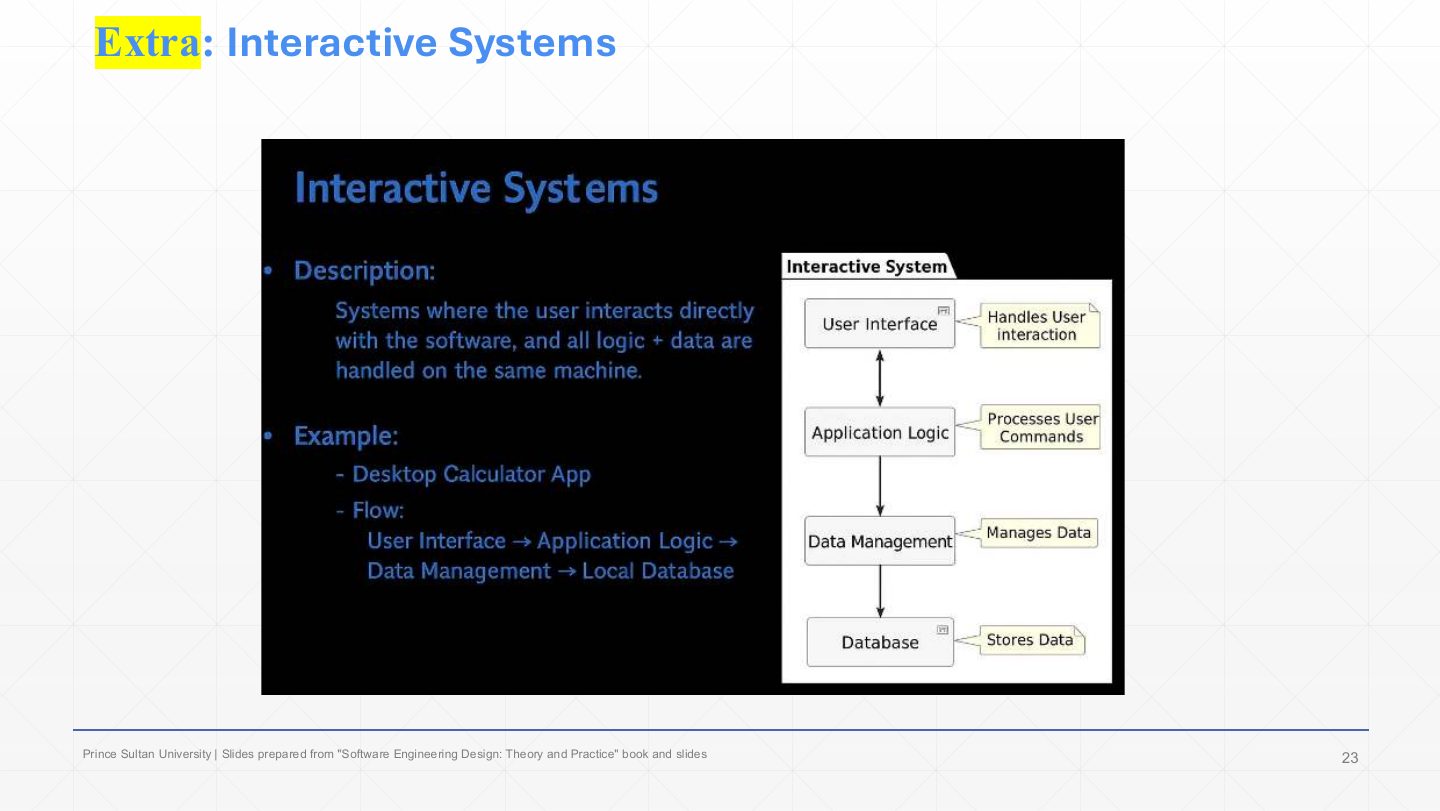
  25. 25 Hierarchal Systems
  26. 26 Extra: Hierarchal Systems
  27. 27 Extra: Question – pick the pattern
  28. 28 Summary
Slide 1 / 28

Slide 1

Slide 1: Slide 1

Notes

  1. Chapter 4 is about architecture patterns: ready-made system structures. This first lecture is the overview and classification; the patterns themselves come in Lectures 2 and 3.

  2. Homework on the title slide: research serverless architecture (applications built from cloud functions that the provider runs on demand, with no server you manage).

Slide 2 / 28

Lecture Outlines

Slide 2: Lecture Outlines

Notes

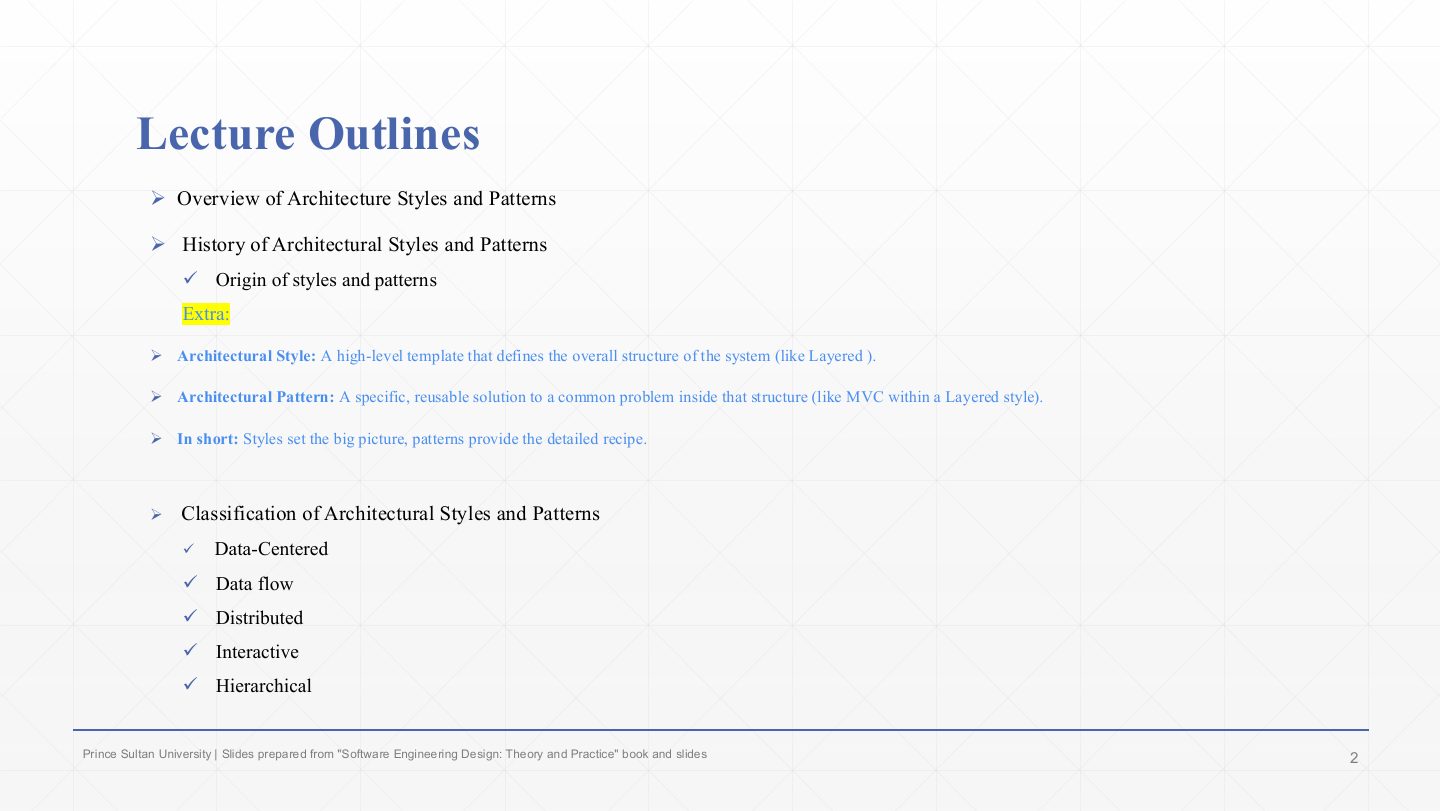
  1. An architectural style is a high-level template that defines the overall structure of a system, like “layered”.

  2. An architectural pattern is a specific, reusable solution to a common problem inside that structure, like MVC within a layered system. In short: styles set the big picture, patterns give the detailed recipe.

  3. The classification at the end uses five system types: data-centered, data flow, distributed, interactive and hierarchical.

Slide 3 / 28

Extra: Calculating the average, a reusable recipe

Slide 3: Extra: Calculating the average, a reusable recipe

Notes

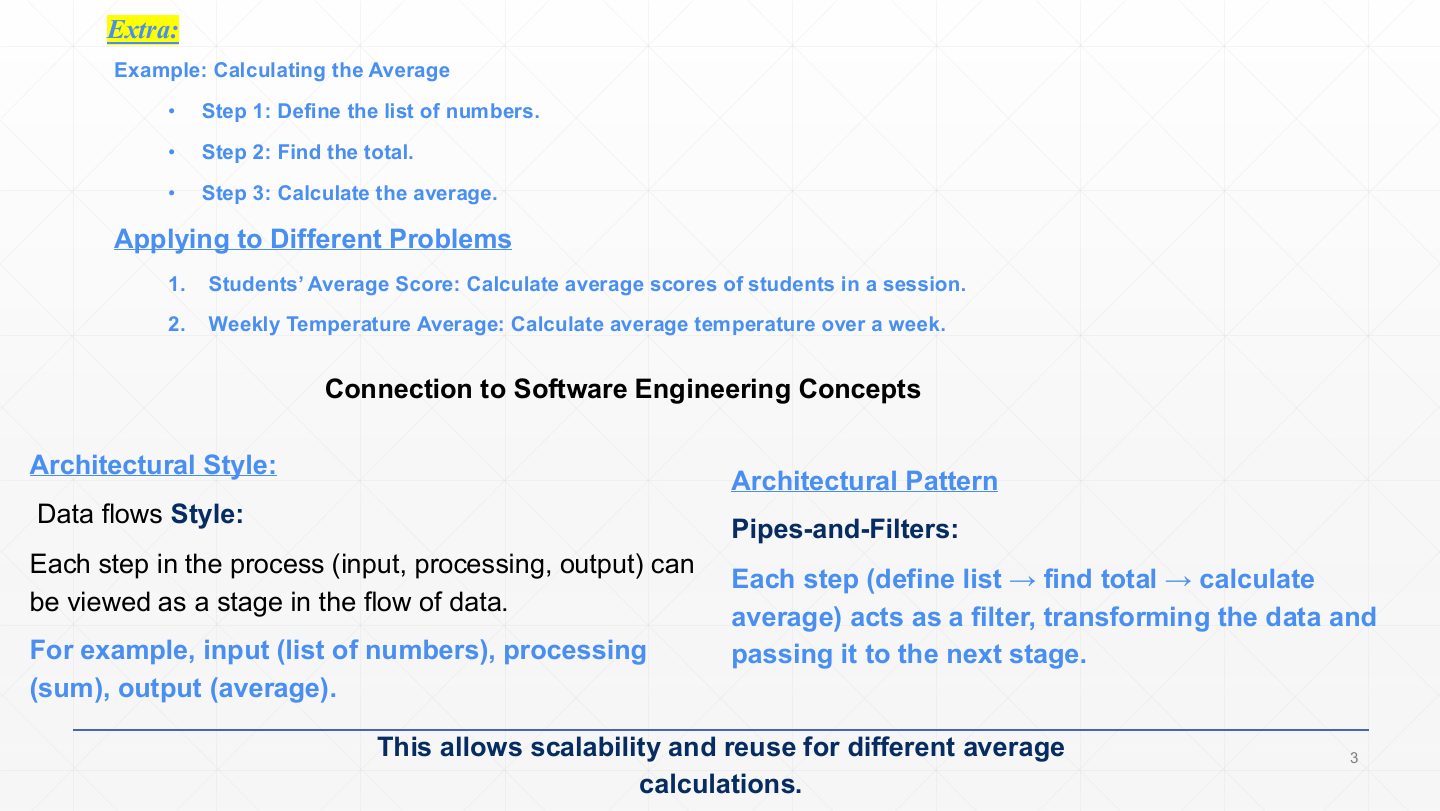
  1. An analogy for reuse: once you know the three steps for an average (list the numbers, total them, divide), you reuse them for students’ scores, weekly temperatures, anything.

  2. Seen as a style, the steps are a flow of data: input (the list) → processing (the sum) → output (the average).

  3. Seen as a pattern, each step is a filter that transforms the data and passes it to the next one: pipes and filters. Because each step is independent, the same pipeline is reused for different averages.

Slide 4 / 28

Overview

Slide 4: Overview

Notes

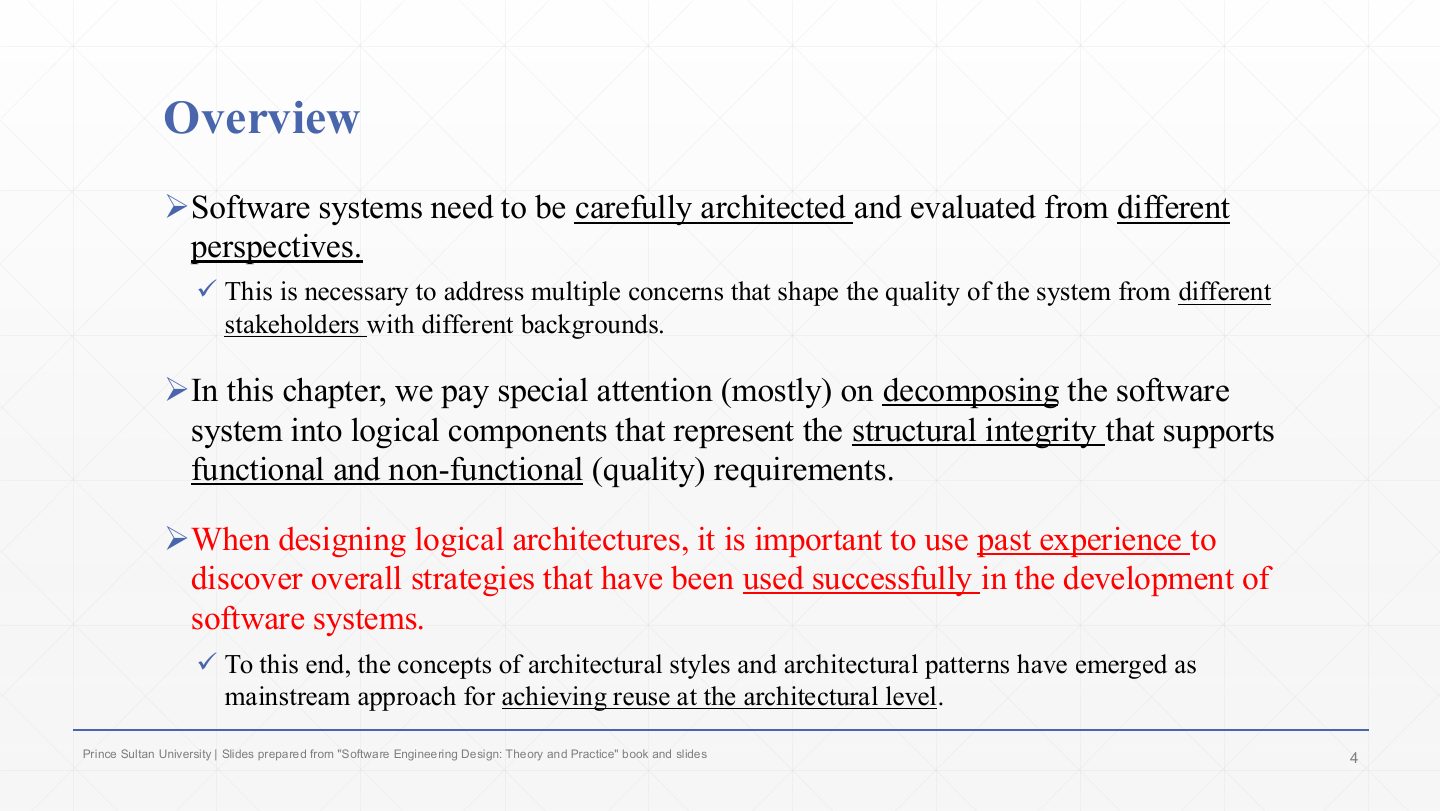
  1. Systems must be architected and evaluated from different perspectives, because stakeholders with different backgrounds care about different qualities.

  2. This chapter focuses on decomposing a system into logical components whose structure supports the functional and non-functional requirements.

  3. Good logical architectures come from past experience: strategies that already worked in other systems.

  4. That experience is packaged as architectural styles and patterns, the mainstream way to achieve reuse at the architectural level.

Slide 5 / 28

Overview: the caveman and today’s architect

Slide 5: Overview: the caveman and today’s architect

Notes

  1. The caveman has to invent the structure of a house from scratch, which is slow and risky.

  2. Today’s architect reuses years of documented experience. The boxed point is the lesson: it is more efficient to build systems from successfully employed designs than to design from scratch.

Slide 6 / 28

Overview: reusing documented patterns

Slide 6: Overview: reusing documented patterns

Notes

  1. The software version of the same story: the customer asks for “an interactive system that displays data from storage in multiple displays and formats”, and the architect recognises the requirement as the Model-View-Controller pattern.

  2. Once a pattern is identified, the architect looks it up in a pattern catalogue for its documented structure (the MVC class and sequence diagrams on the right) and knows the quality properties a system built that way will have.

Slide 7 / 28

Overview

Slide 7: Overview

Notes

  1. Styles and patterns are generic, reusable solutions that are easy to understand and apply to new problems with similar needs.

  2. Benefits of that reuse: improved quality (they encode refined best practice), consistency (the same structure across an application or across projects, so it is easier to understand and maintain), and efficiency (well-understood, tested designs speed up design and implementation).

  3. Decisions based on them benefit from years of documented experience describing the solution, its benefits, and the consequences (trade-offs) of using it. Knowing the consequences in advance is the real value.

Exam angle

PredictionQ1

What is the benefit of reusing architectural styles and patterns?

Show answer

They are proven, documented solutions: quality improves because they encode best practice, designs are consistent and easier to maintain, design and implementation are faster, and their benefits and consequences are known in advance, which lowers risk and gives the team a shared vocabulary.

Slide 8 / 28

History of Software Architecture Styles and Patterns

Slide 8: History of Software Architecture Styles and Patterns

Notes

  1. In 1977 Christopher Alexander, a building architect, published a pattern language to help people design good buildings and towns of any size.

  2. It became a catalogue of 253 patterns, each documented with a picture, its context, the problem it solves, evidence that it works, and related patterns. That documentation format is the ancestor of every software pattern catalogue.

Slide 9 / 28

History of Software Architecture Styles and Patterns

Slide 9: History of Software Architecture Styles and Patterns

Notes

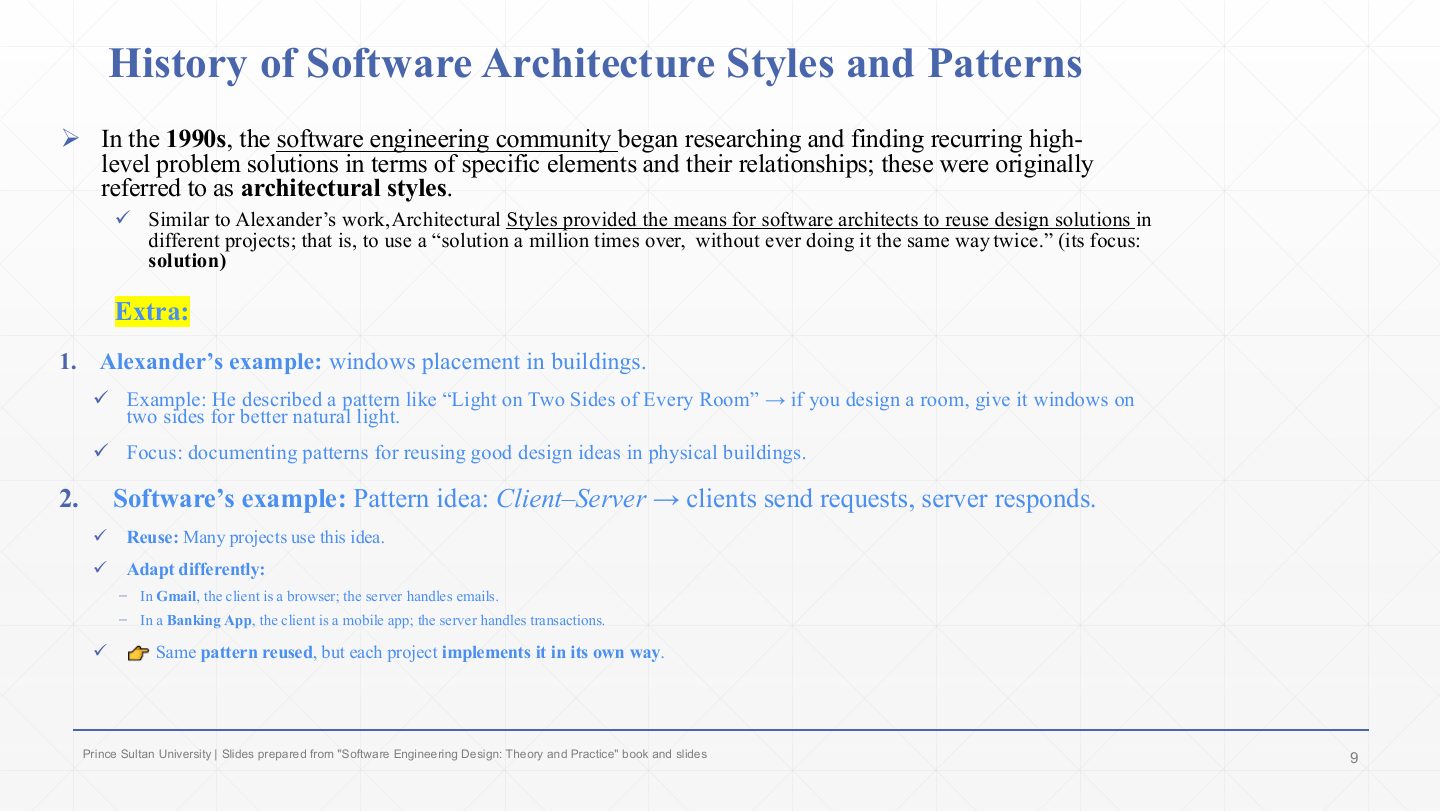
  1. In the 1990s software engineers began cataloguing recurring high-level solutions (elements and their relationships) and called them architectural styles. Their focus was the solution.

  2. Like Alexander’s patterns, a style can be used “a million times over, without ever doing it the same way twice”: the idea is reused, the details differ every time.

  3. Alexander’s example: “light on two sides of every room”. The software example: client–server, reused in Gmail (browser client, mail server) and a banking app (mobile client, transaction server), each implemented its own way.

Slide 10 / 28

History of Software Architecture Styles and Patterns

Slide 10: History of Software Architecture Styles and Patterns

Notes

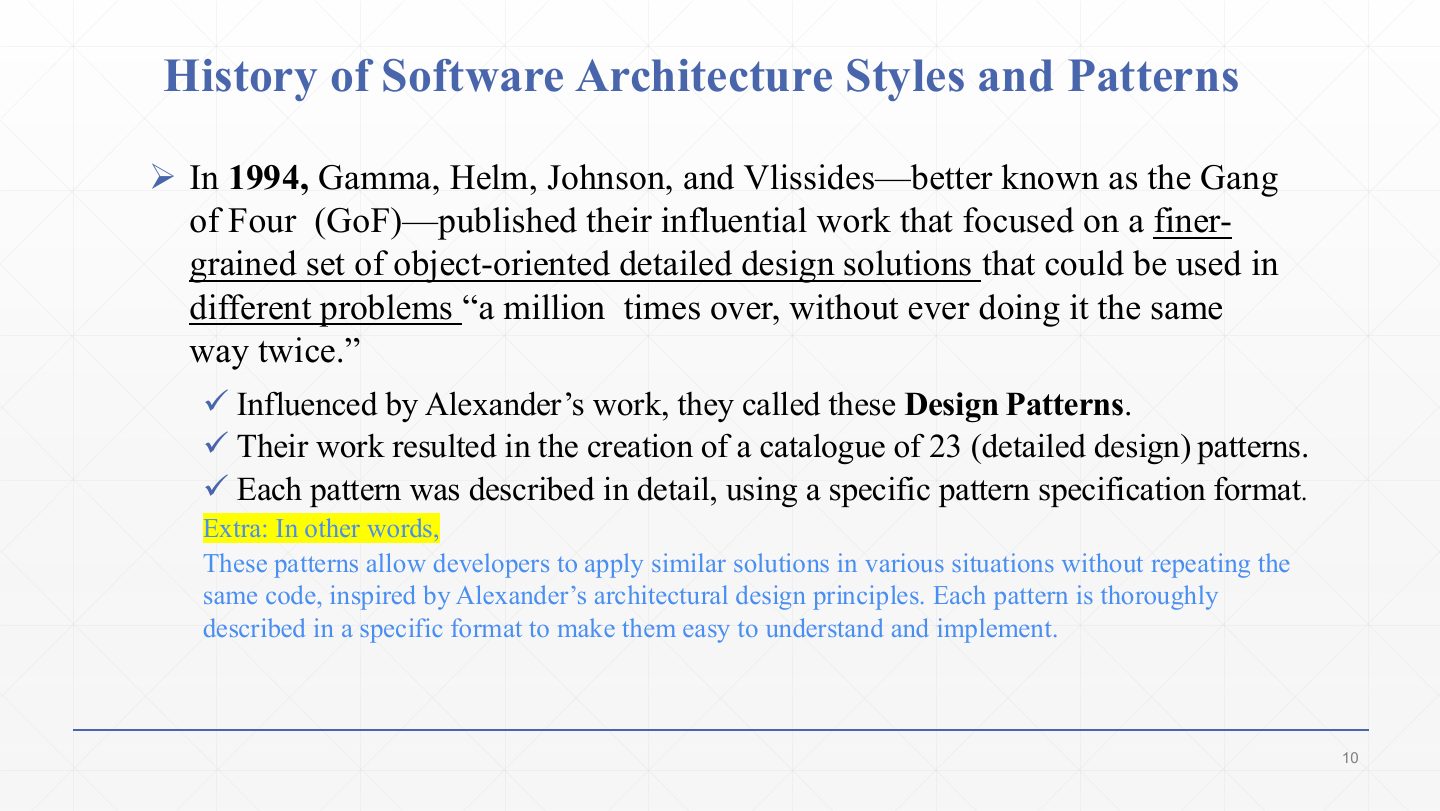
  1. In 1994 Gamma, Helm, Johnson and Vlissides, the Gang of Four (GoF), published finer-grained, object-oriented detailed design solutions.

  2. Inspired by Alexander, they called them design patterns: a catalogue of 23 patterns, each described in a fixed specification format. Chapters 6–7 study several of them (Singleton, Builder, Composite, Observer…).

Exam angle

PredictionQ1

The Gang of Four (1994) catalogued how many design patterns, at what level?

  1. 23 detailed-design (object-oriented) patterns
  2. 253 building patterns
  3. 23 architectural styles
  4. 5 system types
Show answer

A. 23 detailed-design (object-oriented) patterns

Slide 11 / 28

History of Software Architecture Styles and Patterns

Slide 11: History of Software Architecture Styles and Patterns

Notes

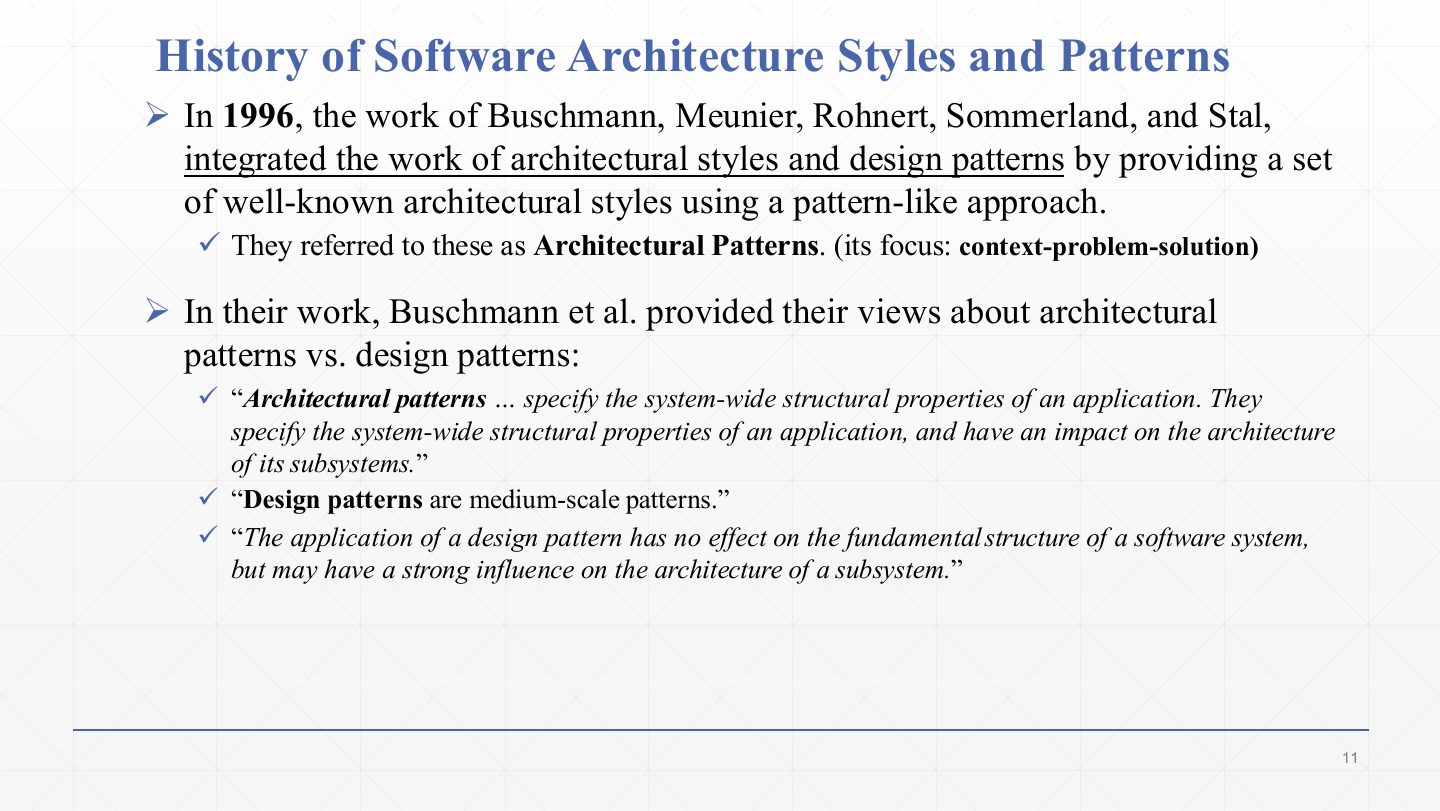
  1. In 1996 Buschmann et al. combined the two lines of work: well-known architectural styles written in a pattern format (context – problem – solution). They called these architectural patterns.

  2. Their definition: architectural patterns specify the system-wide structural properties of an application and affect the architecture of its subsystems.

  3. Design patterns are medium-scale: applying one has no effect on the fundamental structure of the system, though it may strongly shape one subsystem. That sentence is the clearest way to tell the two apart.

Exam angle

PredictionQ1

How do architectural patterns differ from design patterns (Buschmann et al.)?

Show answer

Architectural patterns specify system-wide structural properties and affect the architecture of all subsystems (e.g. client-server, layers). Design patterns are medium-scale: they do not change the fundamental structure of the system, only the design inside a subsystem (e.g. Observer, Factory).

Slide 12 / 28

Extra: Architectural patterns vs. design patterns

Slide 12: Extra: Architectural patterns vs. design patterns

Notes

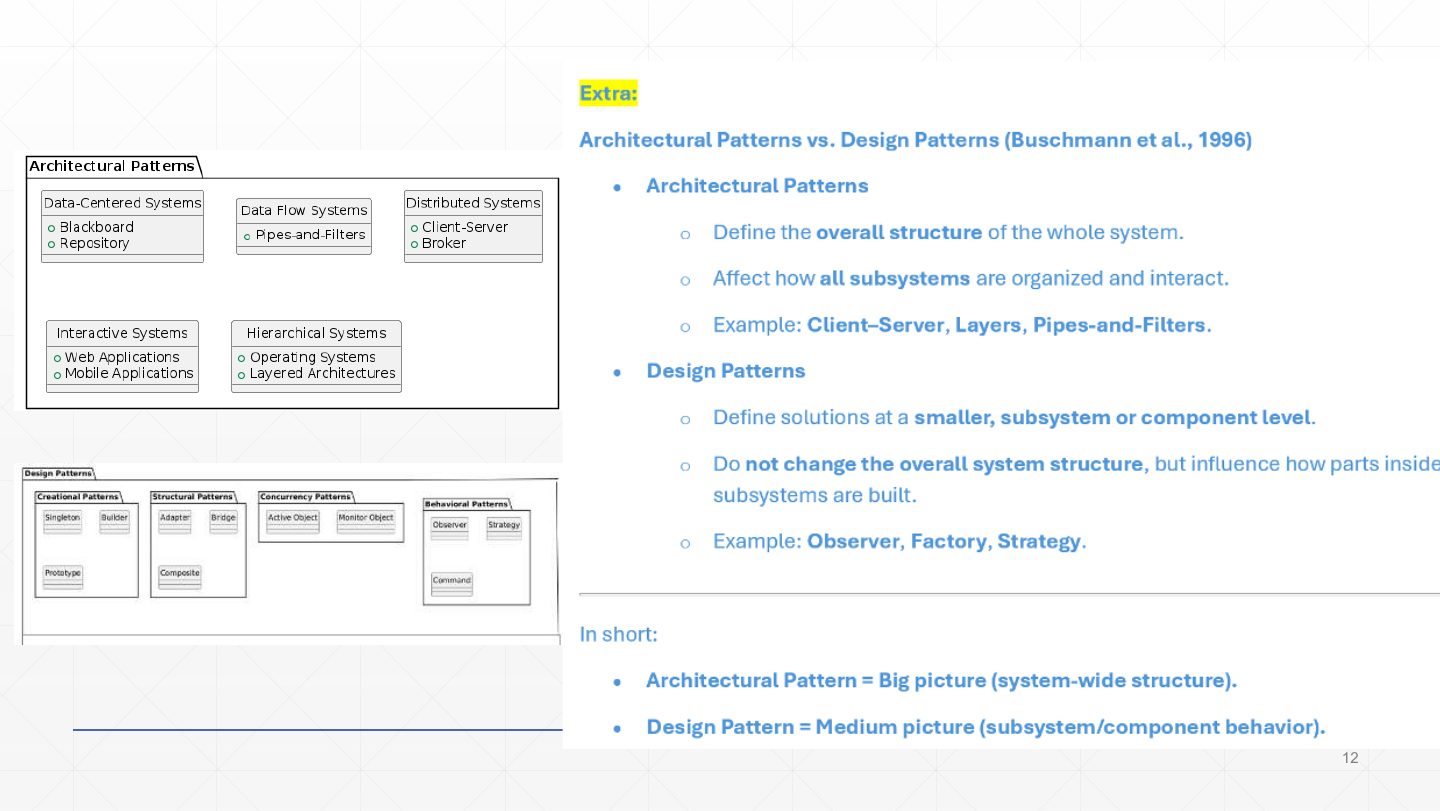
  1. Architectural patterns define the overall structure of the whole system and how all subsystems are organised and interact: client–server, layers, pipes and filters. The diagram groups them by system type (data-centered: blackboard, repository; data flow: pipes and filters; distributed: client-server, broker; interactive and hierarchical).

  2. Design patterns are solutions at the subsystem or component level that do not change the overall structure: Observer, Factory, Strategy. The lower diagram groups them as creational, structural, concurrency and behavioural.

  3. In short: architectural pattern = the big picture (system-wide structure); design pattern = the medium picture (subsystem or component behaviour).

Slide 13 / 28

Extra: Timeline of styles and patterns

Slide 13: Extra: Timeline of styles and patterns

Notes

  1. 1977, Alexander: 253 building patterns documenting problem, solution and context. He gave the world the language of patterns.

  2. 1990s, the software community: architectural styles, reuse of whole-system structures (client–server, layered).

  3. 1994, GoF: the Design Patterns book, 23 object-oriented patterns at the class and object level.

  4. 1996, Buschmann et al.: combined both into architectural patterns (system-wide) as opposed to design patterns (subsystem level).

Exam angle

PredictionQ1

Put in order and match: Gang of Four, Buschmann et al., Alexander, architectural styles.

Show answer

Alexander 1977 (253 building patterns) → architectural styles in the 1990s → Gang of Four 1994 (23 design patterns) → Buschmann et al. 1996 (architectural patterns).

Slide 14 / 28

Architecture Patterns Classification

Slide 14: Architecture Patterns Classification

Notes

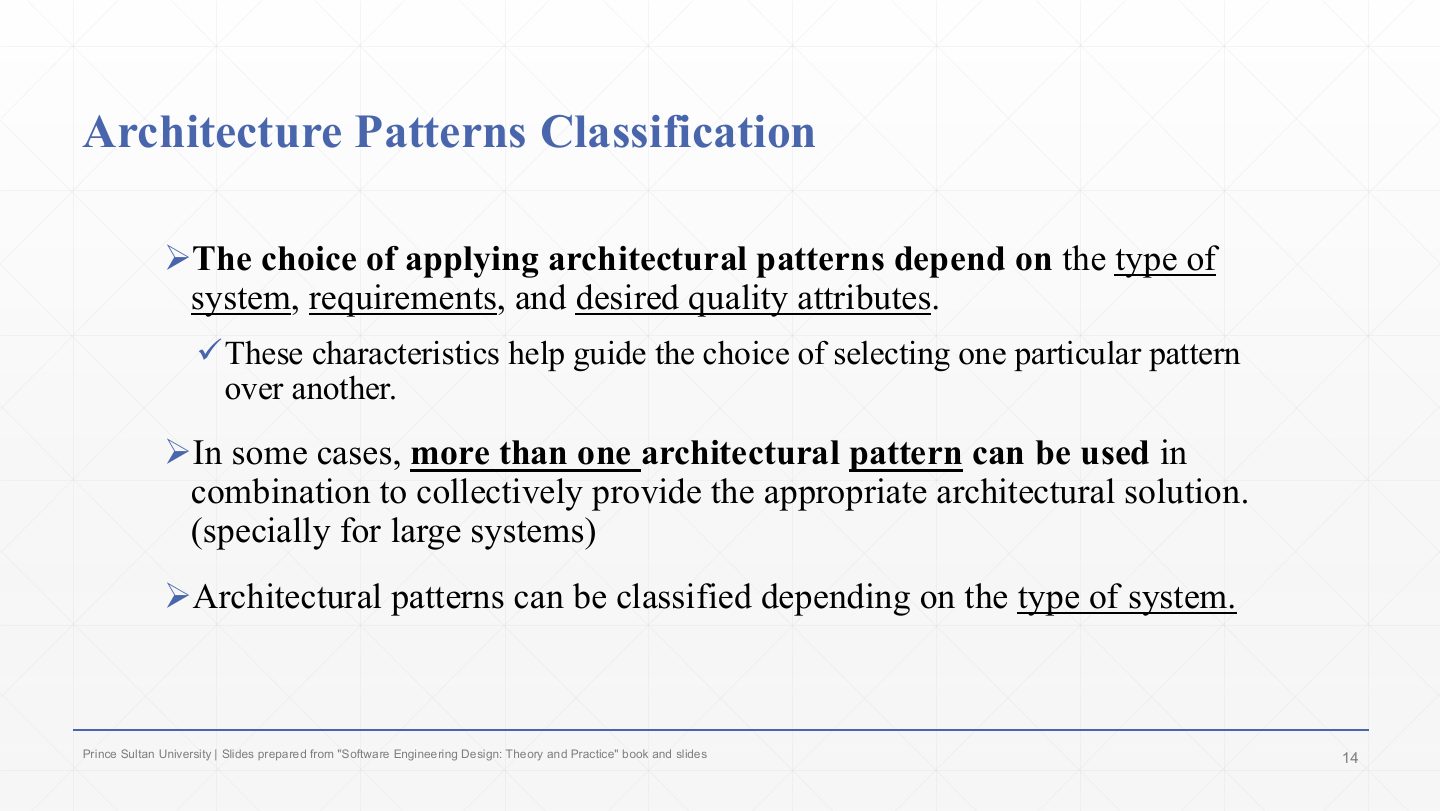
  1. Which pattern to apply depends on the type of system, its requirements and the desired quality attributes. These, not the pattern’s popularity, decide between patterns.

  2. Large systems often combine patterns: a client–server system whose server is internally layered, for example.

  3. Patterns are classified by the type of system they suit (next slide).

Slide 15 / 28

Architecture Patterns Classification

Slide 15: Architecture Patterns Classification

Notes

  1. The five system types, each with its typical patterns (slides 16–26).

  2. The table:

    Data-centered
    A centralised repository of data that clients access and work on → blackboard, repository.
    Data flow
    Built around transporting and transforming a stream of data → pipes and filters.
    Distributed
    Independent processing units interacting over a network → client–server, broker.
    Interactive
    User-centric systems → MVC.
    Hierarchical
    Components arranged in levels of abstraction and responsibility → layered (main program and subroutine).

Exam angle

Past exam · Midterm 261 · Q6 · 3.5 marksQ1

Match each scenario with the most suitable architectural style (each used once): (1) payroll app whose UI, salary rules and data storage must evolve independently; (2) security-log app where separate units extract fields, normalise timestamps, remove sensitive values and summarise; (3) hospital app talking to lab equipment from different vendors through one request format; (4) speech-understanding app whose components repeatedly add and reconsider partial interpretations; (5) museum ticketing shown differently on desktop and kiosks, updated by user actions; (6) classroom response app with one authoritative session for hundreds of phones; (7) emergency messaging between nearby phones with no Internet and no central node.

Show answer

(1) Layered. (2) Pipe-and-filter. (3) Broker. (4) Blackboard. (5) MVC. (6) Client-server. (7) Peer-to-peer. Layered separates responsibilities; pipe-and-filter chains independent transformations; broker hides vendor-specific communication; blackboard combines partial solutions through shared knowledge; MVC separates model, views and control; client-server uses one authoritative service; peer-to-peer needs no central node.

PredictionQ2

Pipes and filters belongs to which system type?

  1. Data flow
  2. Data-centered
  3. Distributed
  4. Hierarchical
Show answer

A. Data flow

Slide 16 / 28

Data Centered Systems

Slide 16: Data Centered Systems

Notes

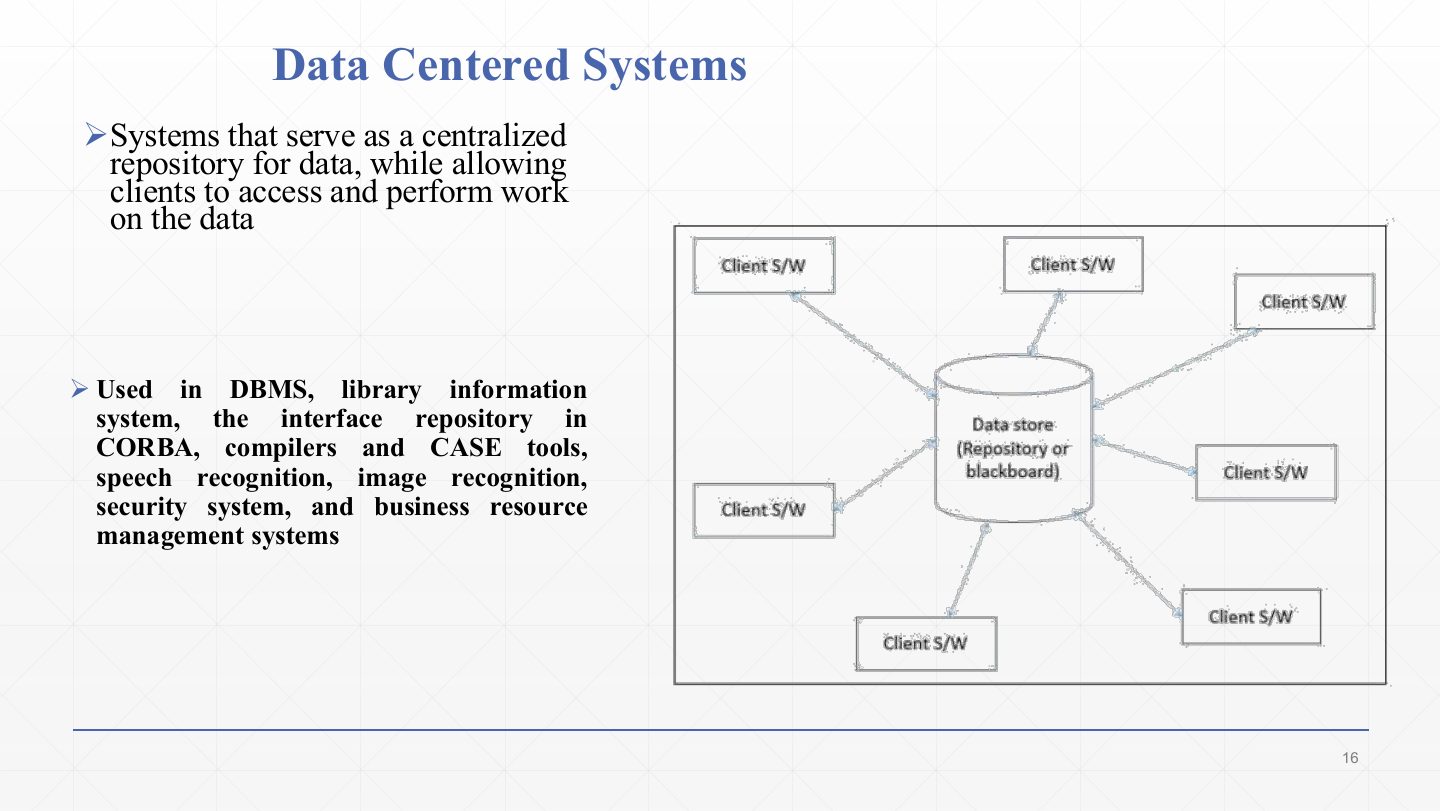
  1. Data-centered systems are a centralised repository of data that clients access and work on.

  2. Uses: DBMSs, library information systems, the CORBA interface repository, compilers and CASE tools, speech and image recognition, security systems, business resource management.

  3. The diagram: many client software components around one data store (repository or blackboard). Clients don’t talk to each other, only to the store. Sharing data is easy; the store can become a bottleneck and a single point of failure.

Slide 17 / 28

Extra: Data Centered Systems

Slide 17: Extra: Data Centered Systems

Notes

  1. Patterns for data-centered systems: blackboard and repository.

  2. Components interact through a central data store: they retrieve, add and modify data there.

  3. They do not communicate directly with each other; the repository is the intermediary. In a repository the store is passive; in a blackboard, components react to changes on the shared data (Lecture 2).

Slide 18 / 28

Data Flow Systems

Slide 18: Data Flow Systems

Notes

  1. Data flow systems are organised around the transport and/or transformation of a stream of data.

  2. Example: video streaming. The picture shows data entering from a source, passing through processing nodes (which may branch and rejoin), and leaving to the cloud: each node transforms the stream and hands it on.

Slide 19 / 28

Extra: Data Flow Systems

Slide 19: Extra: Data Flow Systems

Notes

  1. Pattern for data flow systems: pipes and filters.

  2. Processing elements called filters are connected by pipes that carry data from one filter to the next. Each filter takes input, transforms it, and produces output.

  3. Typical uses: signal processing and data streaming, compilers (lexer → parser → code generator), image and video processing.

Slide 20 / 28

Distributed Systems

Slide 20: Distributed Systems

Notes

  1. Distributed systems are made of several independent processing units that interact over a network.

  2. Example: web applications (the World Wide Web).

  3. The diagram: four computers, each with its own local OS, running applications A, B (spread over two machines) and C, joined by a middleware layer that hides the network so the applications can talk as if local. Network delays and partial failures are the price of distribution.

Slide 21 / 28

Extra: Distributed Systems

Slide 21: Extra: Distributed Systems

Notes

  1. Patterns for distributed systems: client–server and broker.

  2. Client–server: many clients request resources and services from a central server, which processes the requests and returns responses. It is the basis of the web (browser clients, web server).

  3. Broker: a broker component coordinates communication between components in different processes or machines. It routes requests, translates messages, and adds security and scalability, as in service-oriented architectures where services talk through a messaging system.

Slide 22 / 28

Interactive Systems

Slide 22: Interactive Systems

Notes

  1. Interactive systems serve users and need heavy interaction between the user and the system (user-centric).

  2. Example: mobile applications.

  3. The Extra rule: an app that works offline only (calculator, offline dictionary, offline game) is interactive; an app that needs a server (WhatsApp, Gmail, banking) is distributed. Many real apps are both: interactive on the phone, distributed overall.

Slide 23 / 28

Extra: Interactive Systems

Slide 23: Extra: Interactive Systems

Notes

  1. An interactive system as described here: the user interacts directly with the software, and all logic and data are handled on the same machine.

  2. Example: a desktop calculator. The flow is user interface (handles interaction) → application logic (processes commands) → data management → local database. This separation of interface from logic is what MVC formalises.

Slide 24 / 28

Extra: Interactive vs. Distributed Systems

Slide 24: Extra: Interactive vs. Distributed Systems

Notes

  1. Interactive (local): runs fully on one machine, works offline, one user (calculator, offline dictionary).

  2. Distributed (networked): split across machines (client + server), needs the Internet, supports many users (Gmail, banking).

Exam angle

PredictionQ1

Is an offline dictionary app interactive or distributed? Is WhatsApp?

Show answer

The offline dictionary is interactive (runs fully on one machine). WhatsApp is distributed (clients communicate through servers over the network).

Slide 25 / 28

Hierarchal Systems

Slide 25: Hierarchal Systems

Notes

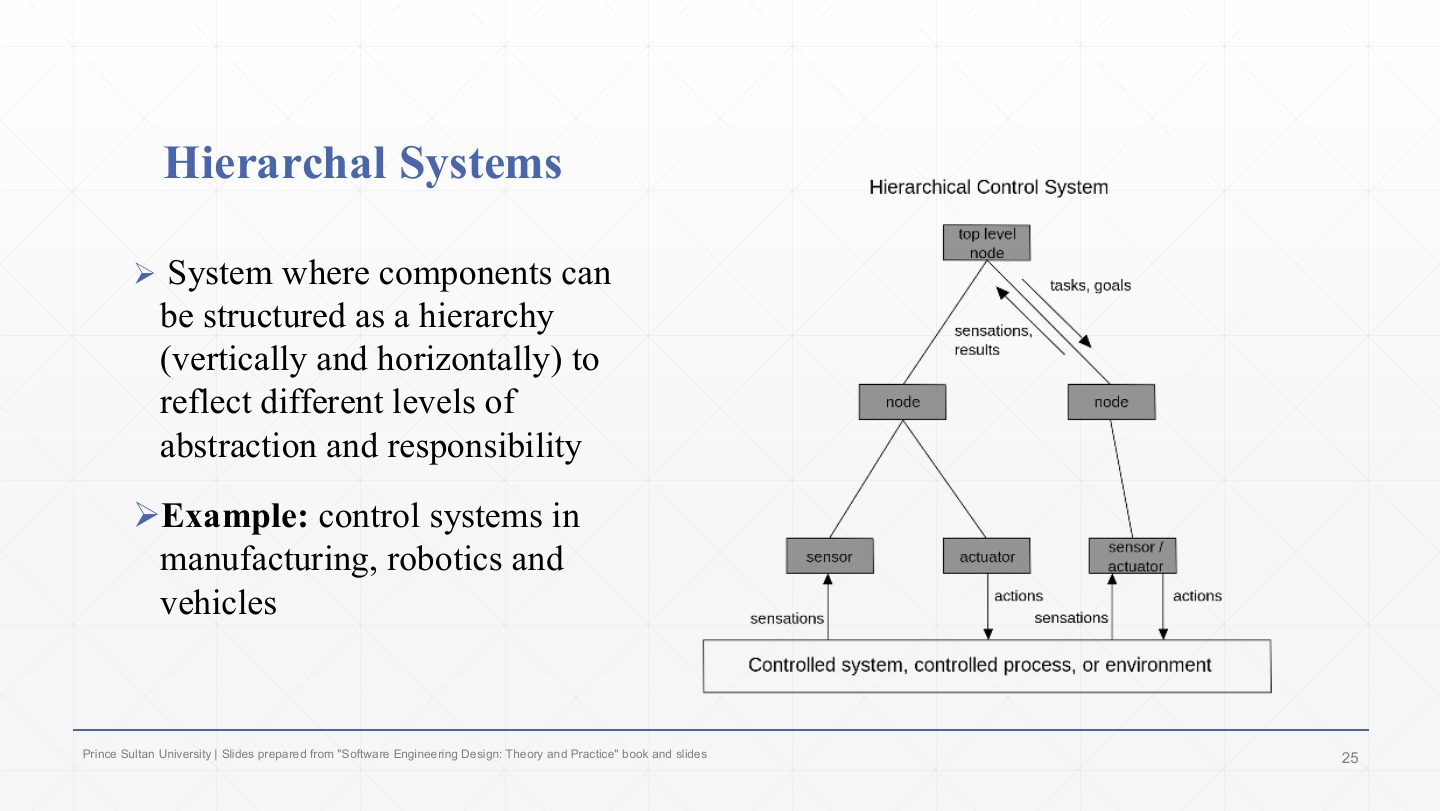
  1. Hierarchical systems arrange components in a hierarchy, vertically and horizontally, reflecting levels of abstraction and responsibility.

  2. Example: control systems in manufacturing, robotics and vehicles. In the diagram the top-level node sends tasks and goals down; lower nodes pass sensations and results up; sensors and actuators at the bottom touch the controlled process.

Slide 26 / 28

Extra: Hierarchal Systems

Slide 26: Extra: Hierarchal Systems

Notes

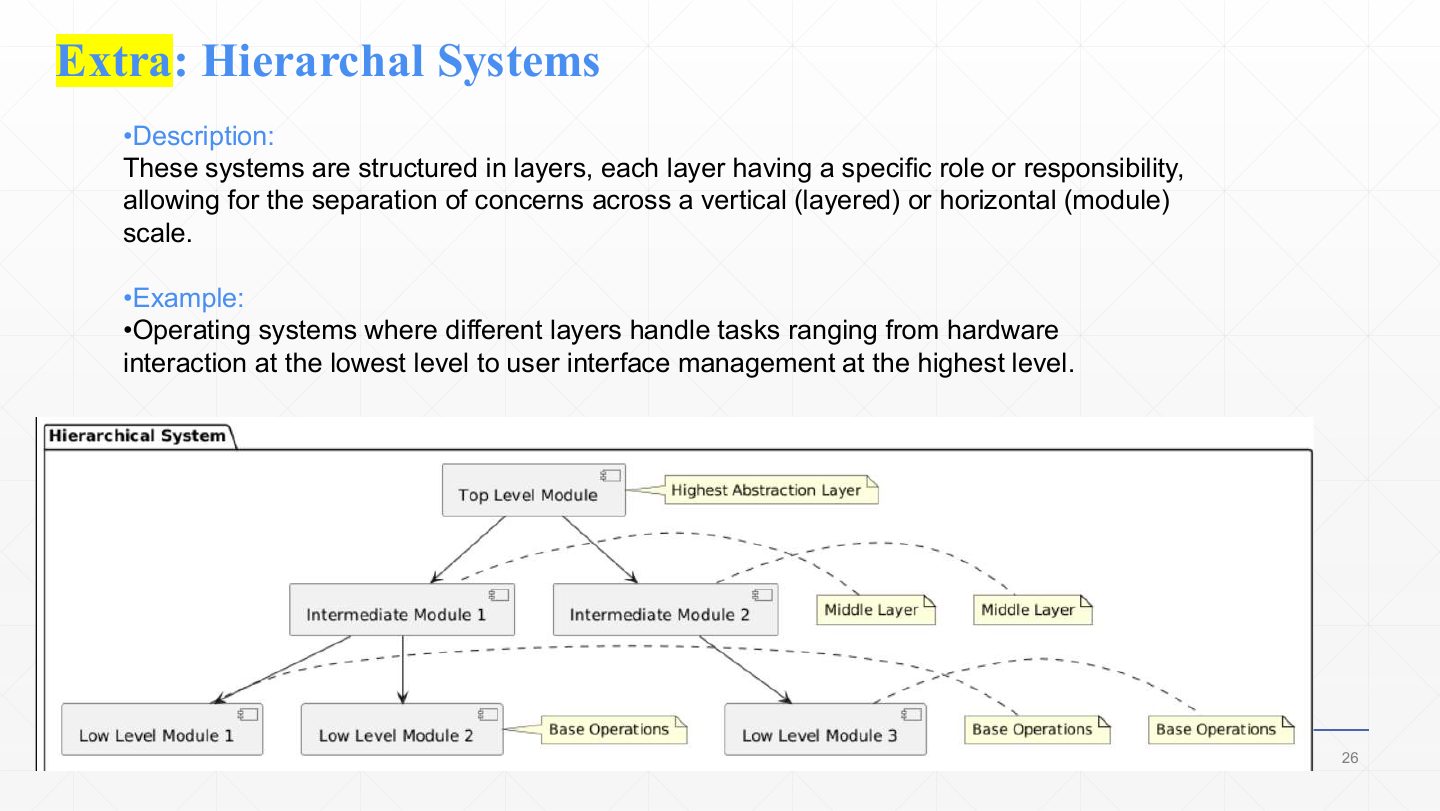
  1. Hierarchical systems are structured in layers, each with a specific responsibility, separating concerns vertically (layers) or horizontally (modules).

  2. Example: an operating system, from hardware interaction at the lowest layer to user-interface management at the top. Each layer uses only the services of the layer below it. The pattern is layered (and main program and subroutine).

Slide 27 / 28

Extra: Question – pick the pattern

Slide 27: Extra: Question – pick the pattern

Notes

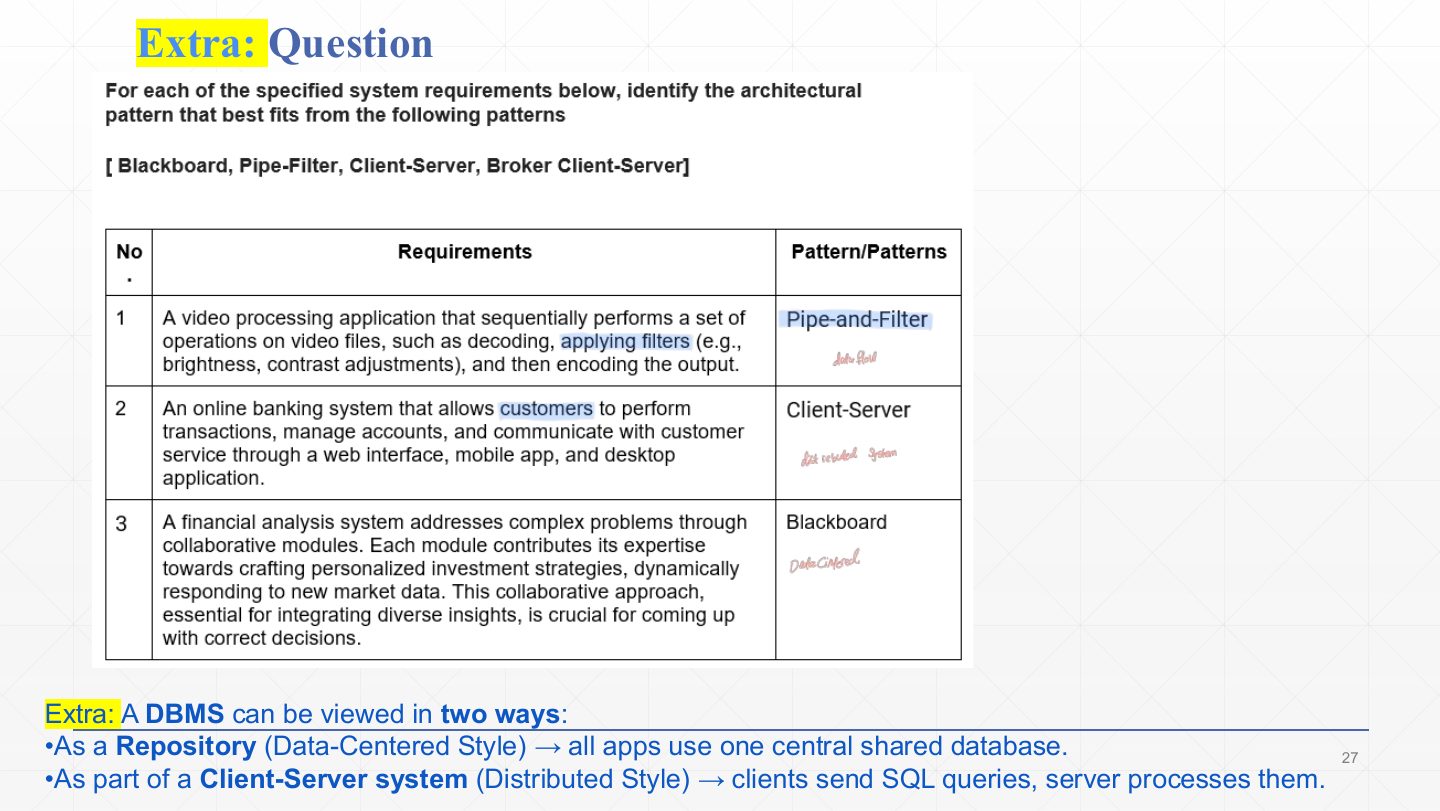
  1. The exercise: pick the pattern for each requirement.

    1. Video processing in a fixed sequence (decode, filter, encode)
    Pipe-and-filter: a chain of transformations.
    2. Online banking used through web, mobile and desktop
    Client-server: many clients, one central service.
    3. Financial analysis where collaborating modules contribute expertise to one evolving solution
    Blackboard: independent knowledge sources refine shared data.
  2. A DBMS can be seen two ways: as a repository (data-centered: all applications share one database) or as part of a client–server system (distributed: clients send SQL queries, the server processes them). The classification depends on the viewpoint.

Slide 28 / 28

Summary

Slide 28: Summary

Notes

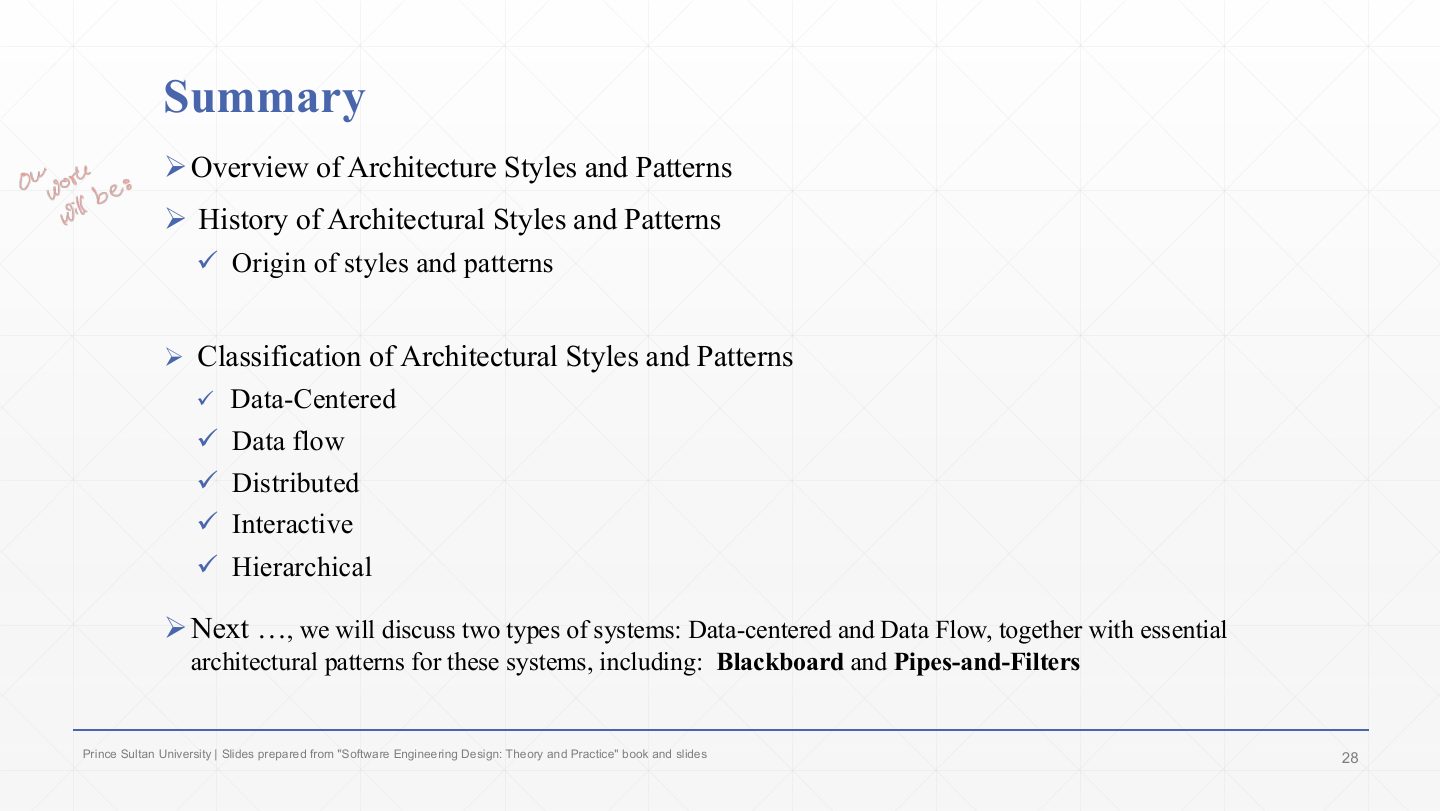
  1. Recap: styles vs. patterns, their history, and the five system types.

  2. Next lecture: data-centered and data flow systems in detail, with the blackboard and pipes-and-filters patterns.