SE322 · Chapter 2 · Lecture 3 · Annotated SlidesDesigning the Architecture with the 4+1 View Model
PDF
Overview

Designing the Architecture with the 4+1 View Model

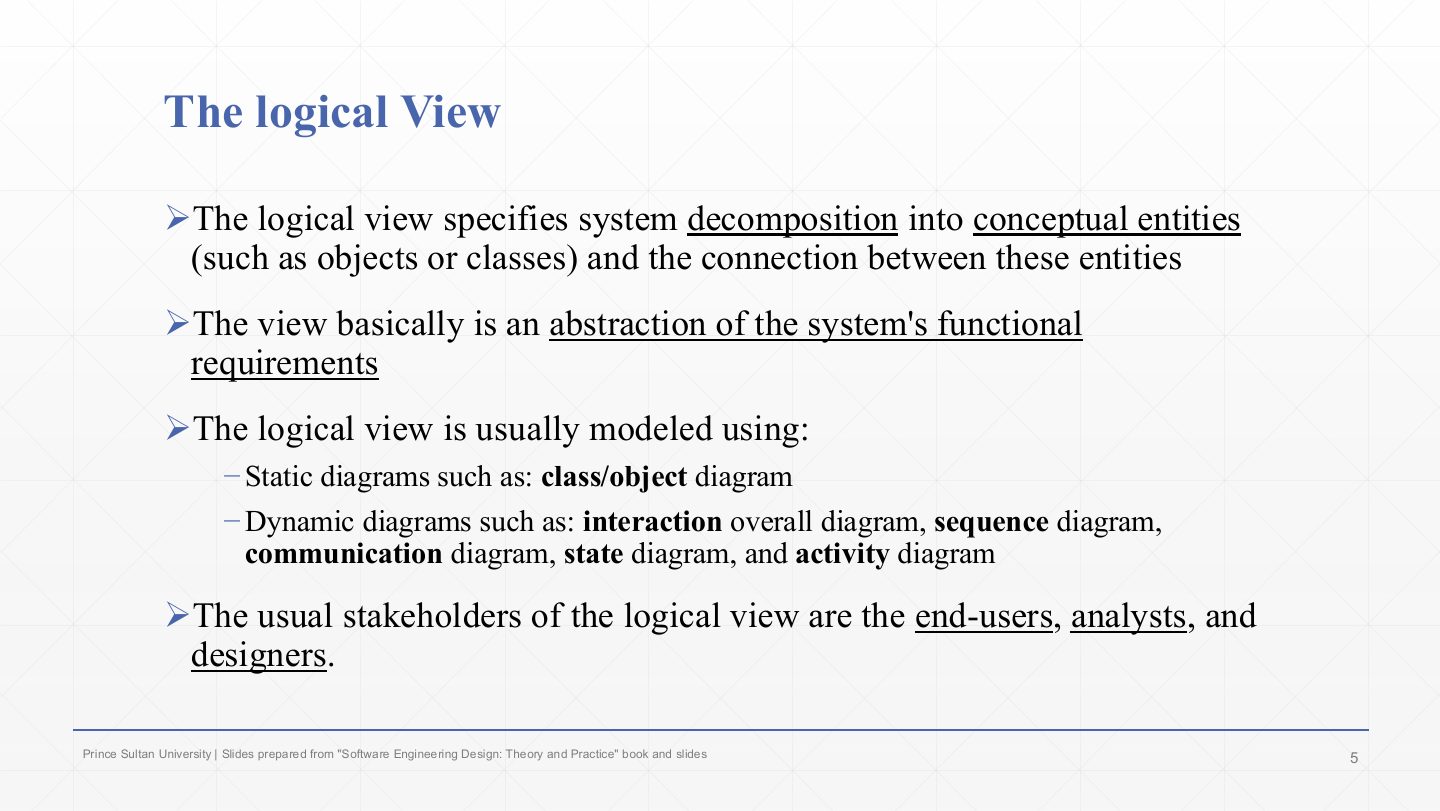
No single diagram can describe a whole architecture, so Kruchten’s 4+1 model splits the description into four views (logical, process, development, physical), each answering one stakeholder group’s questions with its own UML diagrams, plus the scenario (user) view whose use cases tie the four together and validate them. Each view is illustrated with the same ATM system, so the lecture is also a tour of how to read a class, communication, sequence, activity, component, deployment and use case diagram.

Logical

What the system does: classes and objects and their relationships. Functional requirements. Class, object, sequence, communication and state diagrams.

Process

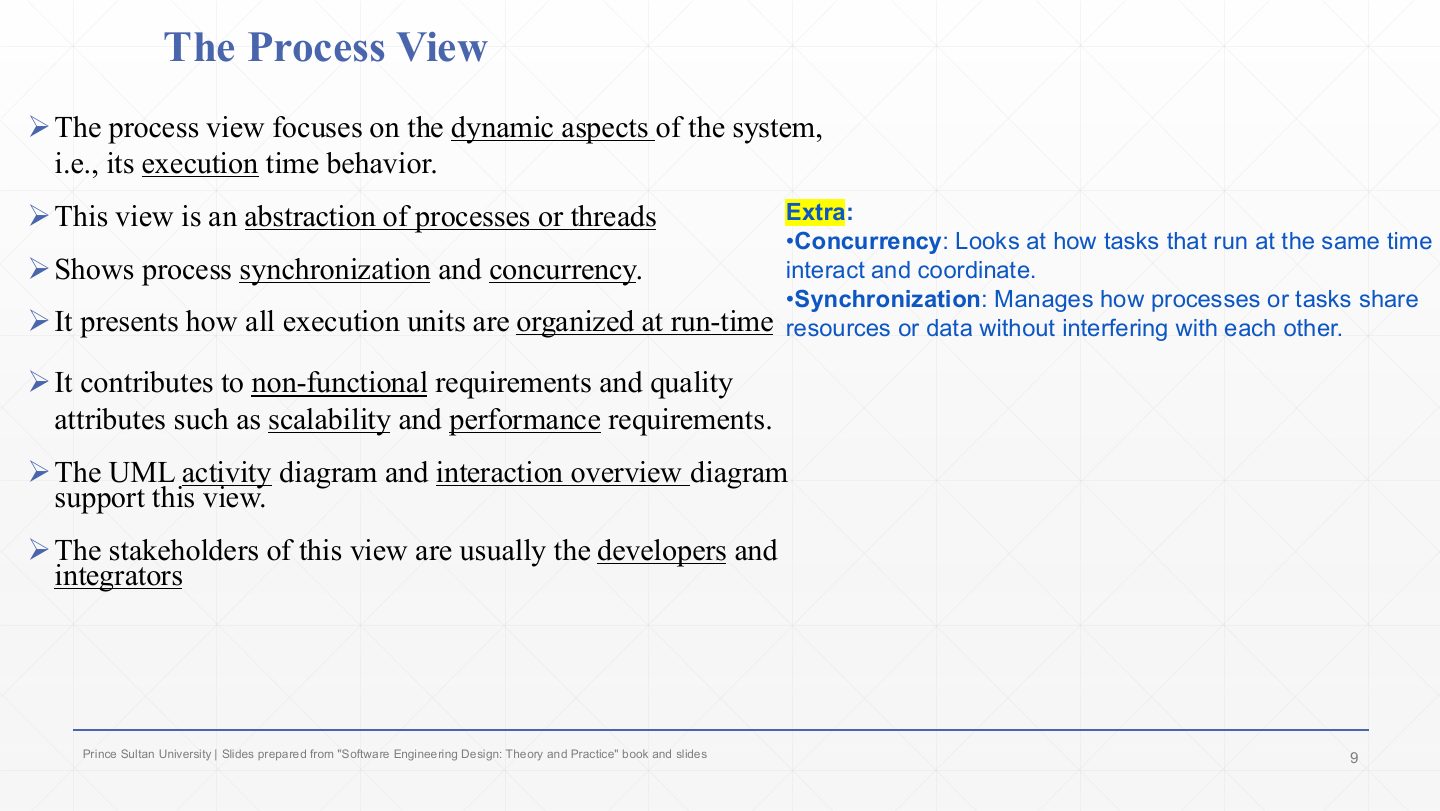
How it runs: processes, threads, concurrency and synchronisation. Performance and scalability. Activity diagrams.

Development

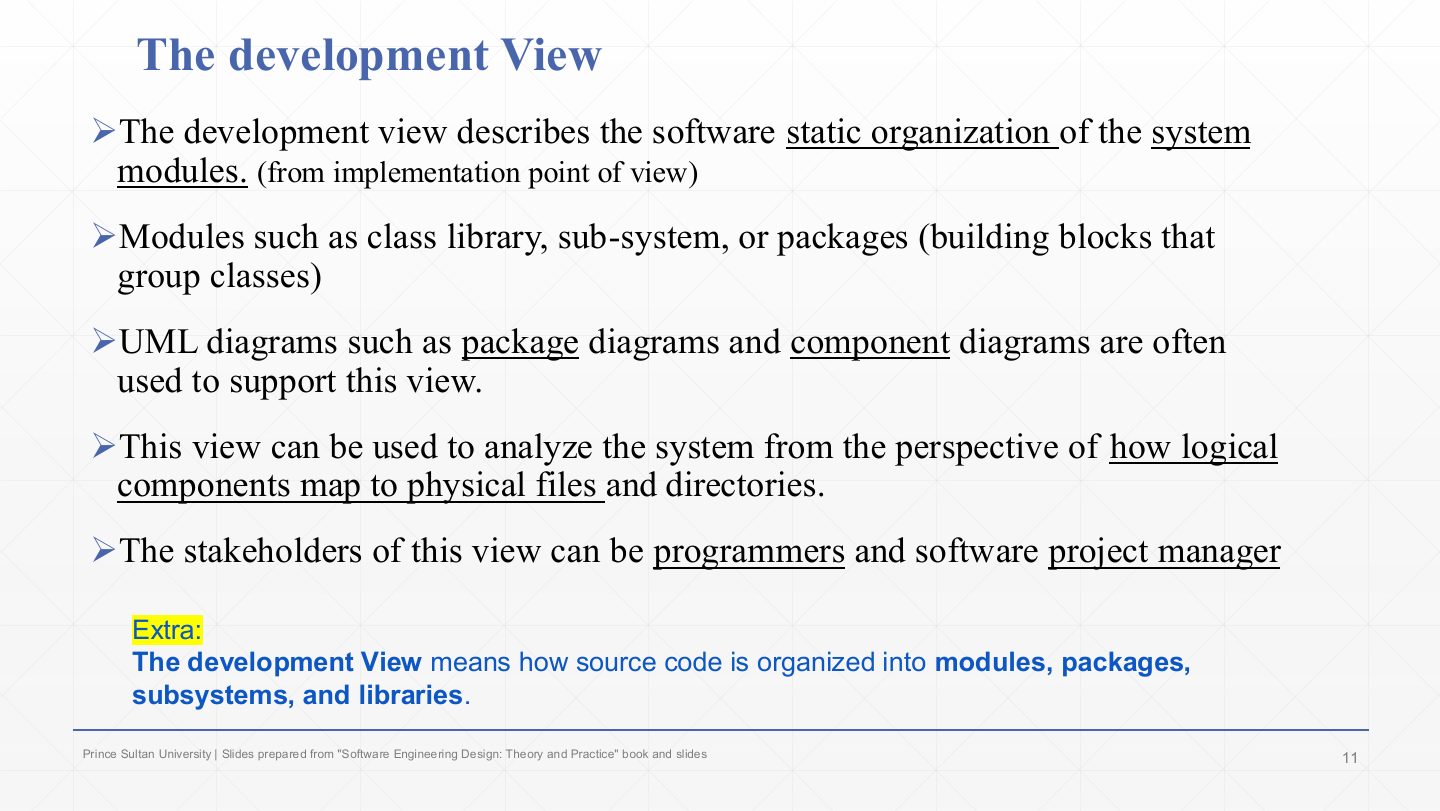
How the code is organised: modules, packages, libraries. Package and component diagrams.

Physical + scenarios

Physical: which software runs on which hardware (deployment diagram). +1: use cases that drive and validate the other four.

How the lecture is organized

Exam focus

The 4+1 model is examined every term. Midterm 252 asked which view evaluates scalability and performance (the process view) and had a whole question filling in the view table (description, stakeholders, UML). Quiz 1 261 asked five questions on the views (logical, development, process, physical, and a matching), and Midterm 261 asked whether the “+1” is the database (false: it is the scenarios).

How to read this page

Every original slide is shown unchanged. Yellow marks on a slide point to a numbered note: hover or tap a mark to jump to its note, and hover a note to see its marks. Questions tagged Past exam appeared on a real paper; Prediction questions are likely angles, not confirmed.

All 19 slides
  1. 1 Slide 1
  2. 2 Lecture Outlines
  3. 3 Designing the Architecture
  4. 4 The 4+1 View Model
  5. 5 The logical View
  6. 6 ATM Example Logical View
  7. 7 ATM Example Logical View
  8. 8 * ATM Example Logical View
  9. 9 The Process View
  10. 10 ATM Example Process View
  11. 11 The development View
  12. 12 ATM Example Development View
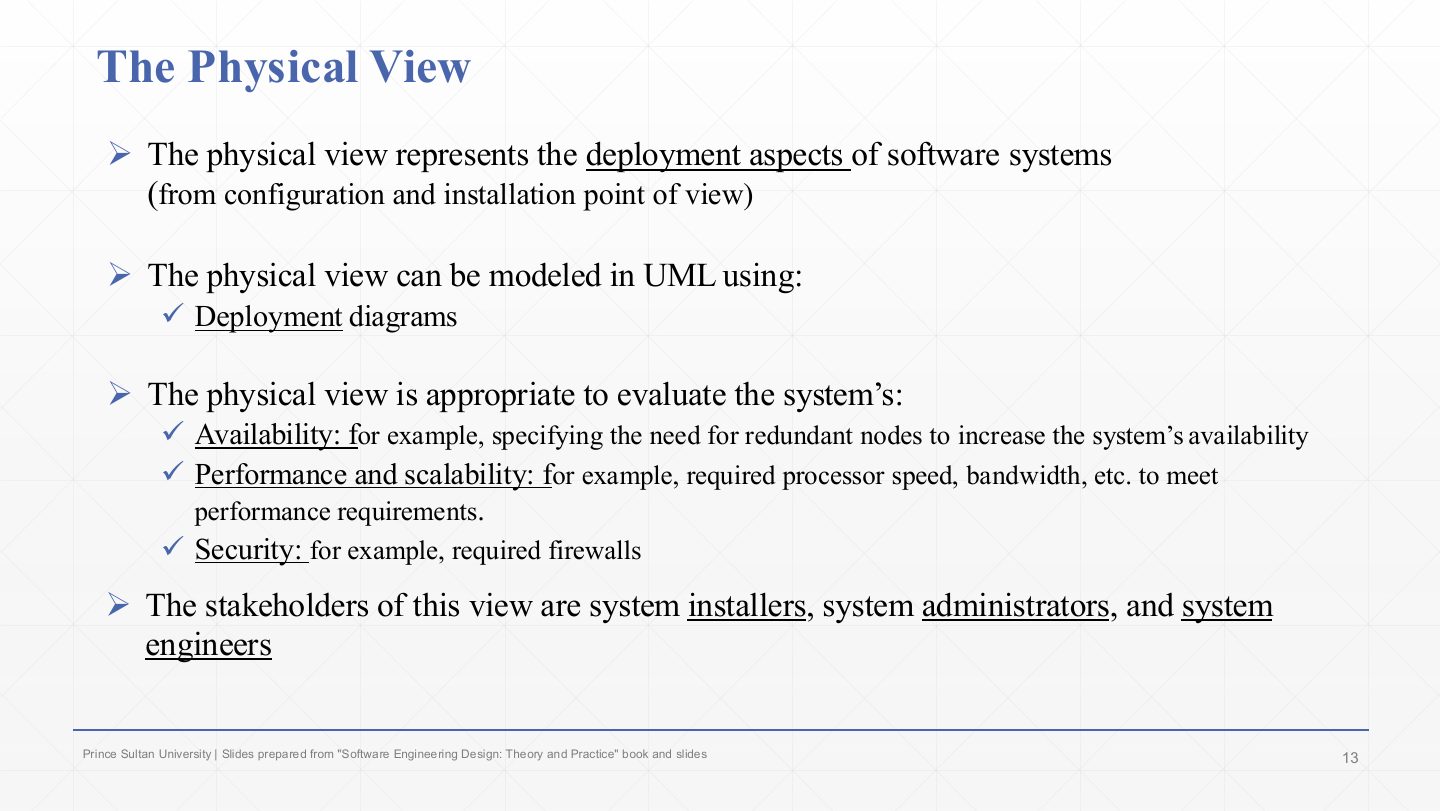
  13. 13 The Physical View
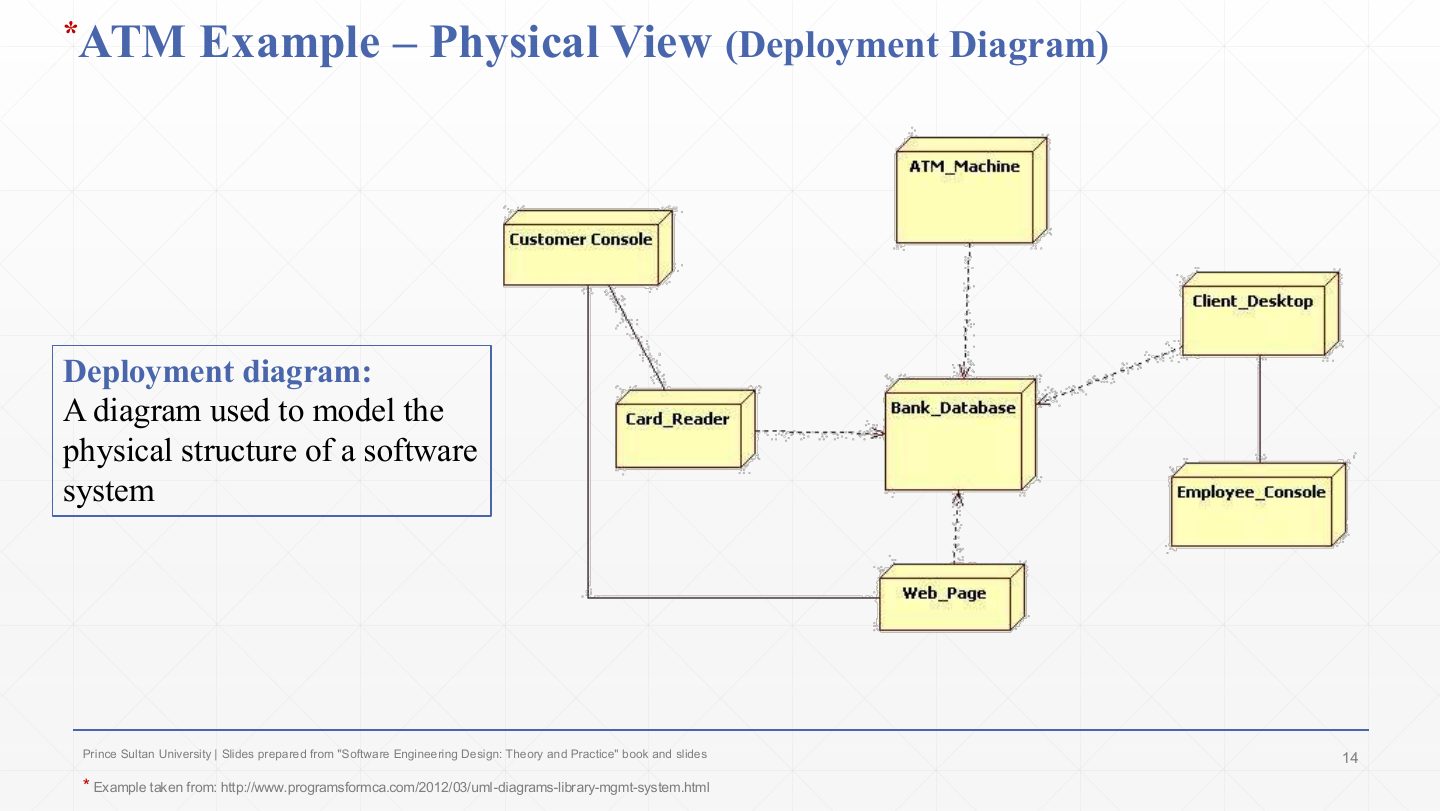
  14. 14 ATM Example Physical View
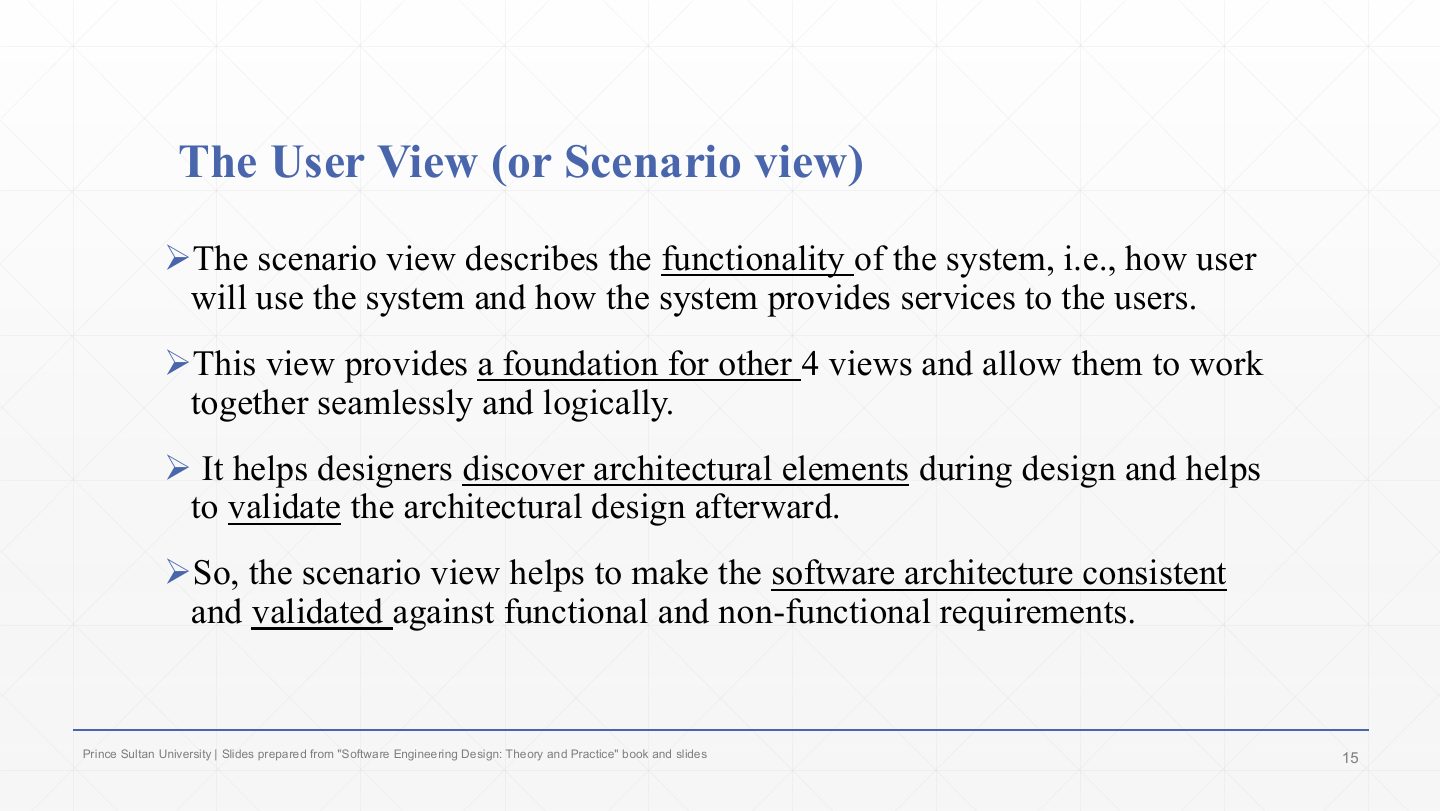
  15. 15 The User View (or Scenario view)
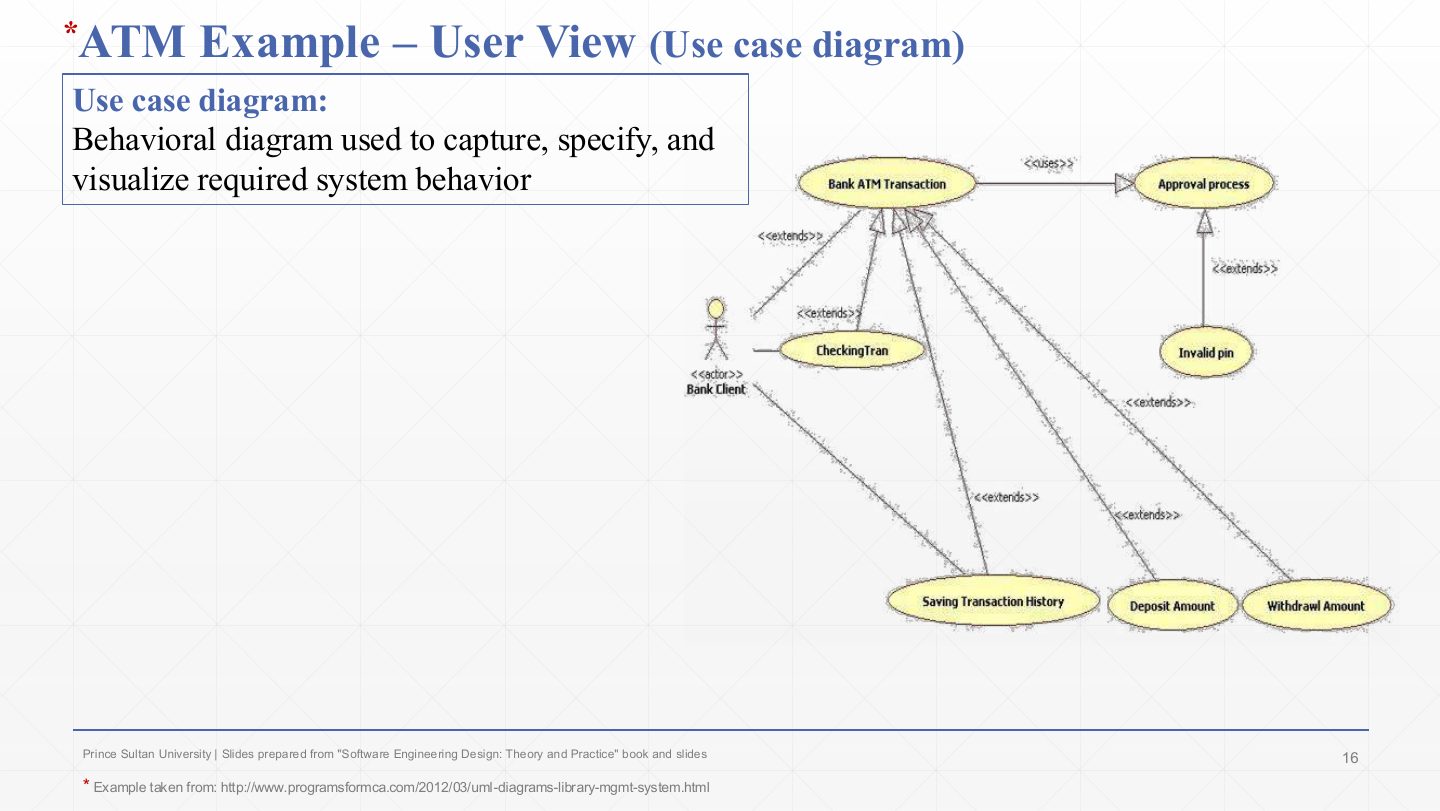
  16. 16 ATM Example User View
  17. 17 Extra: The 4+1 views at a glance
  18. 18 The 4+1 View Model (Summary)
  19. 19 Summary
Slide 1 / 19

Slide 1

Slide 1: Slide 1

Notes

  1. Third architecture lecture. Lecture 1 said an architecture needs several views; this one names the standard set of views and shows each on one example system, an ATM.

Slide 2 / 19

Lecture Outlines

Slide 2: Lecture Outlines

Notes

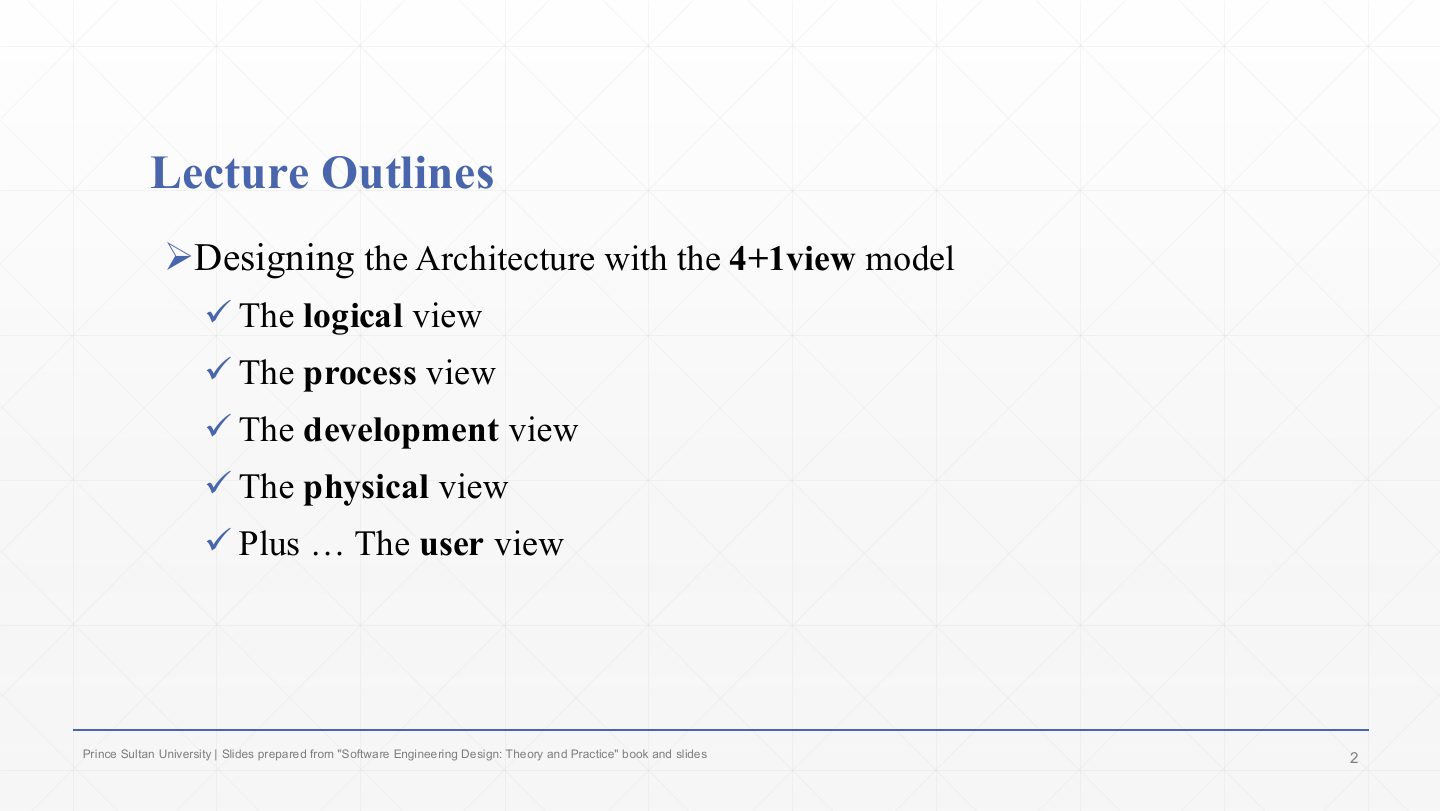
  1. The four views are logical, process, development and physical.

  2. The “+1” is the user view, also called the scenario view. It is not a fifth independent description but the use cases that connect and check the other four.

Slide 3 / 19

Designing the Architecture

Slide 3: Designing the Architecture

Notes

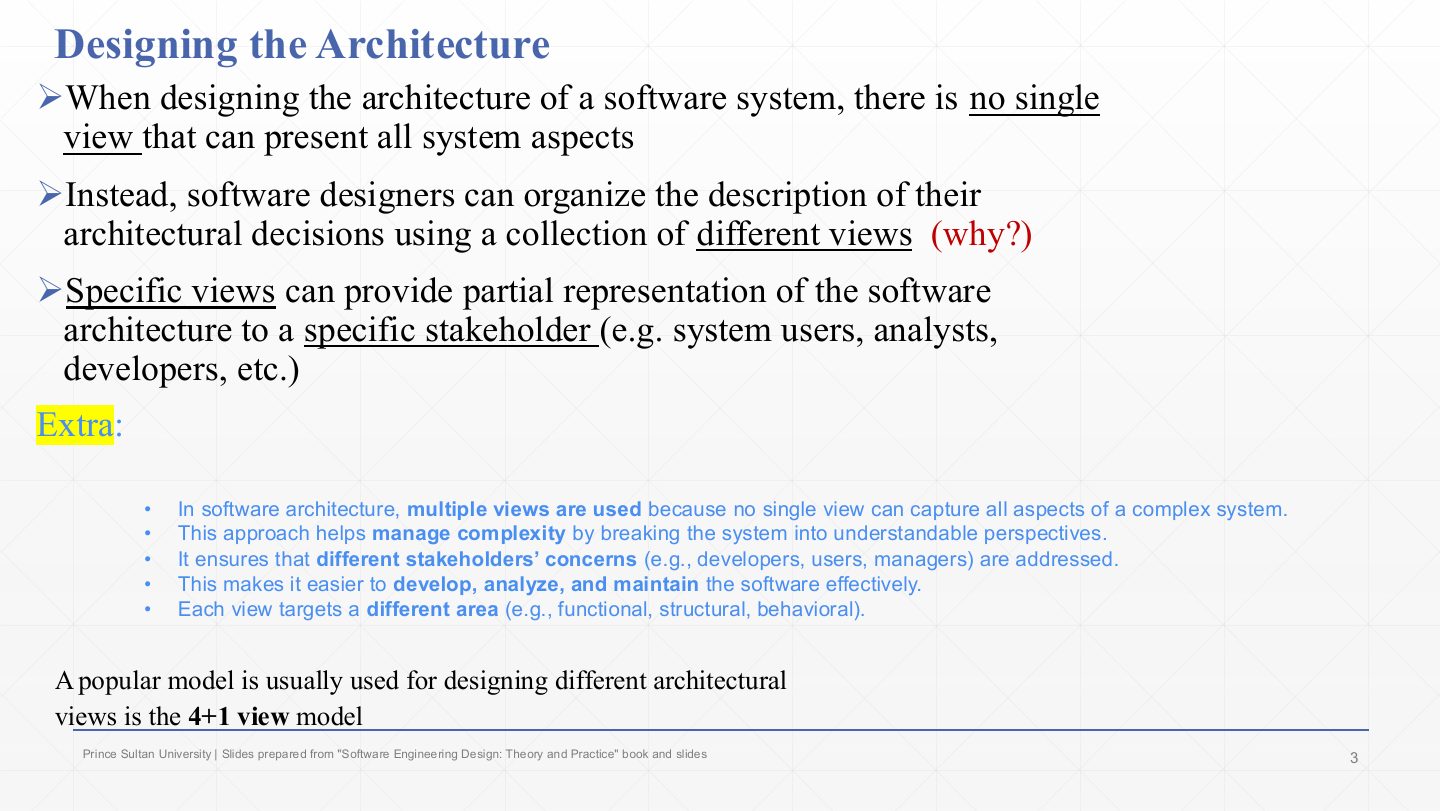
  1. No single view can present every aspect of a system. A class diagram says nothing about servers; a deployment diagram says nothing about classes.

  2. So designers organise their architectural decisions as a collection of views. This breaks a complex system into understandable perspectives and manages complexity.

  3. Each view is a partial representation aimed at specific stakeholders (users, analysts, developers…), so every group gets the view that answers its own concerns.

  4. The best-known way to organise those views is the 4+1 view model.

Exam angle

Past exam · Midterm 252 · Q1 MCQ 2Q1

Why are multiple architectural views required in complex systems?

  1. To reduce documentation effort
  2. Because no single view can represent all system aspects for all stakeholders
  3. To replace requirements engineering
  4. To simplify coding
Show answer

B. Because no single view can represent all system aspects for all stakeholders

Slide 4 / 19

The 4+1 View Model

Slide 4: The 4+1 View Model

Notes

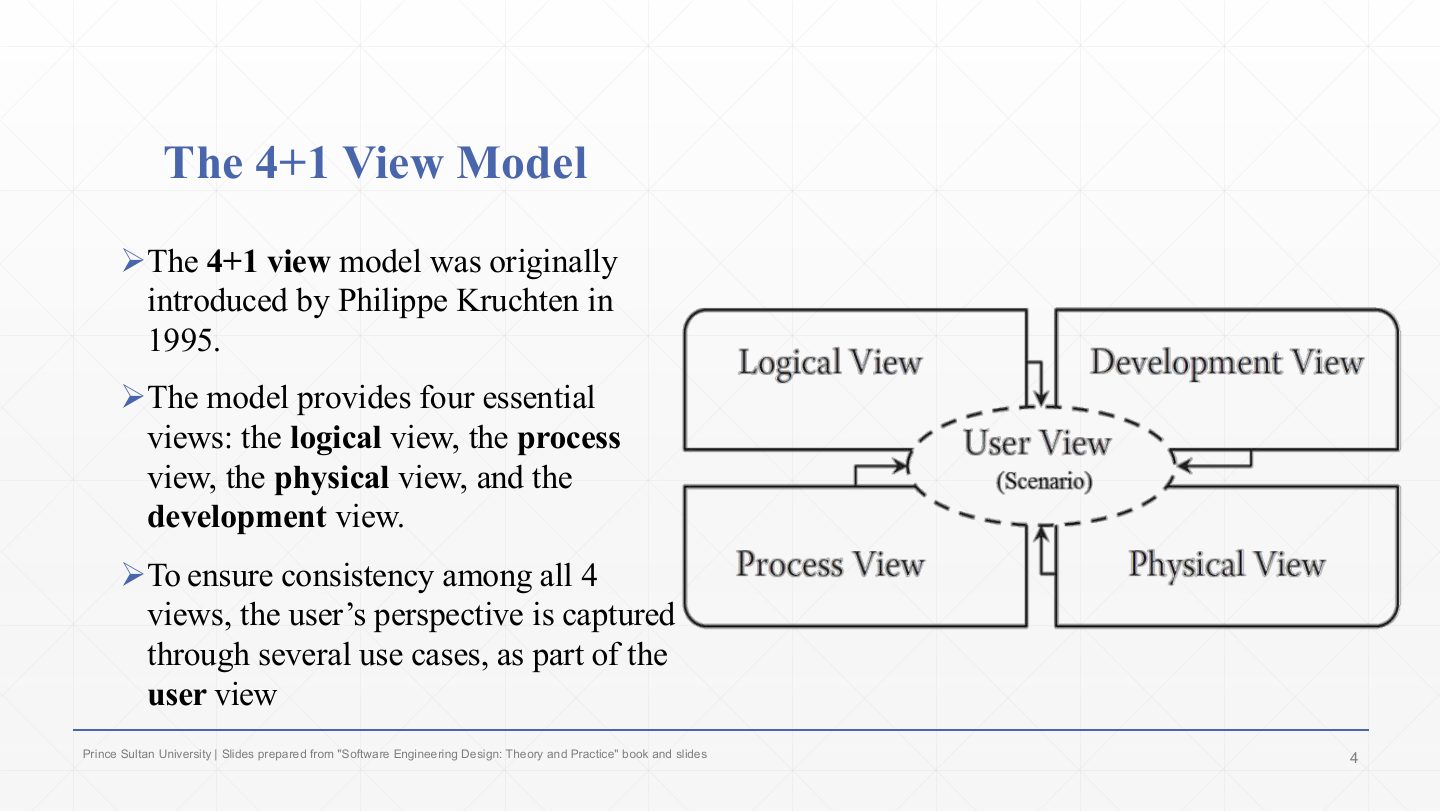
  1. The model was introduced by Philippe Kruchten in 1995.

  2. It has four essential views: logical, process, physical and development. Each one has its own stakeholders, concerns and diagrams.

  3. To keep the four consistent with one another, the user’s perspective is captured in use cases that form the user view. Running a use case through every view checks that they all describe the same system.

Exam angle

PredictionQ1

Who introduced the 4+1 view model, and what is the role of the “+1” view?

Show answer

Philippe Kruchten (1995). The +1 is the user (scenario) view: use cases that tie the four views together, help discover architectural elements and validate the design.

Slide 5 / 19

The logical View

Slide 5: The logical View

Notes

  1. The logical view decomposes the system into conceptual entities (objects or classes) and the connections between them.

  2. It is an abstraction of the functional requirements: it shows what the system does, in terms of the things it is made of.

  3. Diagrams: static ones (class and object diagrams) for structure, and dynamic ones (interaction overview, sequence, communication, state and activity diagrams) for how those objects behave together.

  4. Its stakeholders are end users, analysts and designers, the people who care about functionality.

Exam angle

Past exam · Quiz 1 · 261 · Q17 (fill in)Q1

Fill in the blank: The 4+1 view that emphasizes the major functional elements of the system and their relationships is the ___ view.

Show answer

Logical view.

Slide 6 / 19

ATM Example Logical View

Slide 6: ATM Example Logical View

Notes

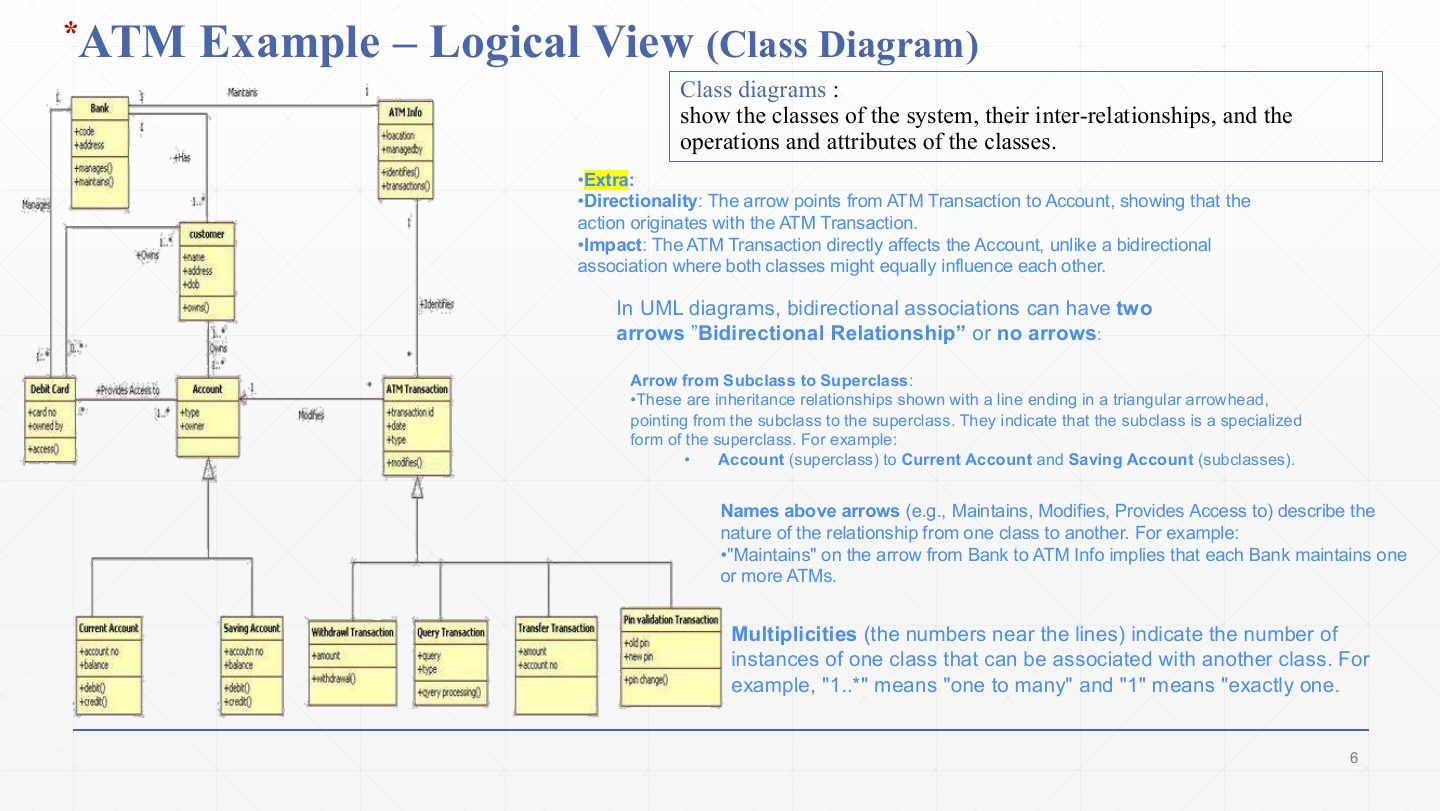
  1. A class diagram shows the classes, their attributes and operations, and the relationships between them. For the ATM: Bank, ATM Info, Customer, Debit Card, Account and ATM Transaction, each box listing attributes (+code, +address) and operations (+manages()).

  2. Directionality: the arrow from ATM Transaction to Account (“Modifies”) means the transaction acts on the account, and not the other way round. A bidirectional association has two arrowheads or none.

  3. Inheritance: the lines ending in a hollow triangle point from subclass to superclass. Current Account and Saving Account are kinds of Account; Withdrawal, Query, Transfer and PIN-validation transactions are kinds of ATM Transaction.

  4. Association names describe the relationship in words: Bank Maintains ATM Info, Customer Owns Account, Debit Card Provides Access to Account.

  5. Multiplicities give how many objects take part: 1 means exactly one, 1..* one or more. One Bank maintains one or more ATMs.

Exam angle

PredictionQ1

In the ATM class diagram, what do the hollow triangles from Current Account and Saving Account to Account mean, and how is “1..*” read?

Show answer

Inheritance (generalisation): Current Account and Saving Account are specialised kinds of Account. “1..*” is a multiplicity meaning one or more.

Slide 7 / 19

ATM Example Logical View

Slide 7: ATM Example Logical View

Notes

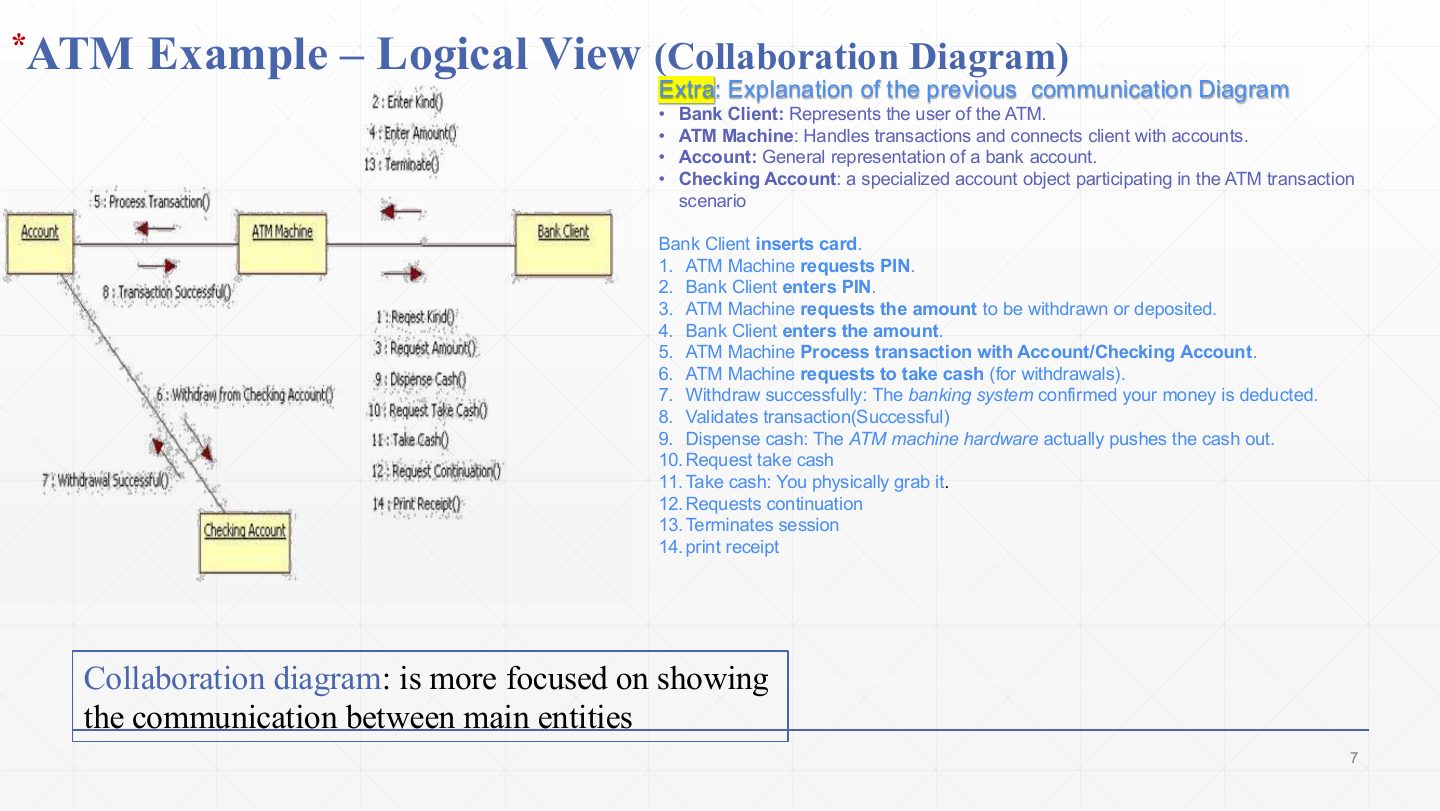
  1. The communication (collaboration) diagram shows the objects that cooperate in one scenario (Bank Client, ATM Machine, Account, Checking Account) as boxes joined by links.

  2. Messages are written along the links with a number that gives their order. Reading the withdrawal scenario:

    1–4
    The ATM asks for the transaction kind and amount; the client enters them.
    5–8
    The ATM asks Account to process the transaction; Account withdraws from the Checking Account and reports success.
    9–14
    The ATM dispenses cash, the client takes it, the ATM asks whether to continue, the session ends and a receipt is printed.
  3. It focuses on who talks to whom. The same messages appear on the next slide as a sequence diagram, which focuses on when.

Exam angle

PredictionQ1

How does a communication (collaboration) diagram differ from a sequence diagram?

Show answer

Both show objects exchanging messages. A communication diagram emphasises the links between objects and shows order only through message numbers; a sequence diagram lays messages out top to bottom along lifelines, so the time order is the main thing shown.

Slide 8 / 19

* ATM Example Logical View

Slide 8: * ATM Example Logical View

Notes

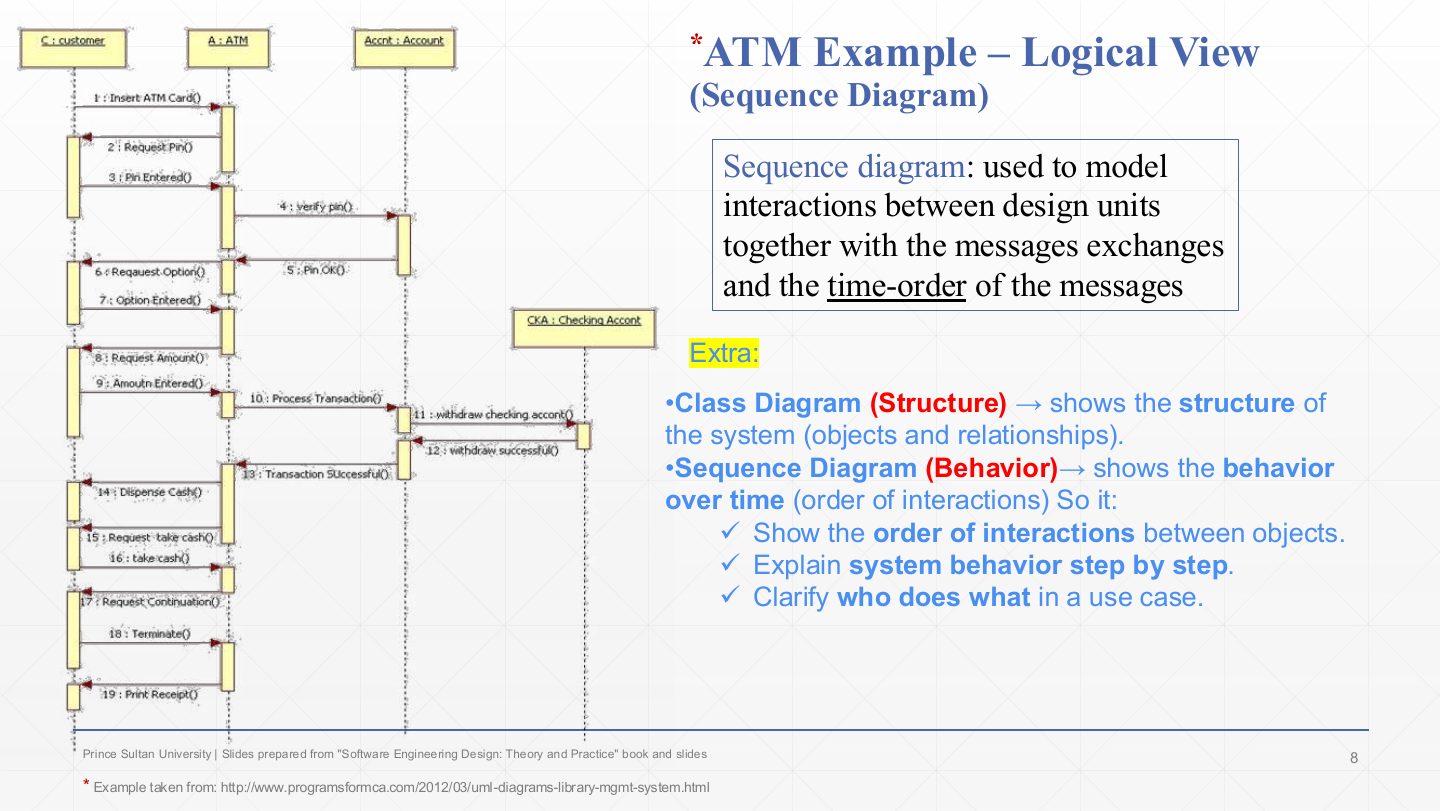
  1. A sequence diagram models the interactions between design units, the messages they exchange, and the time order of those messages.

  2. How to read it:

    Boxes along the top
    The participants: C : customer, A : ATM, Accnt : Account, and later CKA : Checking Account (object name : class).
    Dashed vertical lines
    Lifelines. Time runs downward.
    Thin rectangles
    Activations: the period when that object is busy handling a message.
    Numbered arrows
    Messages in order: 1 insert card, 2 request PIN, 3 PIN entered, 4 verify PIN, 5 PIN OK … 11 withdraw from checking, 13 transaction successful, 14 dispense cash … 19 print receipt.
  3. The class diagram (slide 6) gives the structure; the sequence diagram gives the behaviour over time for one use case, making clear who does what and in which order.

Exam angle

PredictionQ1

Which logical-view diagram should you use to show the time order of the messages exchanged during an ATM withdrawal?

  1. Sequence diagram
  2. Class diagram
  3. Deployment diagram
  4. Package diagram
Show answer

A. Sequence diagram

Slide 9 / 19

The Process View

Slide 9: The Process View

Notes

  1. The process view covers the dynamic, run-time behaviour of the system.

  2. It is an abstraction of the processes and threads and shows their concurrency (what runs at the same time) and synchronisation (how they share resources and data without interfering).

  3. It contributes to non-functional requirements such as scalability and performance, which depend on how work is spread across processes.

  4. UML support: the activity diagram and the interaction overview diagram.

  5. Stakeholders: developers and integrators, who put the running pieces together.

Exam angle

Past exam · Midterm 252 · Q1 MCQ 3Q1

Which architectural view mainly contributes to evaluating scalability and performance?

  1. Logical view
  2. Development view
  3. Process view
  4. User view
Show answer

C. Process view — The process view covers runtime processes, concurrency and communication, from which performance and scalability are judged. (The physical view also concerns performance, through hardware; when the options include the process view and the question is about runtime behaviour, choose process.)

Past exam · Quiz 1 · 261 · Q19Q2

Which 4+1 view should an architect emphasize when analyzing concurrent execution, communication among running processes, and synchronization?

  1. Development view
  2. Scenario view
  3. Logical view
  4. Process view
Show answer

D. Process view

Slide 10 / 19

ATM Example Process View

Slide 10: ATM Example Process View

Notes

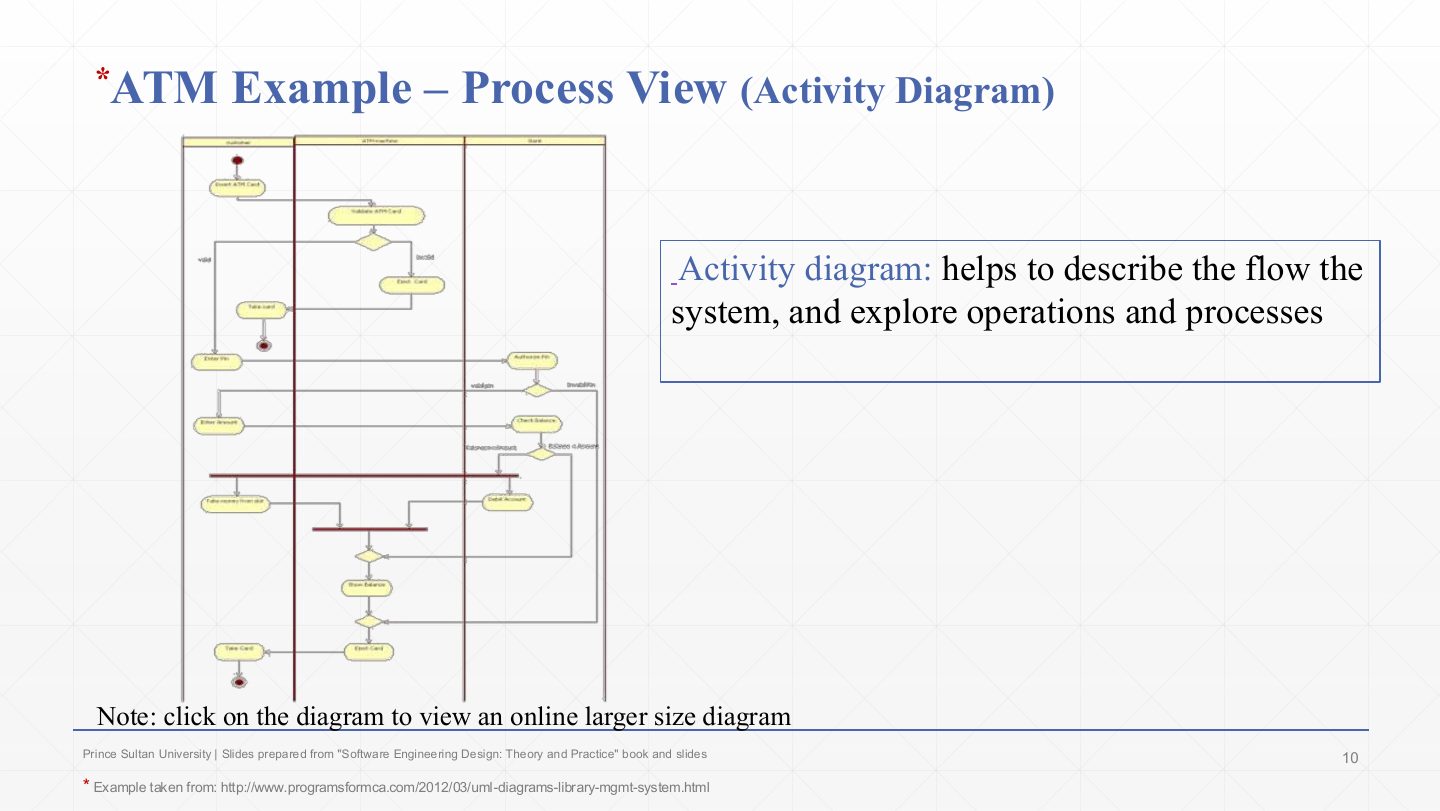
  1. An activity diagram describes the flow of the system: its operations and processes, in order, with decisions and parallel paths.

  2. Reading the ATM diagram (three swimlanes: customer, ATM machine, bank):

    Filled circle
    Start. The customer inserts the card and the ATM validates it.
    Diamonds
    Decisions: an invalid card is ejected; the PIN is authorised (valid/invalid); the balance is checked against the amount.
    Thick bars
    Fork and join: “take money from slot” and “debit account” happen in parallel, then join. This parallelism is exactly what the process view is about.
    Circle with ring
    End, after the balance is shown and the card is ejected and taken.
Slide 11 / 19

The development View

Slide 11: The development View

Notes

  1. The development view describes the static organisation of the software modules, from the implementation point of view: how the source code is arranged.

  2. Modules here are building blocks that group classes: class libraries, subsystems, packages.

  3. UML support: package diagrams and component diagrams.

  4. It lets you analyse how logical components map onto physical files and directories, which matters for builds, reuse and team ownership.

  5. Stakeholders: programmers and software project managers (who assign modules to teams).

Exam angle

Past exam · Quiz 1 · 261 · Q18 (fill in)Q1

Fill in the blank: The 4+1 view that focuses on the organization of source-code modules, packages, and development units is the ___ view.

Show answer

Development view (also accepted: implementation).

Slide 12 / 19

ATM Example Development View

Slide 12: ATM Example Development View

Notes

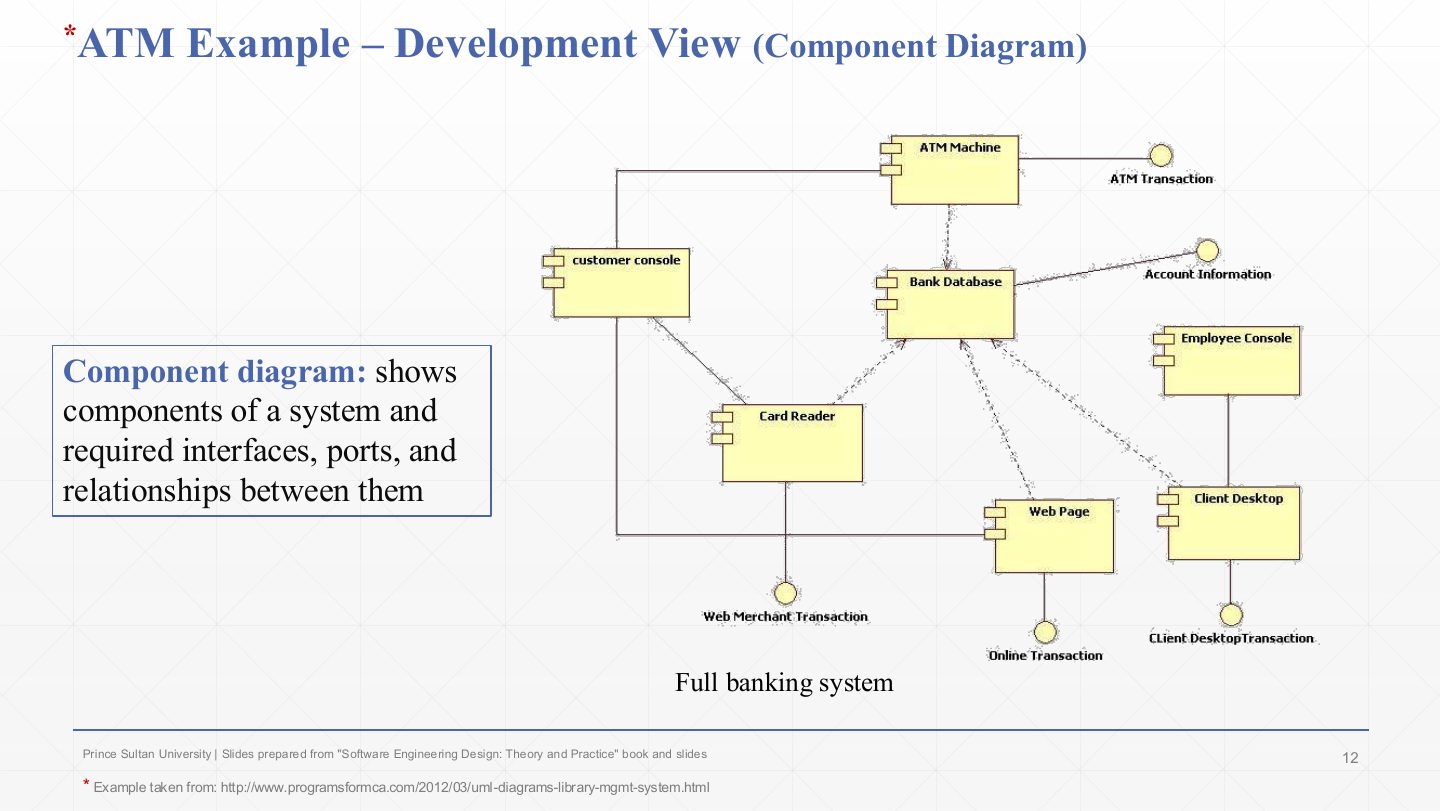
  1. A component diagram shows the system’s components with their interfaces, ports and the relationships between them.

  2. Reading the banking system:

    Rectangles with two small tabs
    Components: ATM Machine, Customer Console, Card Reader, Bank Database, Web Page, Client Desktop, Employee Console.
    Dashed arrows into Bank Database
    Dependencies: the ATM, card reader, web page and client desktop all depend on the database.
    Small circles (lollipops)
    Provided interfaces, e.g. ATM Transaction, Account Information, Online Transaction, Web Merchant Transaction.
  3. Reading tip: a circle attached to a component is an interface it provides. In the development view these components are units of code that teams build and package separately.

Slide 13 / 19

The Physical View

Slide 13: The Physical View

Notes

  1. The physical view represents deployment: how the software is configured and installed on hardware.

  2. UML support: deployment diagrams.

  3. It is the right view to evaluate availability (redundant nodes), performance and scalability (processor speed, bandwidth) and security (firewalls), because all of these depend on the hardware layout.

  4. Stakeholders: system installers, system administrators and system engineers.

Exam angle

Past exam · Quiz 1 · 261 · Q20Q1

A deployment engineer wants to know which software elements run on which servers and hardware nodes. Which 4+1 view is most useful?

  1. Process view
  2. Development view
  3. Logical view
  4. Physical view
Show answer

D. Physical view

Slide 14 / 19

ATM Example Physical View

Slide 14: ATM Example Physical View

Notes

  1. A deployment diagram models the physical structure the software runs on.

  2. The 3-D boxes are nodes (hardware or execution environments): ATM_Machine, Customer Console, Card_Reader, Bank_Database, Web_Page, Client_Desktop, Employee_Console. The lines are communication paths. Most nodes connect to Bank_Database, so it is the node whose failure takes everything down, which is where you would add redundancy for availability.

Slide 15 / 19

The User View (or Scenario view)

Slide 15: The User View (or Scenario view)

Notes

  1. The user (scenario) view describes the system’s functionality as the user experiences it: how users use the system and what services it provides them.

  2. It provides the foundation for the other four views and lets them work together logically: every view has to support the same use cases.

  3. It is used twice: to discover architectural elements during design (what does this scenario need?) and to validate the design afterwards (walk the scenario through each view).

  4. So it keeps the architecture consistent and validated against both functional and non-functional requirements.

Exam angle

Past exam · Midterm 261 · Q8 (true/false)Q1

The “+1” view represents the database structure of the system.

Show answer

False — The +1 is the scenario (use case) view that illustrates and validates the other four; the database is not a view of its own.

Slide 16 / 19

ATM Example User View

Slide 16: ATM Example User View

Notes

  1. A use case diagram is a behavioural diagram that captures, specifies and visualises the required system behaviour from the user’s side.

  2. The stick figure is the actor, Bank Client. The ovals are use cases: Bank ATM Transaction, Checking Tran, Saving Transaction History, Deposit Amount, Withdrawal Amount, Approval process, Invalid pin.

  3. «uses» (include): Bank ATM Transaction always uses the Approval process. «extends»: optional or special-case behaviour added to a base use case, e.g. Deposit and Withdrawal extend the transaction, and Invalid pin extends the approval process.

Slide 17 / 19

Extra: The 4+1 views at a glance

Slide 17: Extra: The 4+1 views at a glance

Notes

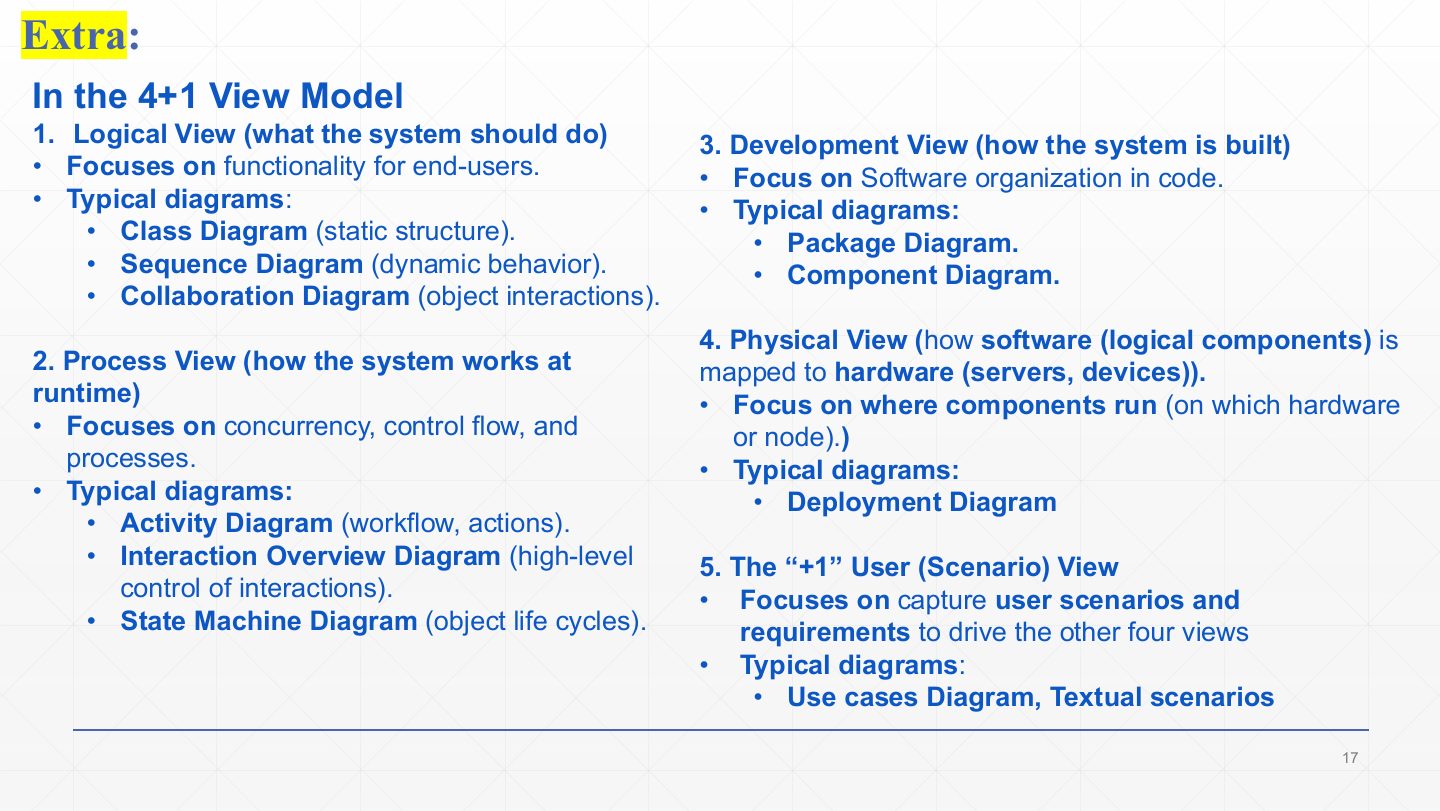
  1. Logical: what the system should do, the functionality for end users. Class (static), sequence (dynamic) and collaboration diagrams.

  2. Process: how the system works at run time: concurrency, control flow, processes. Activity, interaction overview and state machine diagrams.

  3. Development: how the system is built, its software organisation in code. Package and component diagrams.

  4. Physical: how the software is mapped to hardware (servers, devices), where components run. Deployment diagram.

  5. +1 User (scenario): captures user scenarios and requirements that drive the other four. Use case diagrams and textual scenarios.

Slide 18 / 19

The 4+1 View Model (Summary)

Slide 18: The 4+1 View Model (Summary)

Notes

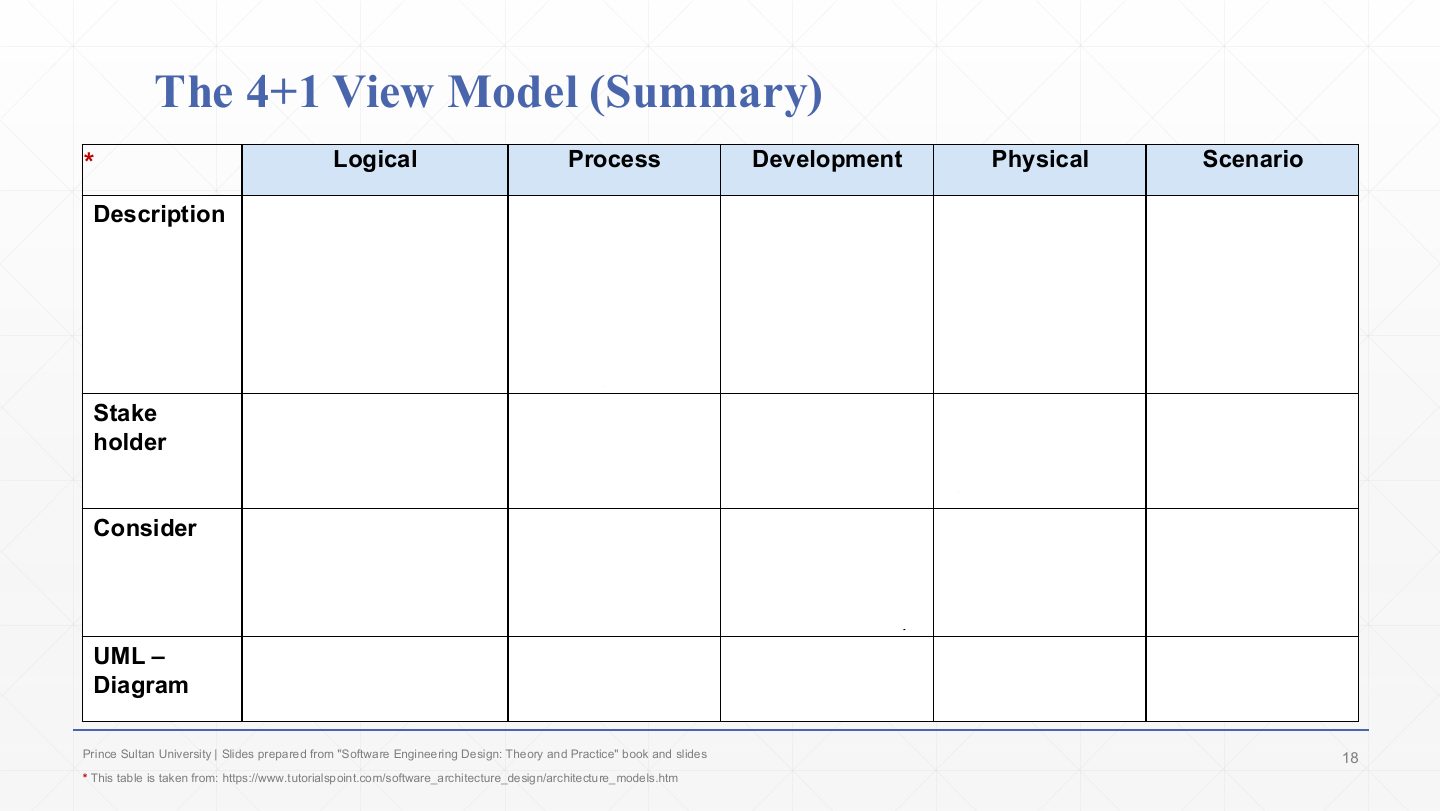
  1. Description row. Logical: the objects of the system and their interaction. Process: processes and workflow rules and how they communicate (dynamic). Development: building-block view, the static organisation of modules. Physical: installation, configuration and deployment. Scenario: shows the design is complete by validating and illustrating it.

  2. Stakeholders row. Logical: end users, analysts, designers. Process: integrators and developers. Development: programmers and software project managers. Physical: system engineers, operators, administrators, installers. Scenario: the stakeholders of the other views and their evaluators.

  3. Considers row. Logical: functional requirements. Process: non-functional requirements. Development: software module organisation (reuse, tool constraints). Physical: non-functional requirements tied to the hardware. Scenario: system consistency and validity.

  4. UML row. Logical: class, state, object, sequence, communication. Process: activity. Development: component, package. Physical: deployment. Scenario: use case.

Exam angle

Past exam · Midterm 252 · Q4 (table)Q1

Complete the 4+1 table: for each of the logical, process, development, physical and scenario views, give its description, stakeholders and UML diagrams.

Show answer

Logical: objects of the system and their interactions / end users, analysts, designers / class, object, state, sequence, communication. Process: processes and how they communicate (dynamic) / integrators, developers / activity. Development: building blocks, static module organisation / programmers, project managers / component, package. Physical: installation, configuration and deployment / system engineers, operators, administrators / deployment. Scenario: validates and illustrates that the design is complete / the other views’ stakeholders and evaluators / use case.

Past exam · Quiz 1 · 261 · Q21 (matching)Q2

Match each 4+1 view with its primary concern: logical, process, development, physical, scenario/user.

Show answer

Logical → major functional elements and their relationships. Process → runtime behaviour, concurrency and communication. Development → organisation of software modules and packages. Physical → deployment of software onto hardware nodes. Scenario/User → use cases that illustrate and validate the architecture.

PredictionQ3

Which UML diagram belongs to the development view?

  1. Package diagram
  2. Deployment diagram
  3. Use case diagram
  4. State diagram
Show answer

A. Package diagram

Slide 19 / 19

Summary

Slide 19: Summary

Notes

  1. Recap: be able to name each view and give its concern, stakeholders and diagrams from memory. The summary table on slide 18 is the most likely written question from this lecture.