SE322 · Chapter 1 · Annotated SlidesIntroduction to Software Design and Architecture
PDF
Overview

Introduction to Software Design and Architecture

Chapter 1 sets up the vocabulary for the whole course. It starts from what software engineering is, shows that design is a kind of problem solving (and how designers get stuck), defines design as both a process and a product, lists the five challenges that make design hard, splits the design process into major and supporting activities, and ends with the eight design principles, two strategies and two considerations used to judge every design later on. Slides labelled “Extra” are the instructor’s own explanations and examples, and they are examinable like the rest.

Design is problem solving

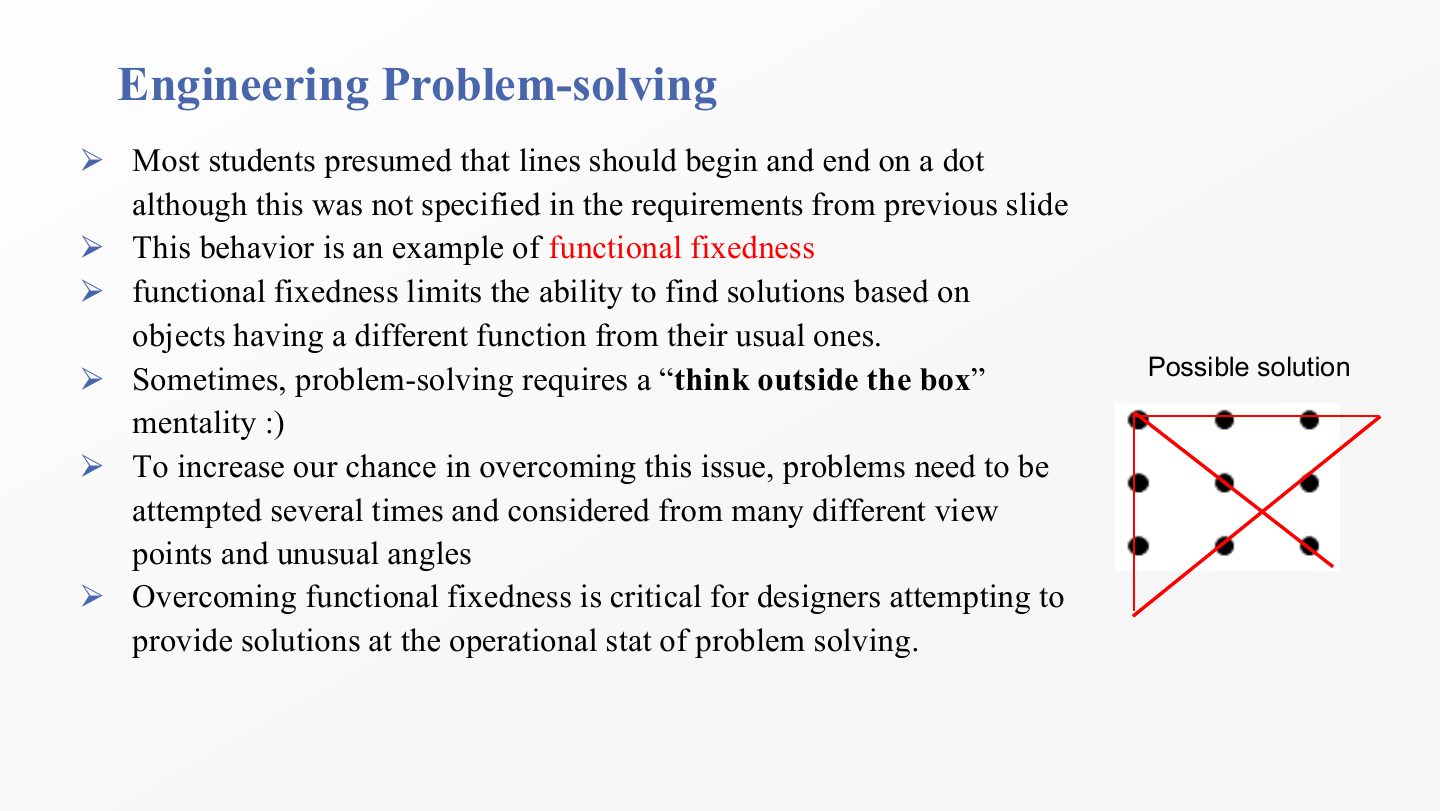
Problems move through an initial, operational and goal state. Functional fixedness (seeing things only in their usual role) blocks solutions in the operational state.

Process and product

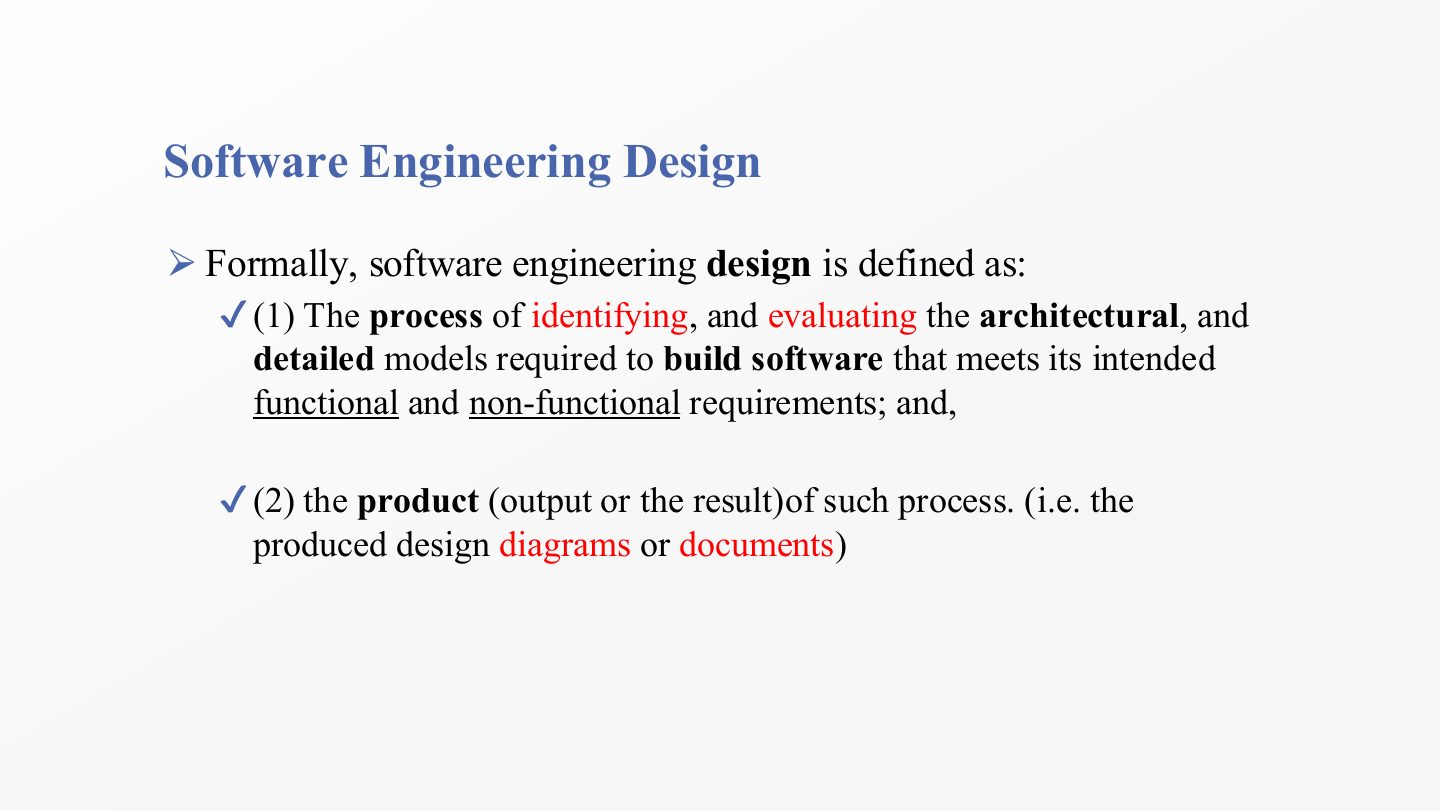
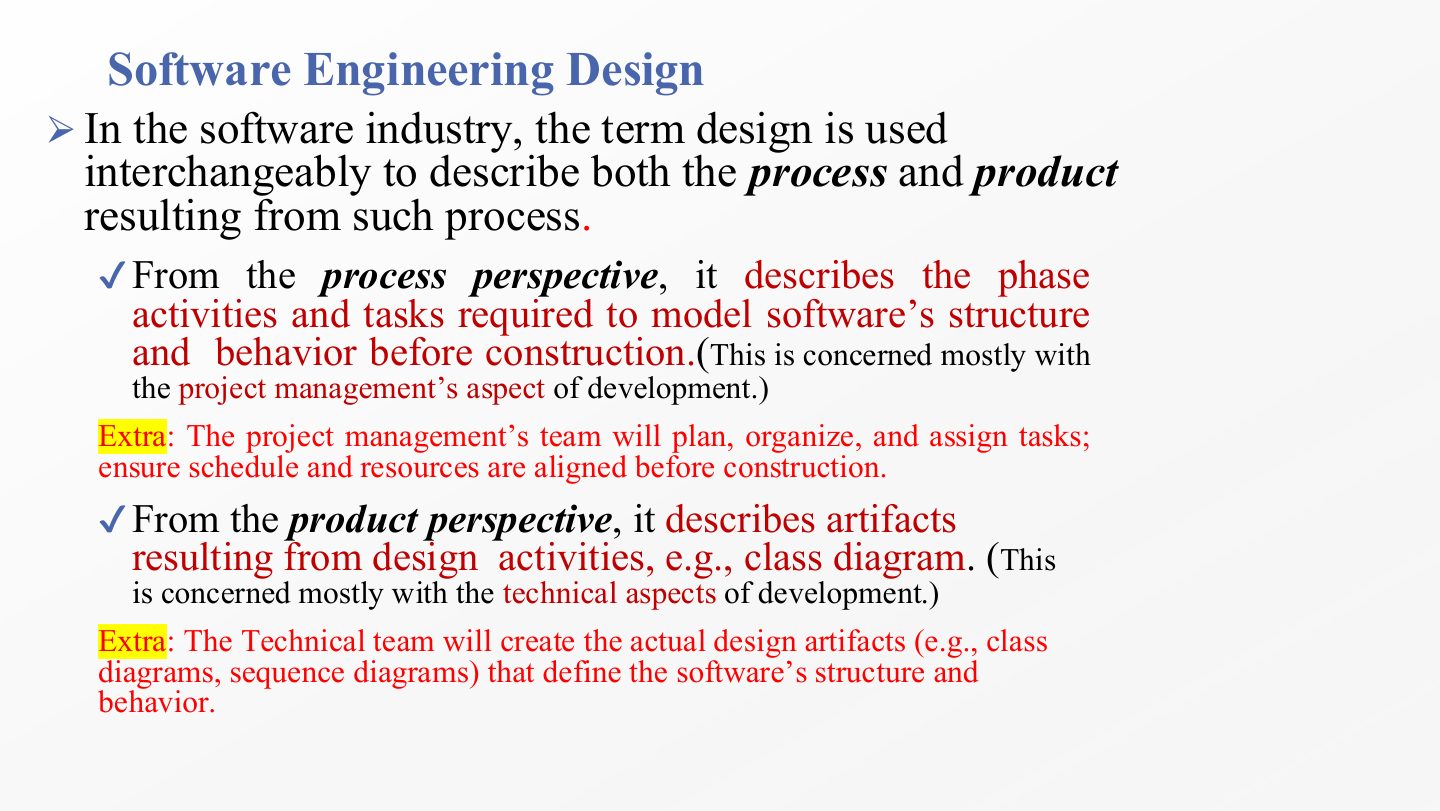
Design means the activity of building models (a project-management concern) and the models it produces (a technical concern).

Architecture vs. detailed design

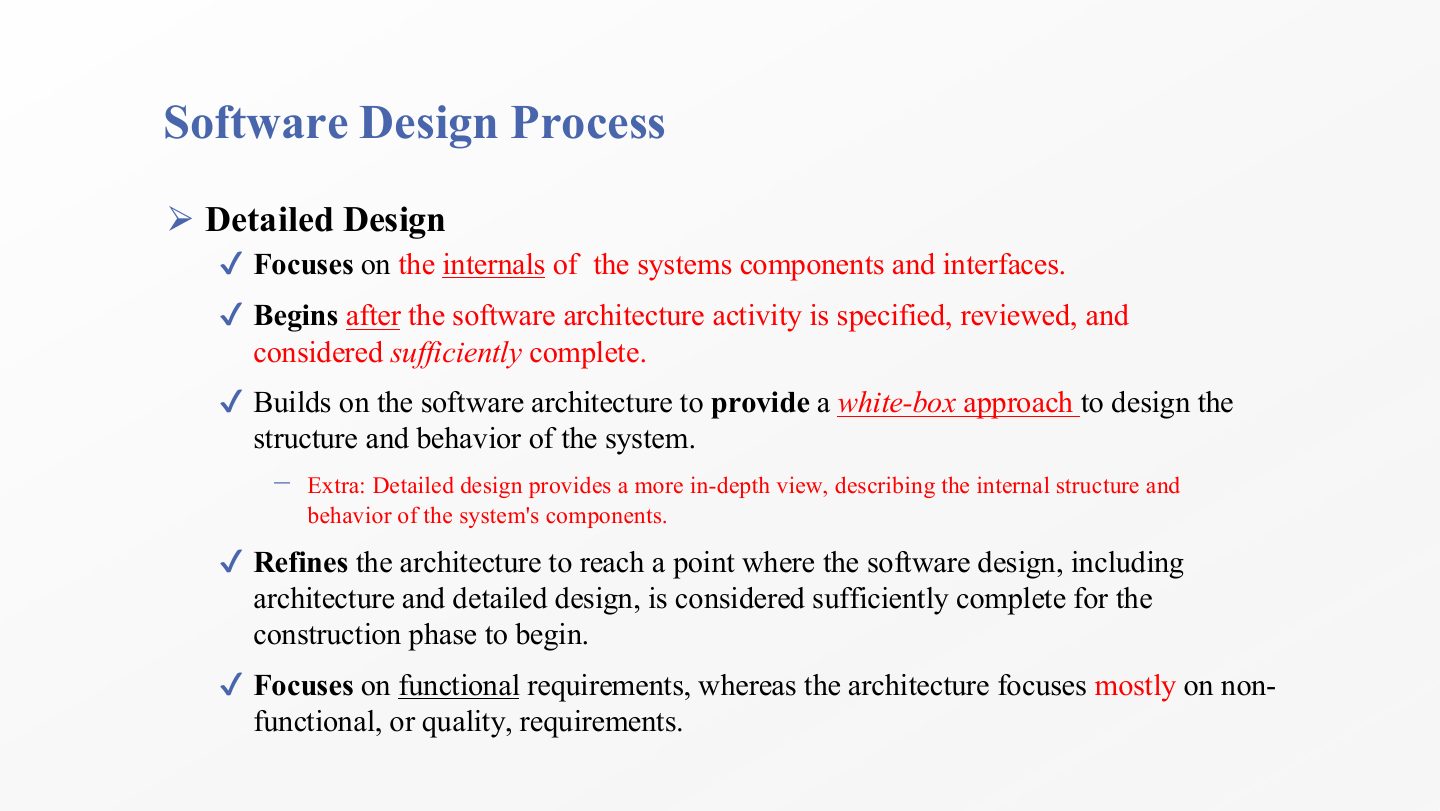
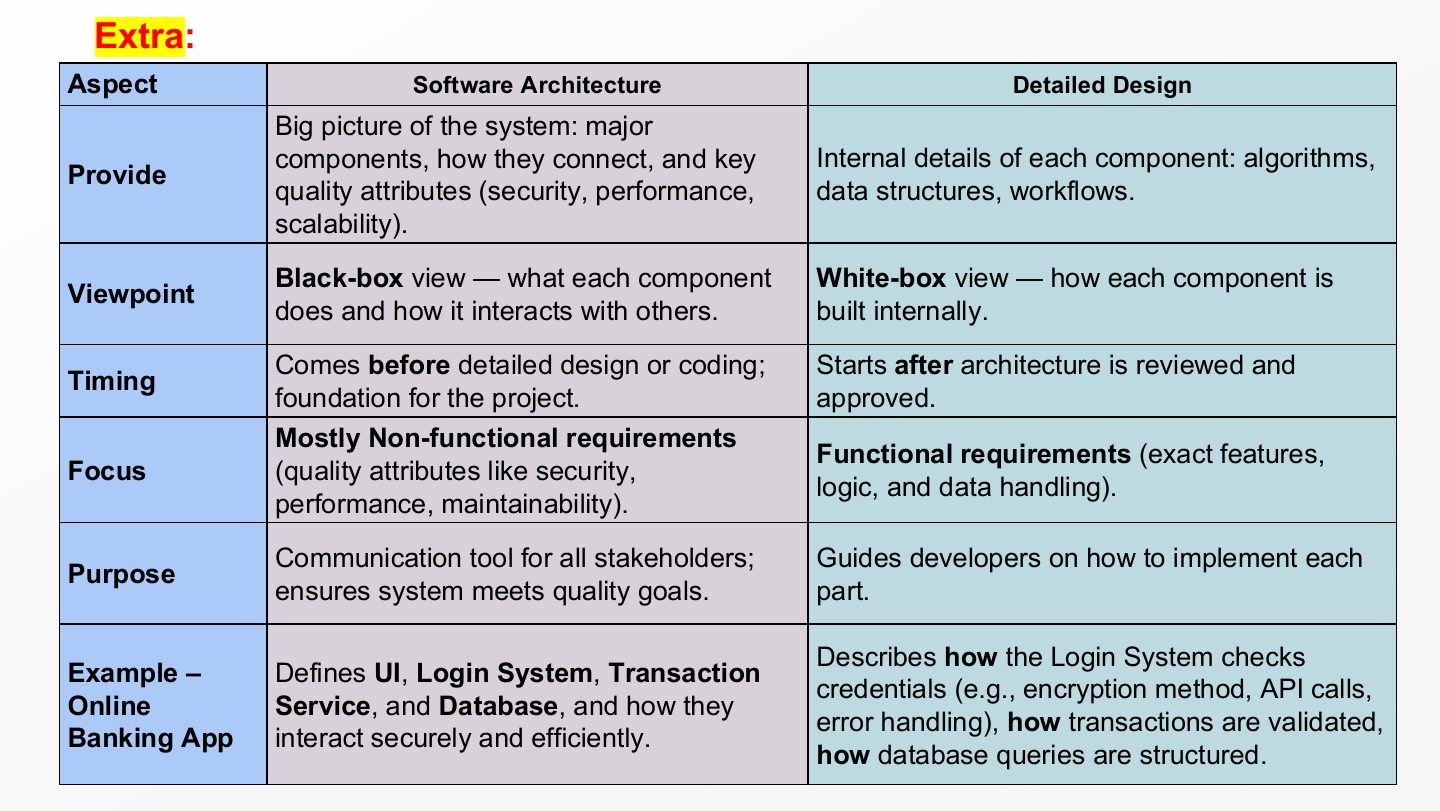
Architecture is the black-box, macro view focused on quality; detailed design is the white-box view of each component’s internals, focused on function.

Eight principles

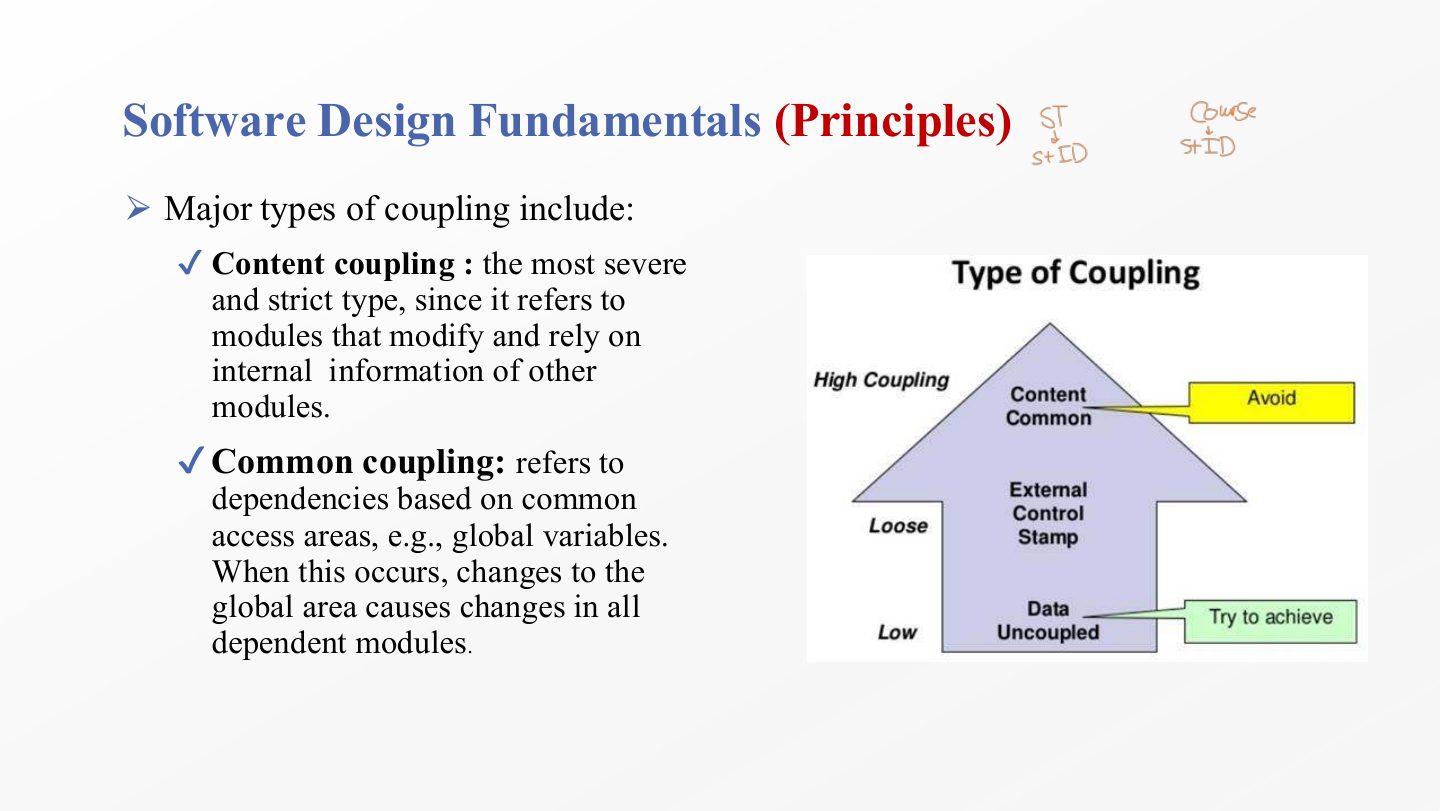
Modularization, abstraction, encapsulation, coupling, cohesion, separation of interface and implementation, completeness and sufficiency.

How the lecture is organized

Exam focus

This chapter is heavily examined. Final 252 Q1 took most of its ten MCQs from it (IEEE definition, functional fixedness, the holistic framework, requirements volatility, architecture vs. detailed design, abstraction, coupling, sufficiency). Midterm 252 asked two written questions (managing design influences, and the list of design activities), and Quiz 1 and Midterm 261 asked about functional fixedness, the design challenges, the two major activities, modularization, complexity, and coupling and cohesion types.

How to read this page

Every original slide is shown unchanged. Yellow marks on a slide point to a numbered note: hover or tap a mark to jump to its note, and hover a note to see its marks. Questions tagged Past exam appeared on a real paper; Prediction questions are likely angles, not confirmed.

All 73 slides
  1. 1 Note:
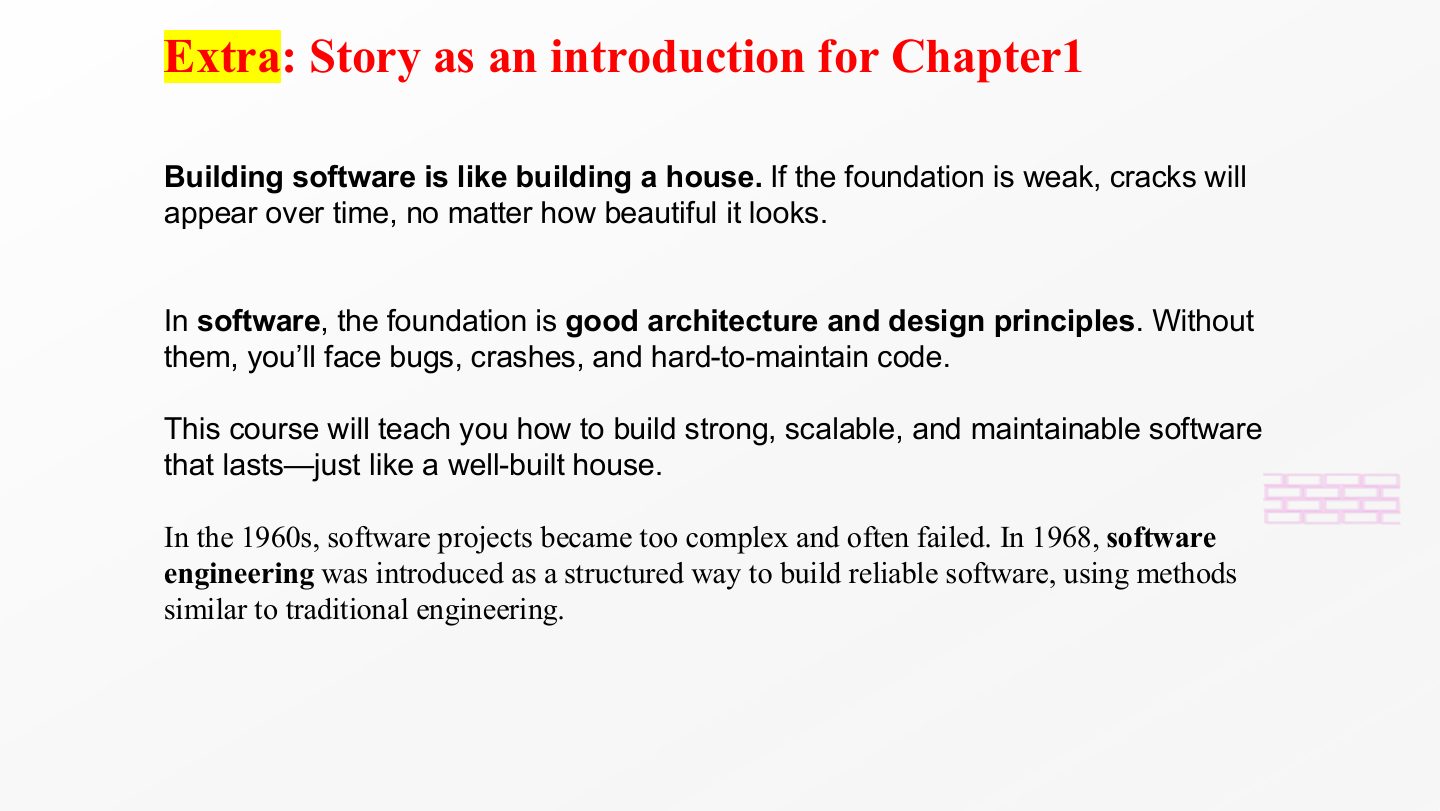
  2. 2 Extra: Story as an introduction for Chapter1
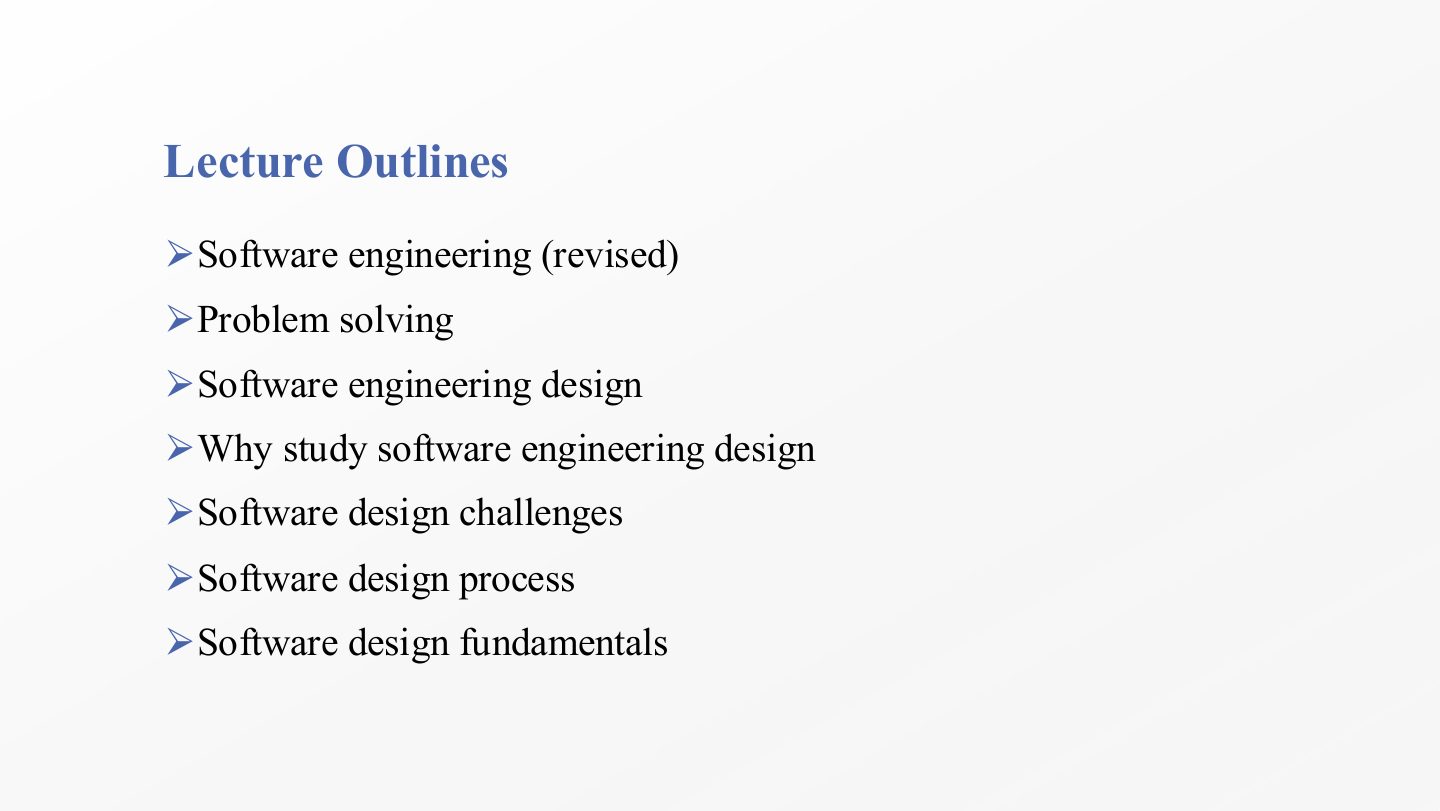
  3. 3 Lecture Outlines
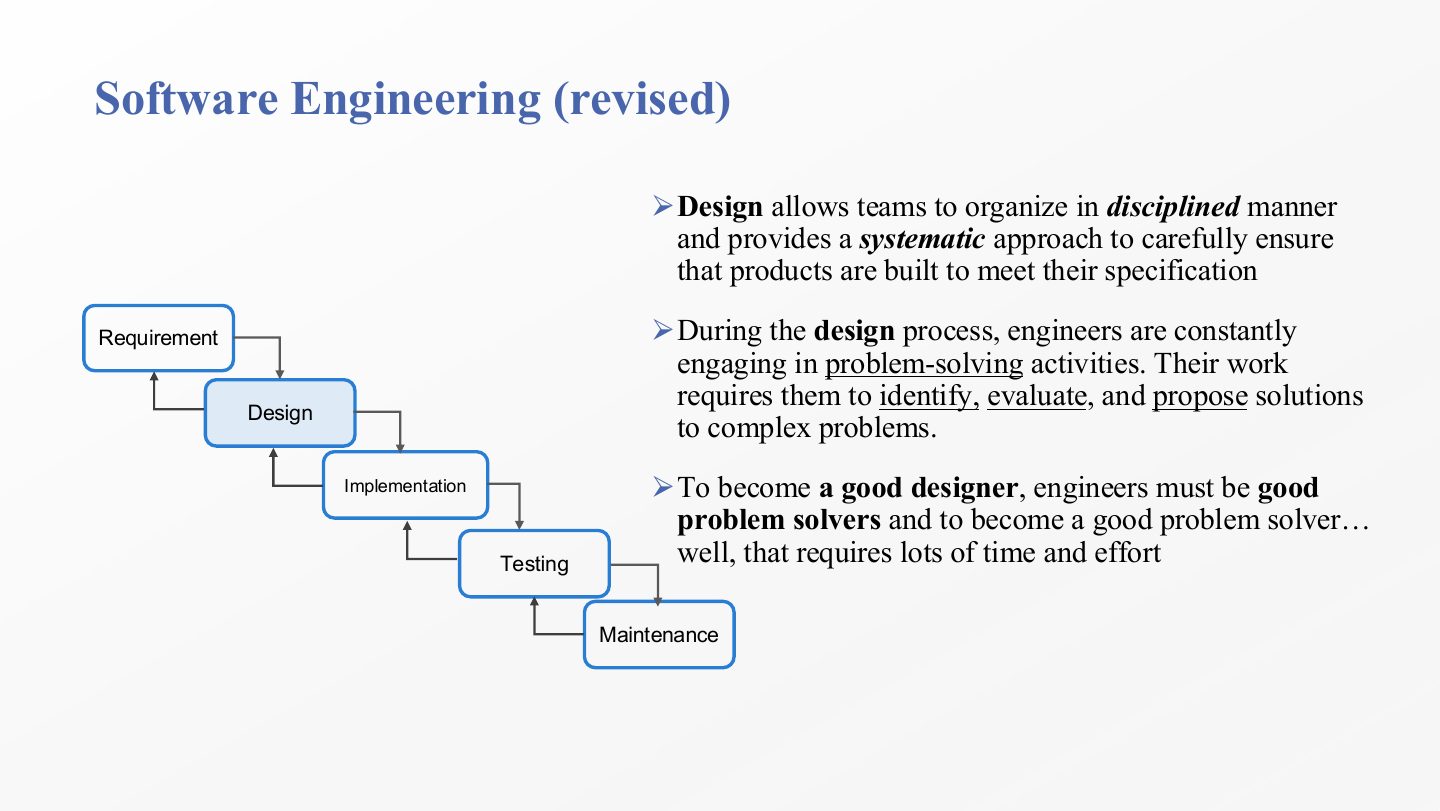
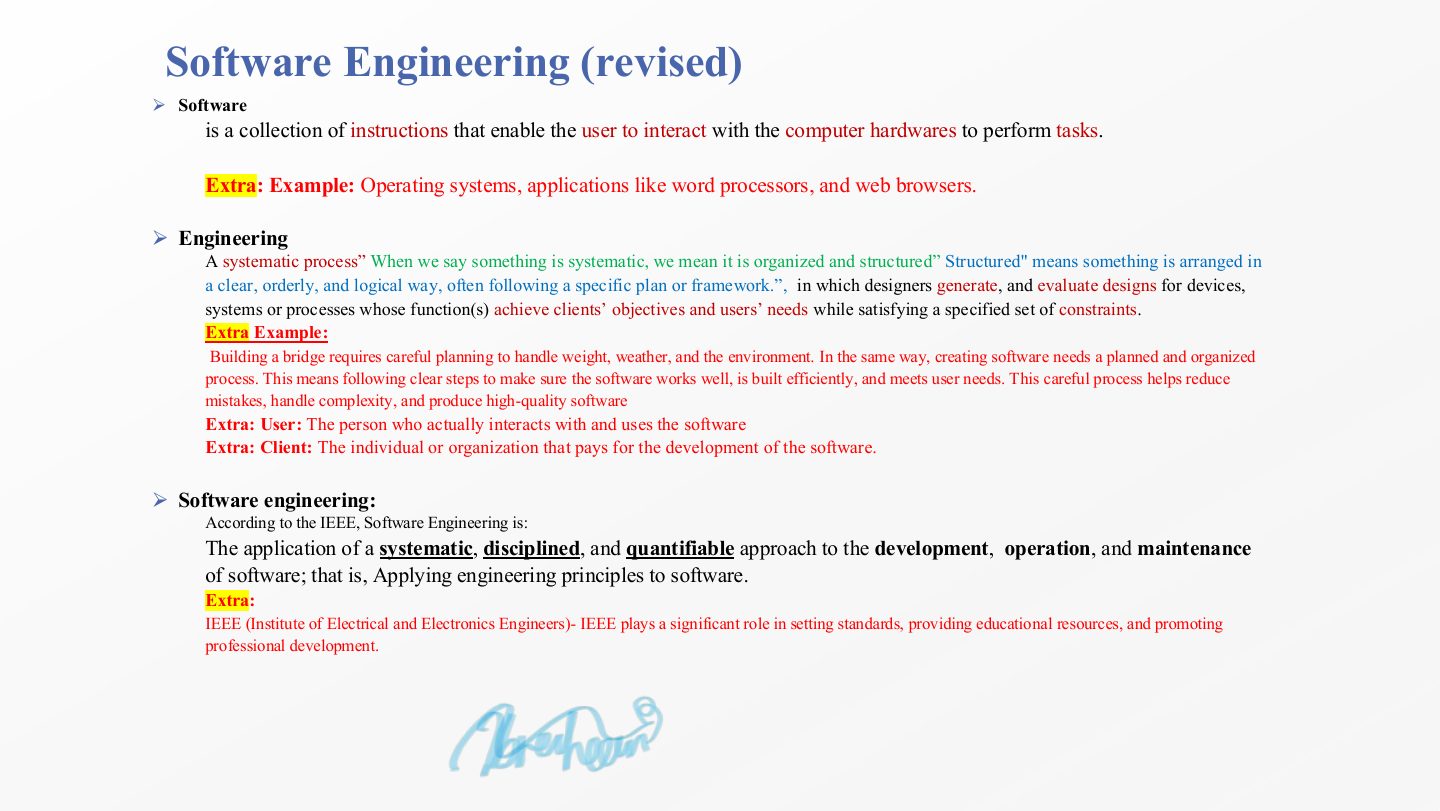
  4. 4 Software Engineering (revised)
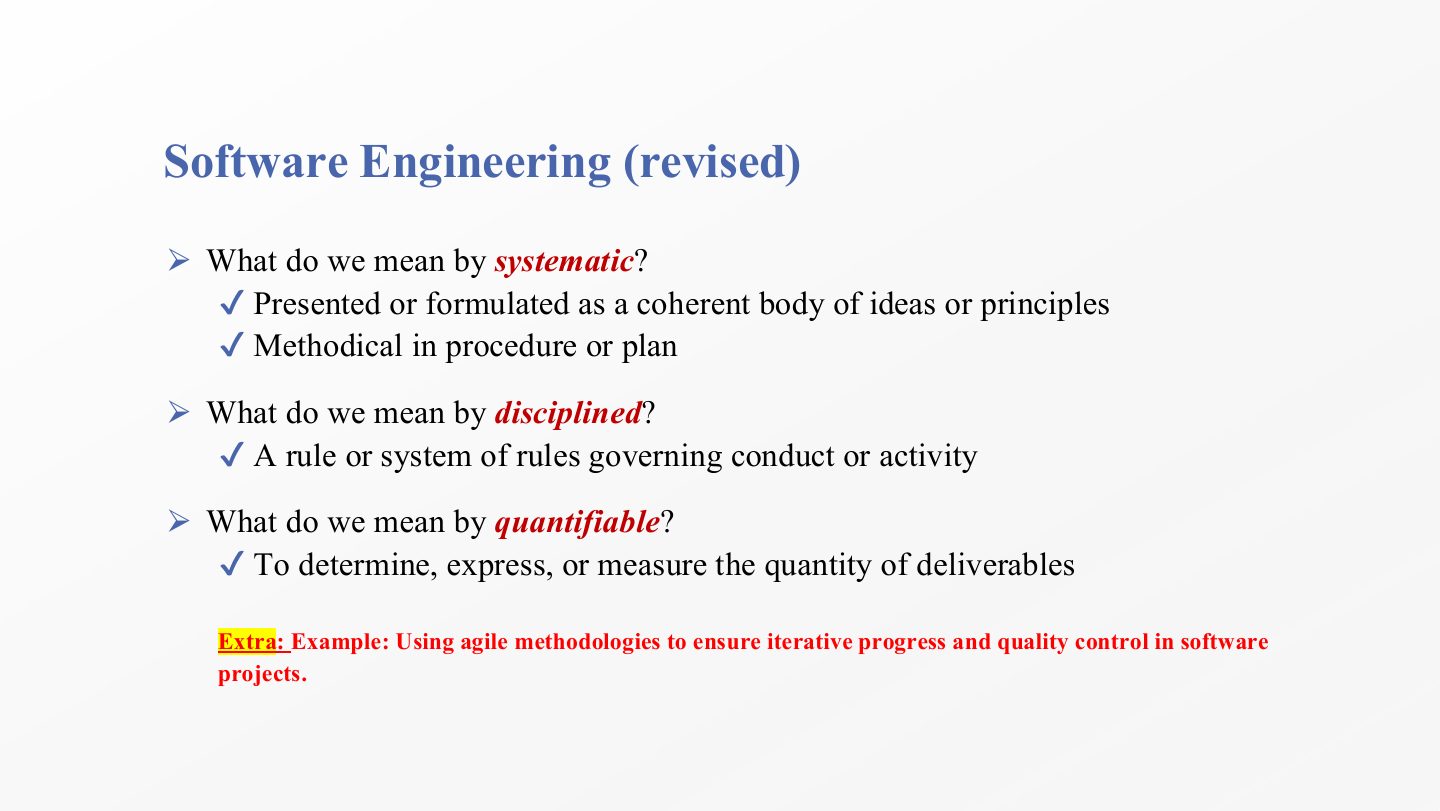
  5. 5 Software Engineering (revised)
  6. 6 Software Engineering (revised)
  7. 7 Software Engineering (revised)
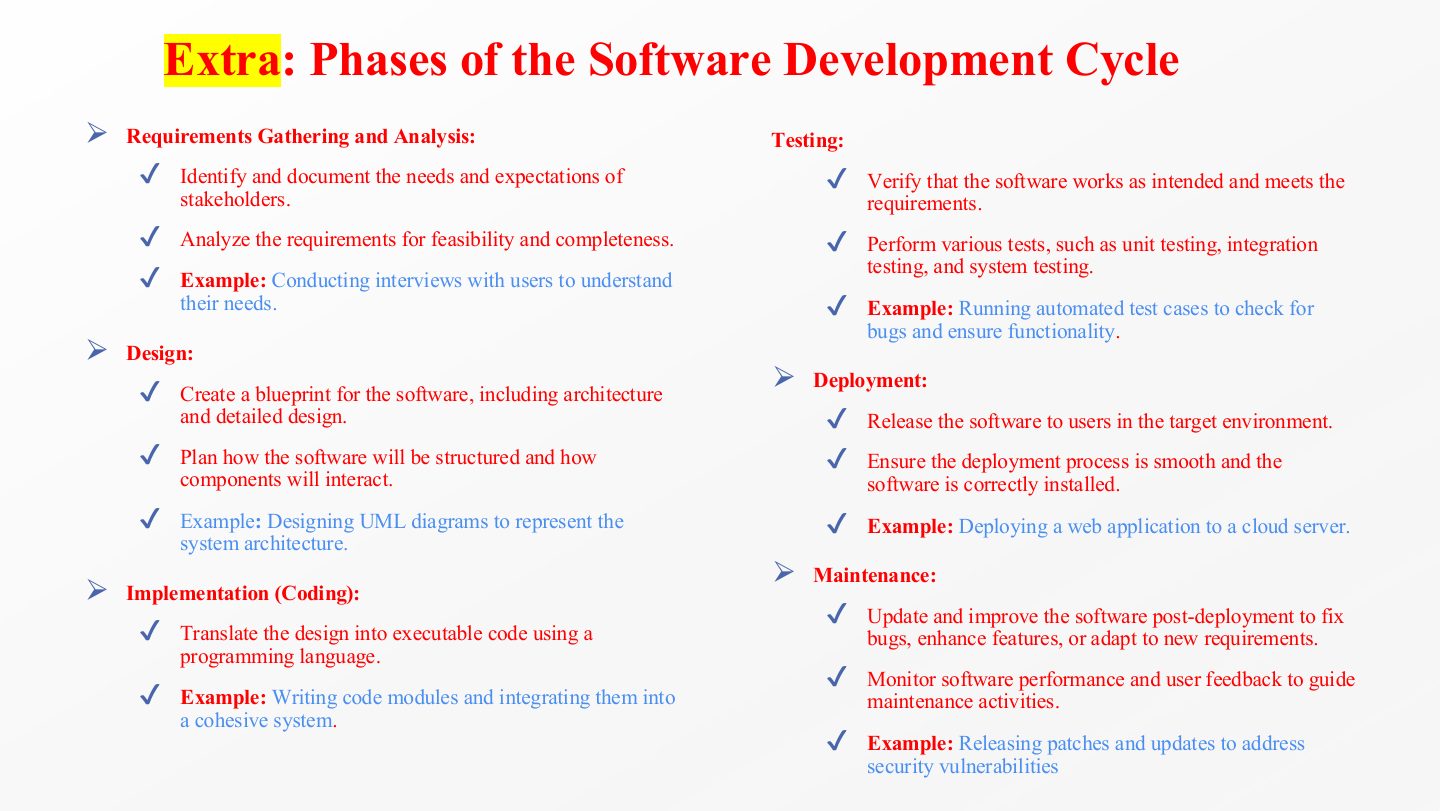
  8. 8 Extra: Phases of the Software Development Cycle
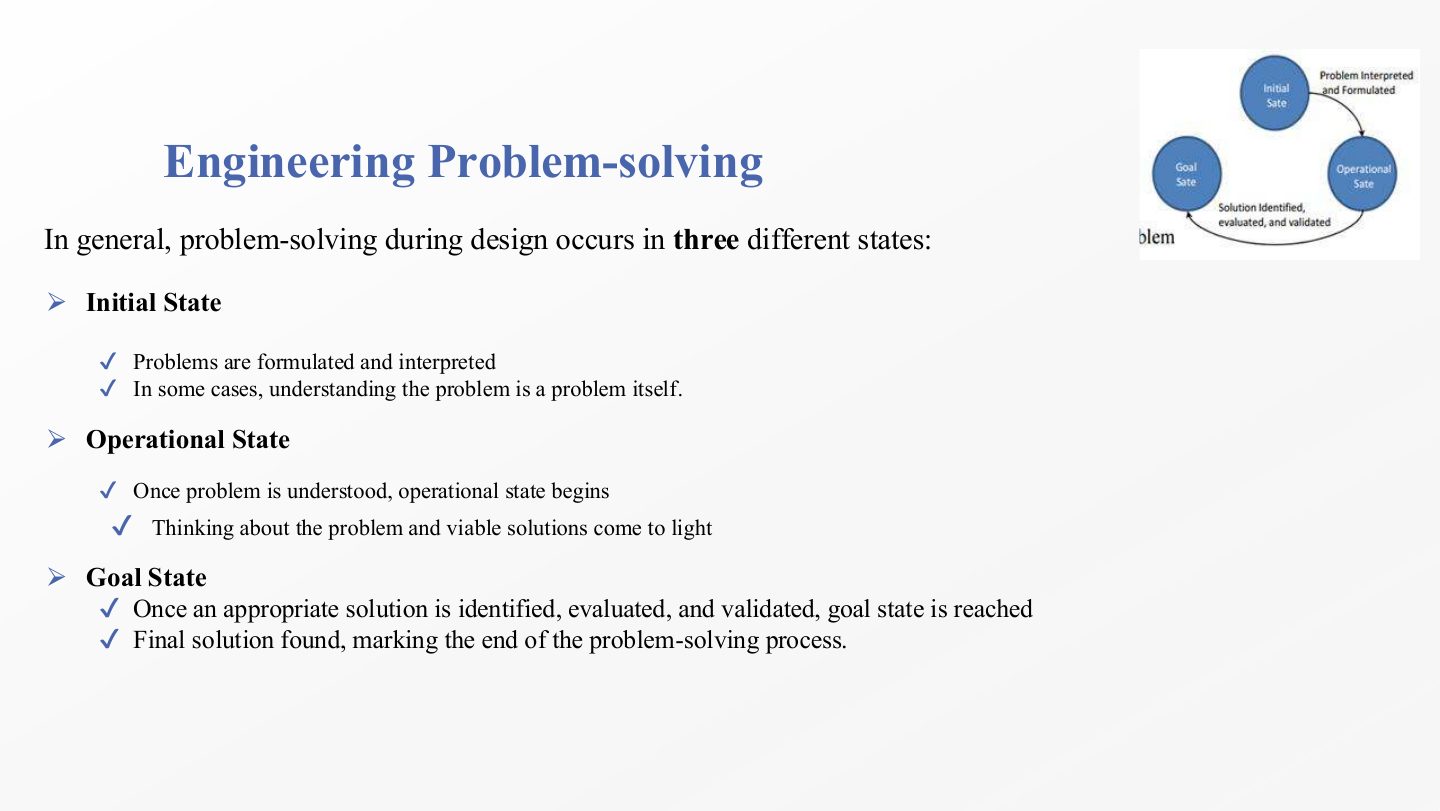
  9. 9 Engineering Problem-solving
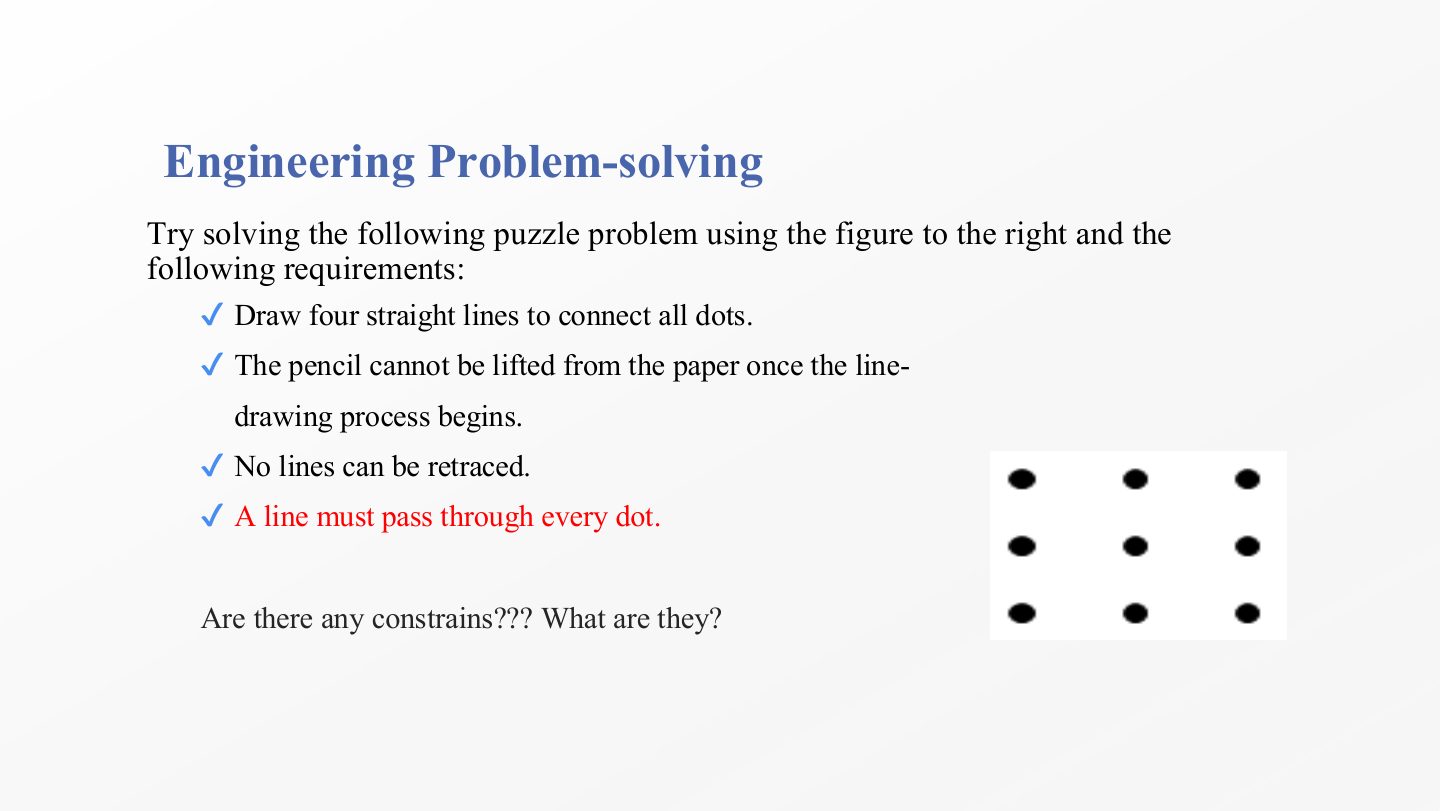
  10. 10 Engineering Problem-solving
  11. 11 Engineering Problem-solving
  12. 12 Slide 12
  13. 13 Slide 13
  14. 14 Software Engineering Design
  15. 15 Software Engineering Design
  16. 16 Why Study Software Engineering Design?
  17. 17 Possible reasons
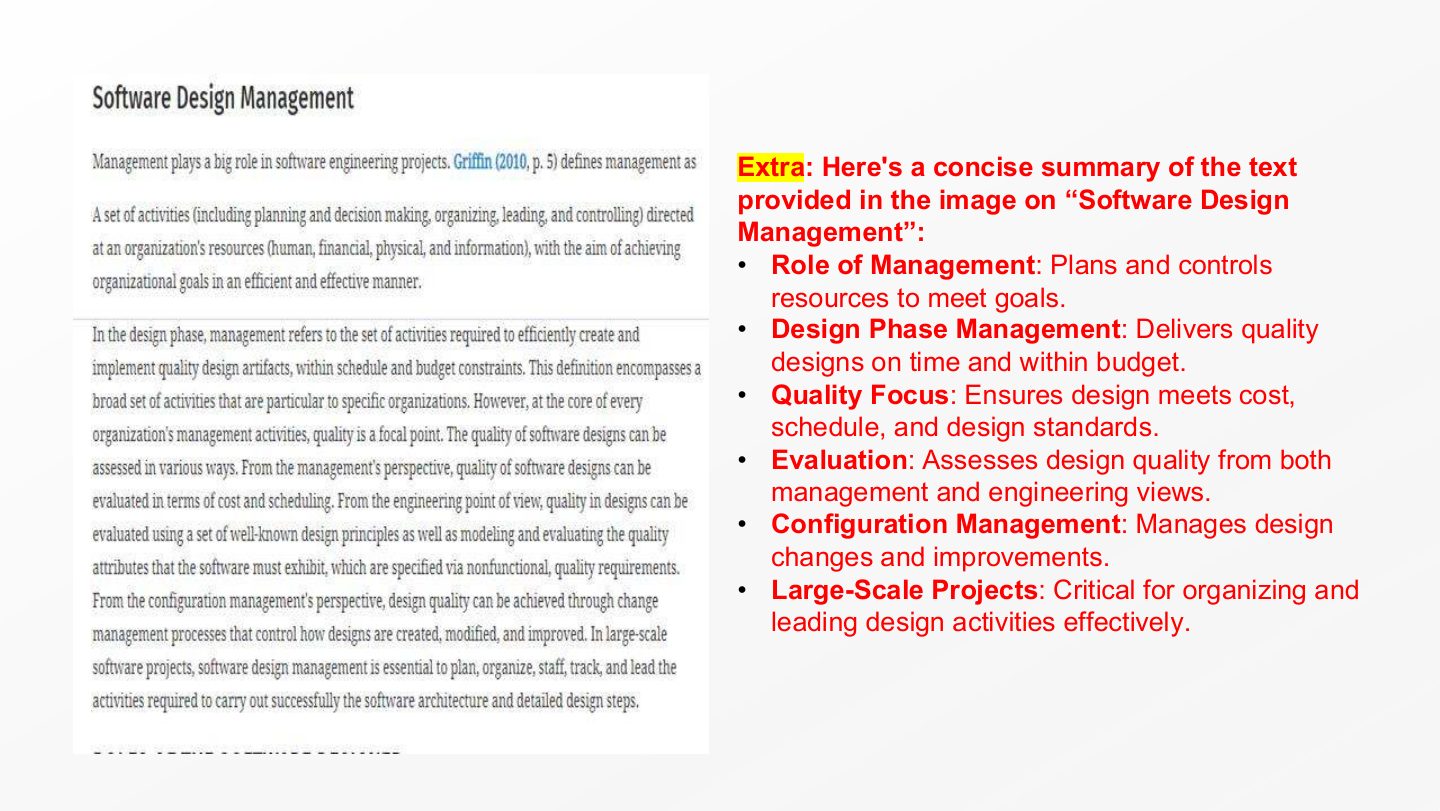
  18. 18 Possible reasons
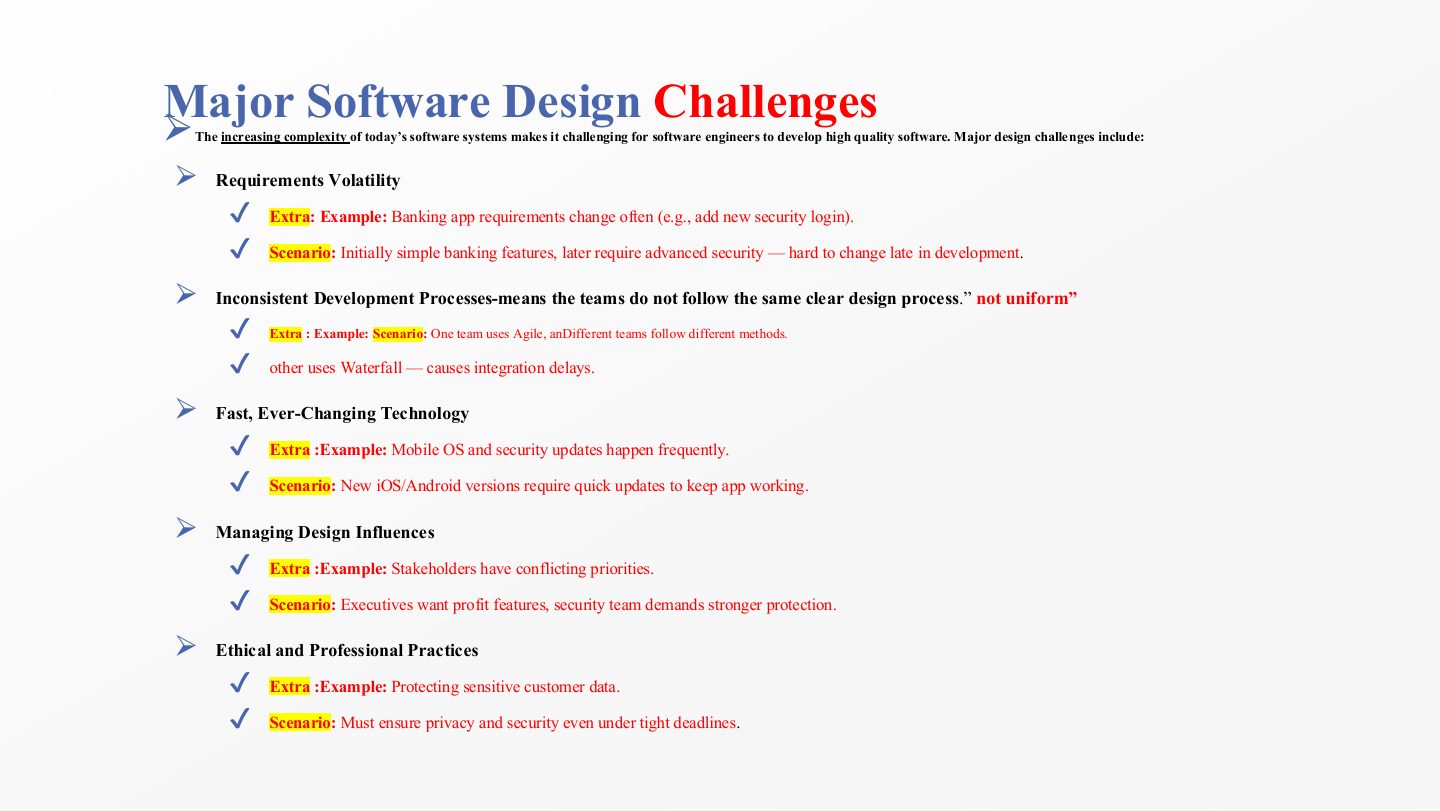
  19. 19 Major Software Design Challenges
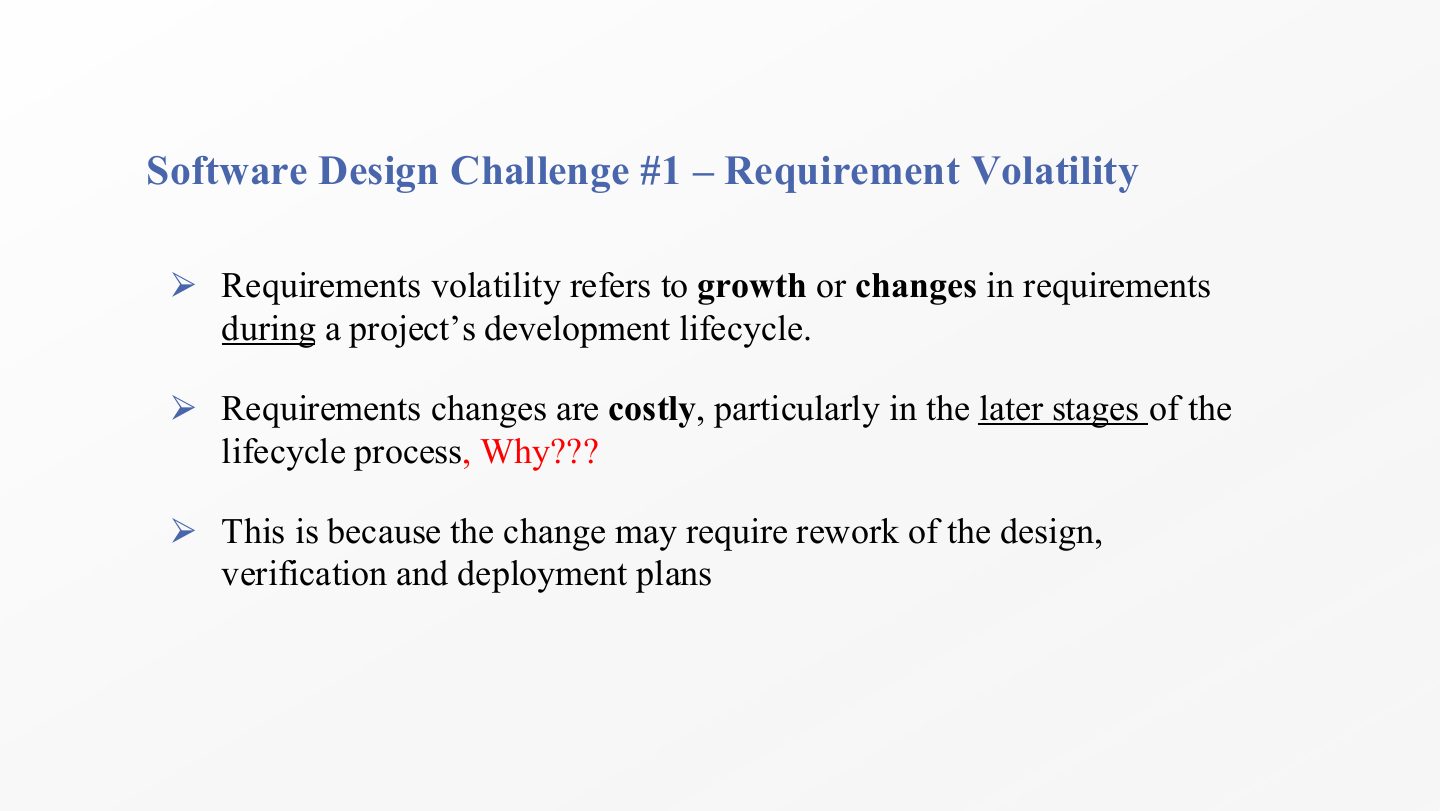
  20. 20 Slide 20
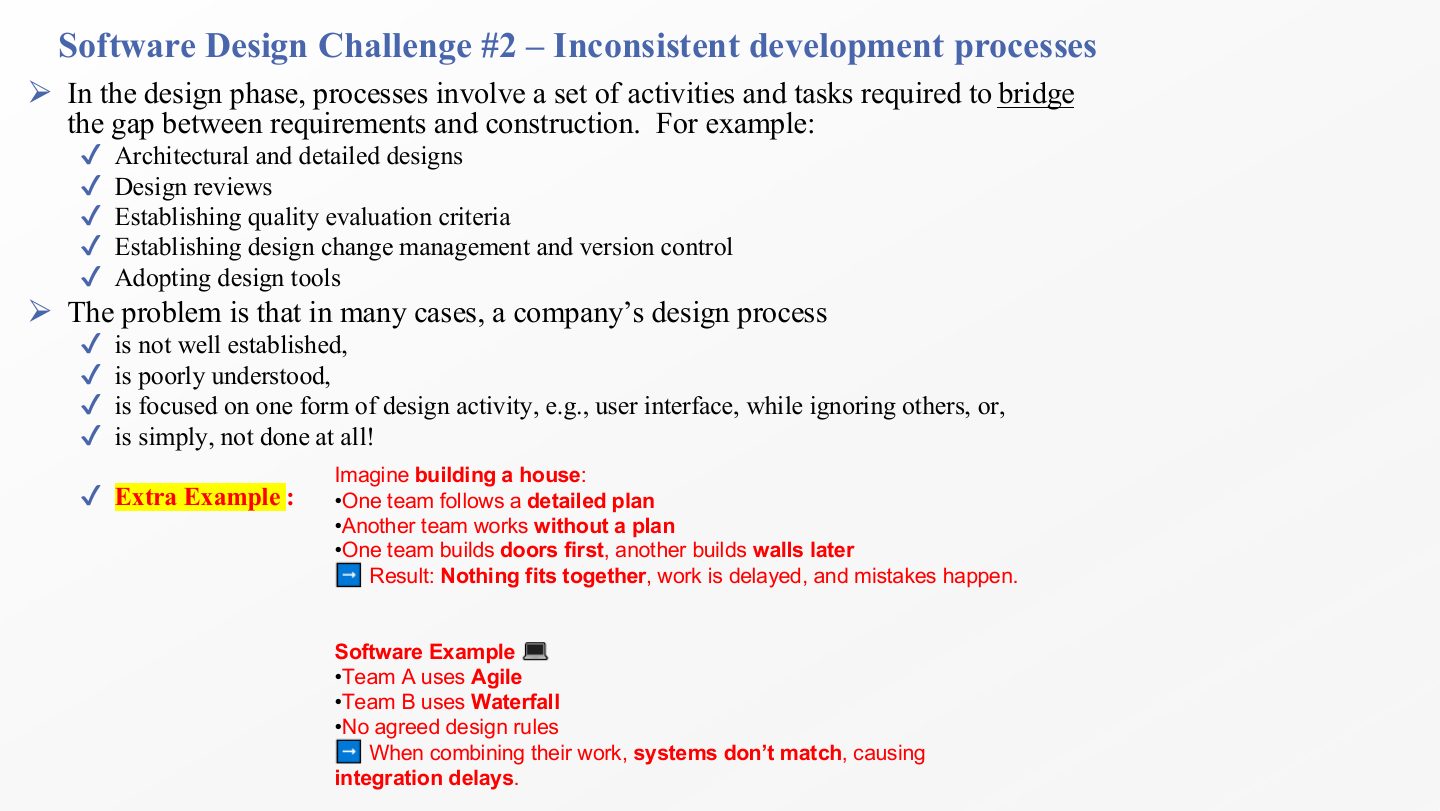
  21. 21 Software Design Challenge #2 Inconsistent development processes
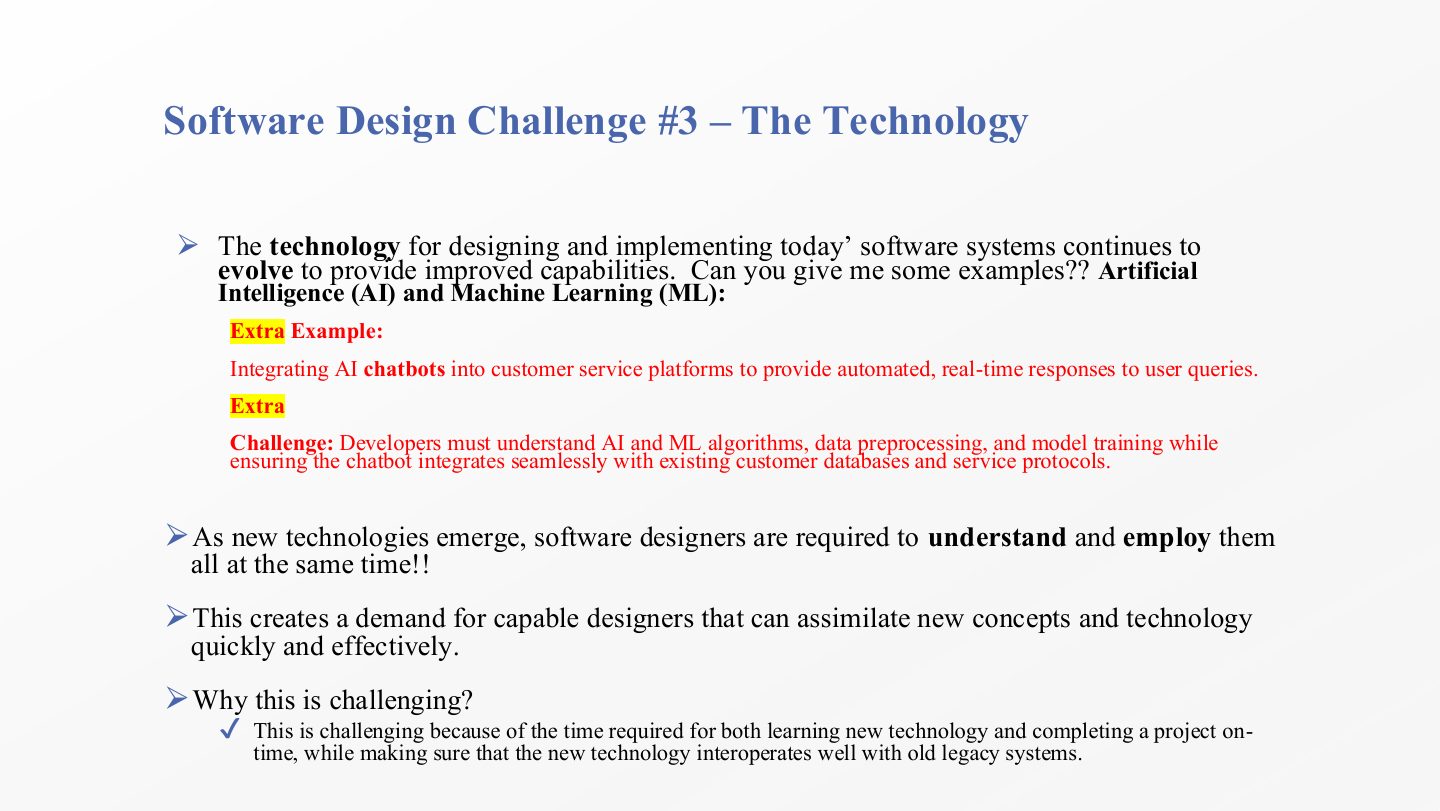
  22. 22 Software Design Challenge #3 The Technology
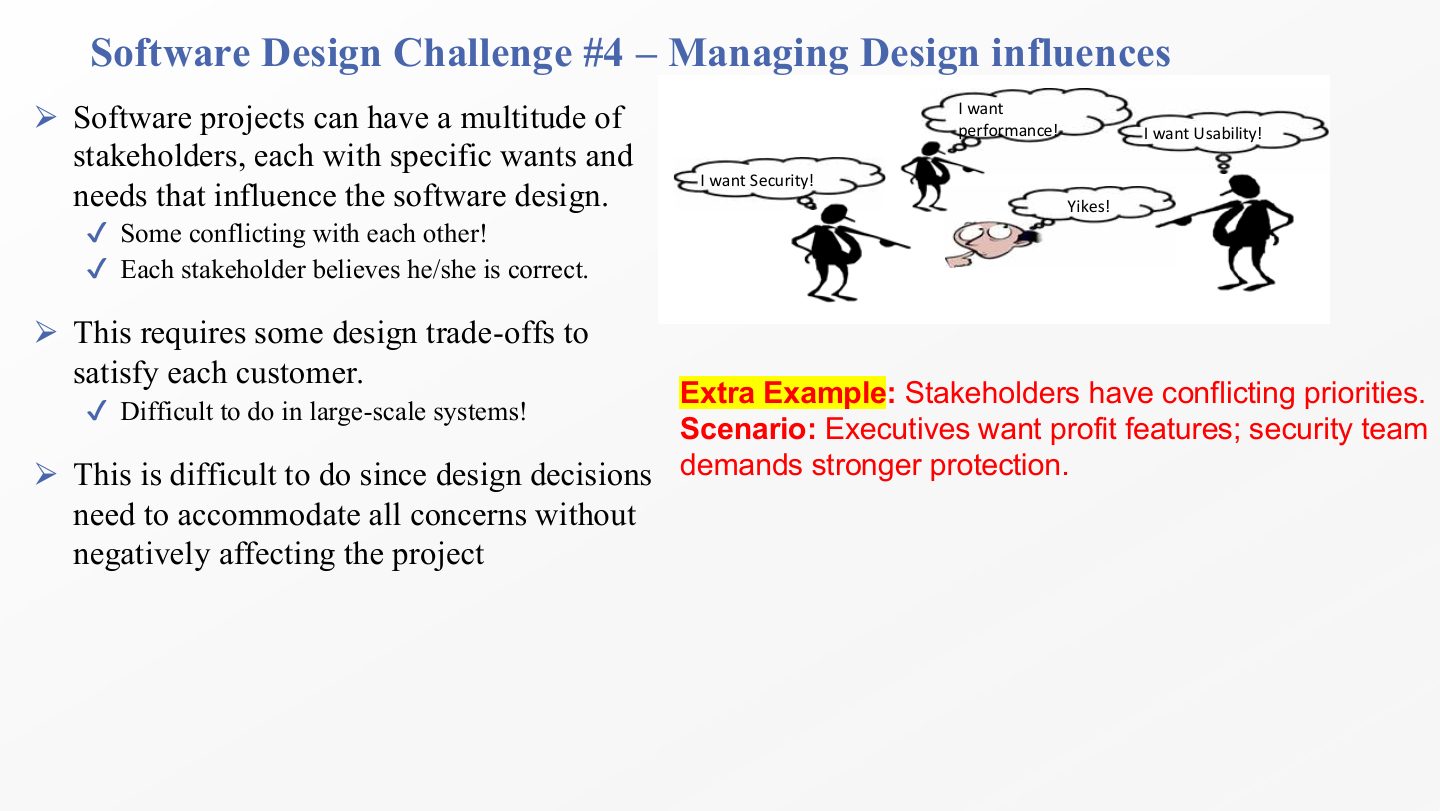
  23. 23 Software Design Challenge #4 Managing Design influences
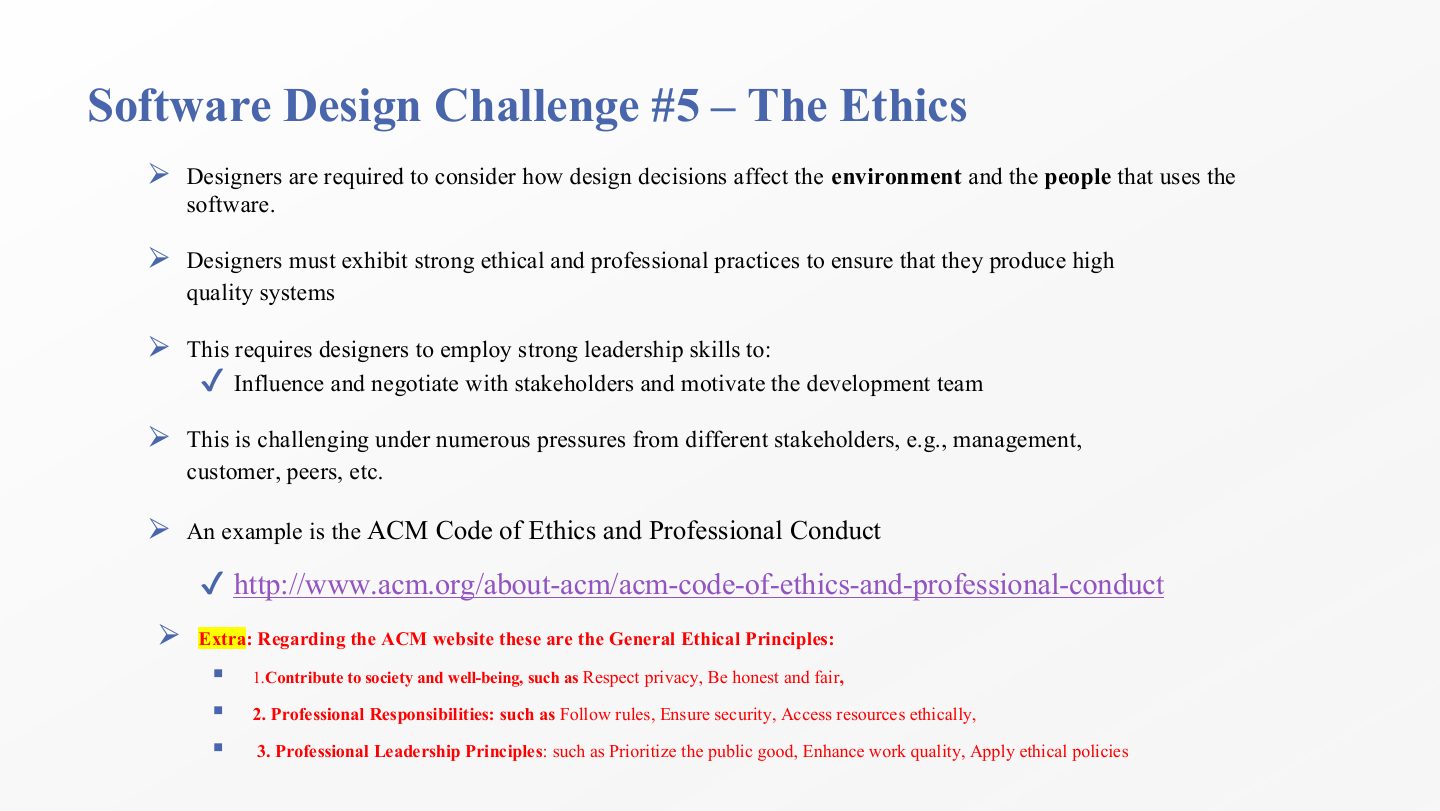
  24. 24 Slide 24
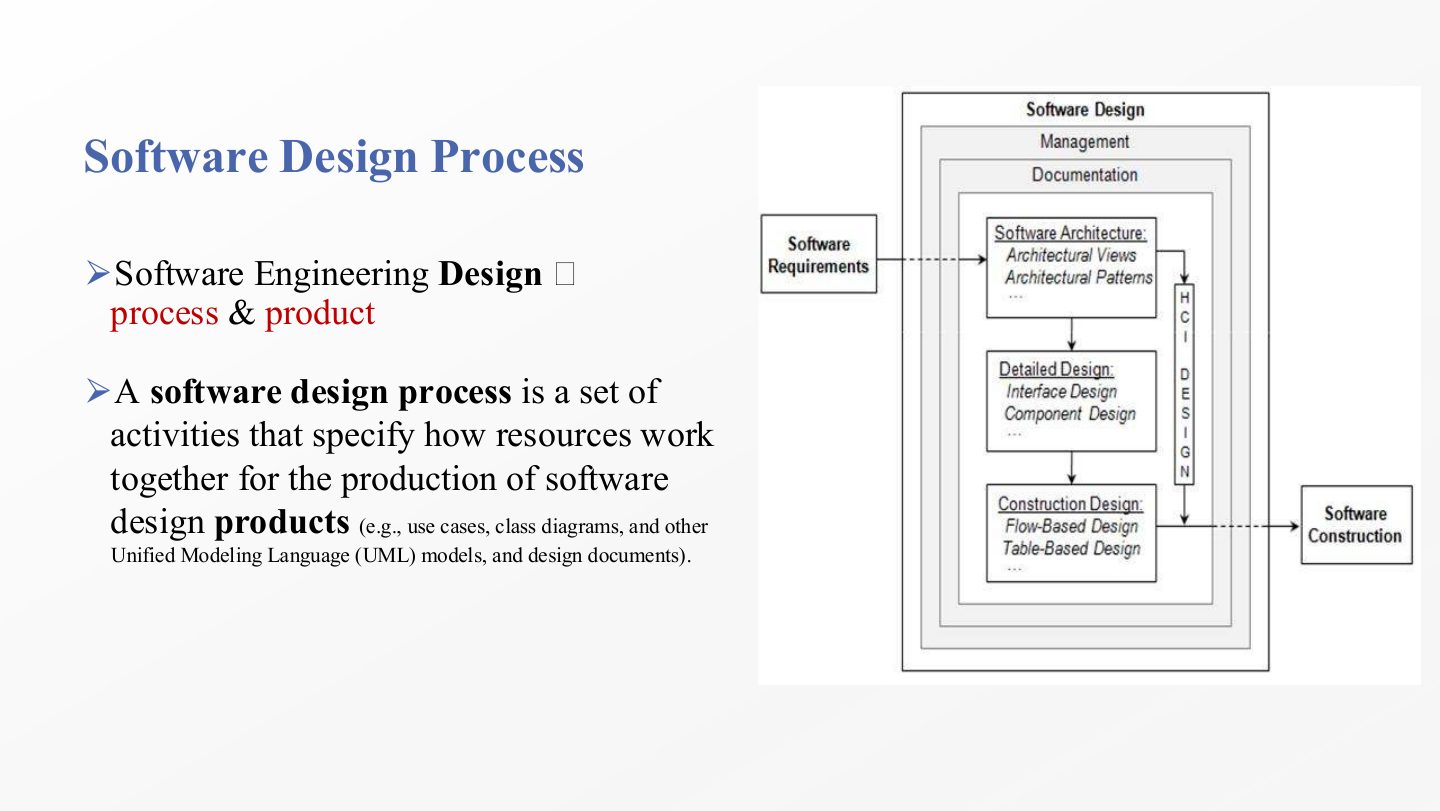
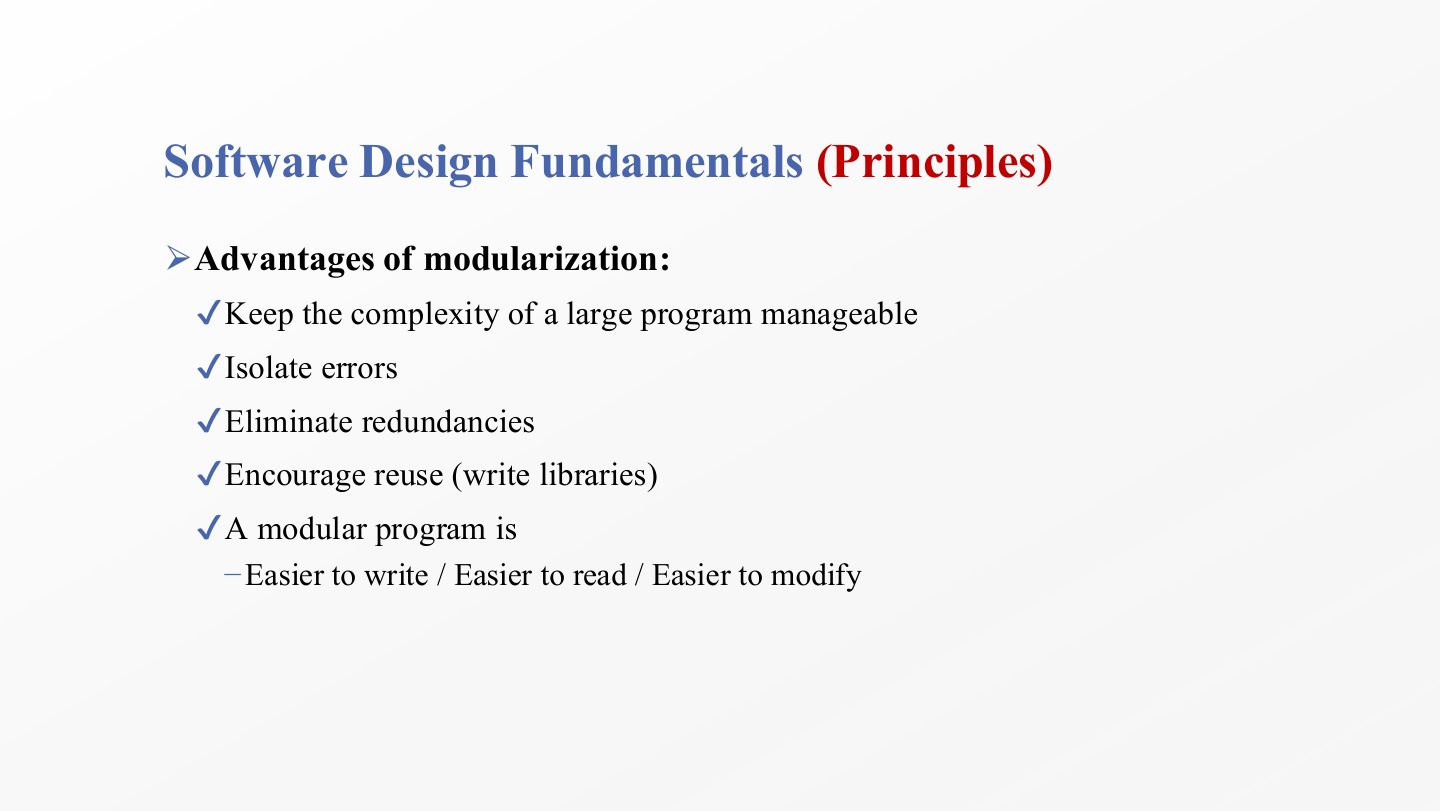
  25. 25 Software Design Process
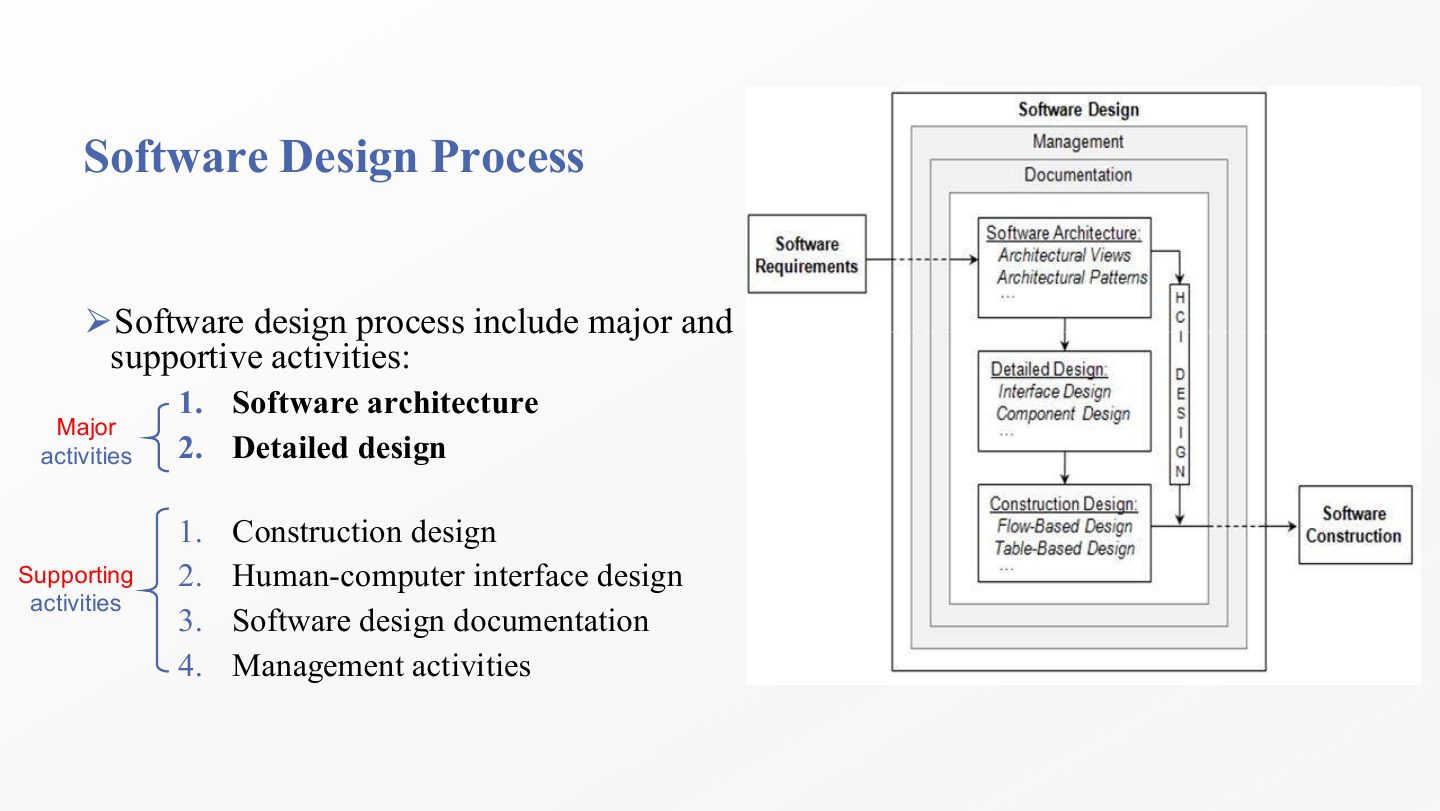
  26. 26 Software Design Process
  27. 27 Software Design Process
  28. 28 Software Design Process
  29. 29 Extra: Software Architecture vs. Detailed Design
  30. 30 Software Design Process
  31. 31 Extra Example: Component vs. Interface Design
  32. 32 Software Design Process
  33. 33 Continue…
  34. 34 Human-Computer Interface Design
  35. 35 Extra: Software Design Documentation – Summary
  36. 36 Extra: Software Design Management – Summary
  37. 37 Software Design Process
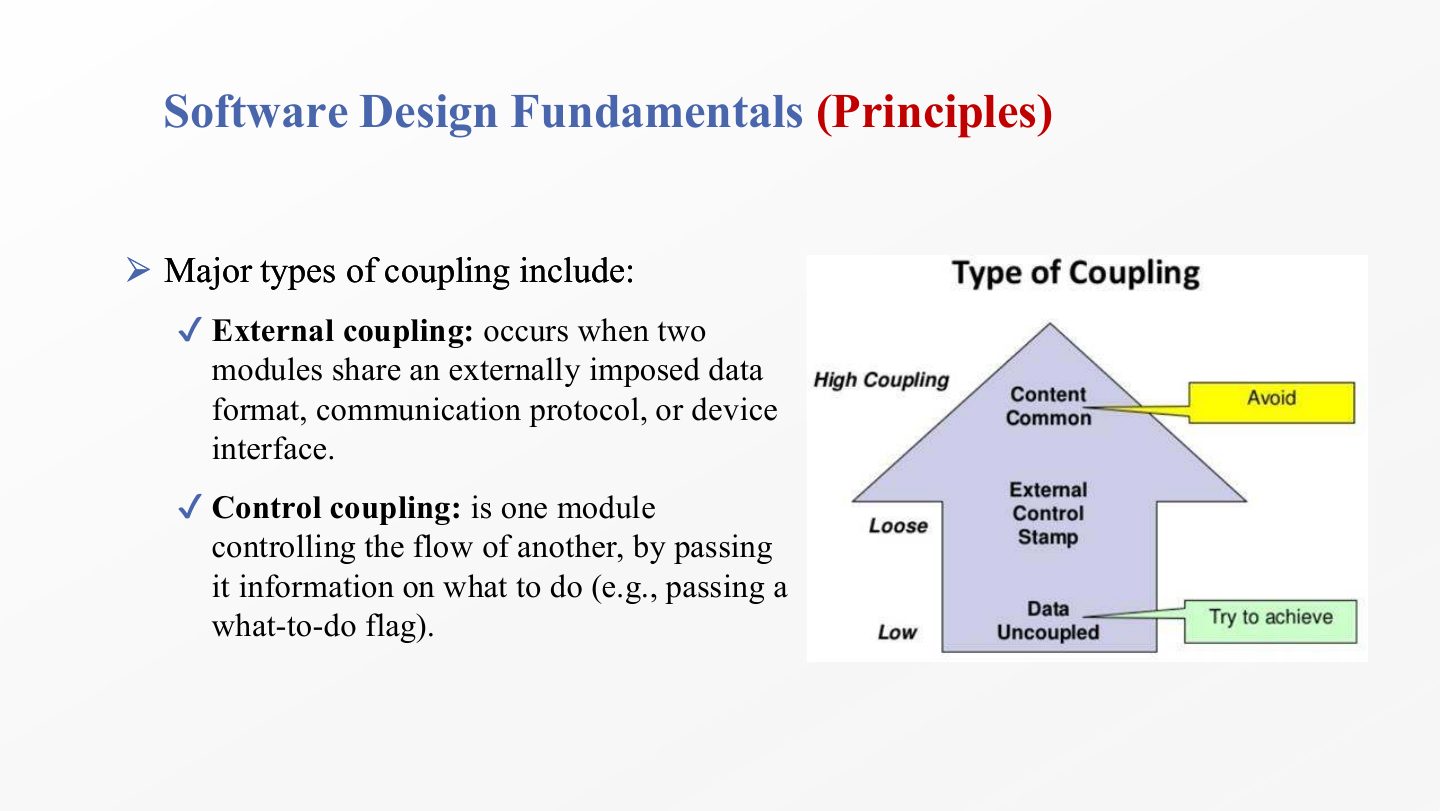
  38. 38 Software Design Process
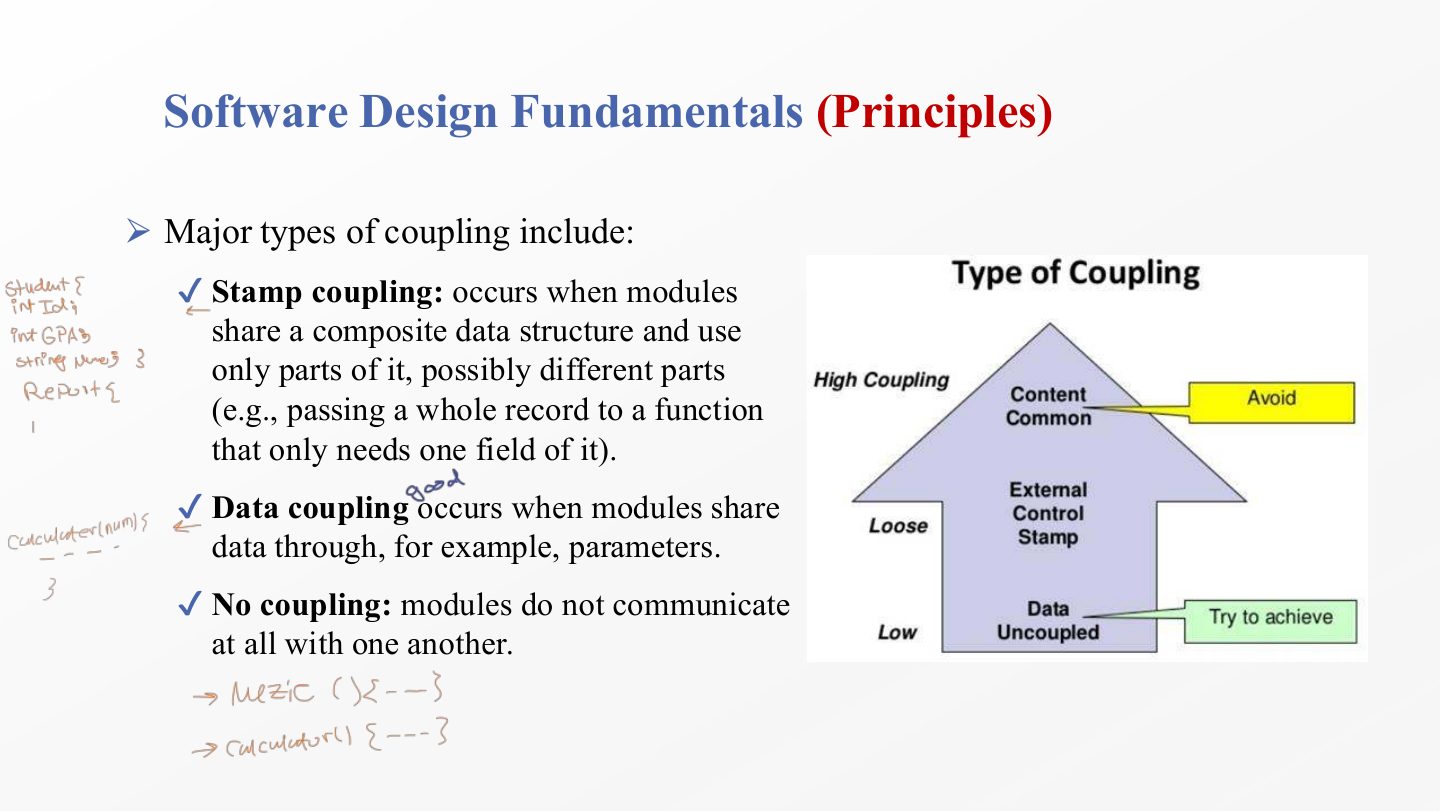
  39. 39 Role of Software Designers
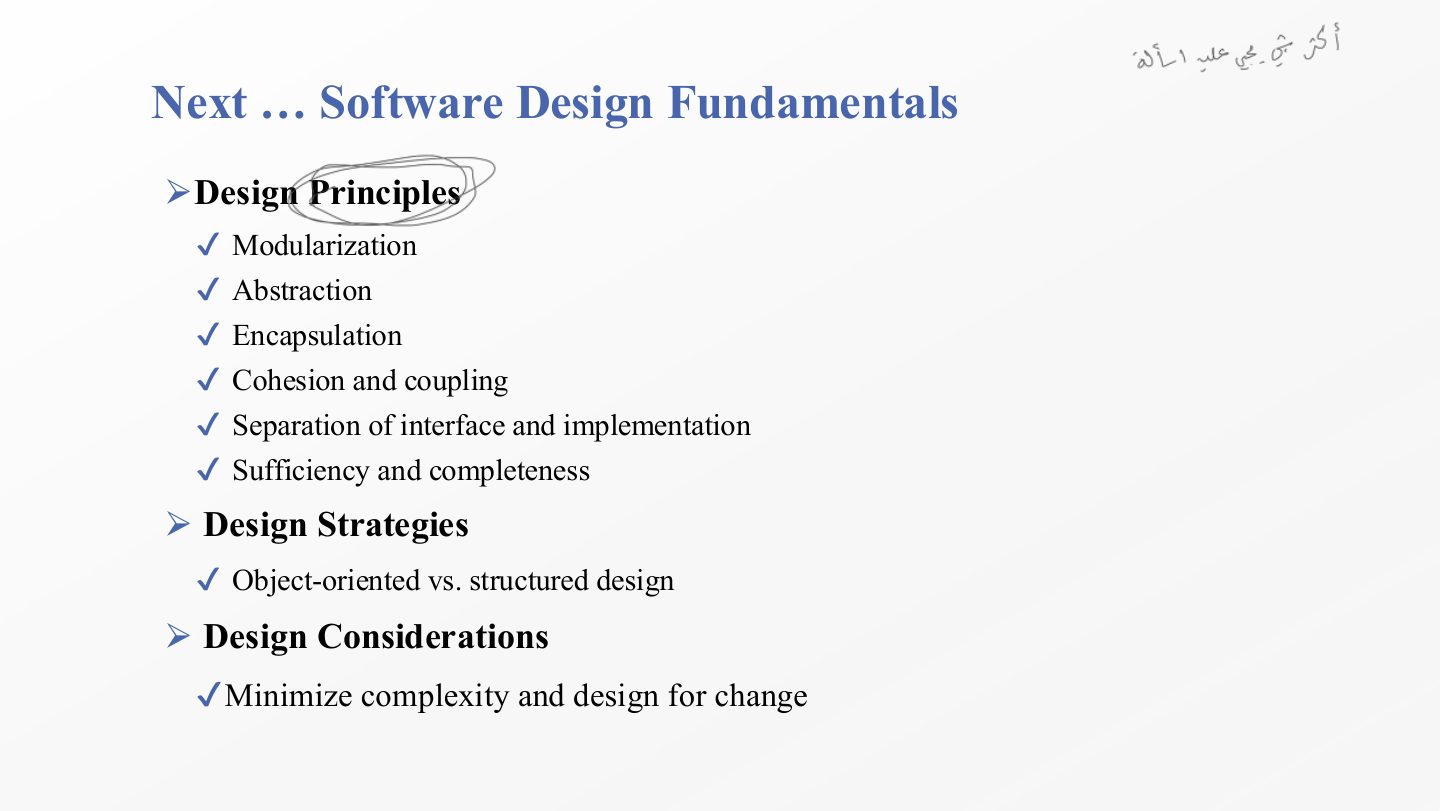
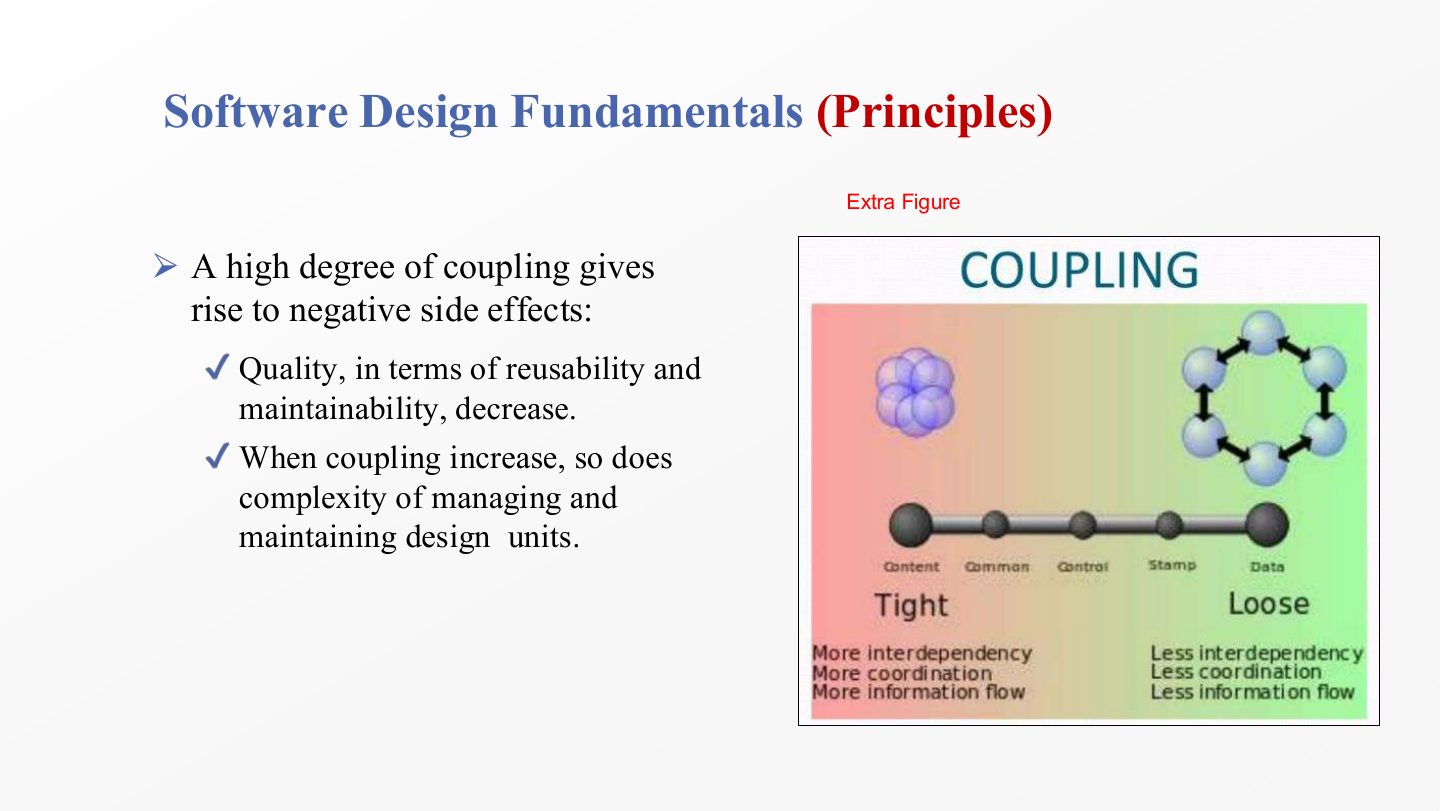
  40. 40 Next … Software Design Fundamentals
  41. 41 Software Design Fundamentals (Principles)
  42. 42 Software Design Fundamentals (Principles)
  43. 43 Software Design Fundamentals (Principles)
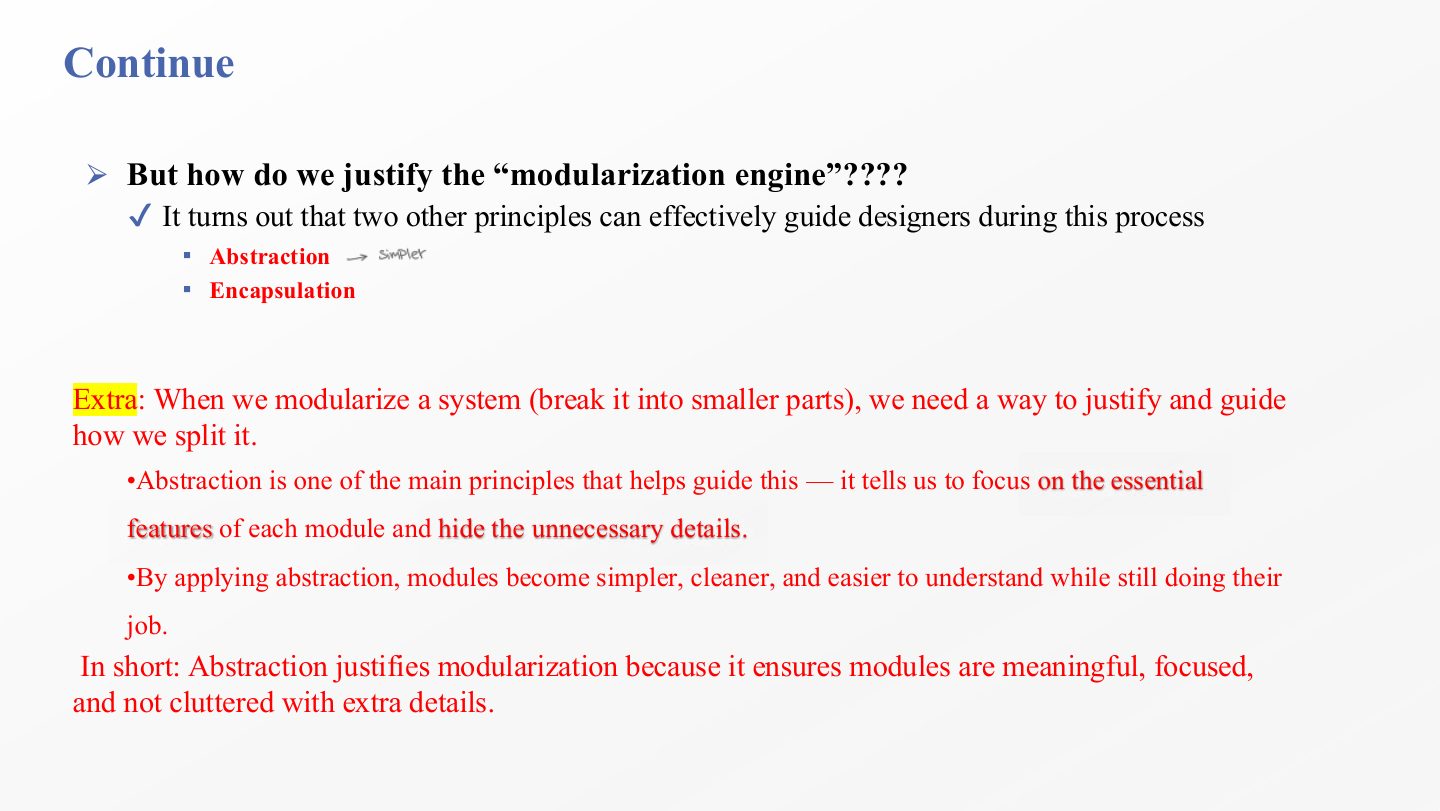
  44. 44 Continue
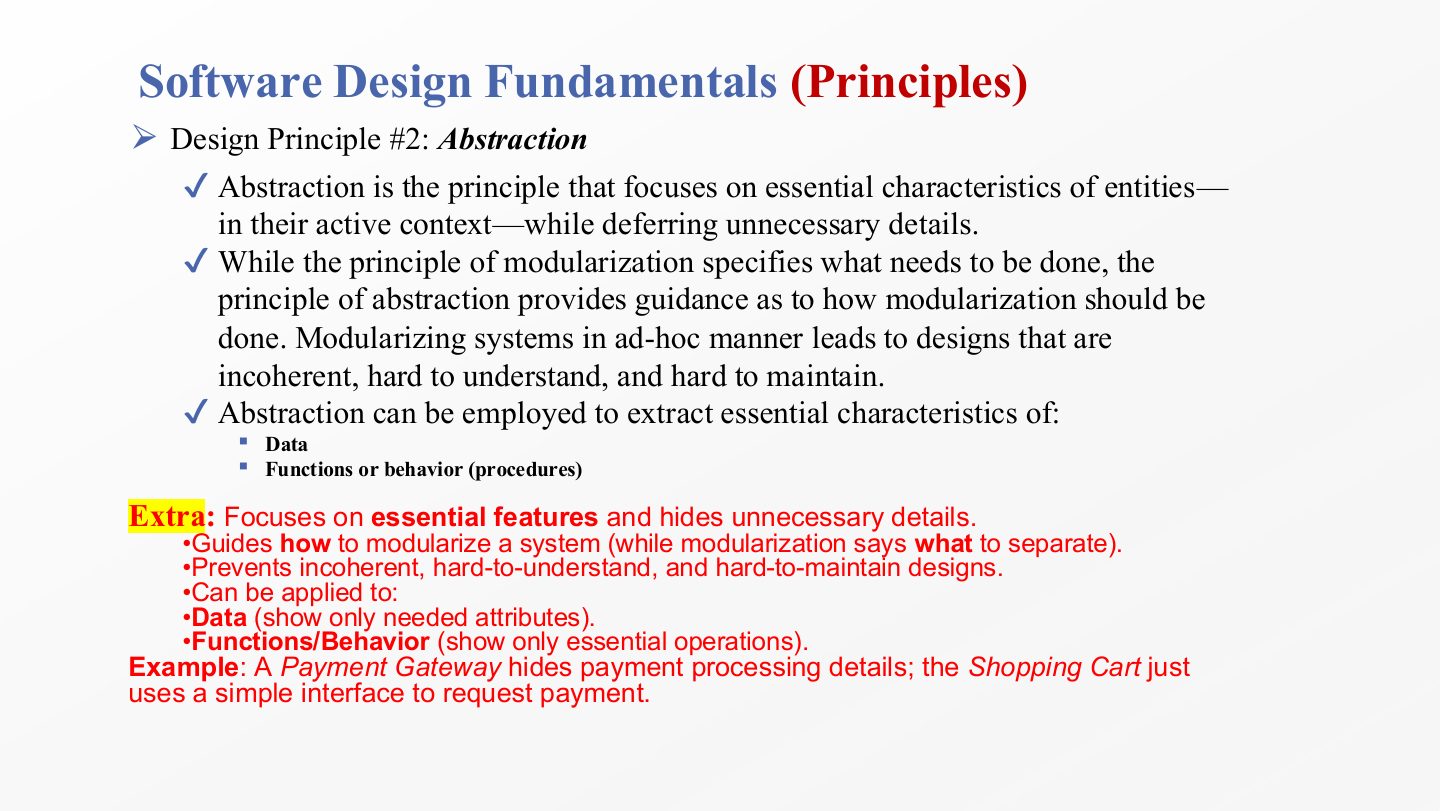
  45. 45 Software Design Fundamentals (Principles)
  46. 46 Software Design Fundamentals (Principles)
  47. 47 Software Design Fundamentals (Principles)
  48. 48 Software Design Fundamentals (Principles)
  49. 49 Extra: Abstraction vs. Encapsulation
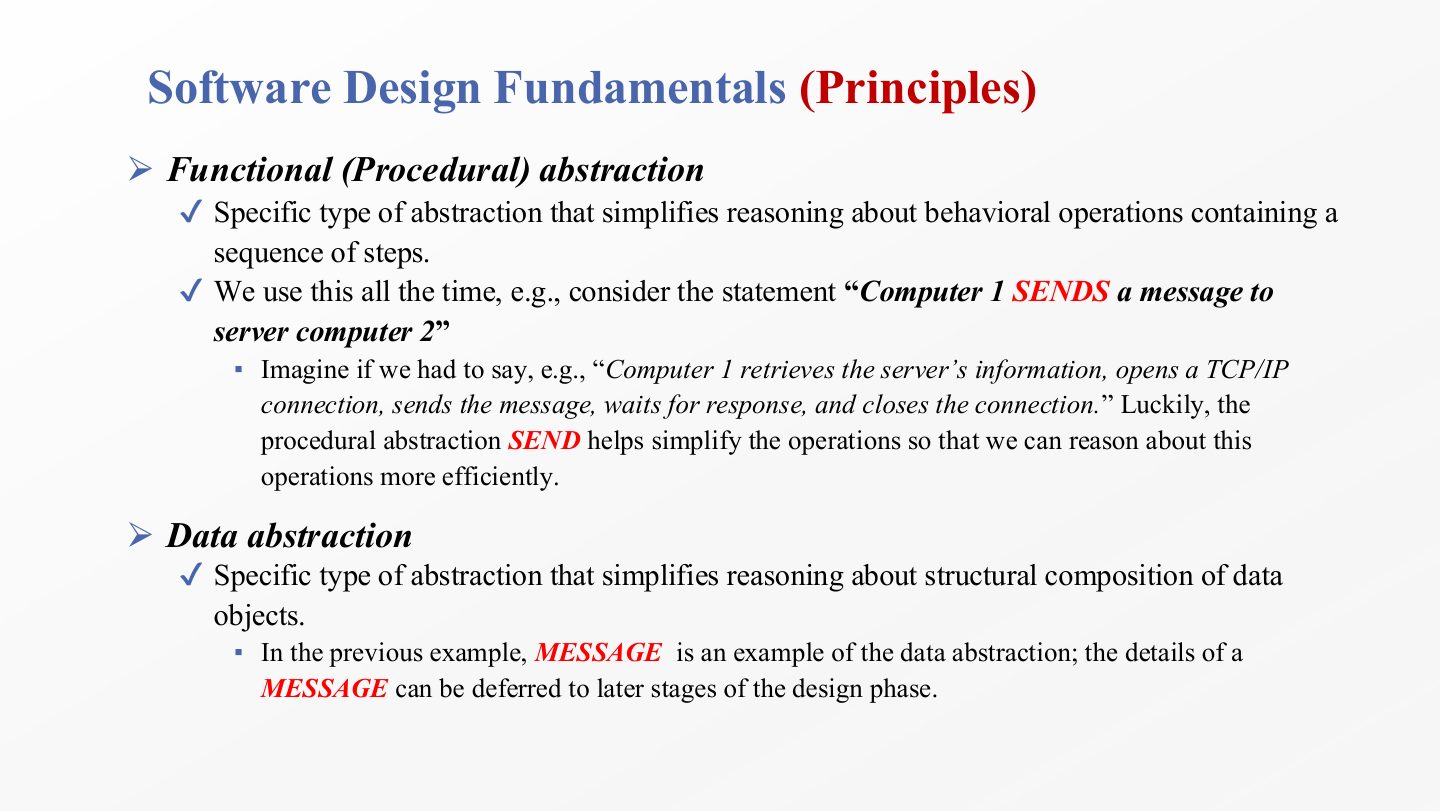
  50. 50 Software Design Fundamentals (Principles)
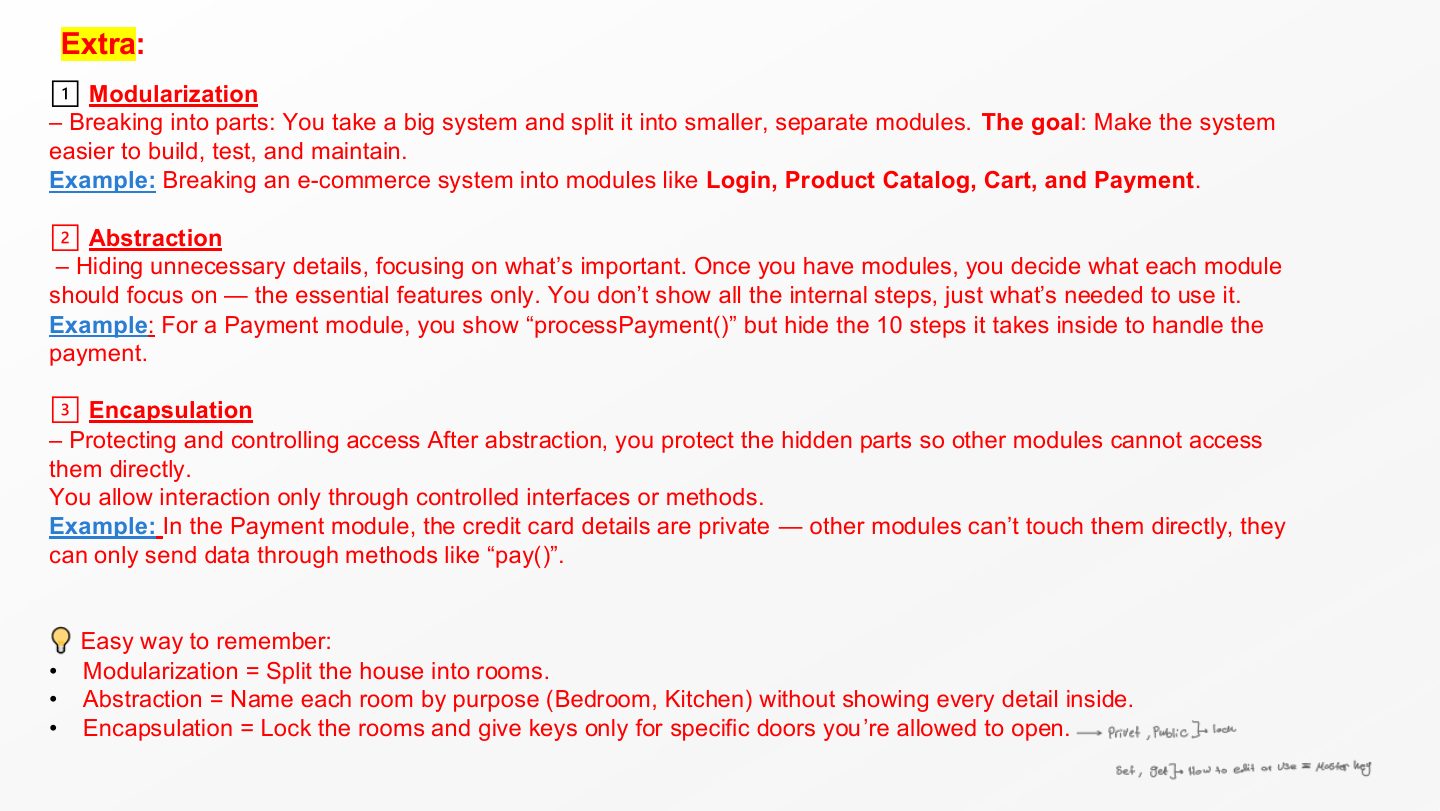
  51. 51 Extra: Modularization, Abstraction and Encapsulation
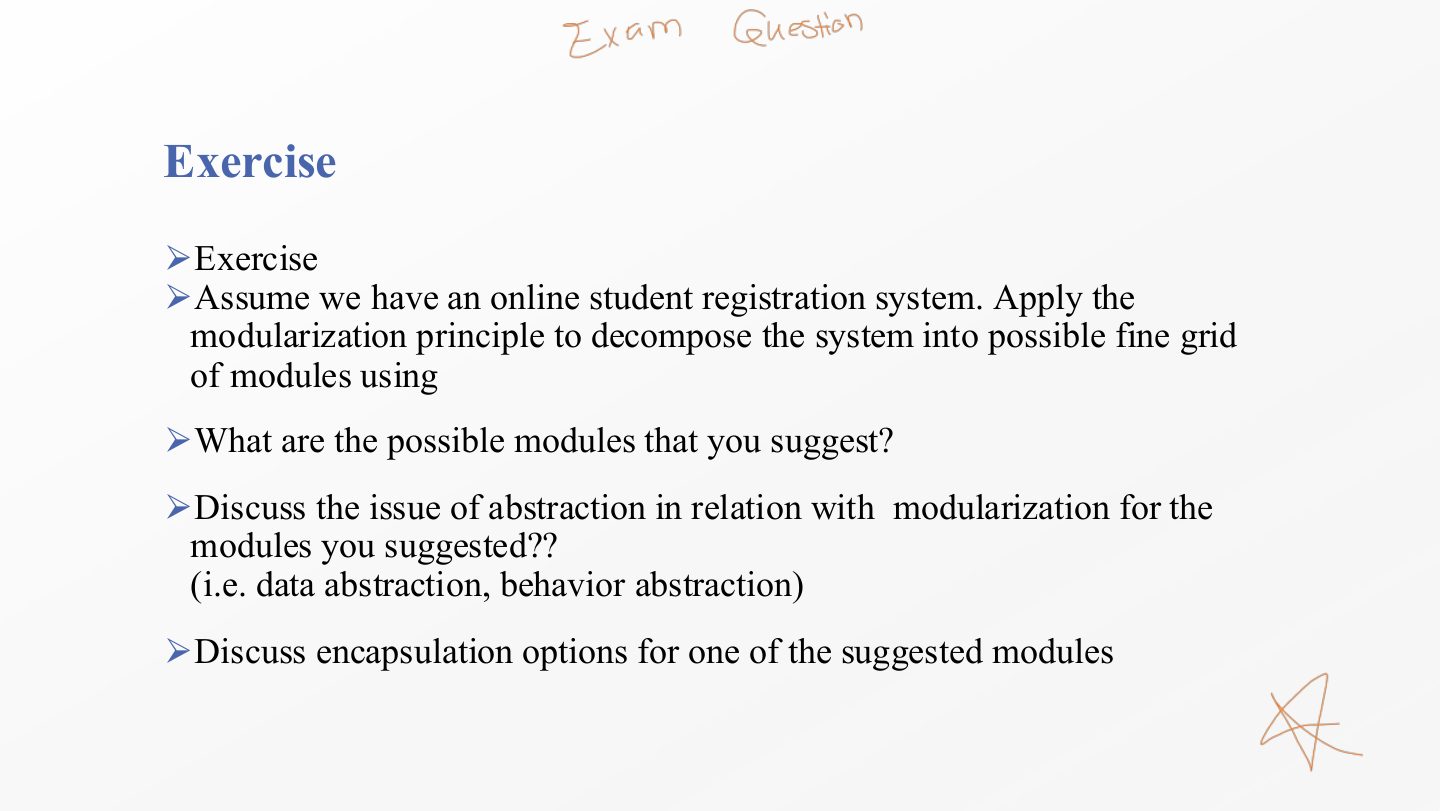
  52. 52 Exercise
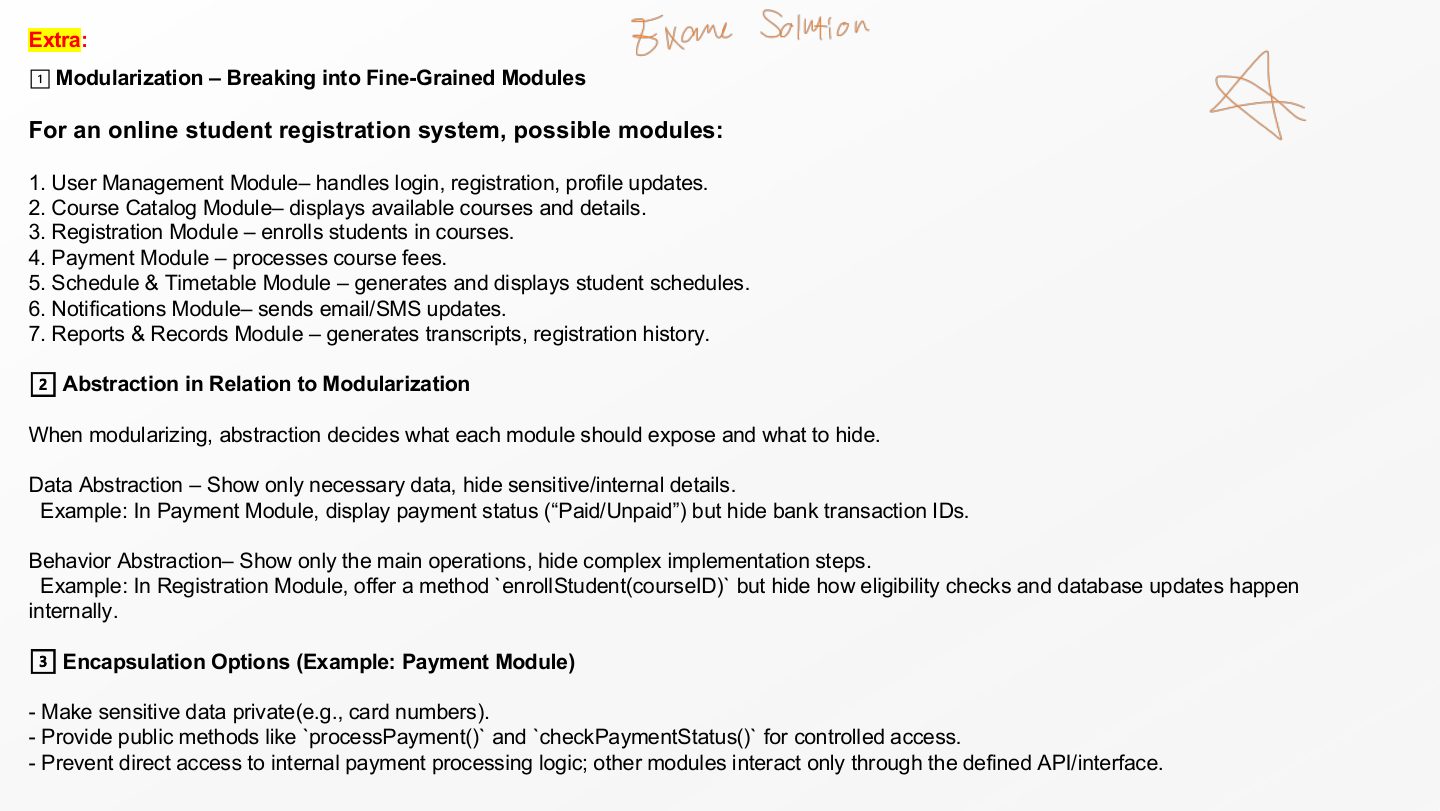
  53. 53 Extra: Exercise – Sample Answer
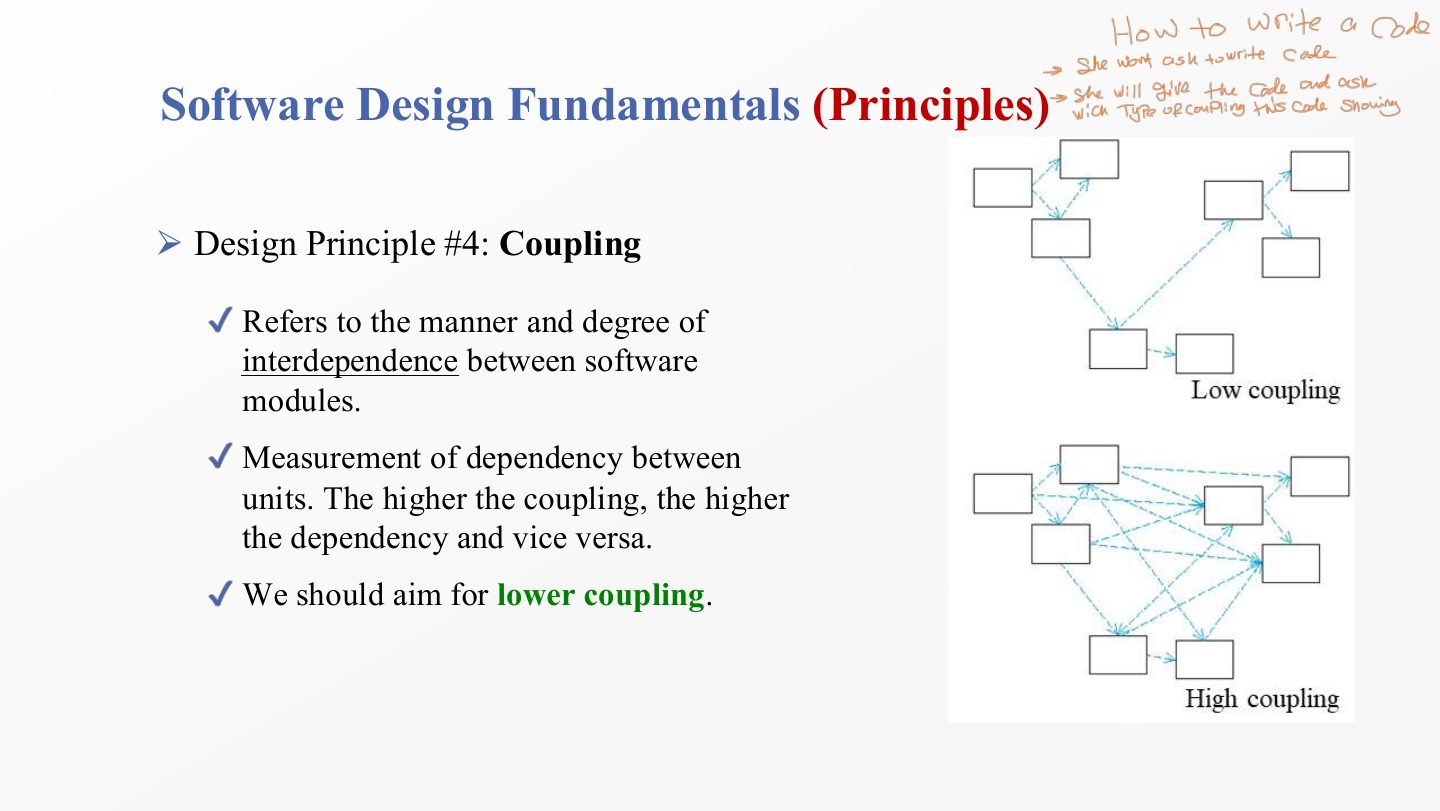
  54. 54 Software Design Fundamentals (Principles)
  55. 55 Software Design Fundamentals (Principles)
  56. 56 Software Design Fundamentals (Principles)
  57. 57 Software Design Fundamentals (Principles)
  58. 58 Software Design Fundamentals (Principles)
  59. 59 Software Design Fundamentals (Principles)
  60. 60 Software Design Fundamentals (Principles)
  61. 61 Extra: Cohesion Examples
  62. 62 Extra: Good vs. Bad Design
  63. 63 Software Design Fundamentals (Principles)
  64. 64 Software Design Fundamentals (Principles)
  65. 65 So …. To Wrap-up
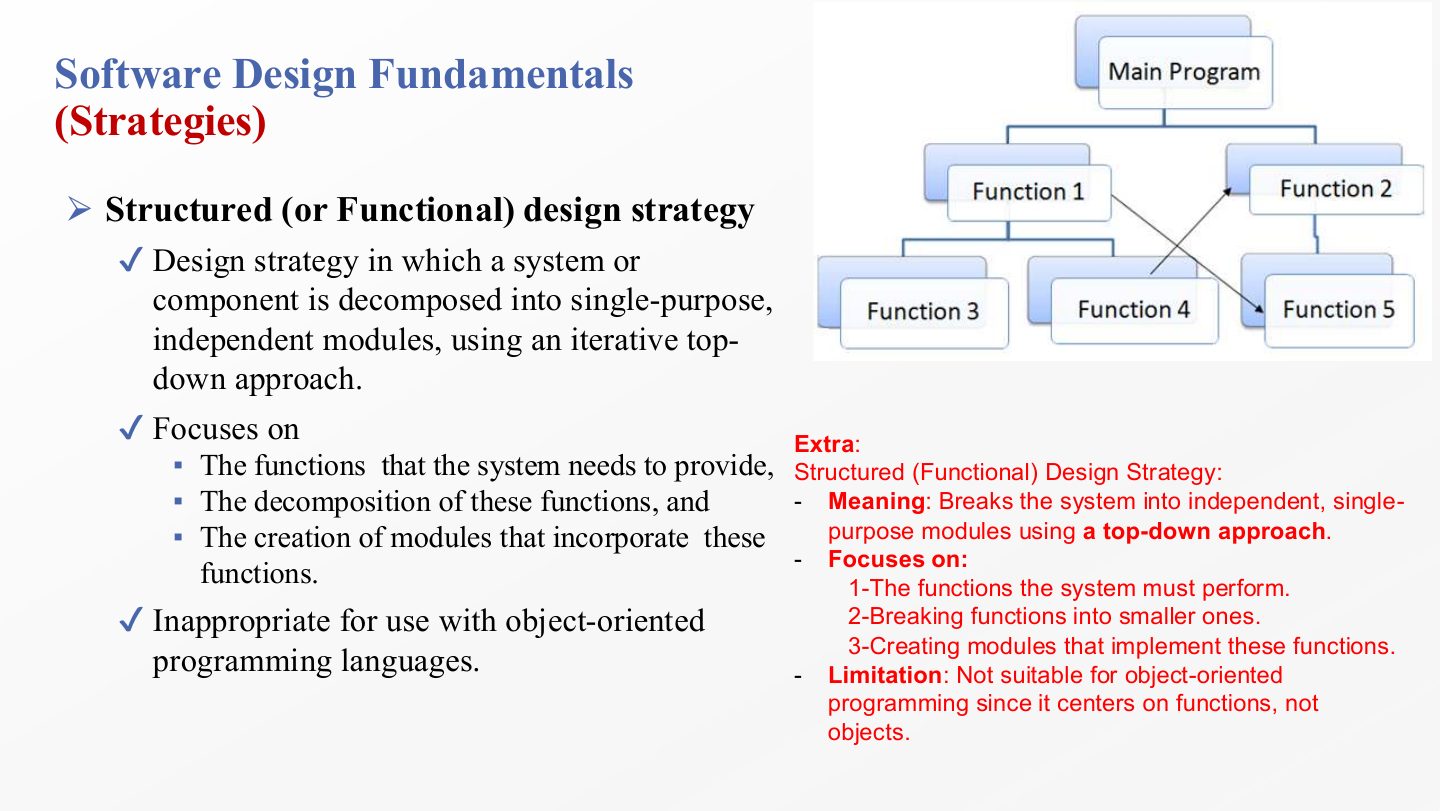
  66. 66 Software Design Fundamentals (Strategies)
  67. 67 Software Design Fundamentals
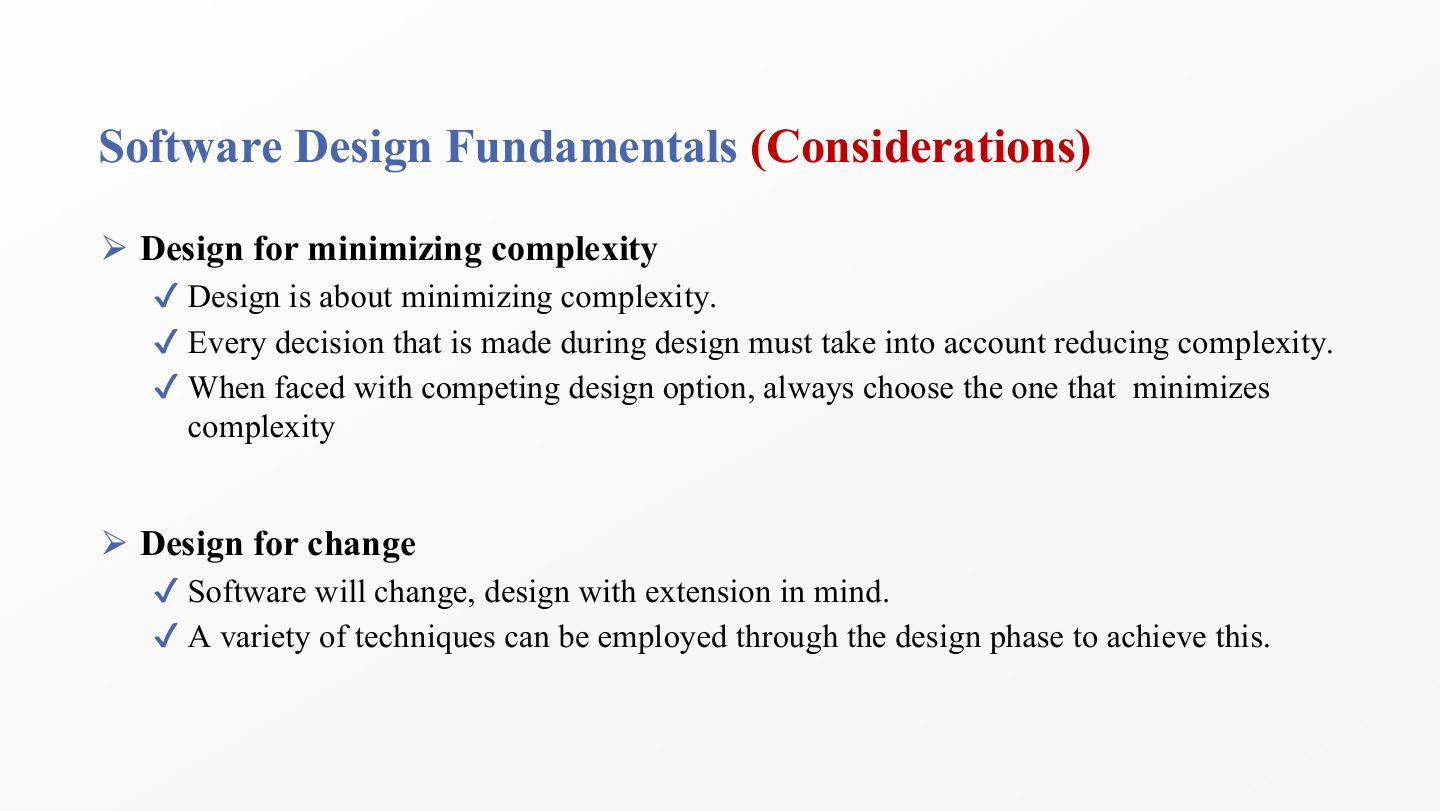
  68. 68 Software Design Fundamentals (Considerations)
  69. 69 For Next Lecture/tutorial - Exercise
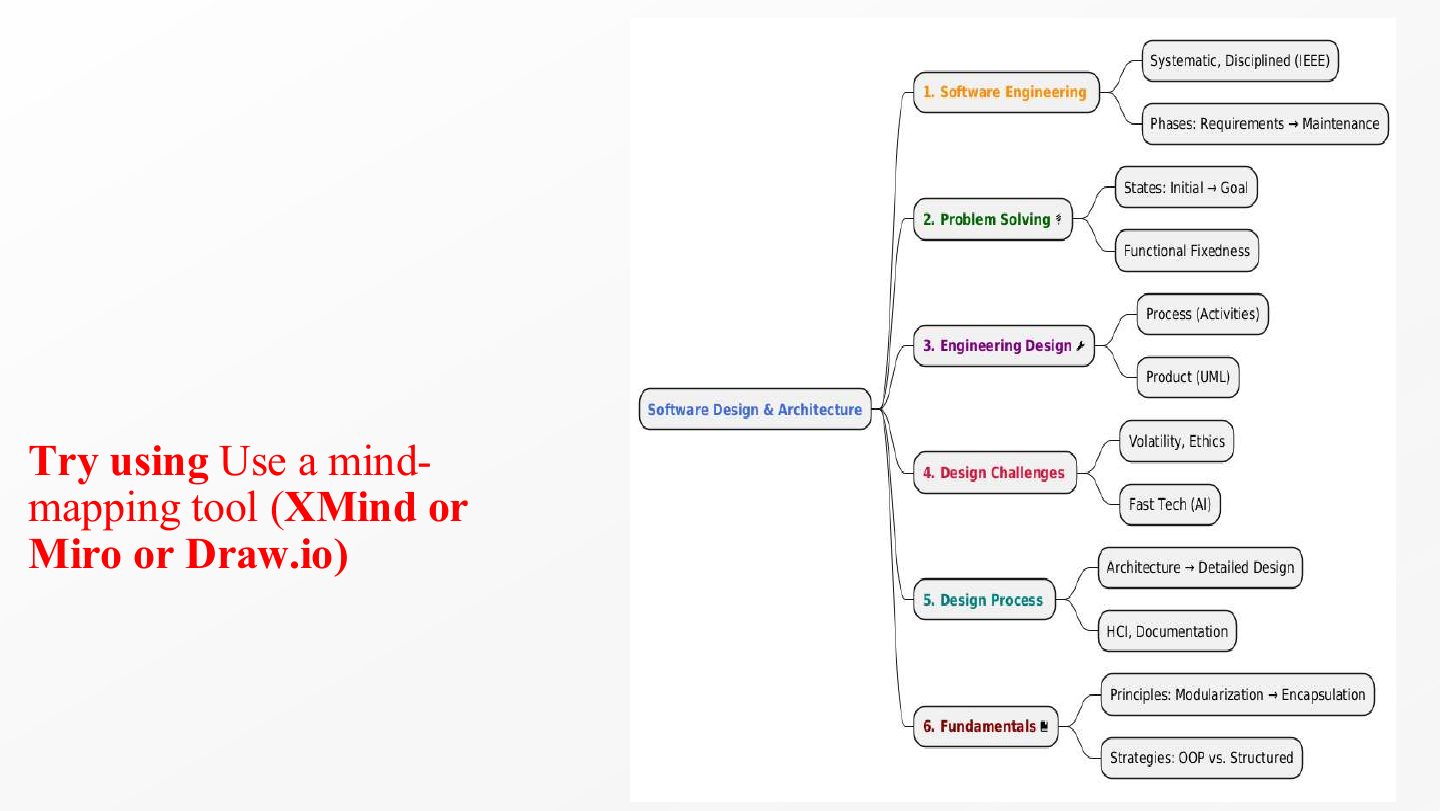
  70. 70 Mind-mapping tools
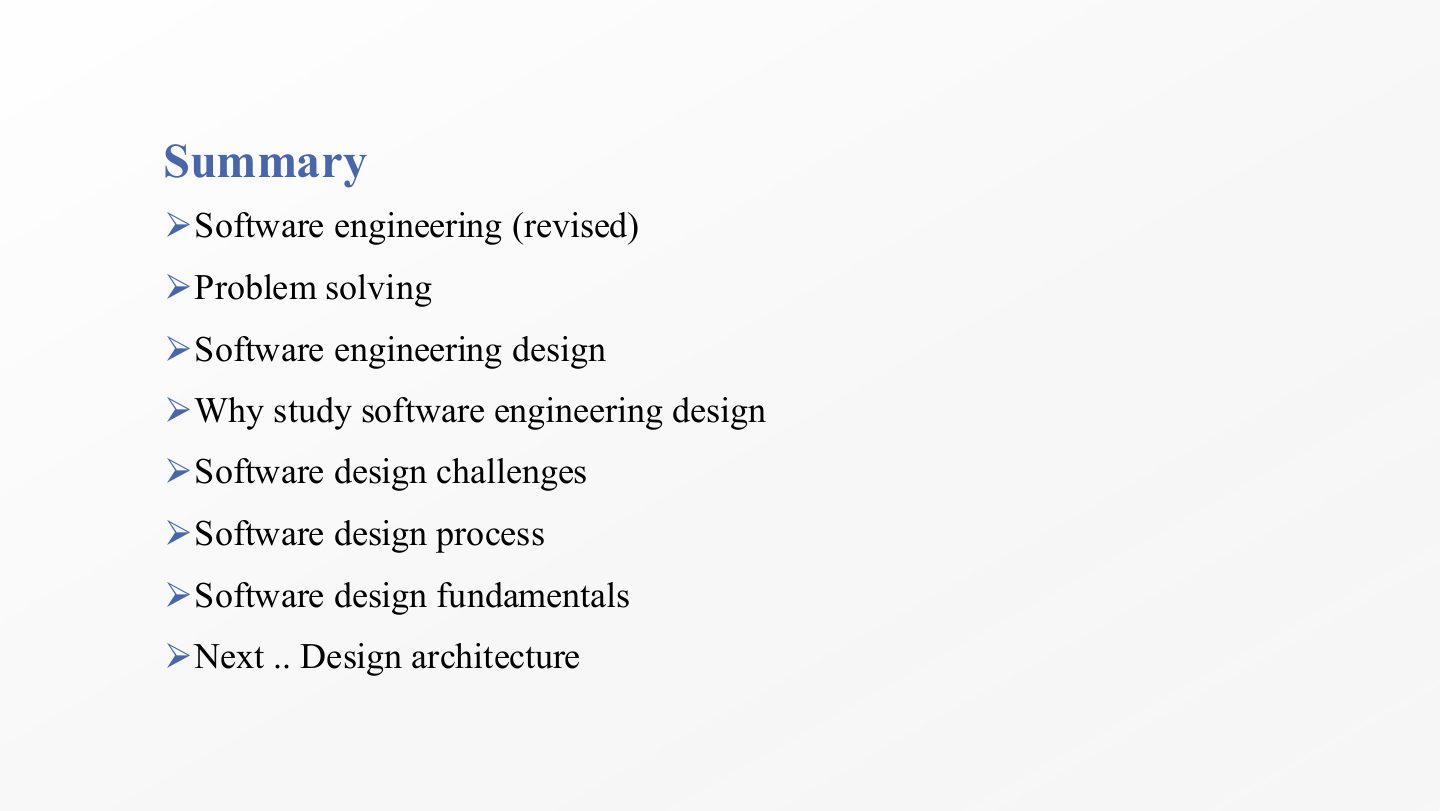
  71. 71 Summary
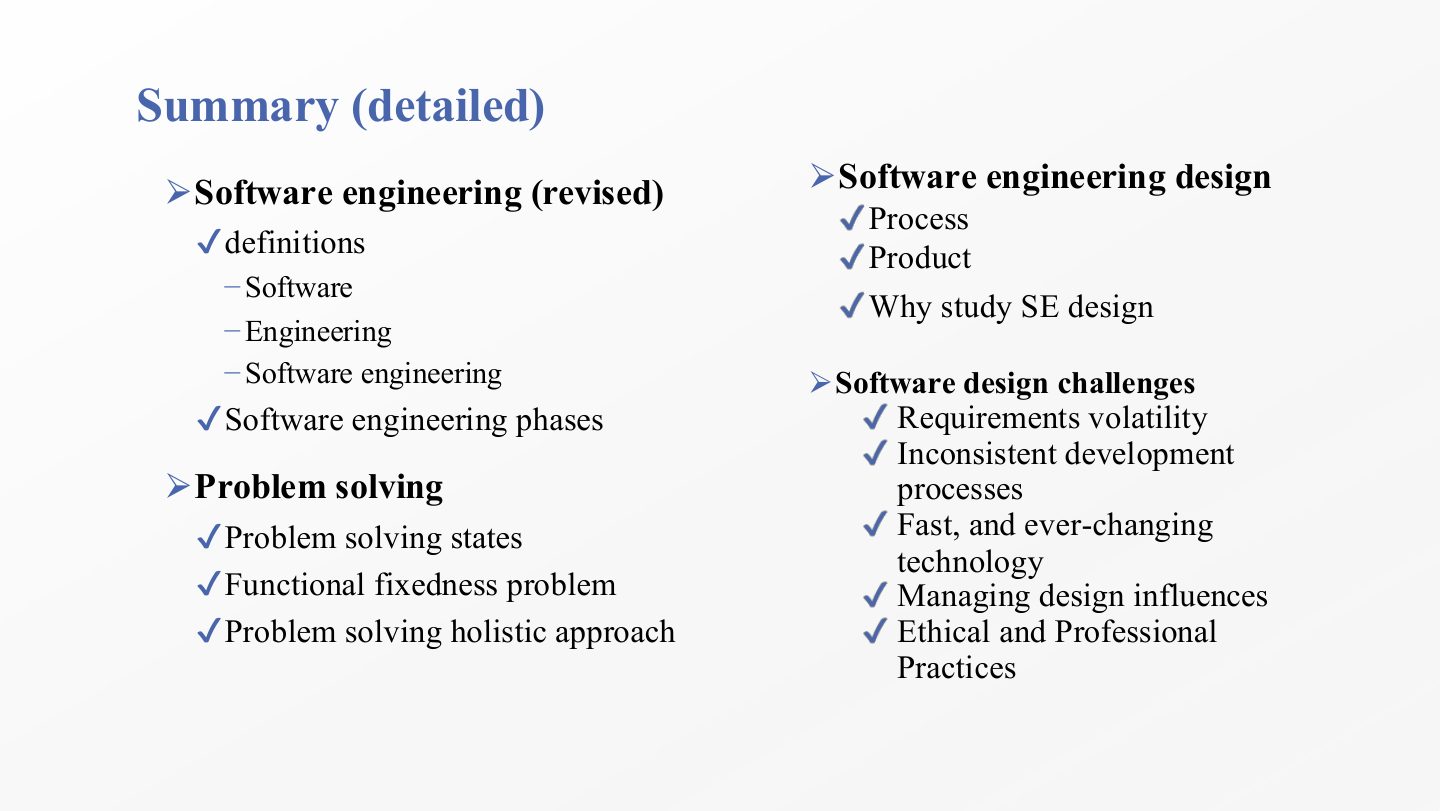
  72. 72 Summary (detailed), part 1
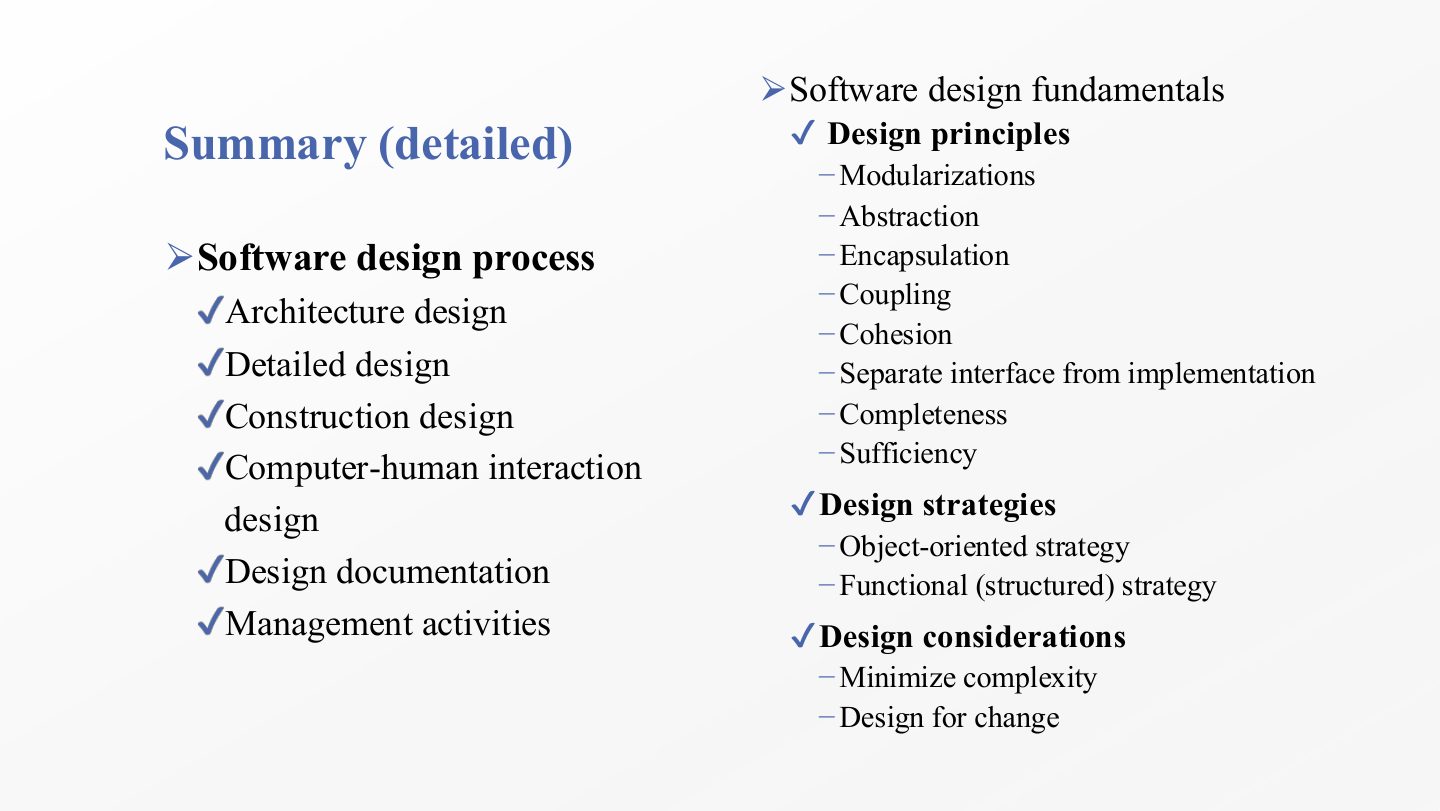
  73. 73 Summary (detailed), part 2
Slide 1 / 73

Note:

Slide 1: Note:

Notes

  1. Read this note first: any slide or box labelled “Extra” is the instructor’s own explanation or example, added on top of the textbook material. It is meant to make the definitions concrete, and it is fair game in quizzes.

  2. The chapter covers weeks 1–2 and gives the vocabulary used for the rest of SE322: what design is, why it is hard, how the design process is organised, and the principles used to judge a design.

Slide 2 / 73

Extra: Story as an introduction for Chapter1

Slide 2: Extra: Story as an introduction for Chapter1

Notes

  1. The house analogy: a building can look finished and still crack later if the foundation is weak. In software the “cracks” are bugs, crashes and code that is painful to change.

  2. The foundation of software is its architecture (the big structure) and the design principles used inside it. The whole course is about building that foundation on purpose instead of by accident.

  3. Software engineering was named in 1968 because large projects of the 1960s kept running late, over budget or failing outright. The answer was to build software with the planned, measured methods of traditional engineering.

Slide 3 / 73

Lecture Outlines

Slide 3: Lecture Outlines

Notes

  1. The lecture moves from the general to the specific: what software engineering is, then design viewed as problem solving, then what design is and why we study it.

  2. Next come the challenges that make design hard and the process (the activities designers carry out).

  3. It ends with the fundamentals: principles, strategies and considerations. These are the tools you will apply in every later chapter, so they get the most slides.

Slide 4 / 73

Software Engineering (revised)

Slide 4: Software Engineering (revised)

Notes

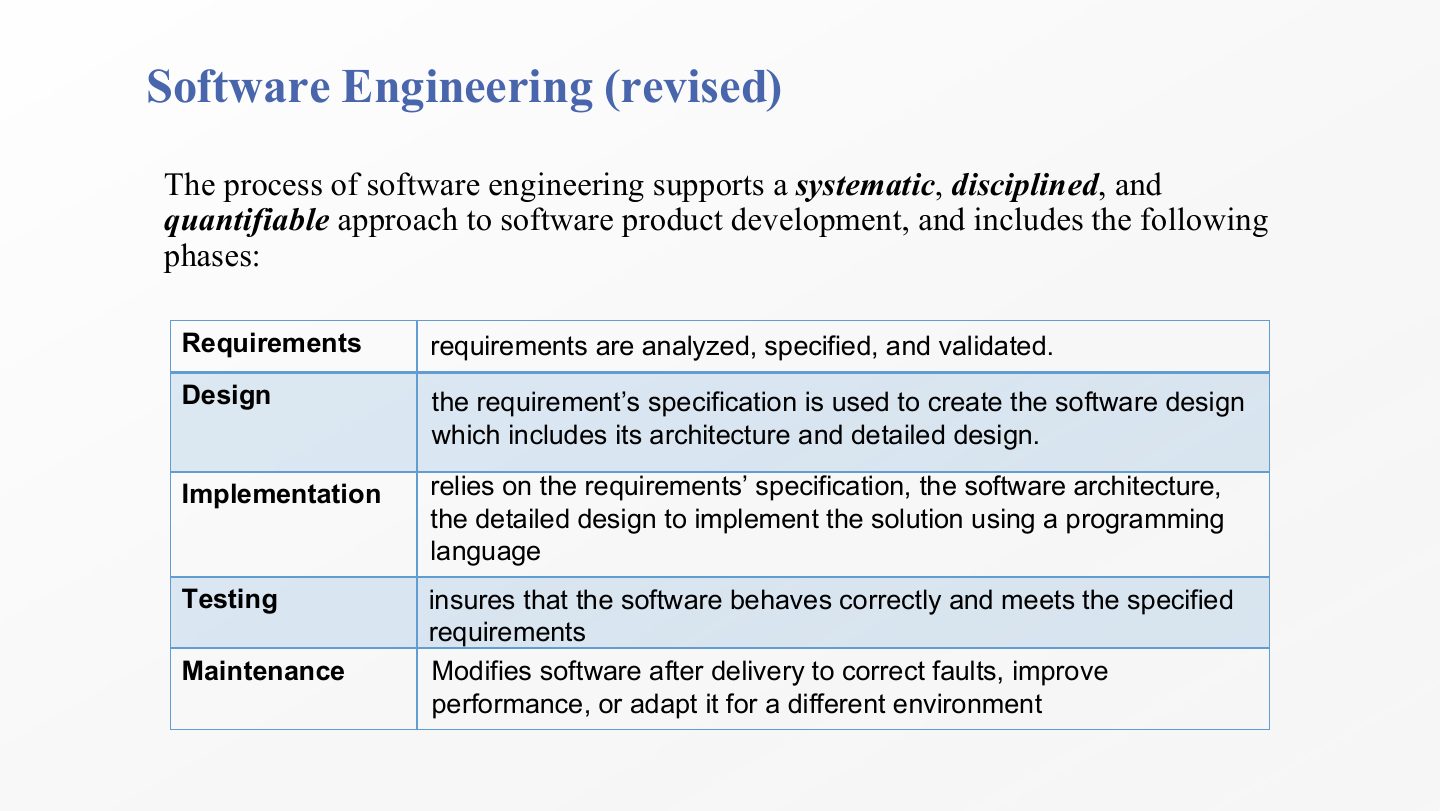
  1. Software is the set of instructions that lets a user make the hardware do useful work: operating systems, word processors and browsers are all software.

  2. Engineering is a systematic process: designers generate and evaluate designs whose functions meet the clients’ objectives and the users’ needs while respecting constraints (cost, time, laws, hardware). The bridge example makes the point: you plan for weight and weather before you build, and software needs the same planning.

  3. Keep user and client apart. The user is whoever actually works with the software; the client is whoever pays for it. A hospital buys a system (client) that nurses use every day (users), and the two may want different things.

  4. The IEEE definition is the one to memorise word for word: software engineering is the application of a systematic, disciplined, and quantifiable approach to the development, operation, and maintenance of software, in short, applying engineering principles to software. IEEE is the professional body that publishes such standards.

Exam angle

Past exam · Final 252 · Q1 MCQ 1Q1

According to the IEEE definition, which of the following best describes Software Engineering?

  1. The artistic creation of computer programs and hardware.
  2. The application of a systematic, disciplined, and quantifiable approach to the development, operation, and maintenance of software.
  3. A methodical procedure for writing code in a specific programming language.
  4. A process focused solely on finding and fixing bugs after delivery.
Show answer

B. The application of a systematic, disciplined, and quantifiable approach to the development, operation, and maintenance of software. — The IEEE wording: systematic, disciplined, quantifiable; covering development, operation and maintenance.
PredictionQ2

Explain the difference between a user and a client, with an example.

Show answer

The user interacts with the software; the client pays for its development. Example: a bank (client) commissions a mobile app that its customers (users) use.

Slide 5 / 73

Software Engineering (revised)

Slide 5: Software Engineering (revised)

Notes

  1. Systematic means the work is organised as a coherent body of ideas and is methodical: there is a plan and a procedure, not improvisation.

  2. Disciplined means a set of rules governs the work, and the team actually follows them (coding standards, review steps, approval rules).

  3. Quantifiable means you can measure the deliverables: how many requirements are done, how many defects were found, how long a response takes. If you can’t measure it, you can’t tell whether it is improving.

  4. The Extra example: agile methods run in short iterations with regular checks, which is one practical way to be systematic, disciplined and measurable at the same time.

Exam angle

PredictionQ1

“To determine, express, or measure the quantity of deliverables” defines which word in the IEEE definition?

  1. Quantifiable
  2. Systematic
  3. Disciplined
  4. Modular
Show answer

A. Quantifiable

Slide 6 / 73

Software Engineering (revised)

Slide 6: Software Engineering (revised)

Notes

  1. Requirements: find out what is needed, then analyse, specify and validate it. Everything later depends on this being right.

  2. Design turns the requirements specification into a software design, which has two levels: the architecture (major parts and how they connect) and the detailed design (the inside of each part). This course lives in this phase.

  3. Implementation writes the code, using the requirements, the architecture and the detailed design together.

  4. Testing checks that the software behaves correctly and meets the specified requirements.

  5. Maintenance changes the software after delivery: fixing faults, improving performance, or adapting it to a new environment. It is usually the longest and most expensive phase, which is why designs are judged by how easy they are to change.

Exam angle

PredictionQ1

In which phase is the requirements specification used to create the software architecture and detailed design?

  1. Design
  2. Implementation
  3. Testing
  4. Maintenance
Show answer

A. Design

Slide 7 / 73

Software Engineering (revised)

Slide 7: Software Engineering (revised)

Notes

  1. Design gives a team a shared plan: who builds which part and how the parts fit. That is how it lets teams work in a disciplined way and keeps the product aligned with its specification.

  2. Designing is constant problem solving: engineers identify problems, evaluate options and propose solutions throughout the phase, not just once at the start.

  3. Hence the slide’s conclusion: a good designer must first be a good problem solver, and that skill comes from practice over time. The next slides look at how problem solving works and where it goes wrong.

Slide 8 / 73

Extra: Phases of the Software Development Cycle

Slide 8: Extra: Phases of the Software Development Cycle

Notes

  1. An expanded life cycle with an example for each phase. Requirements: identify and document needs, check feasibility and completeness (example: interviewing users). Testing (top right): unit, integration and system tests, often automated.

  2. Design creates the blueprint: the architecture plus the detailed design of how components interact (example: UML diagrams).

  3. Implementation translates the design into code modules and integrates them into one system.

  4. Deployment is a phase this slide adds that slide 6 does not list: releasing the software into the target environment, e.g. putting a web app on a cloud server.

  5. Maintenance continues after release: fix bugs, add features, adapt to new requirements, and watch performance and user feedback (example: security patches).

Slide 9 / 73

Engineering Problem-solving

Slide 9: Engineering Problem-solving

Notes

  1. Problem solving in design passes through three states. Knowing which state you are in tells you what activity is appropriate.

  2. Initial state: the problem is formulated and interpreted. Often the hardest part is understanding the problem itself (what exactly does the client need?).

  3. Operational state: once the problem is understood, you think about it and possible solutions appear. This is where creativity and alternatives matter, and where functional fixedness (slide 11) does the most damage.

  4. Goal state: a solution has been identified, evaluated and validated. Problem solving ends here.

Exam angle

PredictionQ1

In which problem-solving state is the problem formulated and interpreted?

  1. Initial state
  2. Operational state
  3. Goal state
  4. Final state
Show answer

A. Initial state

Slide 10 / 73

Engineering Problem-solving

Slide 10: Engineering Problem-solving

Notes

  1. The classic nine-dot puzzle: connect all nine dots with four straight lines without lifting the pencil or retracing a line.

  2. Read the rules again: nothing says a line must start or end on a dot, or stay inside the square. The real constraints are only the four listed. The puzzle is hard because most people add a constraint that isn’t there, which is the point of the next slide.

Slide 11 / 73

Engineering Problem-solving

Slide 11: Engineering Problem-solving

Notes

  1. Most students assumed each line must begin and end on a dot. The requirements never said so; it was an assumption they brought with them.

  2. Functional fixedness: you only see an object (or a component, or a technique) in the role you are used to, so solutions that use it differently never occur to you. It is a limit of the designer’s thinking, not a property of the software.

  3. The remedy is deliberate: attempt the problem several times, from different viewpoints and unusual angles (“think outside the box”). The possible solution on the right only works because its lines leave the square.

  4. It matters most in the operational state, the state where alternative solutions are generated (slide 9).

Exam angle

Past exam · Final 252 · Q1 MCQ 2Q1

In the context of engineering problem-solving, what is “functional fixedness”?

  1. A state where a solution is successfully validated and the goal is reached.
  2. A design strategy that focuses strictly on functional requirements.
  3. A cognitive bias that limits the ability to find solutions because objects are only seen in their usual function.
  4. The process of fixing errors in the final implementation phase.
Show answer

C. A cognitive bias that limits the ability to find solutions because objects are only seen in their usual function. — A mental block that ties you to an object’s usual role.

Past exam · Midterm 261 · Q4Q2

A student rejects a valid design because she assumes a component can only be used in the same way she has seen it used before. Which concept best explains this limitation?

  1. Validation
  2. Modularization
  3. Abstraction
  4. Functional fixedness
Show answer

D. Functional fixedness — The same question also appeared as Quiz 1 261 Q7.

Slide 12 / 73

Slide 12

Slide 12: Slide 12

Notes

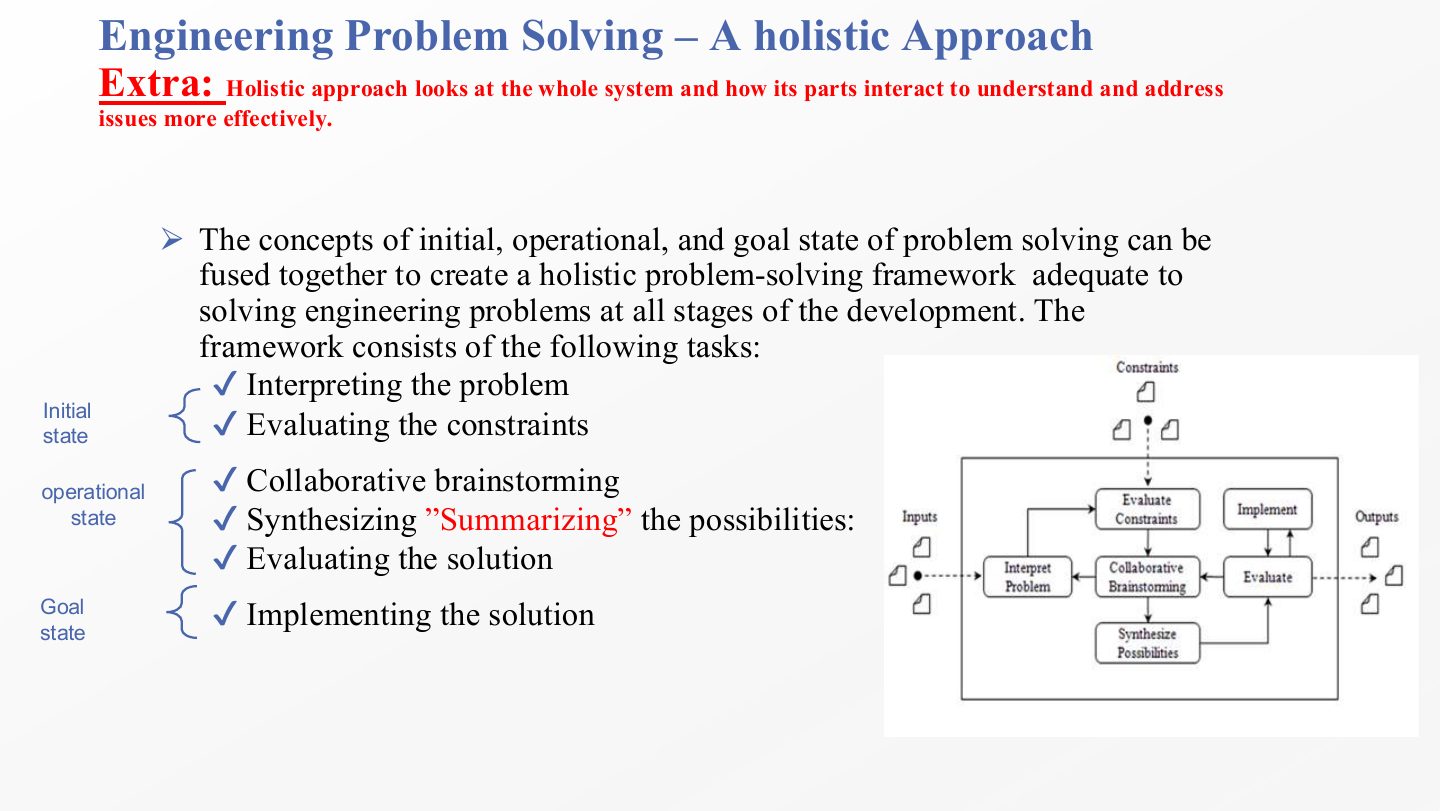
  1. A holistic approach looks at the whole system and how its parts interact. Here the three states are fused into one framework of six tasks that fits engineering problems at every stage.

  2. Initial state tasks: interpret the problem and evaluate the constraints.

  3. Operational state tasks: collaborative brainstorming, synthesizing (summarising) the possibilities, and evaluating the solution.

  4. Goal state task: implement the solution.

Exam angle

Past exam · Final 252 · Q1 MCQ 3Q1

Which phase of the holistic problem-solving framework is performed during the “Initial State”?

  1. Collaborative brainstorming.
  2. Synthesizing the possibilities.
  3. Interpreting the problem and evaluating constraints.
  4. Implementing the solution.
Show answer

C. Interpreting the problem and evaluating constraints. — Brainstorming and synthesizing are operational; implementing is the goal state.

Slide 13 / 73

Slide 13

Slide 13: Slide 13

Notes

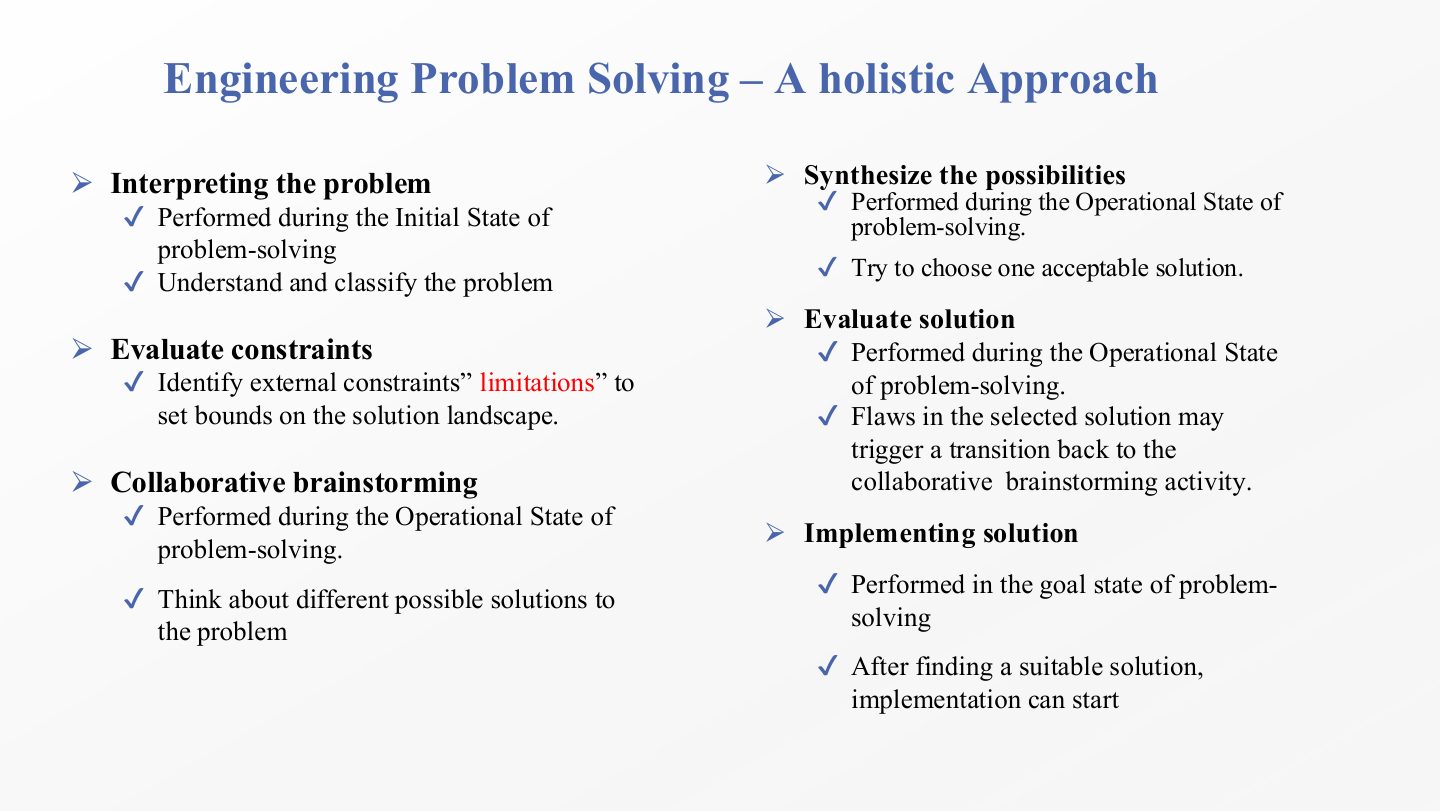
  1. Interpreting the problem (initial state): understand what is being asked and classify it, for example as a known kind of problem with known solutions.

  2. Evaluating constraints (initial state): find the external limits (budget, deadlines, platforms, regulations) that set the bounds of the “solution landscape”. Note the link to slide 10: only real constraints belong here, not assumed ones.

  3. Collaborative brainstorming (operational state): the team proposes as many different solutions as it can before judging them.

  4. Synthesizing the possibilities (operational state): narrow the ideas down and choose one acceptable solution.

  5. Evaluating the solution (operational state): test the chosen idea. A flaw found here sends you back to brainstorming, so the framework is a loop, not a straight line.

  6. Implementing the solution happens in the goal state, once a suitable solution has been found.

Slide 14 / 73

Software Engineering Design

Slide 14: Software Engineering Design

Notes

  1. The formal definition has two halves. (1) Design is a process: identifying and evaluating the architectural and detailed models needed to build software that meets its functional and non-functional requirements.

  2. (2) Design is also the product of that process: the design diagrams and documents it produces. When someone says “show me the design”, they mean the product; when they say “we are in design”, they mean the process.

Exam angle

PredictionQ1

True or false: in software engineering, “design” refers only to the diagrams produced, not to the activity.

Show answer

False — The definition covers both the process and its product.

Slide 15 / 73

Software Engineering Design

Slide 15: Software Engineering Design

Notes

  1. Because the word covers both meanings, industry uses “design” for the process and the product interchangeably. Exam questions often ask which perspective a statement belongs to.

  2. Process perspective: the activities and tasks needed to model the software’s structure and behaviour before construction. This is mostly a project-management concern: the management team plans, organises and assigns the design tasks and lines up schedule and resources.

  3. Product perspective: the artifacts that design produces, such as class diagrams and sequence diagrams. This is mostly a technical concern: the technical team creates the actual models that define structure and behaviour.

Slide 16 / 73

Why Study Software Engineering Design?

Slide 16: Why Study Software Engineering Design?

Notes

  1. Section divider. The next two slides answer the question from both perspectives introduced on slide 15: project management (process) and technical (product).

Slide 17 / 73

Possible reasons

Slide 17: Possible reasons

Notes

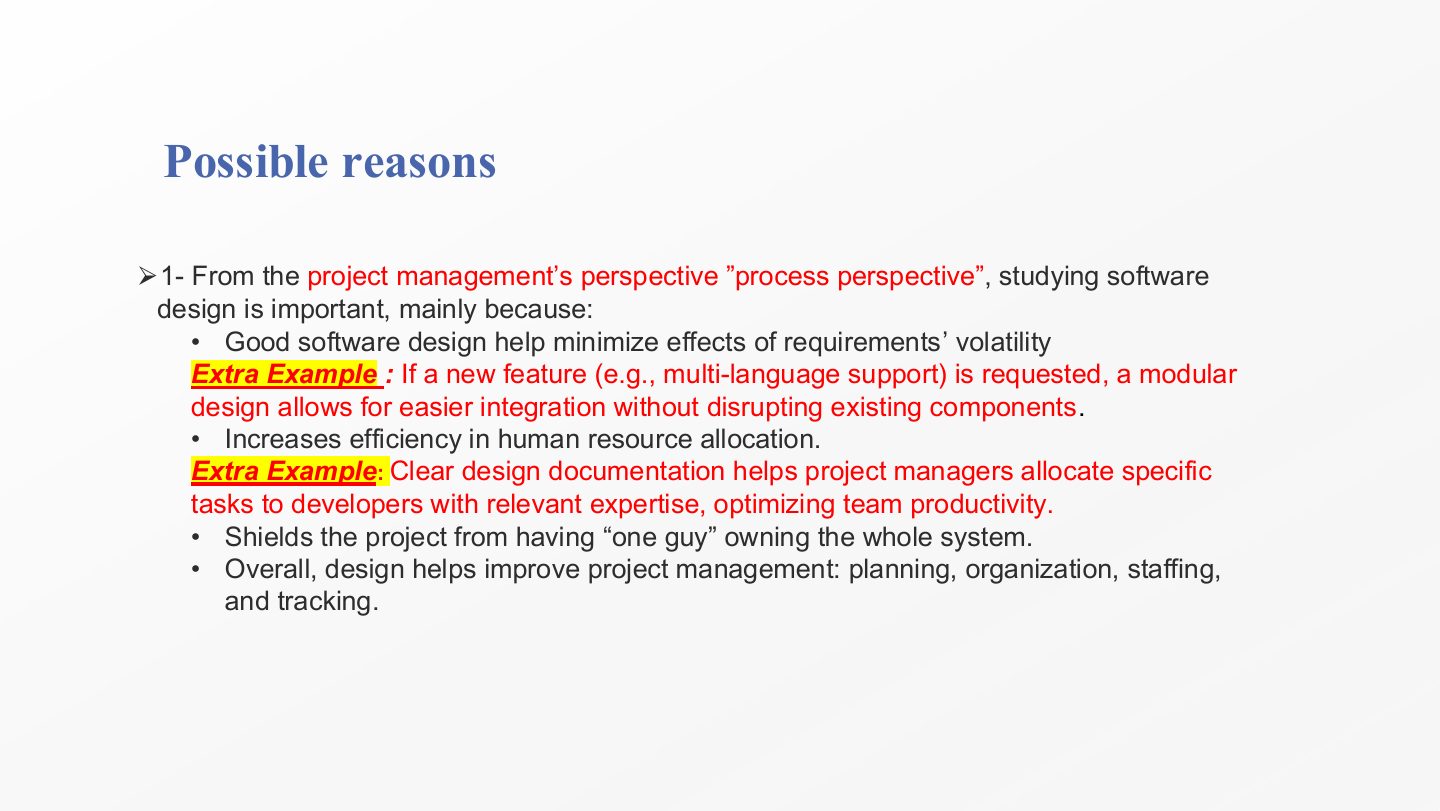
  1. First reason set: the project-management (process) perspective.

  2. Good design minimises the effect of requirements volatility. In a modular design a new feature, such as multi-language support, is added to one module without disturbing the others.

  3. It makes human resource allocation efficient: once components are defined and documented, the manager can give each one to a developer with the right skills.

  4. It protects the project from depending on “one guy” who owns the whole system in his head. If the design is written down, the project survives that person leaving.

  5. Overall, design improves the four management functions: planning, organisation, staffing and tracking.

Exam angle

Past exam · Final 252 · Q1 MCQ 4Q1

From a project management perspective, why is studying software design important?

  1. It ensures that only one person owns the entire system.
  2. It helps minimize the negative effects of requirements volatility.
  3. It focuses purely on technical artifacts like class diagrams.
  4. It eliminates the need for testing and maintenance phases.
Show answer

B. It helps minimize the negative effects of requirements volatility. — Option a is the reverse of the slide: design shields the project from one person owning everything.

Slide 18 / 73

Possible reasons

Slide 18: Possible reasons

Notes

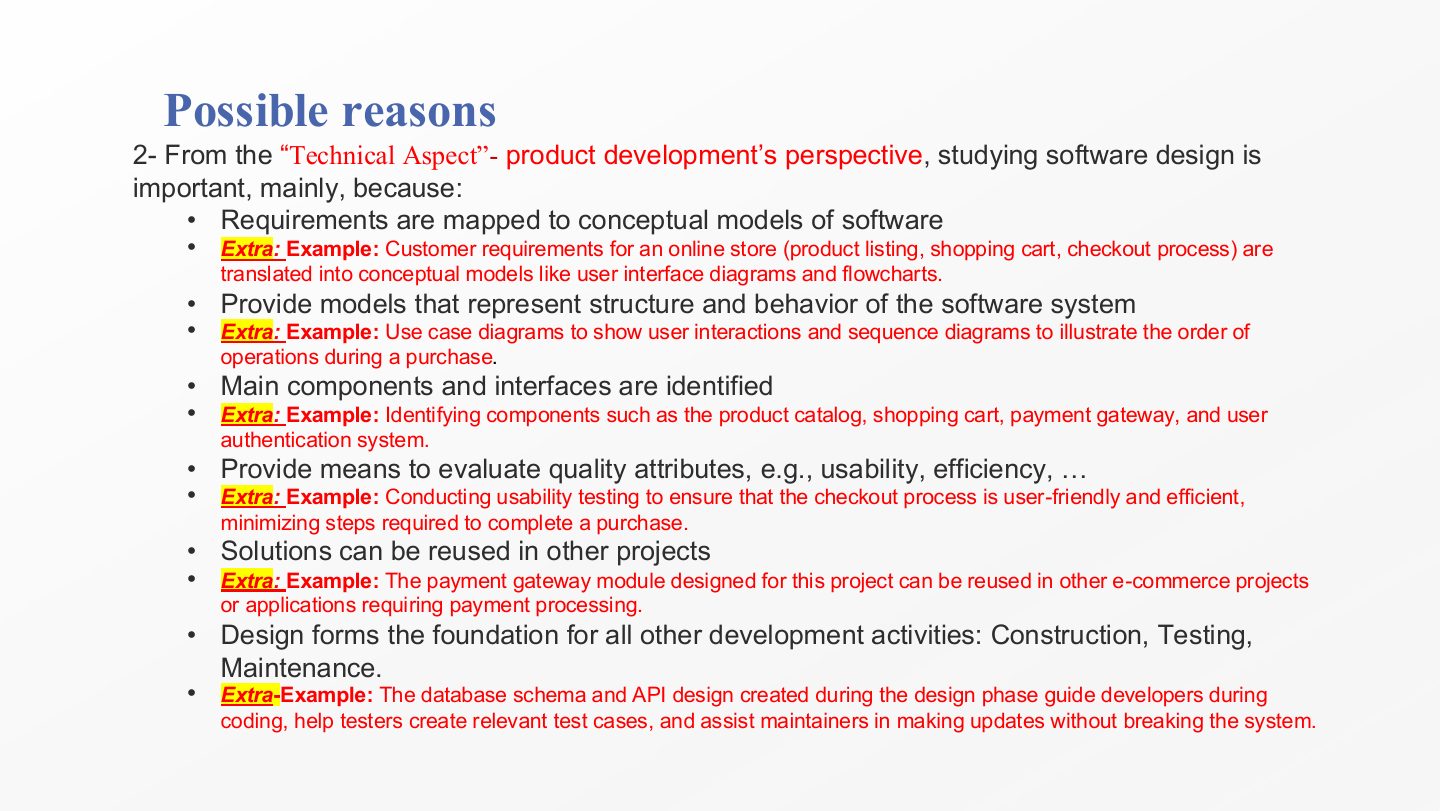
  1. Second reason set: the technical (product-development) perspective. The online-store example runs through all six points.

  2. Requirements are mapped to conceptual models: “product listing, cart, checkout” become user-interface diagrams and flowcharts the team can reason about.

  3. Models show the system’s structure and behaviour, e.g. a use case diagram for user interactions and a sequence diagram for the order of steps in a purchase.

  4. The main components and interfaces are identified: catalogue, cart, payment gateway, authentication.

  5. Design gives a way to evaluate quality attributes (usability, efficiency…) before code exists, such as checking how many steps checkout takes.

  6. Designed solutions can be reused: the payment-gateway module can serve other e-commerce projects.

  7. Design is the foundation for construction, testing and maintenance: the database schema and API design guide coders, testers and maintainers alike.

Slide 19 / 73

Major Software Design Challenges

Slide 19: Major Software Design Challenges

Notes

  1. Requirements volatility: the requirements change while you build. A banking app that started simple must suddenly add advanced login security late in development.

  2. Inconsistent development processes: teams don’t follow the same design process. One team uses Agile, another Waterfall, and integration gets delayed.

  3. Fast, ever-changing technology: platforms and libraries change constantly; new iOS and Android versions force quick updates just to keep the app working.

  4. Managing design influences: stakeholders pull in different directions; executives want profit features while the security team wants stronger protection.

  5. Ethical and professional practices: protecting customer data and privacy even under deadline pressure.

Exam angle

Past exam · Midterm 261 · Q2Q1

Which FOUR of the following are considered major Software Design Challenges? (Select four.)

Show answer

Fast and ever-changing technology, inconsistent development processes, managing design influences, and requirements volatility. The distractors (cost estimation, choosing a language, test data, configuring servers) are project or deployment tasks, not design challenges. The paper listed four; the slide’s fifth is ethics.

PredictionQ2

Which of these is NOT one of the major software design challenges?

  1. Choosing a programming language
  2. Requirements volatility
  3. Inconsistent development processes
  4. Managing design influences
Show answer

A. Choosing a programming language

Slide 20 / 73

Slide 20

Slide 20: Slide 20

Notes

  1. Requirements volatility is growth or change in the requirements during the project’s development life cycle. Some change is normal; the challenge is designing so it does not wreck the project.

  2. The later a change arrives, the more it costs. Early on, a change edits a document; late on, it edits finished work.

  3. Why: the design, the verification (test) plans and the deployment plans were all built on the old requirements, so each has to be reworked. This is the reason good design (slide 17) tries to isolate the parts most likely to change.

Exam angle

Past exam · Final 252 · Q1 MCQ 5Q1

Which software design challenge refers to the growth or change in requirements during a project’s development lifecycle?

  1. Inconsistent development processes.
  2. Managing design influences.
  3. Requirements volatility.
  4. Technical debt.
Show answer

C. Requirements volatility.

PredictionQ2

Why are requirement changes more costly in the later stages of the life cycle?

Show answer

Because the change may force rework of the design, of the verification (test) plans and of the deployment plans, all of which were built on the old requirements.

Slide 21 / 73

Software Design Challenge #2 Inconsistent development processes

Slide 21: Software Design Challenge #2 Inconsistent development processes

Notes

  1. In the design phase, the process is the set of activities that bridges the gap between requirements and construction.

  2. Examples of those activities: architectural and detailed design, design reviews, setting quality evaluation criteria, design change management and version control, and adopting design tools.

  3. The challenge is that in many companies this process is not well established, is poorly understood, focuses on one activity (say the user interface) while ignoring others, or is not done at all.

  4. The house analogy: one team follows a plan, another works without one, one builds doors before the walls exist. In software, Team A uses Agile, Team B uses Waterfall, nobody agreed on design rules, and the pieces don’t fit at integration time.

Slide 22 / 73

Software Design Challenge #3 The Technology

Slide 22: Software Design Challenge #3 The Technology

Notes

  1. The technology used to design and build software keeps evolving to offer new capabilities. AI and machine learning are today’s obvious example.

  2. The chatbot example shows the cost: before integrating an AI chatbot into customer service, developers must learn ML algorithms, data preparation and model training, and still make the bot work with existing customer databases.

  3. Designers are expected to understand and use new technologies all at the same time, which creates demand for designers who learn quickly.

  4. Why it is hard: learning takes time while the project deadline doesn’t move, and the new technology must interoperate with old legacy systems that can’t simply be replaced.

Slide 23 / 73

Software Design Challenge #4 Managing Design influences

Slide 23: Software Design Challenge #4 Managing Design influences

Notes

  1. A project has many stakeholders (users, clients, managers, security, operations), and each has needs that pull the design their way: one wants performance, another usability, another security.

  2. Some of those needs conflict, and each stakeholder is convinced they are right. Stronger security can make the system slower or harder to use, for instance.

  3. The designer has to make trade-offs that satisfy each stakeholder as far as possible, without the decision harming the project as a whole.

  4. This is especially difficult in large-scale systems, where there are more stakeholders and every decision touches more parts.

Exam angle

Past exam · Midterm 252 · Q2 · 3 marksQ1

How could “managing design influences” be a challenge for software designers?

Show answer

Software projects have many stakeholders, each with specific wants and needs that influence the design. Some of these needs conflict with each other, and each stakeholder believes they are correct. Designers must therefore make design trade-offs to satisfy each customer, which is difficult in large-scale systems, because design decisions must accommodate all concerns without negatively affecting the project.

Slide 24 / 73

Slide 24

Slide 24: Slide 24

Notes

  1. Design decisions affect the environment and people who use the software: privacy, safety, accessibility, energy use. Designers are responsible for those effects.

  2. Designers must show strong ethical and professional practices so that the systems they produce are high quality, not just finished on time.

  3. That takes leadership: influencing and negotiating with stakeholders and motivating the team. It is hard because management, customers and peers all apply pressure, often toward cutting corners.

  4. The ACM Code of Ethics and Professional Conduct is the reference example. Its general principles include contributing to society and well-being (respect privacy, be honest and fair), professional responsibilities (follow rules, ensure security), and leadership principles (put the public good first).

Slide 25 / 73

Software Design Process

Slide 25: Software Design Process

Notes

  1. A reminder from slide 14: design is both a process and a product. This part of the lecture is about the process.

  2. A software design process is a set of activities that specify how resources (people, tools, time) work together to produce design products.

  3. The products are things like use cases, class diagrams and other UML models, and design documents.

Slide 26 / 73

Software Design Process

Slide 26: Software Design Process

Notes

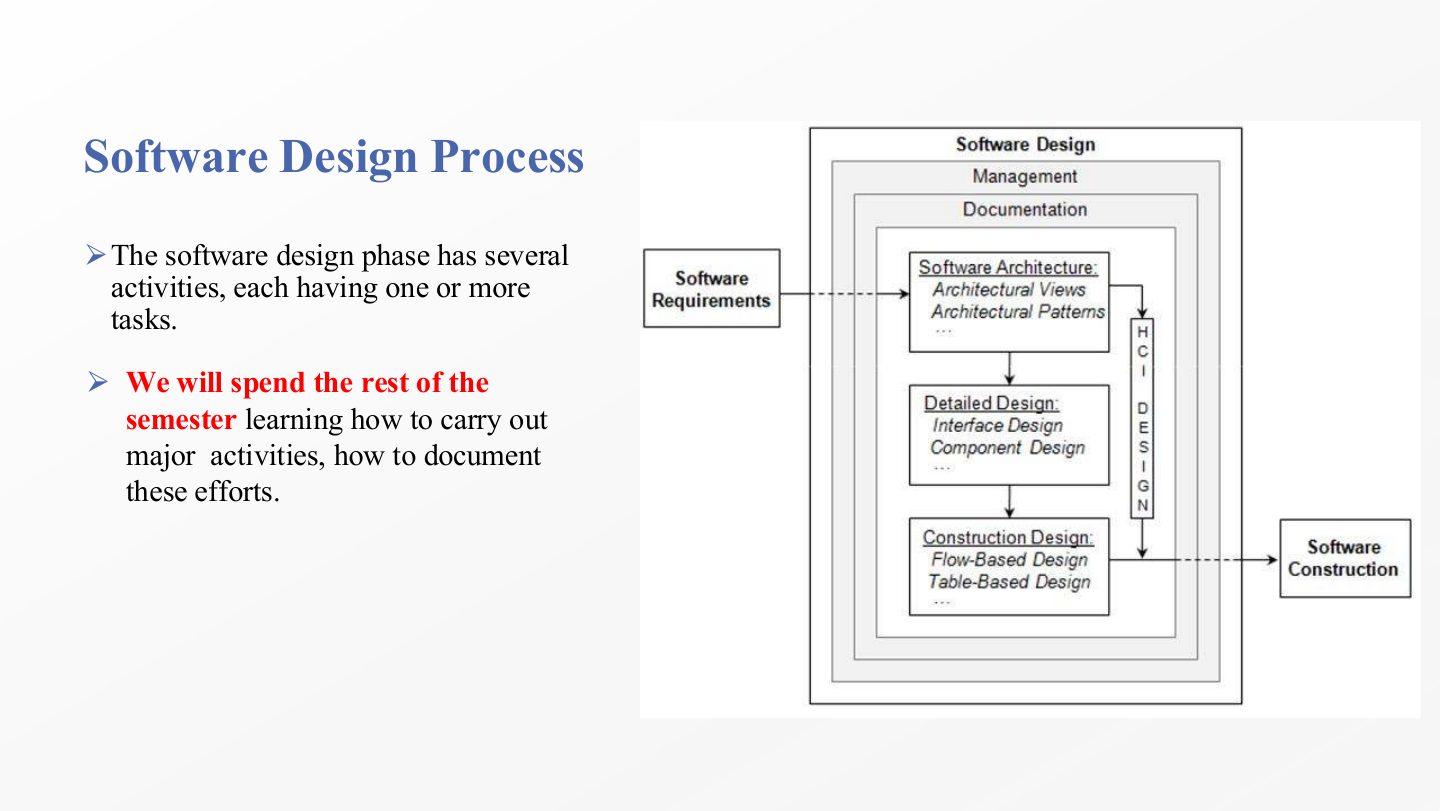
  1. The design process has two major activities: software architecture and detailed design. These two are the heart of the course (architecture in chapters 2–4, detailed design in 5–7).

  2. And four supporting activities: construction design, human-computer interface design, software design documentation, and management activities. Construction design and HCI design sound “major” but are listed as supporting; that is the usual trap.

Exam angle

Past exam · Midterm 261 · Q3Q1

Which TWO of the following are the main major activities in the Software Design Process? (Select two.)

Show answer

Software Architecture and Detailed Design. Construction design, HCI design, documentation and management are the supporting activities; testing and requirements analysis are other life-cycle phases.

Past exam · Midterm 252 · Q3 · 3 marksQ2

List the software design processes, including the major and supporting activities.

Show answer

Major: software architecture (macro design that models the system’s quality and function) and detailed design (the internals of components and interfaces). Supporting: construction design (lowest level, how functions are implemented), human-computer interface design (how users interact with the system), software design documentation, and management activities (planning, organising, leading).

Slide 27 / 73

Software Design Process

Slide 27: Software Design Process

Notes

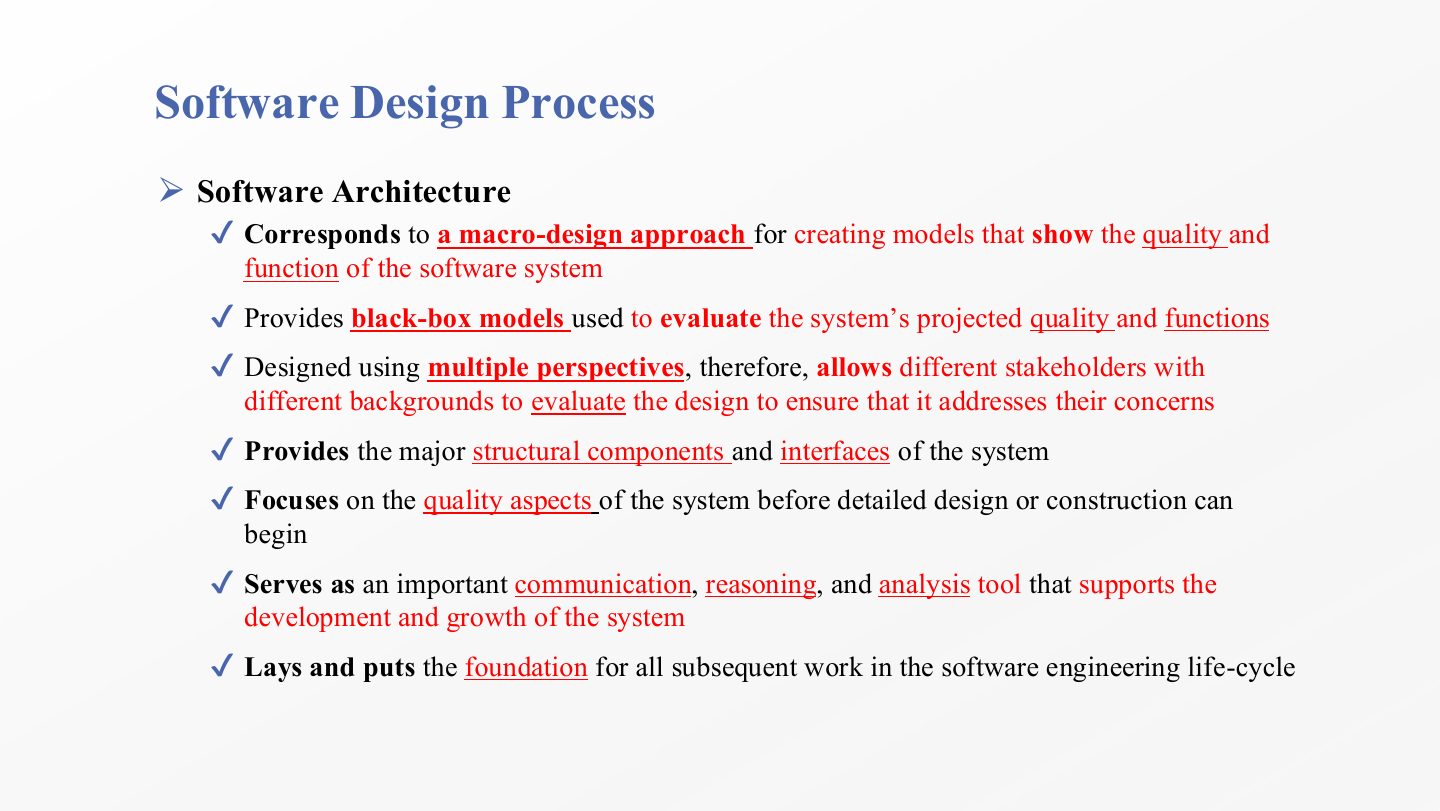
  1. Software architecture is the macro-design approach: it creates models that show the quality and the function of the whole system, at the level of big parts rather than code.

  2. Its models are black boxes: each component is described by what it does and how it connects, not by its insides. That is enough to evaluate the system’s projected quality and functions early.

  3. It is designed from multiple perspectives (views), so stakeholders with different backgrounds can each check that their concerns are addressed. Chapter 2’s 4+1 views come from this idea.

  4. It defines the major structural components and interfaces of the system.

  5. It focuses on the quality aspects (performance, security, availability…) before detailed design or construction begins, because quality is hard to add later.

  6. It is a tool for communication, reasoning and analysis, and it lays the foundation for all later work in the life cycle.

Exam angle

Past exam · Final 252 · Q1 MCQ 6Q1

Which design activity corresponds to a “macro-design approach” that provides black-box models to evaluate system quality?

  1. Detailed design.
  2. Software architecture.
  3. Construction design.
  4. Interface design.
Show answer

B. Software architecture.

Slide 28 / 73

Software Design Process

Slide 28: Software Design Process

Notes

  1. Detailed design focuses on the internals of the components and interfaces that architecture identified.

  2. It begins after the architecture is specified, reviewed and judged complete enough. Starting detailed design on a shaky architecture means redoing it.

  3. It is a white-box approach: it opens each component and designs its internal structure and behaviour.

  4. It refines the architecture until the whole design (architecture + detailed design) is complete enough for construction to begin.

  5. Focus: detailed design is mostly about functional requirements (what the system does), while architecture is mostly about non-functional, quality requirements.

Exam angle

Past exam · Final 252 · Q1 MCQ 7Q1

What is the primary focus of “Detailed Design”?

  1. External properties of software components and non-functional requirements.
  2. The overall development process for both hardware and software.
  3. The internals of system components and their behavior to fulfill functional requirements.
  4. Project management tasks like staffing and tracking.
Show answer

C. The internals of system components and their behavior to fulfill functional requirements. — Option a describes architecture; option b describes the systems engineer’s role.

Slide 29 / 73

Extra: Software Architecture vs. Detailed Design

Slide 29: Extra: Software Architecture vs. Detailed Design

Notes

  1. Provides: architecture gives the big picture (major components, how they connect, key quality attributes); detailed design gives the internal details of each component (algorithms, data structures, workflows).

  2. Viewpoint and timing: architecture is the black-box view and comes first; detailed design is the white-box view and starts after the architecture is reviewed and approved.

  3. Focus and purpose: architecture targets mostly non-functional requirements and is a communication tool for all stakeholders; detailed design targets functional requirements and tells developers how to build each part.

  4. Banking example: architecture defines the UI, login system, transaction service and database and how they interact securely; detailed design says how the login checks credentials (encryption, API calls, error handling) and how transactions and queries work.

Exam angle

PredictionQ1

Compare software architecture and detailed design on viewpoint, timing and requirement focus.

Show answer

Architecture: black-box view of major components, done first, focused mostly on non-functional (quality) requirements. Detailed design: white-box view of each component’s internals, done after the architecture is approved, focused on functional requirements.

Slide 30 / 73

Software Design Process

Slide 30: Software Design Process

Notes

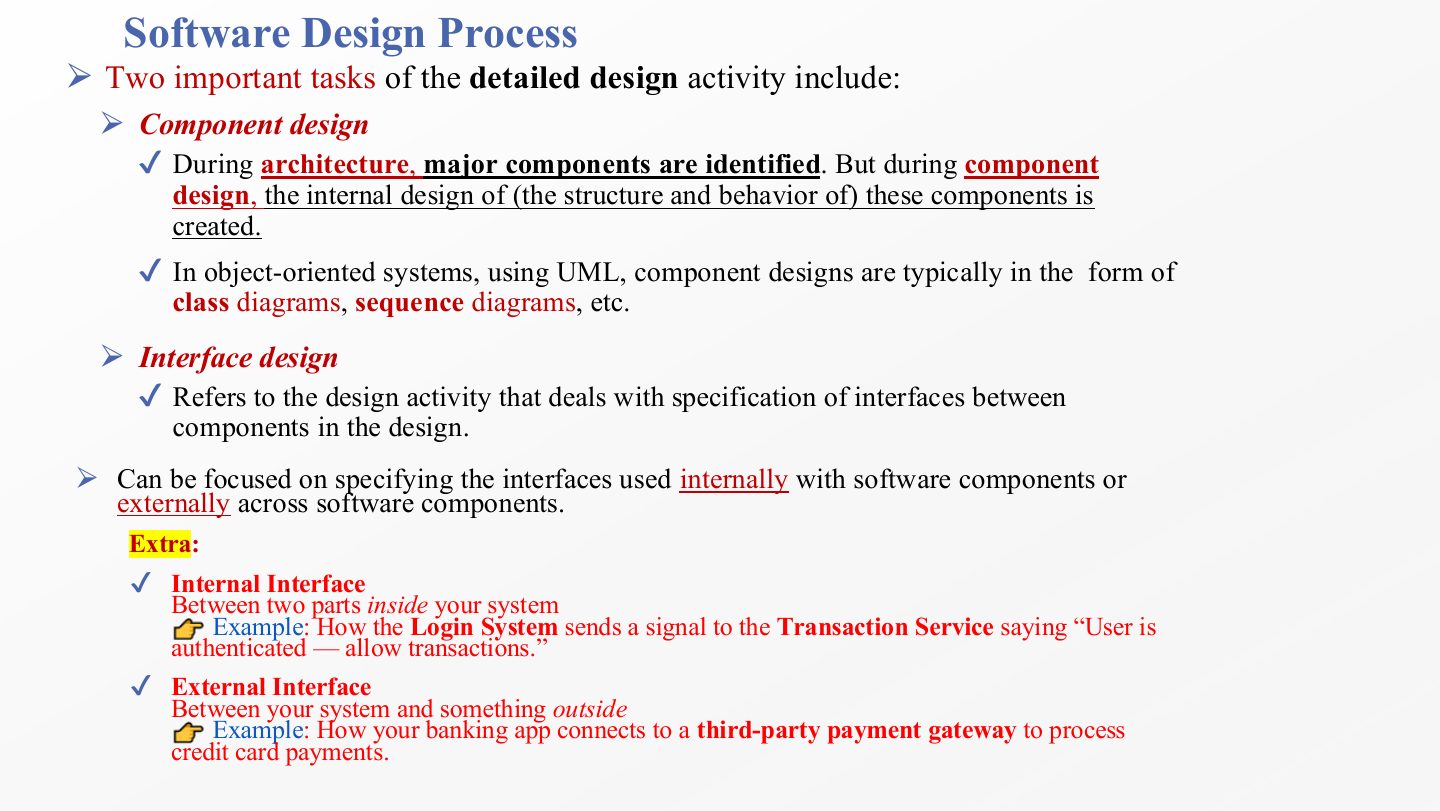
  1. Component design: architecture only identifies the major components; component design creates their internal structure and behaviour. In object-oriented systems it is drawn in UML as class diagrams, sequence diagrams and so on. Chapter 5 is mostly this.

  2. Interface design: specifying the interfaces between components, meaning the exact operations and data they exchange.

  3. Interfaces can be internal (between two parts inside your system: the login system tells the transaction service “user authenticated, allow transactions”) or external (between your system and an outside one: the banking app calls a third-party payment gateway).

Exam angle

PredictionQ1

Specifying the interfaces between components in a design belongs to which detailed-design task?

  1. Interface design
  2. Component design
  3. Construction design
  4. Architecture evaluation
Show answer

A. Interface design

Slide 31 / 73

Extra Example: Component vs. Interface Design

Slide 31: Extra Example: Component vs. Interface Design

Notes

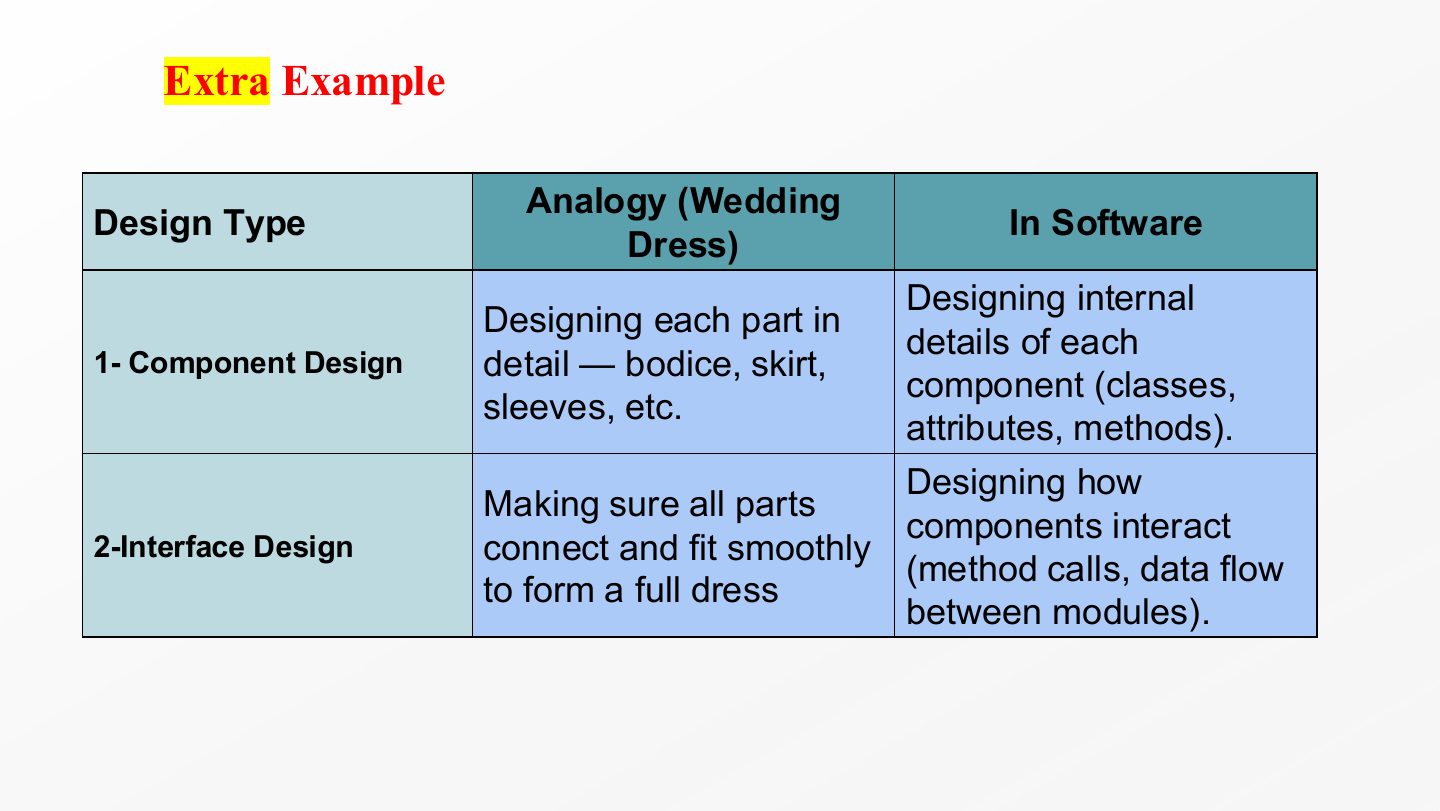
  1. Wedding-dress analogy for component design: each part of the dress (bodice, skirt, sleeves) is designed in detail. In software: the internal details of each component (classes, attributes, methods).

  2. For interface design: making sure all the parts connect and fit smoothly into one dress. In software: how components interact (method calls, data flow between modules). A beautiful bodice that doesn’t attach to the skirt is a failed design.

Slide 32 / 73

Software Design Process

Slide 32: Software Design Process

Notes

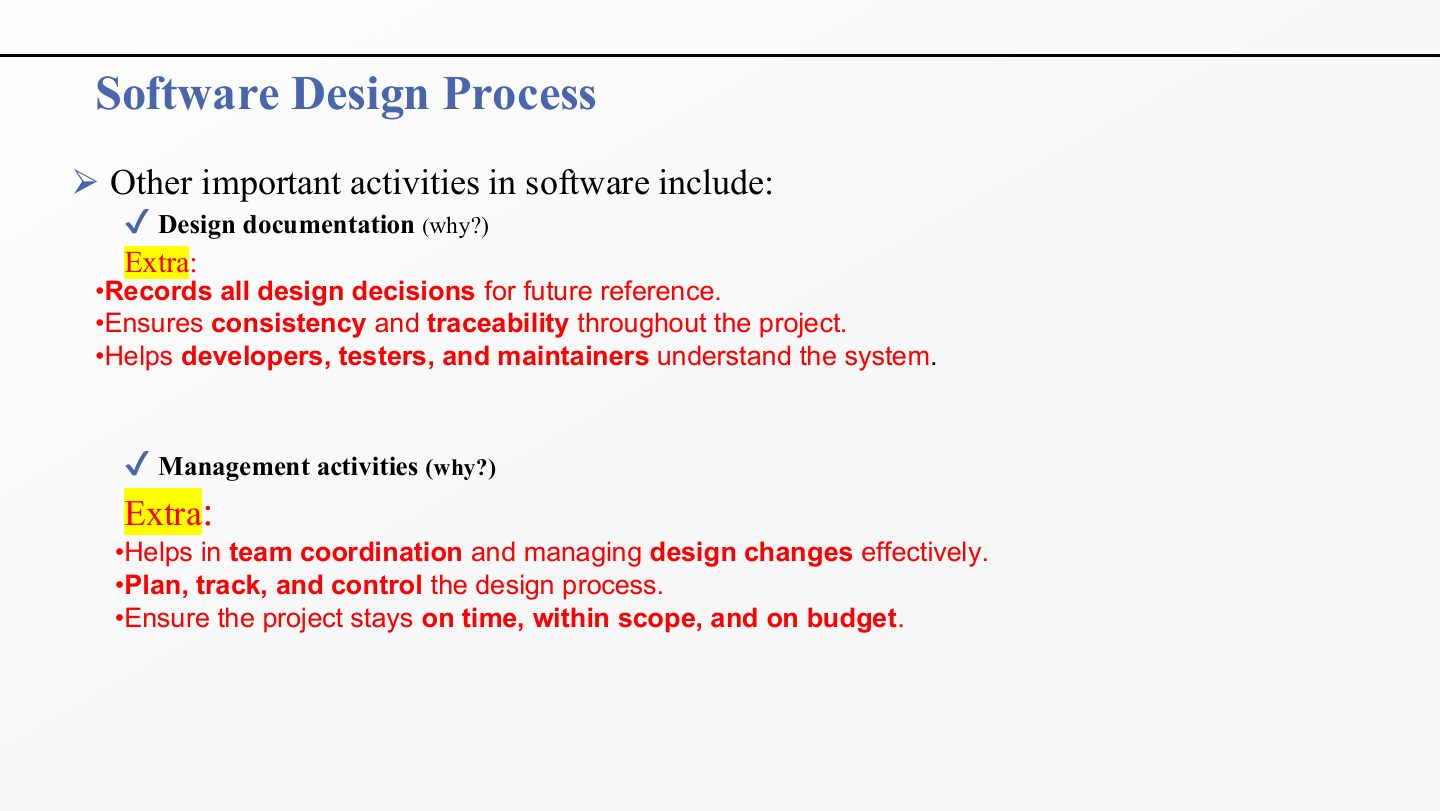
  1. Why document the design? It records every design decision (and its reason) for future reference, keeps the project consistent and traceable (each design element can be traced back to a requirement), and lets developers, testers and maintainers understand the system without asking the original designer.

  2. Why manage the design? Management coordinates the team and handles design changes, plans, tracks and controls the design process, and keeps the project on time, within scope and on budget.

Slide 33 / 73

Continue…

Slide 33: Continue…

Notes

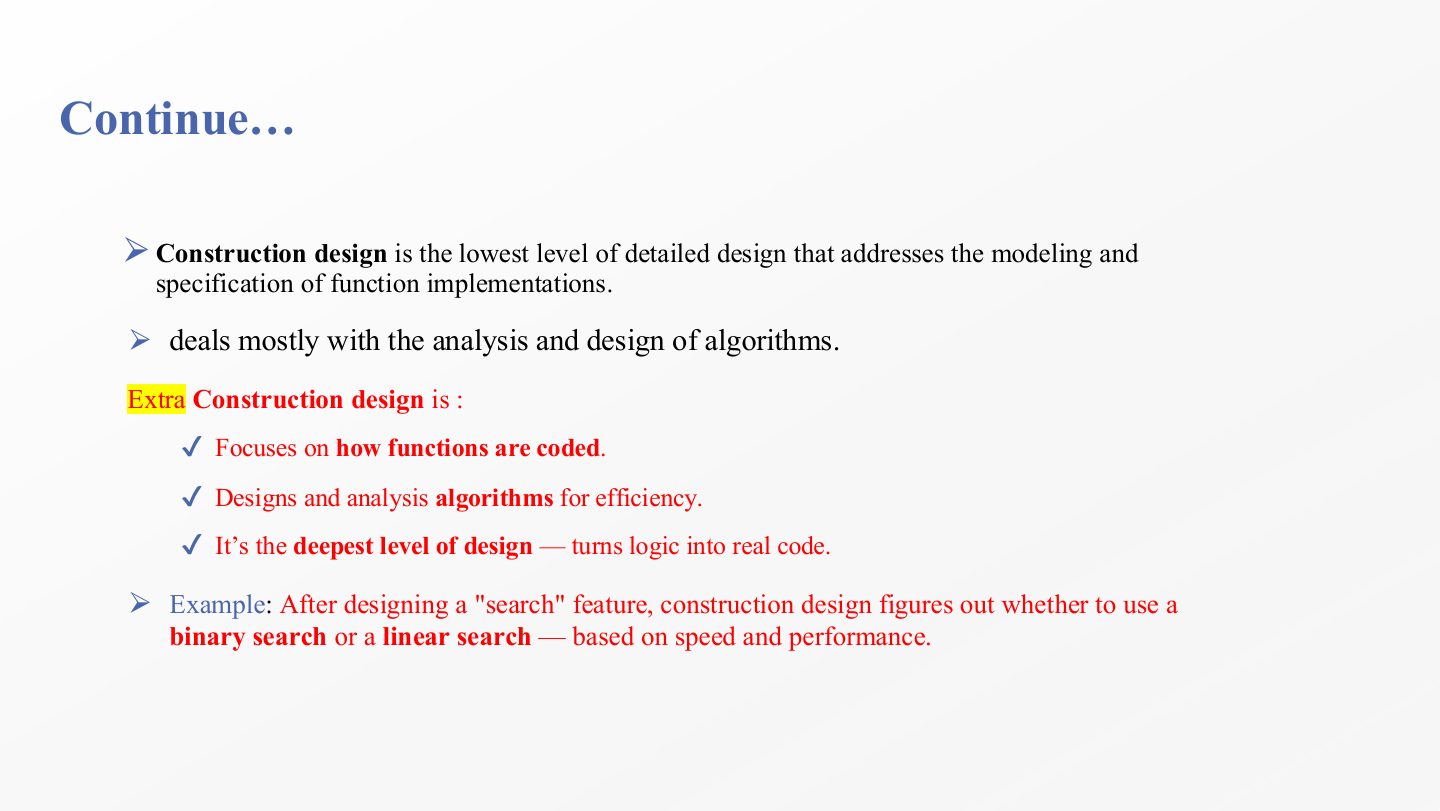
  1. Construction design is the lowest level of detailed design: it models and specifies how individual functions are implemented. It is the step right before code.

  2. Its main work is the analysis and design of algorithms, chosen for correctness and efficiency.

  3. The example: once a “search” feature is designed, construction design decides whether it uses binary search (fast, needs sorted data) or linear search (simple, slower), based on speed and performance.

Exam angle

PredictionQ1

Deciding whether a search function should use binary or linear search is part of which design activity?

  1. Construction design
  2. Software architecture
  3. Interface design
  4. Design management
Show answer

A. Construction design

Slide 34 / 73

Human-Computer Interface Design

Slide 34: Human-Computer Interface Design

Notes

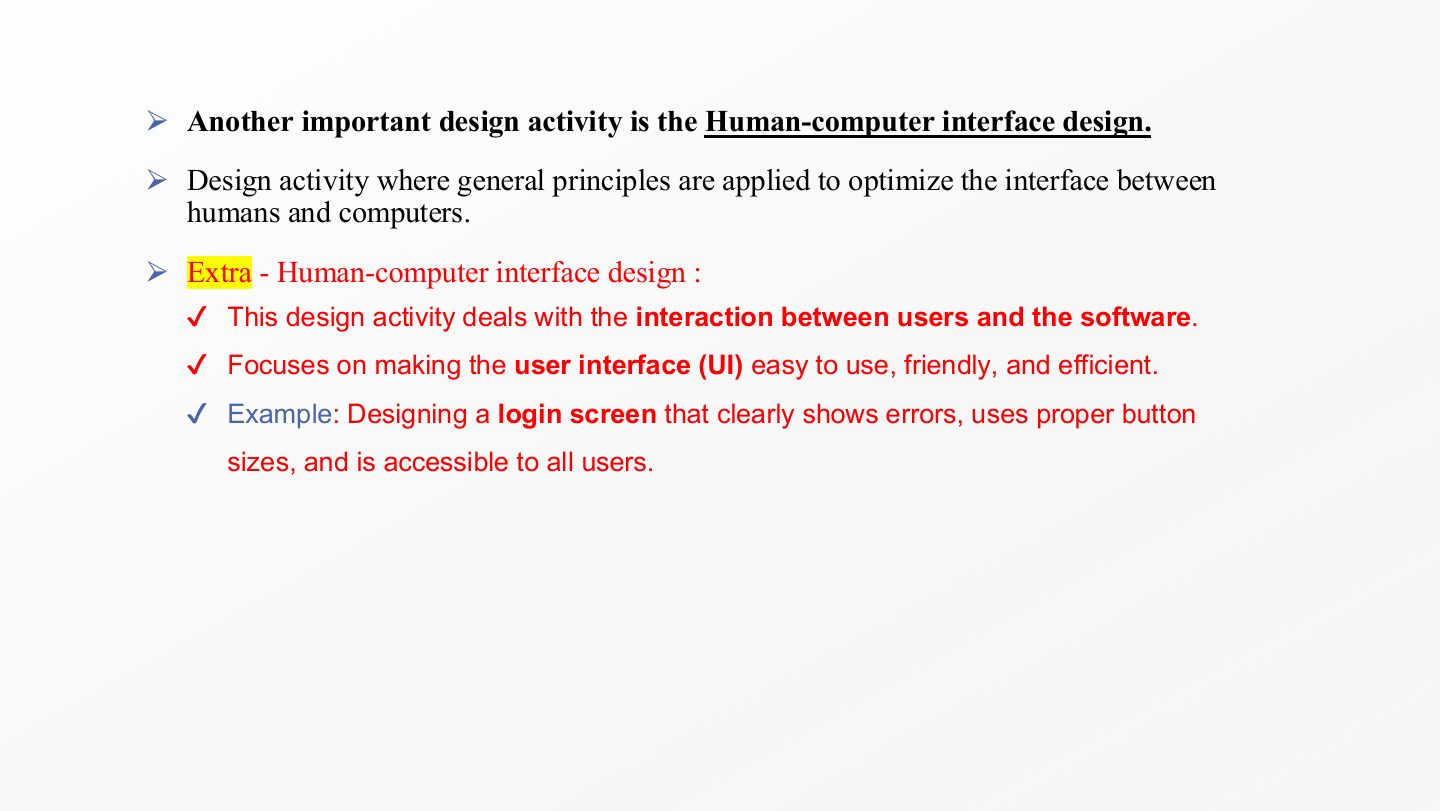
  1. Human-computer interface design applies general usability principles to optimise the interface between people and the computer: the UI should be easy to learn, friendly and efficient.

  2. The login-screen example lists concrete decisions: clear error messages, buttons of a proper size, and accessibility for all users (screen readers, colour contrast). These are design decisions, made before coding, not cosmetic touches added at the end.

Slide 35 / 73

Extra: Software Design Documentation – Summary

Slide 35: Extra: Software Design Documentation – Summary

Notes

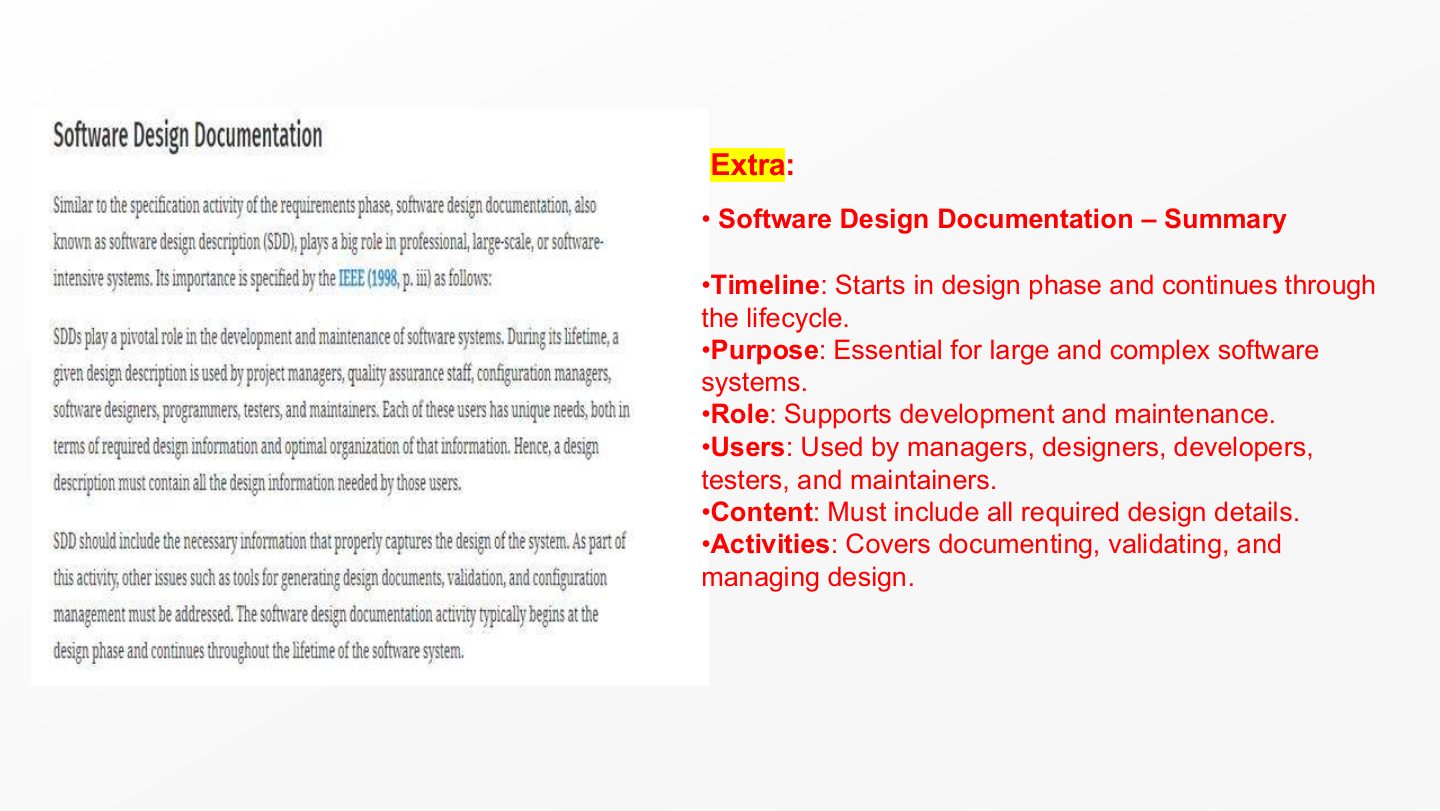
  1. Documentation starts in the design phase and continues through the whole life cycle, because the design keeps changing and the documents must keep up.

  2. It is essential for large, complex systems, where no single person can hold the design in their head, and it supports both development and maintenance.
  3. Its readers are managers, designers, developers, testers and maintainers, so it must contain all the design details each of them needs.

  4. It is more than writing: it covers documenting, validating (checking the documents are correct) and managing the design documents.

Slide 36 / 73

Extra: Software Design Management – Summary

Slide 36: Extra: Software Design Management – Summary

Notes

  1. Design management plans and controls resources so the design activities meet their goals.

  2. In the design phase that means delivering quality designs on time and within budget, and evaluating design quality from both the management view (cost, schedule) and the engineering view (standards, correctness).

  3. Configuration management controls changes to the design: which version is current, who changed what, and how improvements are approved. It is critical in large projects where many people edit the same design.

Slide 37 / 73

Software Design Process

Slide 37: Software Design Process

Notes

  1. The design phase is made of several activities, and each has one or more tasks (for example, detailed design = component design + interface design).

  2. The rest of the semester follows this map: how to carry out the major activities (architecture, then detailed design and patterns) and how to document them.

Slide 38 / 73

Software Design Process

Slide 38: Software Design Process

Notes

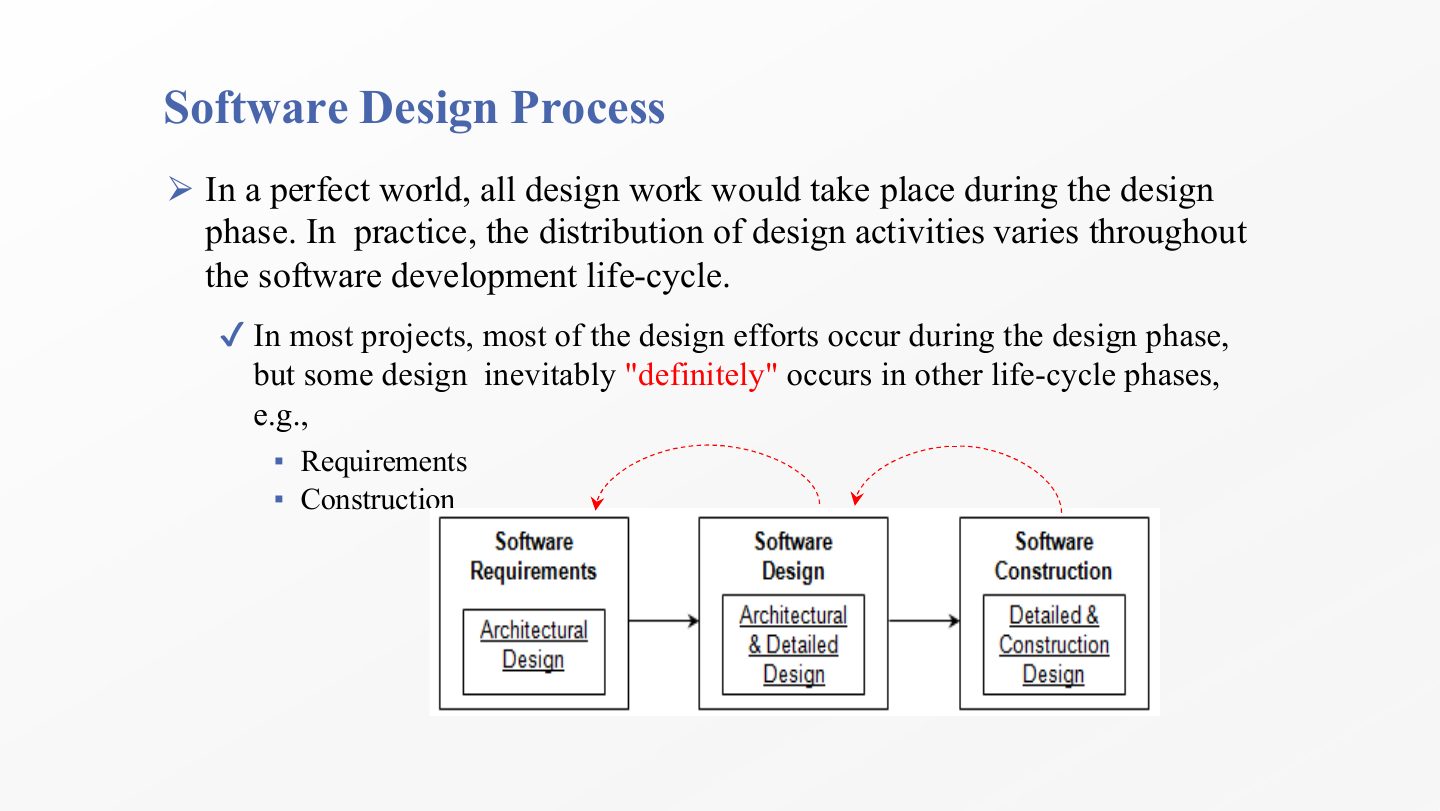
  1. Ideally all design work would happen inside the design phase. In practice design activities are spread across the life cycle.

  2. Most design effort is still in the design phase, but some design definitely happens elsewhere: during requirements (for example sketching an architecture to check feasibility) and during construction (low-level design decisions made while coding).

Slide 39 / 73

Role of Software Designers

Slide 39: Role of Software Designers

Notes

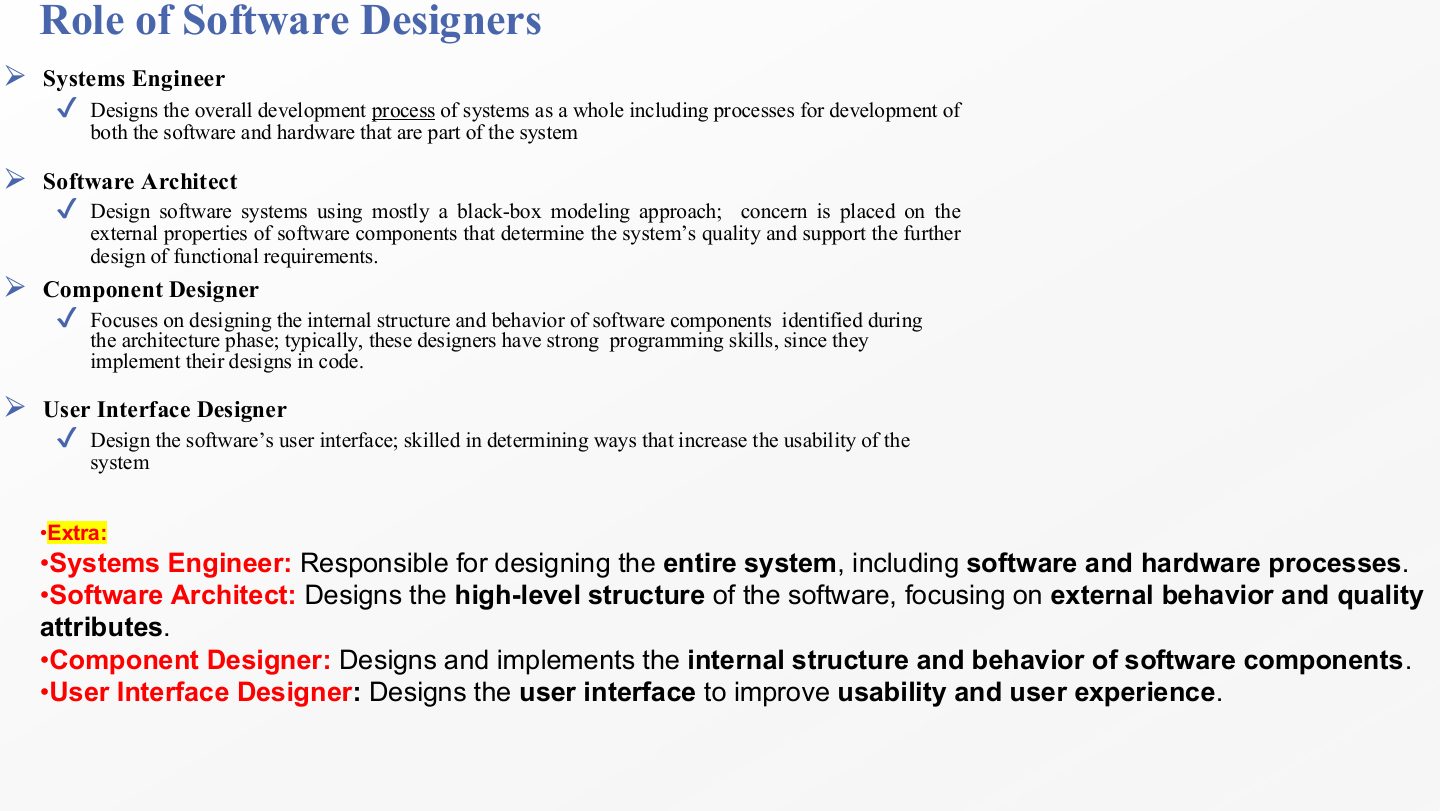
  1. Systems engineer: designs the overall development process of the whole system, including both its hardware and software parts.

  2. Software architect: designs the software with a mostly black-box approach, concerned with the external properties of components that determine quality and support the later design of functional requirements.

  3. Component designer: designs the internal structure and behaviour of the components found during architecture. These designers usually have strong programming skills, since they often implement their own designs.

  4. User interface designer: designs the UI and is skilled at increasing usability.

Exam angle

PredictionQ1

Who designs the internal structure and behaviour of components identified during architecture?

  1. Component designer
  2. Software architect
  3. Systems engineer
  4. User interface designer
Show answer

A. Component designer

Slide 40 / 73

Next … Software Design Fundamentals

Slide 40: Next … Software Design Fundamentals

Notes

  1. The fundamentals come in three groups. Principles are the rules used to judge a design: modularization, abstraction, encapsulation, cohesion and coupling, separation of interface and implementation, sufficiency and completeness.

  2. Strategies are the two overall ways to decompose a system: object-oriented or structured (functional).

  3. Considerations are two goals to keep in mind at every decision: minimise complexity and design for change.

Exam angle

PredictionQ1

Name the eight design principles of Chapter 1.

Show answer

Modularization, abstraction, encapsulation, coupling, cohesion, separation of interface and implementation, completeness, sufficiency.

Slide 41 / 73

Software Design Fundamentals (Principles)

Slide 41: Software Design Fundamentals (Principles)

Notes

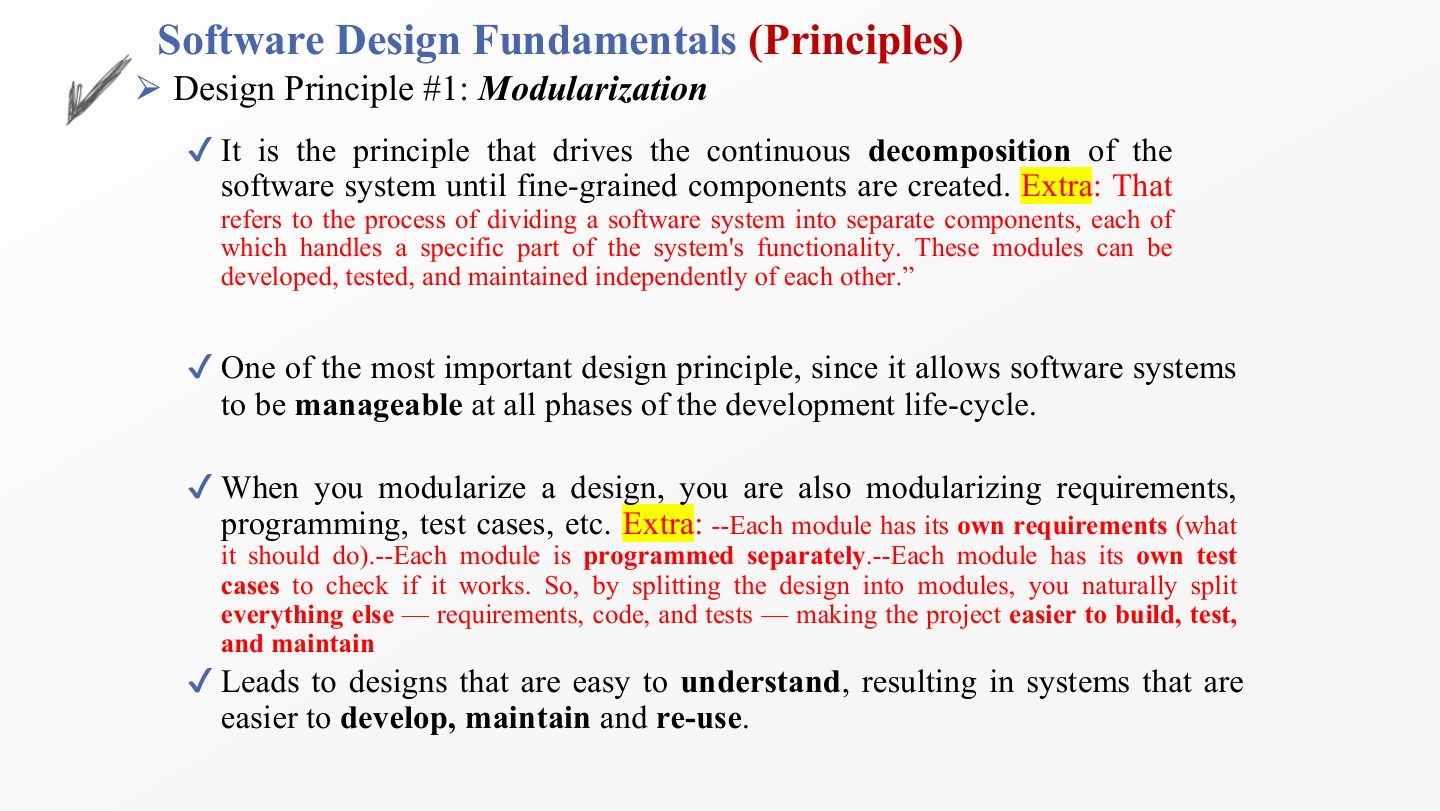
  1. Modularization keeps decomposing the system into smaller components until they are fine-grained. Each module handles one part of the functionality and can be developed, tested and maintained independently.

  2. It is one of the most important principles because it keeps the system manageable in every phase of the life cycle.

  3. Splitting the design splits everything else with it: each module gets its own requirements, its own code and its own test cases. That is why one good decomposition helps the whole project.

  4. The result is a design that is easier to understand, and so easier to develop, maintain and reuse.

Exam angle

Past exam · Quiz 1 · 261 · Q8 (fill in)Q1

Fill in the blank: Breaking a complex software system into smaller, manageable parts is called ___.

Show answer

Modularization.

Slide 42 / 73

Software Design Fundamentals (Principles)

Slide 42: Software Design Fundamentals (Principles)

Notes

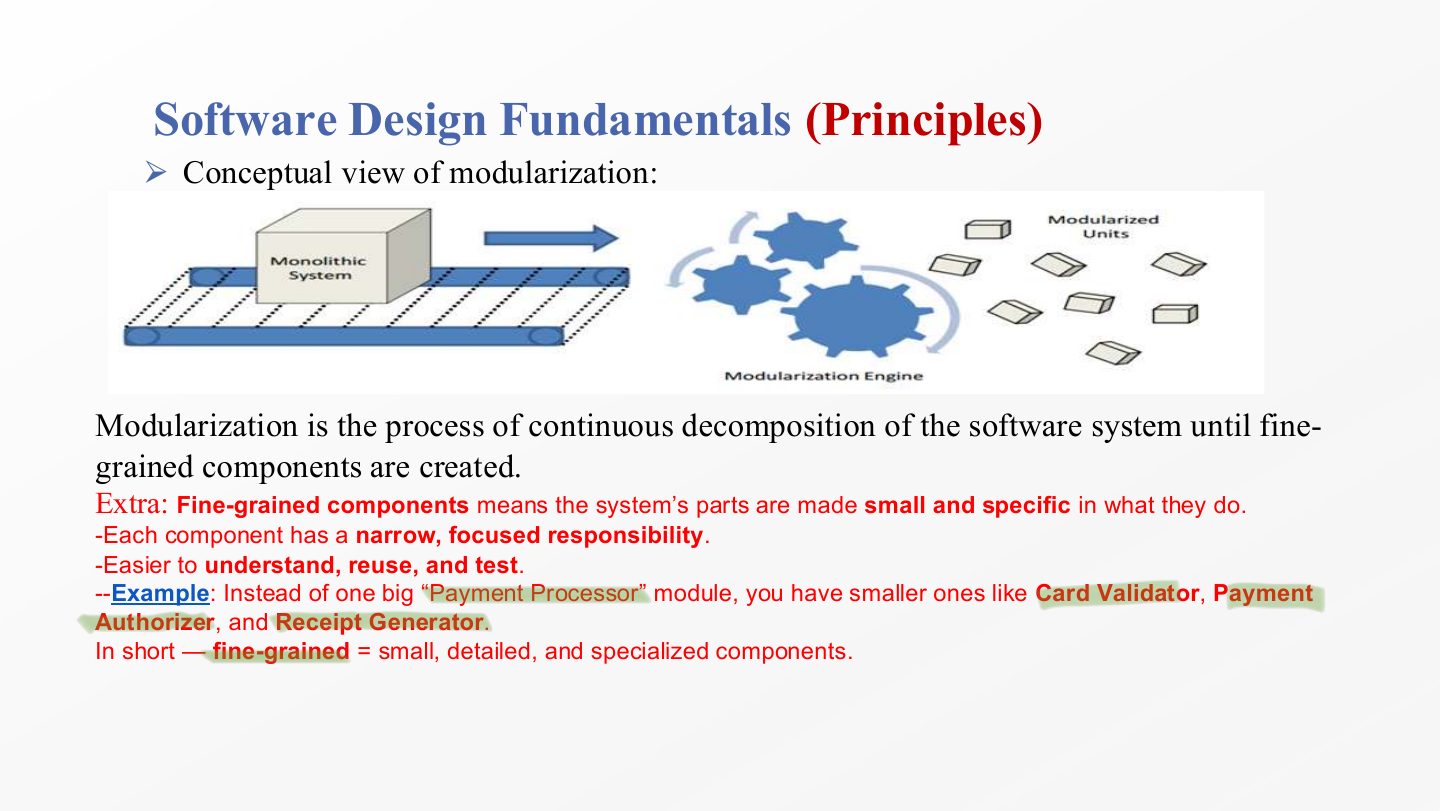
  1. Fine-grained means each component is small and specific: it has one narrow, focused responsibility, which makes it easier to understand, test and reuse.

  2. Example: instead of one big Payment Processor module, use smaller ones such as Card Validator, Payment Authorizer and Receipt Generator. Each can be changed or reused without touching the others.

Slide 43 / 73

Software Design Fundamentals (Principles)

Slide 43: Software Design Fundamentals (Principles)

Notes

  1. Modules keep the complexity of a large program manageable: you reason about one module at a time.

  2. They isolate errors: a fault is usually confined to one module, so it is easier to find and fix.

  3. They eliminate redundancy: shared logic is written once in a module instead of copied in many places.

  4. They encourage reuse: a well-defined module becomes a library other programs can use.

  5. Overall a modular program is easier to write, read and modify.

Slide 44 / 73

Continue

Slide 44: Continue

Notes

  1. Modularization tells you to split the system, but not where to split it. Splitting at random produces modules that make no sense. Something has to guide and justify the cuts.

  2. Abstraction guides it: each module should represent one essential concept and hide the unnecessary details, so modules are meaningful and focused.

  3. Encapsulation completes it: once a module’s essential face is decided, its internals are protected so other modules can only use the agreed operations.

Slide 45 / 73

Software Design Fundamentals (Principles)

Slide 45: Software Design Fundamentals (Principles)

Notes

  1. Abstraction focuses on the essential characteristics of an entity, in its current context, and defers the unnecessary details to later.

  2. Modularization says what must be done (split the system); abstraction says how to do it well. Modularizing in an ad-hoc way, without abstraction, gives incoherent designs that are hard to understand and maintain.

  3. Abstraction applies to data (show only the attributes that matter) and to functions/behaviour (show only the essential operations). Slide 46 explains each.

  4. Example: the payment gateway hides how payments are processed; the shopping cart just calls a simple “request payment” interface.
Exam angle

Past exam · Final 252 · Q1 MCQ 8Q1

The principle of “Abstraction” is best described as:

  1. Decomposing a system into fine-grained components.
  2. Focusing on essential characteristics of entities while deferring unnecessary details.
  3. Exposing all internal data to ensure other modules can access it easily.
  4. Combining hardware and software into a single monolithic unit.
Show answer

B. Focusing on essential characteristics of entities while deferring unnecessary details. — Option a is modularization.

Past exam · Quiz 1 · 261 · Q9 (true/false)Q2

Abstraction helps designers manage complexity by focusing on essential characteristics and hiding unnecessary details.

Show answer

True

Slide 46 / 73

Software Design Fundamentals (Principles)

Slide 46: Software Design Fundamentals (Principles)

Notes

  1. Functional (procedural) abstraction simplifies reasoning about an operation made of many steps. “Computer 1 SENDS a message to computer 2” stands for: look up the server, open a TCP/IP connection, send, wait for the reply, close the connection. The word SEND lets you think about the operation without the steps.

  2. Data abstraction simplifies reasoning about the structure of data. In the same sentence, MESSAGE is a data abstraction: you can talk about sending a message long before deciding its fields (header, body, encoding), which are deferred to later design stages.

Exam angle

PredictionQ1

In “Computer 1 SENDS a MESSAGE to computer 2”, which word is a procedural abstraction and which is a data abstraction?

Show answer

SEND is a procedural (functional) abstraction: it hides the steps of the operation. MESSAGE is a data abstraction: it hides the structure of the data being sent.

Slide 47 / 73

Software Design Fundamentals (Principles)

Slide 47: Software Design Fundamentals (Principles)

Notes

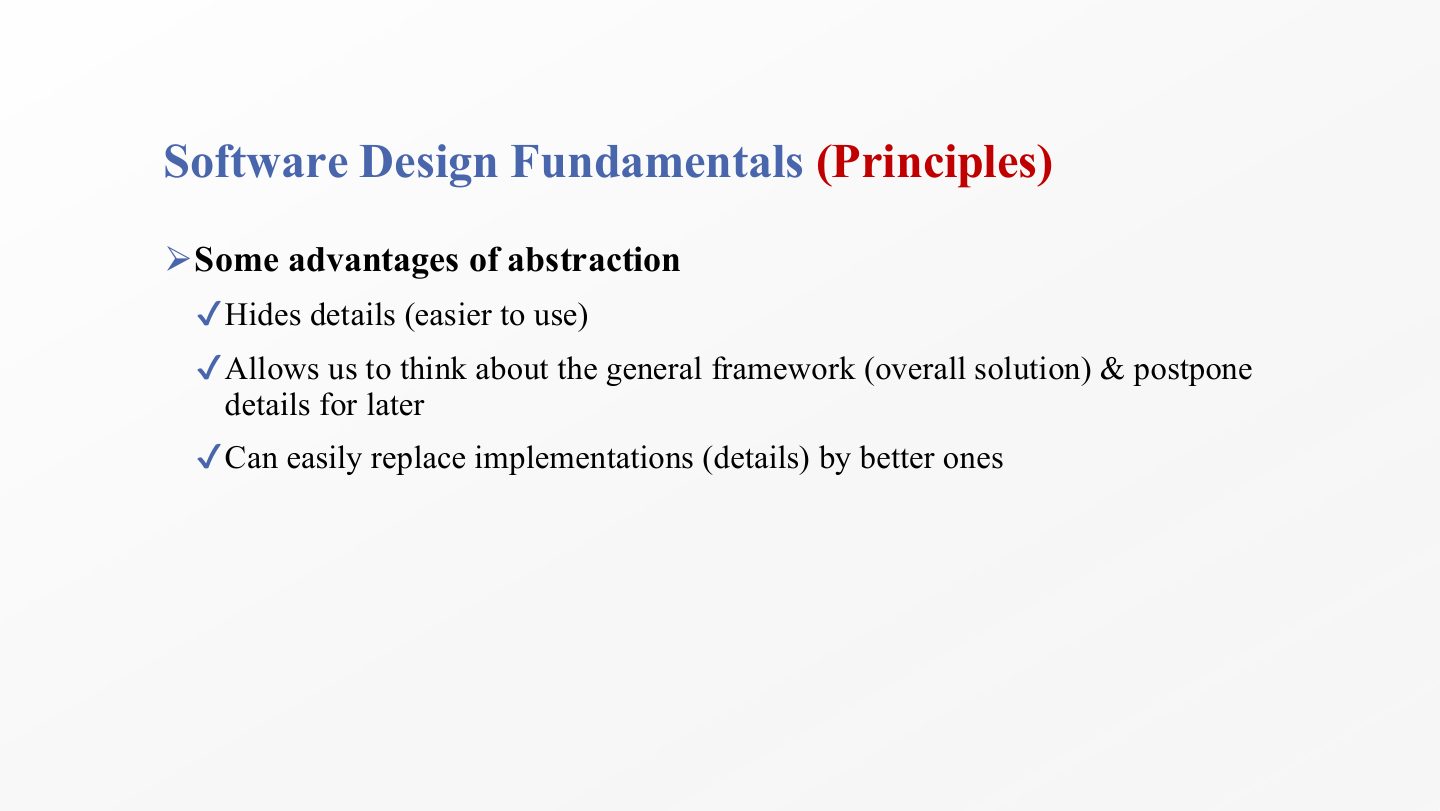
  1. Abstraction hides details, so an entity is easier to use: you call sort() without knowing the algorithm.

  2. It lets you design the general framework (the overall solution) first and postpone the details, which matches the move from architecture to detailed design.

  3. Because users depend only on the abstraction, you can replace an implementation with a better one later without changing them.

Slide 48 / 73

Software Design Fundamentals (Principles)

Slide 48: Software Design Fundamentals (Principles)

Notes

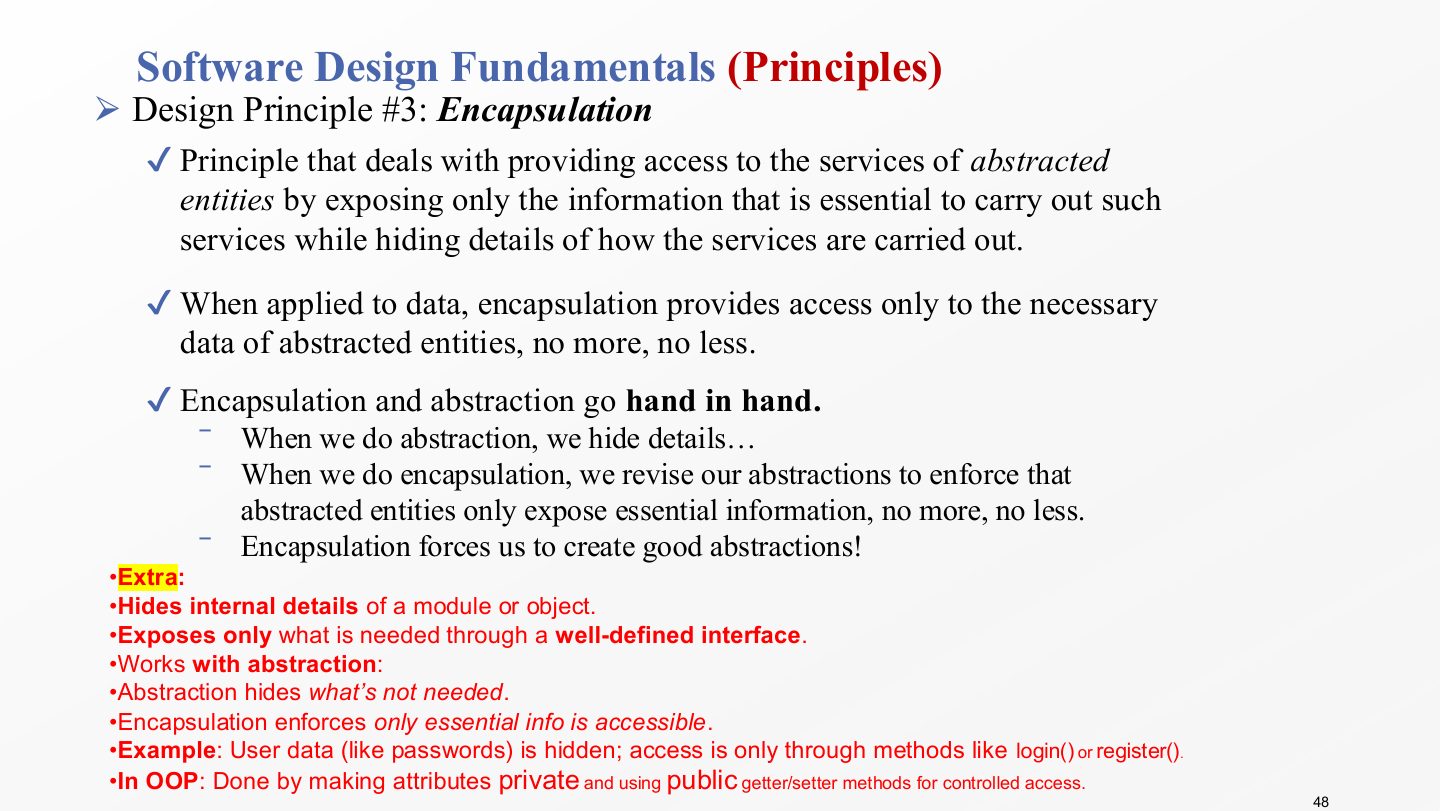
  1. Encapsulation gives access to an entity’s services by exposing only the information needed to use them, and hides how the services are carried out.

  2. Applied to data, it gives access to exactly the data needed, no more, no less.

  3. Abstraction and encapsulation work together: abstraction decides what is essential and hides the rest; encapsulation then enforces it, revising the abstraction so only the essential information is reachable. In that sense encapsulation forces good abstractions.
  4. In object-oriented code it is done with private attributes and public methods: a user’s password is never read directly, only used through login() or register().

Exam angle

PredictionQ1

Exposing only the information essential to use a service, and hiding how the service is carried out, is the principle of:

  1. Encapsulation
  2. Abstraction
  3. Modularization
  4. Cohesion
Show answer

A. Encapsulation

Slide 49 / 73

Extra: Abstraction vs. Encapsulation

Slide 49: Extra: Abstraction vs. Encapsulation

Notes

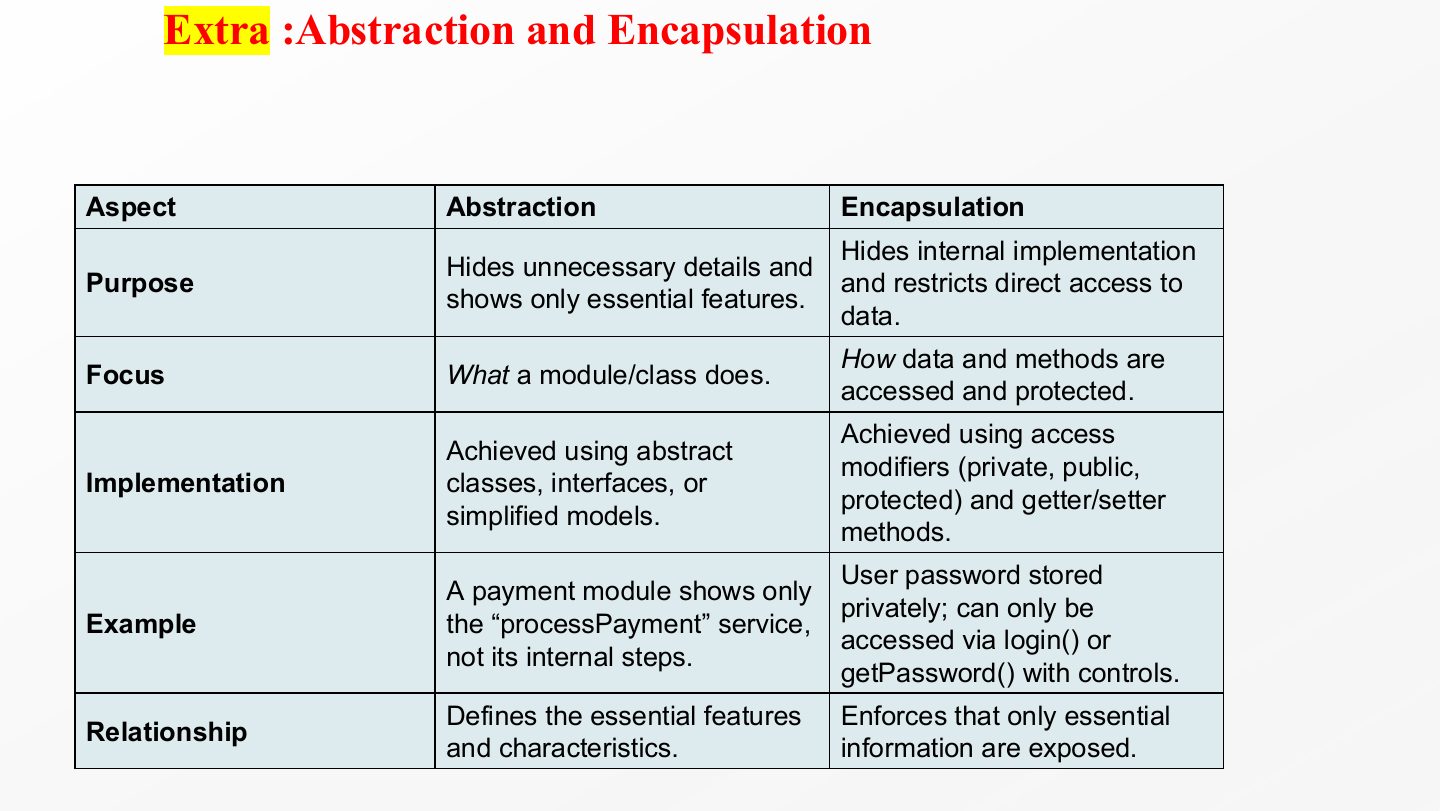
  1. Purpose: abstraction hides unnecessary details and shows only the essential features; encapsulation hides the internal implementation and restricts direct access to data.

  2. Focus: abstraction is about what a class or module does; encapsulation is about how its data and methods are accessed and protected.

  3. Implementation: abstraction is achieved with abstract classes, interfaces or simplified models; encapsulation with access modifiers (private, public, protected) and getter/setter methods.

  4. Examples: a payment module that shows only processPayment (abstraction); a password stored privately and reachable only through controlled methods (encapsulation).

Exam angle

PredictionQ1

Give one difference between abstraction and encapsulation and how each is implemented in OO code.

Show answer

Abstraction decides what a module shows (its essential features) and is implemented with abstract classes or interfaces; encapsulation restricts access to the internals and is implemented with private fields and public methods.

Slide 50 / 73

Software Design Fundamentals (Principles)

Slide 50: Software Design Fundamentals (Principles)

Notes

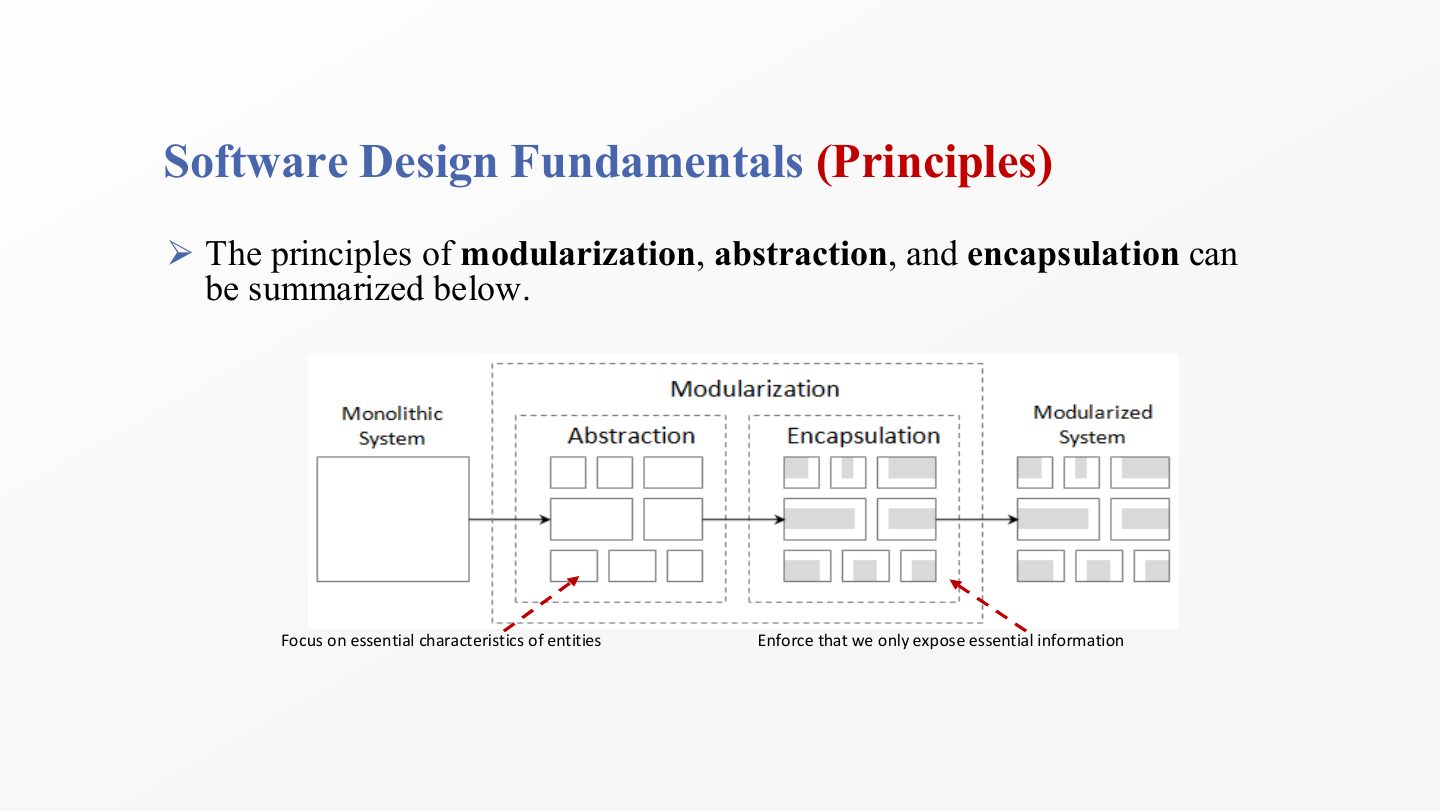
  1. The diagram chains the three principles: modularization splits the system into modules, abstraction decides each module’s essential characteristics, and…

  2. …encapsulation enforces that each module exposes only that essential information. Remember the order: split, focus, protect.

Slide 51 / 73

Extra: Modularization, Abstraction and Encapsulation

Slide 51: Extra: Modularization, Abstraction and Encapsulation

Notes

  1. Modularization example: an e-commerce system split into Login, Product Catalog, Cart and Payment modules, each easier to build, test and maintain.

  2. Abstraction example: the Payment module shows processPayment() and hides the ten internal steps it takes.

  3. Encapsulation example: card details inside Payment are private; other modules can only send data through methods like pay().

  4. The memory aid: modularization = split the house into rooms; abstraction = name each room by purpose without showing everything inside; encapsulation = lock the rooms and hand out keys only for the doors you may open.

Slide 52 / 73

Exercise

Slide 52: Exercise

Notes

  1. The exercise applies modularization to an online student registration system: decompose it into fine-grained modules, each with one responsibility.

  2. Then discuss abstraction for those modules, both data abstraction (which data each module exposes) and behaviour abstraction (which operations it offers).

  3. Finally pick one module and discuss how to encapsulate it: what becomes private and which public operations remain. Slide 53 gives a model answer.

Exam angle

PredictionQ1

Decompose an online student registration system into modules, and give one example each of data abstraction, behaviour abstraction and encapsulation.

Show answer

Modules: user management, course catalog, registration, payment, schedule/timetable, notifications, reports. Data abstraction: Payment shows status (Paid/Unpaid) but not bank transaction IDs. Behaviour abstraction: Registration offers enrollStudent(courseID) and hides eligibility checks and database updates. Encapsulation: card numbers are private in Payment; only processPayment() and checkPaymentStatus() are public.

Slide 53 / 73

Extra: Exercise – Sample Answer

Slide 53: Extra: Exercise – Sample Answer

Notes

  1. A model decomposition into seven modules: user management, course catalog, registration, payment, schedule and timetable, notifications, and reports and records. Each has one clear job.

  2. Data abstraction: the Payment module shows whether a fee is paid and hides the bank transaction IDs.

  3. Behaviour abstraction: the Registration module offers enrollStudent(courseID) and hides how eligibility is checked and the database is updated.

  4. Encapsulation for Payment: card numbers are private, the public methods are processPayment() and checkPaymentStatus(), and other modules can only go through that interface.

Slide 54 / 73

Software Design Fundamentals (Principles)

Slide 54: Software Design Fundamentals (Principles)

Notes

  1. Coupling is the manner and degree of interdependence between modules: how much one module relies on another.

  2. It is a measurement: the higher the coupling, the stronger the dependency, so a change in one module is more likely to force changes in another.

  3. Aim for low coupling. Loosely coupled modules can be changed, tested and reused separately.

Exam angle

Past exam · Final 252 · Q1 MCQ 9Q1

In software design principles, “Coupling” refers to:

  1. The degree of interdependence between software modules.
  2. How well tasks within a single module relate to one another.
  3. Ensuring a module provides all required services.
  4. Hiding the implementation details of a class.
Show answer

A. The degree of interdependence between software modules. — Option b is cohesion, c is completeness, d is encapsulation.

Slide 55 / 73

Software Design Fundamentals (Principles)

Slide 55: Software Design Fundamentals (Principles)

Notes

  1. Content coupling is the most severe type: one module modifies or relies on the internal data or code of another (e.g. directly changing another class’s private field). Any change inside the second module can break the first.

  2. Common coupling: modules depend on a shared common area, such as global variables. Change the global, and every module that uses it may change behaviour, which makes faults hard to trace.

Exam angle

Past exam · Midterm 261 · Q7 (word bank)Q1

When multiple modules directly access the same global data, this is ___ coupling.

Show answer

Common coupling.

Slide 56 / 73

Software Design Fundamentals (Principles)

Slide 56: Software Design Fundamentals (Principles)

Notes

  1. External coupling: two modules share an externally imposed data format, communication protocol or device interface. If the external format changes, both modules must change.

  2. Control coupling: one module controls the flow of another by passing it information on what to do, for example a flag like mode = PRINT_OR_SAVE. The receiver’s behaviour now depends on the caller’s decisions.

Exam angle

Past exam · Midterm 261 · Q7 (word bank)Q1

When one module sends information that determines or controls the internal behavior of another module, this is ___ coupling.

Show answer

Control coupling.

Slide 57 / 73

Software Design Fundamentals (Principles)

Slide 57: Software Design Fundamentals (Principles)

Notes

  1. Stamp coupling: modules share a composite data structure but each uses only part of it, such as passing a whole student record to a function that needs only the ID. The function now depends on the whole record’s structure.

  2. Data coupling: modules share only the data they need, through parameters (pass the ID, not the record). This is the acceptable form of coupling.

  3. No coupling: modules do not communicate at all.

  4. Order from worst to best, as on slides 55–57: content, common, external, control, stamp, data, none.

Exam angle

PredictionQ1

Passing a whole student record to a function that only needs the student ID is an example of:

  1. Stamp coupling
  2. Data coupling
  3. Content coupling
  4. Control coupling
Show answer

A. Stamp coupling

PredictionQ2

Which is the most severe type of coupling?

  1. Content coupling
  2. Common coupling
  3. Stamp coupling
  4. Data coupling
Show answer

A. Content coupling

Slide 58 / 73

Software Design Fundamentals (Principles)

Slide 58: Software Design Fundamentals (Principles)

Notes

  1. High coupling lowers quality in two ways: reusability drops (a module can’t be taken elsewhere without its partners) and maintainability drops (a change ripples into dependent modules).

  2. As coupling rises, so does the complexity of managing and maintaining the design units, because you have to understand several modules to change one.

Slide 59 / 73

Software Design Fundamentals (Principles)

Slide 59: Software Design Fundamentals (Principles)

Notes

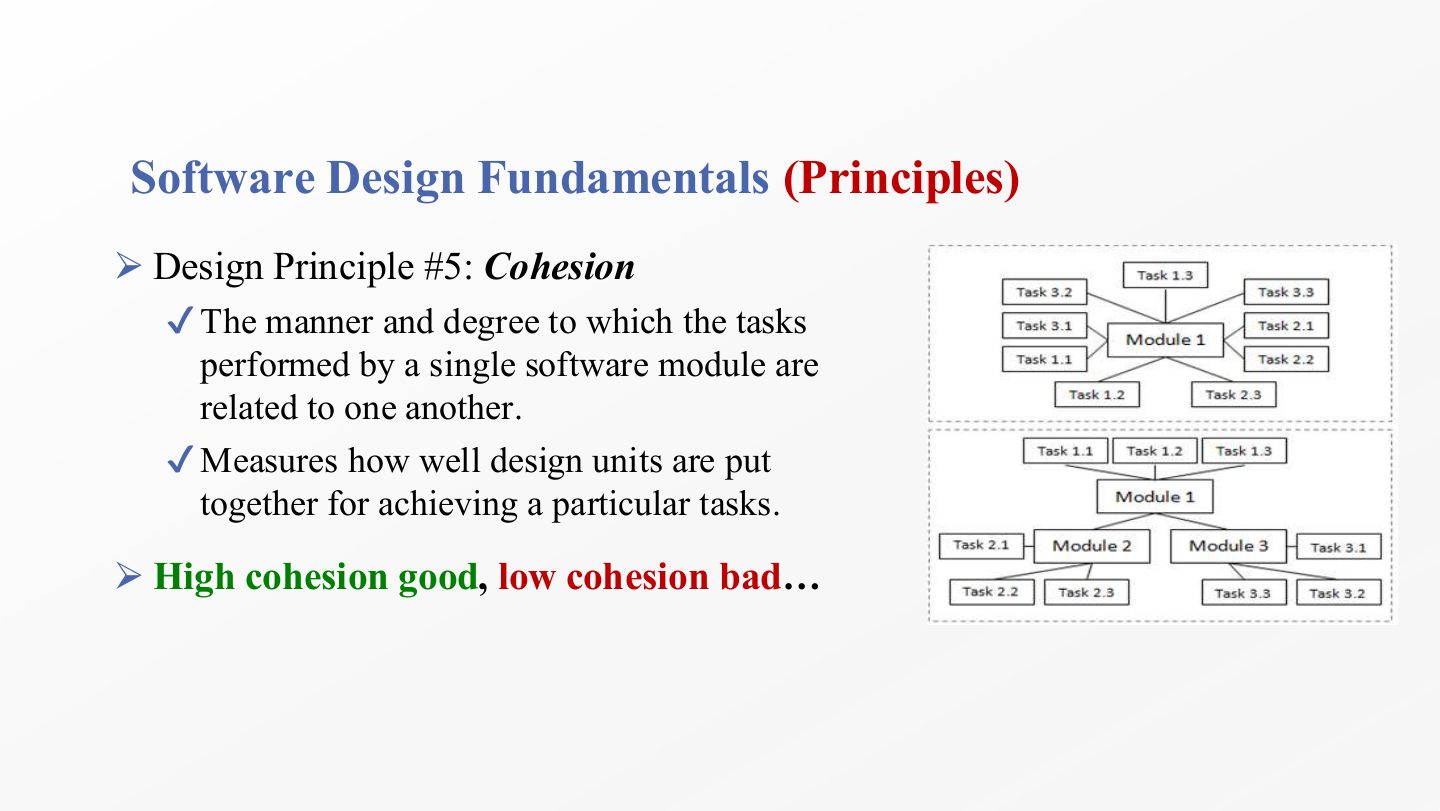
  1. Cohesion is the manner and degree to which the tasks performed by one module are related to each other.

  2. It measures how well a design unit’s parts belong together to achieve a particular task. A cohesive module is easy to name in a few words.

  3. High cohesion is good, low cohesion is bad. Together with slide 54 this gives the golden rule: low coupling, high cohesion.

Exam angle

PredictionQ1

True or false: good design aims for high coupling and low cohesion.

Show answer

False — It aims for low coupling and high cohesion.

Slide 60 / 73

Software Design Fundamentals (Principles)

Slide 60: Software Design Fundamentals (Principles)

Notes

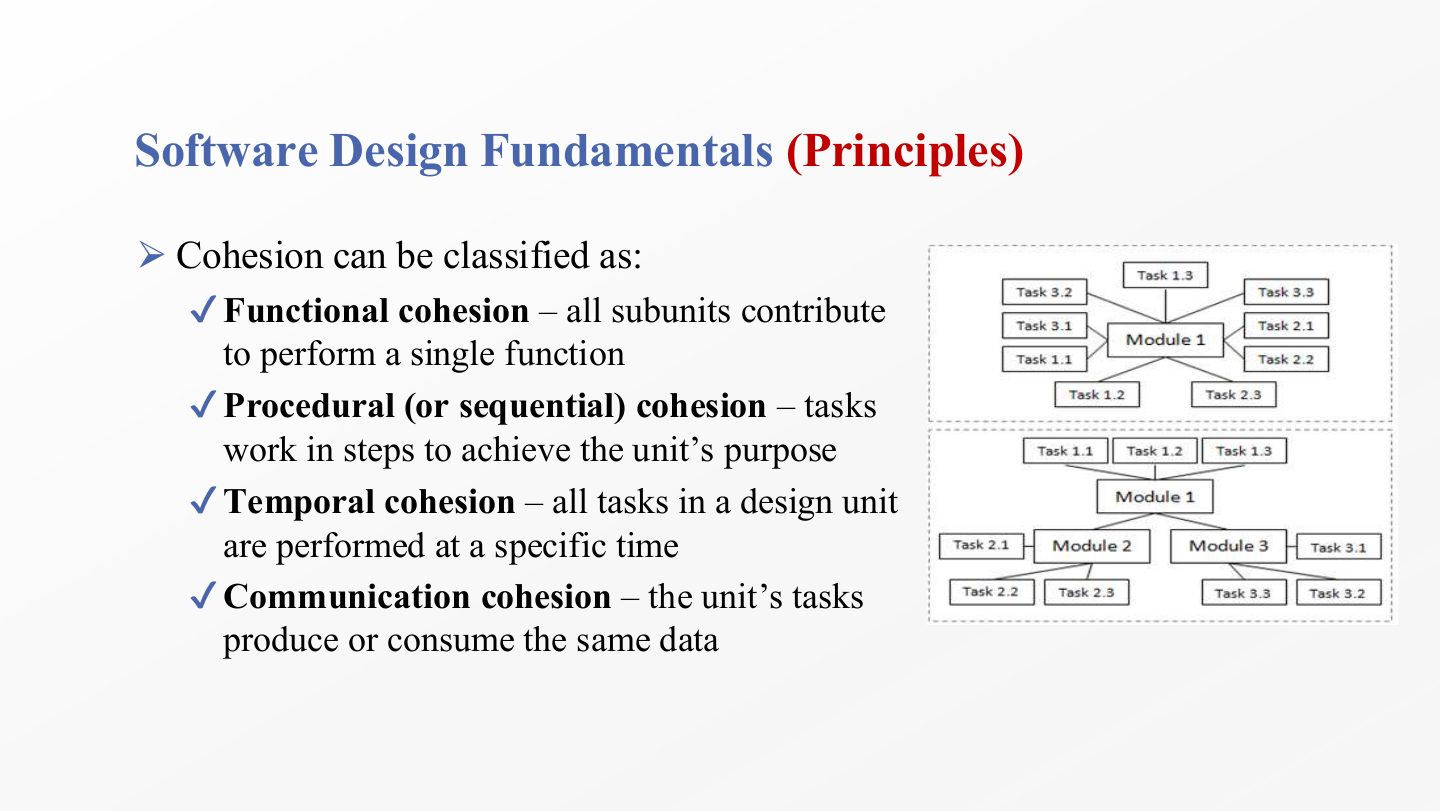
  1. Functional cohesion (the best): every part of the unit contributes to one single function.

  2. Procedural (sequential) cohesion: the tasks are steps done in order to achieve the unit’s purpose, often the output of one step feeding the next.

  3. Temporal cohesion: the tasks are grouped because they run at the same time (e.g. at start-up), not because they are related.

  4. Communication(al) cohesion: the tasks produce or consume the same data.

Exam angle

Past exam · Midterm 261 · Q7 (word bank)Q1

When several operations in a module work on the same input data or contribute to the same output, this is ___ cohesion.

Show answer

Communicational cohesion.

Past exam · Midterm 261 · Q7 (word bank)Q2

When module elements are grouped because they need to execute at approximately the same time, this is ___ cohesion.

Show answer

Temporal cohesion.

Slide 61 / 73

Extra: Cohesion Examples

Slide 61: Extra: Cohesion Examples

Notes

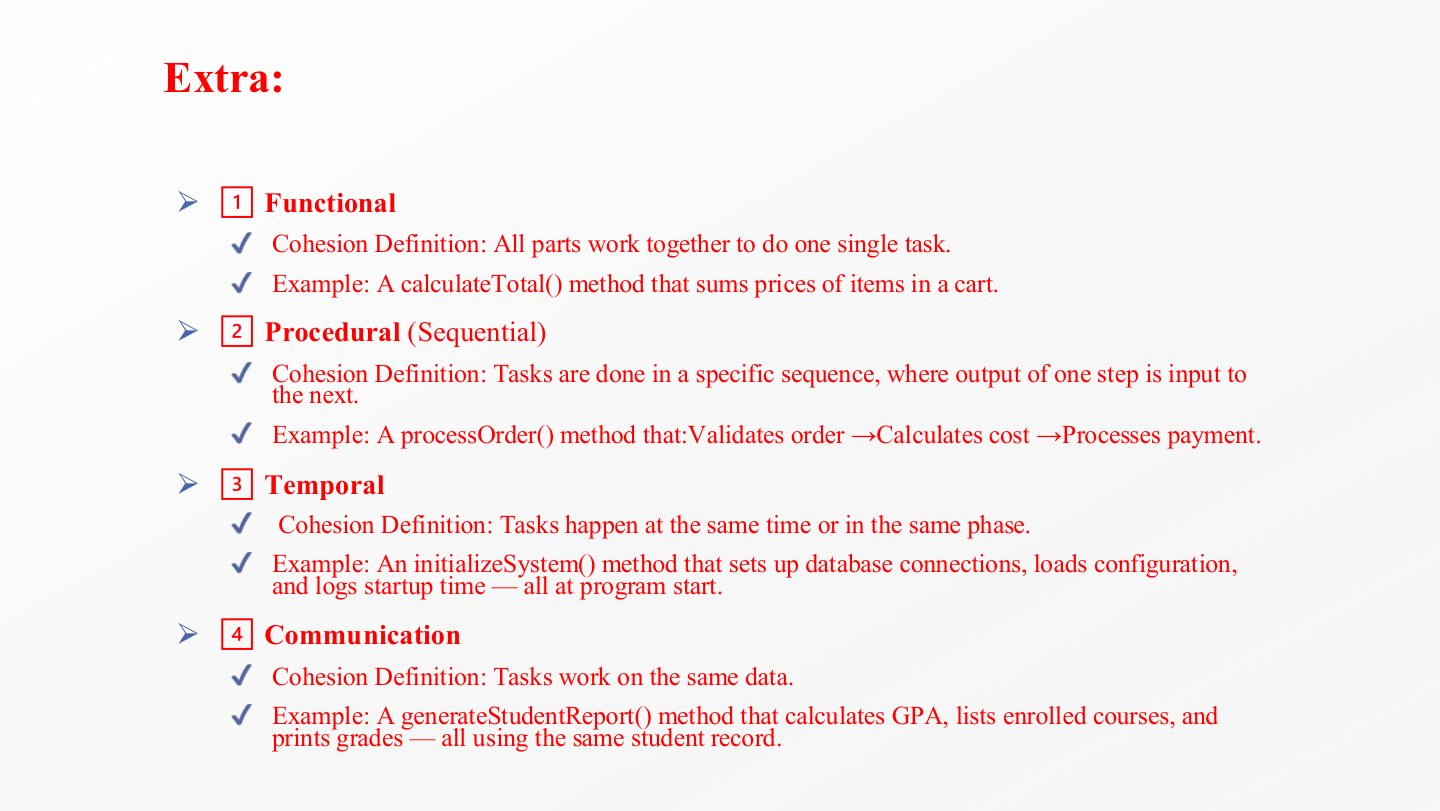
  1. calculateTotal() sums the prices in a cart: every line serves one task, so it is functional cohesion.

  2. processOrder() validates the order, then calculates the cost, then processes payment: steps in sequence, so procedural (sequential).

  3. initializeSystem() opens database connections, loads configuration and logs the start-up time: unrelated tasks grouped because they happen at program start, so temporal.

  4. generateStudentReport() calculates GPA, lists courses and prints grades, all from the same student record: communicational.

Exam angle

PredictionQ1

An initializeSystem() method opens database connections, loads configuration and logs the start time. Which cohesion is this?

  1. Temporal
  2. Functional
  3. Communicational
  4. Procedural
Show answer

A. Temporal

Slide 62 / 73

Extra: Good vs. Bad Design

Slide 62: Extra: Good vs. Bad Design

Notes

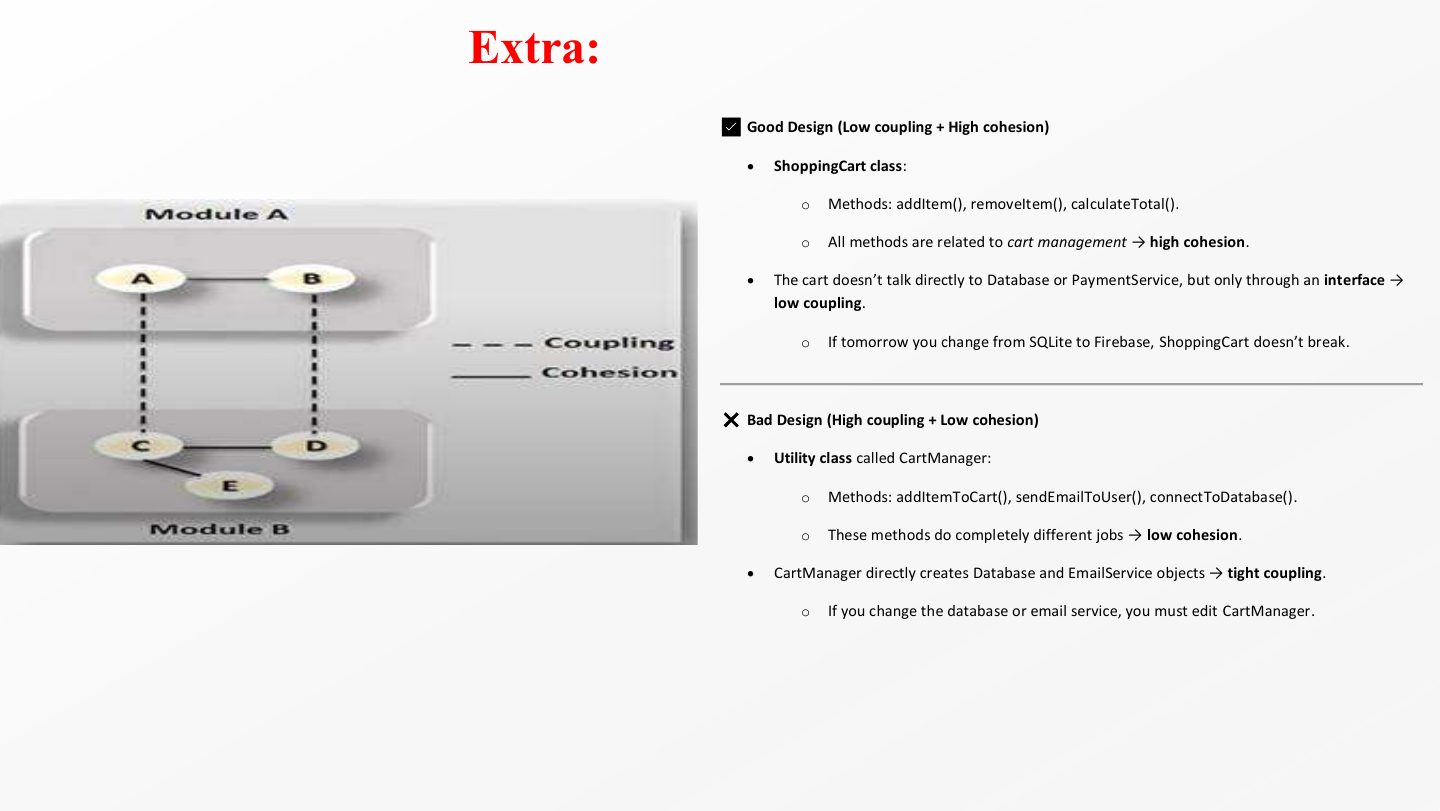
  1. Good design: ShoppingCart has addItem(), removeItem() and calculateTotal(), all about managing the cart, so cohesion is high.

  2. It reaches the database and payment service only through an interface, so coupling is low: switching from SQLite to Firebase doesn’t break the cart.

  3. Bad design: CartManager mixes addItemToCart(), sendEmailToUser() and connectToDatabase(), three unrelated jobs, so cohesion is low.

  4. It also creates the Database and EmailService objects itself, so coupling is tight: changing either service means editing CartManager.

Exam angle

PredictionQ1

A CartManager class adds items to the cart, sends emails to users and connects to the database, and creates its own Database object. Identify the cohesion and coupling problems and suggest a fix.

Show answer

Low cohesion: three unrelated responsibilities. Tight coupling: it creates concrete Database and EmailService objects itself. Fix: split into ShoppingCart, an email/notification service and a data-access class, and let ShoppingCart depend on interfaces that are passed in.

Slide 63 / 73

Software Design Fundamentals (Principles)

Slide 63: Software Design Fundamentals (Principles)

Notes

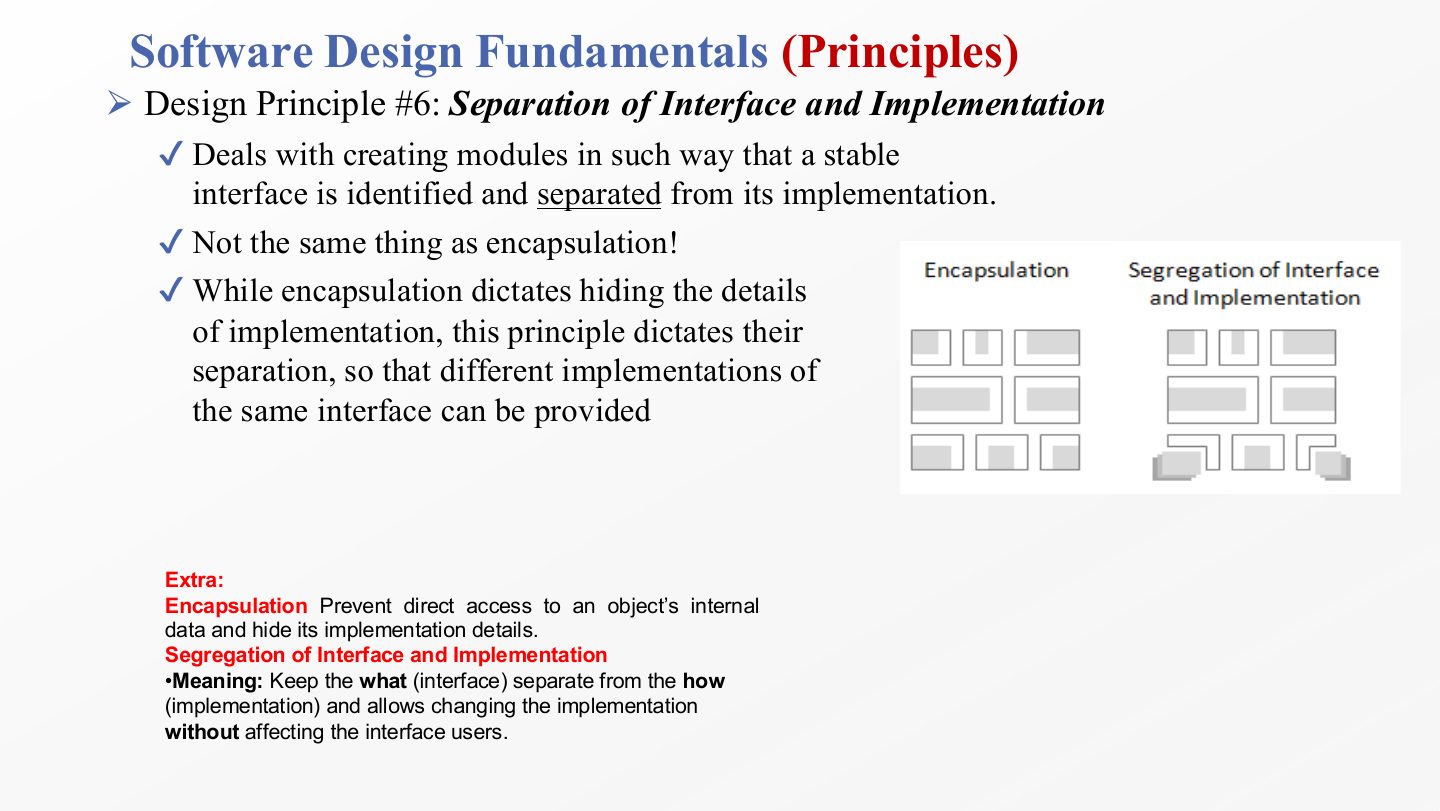
  1. Separation of interface and implementation: design each module so that a stable interface (what it offers) is identified and kept separate from its implementation (how it does it).

  2. It is not the same as encapsulation. Encapsulation hides the implementation details; this principle separates them, so the interface exists on its own.

  3. The payoff: different implementations of the same interface can be provided and swapped (a PaymentGateway interface with Visa and PayPal implementations) without affecting the code that uses the interface.

Exam angle

PredictionQ1

How does separation of interface and implementation differ from encapsulation?

Show answer

Encapsulation hides how a module works. Separation of interface and implementation keeps the interface as a separate, stable element so that several implementations can be provided and swapped without affecting its users.

Slide 64 / 73

Software Design Fundamentals (Principles)

Slide 64: Software Design Fundamentals (Principles)

Notes

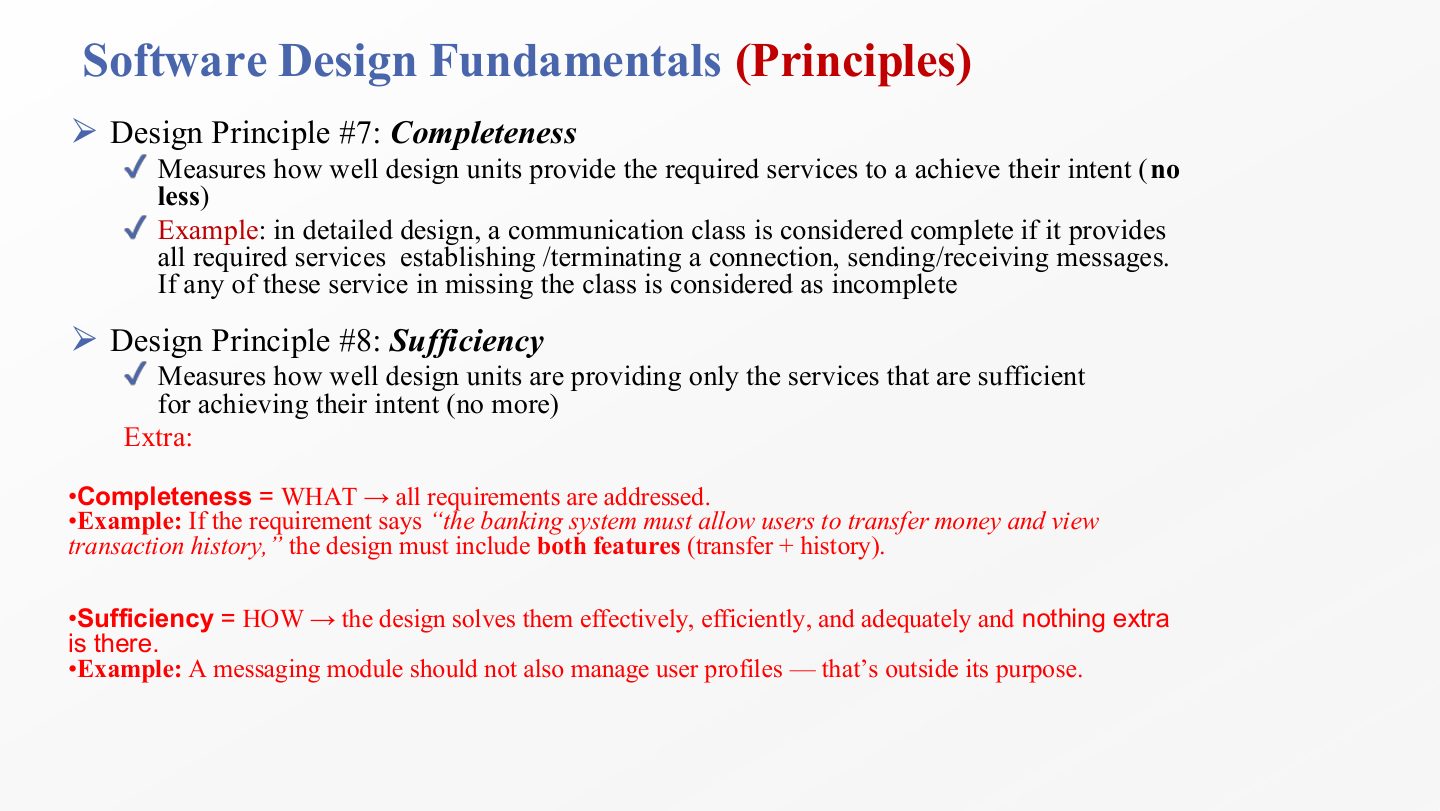
  1. Completeness measures whether a design unit provides all the services it needs to achieve its intent: no less.

  2. Example: a communication class is complete only if it can establish and terminate a connection and send and receive messages. Missing any one makes it incomplete.

  3. Sufficiency measures whether the unit provides only the services sufficient for its intent: no more. Completeness asks “is anything missing?”, sufficiency asks “is anything extra?”.

  4. Example of insufficiency in the opposite sense: a messaging module that also manages user profiles has taken on a service outside its purpose. The banking example on the slide shows completeness: the transfer and history requirements must both appear in the design.

Exam angle

Past exam · Final 252 · Q1 MCQ 10Q1

Which design principle measures how well a unit provides only the services necessary for its intent, ensuring no extra, unnecessary features are included?

  1. Completeness.
  2. Sufficiency.
  3. Cohesion.
  4. Modularization.
Show answer

B. Sufficiency. — Completeness = no less; sufficiency = no more.

Slide 65 / 73

So …. To Wrap-up

Slide 65: So …. To Wrap-up

Notes

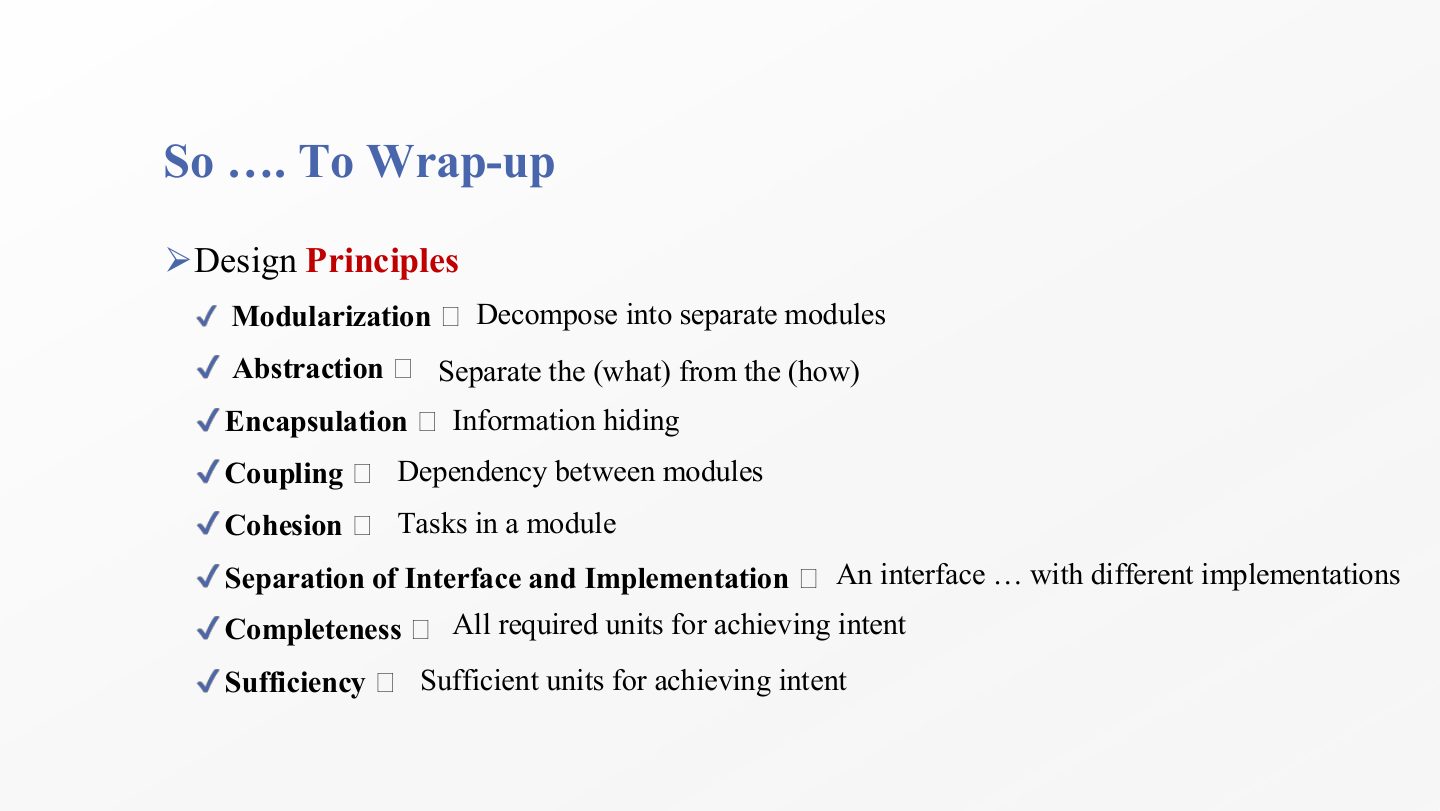
  1. Modularization = decompose into separate modules.

  2. Abstraction = separate the what from the how.

  3. Encapsulation = information hiding.

  4. Coupling = dependency between modules; cohesion = how related the tasks in a module are. Separation of interface and implementation = one interface, possibly several implementations.

  5. Completeness = every required service is there; sufficiency = only the services needed. A one-line definition of each is a likely short question.

Exam angle

PredictionQ1

Match each principle to its one-line meaning: modularization, abstraction, encapsulation, coupling, cohesion, completeness.

Show answer

Modularization: decompose into modules. Abstraction: separate what from how. Encapsulation: information hiding. Coupling: dependency between modules. Cohesion: relatedness of the tasks in a module. Completeness: all required services are provided.

Slide 66 / 73

Software Design Fundamentals (Strategies)

Slide 66: Software Design Fundamentals (Strategies)

Notes

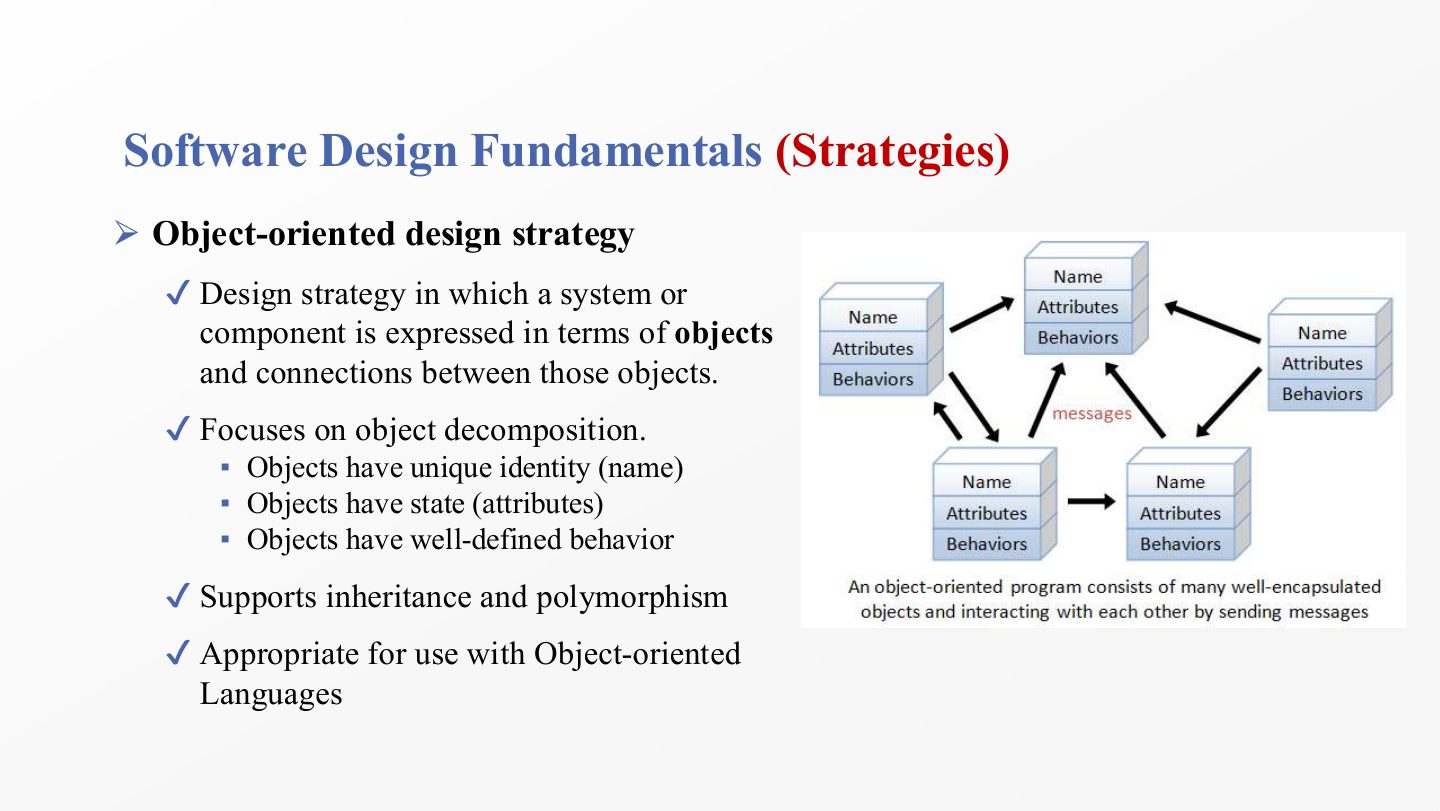
  1. The object-oriented strategy expresses a system or component as objects and the connections between them, so the decomposition is by objects rather than by functions.

  2. Every object has a unique identity (a name), a state (its attribute values) and well-defined behaviour (its operations).

  3. It supports inheritance and polymorphism and suits object-oriented languages such as Java. Chapters 5–7 use this strategy throughout.

Slide 67 / 73

Software Design Fundamentals

Slide 67: Software Design Fundamentals

Notes

  1. The structured (functional) strategy decomposes a system into single-purpose, independent modules using an iterative top-down approach: start with the whole function and keep breaking it down.

  2. It focuses on the functions the system must provide, their decomposition into smaller functions, and the modules that implement them.

  3. It is inappropriate for object-oriented languages because it is centred on functions, not objects. It fits procedural languages such as C.

Exam angle

PredictionQ1

Compare the object-oriented and structured design strategies.

Show answer

Object-oriented: decomposes the system into objects (identity, state, behaviour) and their connections; supports inheritance and polymorphism; suits OO languages. Structured: decomposes top-down into single-purpose functional modules; centred on functions; inappropriate for OO languages.

Slide 68 / 73

Software Design Fundamentals (Considerations)

Slide 68: Software Design Fundamentals (Considerations)

Notes

  1. Minimise complexity: design is fundamentally about reducing complexity, and every decision should take that into account.

  2. When two design options compete and both meet the requirements, choose the one that is less complex (fewer parts, fewer dependencies).

  3. Design for change: software will change, so design with extension in mind. Several techniques (modularity, interfaces, the principles of chapter 5) help achieve this.

Exam angle

Past exam · Quiz 1 · 261 · Q10 (fill in)Q1

Fill in the blank: When two designs satisfy the same requirements, the design with fewer unnecessary dependencies is generally preferred because software design should minimize ___.

Show answer

Complexity.

Slide 69 / 73

For Next Lecture/tutorial - Exercise

Slide 69: For Next Lecture/tutorial - Exercise

Notes

  1. The exercise: draw a mind-map of the chapter’s topics and how they relate, and upload it to the Moodle forum. The value is in the connecting lines, not in listing terms.

  2. It is required at the end of every chapter, so it doubles as a revision sheet before each exam.

Slide 70 / 73

Mind-mapping tools

Slide 70: Mind-mapping tools

Notes

  1. Any mind-mapping tool works: XMind, Miro or draw.io. Put the central topic (software design) in the middle and branch to problem solving, process, challenges, principles and strategies.

Slide 71 / 73

Summary

Slide 71: Summary

Notes

  1. The summary repeats the seven topics of slide 3. A good check: for each one, can you give the definition and one example without looking?

  2. The next chapter starts the first major design activity: software architecture.

Slide 72 / 73

Summary (detailed), part 1

Slide 72: Summary (detailed), part 1

Notes

  1. The detailed summary, first half: SE definitions and phases, problem solving (states, functional fixedness, the holistic approach), design as process and product, why study design.

  2. The five challenges: requirements volatility, inconsistent processes, fast-changing technology, managing design influences, ethics.

Slide 73 / 73

Summary (detailed), part 2

Slide 73: Summary (detailed), part 2

Notes

  1. Second half: the design process, with its major activities (architecture, detailed design) and supporting activities (construction design, HCI design, documentation, management).

  2. The eight principles, from modularization to sufficiency.

  3. The two strategies (object-oriented, structured) and the two considerations (minimise complexity, design for change).