CYS405 · Annotated SlidesChapter 3 — Scanning
Chapter 3 · Annotated slides

Scanning

Port, network and vulnerability scanning, TCP flags and the three-way handshake, ICMP and ping sweeps, full-connect, stealth (half-open), inverse-flag, Xmas, ACK, idle and UDP scans, countermeasures, banner grabbing and OS fingerprinting, and Nmap and other scanners.
Slide text Study notes Highlight: key words Tips, tricks & traps Seen again elsewhere How it can come up
Slide 1: Slide 1
Exam weight Low

    Learning Objective

    • Identify common information-gathering tools and techniques.
    2
    Exam weight Low
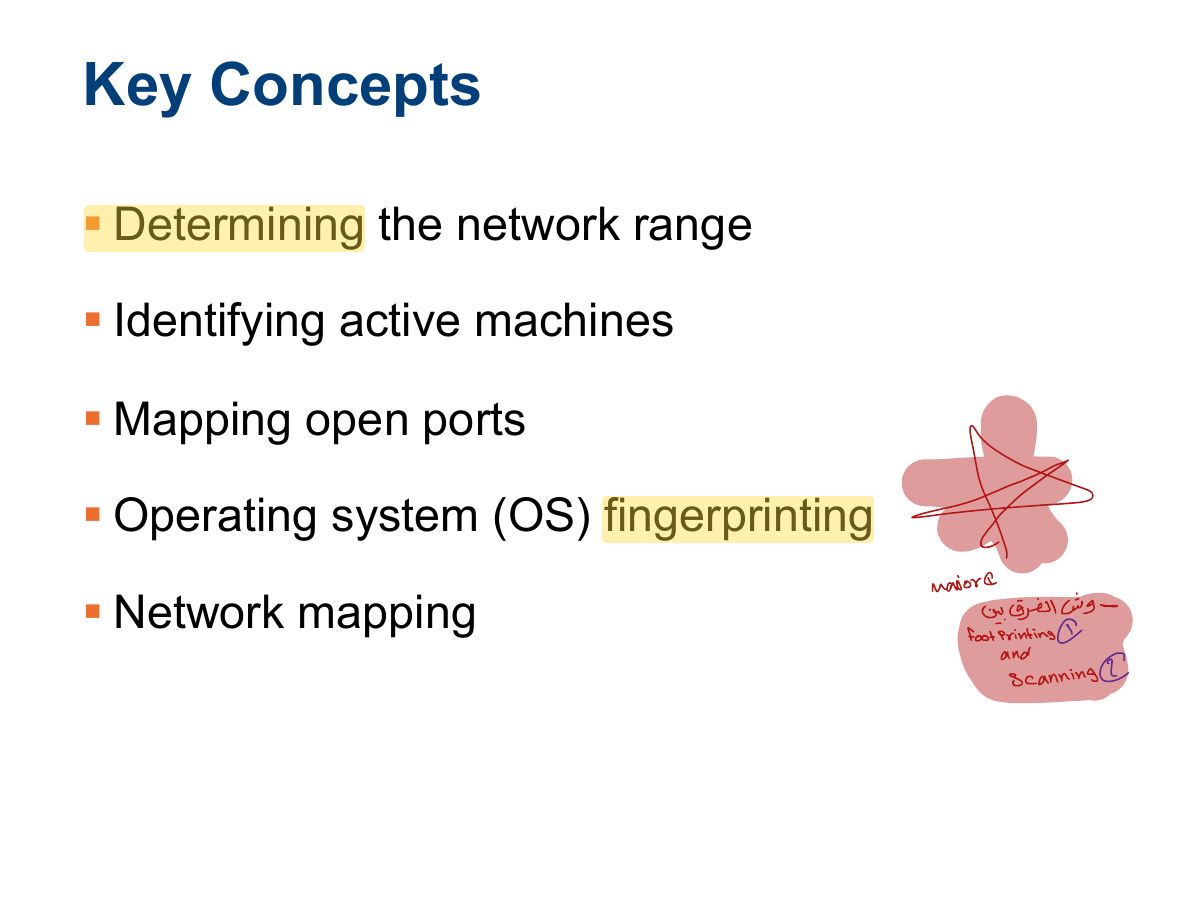
      Slide 3: Key Concepts
      Exam weight Low
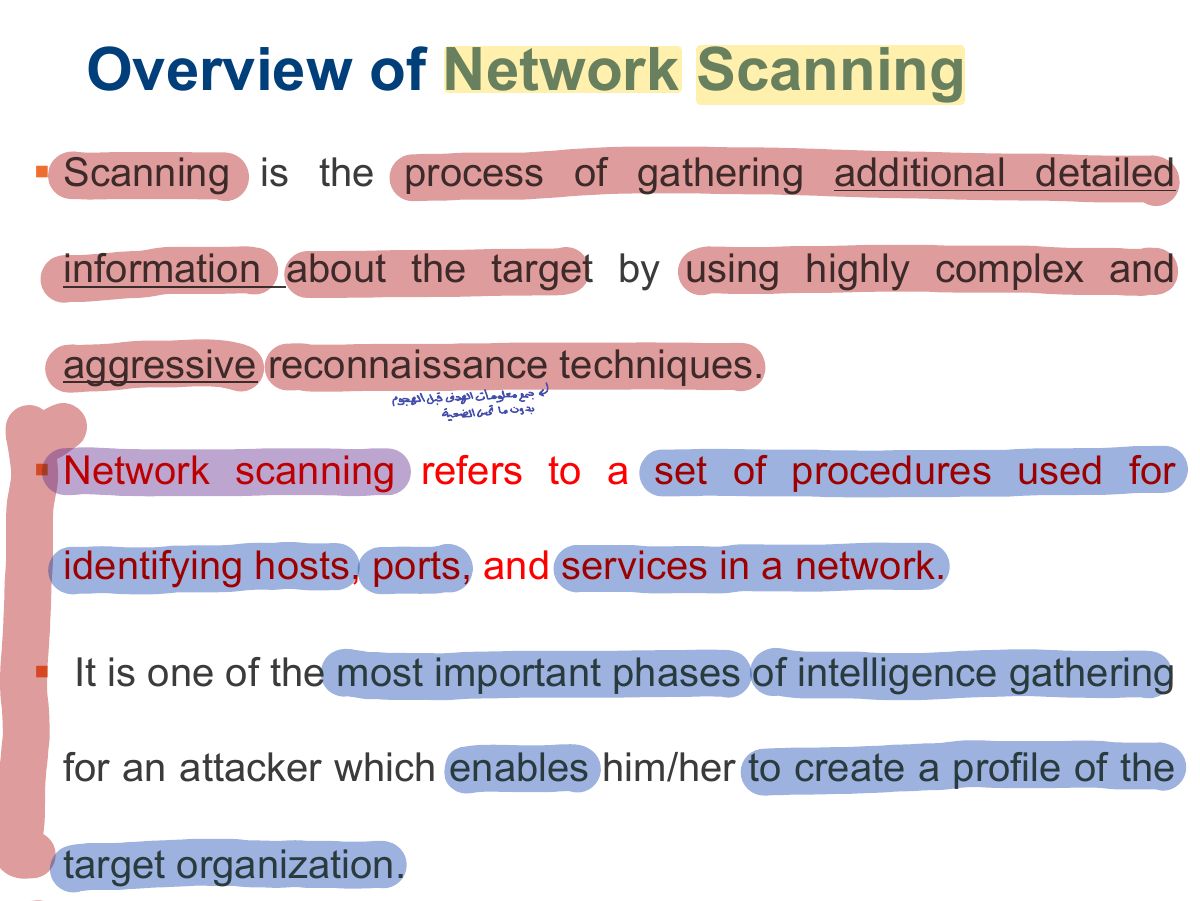
        Slide 4: Overview of Network Scanning
        Exam weight Low
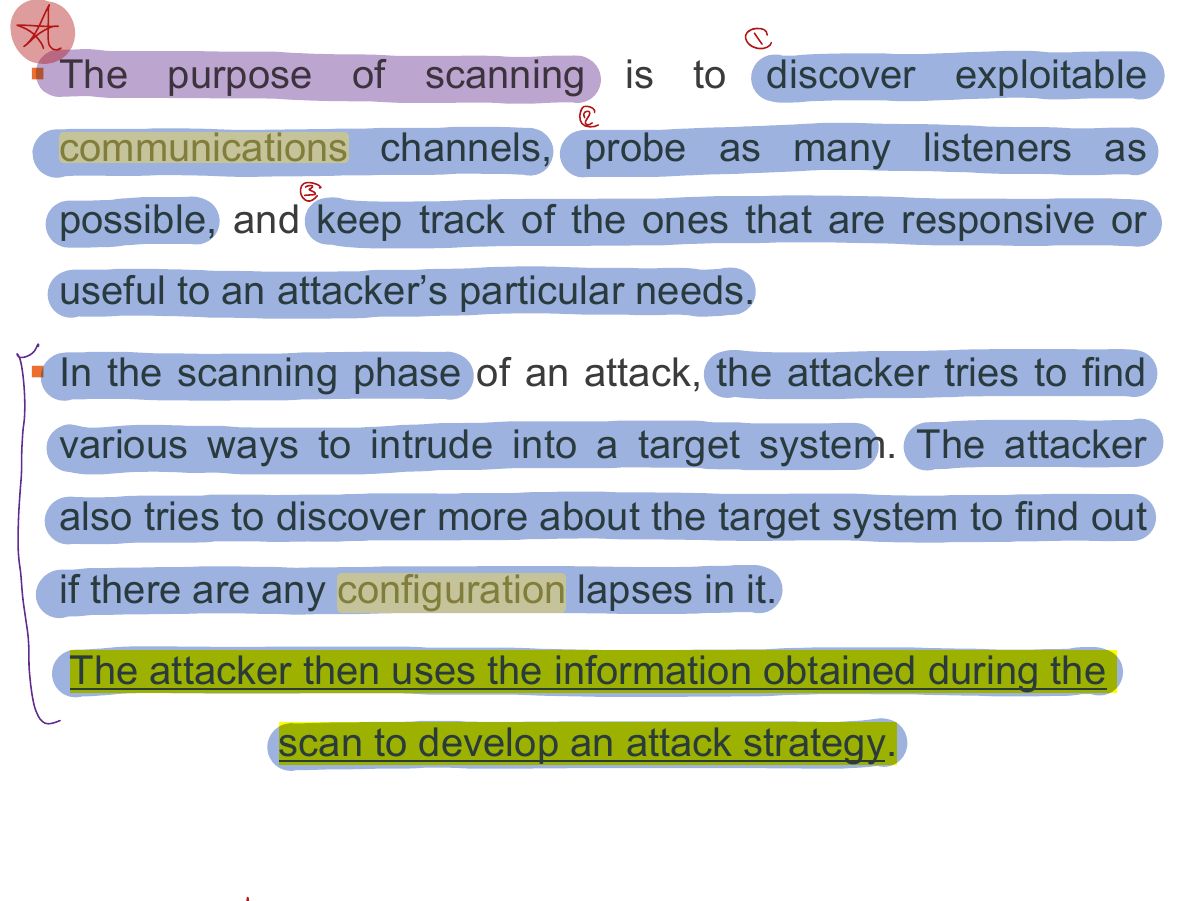
          Slide 5: § The purpose of scanning is to discover exploitable
          Exam weight Low
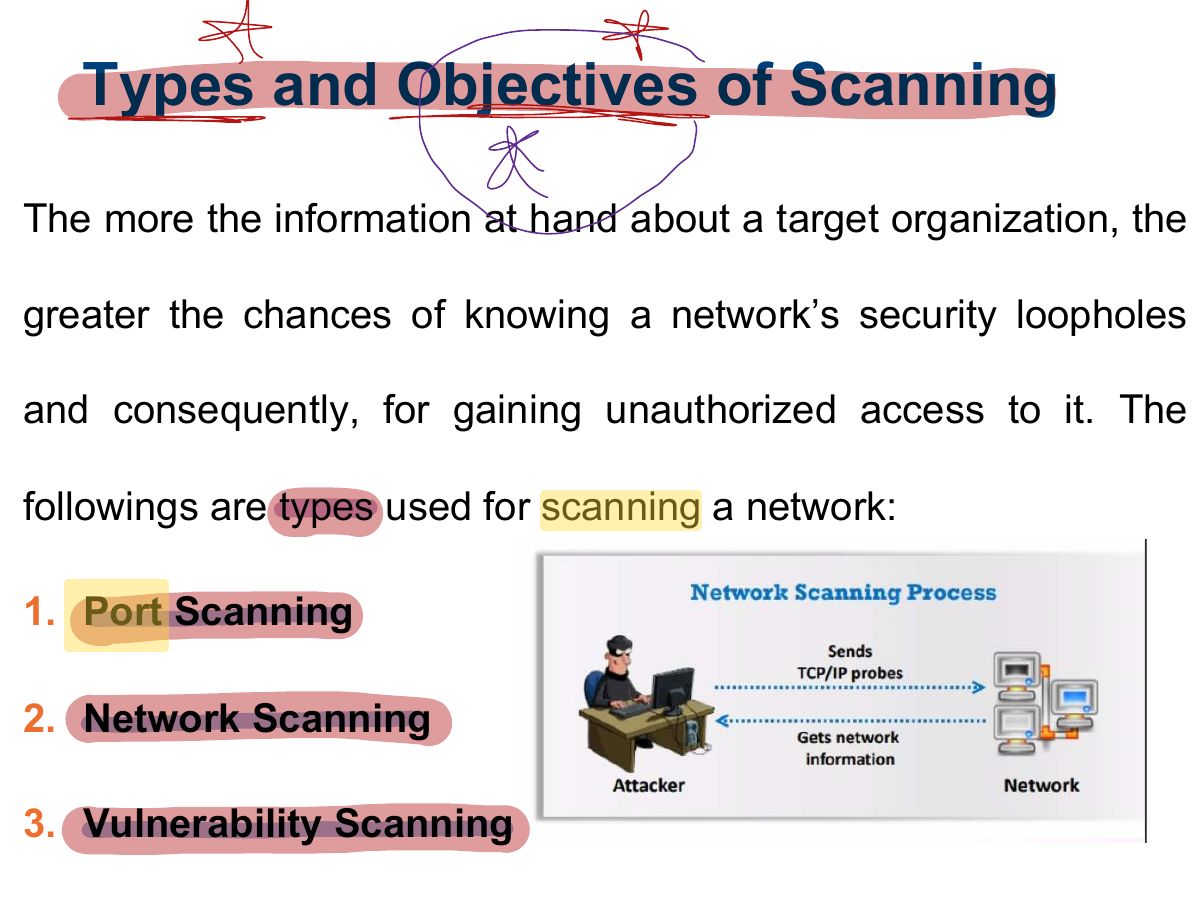
            Slide 6: Types and Objectives of Scanning
            Exam weight Low
            1. Types: port scanning (open ports/services), network scanning (live IPs), vulnerability scanning (known weaknesses).
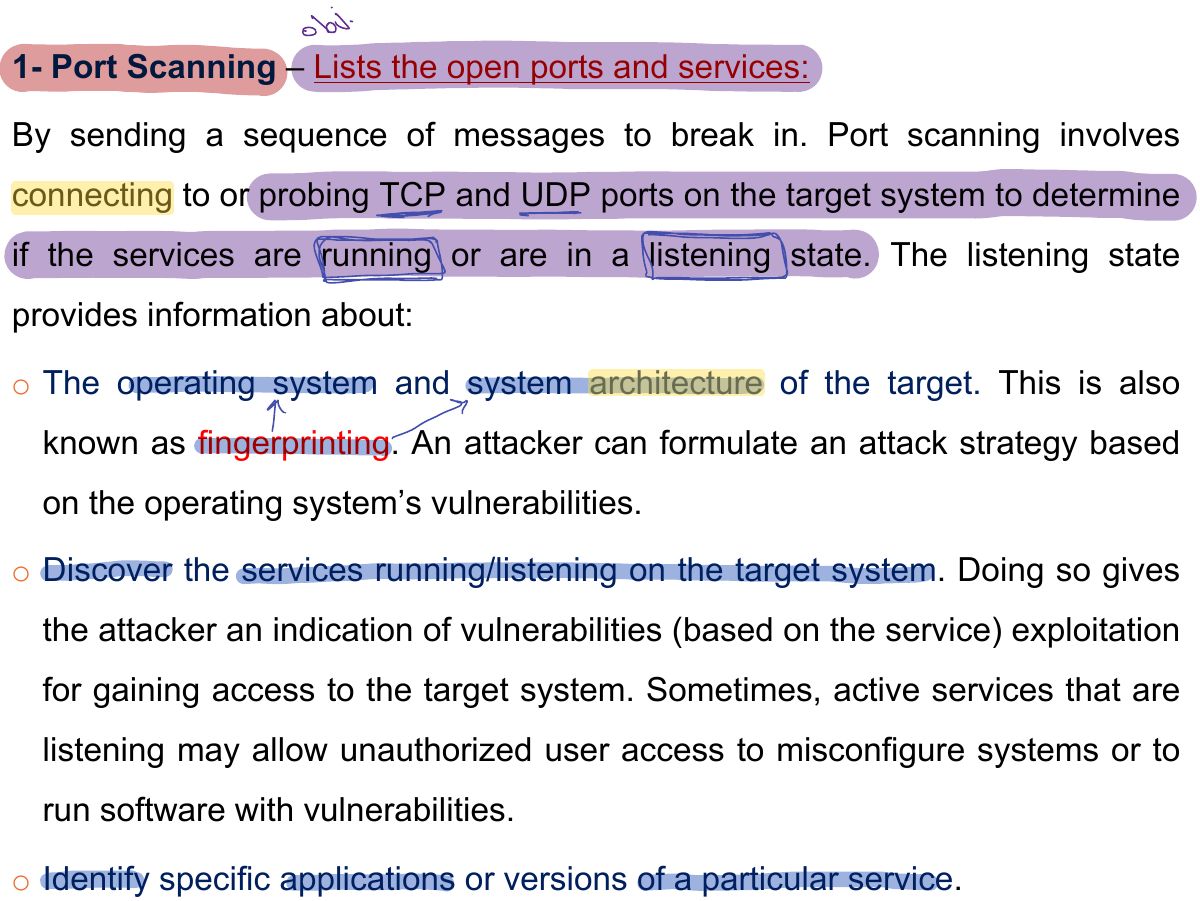
            Slide 7: 1- Port Scanning – Lists the open ports and services:
            Exam weight Low
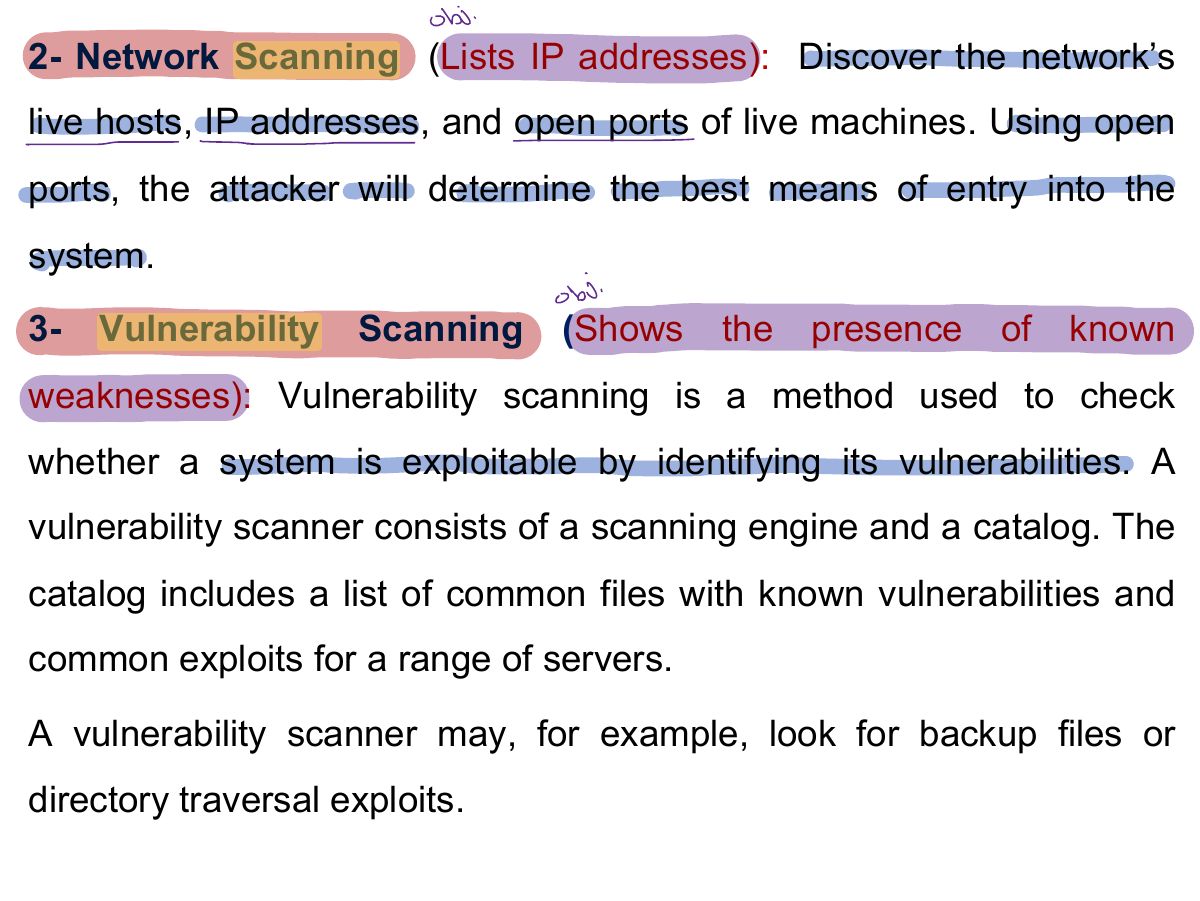
              Slide 8: 2- Network Scanning (Lists IP addresses): Discover the network’s
              Exam weight Low
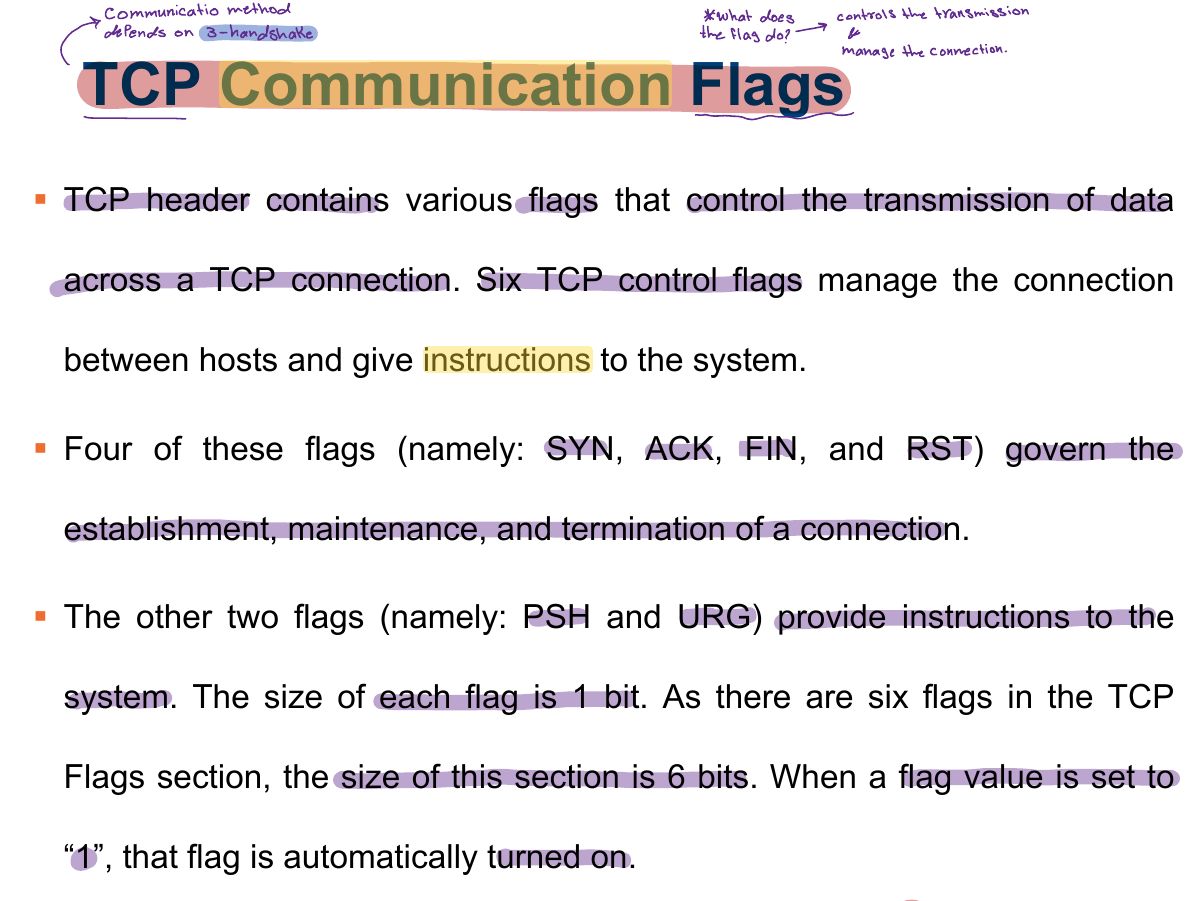
                Slide 9: TCP Communication Flags
                Exam weight Low
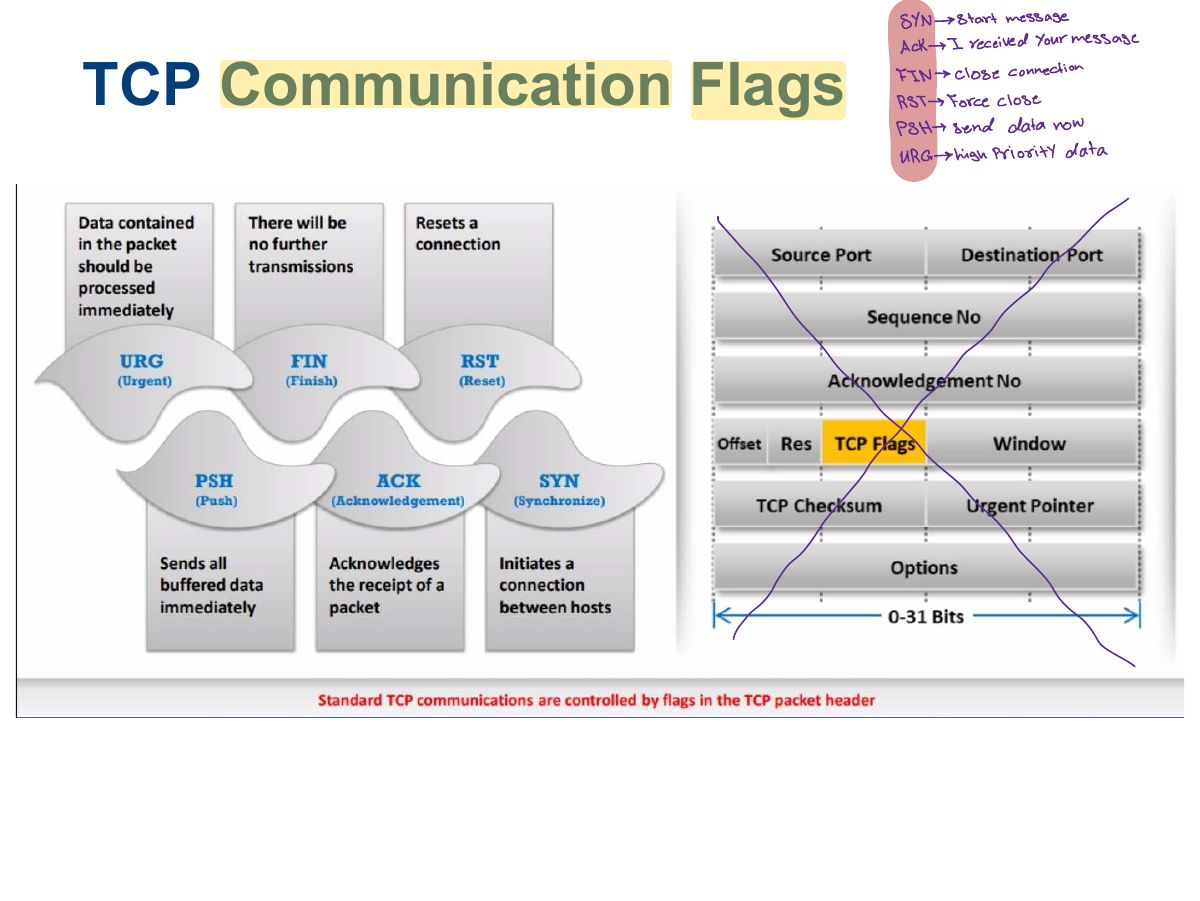
                1. TCP flags: SYN (start), ACK (acknowledge), FIN (finish), RST (reset), PSH (push), URG (urgent).
                Slide 10: TCP Communication Flags
                Exam weight Low

                  11
                  Exam weight Low
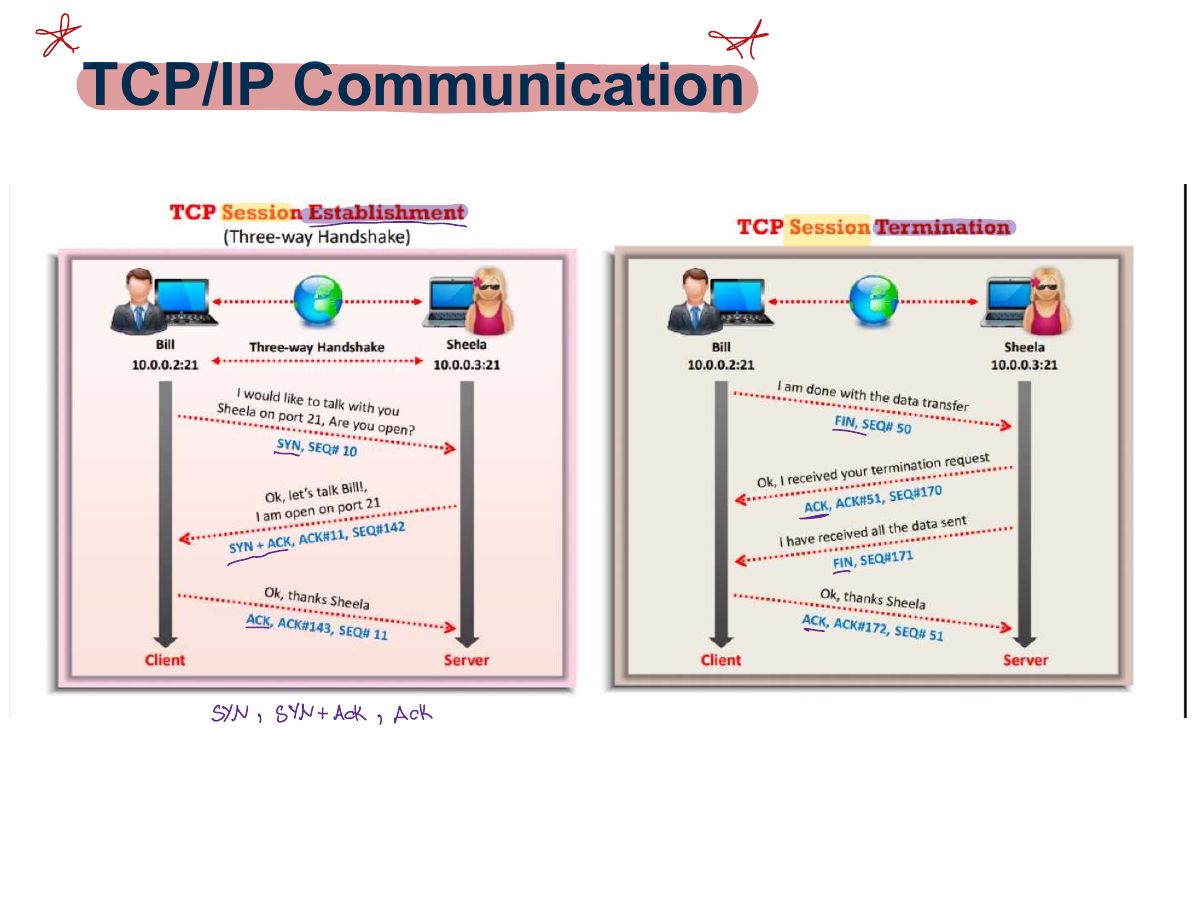
                    Slide 12: TCP/IP Communication
                    Exam weight Low
                    1. Three-way handshake: SYN → SYN/ACK → ACK.
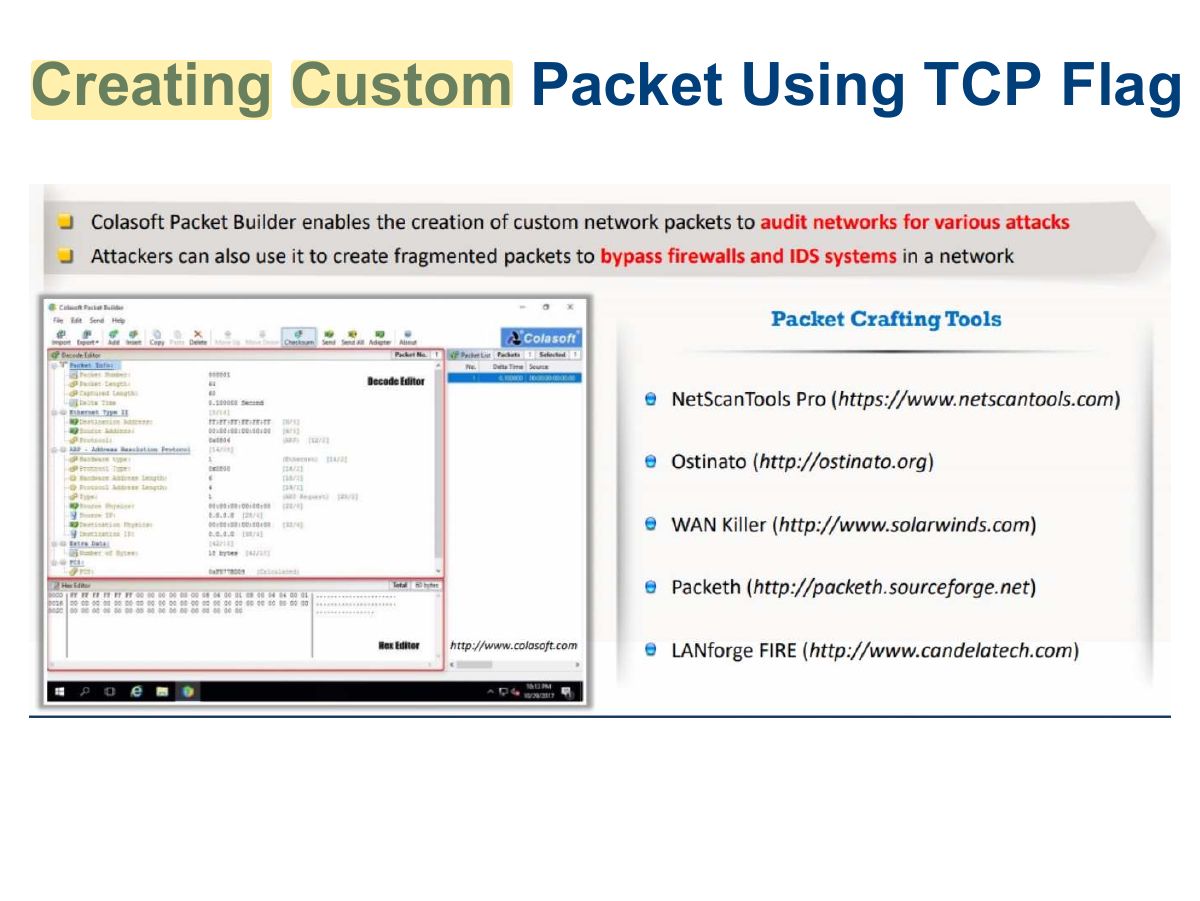
                    Slide 13: Creating Custom Packet Using TCP Flag
                    Exam weight Low
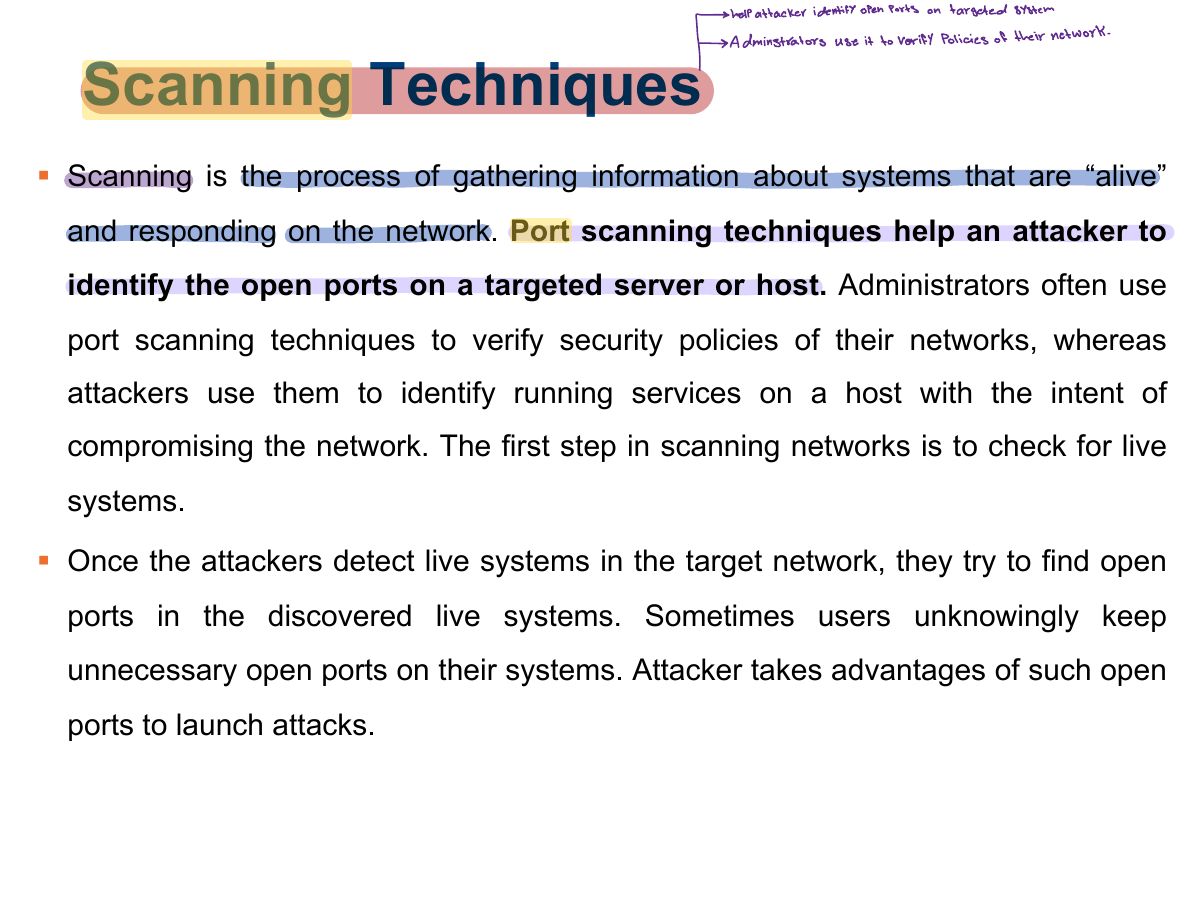
                      Slide 14: Scanning Techniques
                      Exam weight Low
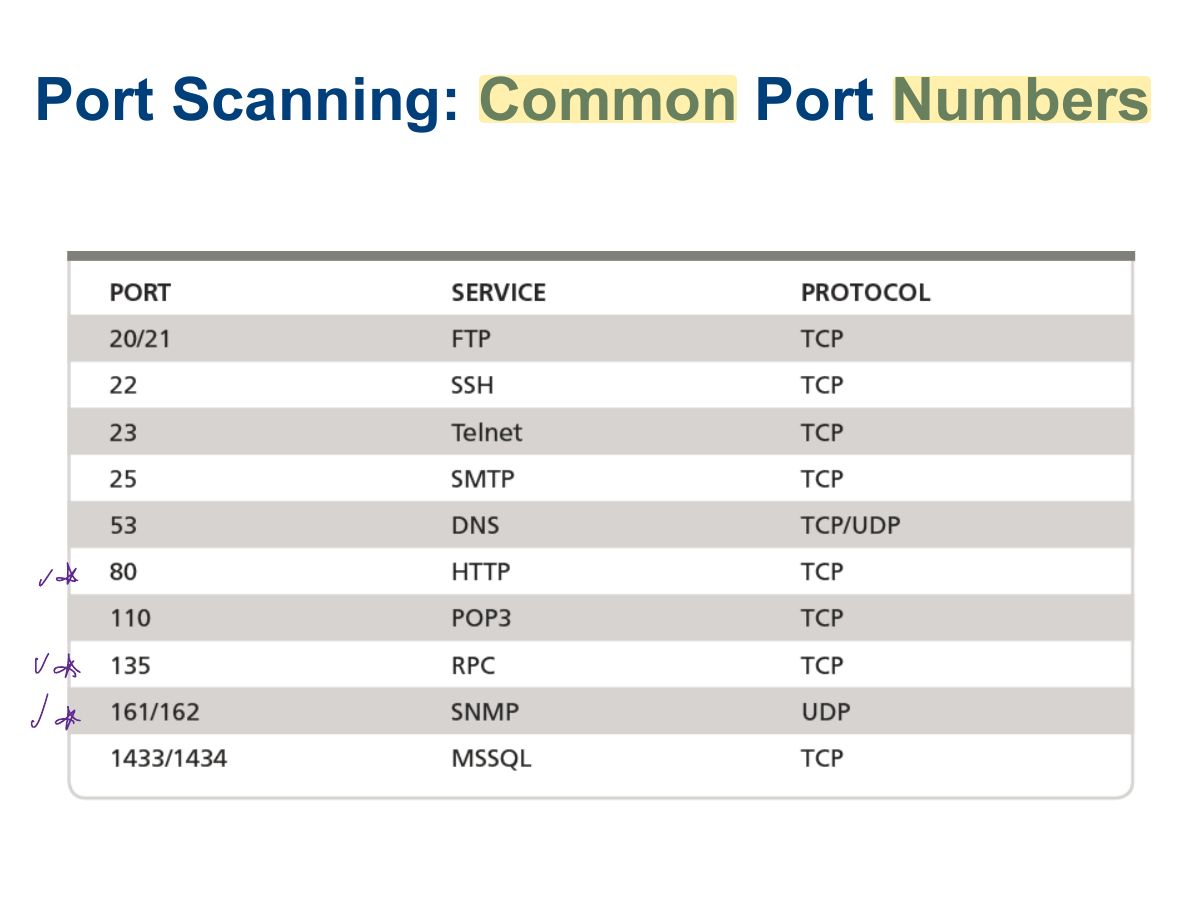
                        Slide 15: Port Scanning: Common Port Numbers
                        Exam weight Low
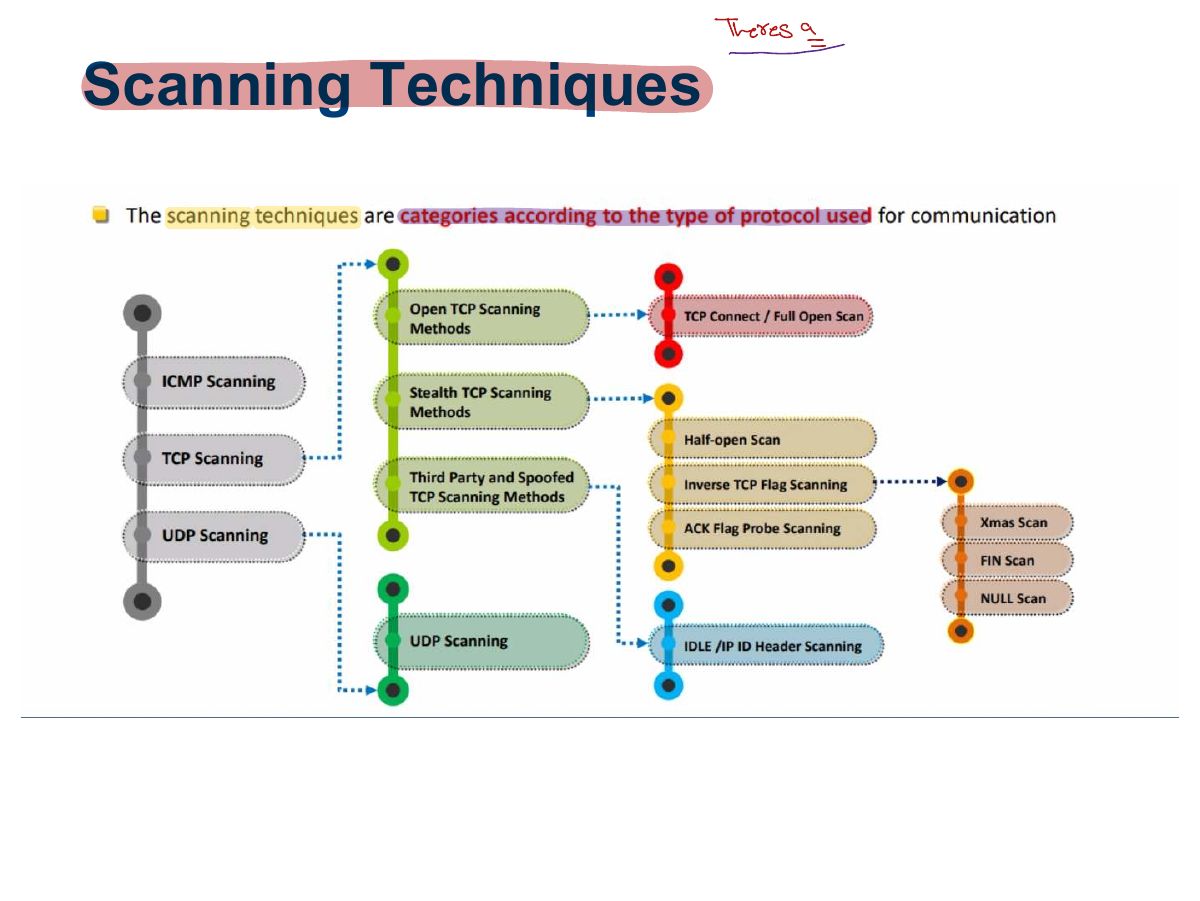
                          Slide 16: Scanning Techniques
                          Exam weight Low
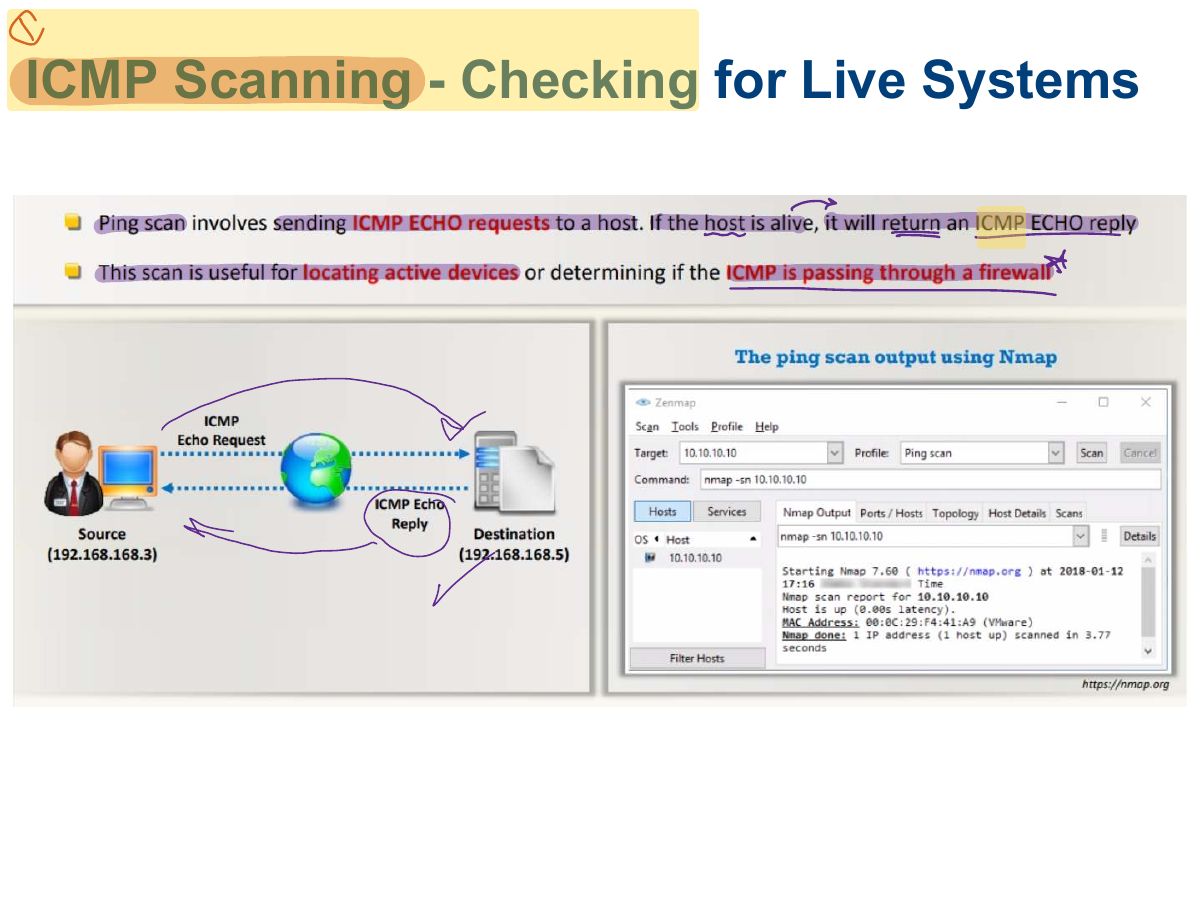
                            Slide 17: ICMP Scanning - Checking for Live Systems
                            Exam weight Low
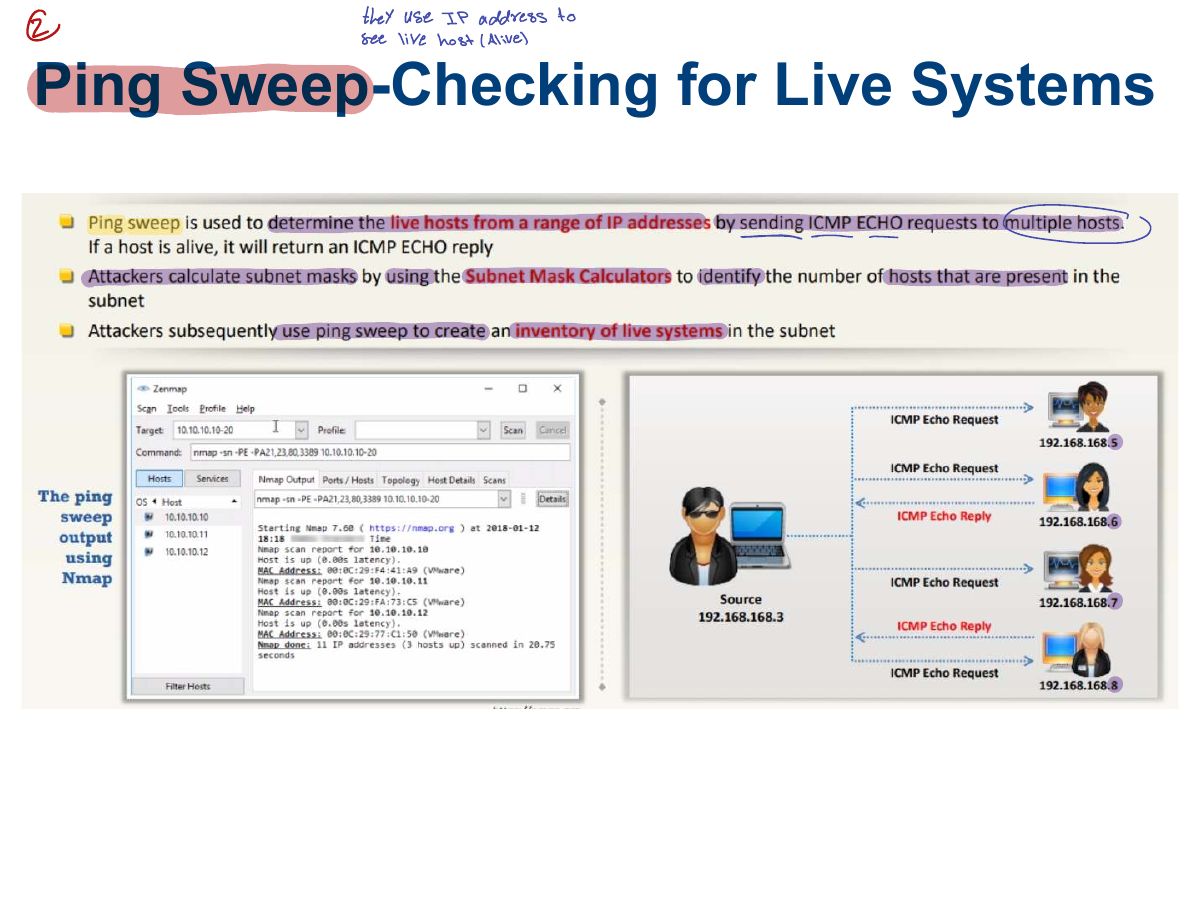
                              Slide 18: Ping Sweep-Checking for Live Systems
                              Exam weight Low
                              1. Ping sweep: ICMP echo requests to a range of addresses to find live hosts.
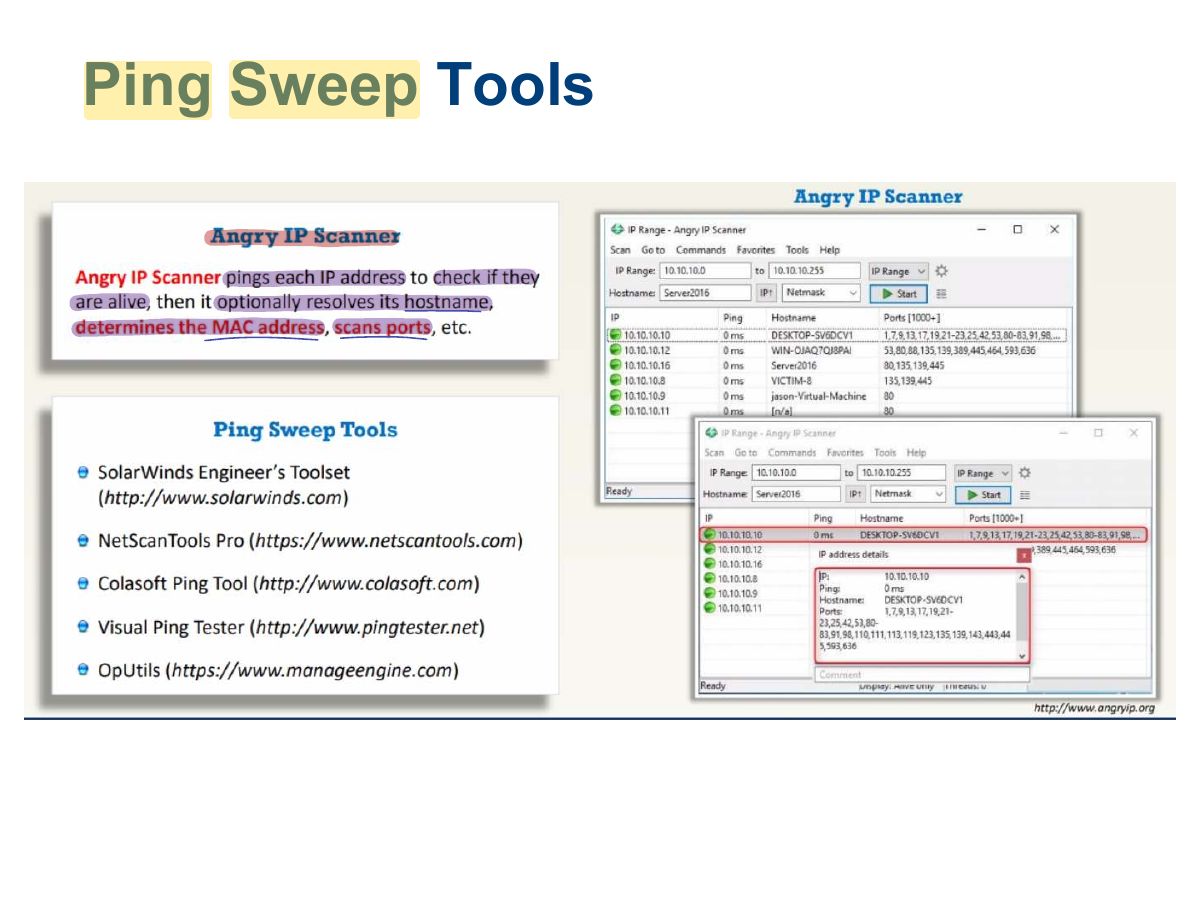
                              Slide 19: Ping Sweep Tools
                              Exam weight Low
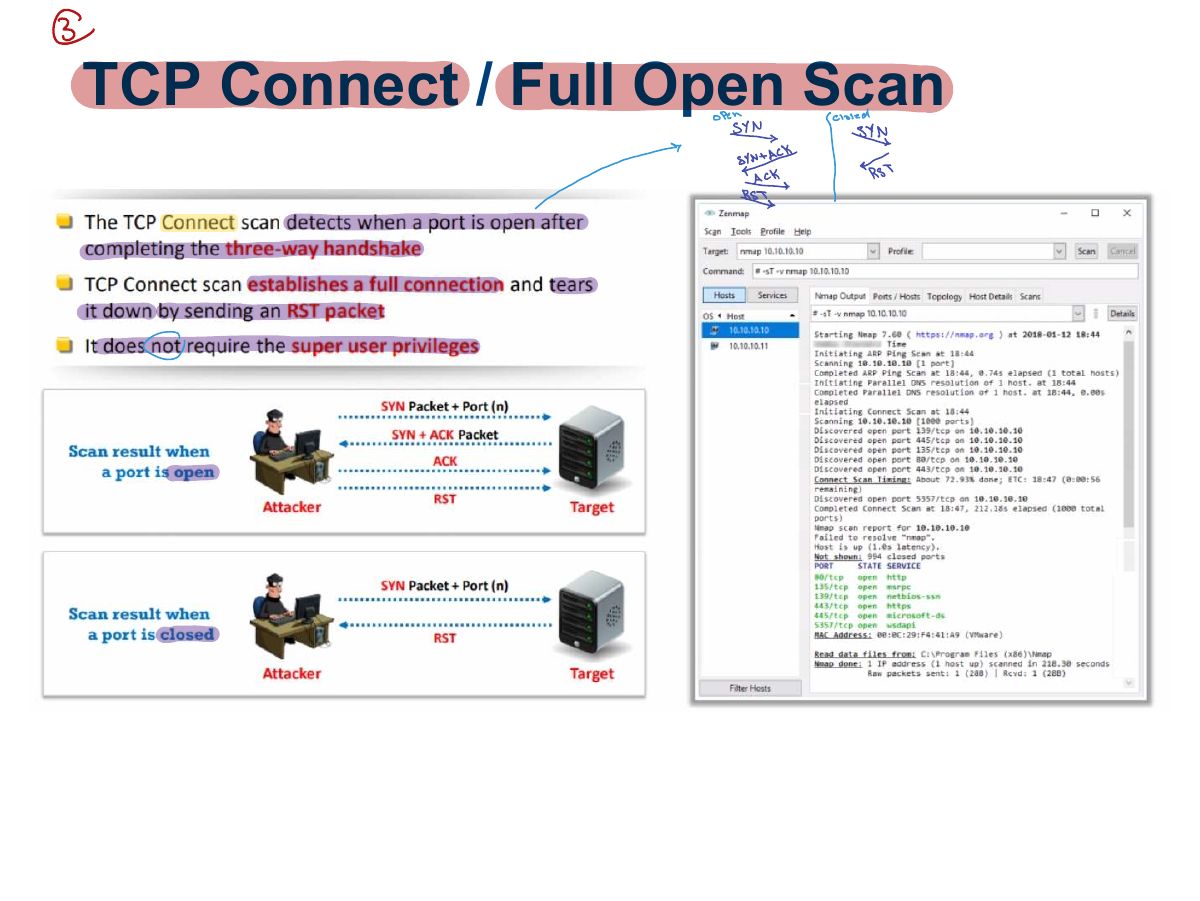
                                Slide 20: TCP Connect / Full Open Scan
                                Exam weight High
                                1. TCP connect (full open) scan: completes the handshake. Reliable but logged.
                                🎯 How this can come up · 1 question
                                MCQ

                                Which scan completes the full three-way handshake?

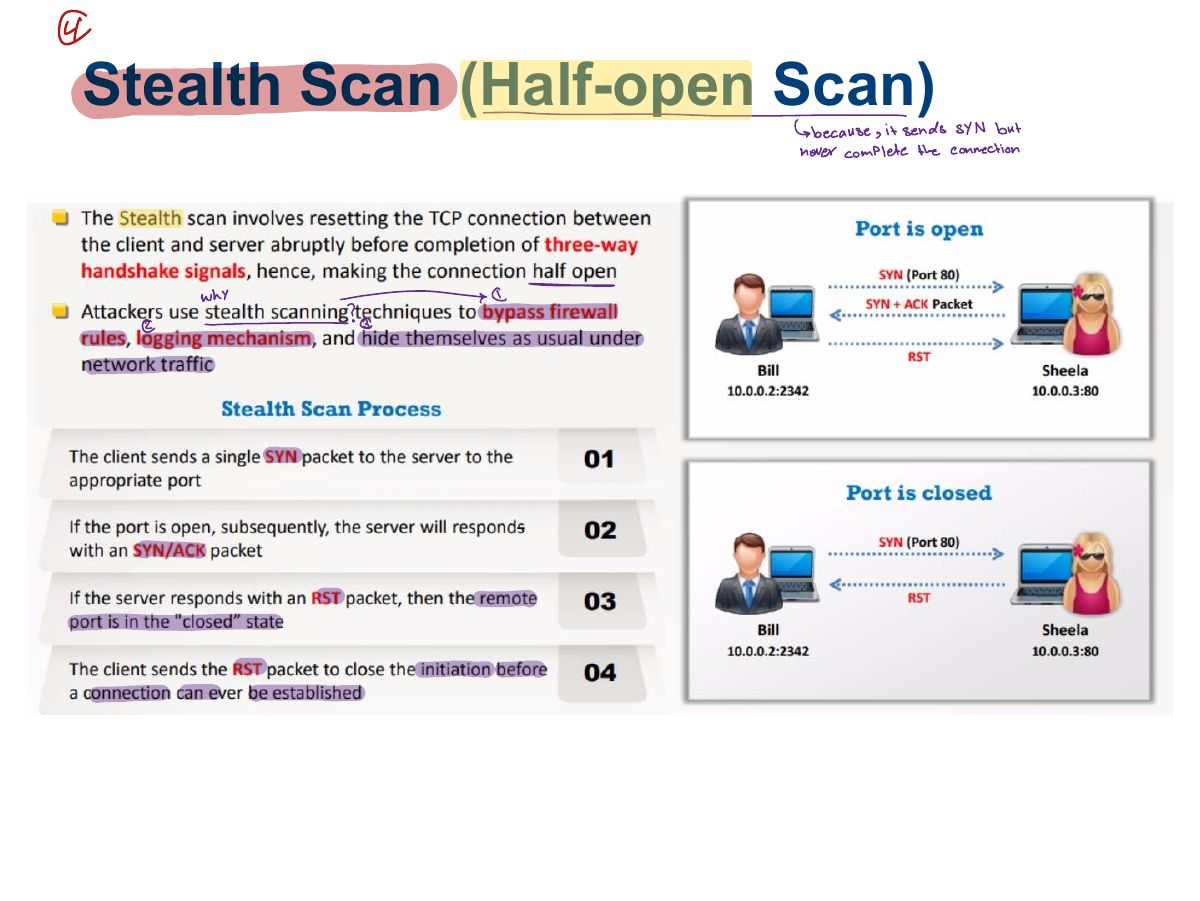
                                Slide 21: Stealth Scan (Half-open Scan)
                                Exam weight High
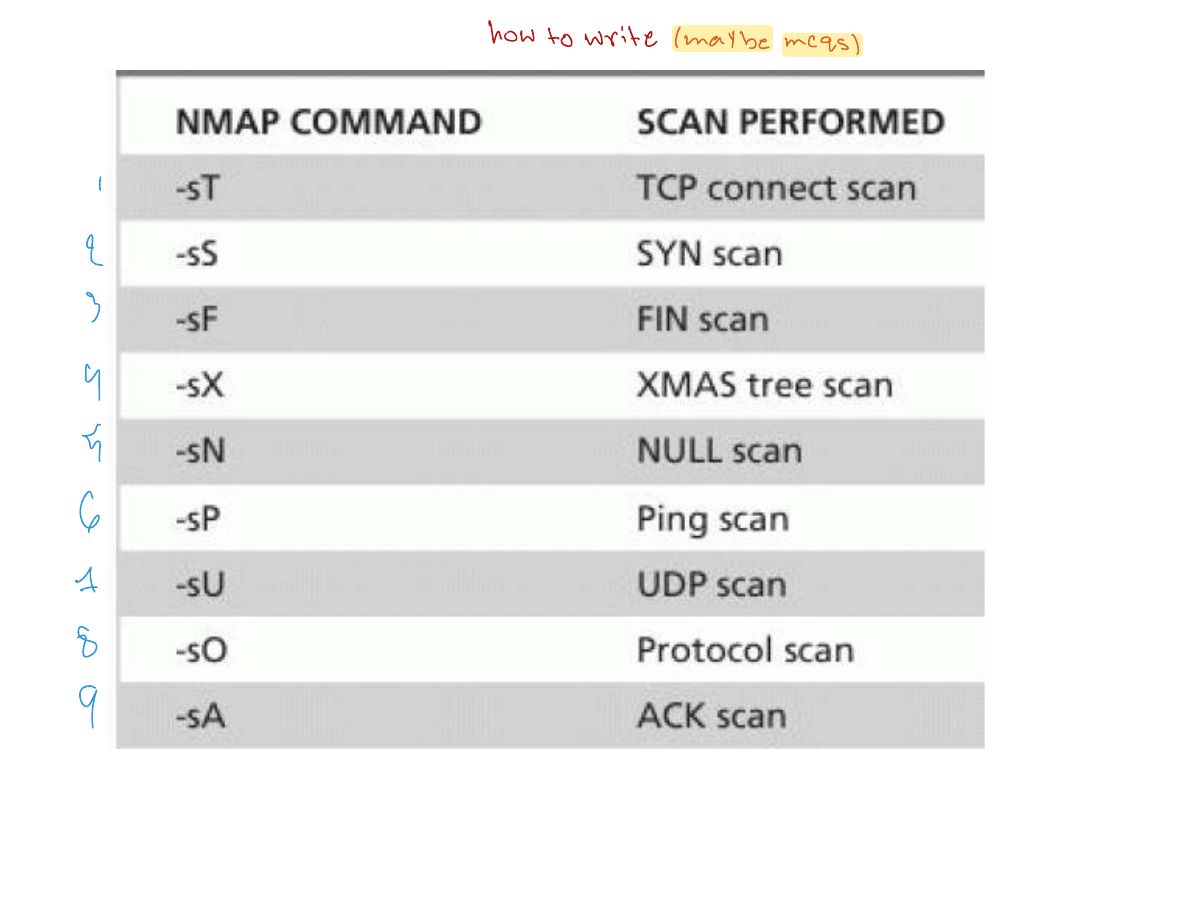
                                1. Stealth / half-open (SYN) scan: SYN → SYN/ACK means open → send RST instead of ACK. Less likely to be logged. nmap -sS.
                                🎯 How this can come up · 2 questions
                                MCQ

                                In a SYN scan, an open port replies with:

                                MCQ

                                Nmap option for a SYN (stealth) scan:

                                Slide 22: Inverse TCP Flag Scanning
                                Exam weight Low
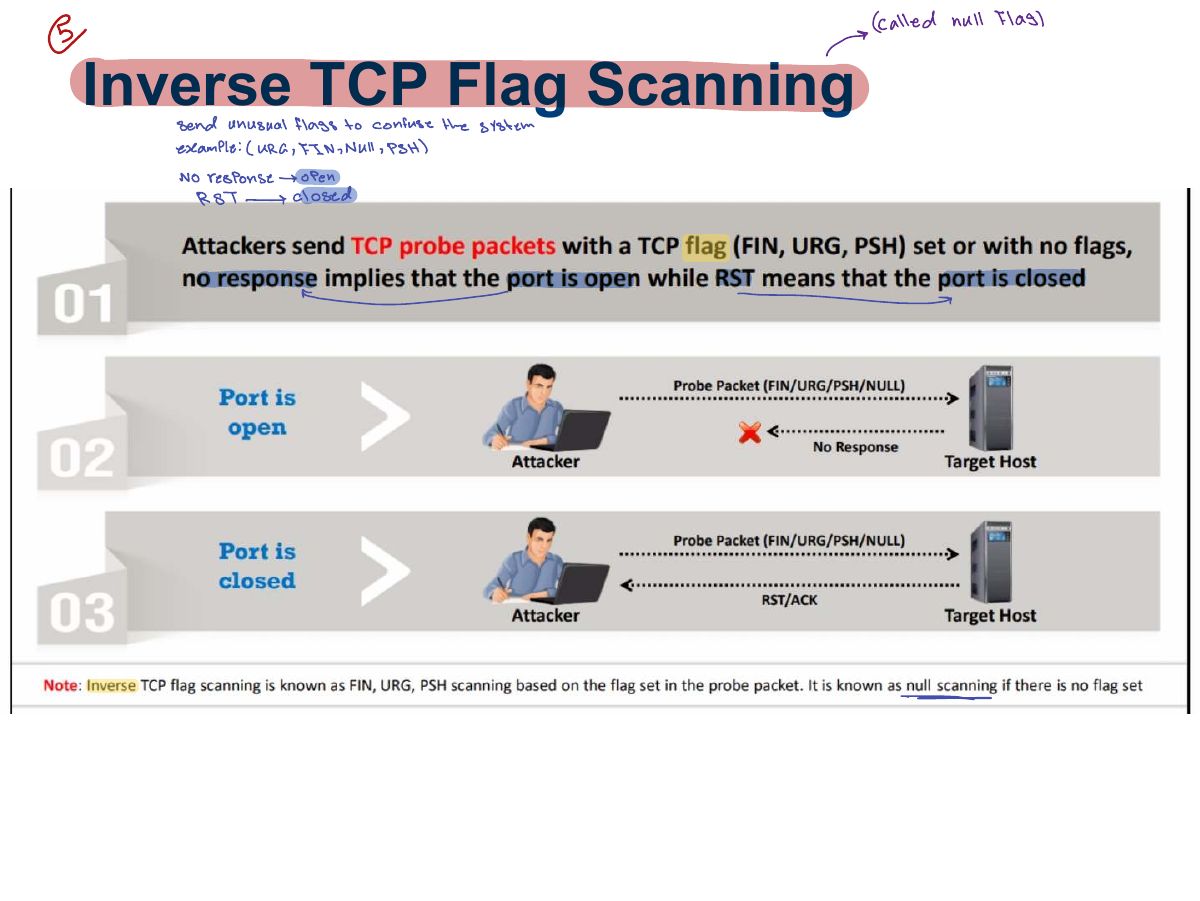
                                1. Inverse TCP flag scans (FIN, NULL, URG/PSH): no response = open (or filtered); RST = closed. Do not work against Windows.
                                Slide 23: Xmas Scan
                                Exam weight High
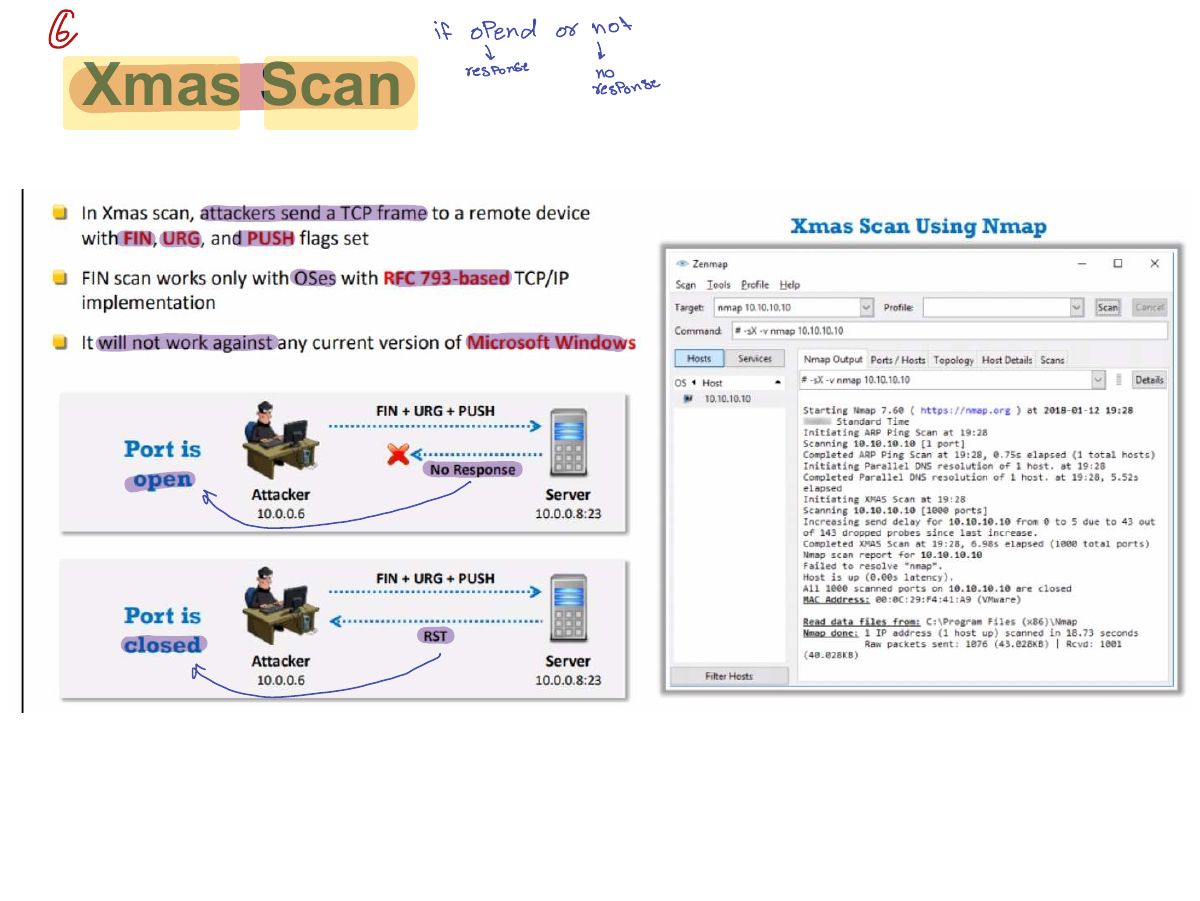
                                1. Xmas scan: FIN + URG + PSH set ("lit up like a Christmas tree"). No reply → open; RST → closed.
                                Exam trapIn SYN scans a reply means OPEN; in Xmas/FIN/NULL scans NO reply means open.
                                🎯 How this can come up · 1 question
                                MCQ

                                An Xmas scan sets which flags?

                                Slide 24: ACK Flag Probe Scanning
                                Exam weight Low
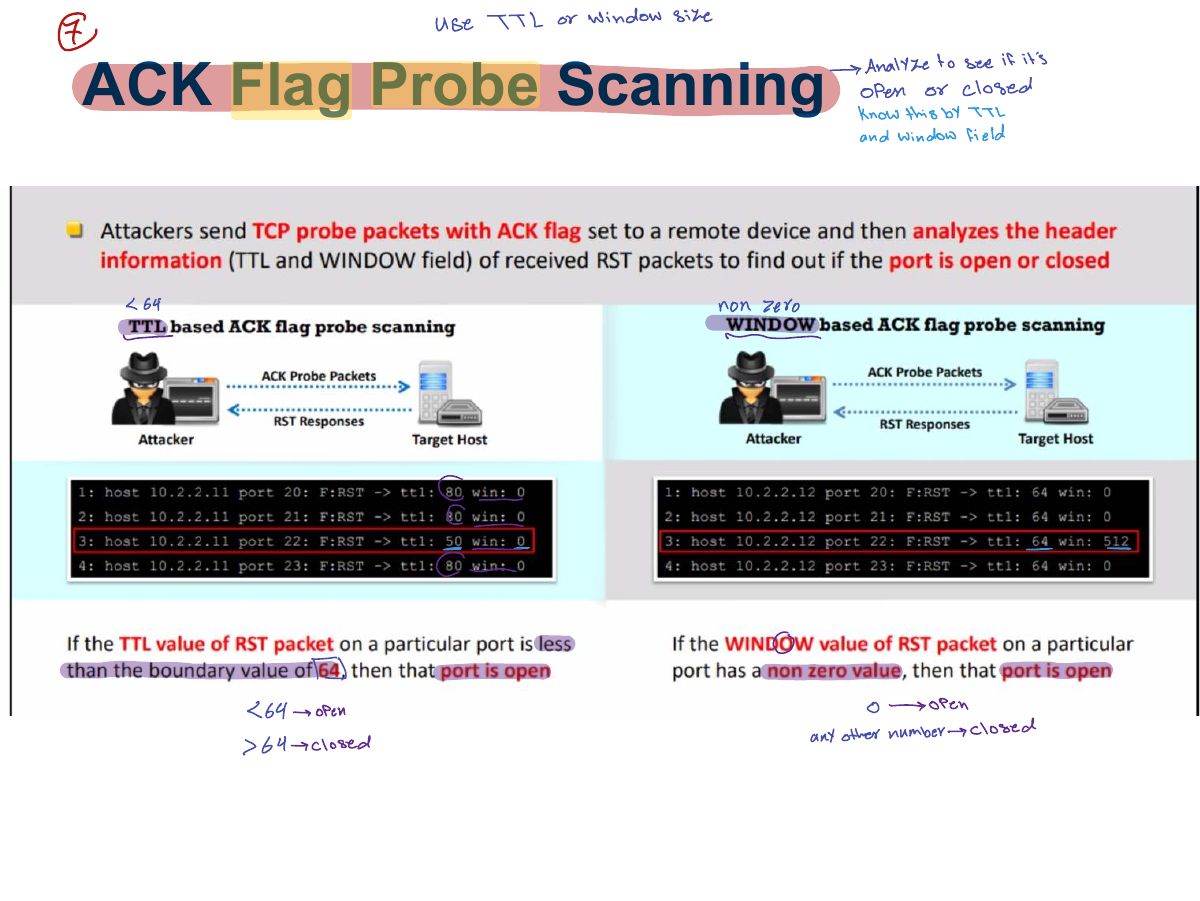
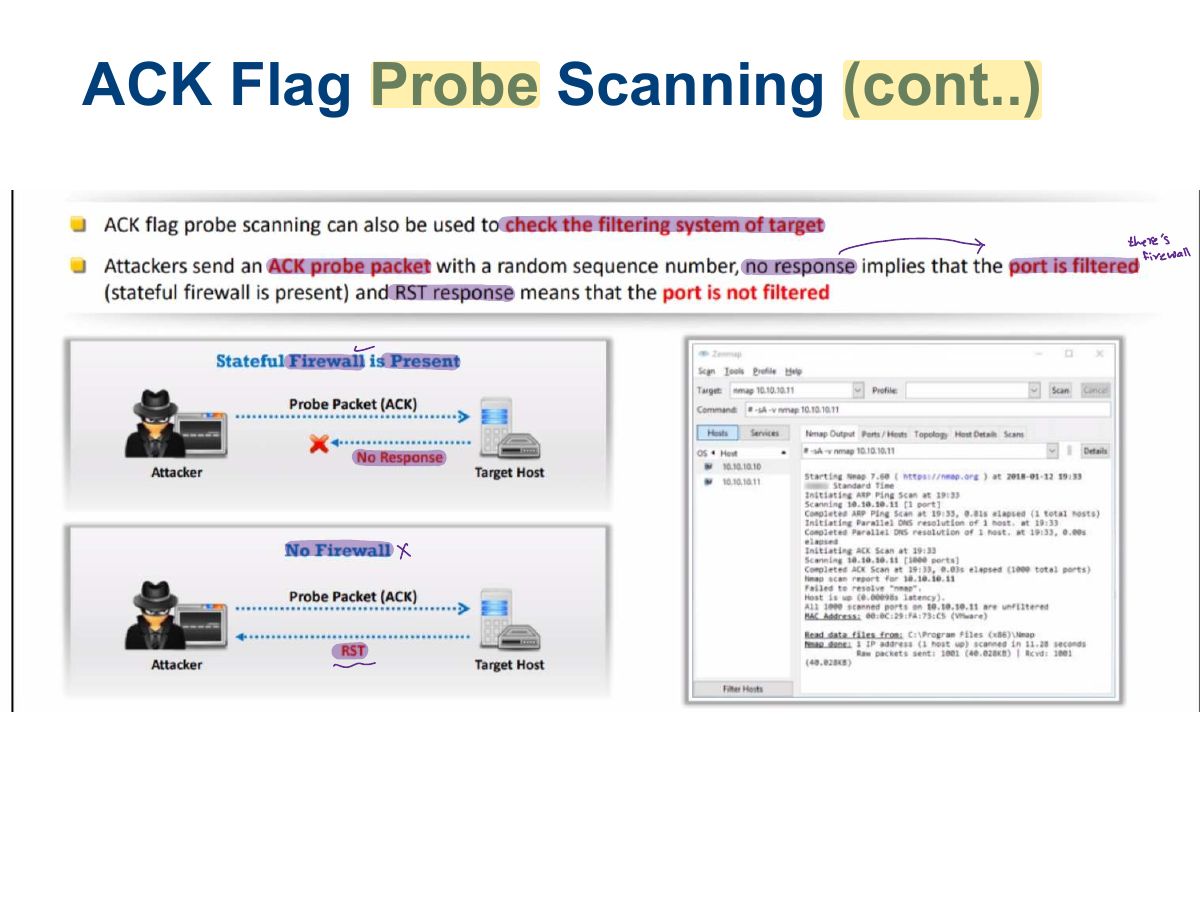
                                1. ACK scan: maps firewall rules (filtered vs. unfiltered), not open ports.
                                Slide 25: ACK Flag Probe Scanning (cont..)
                                Exam weight Low
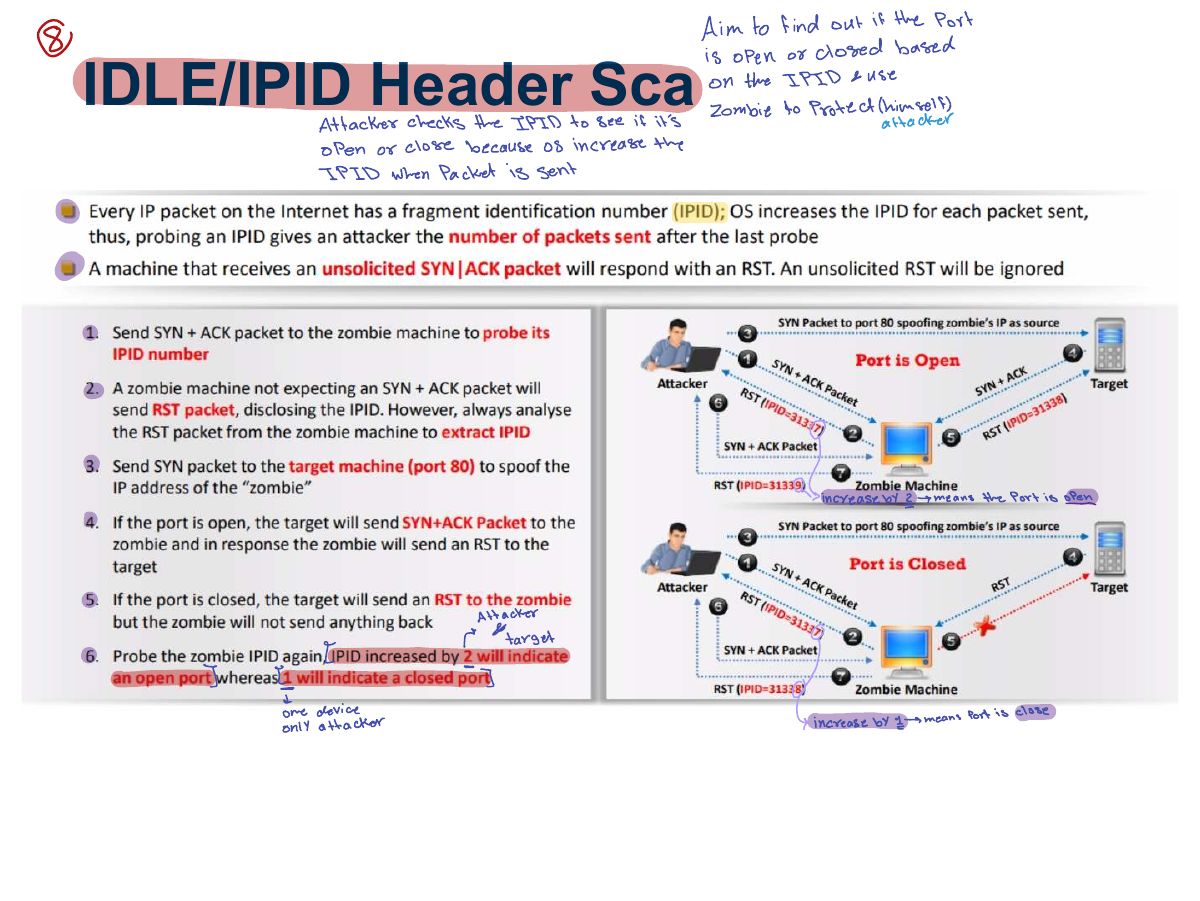
                                  Slide 26: IDLE/IPID Header Sca
                                  Exam weight High
                                  1. Idle (zombie) scan: uses a third host’s predictable IP ID to scan without revealing your address.
                                  🎯 How this can come up · 1 question
                                  MCQ

                                  The scan that hides the attacker’s IP by using a zombie host’s IP ID is the:

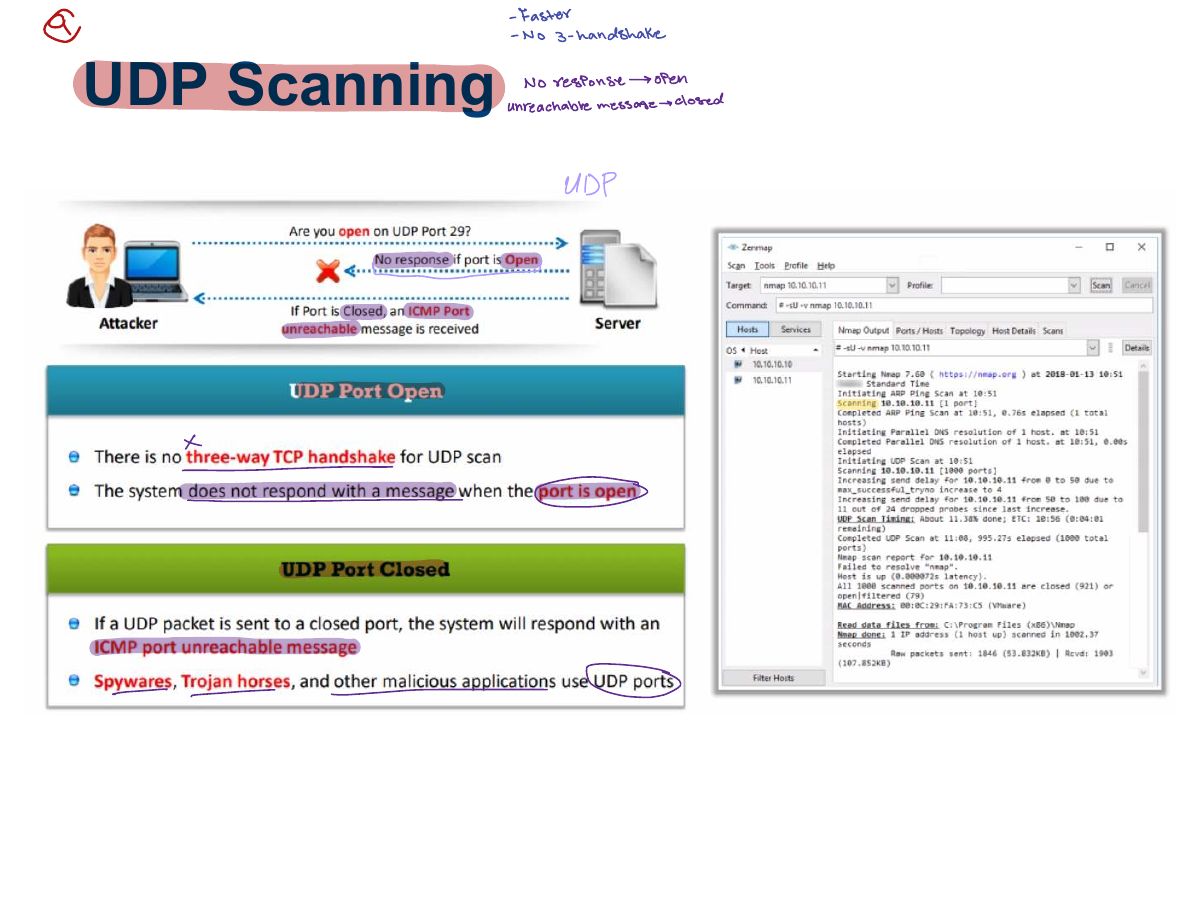
                                  Slide 27: UDP Scanning
                                  Exam weight Low
                                  1. UDP scan: no reply → open|filtered; ICMP port unreachable → closed. Slow.
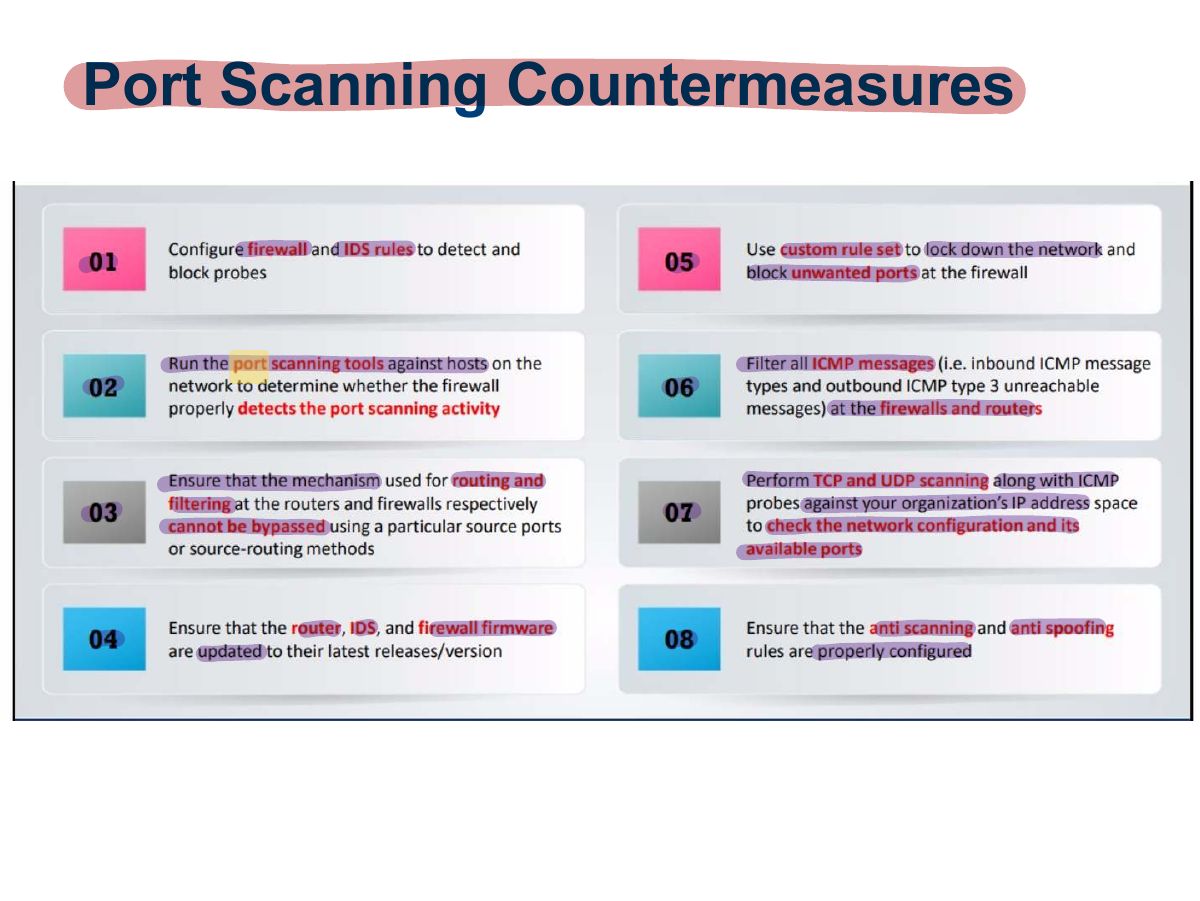
                                  Slide 28: Port Scanning Countermeasures
                                  Exam weight Low
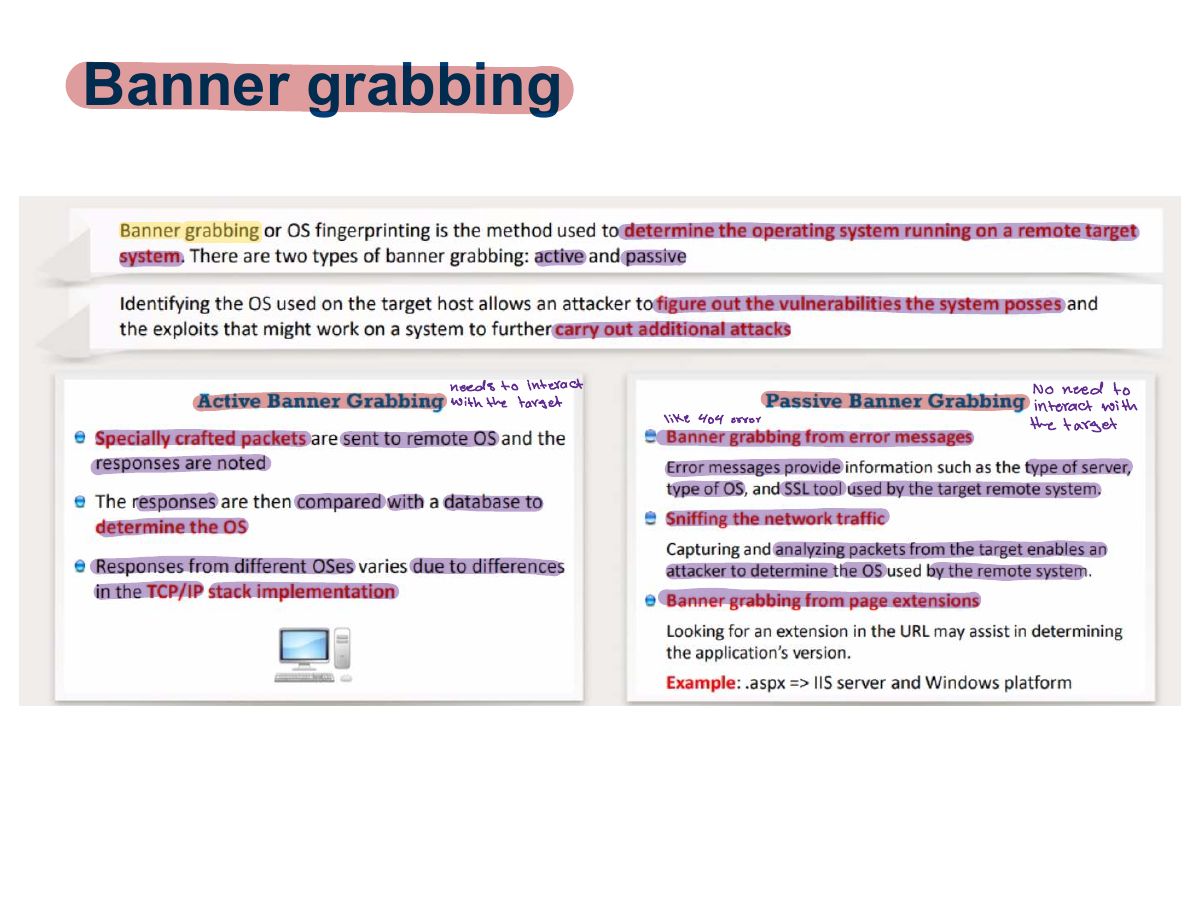
                                    Slide 29: Banner grabbing
                                    Exam weight High
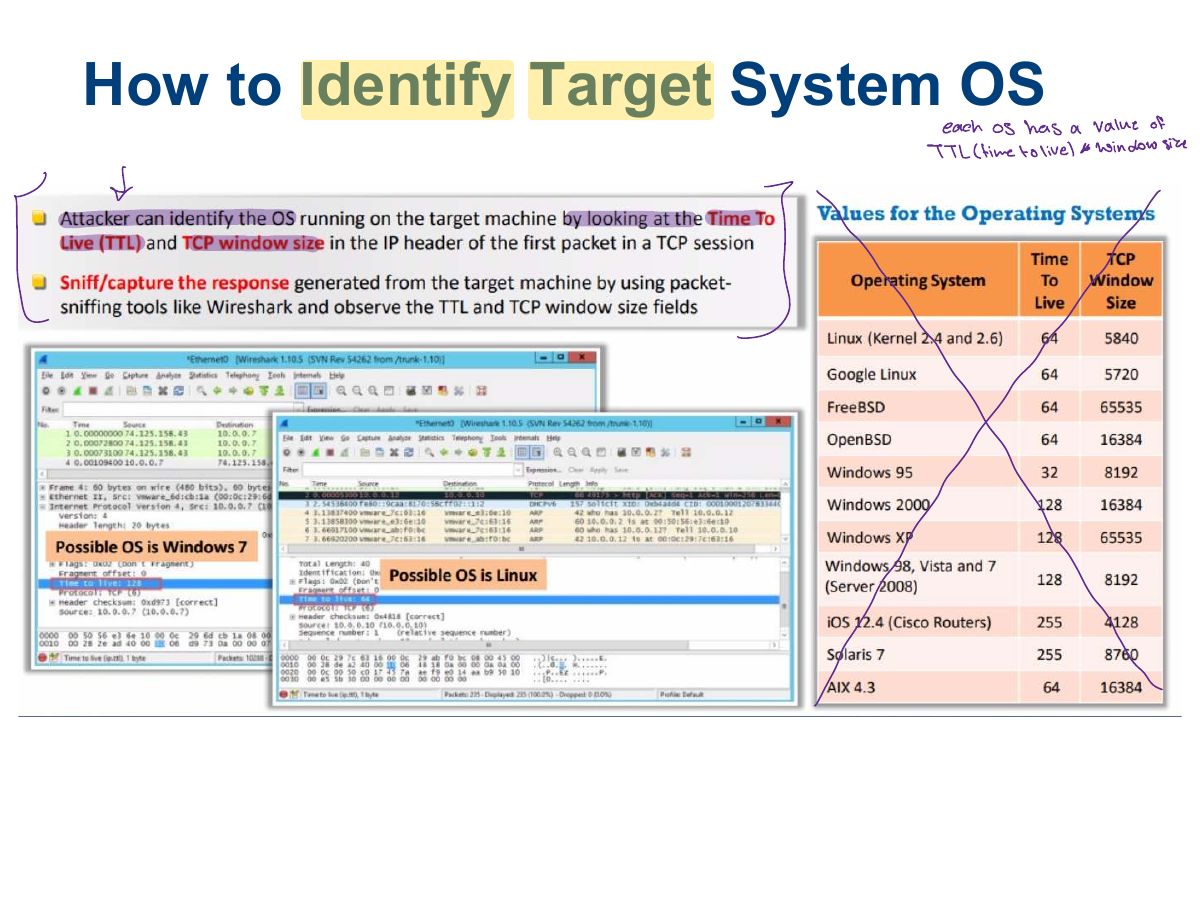
                                    1. Banner grabbing (telnet, netcat) reveals service names and versions; OS fingerprinting identifies the OS (active with Nmap -O, passive by sniffing).
                                    🎯 How this can come up · 1 question
                                    MCQ

                                    Connecting with netcat to read a server’s version string is:

                                    Slide 30: How to Identify Target System OS
                                    Exam weight Low
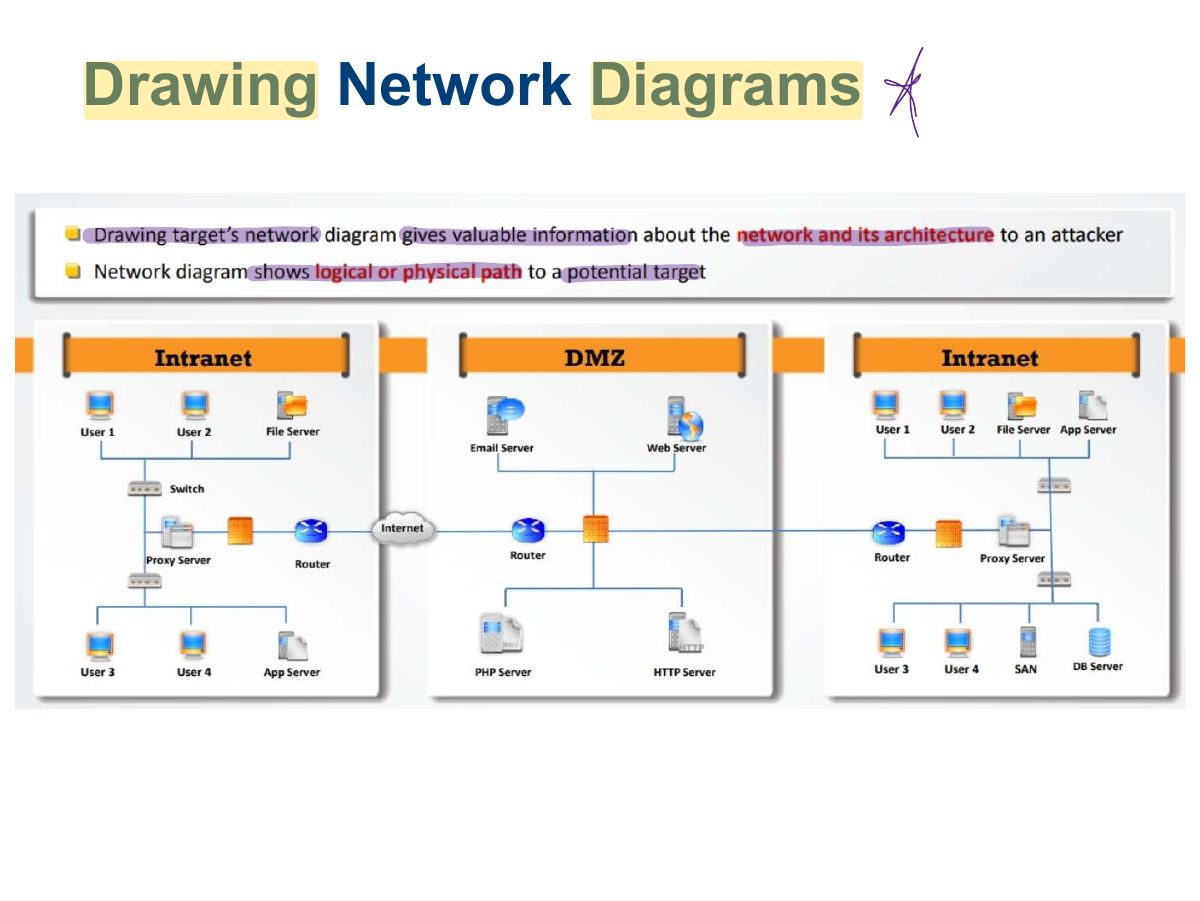
                                      Slide 31: Drawing Network Diagrams
                                      Exam weight Low
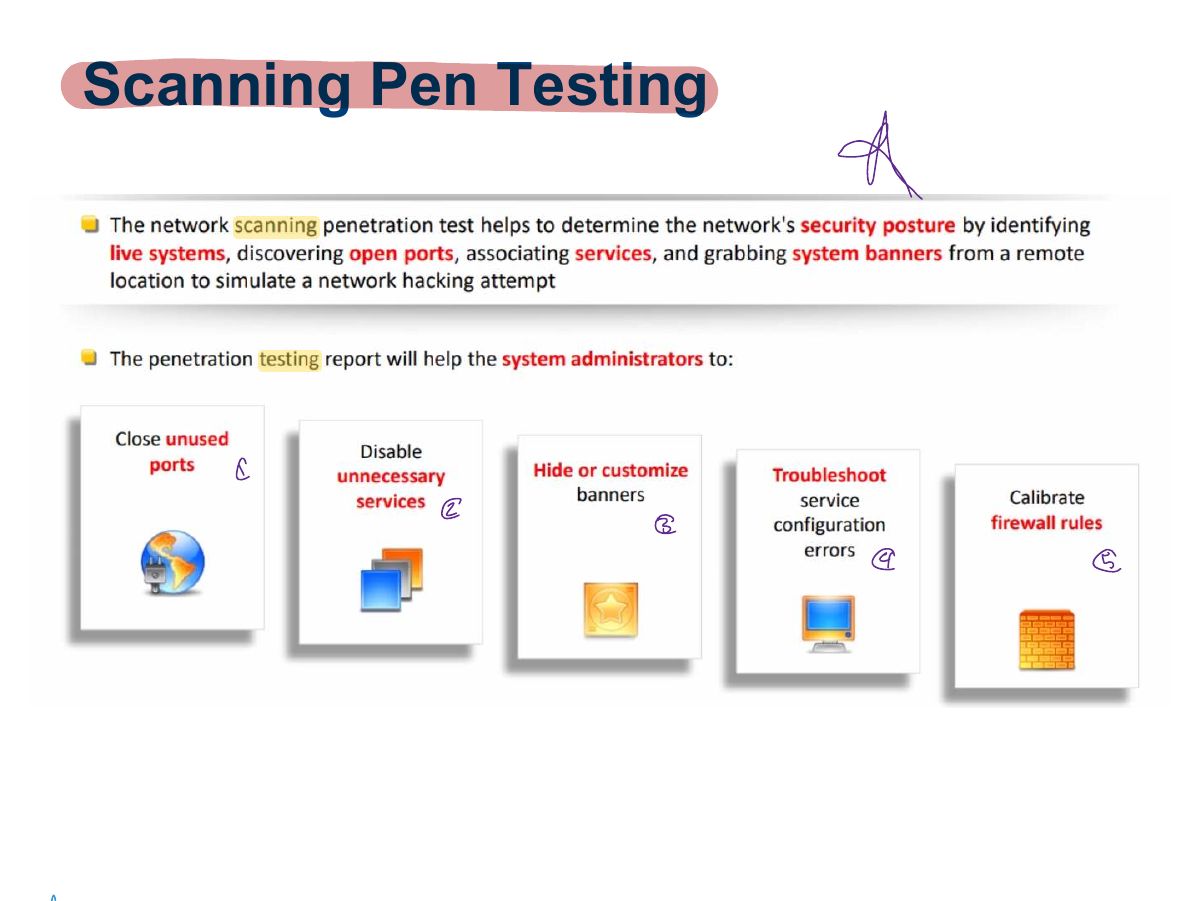
                                        Slide 32: Scanning Pen Testing
                                        Exam weight Low
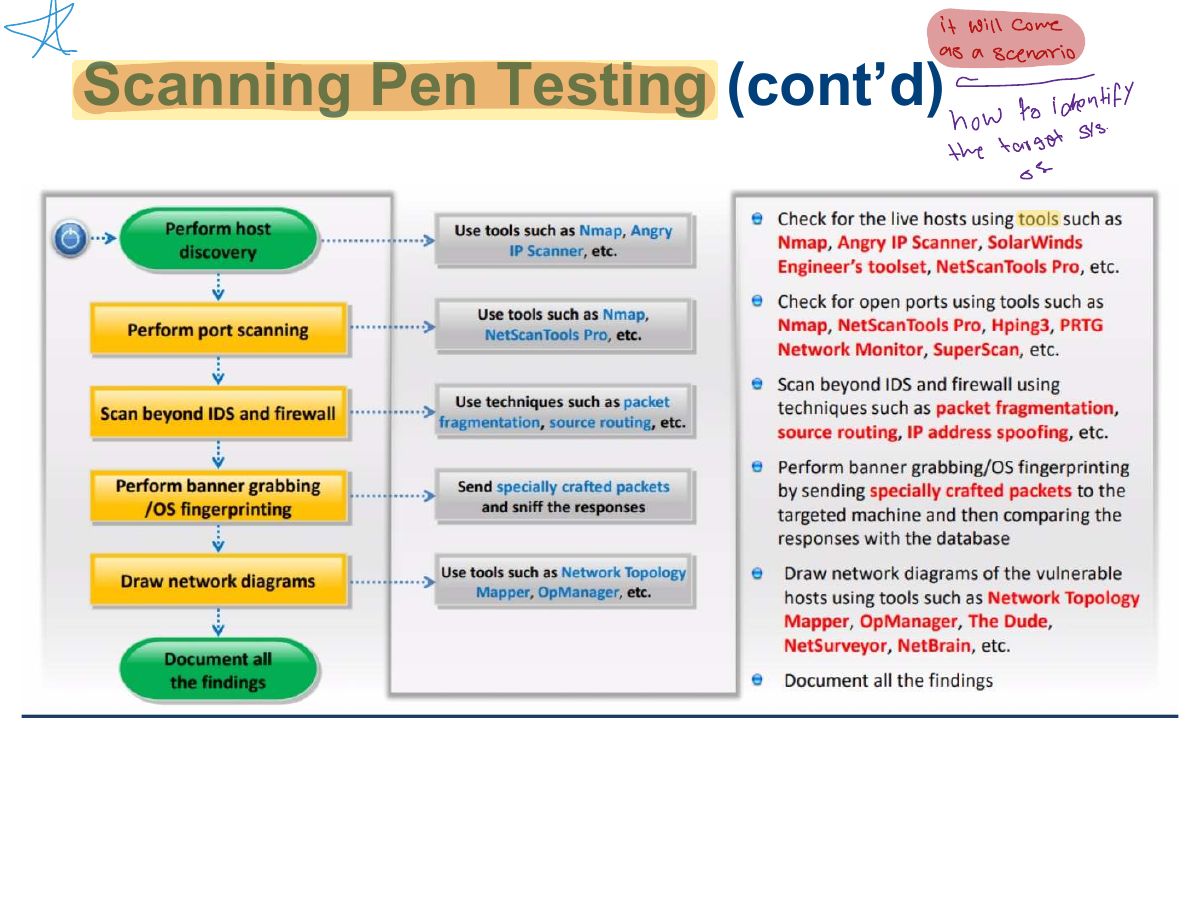
                                          Slide 33: Scanning Pen Testing (cont’d)
                                          Exam weight Low
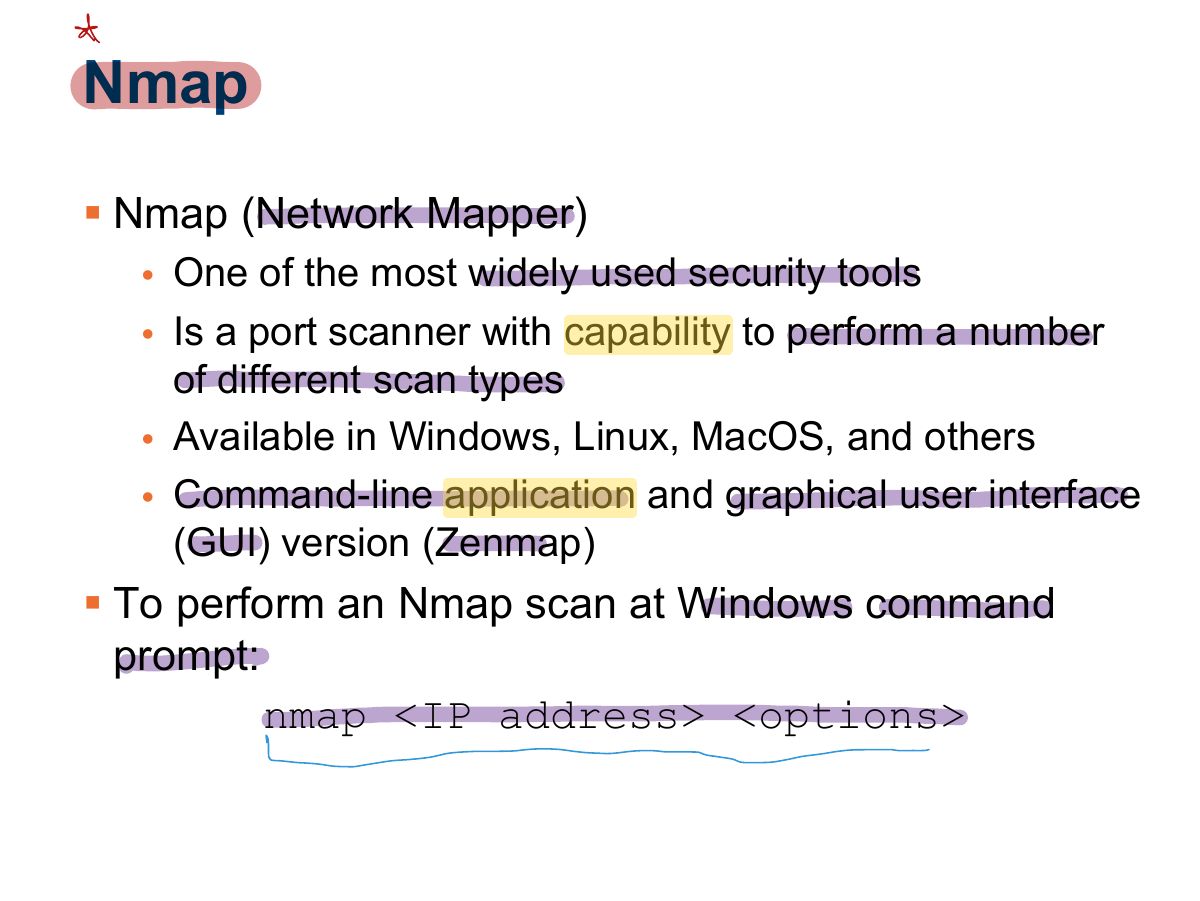
                                            Slide 34: Nmap
                                            Exam weight High
                                            1. Nmap: -sT connect, -sS SYN, -sU UDP, -sX Xmas, -sN NULL, -sF FIN, -sA ACK, -O OS detection, -sV version, -p ports, -Pn skip ping.
                                            Slide 35: Slide 35
                                            Exam weight Low

                                              Nmap (Cont.)

                                              • Example: nmap –sT 192.168.123.254
                                              • Response:

                                              Starting Nmap 7.60 (http://nmap.org) at 2017-10-17 10:37 Central Daylight Time Interesting ports on 192.168.123.254:

                                              Not shown: 1711 filtered ports PORT STATE SERVICE 21/tcp open ftp 80/tcp open http 2601/tcp open zebra 2602/tcp open ripd MAC Address: 00:16:01:D1:3D:5C (Linksys) Nmap done: 1 IP address (1 host up) scanned in 113.750 seconds

                                              36
                                              Exam weight Low
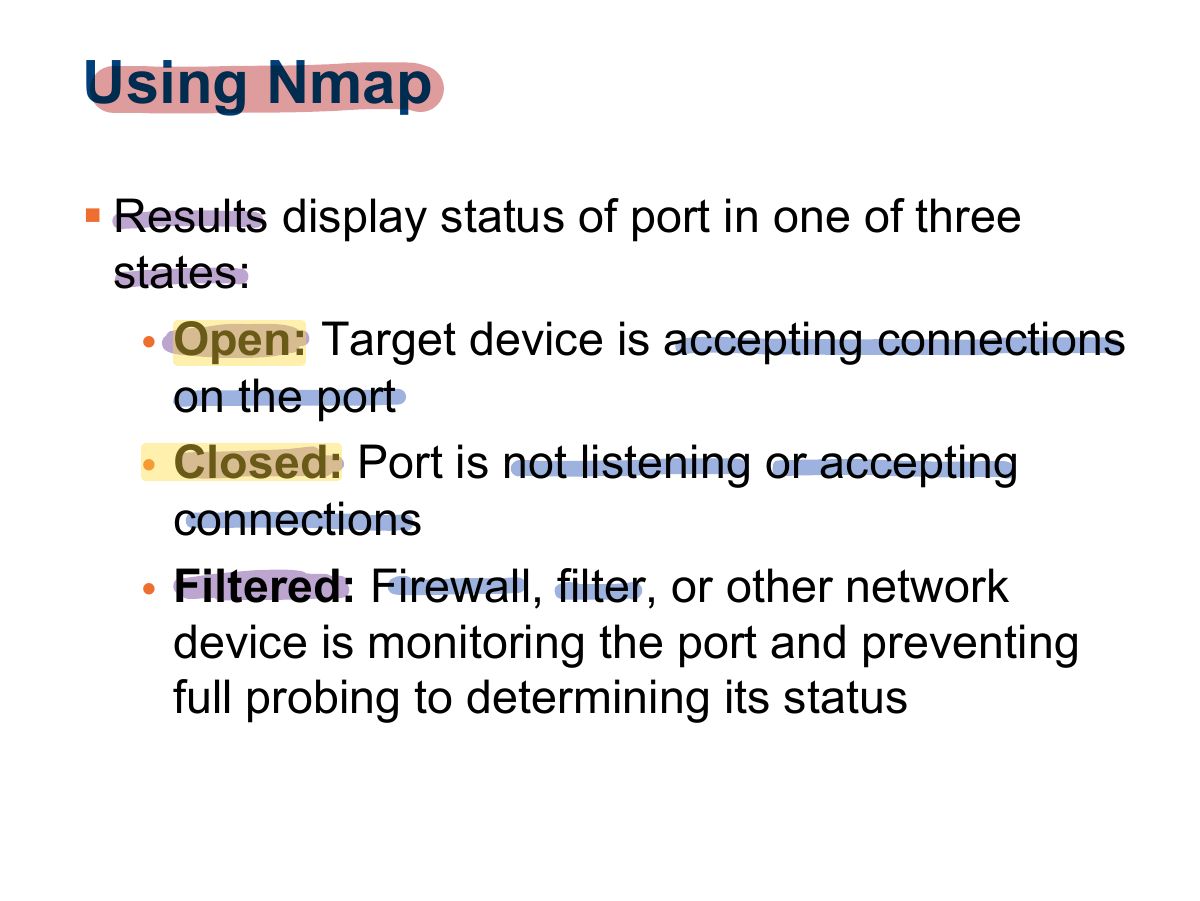
                                                Slide 37: Using Nmap
                                                Exam weight Low
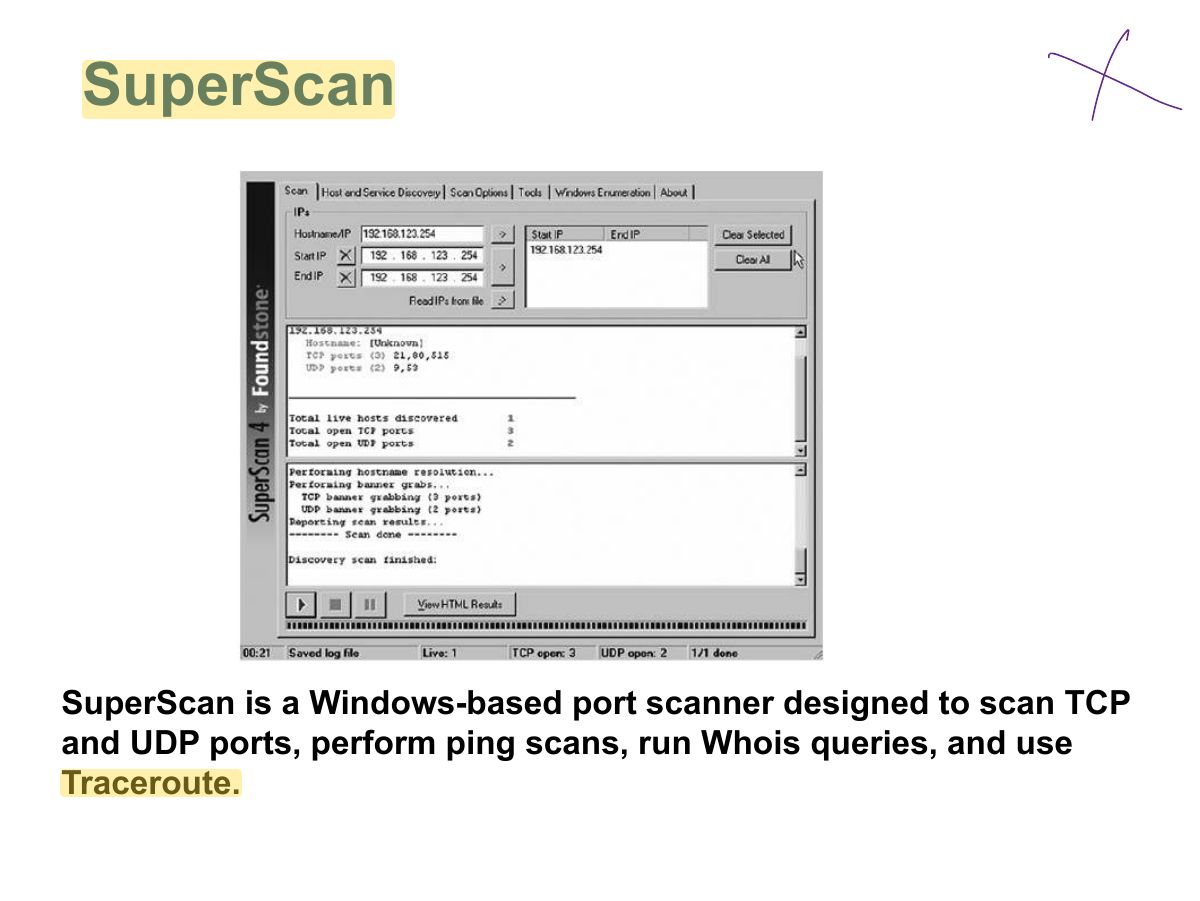
                                                  Slide 38: SuperScan
                                                  Exam weight Low
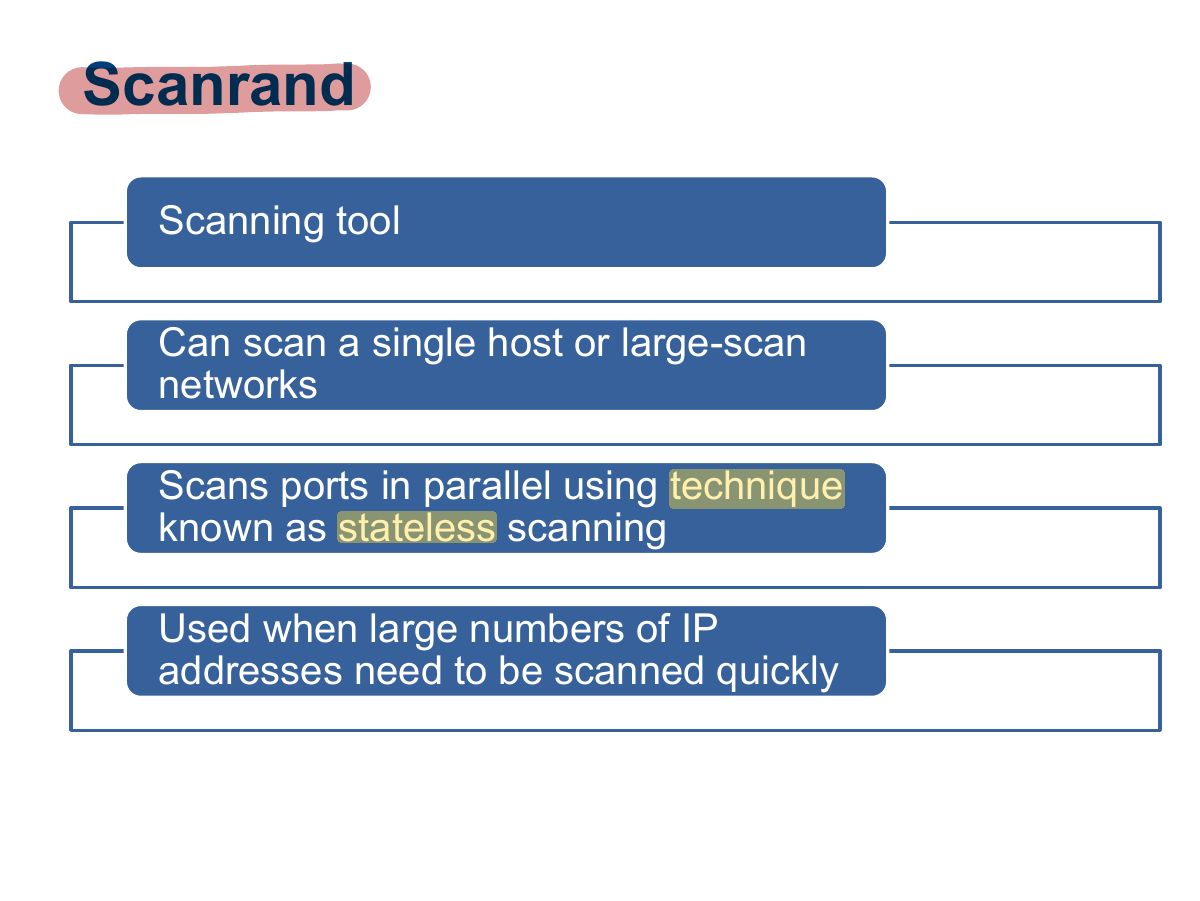
                                                    Slide 39: Scanrand
                                                    Exam weight Low
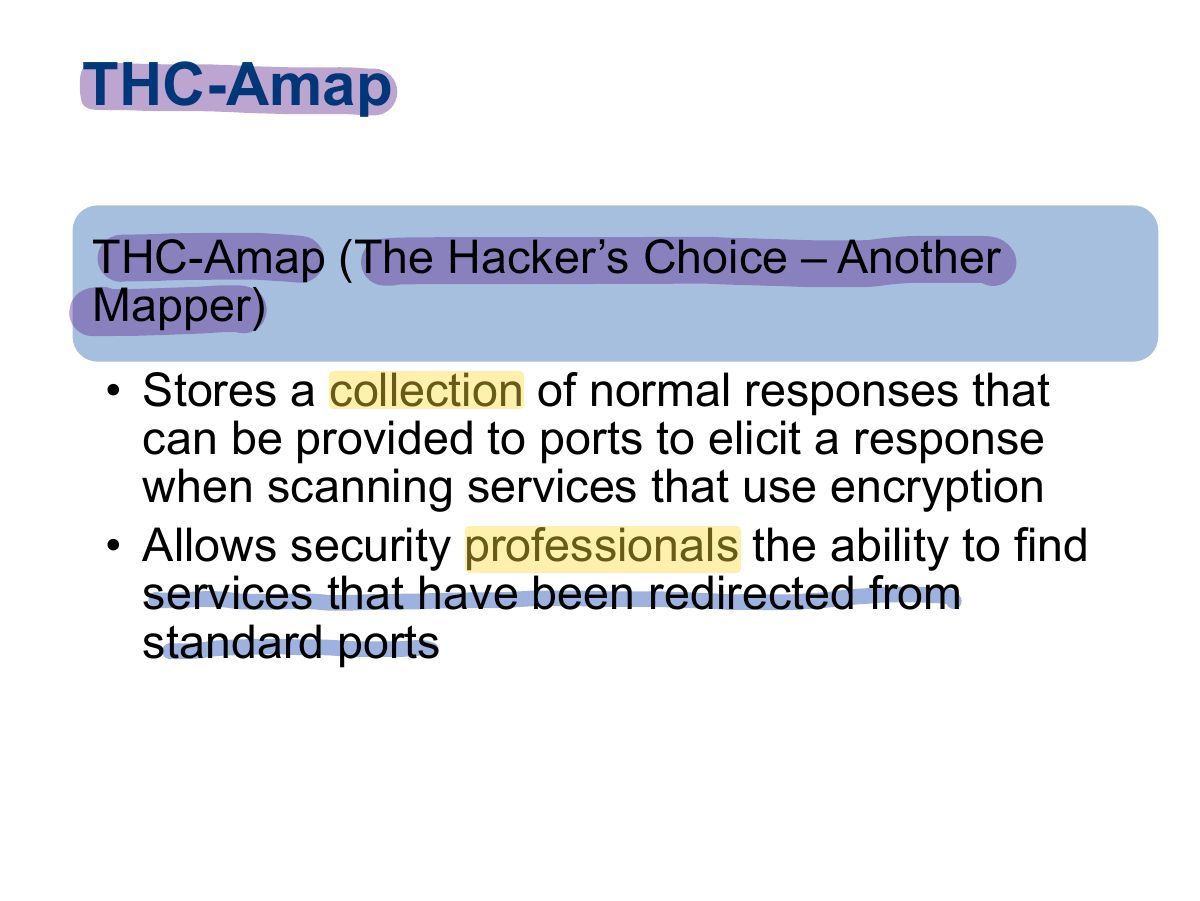
                                                      Slide 40: THC-Amap
                                                      Exam weight Low
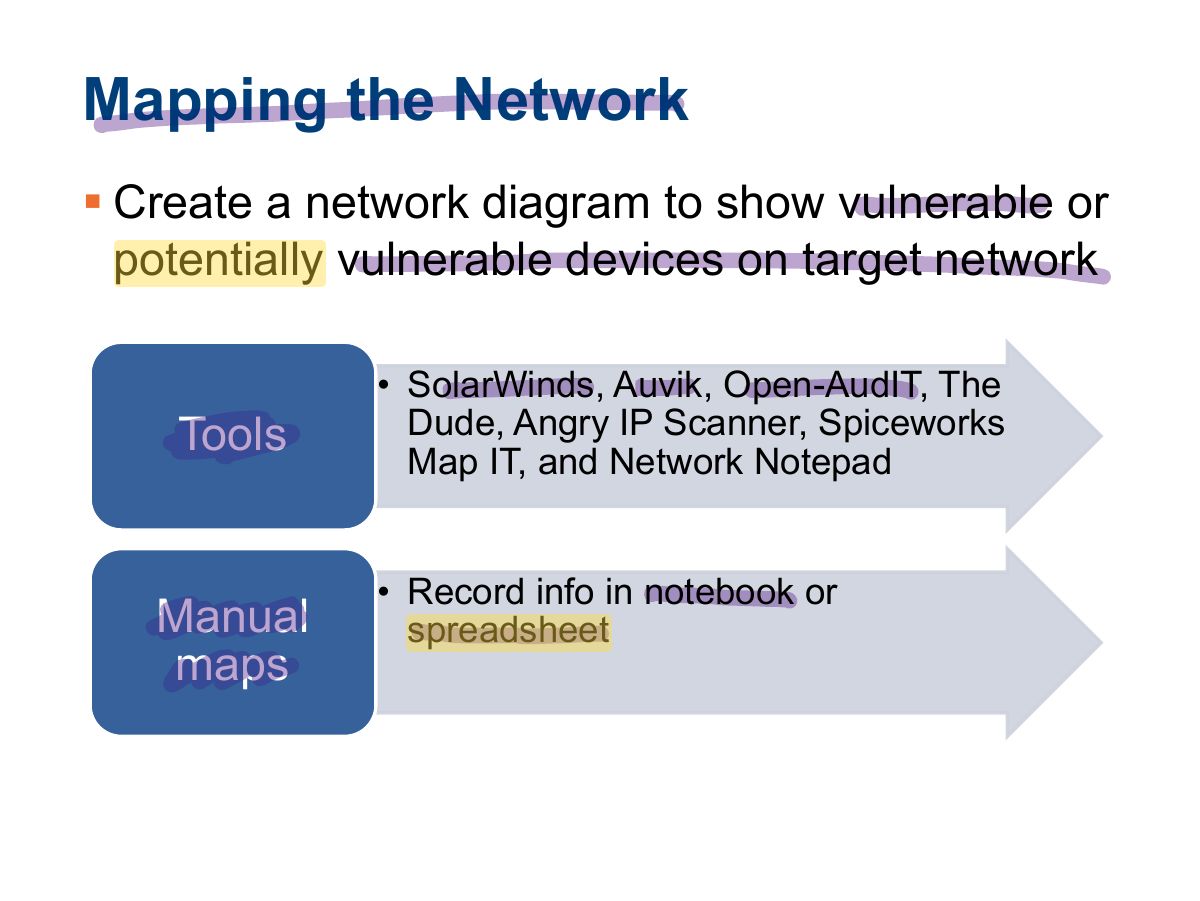
                                                        Slide 41: Mapping the Network
                                                        Exam weight Low

                                                          Analyzing the Results

                                                          1. Analyze the services that have been revealed.
                                                          2. Explore vulnerabilities for each service or system.
                                                          3. Research and locate any potential exploits that can be used to attack the system.

                                                          The attacker can use a search engine to gather information about potential attacks by searching the OS and exploits.

                                                          42
                                                          Exam weight Low

                                                            Summary

                                                            • Identification of target systems
                                                            • Port and vulnerability scanning techniques
                                                            • Network mapping tools
                                                            43
                                                            Exam weight Low