Exam weight Low
- Objectives: File class, PrintWriter, Scanner, try-with-resources.
Exam weight
High
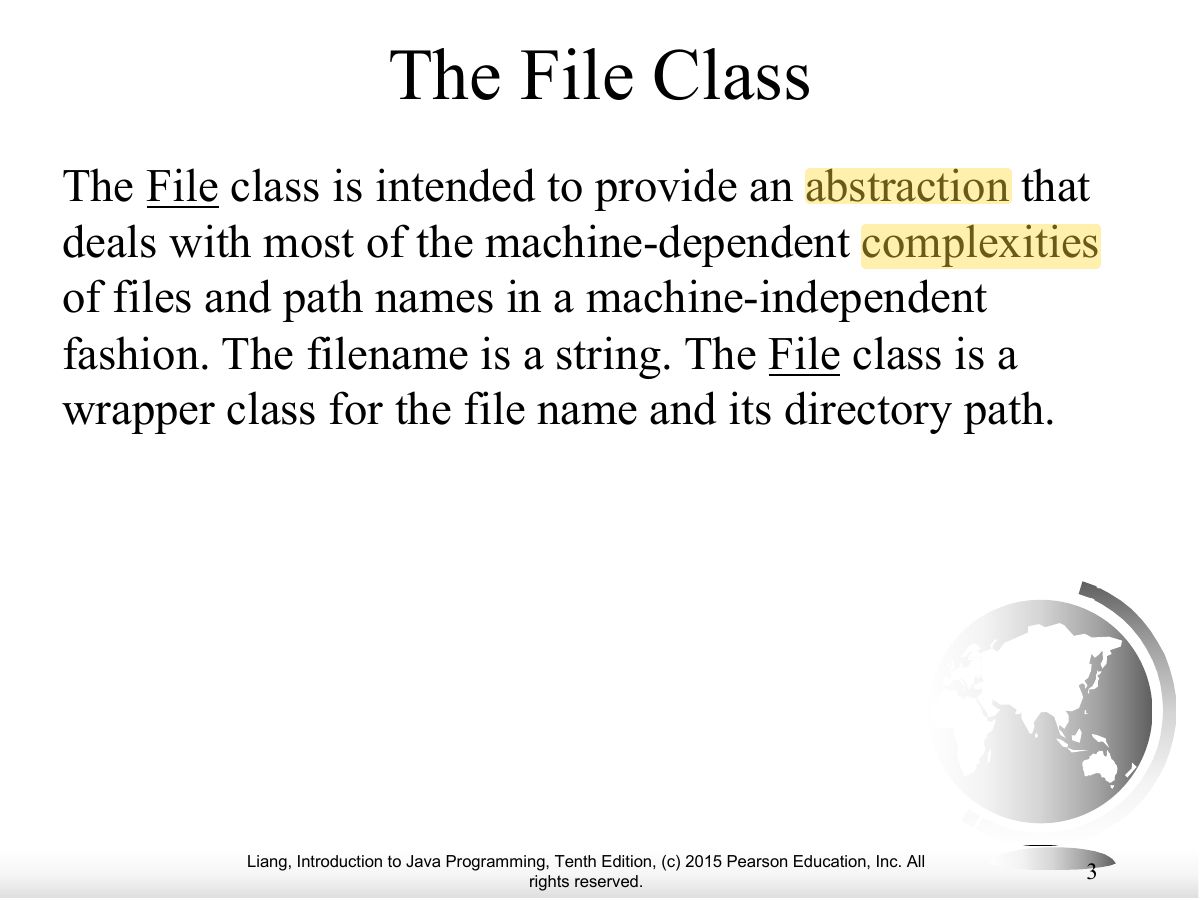
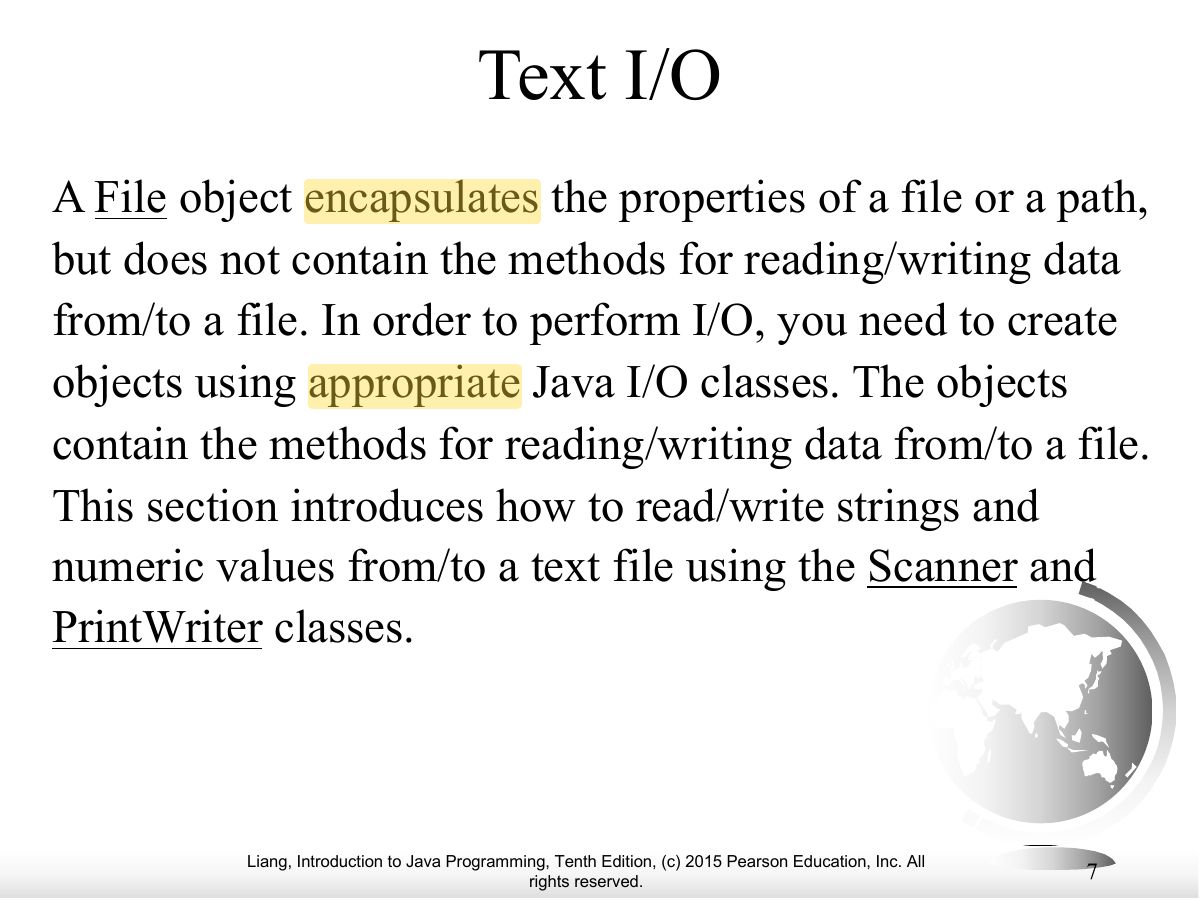
- File represents a file or directory path; it does NOT read or write contents.
🎯 How this can come up · 1 question
True / False
The File class is used to read the contents of a file.
False. It only describes a path; use Scanner/PrintWriter for contents.
Exam weight Low
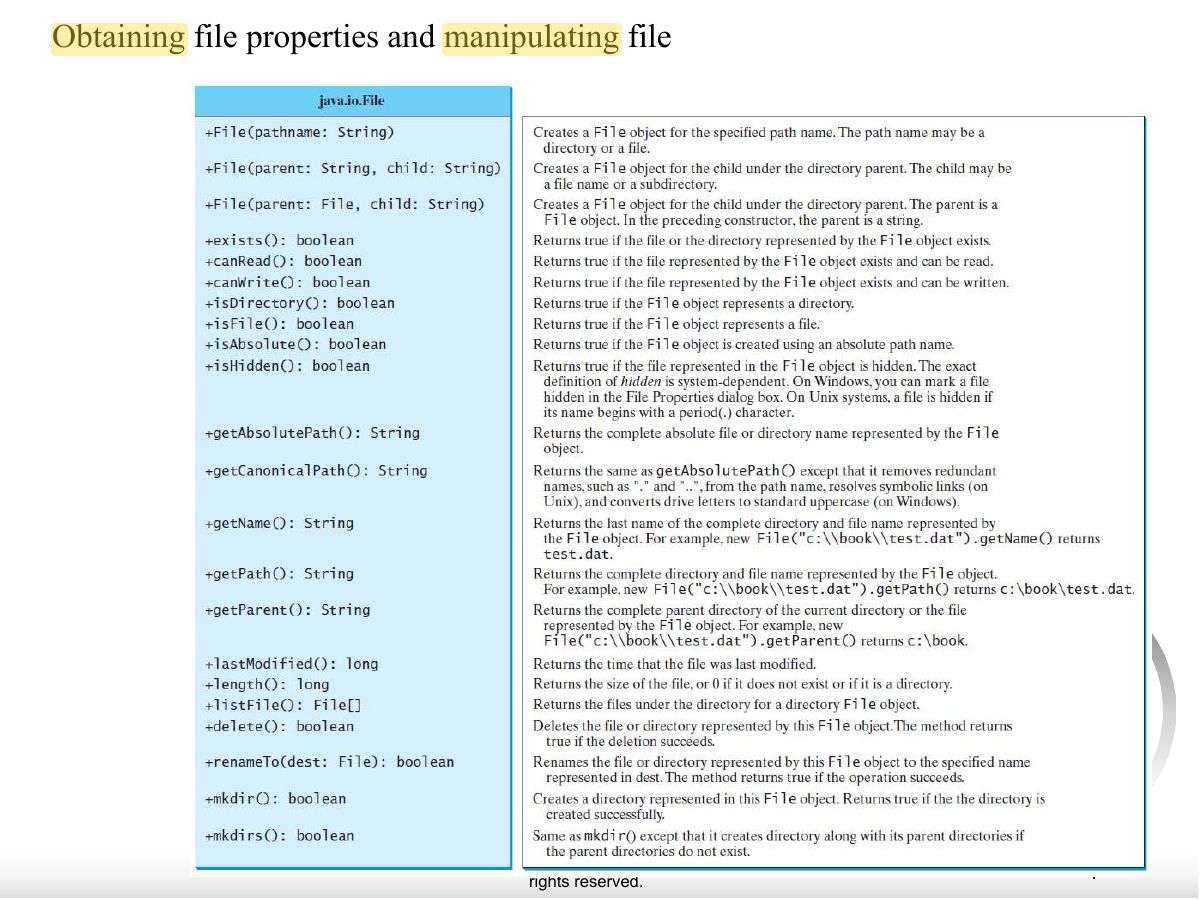
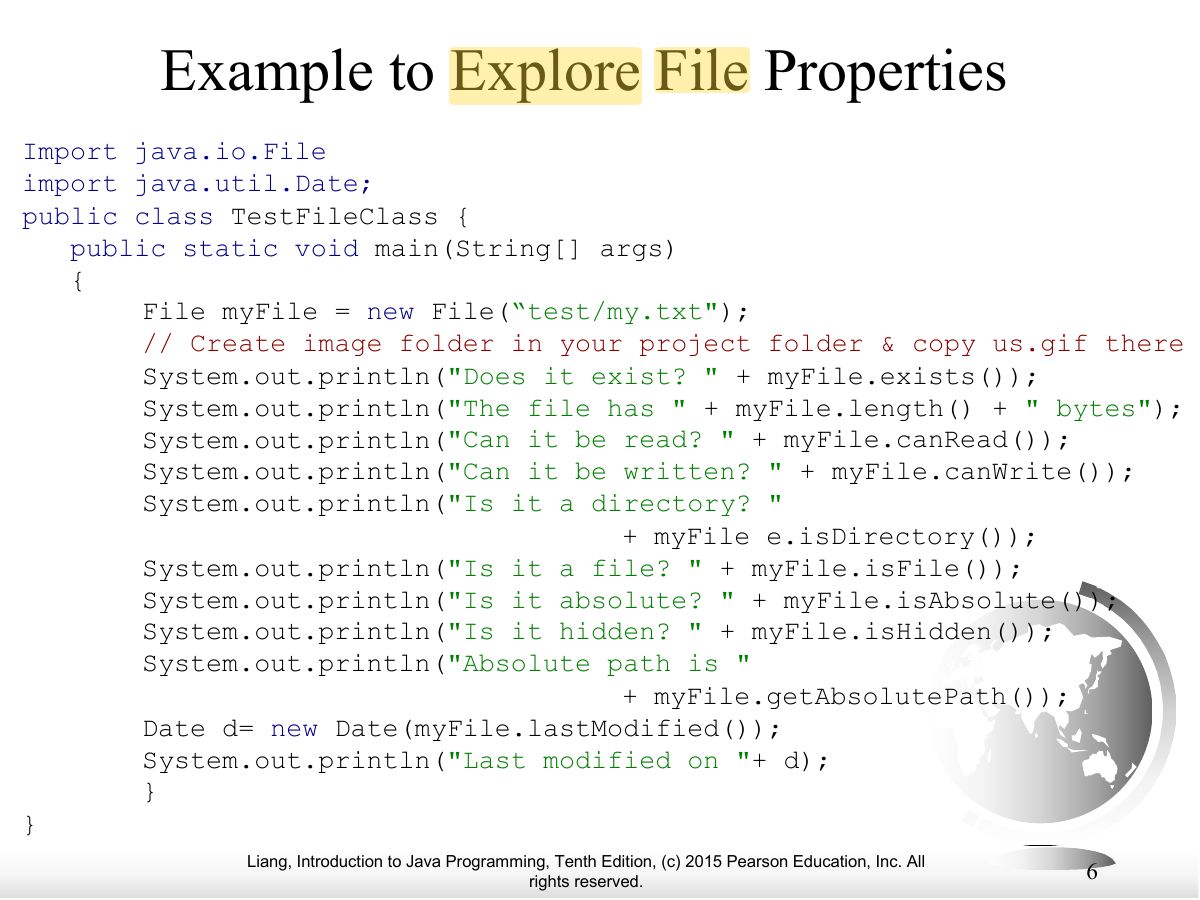
- File methods: exists(), length(), canRead(), isDirectory(), getName(), delete().
Exam weight Low
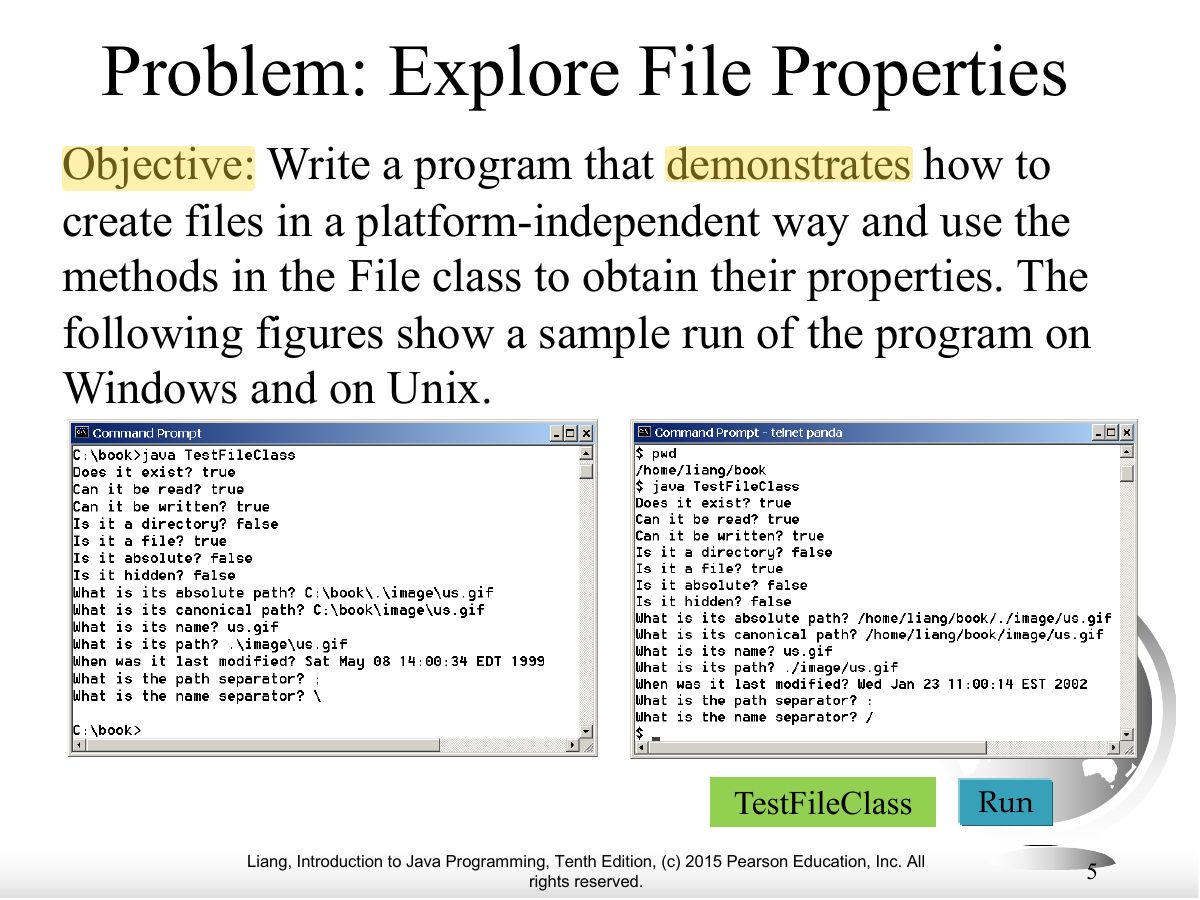
- Explore file properties.
Exam weight Low
- Example code.
Exam weight Low
- Text I/O: PrintWriter writes, Scanner reads.
Exam weight
High
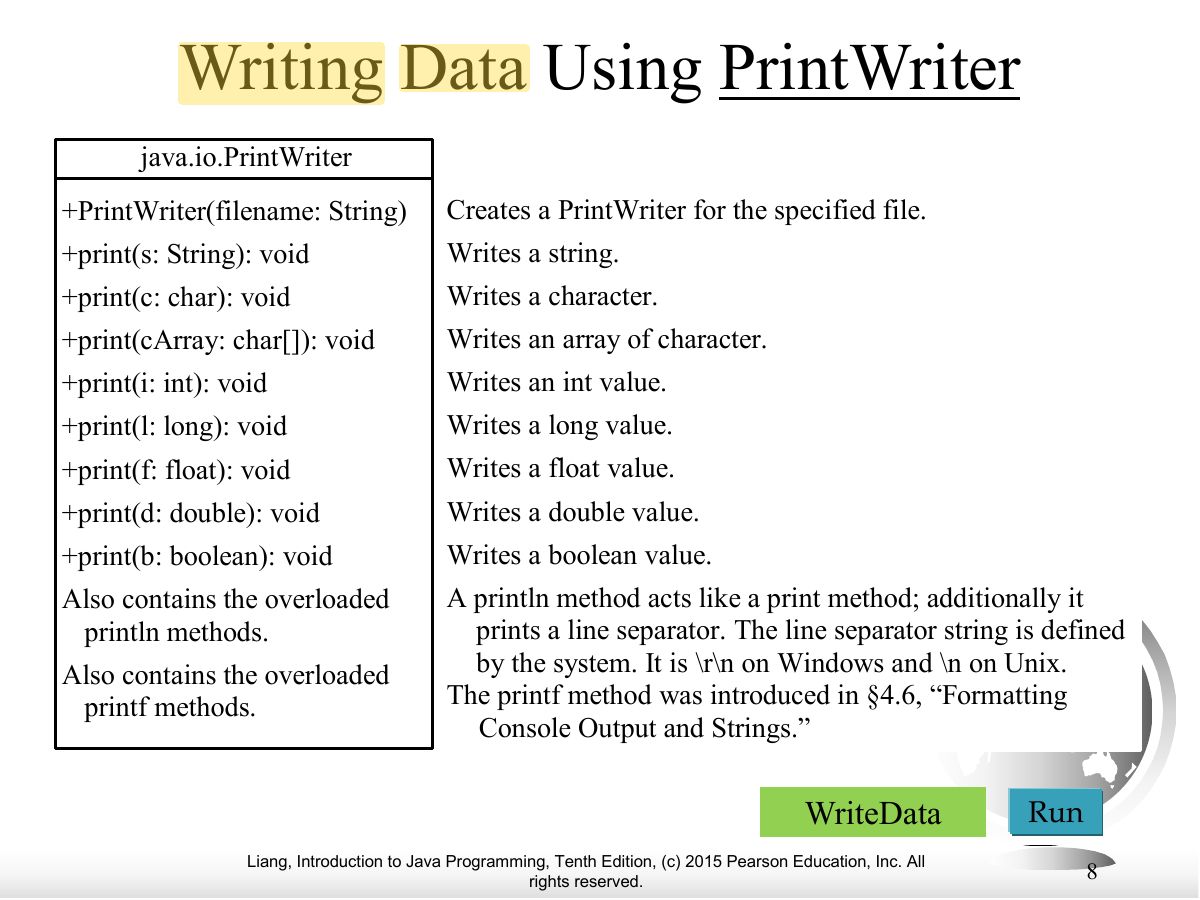
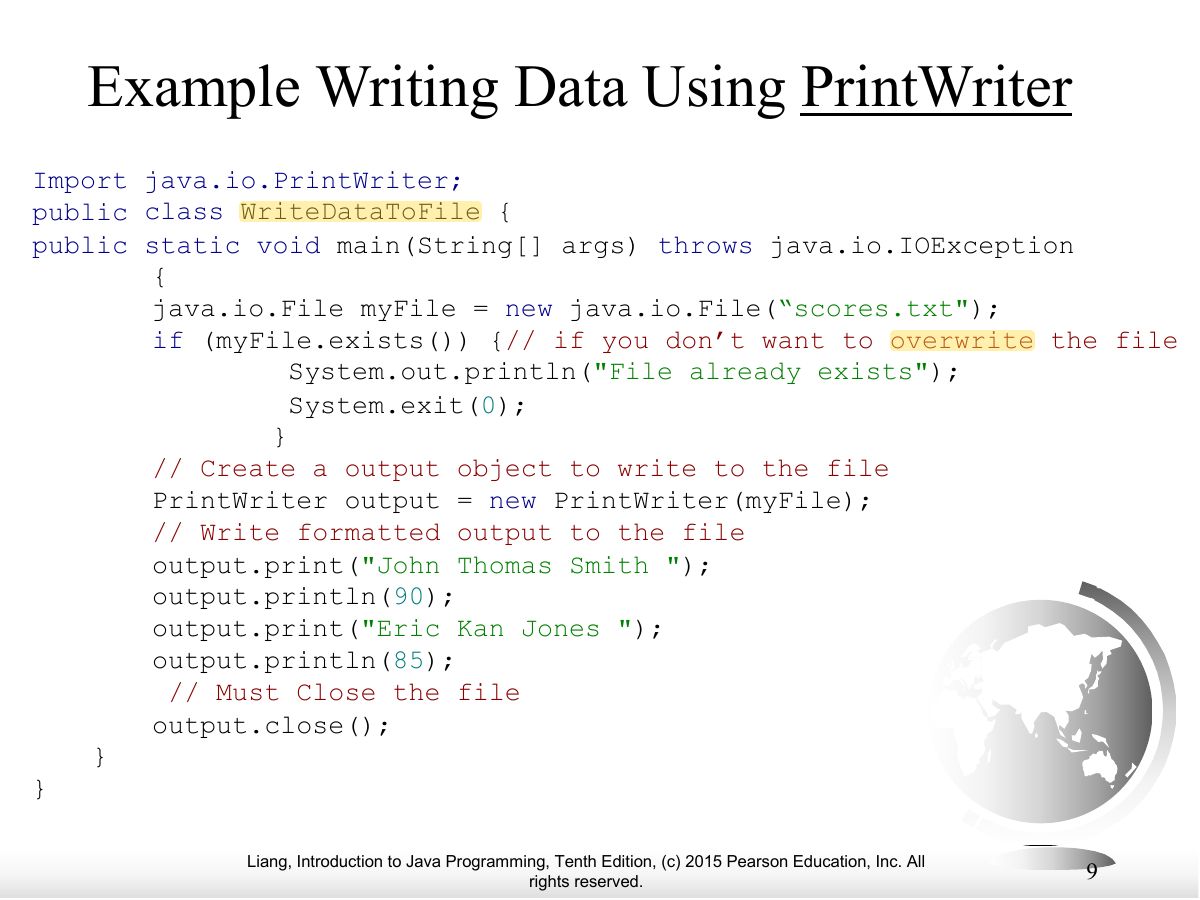
- PrintWriter output = new PrintWriter(file); print/println/printf; close() at the end.
🎯 How this can come up · 1 question
MCQ
Which class writes text data to a file?
Correct: PrintWriter.
Exam weight Low
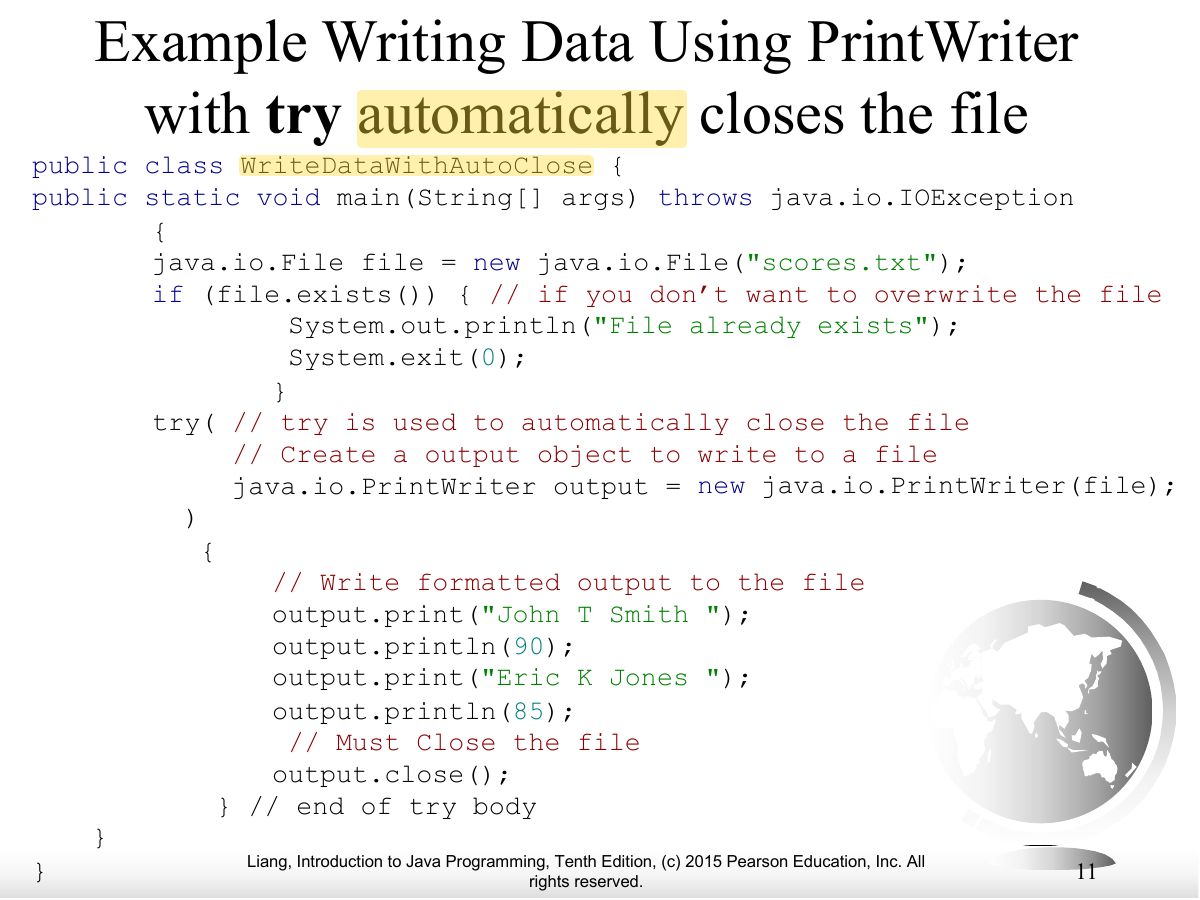
- Example writing data.
Exam weight
High
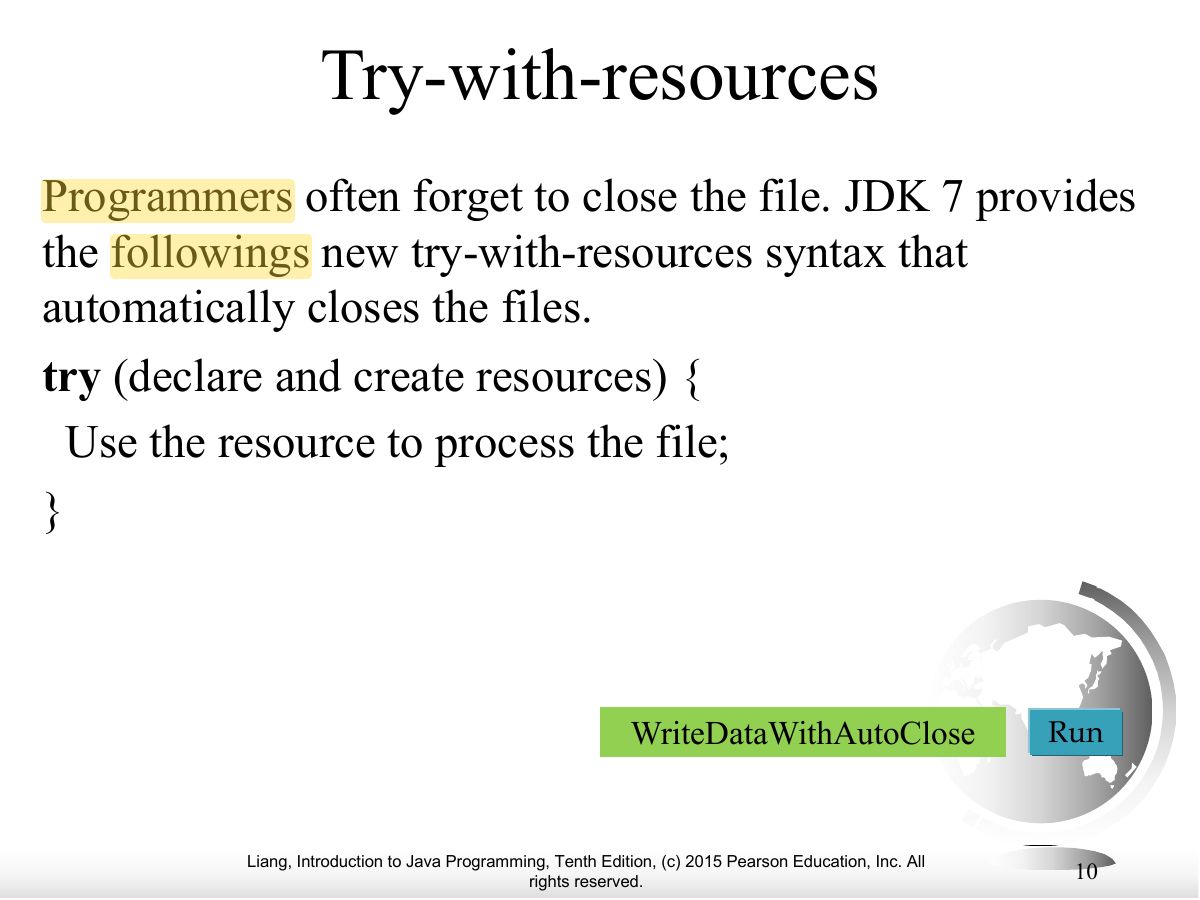
- try (PrintWriter out = new PrintWriter(file)) { … } closes the file automatically.
🎯 How this can come up · 1 question
MCQ
try-with-resources is used to:
Correct: Close resources automatically.
Exam weight Low
- Example with try-with-resources.
Exam weight
High
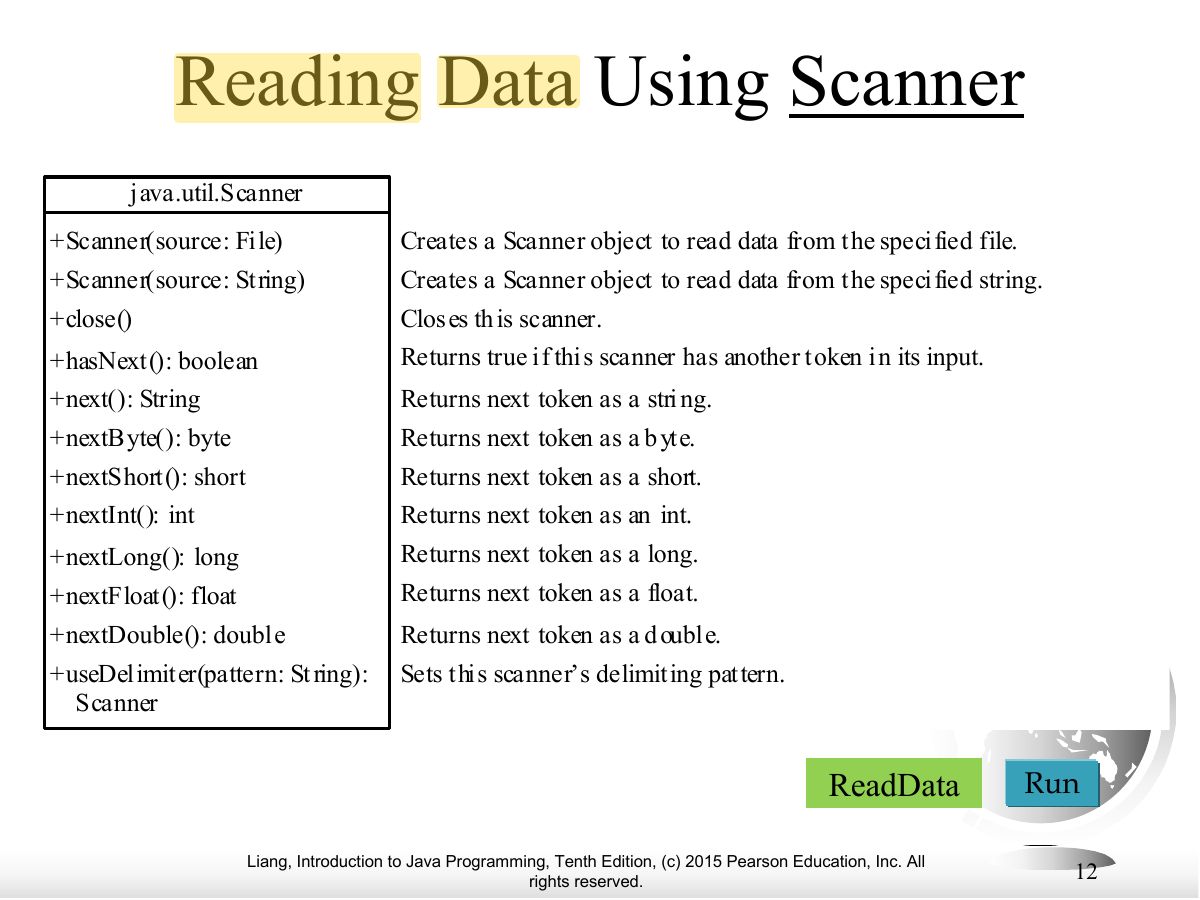
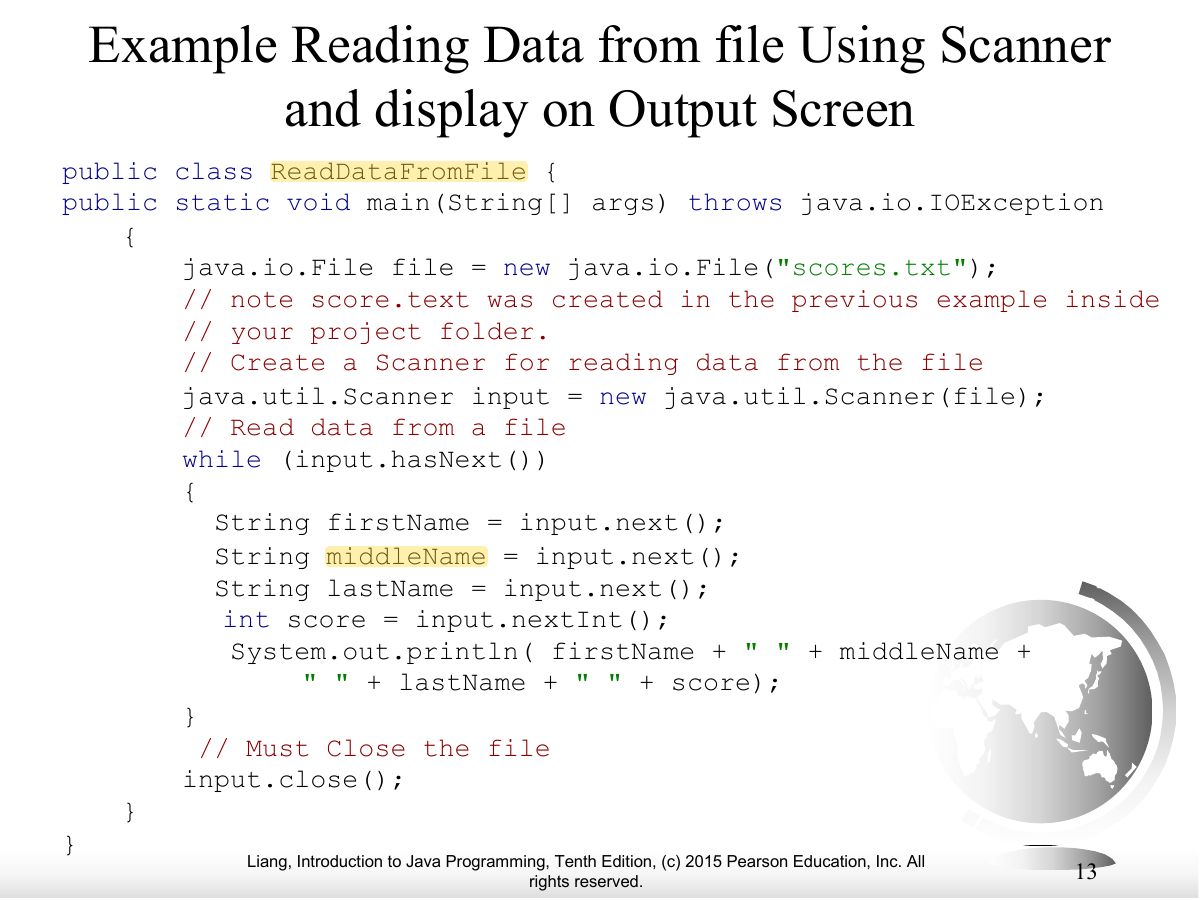
- Scanner input = new Scanner(new File("scores.txt")); while (input.hasNext()) …
Exam trapnew Scanner("scores.txt") reads the STRING, not
the file. Wrap it in new File(...).
Exam weight Low
- Example: read from a file and display.
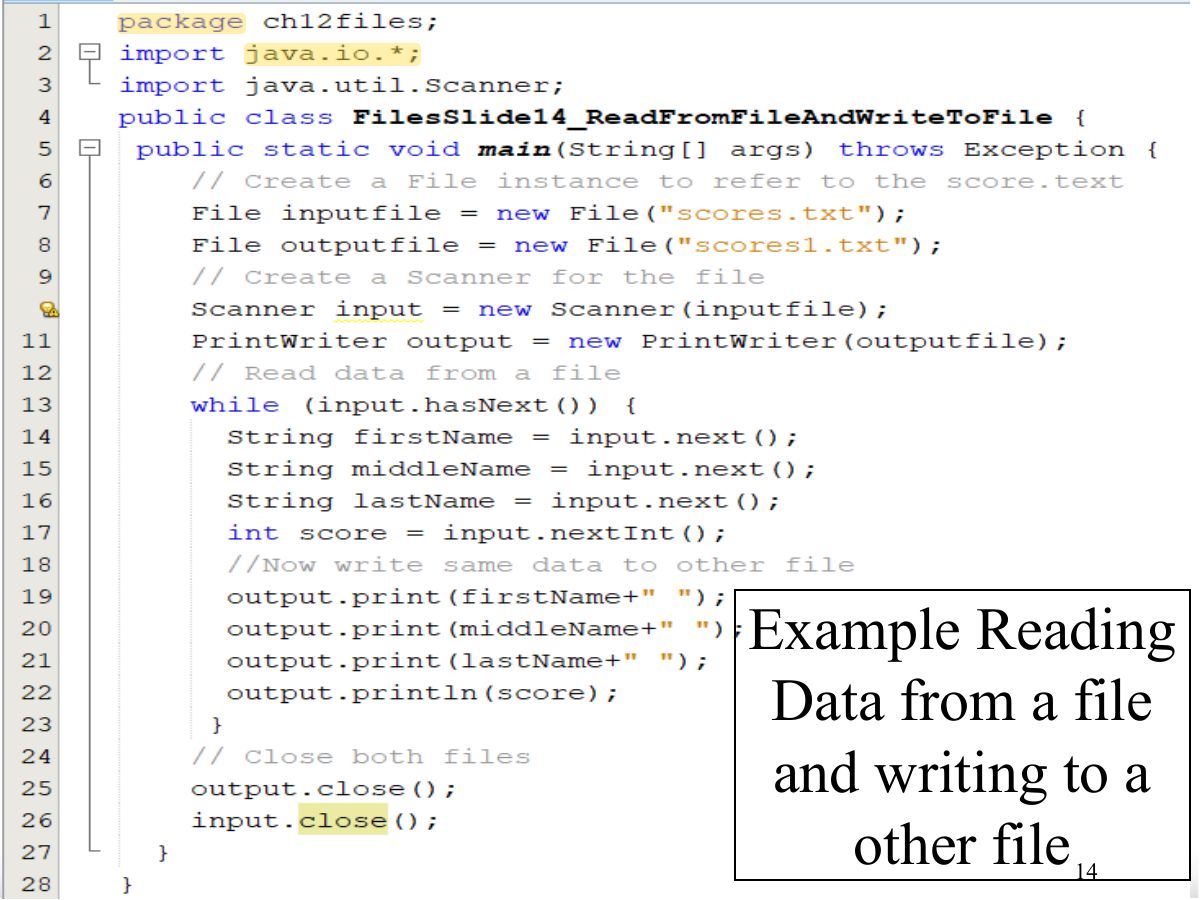
Exam weight Low
- Example code.
Exam weight Low
- Example output.
No slides match this filter.